A The Weather Channel download for your PC takes about a minute. On Windows 11, Windows 10 or a Mac, you install weather.com as a desktop app from Chrome, Edge or Safari. On a phone, you get the free The Weather Channel app from the App Store or Google Play.
The desktop app opens forecasts, radar and alerts in its own window, with its own taskbar or Dock icon. The phone app adds home screen widgets and severe weather notifications.
This guide covers which download fits each device, the official links, install steps for Windows and Mac, what Premium adds, and fixes for install problems.
Which The Weather Channel download do you need?
Match your device to a row. Desktop rows install from the browser, phone rows install from the store.
| Your device | What to install | Size |
|---|---|---|
| Windows 11 or Windows 10 PC | weather.com, installed as an app in Chrome or Edge | Nothing to download |
| Mac on macOS Sonoma 14 or later | weather.com, added to the Dock from Safari | Nothing to download |
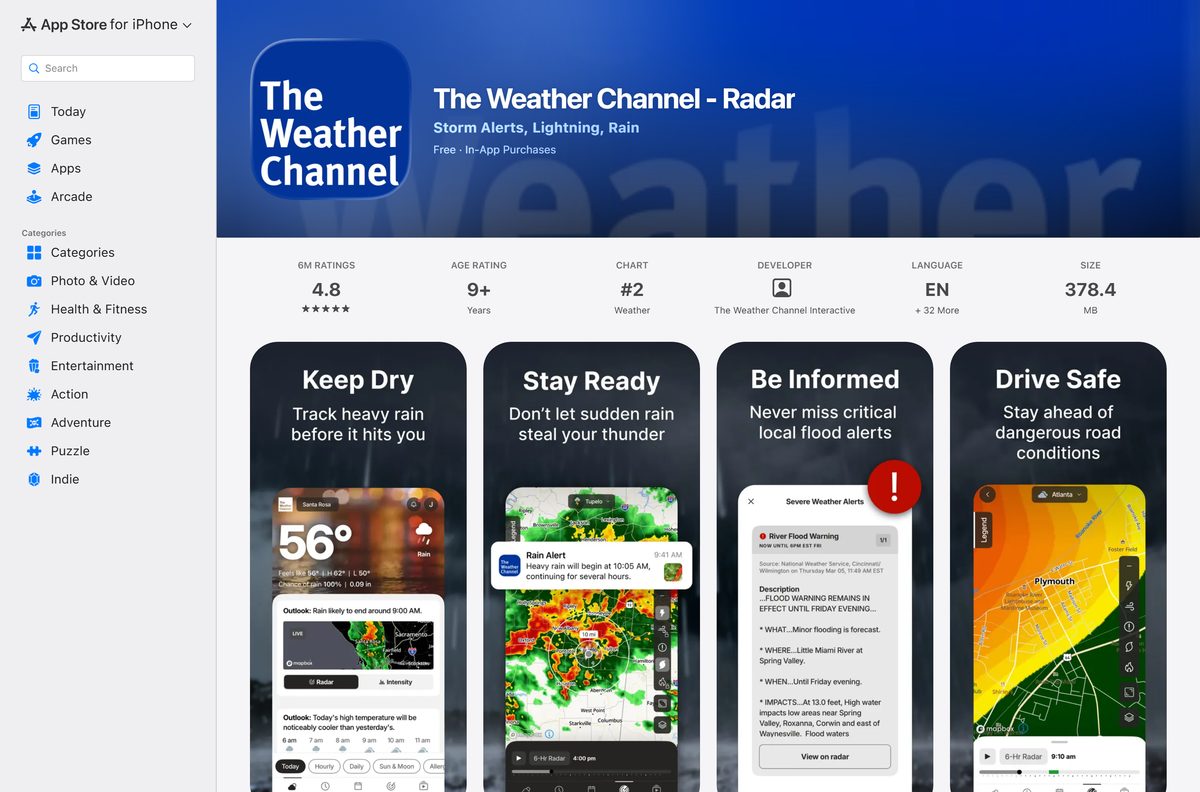
| iPhone or iPad on iOS 18.0 or later | The Weather Channel on the App Store | 378.4 MB |
| Apple TV or Apple Watch | The same App Store listing | Included in the listing |
| Android phone or tablet | The Weather Channel on Google Play | Play states no size |
Saved locations live in each app separately, so add your home city on every device you use.
Download The Weather Channel from the official sources
The Weather Company publishes the app in two stores and runs weather.com for desktops. Use these links only.
- weather.com — forecasts and radar on a PC or Mac; install it as an app
- The Weather Channel on the App Store — 378.4 MB · The Weather Channel Interactive, iOS 18.0 or later
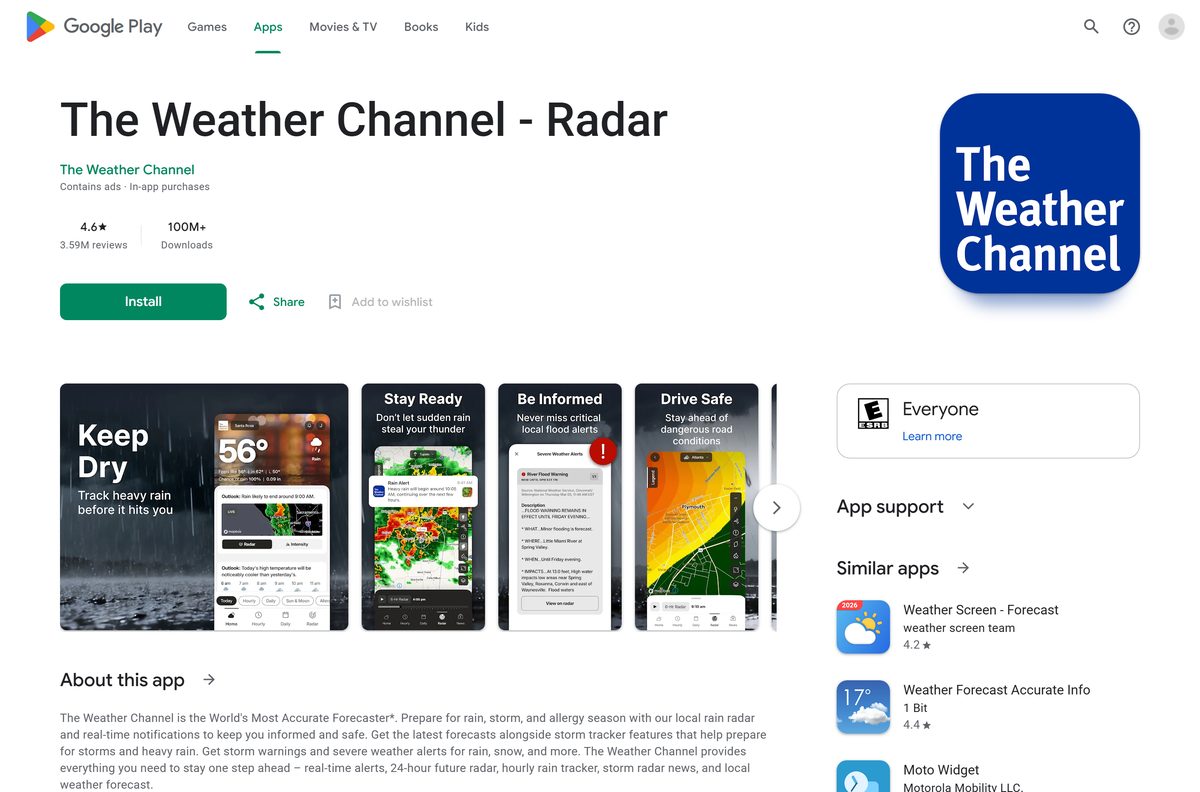
- The Weather Channel on Google Play — 100M+ downloads, contains ads, in-app purchases
Both store listings are titled The Weather Channel – Radar. Search that exact name if a link does not open in your region.
Check The Weather Channel system requirements
The desktop app has no hardware floor of its own. A current browser sets the minimum.
| Field | Value |
|---|---|
| App | The Weather Channel – Radar, and weather.com |
| Developer | The Weather Channel Interactive (The Weather Company, LLC) |
| Latest version | 16.25 on iPhone and iPad; weather.com is always current |
| Price | Free with ads; optional Premium subscription |
| Windows and Mac | weather.com in Chrome, Edge or Safari |
| iPhone and iPad | iOS 18.0 or later |
| Other Apple devices | Apple TV and Apple Watch |
| Android | Google Play |
| iPhone download size | 378.4 MB |
| Architecture | Uses the browser’s build on x64 or ARM64 |
| Offline installer | None |
| Official source | weather.com, the App Store and Google Play |
| Last verified | 2026-09-25 |
How to install The Weather Channel on Windows 11 and 10 with Chrome
Chrome turns weather.com into a windowed app without tabs or an address bar.
- Open Chrome and go to weather.com.
- Allow location access, or search for your city, so the forecast shows your area.
- Select More, the three-dot button at the top right.
- Select Cast, save, and share, then Install page as app.
- Name the app The Weather Channel and follow the prompt to install it.
- Right-click the new window’s taskbar icon and select Pin to taskbar.
- Open the app from the Start menu and confirm your local forecast loads.
Chrome lists every installed web app at chrome://apps. Right-click the app there to create a desktop shortcut or open it at sign-in.
Install The Weather Channel on Windows with Microsoft Edge
Edge builds the same windowed app with nothing extra to download. It suits a PC where Chrome is not installed.
- Open Microsoft Edge and go to weather.com.
- Set your location so the page shows your local forecast.
- Select Settings and more, the three-dot button at the top right.
- Select More tools, then Apps, then Install this site as an app.
- Name the app The Weather Channel and confirm the install.
- Go to edge://apps, select Details on the app’s card, then Pin to taskbar.
Edge ships with Windows 11 and Windows 10, so this route works on a fresh PC.
Which The Weather Channel download do you need for your Mac?
The App Store listing covers iPhone, iPad, Apple TV and Apple Watch. On a Mac, weather.com becomes the app.
| Your Mac | What to do | Source |
|---|---|---|
| macOS Sonoma 14 or later | Safari: File > Add to Dock on weather.com | Apple |
| Older macOS with a current Chrome | Chrome: More > Cast, save, and share > Install page as app | |
| You also want alerts on your iPhone | The Weather Channel on the App Store, 378.4 MB | Apple App Store |
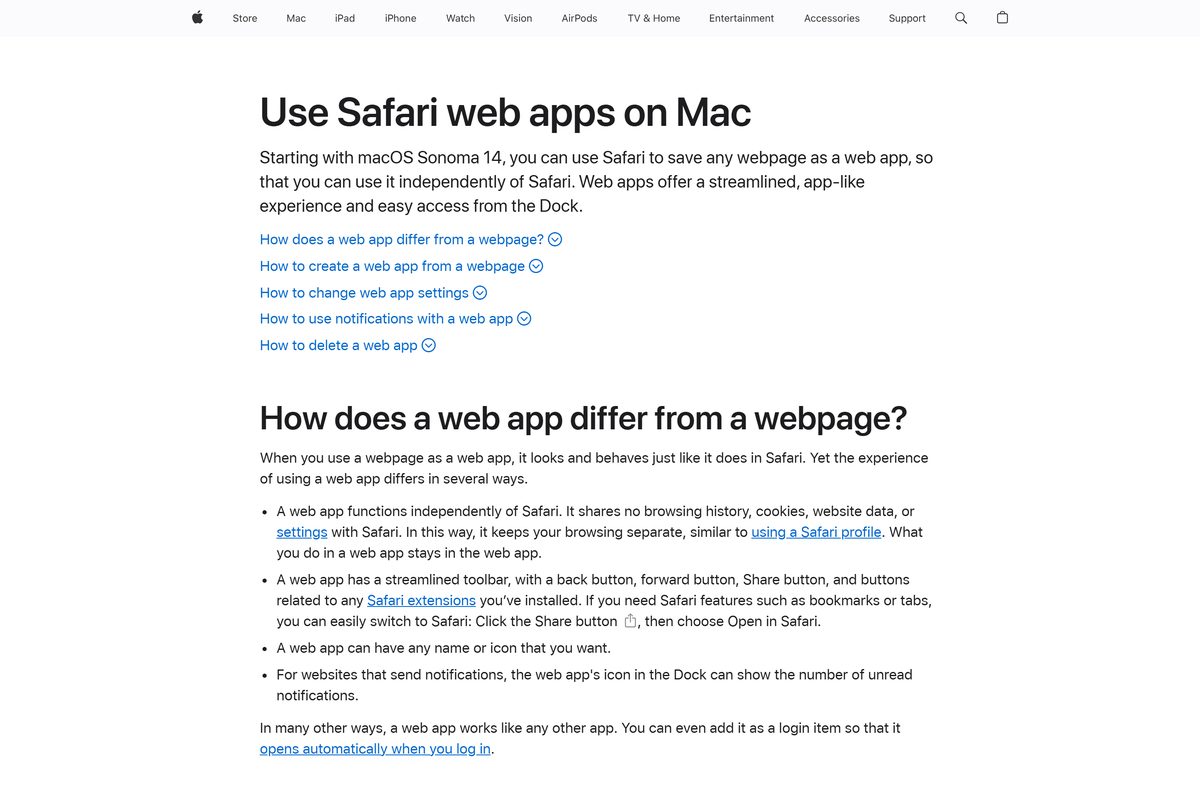
To add the Safari app, open weather.com, choose File > Add to Dock, type a name and click Add. macOS saves it to your Applications folder and puts it in the Dock.
Is The Weather Channel free?
Yes. The app and weather.com are free to use, with ads, and Premium is an optional subscription. Google Play marks the app as containing ads and in-app purchases, and the App Store lists it as free with in-app purchases. Premium Annual removes ads and adds enhanced radar and a 192-hour forecast. The App Store listing names ad-free weather, 15-minute forecast details, the Advanced 72-Hour Future Radar, air travel weather updates and probabilistic snowfall as Premium features. A free trial is offered, and the subscription renews automatically unless you cancel 24 hours before the period ends.
The store shows the Premium price in your currency before you confirm. Cancel from your App Store or Google Play account settings, not from inside the app.
Should you use the phone app or weather.com on your computer?
Install the phone app for alerts and widgets, and use the weather.com desktop app for a large radar view. The phone app sends severe weather notifications, puts radar and the next three hours on the home screen through widgets, and gives a 15-minute rain forecast up to 7 hours ahead. The desktop app shows the same forecasts, radar maps and weather news on a bigger screen, with no store and no download size.
Use both. A Premium subscription bought in the App Store or on Google Play is tied to that store account.
How to check a The Weather Channel download is genuine
Weather apps with similar names and radar icons crowd both stores. Check the publisher before you install.
- On the App Store, confirm Developer reads The Weather Channel Interactive.
- On Google Play, confirm the name under the title reads The Weather Channel.
- Check the Android listing shows 100M+ downloads.
- On a PC or Mac, confirm the address bar shows weather.com before you install the page as an app.
- Delete any .exe or .dmg offered as The Weather Channel from a download portal.
Support email addresses end in @weather.com: [email protected] for iPhone and [email protected] for Android.
How to check your The Weather Channel app version and update it
The desktop app has no version number. It loads the current weather.com every time it opens.
- On an iPhone or iPad, open the App Store and tap your profile picture.
- Scroll to pending updates and tap Update next to The Weather Channel – Radar.
- On Android, open Google Play, tap your profile picture, then Manage apps & device.
- Tap Updates available and update The Weather Channel – Radar.
- On a PC or Mac, keep Chrome, Edge or Safari updated so weather.com loads correctly.
The App Store lists version 16.25, released on 21 September 2026, with radar improvements and bug fixes.
Fix The Weather Channel not installing on Windows 11, Windows 10 or Mac
Install page as app is missing in Chrome
The menu path differs in older Chrome builds.
- Update Chrome from More > Help > About Google Chrome.
- Reload weather.com.
- Look for the Install icon at the right of the address bar.
Add to Dock is missing in Safari
Safari web apps need macOS Sonoma 14 or later.
- Open the Apple menu and select About This Mac to check the macOS version.
- Update to macOS Sonoma 14 or later if the Mac supports it.
- Otherwise install weather.com as an app from Chrome.
The desktop app shows the wrong city
weather.com uses your browser location or your last search.
- Allow location access when the browser asks.
- Search for your city in the weather.com search box.
- Reopen the app so the new location loads.
The iPhone app will not install
The current build requires iOS 18.0 or later.
- Open Settings > General > About and check the iOS version.
- Update iOS from Settings > General > Software Update if available.
- Use weather.com in Safari on an older device.
Premium still shows ads
The subscription belongs to a different store account.
- Sign in to the App Store or Google Play account that bought Premium.
- Confirm Premium shows as active under Subscriptions in that store account.
- Email the support address on the store listing if ads remain.
How to uninstall The Weather Channel from a PC, Mac or phone
Removing the desktop app removes a window and a shortcut. weather.com still works in the browser.
- In Chrome, open the app window, select More, then Uninstall The Weather Channel, and select Remove.
- In Edge, go to edge://apps, select Details on the app’s card, then Uninstall, and confirm.
- On a Mac, open Go > Home in Finder, open Applications and drag the web app to the Trash.
- On an iPhone or Android phone, press and hold the app icon and choose the remove or uninstall option.
- Cancel Premium separately in your App Store or Google Play subscriptions, since deleting the app does not stop billing.
Tick Also delete data from Chrome during removal to clear the browsing data the app kept.
Frequently asked questions
Is there a The Weather Channel download for PC?
Yes, as a desktop app built from weather.com. Open weather.com in Chrome or Edge on Windows 11 or 10 and install the page as an app. It then opens from the Start menu and the taskbar in its own window.
Is The Weather Channel app free?
Yes. The app is free on the App Store and Google Play, with ads. Premium is an optional in-app subscription that removes ads and adds 15-minute forecast details and the Advanced 72-Hour Future Radar, with a free trial.
Is there a The Weather Channel app for Mac?
Yes, as a web app. On macOS Sonoma 14 or later, open weather.com in Safari and choose File, then Add to Dock. On older macOS, install weather.com as an app from Chrome instead.
Is there a The Weather Channel .exe or offline installer?
No offline installer is offered. The official downloads are the App Store and Google Play apps. On Windows and Mac, the desktop app runs weather.com and needs an internet connection for forecasts and radar.
How big is The Weather Channel app download?
The iPhone and iPad app is 378.4 MB on the App Store. Google Play shows no size for the Android app. The desktop app built from weather.com downloads nothing, because it runs in your browser.
What devices does The Weather Channel app support?
The App Store build runs on iPhone and iPad with iOS 18.0 or later, plus Apple TV and Apple Watch. Android phones get it from Google Play. Windows and Mac use weather.com in a browser.
Does The Weather Channel app run on ARM64 Windows PCs?
Yes, through the browser. The desktop app is weather.com running in Edge or Chrome, so it works on any x64 or ARM64 Windows 11 PC that runs a current version of either browser.
Is The Weather Channel app safe to download?
Yes, from the official listings. On the App Store the developer is The Weather Channel Interactive, and on Google Play the publisher reads The Weather Channel. The Android app has more than 100 million downloads.
What is the latest version of The Weather Channel app?
Version 16.25 is current on the App Store, released on 21 September 2026. Google Play lists an update on 19 September 2026. The weather.com desktop app is always current when it loads.
Why won’t The Weather Channel app install on my iPhone?
The current App Store build requires iOS 18.0 or later. Check your version in Settings, then General, then About, and update iOS if your iPhone supports it. Otherwise open weather.com in Safari.
How do I cancel The Weather Channel Premium?
Cancel it in your App Store account settings on iPhone, or under Subscriptions in Google Play on Android. Cancel at least 24 hours before the period ends, or the subscription renews automatically.






