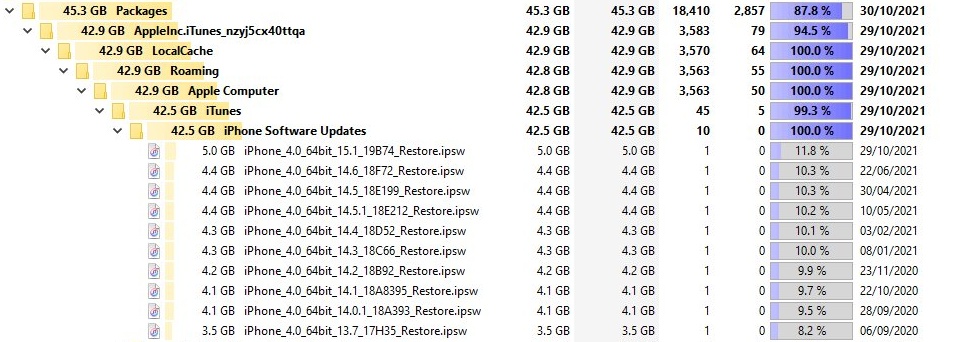
Apple does not publish a download folder for IPSW firmware in the Microsoft Store version of iTunes, so the reliable way to find one is to search your Windows user profile for *.ipsw.
This guide gives the exact PowerShell and File Explorer searches, explains why Store apps keep files in a private folder, and covers how to install, open or delete the file once you have it.
IPSW download location on Windows 11 and Windows 10
Open Windows PowerShell from the Start menu and run this command. It works on the Microsoft Store and the older desktop version of iTunes, because it does not assume a folder.
Get-ChildItem -LiteralPath $env:USERPROFILE -Filter *.ipsw -Recurse -Force -ErrorAction SilentlyContinue | Select-Object FullName, Length, LastWriteTimeSearches every folder in your Windows profile, including hidden ones, for files ending in .ipsw. -Force includes hidden items, and -ErrorAction SilentlyContinue skips folders you cannot read.
You should see: Each match prints with its full path in FullName, its size in bytes in Length, and its date in LastWriteTime. No output means your profile holds no IPSW file.
The scan can take a few minutes on a large profile. Run it under the same Windows account that used iTunes, because Store app data is stored per user.
Where is the firmware located in the iTunes Store app?
Microsoft documents a private, per-user folder for packaged apps. New files a packaged app writes to AppData can land there instead of the real AppData, which is why the usual iTunes folder can look empty.
| Folder | What it holds | Check it for IPSW files? |
|---|---|---|
%LocalAppData%\Packages\<PackageFamilyName>\LocalCache\ |
Microsoft's container for files a packaged app redirected | Yes, check this first |
%AppData%\Apple Computer\ |
Apple's data folder, named on its support page as an alternate backup location | Yes, check this second |
%USERPROFILE%\Apple\MobileSync\Backup |
iPhone and iPad backups, according to Apple | No, backups are not firmware |
C:\Program Files\WindowsApps\<package_full_name> |
The app's own read-only install files | No, apps cannot write downloads here |
How to find the iTunes package folder on Windows
Every Store app has its own folder under %LocalAppData%\Packages. PowerShell gives you the exact name, so you do not have to guess.
- Open Windows PowerShell from the Start menu.
- Run
Get-AppxPackage -Name *Apple*to list your installed Apple packages. - Find the entry for iTunes and copy its PackageFamilyName value.
- Press Windows key + R, enter
%LocalAppData%\Packages, and select OK. - Open the folder with the name you copied.
- Open LocalCache and browse its subfolders for files ending in
.ipsw.
No Apple entry means iTunes is not installed from the Microsoft Store under this Windows account. Run the search from the first section instead.
How to search for IPSW files in File Explorer
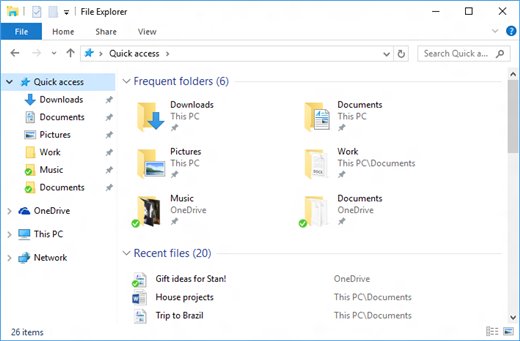
File Explorer works without typing commands. Search inside the folder directly, because the AppData folder is hidden by default.
- Open File Explorer.
- On Windows 11, select View > Show > Hidden items.
- On Windows 10, open File Explorer Options and select Show hidden files, folders, and drives.
- Press Windows key + R, enter
%LocalAppData%\Packages, and select OK. - Type
*.ipswin the search box at the top right and wait for the search to finish. - Read the folder path shown with each result.
- Repeat the search from
%AppData%if the first one finds nothing.
Apple Devices IPSW location
Apple's Apple Devices guide lists no firmware folder either. Apple now assigns iPhone and iPad updates and restores to this app, so search its package folder as well as the one for iTunes.
| App | Its job, according to Apple | How to look for an IPSW |
|---|---|---|
| Apple Devices | Updates, backs up, restores and syncs iPhone and iPad | Find its package with Get-AppxPackage, then search that folder |
| iTunes | Manages podcasts and audiobooks on Windows | Find its package with Get-AppxPackage, then search that folder |
| Apple Music and Apple TV | Manage your music, movies and shows | Not relevant to firmware |
The profile-wide command in the first section covers both apps, so you need not work out which one downloaded the file, even though iTunes and Apple Devices do different jobs.
How to tell if iTunes downloaded an IPSW file
- Run the PowerShell command from the first section.
- Compare LastWriteTime with the day you updated or restored your device.
- Check Length, the size in bytes. An IPSW holds a full copy of the operating system, so a file of only a few megabytes is not complete.
- Copy the FullName path into the File Explorer address bar, without the file name, to open the folder.
A result with an old date is left over from an earlier download, not the one you just ran.
How to install IPSW from PC
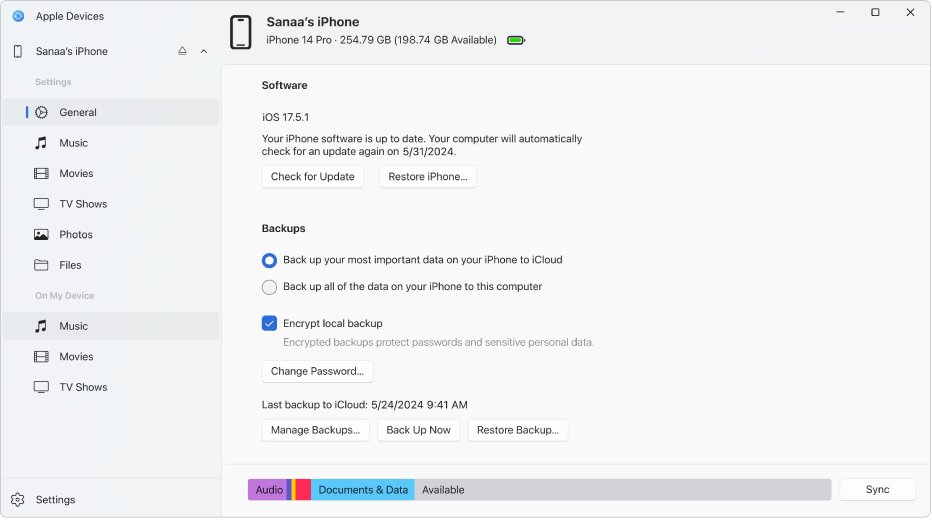
You do not need to find the file to reinstall iOS from a PC. The Apple Devices app downloads the software itself, and the restore erases the device.
- Connect the iPhone or iPad to your PC with a USB or USB-C cable.
- Open Apple Devices and select your device in the sidebar.
- Select General in the sidebar.
- Select Restore [device], next to Check for Update.
- Choose whether to back up first, then follow the onscreen instructions.
- Wait while the computer downloads the software.
Apple's Windows guide does not document a way to pick a local IPSW file in this app. To use a file you found, restore the iPhone with an IPSW file from a Mac.
How to install IPSW manually on iPhone
Apple documents manual IPSW installs only in Apple Configurator, which runs on a Mac. Version 2.21 needs macOS 15.7 or later, so a Windows PC cannot do this step.
- Copy the IPSW file from your PC to the Mac.
- Connect the iPhone to the Mac and open Apple Configurator.
- Select the device in the device window.
- Drag the
.ipswfile onto the device. - Choose to update or restore it.
The install works only if Apple still signs that version for your device, so unsigned IPSW files will not install.
How to open IPSW file in Windows
Do not try to open an IPSW file on Windows. Keep it as a single file and use it only with a tool that installs it. An IPSW is a restore image for Apple devices, not a document or an installer you run on a PC. Neither Apple nor Microsoft documents a Windows app for opening one, and Apple's only documented use for the file is dragging it onto a device in Apple Configurator.
Download IPSW from Apple: official routes
Most people do not need a separate download. Match your situation to a row before you search for firmware files.
| What you want | Official route | Note |
|---|---|---|
| Reinstall current iOS from a PC | Restore [device] in Apple Devices | The computer downloads the software for you |
| Update iOS from a PC | Check for Update in Apple Devices | No separate file to manage |
| Fix an iPhone stuck on startup | Recovery mode, then Apple Devices | Restore erases all data |
| Install a specific IPSW | Apple Configurator on a Mac | The version must still be signed |
| Use a custom or modified IPSW | None | Apple authorizes only versions it actively signs |
How to delete IPSW files on Windows
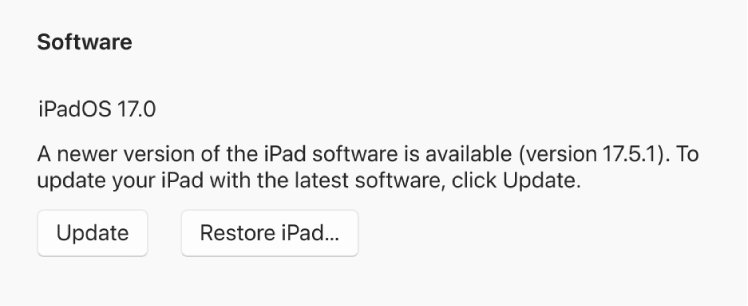
An IPSW file you found by searching can be deleted to free up space. Apple Devices downloads the software again the next time a restore needs it.
- Close iTunes and Apple Devices.
- Open the folder that holds the
.ipswfile. - Confirm the file ends in
.ipswand leave everything else in the folder alone. - Delete the file.
- Empty the Recycle Bin to get the space back.
Uninstalling a packaged app also removes the writes Windows redirected for it, so any IPSW file in its LocalCache folder goes with it.
IPSW file not found on Windows
The PowerShell search returns nothing
Your profile holds no IPSW file, or another Windows account ran the download.
- Sign in to the Windows account that used iTunes or Apple Devices.
- Run the command again from that account.
- Start a restore in Apple Devices if you need the software, because the app downloads it for you.
Access is denied in the WindowsApps folder
Windows locks package files down, and apps cannot write downloads there.
- Leave
C:\Program Files\WindowsAppsalone. - Search
%LocalAppData%\Packagesinstead.
The file vanished after reinstalling iTunes
Uninstalling a packaged app removes its redirected files.
- Start a restore in Apple Devices to download the software again.
- Copy any IPSW file you want to keep to another folder before you uninstall in future.
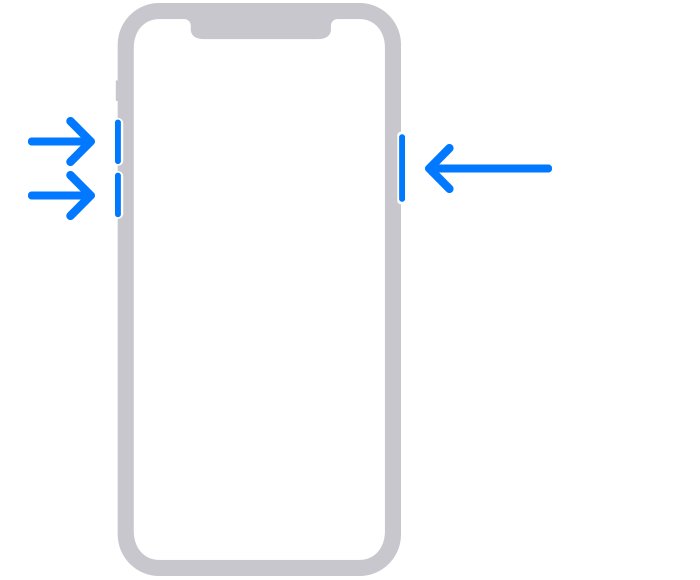
The iPhone exits recovery mode during the download
Apple says a download over 15 minutes can take the device off the connect-to-computer screen.
- Let the download finish on the PC.
- Repeat the recovery mode steps on the iPhone.
- Choose Restore again in Apple Devices.
IPSW firmware location FAQ
Where is the firmware located on a Windows PC?
Apple does not publish a folder for it. Search your Windows profile for *.ipsw with PowerShell or File Explorer. For Microsoft Store apps, start in %LocalAppData%\Packages, where Windows keeps each packaged app's private files.
What is the IPSW download location on Windows 11?
Windows 11 follows the same rule as Windows 10, because the location depends on the app rather than the Windows version. Run the Get-ChildItem search against your user profile, and read the full path it prints.
What is the Apple Devices IPSW location?
Apple's guide for the Apple Devices app does not list one. The app is installed from the Microsoft Store, so check its package folder under %LocalAppData%\Packages, or search your whole profile for files ending in .ipsw.
How do I install IPSW from a PC?
Connect the device, open Apple Devices, select General, then select Restore [device]. The computer downloads the software for you, and the restore erases the device. Apple's Windows guide documents no way to choose your own IPSW file.
How do I install an IPSW manually?
Use Apple Configurator on a Mac. Select the device, drag the .ipsw file onto it, then choose update or restore. Apple Configurator 2.21 needs macOS 15.7 or later, and the version must still be signed by Apple.
How do I open an IPSW file in Windows?
You do not need to open it. An IPSW is a restore image for Apple devices rather than a Windows program or document, and neither Apple nor Microsoft documents a Windows app for opening one.
Can I download an IPSW from Apple directly?
The route Apple documents for iPhone owners is to let Apple Devices or Finder download the software during an update or restore. Apple's install page covers beta restore images for visionOS, and iOS betas install from Settings.