You can't update an iPad mini 2 to iOS 15 or iOS 16, because Apple supports those releases only on iPad mini 4 and iPad mini (5th generation) or later; the newest software for an iPad mini 2 is iOS 12.5.8, installed from Settings > General > Software Update.
This guide covers the wireless update, updating from a Mac, a Windows PC or iTunes, telling an iPad mini 2 from newer models, keeping apps current, and fixes when the update fails.
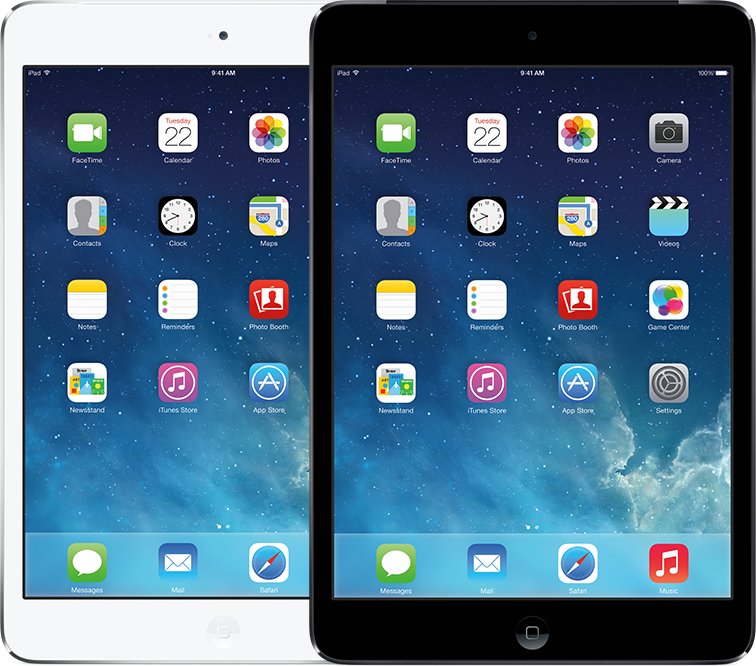
How to update iPad mini 2 to the latest iOS
The wireless update is the fastest route and needs no computer. It installs the newest iOS 12 release that the iPad mini 2 can run.
- Back up the iPad mini 2 to iCloud, a Windows PC or a Mac.
- Plug the iPad into power and connect it to Wi-Fi.
- Open Settings, then tap General.
- Tap Software Update. The installed iOS version appears, along with any available update.
- Tap Download and Install, then follow the onscreen instructions.
- Enter your passcode when asked and keep the iPad on power until it restarts.
If a message asks to remove apps temporarily for space, tap Continue. iOS reinstalls those apps automatically after the update finishes.
Can iPad mini 2 update to iOS 15 or iOS 16?
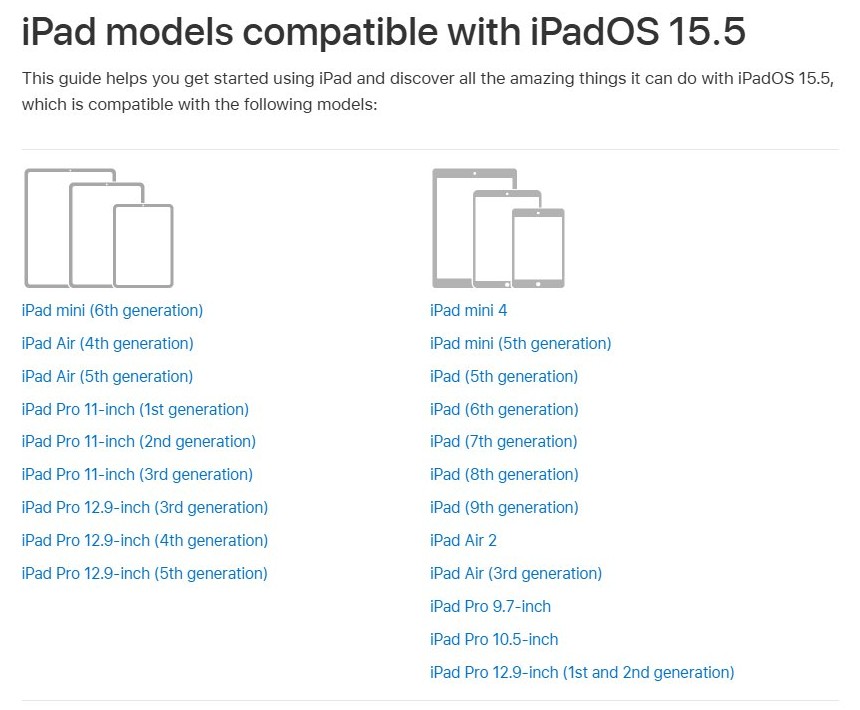
No. Apple's support lists end for this model at iOS 12, and the iPad's software became iPadOS from version 13. Searching for iOS 15 or iOS 16 on an iPad therefore means iPadOS 15 or iPadOS 16.
| Version | Available on iPad mini 2? | Oldest supported iPad mini |
|---|---|---|
| iOS 12 (latest 12.5.8) | Yes | iPad mini 2 |
| iPadOS 13 | No | iPad mini 4 |
| iPadOS 15 (latest 15.8.8) | No | iPad mini 4 |
| iPadOS 16 (latest 16.7.16 on older models) | No | iPad mini (5th generation) |
| iPadOS 27 (latest 27.2) | No | iPad mini (6th generation) |
Software Update on an iPad mini 2 never offers iPadOS 13 or later, and Apple provides no way to install it on this model. Older iPhones hit the same wall: an iPhone 6 also stops at iOS 12.
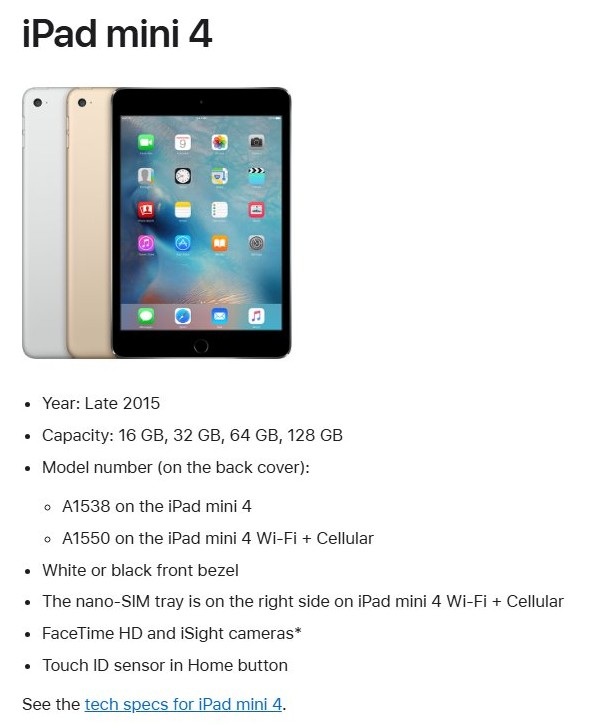
iPad mini 2 vs iPad mini 4 model number
Some readers asking about iOS 15 actually own an iPad mini 4, which can run iPadOS 15. Check the model before you assume the update is missing.
| Model | Model numbers | Released | Touch ID | Newest software |
|---|---|---|---|---|
| iPad mini 2 | A1489, A1490, A1491 | Late 2013 and early 2014 | No | iOS 12.5.8 |
| iPad mini 3 | A1599, A1600 | Late 2014 | Yes | iOS 12.5.8 |
| iPad mini 4 | A1538, A1550 | Late 2015 | Yes | iPadOS 15.8.8 |
To see the model and software version on the iPad itself, open Settings > General > About.
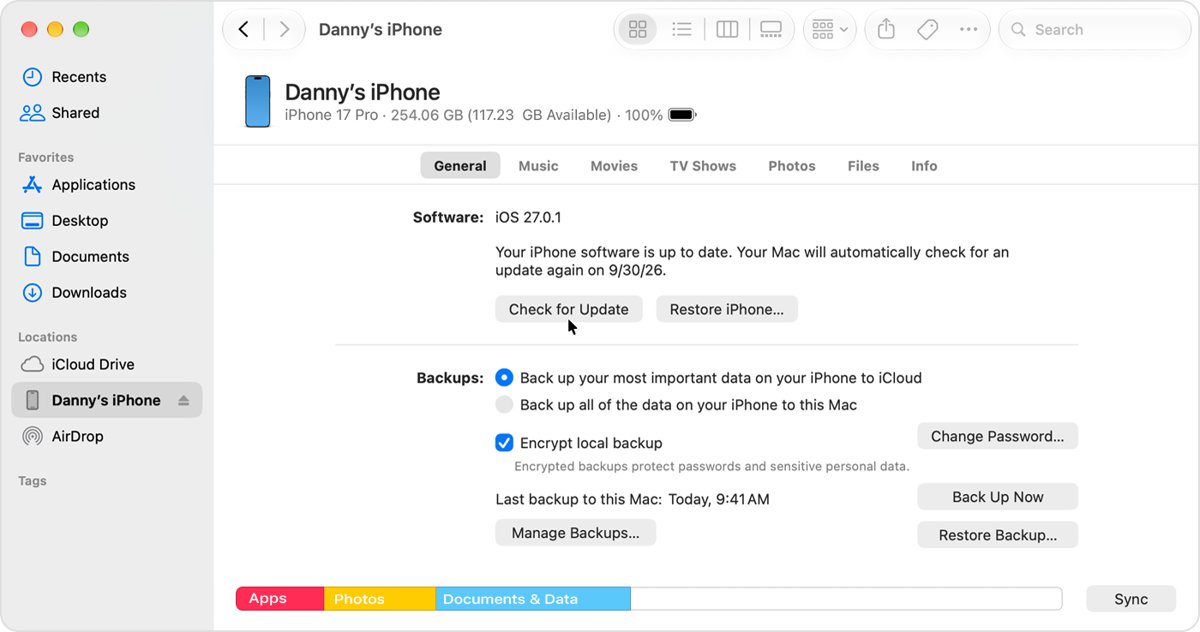
Update iPad mini 2 with a Mac using the Finder
Use this on a Mac running macOS Catalina or later when the wireless update does not appear or keeps failing. If the Mac is using the iPad's Personal Hotspot, connect the Mac to another Wi-Fi or Ethernet network first.
- Open a Finder window on your Mac.
- Connect the iPad mini 2 to the Mac with a cable.
- Select the iPad in the Finder sidebar.
- Click General, then click Check for Update.
- Click Download and Update and follow the onscreen instructions.
- Enter your passcode on the iPad when prompted.
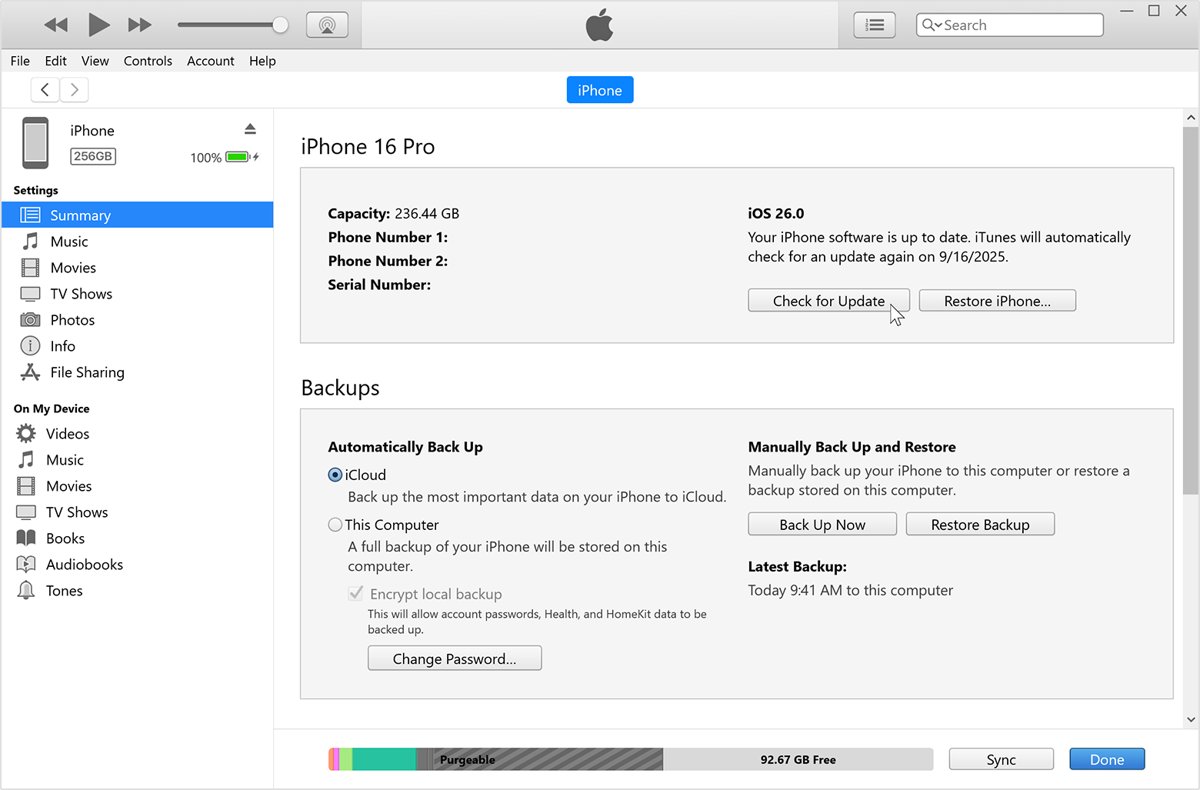
Update iPad mini 2 using iTunes on a PC or older Mac
iTunes handles updates on a Windows PC and on a Mac running macOS Mojave or earlier.
- Open iTunes on the Windows PC or the Mac.
- Connect the iPad mini 2 to the computer.
- Click the device button in the iTunes toolbar.
- Click the Summary tab.
- Click Check for Update, then click Download and Update.
- Follow the onscreen instructions and enter your passcode if asked.
Update iPad mini 2 from Windows with the Apple Devices app
The Apple Devices app from the Microsoft Store is the other Windows route. Apple's page lists no minimum iPad software version for it, so use iTunes if the iPad does not appear.
- Connect the iPad mini 2 to the PC with a USB cable, or over Wi-Fi if you set up Wi-Fi sync.
- Open the Apple Devices app and select the iPad in the sidebar.
- Select General in the sidebar.
- Select Check for Update if the Update button is not showing.
- Select Update and follow the prompts.
How to update iPad mini 4 to iPadOS 15
An iPad mini 4 can run iPadOS 15, and iPadOS 15.8.8 from 11 May 2026 is the newest release Apple lists for it. iPadOS 16 starts at iPad mini (5th generation), so an iPad mini 4 stops here.
- Back up the iPad mini 4, then connect it to power and Wi-Fi.
- Open Settings > General > Software Update.
- Tap Download and Install for the newest iPadOS 15 release.
- Enter your passcode and wait for the iPad to restart.
- Open Software Update again and install any later iPadOS 15 update it offers.
How to update apps on iPad mini 2
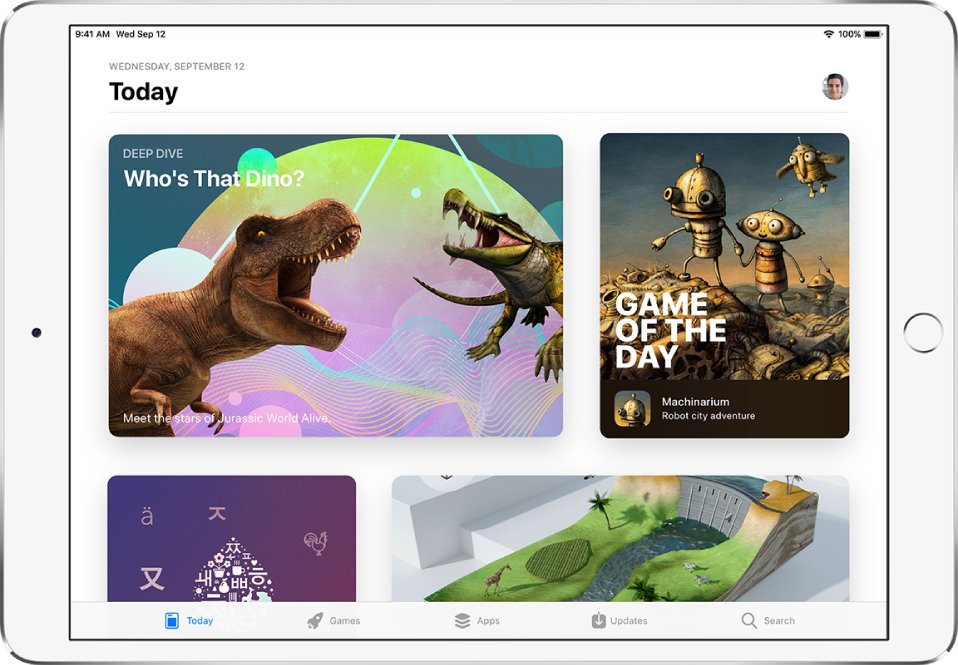
App updates come from the App Store rather than Software Update. A developer's newest version can need a later iOS than this iPad runs, so an app that stops updating may have reached its limit.
- Open the App Store on the iPad mini 2.
- Tap the Updates tab at the bottom of the screen.
- Tap Update next to an app, or tap Update All.
- Tap Download next to an app you bought earlier if you need to get it again at no charge.
To have apps update themselves over Wi-Fi, open Settings, tap your name, select iTunes & App Store and turn on Updates.
See which iOS version your iPad mini 2 is running
- Open Settings after the iPad restarts.
- Tap General, then tap About.
- Read the model and the iOS version listed on the About screen.
- Go back and tap Software Update to see whether iOS reports the iPad as up to date.
An iPad mini 2 on iOS 12.5.8 has the newest software Apple lists for it. A later iOS 12 update would appear in Software Update too.
Turn on automatic updates on iPad mini 2
iOS 12 has a single switch for automatic updates rather than the separate download and install options on newer iPads.
- Open Settings, then tap General.
- Tap Software Update.
- Tap Automatic Updates.
- Turn on Automatic Updates.
The iPad then installs updates wirelessly and notifies you before each install. Turn the same switch off to install updates yourself.
Is iPad mini 2 still supported by Apple?
Only partly. Apple still shipped an iOS 12 update for it in 2026, but the hardware is on its obsolete list.
| Area | Status for iPad mini 2 |
|---|---|
| Latest update | iOS 12.5.8, released 26 January 2026, with no published CVE entries |
| What iOS 12.5.8 does | Extends the certificate needed by iMessage, FaceTime and device activation so they keep working after January 2027 |
| New iOS features | None since iOS 12, because later versions do not support this model |
| Hardware service | Apple lists it as obsolete worldwide, so Apple has stopped hardware service and service providers cannot order parts |
| Moving to newer software | Needs a newer iPad: iPad mini 4 for iPadOS 15, iPad mini (5th generation) for iPadOS 16, iPad mini (6th generation) for iPadOS 27 |
Install iOS 12.5.8 even if you rarely use the iPad, since device activation depends on that certificate.
Why won't my iPad mini 2 update?
Apple lists a compatible device, an internet connection, enough storage and a power source as what an update needs. The common iOS update errors on newer devices follow the same causes.
Why won't my iPad mini 2 update to iOS 15
iPad mini 2 and iPad mini 3 are not on the compatible device list for iPadOS 13 or later.
- Open Settings > General > Software Update.
- Install any iOS 12 update offered there.
- Expect no iPadOS 13, iPadOS 15 or later option on this model.
iPad mini won't update because of low storage
The update needs free space to download before it installs.
- Open Settings, then tap General.
- Tap iPad Storage.
- Tap Enable next to Offload Unused Apps, or delete apps you no longer use.
- Return to Software Update and try again.
iPad mini 2 update takes too long to download
Download time depends on the connection and the update size.
- Connect to Wi-Fi rather than a slower network.
- Avoid downloading other content while the update runs.
- Keep the iPad on power until it finishes.
Unable to Check for Update or Unable to Download on iPad mini
The iPad cannot reach Apple's update server, often because of the network, a VPN or a proxy.
- Try the update again on the same Wi-Fi network.
- Turn off any VPN or proxy on the iPad.
- Try a different Wi-Fi network.
- If the alert keeps appearing, update with the Finder, the Apple Devices app or iTunes.
iPad mini update keeps failing after it downloads
The downloaded update file may be damaged.
- Open Settings > General > iPad Storage.
- Find the update in the list, tap it, then tap Delete Update.
- Go to Settings > General > Software Update and download it again.
- If it fails again, update with a Mac or iTunes.
If the computer does not recognize the iPad, or the screen shows the Apple logo for several minutes with no progress bar, Apple's next step is recovery mode.
iPad mini 2 iOS update FAQ
How can I update my iPad mini 2 to iOS 15?
You can't. Apple supports iPadOS 15 on iPad mini 4 and later, and iPad mini 2 is not on that list. It stays on iOS 12, and iOS 12.5.8 is the newest release Apple lists for it.
Can I update my iPad mini 2 to iOS 16?
No. iPadOS 16 starts at iPad mini (5th generation), so an iPad mini 2 cannot install it. Install the newest iOS 12 update in Settings > General > Software Update instead to keep the features that depend on Apple's certificate working.
What is the latest iOS for iPad mini 2?
iOS 12.5.8, released on 26 January 2026. Apple lists it for iPad mini 2, iPad mini 3, iPad Air, iPhone 5s, iPhone 6, iPhone 6 Plus and iPod touch (6th generation). It keeps iMessage, FaceTime and device activation working after January 2027.
Why can't I update iOS on my iPad mini?
The usual reason is that the model has reached its last supported version: iOS 12 for iPad mini 2 and iPad mini 3, and iPadOS 15 for iPad mini 4. If an update is offered but fails, check your storage, your network and any VPN.
How do I update an older iPad mini?
Back up the iPad, connect it to power and Wi-Fi, then open Settings > General > Software Update and tap Download and Install. Software Update shows only versions that model supports, so a newer release will not appear on an older iPad mini.
How do I update iPad mini software with a computer?
On a Mac with macOS Catalina or later, select the iPad in the Finder and click Check for Update. On Windows, use iTunes or the Apple Devices app. On macOS Mojave or earlier, use iTunes. Enter your passcode on the iPad if asked.
How do I update apps on iPad mini?
Open the App Store and tap the Updates tab on iOS 12, then tap Update next to an app or Update All. On newer iPadOS versions, tap your account button first and then App Updates. Some new app versions need a later iOS.
How do I update iPad mini 4?
Open Settings > General > Software Update and tap Download and Install. An iPad mini 4 can run iPadOS 15, and iPadOS 15.8.8 is the newest release Apple lists for it. It cannot move to iPadOS 16 or later.