To find your wife's iPhone, open the Find My app, tap People and tap her name, which works once she shares her location with you; in a Family Sharing group her iPhone also appears under Devices, where you can play a sound or mark it as lost.
This guide covers both routes, how she turns sharing on, how to find her phone on iCloud.com or in Messages, and what to do when her location does not show.
How to find my wife's iPhone in the Find My app
Use these steps if your wife already shares her location with you, either from Find My or through Family Sharing.
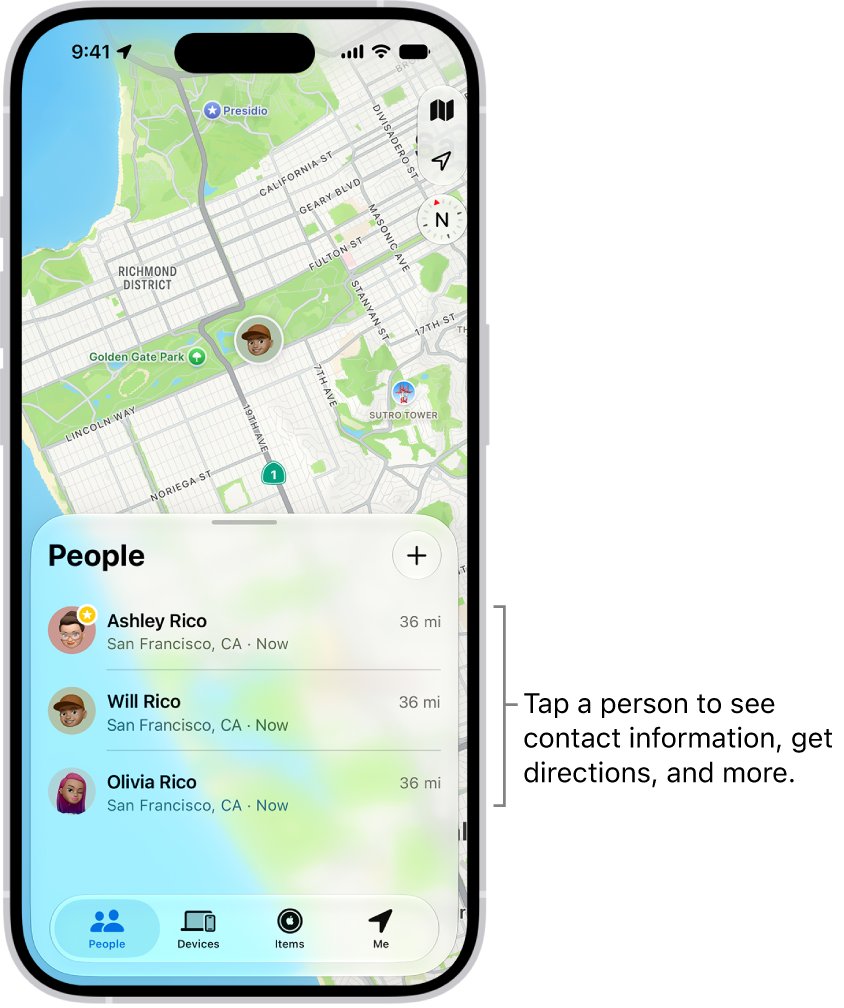
- Open the Find My app on your iPhone.
- Tap People at the bottom of the screen.
- Tap your wife's name in the list.
- Read the map: if she can be located, her position appears on it.
- Tap Directions to open the route to her in Maps, or tap Contact to call or message her.
If you see "Can see your location" below her name, she has not shared with you yet. If you see "No location found", her iPhone cannot be located at the moment and you may need to fix the missing friend location.
Ways to locate your wife's phone with Find My
Each route depends on something your wife set up on her iPhone. Match your situation to a row.
| Your situation | Where to look | What she must have set up |
|---|---|---|
| You want to see where she is right now | Find My > People > her name | Share My Location with you, or location sharing in Family Sharing |
| Her iPhone is lost and you want to ring it | Find My > Devices > her iPhone > Play | Family Sharing, plus Find My iPhone turned on |
| Her iPhone may be stolen | Find My > Devices > her iPhone > Lost Mode | Family Sharing, Find My iPhone, and a passcode on the device |
| You only have a computer or a non-Apple phone | icloud.com/find in a web browser | Her Apple Account sign-in, or Family Sharing with your own account |
| She shared her location in a text conversation | Messages, tap her name at the top | Live Location shared from Messages or Find My |
| Nothing is set up yet | Find My > People > Ask To Follow Location | She accepts your request on her iPhone |
How to set up Family Sharing location sharing with your wife
Family Sharing gives you both views at once: her location under People and her devices under Devices. The organizer must be an adult, and a family group holds up to six people.
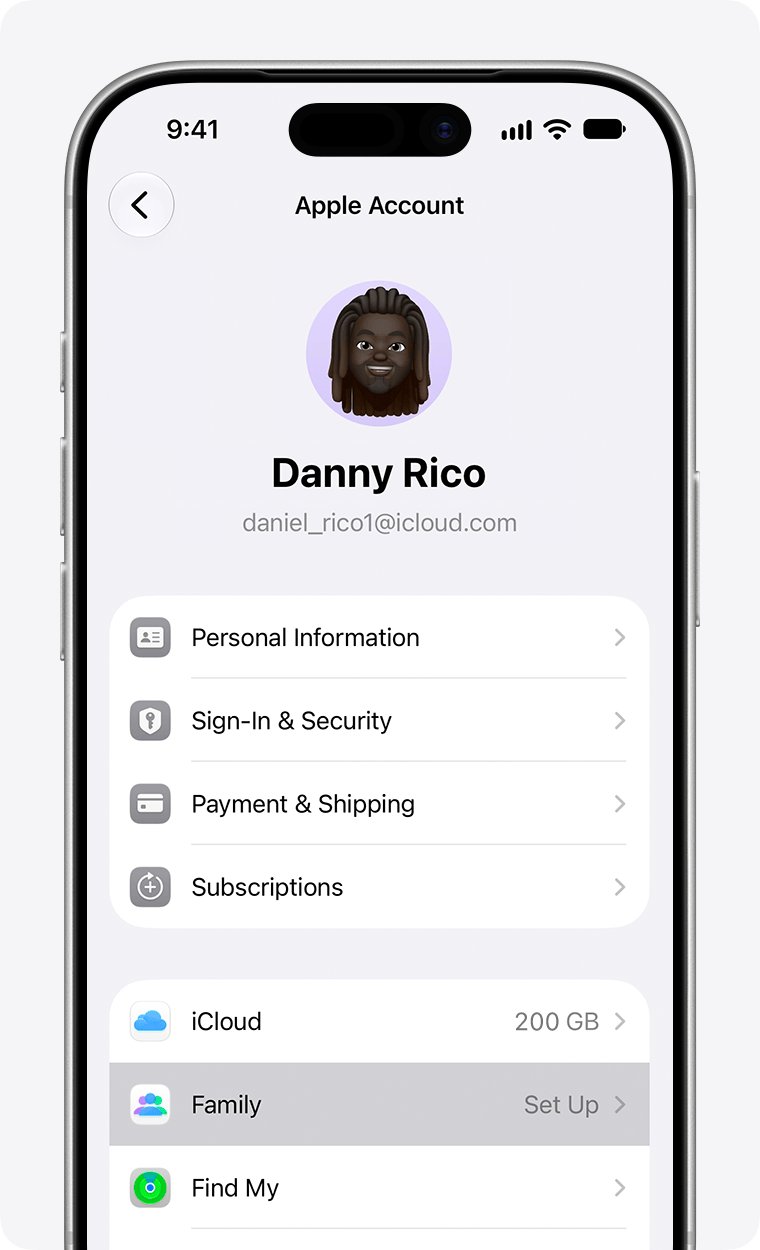
- On your iPhone, open Settings and tap your name.
- Tap Family, then tap Continue, and follow the onscreen steps to create the group.
- To add your wife later, open Settings > Family and tap the Add Member button, then tap Invite Others.
- On her iPhone, she opens the invitation from Messages or email, or goes to Settings > [her name] > Invitations and accepts it.
- On her iPhone, she opens Settings > Family > Location Sharing.
- Under Share Your Location With, she selects your name.
When the organizer turns on location sharing, the organizer's location is shared with everyone in the group automatically. Each other member chooses whether to share.
How to ask to see your wife's location in Find My
Without Family Sharing, you can still follow each other as friends in Find My. You have to share your iPhone location with her before her name appears in your list.
- Open Find My, tap Me and turn on Share My Location.
- Tap People, tap the add button, then choose Share My Location.
- Enter your wife's name in the With field, choose how long to share and send it.
- Tap her name in People, then tap Ask To Follow Location.
- On her iPhone, she opens Find My, taps People and taps Share below your name.
- She chooses how long to share, and her location then appears when you tap her name.
Sharing can run for an hour, until the end of the day, indefinitely, or for a custom period. If she picks a short period, her location disappears from your map when it ends.
How to find your wife's lost iPhone with Find My Devices
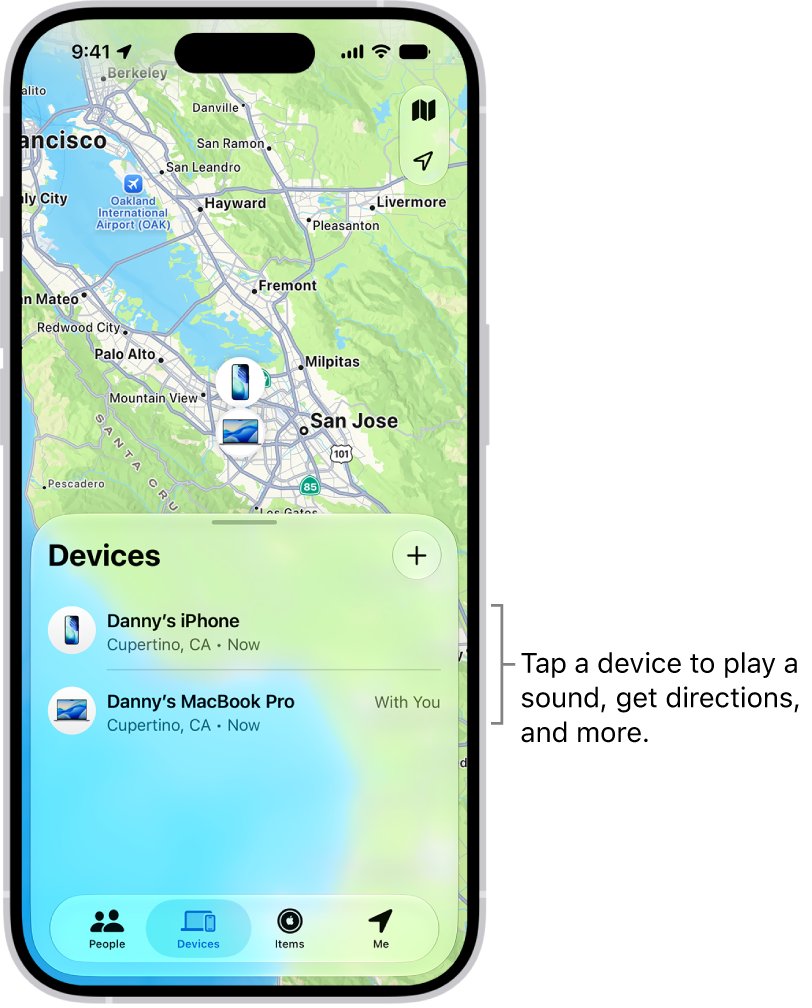
In a Family Sharing group, her iPhone is listed below your own devices. If she shares her location with the family, you also see where it is; if she does not, you can still check its online status, play a sound, mark it as lost or erase it.
- Open Find My on your iPhone and tap Devices.
- Scroll below your own devices and tap her iPhone.
- Check the map for its current or last known location.
- Tap Play to ring it. An online iPhone starts a sound that grows louder and plays for about two minutes.
- If the iPhone is offline, you see Sound Pending, and the sound plays when it next connects to Wi-Fi or cellular.
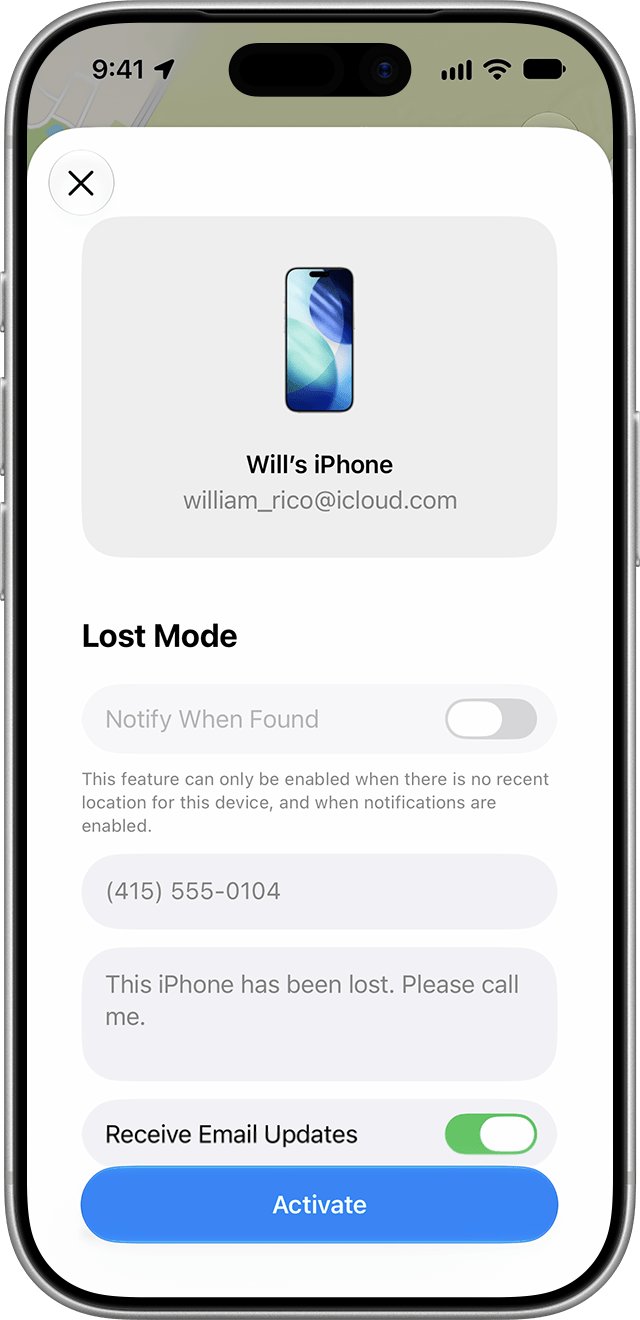
- If you think it was stolen, tap Lost Mode to lock it and show a contact message on its screen.
Her iPhone appears here only if she turned on Find My iPhone in Settings > [her name] > Find My before it went missing. If it was off, use the steps to find a stolen iPhone when Find My is off instead.
How to find your wife's iPhone on iCloud.com
Find Devices on iCloud.com works in any web browser, so you can use a Windows PC, a Mac or an Android phone. Her iPhone must be online for a live location there.
- Open a web browser and go to icloud.com/find.
- Sign in: with your own Apple Account if you are in her Family Sharing group, or let your wife sign in with hers.
- To skip the two-factor authentication code, select the option at the bottom of the sign-in window.
- In the device list, select her iPhone. In a family group it appears below your devices in All Devices.
- If it shows Offline, select Notify me when found to get an email when it comes back online.
iCloud.com shows an offline iPhone's last known location for up to 24 hours. The Find My app keeps it for up to seven days when the Find My network is on. For other phones in the house, these ways to find a lost cell phone cover Android too.
How to see your wife's location in Messages on iPhone
When your wife shares her Live Location with you, Messages shows it in your conversation with her, and Find My and Maps show the same location.
- Open Messages and open your conversation with your wife.
- Look below her name at the top of the conversation for her general location.
- Tap her name to see her Live Location on a map.
- Tap the map to get directions to her in Maps.
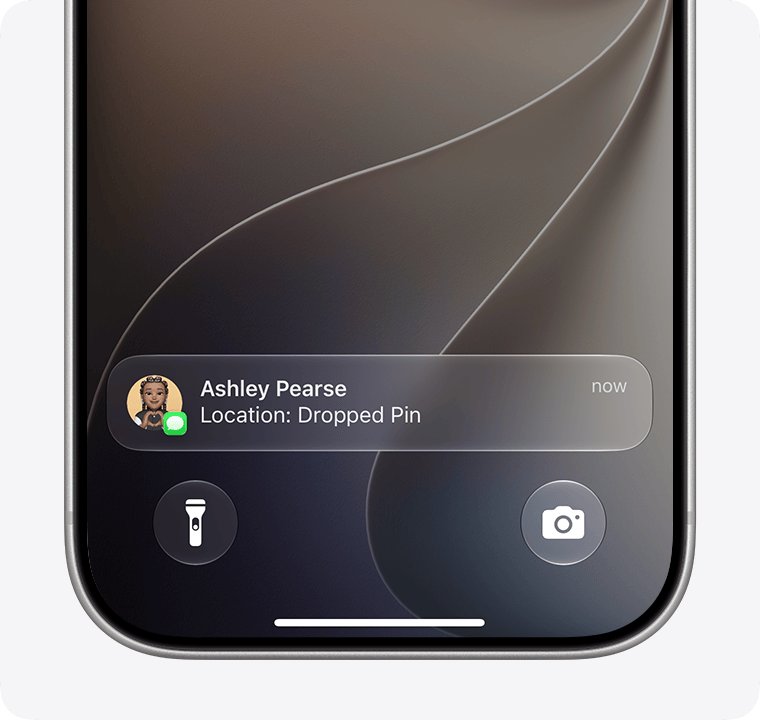
A dropped pin shows only one spot and does not move. Live Location in Messages needs iOS 15 or later on both iPhones.
Find My iPhone location labels explained
The text under her name or her device tells you why the map is empty. Apple uses similar words in both tabs, so check which tab you are in.
| Label | Where you see it | What it means |
|---|---|---|
| Can see your location | People, under her name | You share with her, but you are not following her |
| No location found | People, under her name | She cannot be located right now |
| No location found | Devices, under her iPhone | More than seven days have passed since the iPhone last sent its location through the Find My network |
| Not sharing location • Online | Devices, under her iPhone | The iPhone is online but cannot send its location, for example because of a Location Services issue |
| Offline | iCloud.com device list | The iPhone is off or has no connection; the last known location stays for up to 24 hours |
Can't see my wife's location on Find My iPhone
Her name is in People, but no location shows on the map
She is not sharing, or Location Services is off for Find My on her iPhone.
- On her iPhone, she opens Find My, taps Me and turns on Share My Location.
- She checks that her iPhone is listed next to Sharing From; if not, she taps Use This iPhone as My Location.
- She opens Settings > Privacy & Security > Location Services > Find My and allows access.
"Can see your location" appears under her name
You share your location with her, but she does not share hers with you.
- Tap her name in People.
- Tap Ask To Follow Location.
- Ask her to tap Share below your name in her People tab.
Your wife is missing from the People list
A person appears in your list only after you share your location with them.
- Tap People, tap the add button and choose Share My Location.
- Enter her name in the With field and send it.
- Tap her name and then tap Ask To Follow Location.
Her iPhone shows Offline or No location found under Devices
The iPhone is off, its battery ran out, or it has not reported its location for more than seven days.
- Check the last known location on the map, which stays for up to seven days in the Find My app.
- Tap her iPhone and turn on Notify When Found below Notifications.
- Tap Play; the sound waits as Sound Pending until the iPhone reconnects.
Her iPhone does not appear in your Devices list
You are not in the same Family Sharing group, or Find My iPhone is off on her phone.
- Open Settings > Family on your iPhone and check that her name is listed.
- On her iPhone, she opens Settings > [her name] > Find My > Find My iPhone and turns it on.
- If you cannot join the same group, she can sign in at icloud.com/find with her Apple Account.
Can I track my wife's iPhone without her knowing?
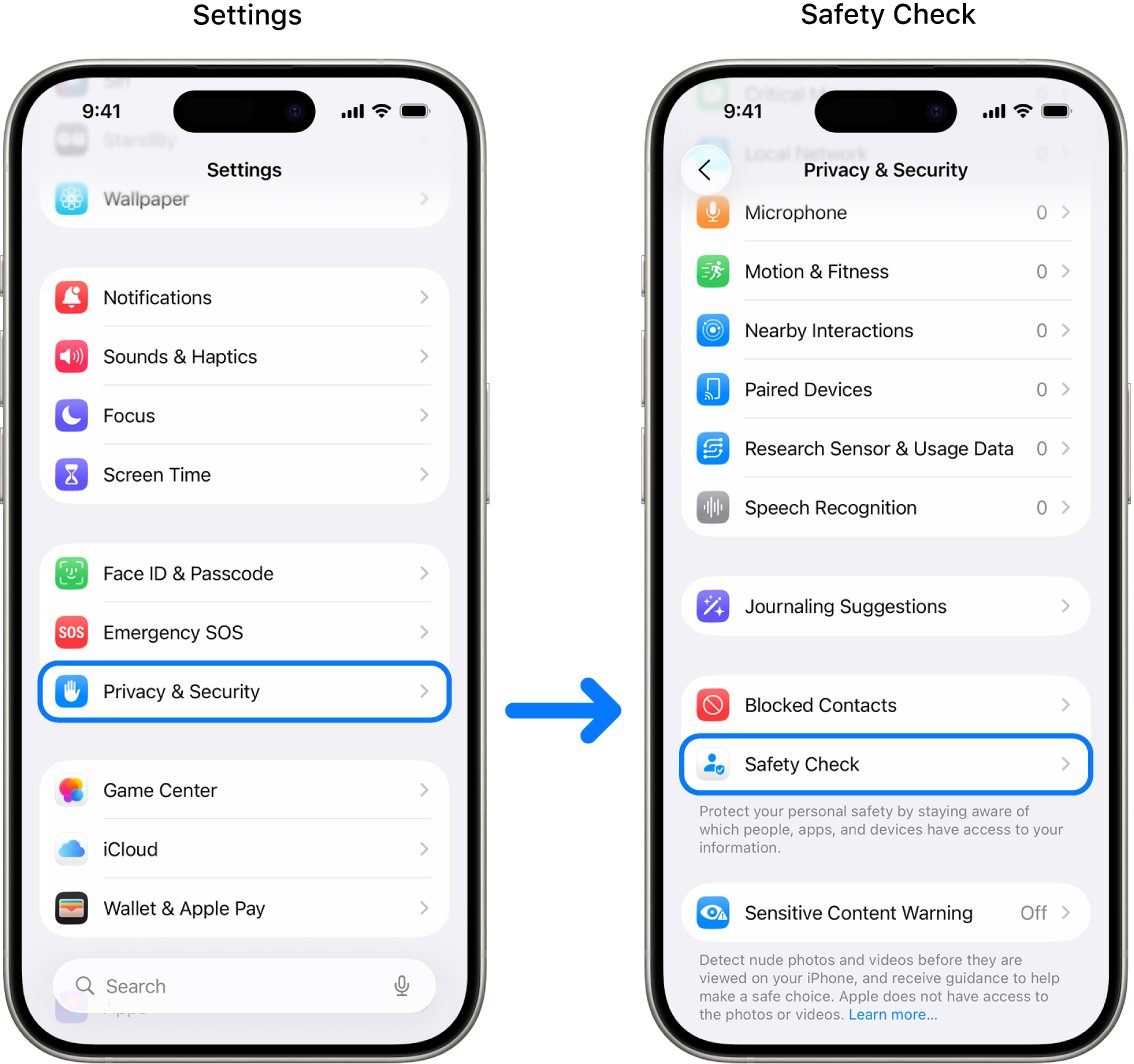
No. Find My shows your wife's location only after she chooses to share it with you, and she can see and change that choice on her own iPhone. Sharing is set on her phone in Find My or Family Sharing, and your name appears in her People list while she shares. If you set a location-based alert on her, she gets a notification. She can stop sharing at any time, and Safety Check in Settings > Privacy & Security lists everyone with access to her location.
If her phone is lost rather than her whereabouts unknown, Family Sharing still lets you play a sound, use Lost Mode or erase it without seeing her location.
Find my wife's iPhone FAQ
How do I find my wife's iPhone?
Open the Find My app, tap People and tap her name. Her location appears on the map once she shares it with you. In a Family Sharing group, her iPhone also appears under Devices, where you can play a sound or turn on Lost Mode.
How can I locate my wife's phone from a computer?
Go to icloud.com/find in a web browser. Sign in with your Apple Account if you share a Family Sharing group, and her iPhone appears below your devices. Otherwise she signs in with her own Apple Account to see it.
How do I find my spouse's phone location?
Ask your spouse to share their location with you in Find My, or to turn on location sharing for you in Settings, Family, Location Sharing. Then open Find My, tap People and tap their name to see them on the map.
How do I find my husband's location on iPhone?
The steps are the same for any partner. Your husband shares his location with you from Find My or Family Sharing, and you tap his name in the People tab of Find My or at the top of your Messages conversation.
Can I find my wife's iPhone if it is turned off?
Often, yes. The Find My app shows a device's last known location for up to seven days, and a supported iPhone with the Find My network on can be located for up to 24 hours after it is turned off.
Does my wife need to be in Family Sharing for me to find her iPhone?
No. She can share her location with you as a friend in Find My. Family Sharing adds her devices to your Devices list, so you can ring the iPhone or mark it as lost if it goes missing.
Can Find My show who my wife is texting?
No. Find My shows location, device status and sound or Lost Mode controls only. It does not show messages, calls or app activity on another person's iPhone.
Will my wife know I can see her location?
Yes. She has to choose to share her location with you, your name stays in her People list while she shares, and Safety Check on her iPhone lists everyone who can see her location.