ERR_SSL_VERSION_OR_CIPHER_MISMATCH means your browser and the website could not agree on a TLS version or cipher, so the fix is usually on the server: the site needs TLS 1.2 or later and a valid certificate for that exact hostname.
This guide covers the checks a visitor can run in Chrome and Edge, the fixes a site owner needs, and the Cloudflare-specific causes of the error.
ERR_SSL_VERSION_OR_CIPHER_MISMATCH
The browser shows this error before any page content loads. Run these checks in order and stop when the site opens.
- Check the address for typos and select Reload this page.
- Open the same address in another browser or on another device. If it fails everywhere, the problem is the website, not your PC.
- Update the browser and restart it, so it supports the TLS versions current sites use.
- Open the site in an Incognito or InPrivate window to rule out extensions and cached data.
- If the site still fails in every browser, contact the site owner: the server needs TLS 1.2 or later and a certificate that covers that hostname.
- If you own the site, follow the site owner and Cloudflare sections below.
What causes ERR_SSL_VERSION_OR_CIPHER_MISMATCH?
The message is generic, so match the situation to a row before changing anything. Most rows are fixed on the server side.
| Situation | Likely cause | Who fixes it |
|---|---|---|
| An old site, intranet page or device admin page fails in every modern browser | The server only offers TLS 1.0 or TLS 1.1, which current browsers such as Edge no longer accept | Site or device owner (update the server or firmware) |
| A brand-new site or subdomain on Cloudflare fails | The Universal SSL certificate is not active yet, or the DNS record is DNS-only | Site owner |
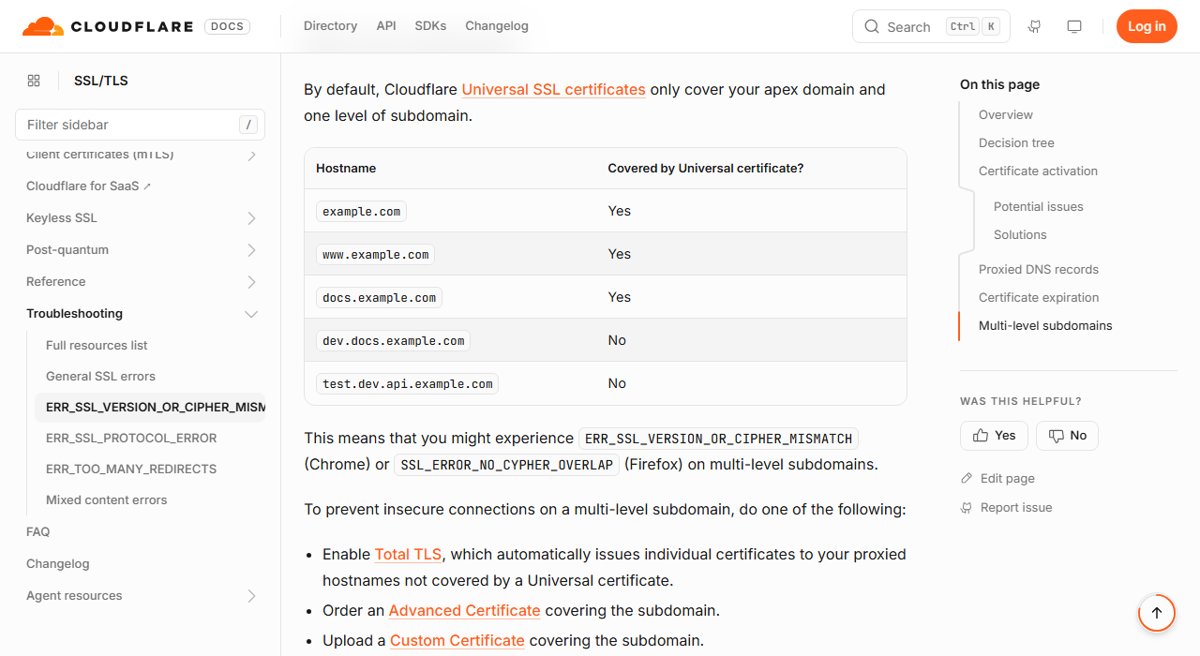
| Only a deeper subdomain such as dev.docs.example.com fails | The certificate covers the apex and one subdomain level only | Site owner |
| The site worked yesterday and fails today for everyone | An expired or replaced custom certificate | Site owner |
| Only one browser or one PC fails | An outdated browser, an extension, or software inspecting HTTPS traffic | Visitor |
| An older desktop app fails to connect after a Windows update | The app still relies on TLS 1.0 or 1.1 | Visitor (update the app) |
Fix ERR_SSL_VERSION_OR_CIPHER_MISMATCH in Chrome
These checks rule out problems on your side. If the site fails in a fresh Incognito window on an updated Chrome, skip ahead to the server fixes.
- Update Chrome, then close it from More > Exit and open it again.
- Open the site in a new Incognito window. If it loads there, an extension or stored data is the cause.
- Turn off all extensions, then turn them back on one at a time to find the one that breaks the connection.
- Type Delete browsing data in the address bar and select the Delete browsing data action chip.
- Select cookies and cached files, then delete them and reload the site.
- Make sure no firewall or antivirus HTTPS scanning feature is blocking the connection, and update that software if it is out of date.
- If nothing changes, reset Chrome settings to their defaults and test once more.
If other sites also fail with network errors such as ERR_CONNECTION_CLOSED in Chrome, the cause is your connection rather than TLS. The same approach that fixes ERR_NETWORK_CHANGED in Chrome applies: restart the modem and router and test another network.
Fix ERR_SSL_VERSION_OR_CIPHER_MISMATCH in Edge
Microsoft Edge uses the same engine as Chrome, so it shows the same error for the same reasons. Clear Edge's stored data and test without add-ons.
- Open Settings and more (the three dots) and select Settings.
- Go to Privacy, search, and services.
- Next to Clear browsing data now, select Choose what to clear.
- Pick a Time range, tick cookies and cached images and files, and select Clear now.
- Open the site in an InPrivate window to test without stored data.
- If it now loads, disable Edge extensions one at a time to find the one that interferes.
To clear data on this device only, turn off sync first under Settings > Profiles > Sync.
ERR_SSL_VERSION_OR_CIPHER_MISMATCH on sites that use TLS 1.0 or TLS 1.1
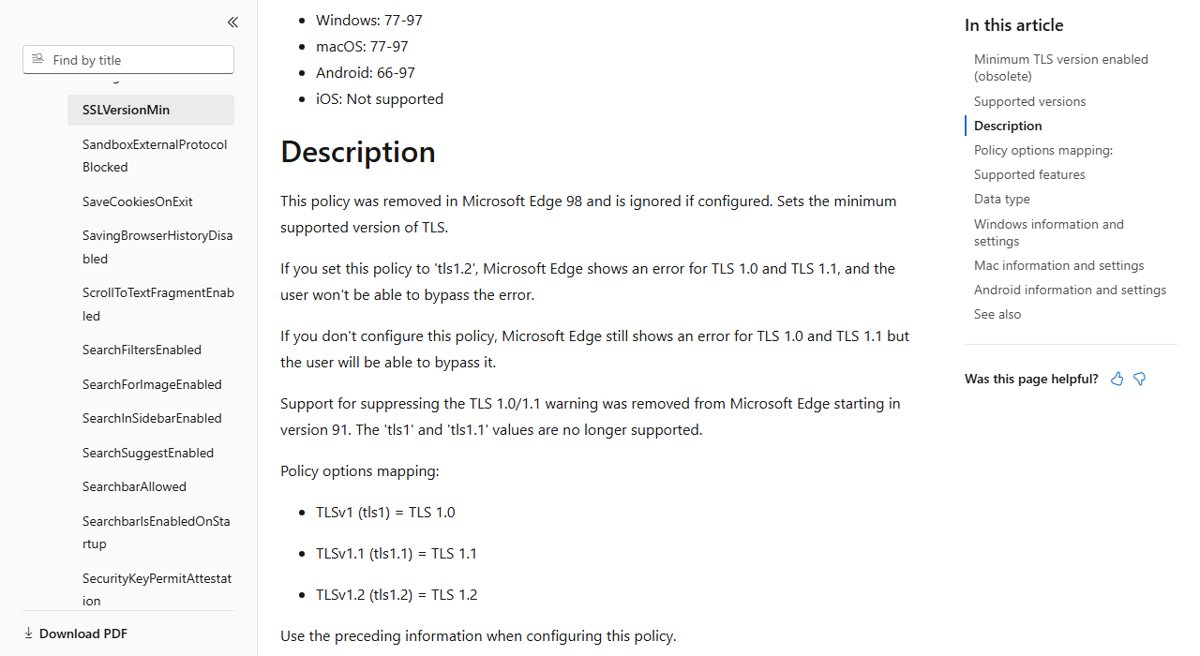
Microsoft Edge has disabled TLS 1.0 and TLS 1.1 by default since version 84. Edge removed the option to suppress the TLS 1.0/1.1 warning in version 91.
The SSLVersionMin policy that once allowed TLS 1.0 is obsolete and is ignored from Edge 98. There is no supported browser setting that brings these old protocols back.
| What fails | What to do |
|---|---|
| A public website | Tell the site owner the server needs TLS 1.2 or TLS 1.3; there is no safe workaround on your side |
| A router, printer, NAS or camera admin page | Install the latest firmware from the device maker, which usually adds TLS 1.2 |
| A company intranet site | Ask IT to enable TLS 1.2 on the server rather than weaken browsers |
| A desktop app after a Windows update | Install a newer version of the app with TLS 1.2 or TLS 1.3 support |
Microsoft lists apps such as older SQL Server, TurboTax and CorelDRAW releases that fail when TLS 1.0 and 1.1 are off in Windows 11. In each case the fixed version of the app is the recommended route.
Fix ERR_SSL_VERSION_OR_CIPHER_MISMATCH as a website owner
If every visitor sees the error, the server's TLS setup is the cause. Check the certificate and the enabled protocols.
- Confirm the certificate is installed for the exact hostname visitors type, including the www or subdomain form.
- Check the certificate's expiry date and renew or replace it if it has expired.
- Make sure the server or load balancer has TLS 1.2 enabled, and TLS 1.3 where the software supports it.
- Remove configurations that offer only TLS 1.0, TLS 1.1 or obsolete cipher suites.
- Restart the web server so the new certificate and protocol settings load.
- Test the site from a fresh browser window on another network.
On Windows Server, TLS protocol and cipher suite settings are managed by Schannel. Microsoft documents the supported values under Transport Layer Security (TLS) registry settings.
Fix ERR_SSL_VERSION_OR_CIPHER_MISMATCH on Cloudflare
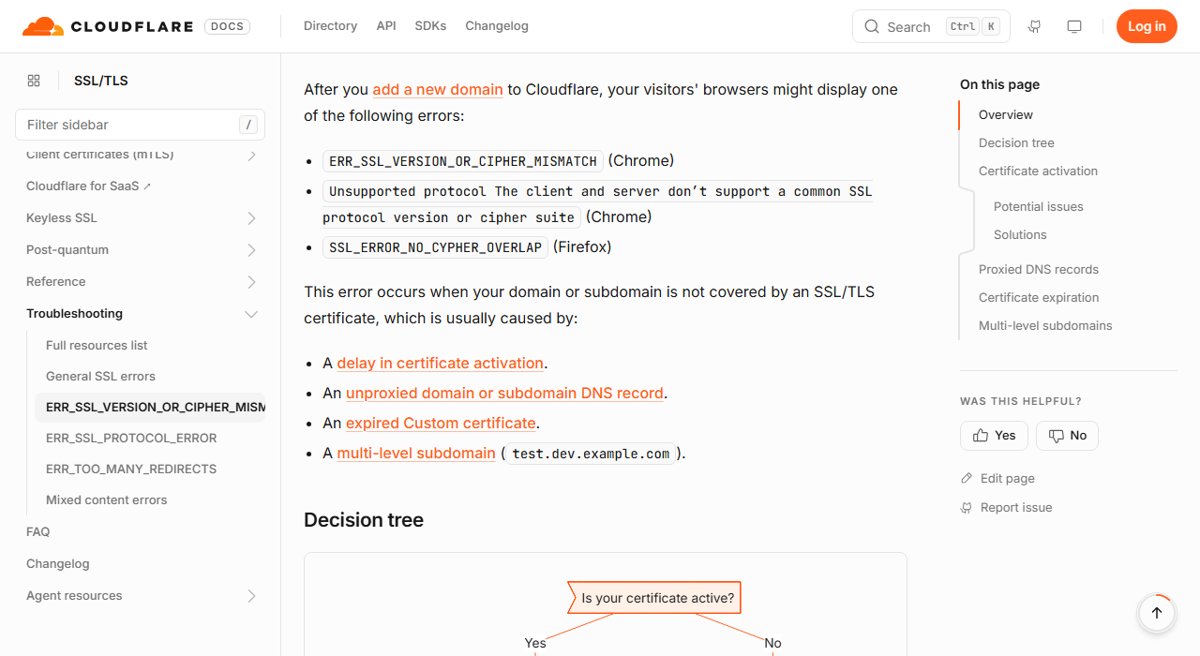
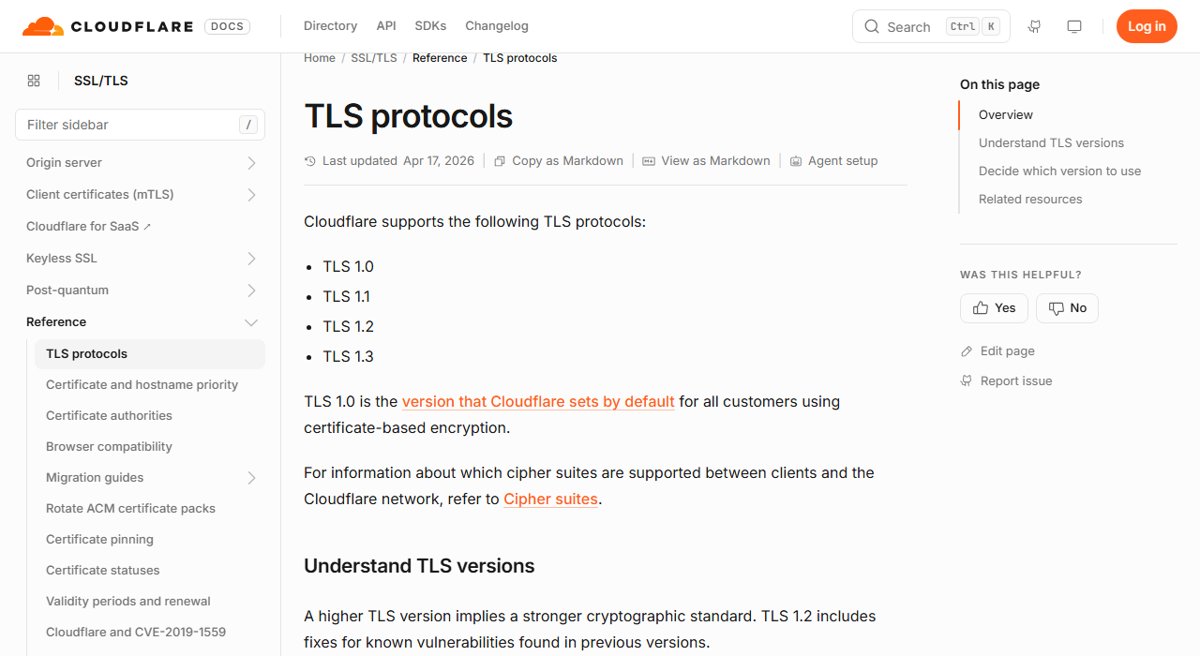
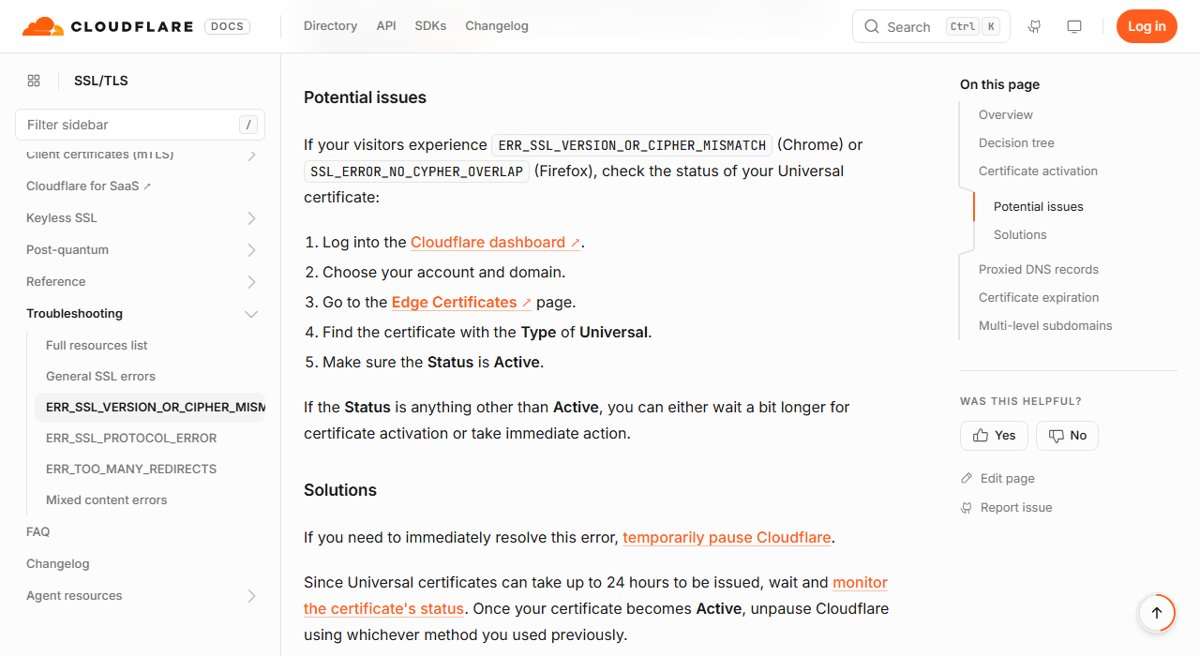
Cloudflare names four causes for this error: a certificate that is not active yet, unproxied DNS records, an expired custom certificate, and multi-level subdomains.
- In the Cloudflare dashboard, open SSL/TLS > Edge Certificates and check that the Universal certificate's Status is Active.
- If it is not active, wait: Universal certificates can take up to 24 hours to be issued.
- Open DNS and change the affected A, AAAA or CNAME records from DNS only to Proxied, because Cloudflare presents the certificate only for proxied records.
- If a custom certificate has expired, upload a replacement certificate.
- For a hostname such as dev.docs.example.com, enable Total TLS, order an Advanced Certificate, upload a custom certificate that covers it, or remove that subdomain.
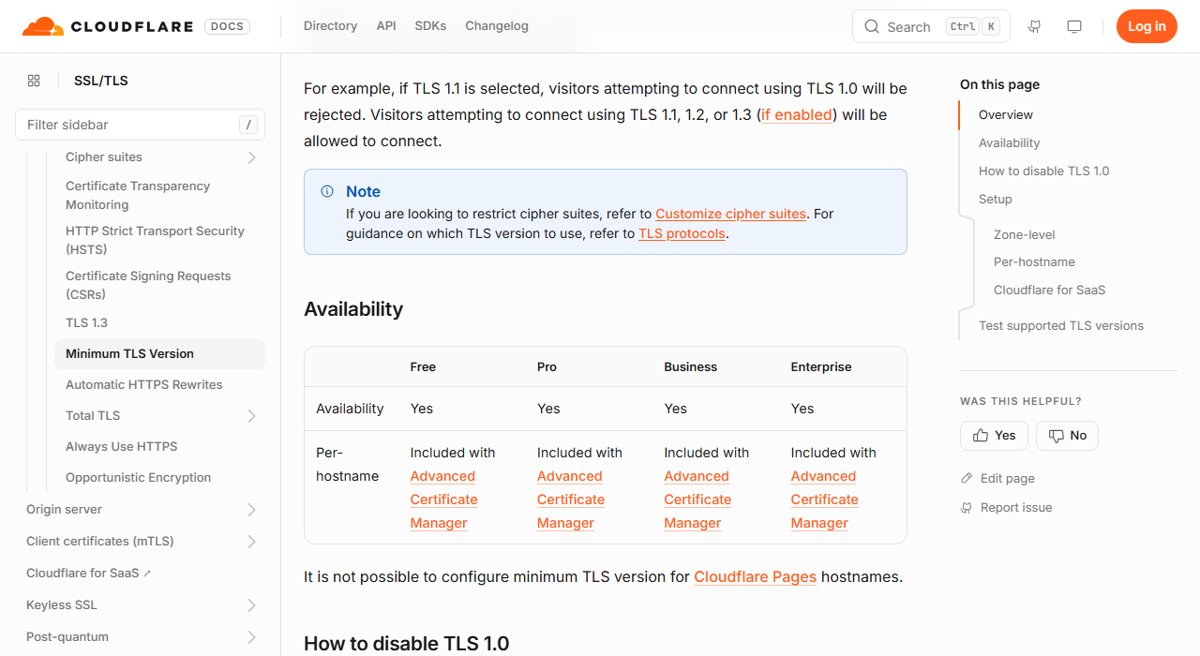
- On the Edge Certificates page, review Minimum TLS Version: visitors whose client cannot use that version or newer are rejected.
Check ERR_SSL_VERSION_OR_CIPHER_MISMATCH is fixed
- Close every browser window and open the site in a new Incognito or InPrivate window.
- Confirm the page loads over https:// with no error page.
- Open the site in a second browser, such as Edge after Chrome.
- Test from a phone on mobile data to rule out your own network.
- Site owners on Cloudflare: confirm the certificate still shows Active under Edge Certificates.
ERR_SSL_VERSION_OR_CIPHER_MISMATCH Windows 10 and Windows 11 fixes
ERR_SSL_VERSION_OR_CIPHER_MISMATCH in Edge but not in another browser
Stored data or an extension in that Edge profile.
- Open the site in an InPrivate window.
- Clear cookies and cached files under Privacy, search, and services.
- Turn off extensions and turn them back on one by one.
ERR_SSL_VERSION_OR_CIPHER_MISMATCH on every browser on one PC only
Security software scanning HTTPS traffic, or a proxy on that PC.
- Test the same site on another device on the same network.
- Update your antivirus or firewall, since older versions can rely on TLS 1.0 or 1.1.
- Check that the firewall or antivirus is not blocking the connection.
ERR_SSL_PROTOCOL_ERROR instead of the cipher mismatch error
A broken TLS handshake on the same path, often from the server or a filtering tool.
- Run the same Chrome checks: update, Incognito, extensions off, delete browsing data.
- Try another network to rule out filtering on your connection.
- Contact the site owner if the error appears on every device.
SSL certificate error after the cipher mismatch is gone
The server now negotiates TLS but presents a certificate for the wrong name or one that has expired.
- Note the exact hostname in the address bar.
- Site owners: install a certificate that covers that hostname and renew it before it expires.
- Visitors: avoid entering any data until the site owner fixes the certificate.
ERR_SSL_VERSION_OR_CIPHER_MISMATCH FAQ
How do I fix ERR_SSL_VERSION_OR_CIPHER_MISMATCH?
Update and restart your browser, test the site in Incognito, and clear cookies and cached files. If the site fails in every browser and on every device, the server needs TLS 1.2 or later and a valid certificate for that hostname, which only the site owner can fix.
Is ERR_SSL_VERSION_OR_CIPHER_MISMATCH a problem with my computer?
Usually not. The error means the browser and the server share no TLS version or cipher. If other devices fail on the same site, the server is at fault. If only your PC fails, check extensions and security software.
Can I enable TLS 1.0 in Edge to open an old site?
No supported setting does that. Edge disabled TLS 1.0 and 1.1 by default from version 84, removed the warning bypass in version 91, and ignores the old SSLVersionMin policy from version 98. The site or device needs a TLS 1.2 update.
How do I fix ERR_SSL_PROTOCOL_ERROR?
Use the same steps as for the cipher mismatch error: update the browser, test in Incognito, turn off extensions and delete browsing data. If the error appears on every device, the website's TLS configuration needs fixing by its owner.
How do I fix an SSL certificate error?
A certificate error means the site's certificate is expired, issued for another name or signed by an untrusted certificate authority. Visitors cannot fix it and should not enter data on the page. The site owner must install a valid certificate that covers the exact hostname.
Why does Cloudflare show ERR_SSL_VERSION_OR_CIPHER_MISMATCH on a new site?
The Universal SSL certificate can take up to 24 hours to issue, and Cloudflare presents it only for proxied DNS records. Check that the certificate is Active and the records are set to Proxied.
Does Universal SSL cover multi-level subdomains?
No. Cloudflare Universal SSL covers the apex domain and one subdomain level. A hostname such as dev.docs.example.com needs Total TLS, an Advanced Certificate or a custom certificate.