The Wireshark download for Windows 11, Windows 10 and Mac comes straight from wireshark.org, and it is free. Install it, pick a network interface, and you can see the packets behind a slow website, a failing VPN or a device that will not connect.
Wireshark is open source under the GNU General Public License, so every feature is free on as many computers as you like. The Windows installers also set up Npcap, the driver that live capture needs.
Below: the right file for each machine, install steps for Windows and Mac, the portable build, capture fixes and clean removal.
Which Wireshark download do you need?
Match your machine to a row. Most Windows PCs need the x64 installer; Snapdragon laptops need Arm64.
| Your machine | What you download | Size | Link |
|---|---|---|---|
| Windows 11 or 10 PC with an Intel or AMD processor | Wireshark-4.6.9-x64.exe | 93.4 MB | Windows x64 installer |
| Windows 11 PC with an Arm processor, such as Snapdragon | Wireshark-4.6.9-arm64.exe | 78.4 MB | Windows Arm64 installer |
| Windows PC where you cannot install software | WiresharkPortable64_4.6.9.paf.exe | 103.3 MB | Windows x64 PortableApps |
| Mac with Apple silicon or Intel, macOS 11 or later | Wireshark 4.6.9.dmg (universal) | 140.5 MB | macOS universal disk image |
| Linux or BSD | Your distribution’s package, or the source code | Varies | Wireshark download page |
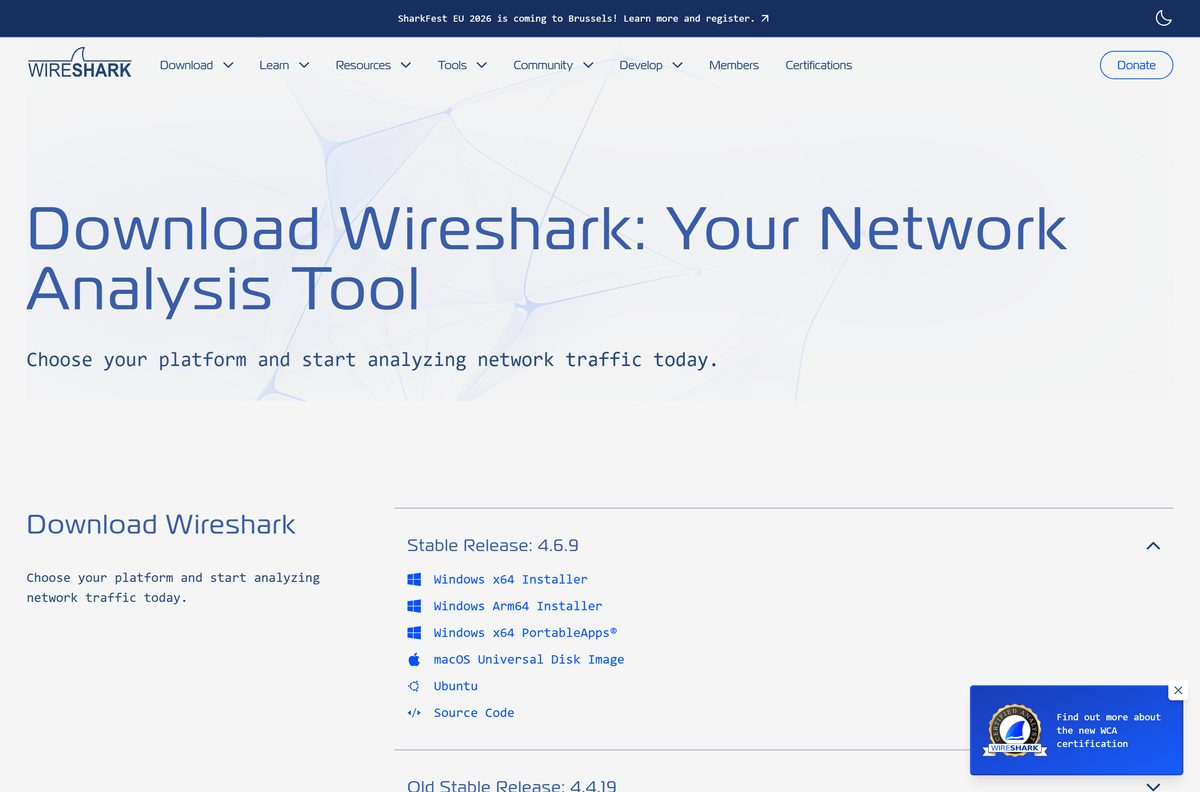
Download Wireshark from the official wireshark.org page
Wireshark 4.6.9 is the current stable release. The download page lists every installer, the old stable branch and the source code.
- Wireshark download page — all current and old stable builds
- Wireshark for Windows x64 — 93.4 MB · includes Npcap
- Wireshark for Windows Arm64 — 78.4 MB · includes Npcap
- Wireshark for macOS (universal) — 140.5 MB · Apple silicon and Intel
- Release notes for the current version — security fixes and protocol updates
Every file here is a full installer, not a web stub. Copy it to a USB stick and it installs on a PC with no internet connection.
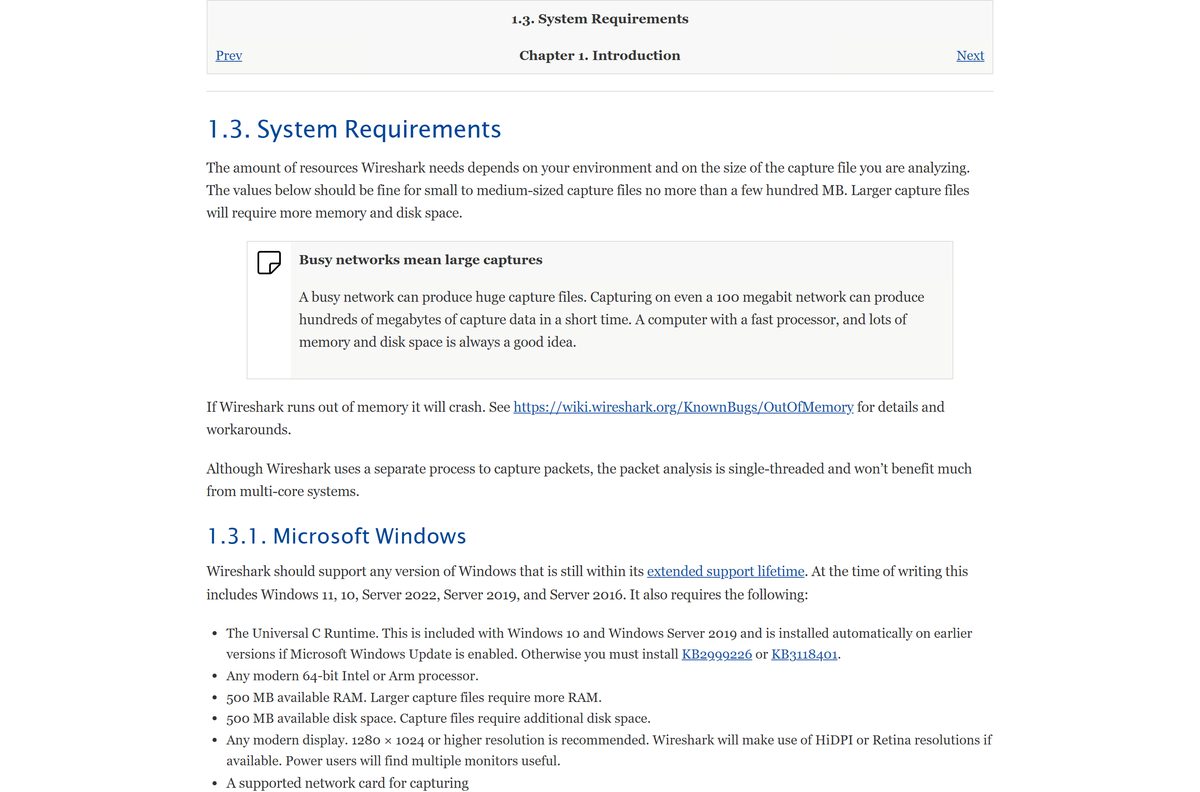
Check the Wireshark system requirements before you install
Capture files grow fast on a busy network, so leave disk space well beyond the minimum.
| Field | Value |
|---|---|
| Software | Wireshark |
| Developer | Wireshark Foundation and contributors |
| Latest version | 4.6.9 (old stable: 4.4.19) |
| License | Free, open source (GNU GPL) |
| Windows | Windows 11, Windows 10, Windows Server 2022, 2019 and 2016 |
| Mac | macOS 11 and later |
| Linux | Most Linux distributions and BSD variants |
| Architecture | 64-bit Intel or Arm; Windows x64 and Arm64 builds; universal Mac build |
| Memory | 500 MB available RAM; larger capture files need more |
| Disk space | 500 MB available, plus space for capture files |
| Display | 1280 x 1024 or higher recommended |
| Download size | 93.4 MB for Windows x64; 140.5 MB for macOS |
| Offline installer | Yes, every installer is a full package |
| Official source | wireshark.org |
| Last verified | 2026-09-24 |
Windows needs the Universal C Runtime. Windows 10 and Server 2019 include it already.
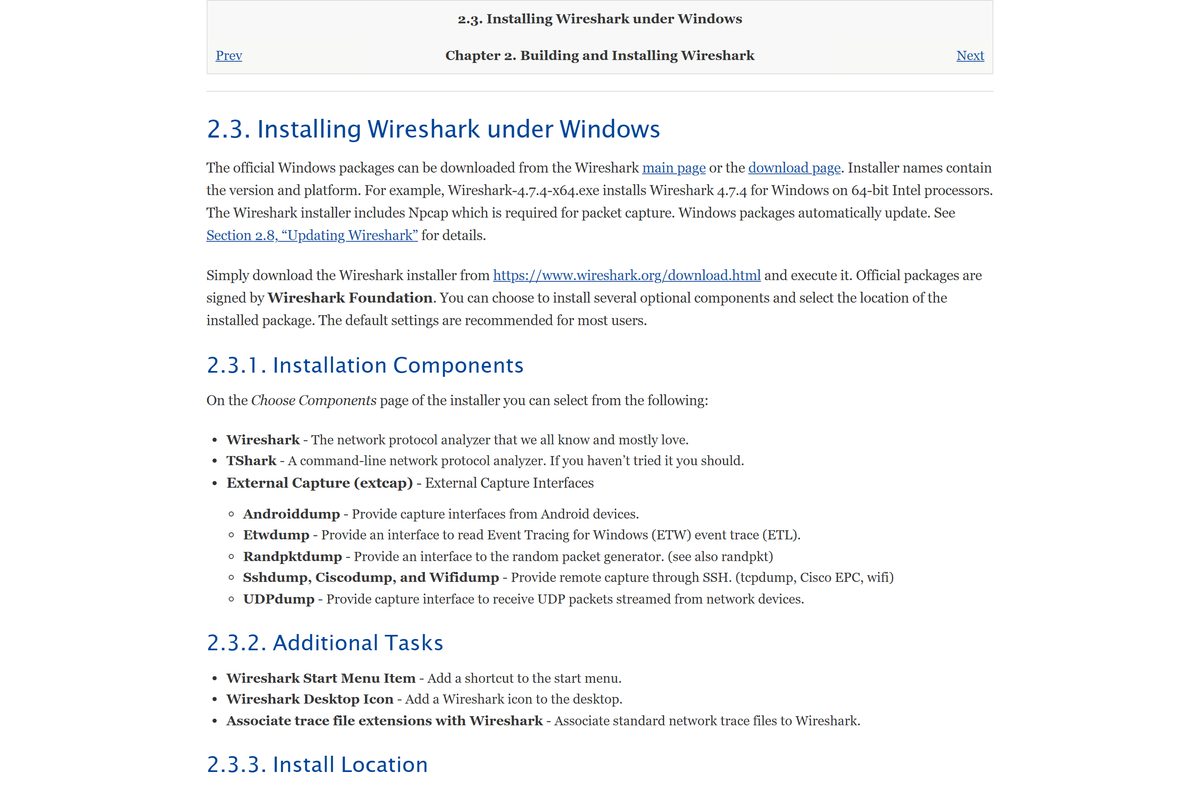
How to install Wireshark on Windows 11 and Windows 10
Keep Npcap selected during setup. Without it Wireshark opens saved captures but cannot capture live traffic.
- Open the Wireshark download page and select Windows x64 Installer, or Windows Arm64 Installer on an Arm PC.
- Open the downloaded file from your Downloads folder and select Yes at the User Account Control prompt.
- Select Next through the welcome and license screens.
- Under Choose Components, keep Wireshark and TShark selected, and add any External Capture (extcap) tools you need.
- Under Additional Tasks, choose the Start Menu shortcut, desktop icon and file associations you want.
- Keep the default install folder, or pick another, then select Next.
- When the Npcap setup appears, select Install and finish it.
- Select Finish, open Wireshark from the Start menu, and double-click a network interface to start capturing.
For scripted installs, run the installer with the /S switch. The silent installer does not install Npcap, so deploy Npcap separately on those machines.
Which Wireshark download do you need for your Mac?
Open the Apple menu and select About This Mac to see your chip and macOS version.
| Your Mac says | Download | Size |
|---|---|---|
| Apple M-series chip or Intel, macOS 11 or later | Wireshark 4.6.9 universal .dmg | 140.5 MB |
| Apple chip, and you need the 4.4 old stable branch | Wireshark 4.4.19 Arm .dmg | See download page |
| Intel chip, and you need the 4.4 old stable branch | Wireshark 4.4.19 Intel .dmg | See download page |
Open the disk image and drag Wireshark to your Applications folder. To capture packets, open Install ChmodBPF.pkg from the same disk image. You can also reach it later from Wireshark > About Wireshark > Folders > macOS Extras.
Run Wireshark from a USB stick with the portable build
The PortableApps package suits a shared or locked-down PC where you only need to open saved capture files.
- Download WiresharkPortable64_4.6.9.paf.exe (103.3 MB) from the Wireshark download page.
- Run the file and choose a folder on your USB stick as the destination.
- Open that folder and run WiresharkPortable64.exe.
- Select File > Open to load a .pcap or .pcapng capture file.
Live capture on Windows needs Npcap installed on the PC itself, so the portable build cannot capture on a machine without it.
Is Wireshark free to use at work?
Wireshark is released under the GNU General Public License. That covers home, school and business use alike.
Yes. Wireshark is free and open source, with no licence fee on any number of computers. There is no paid edition and no feature locked behind a subscription. Any site selling a Wireshark licence or a Pro version is not the official project. Get the installer from wireshark.org, which also publishes the full source code for every release.
Choose between the Wireshark 4.6 and 4.4 branches
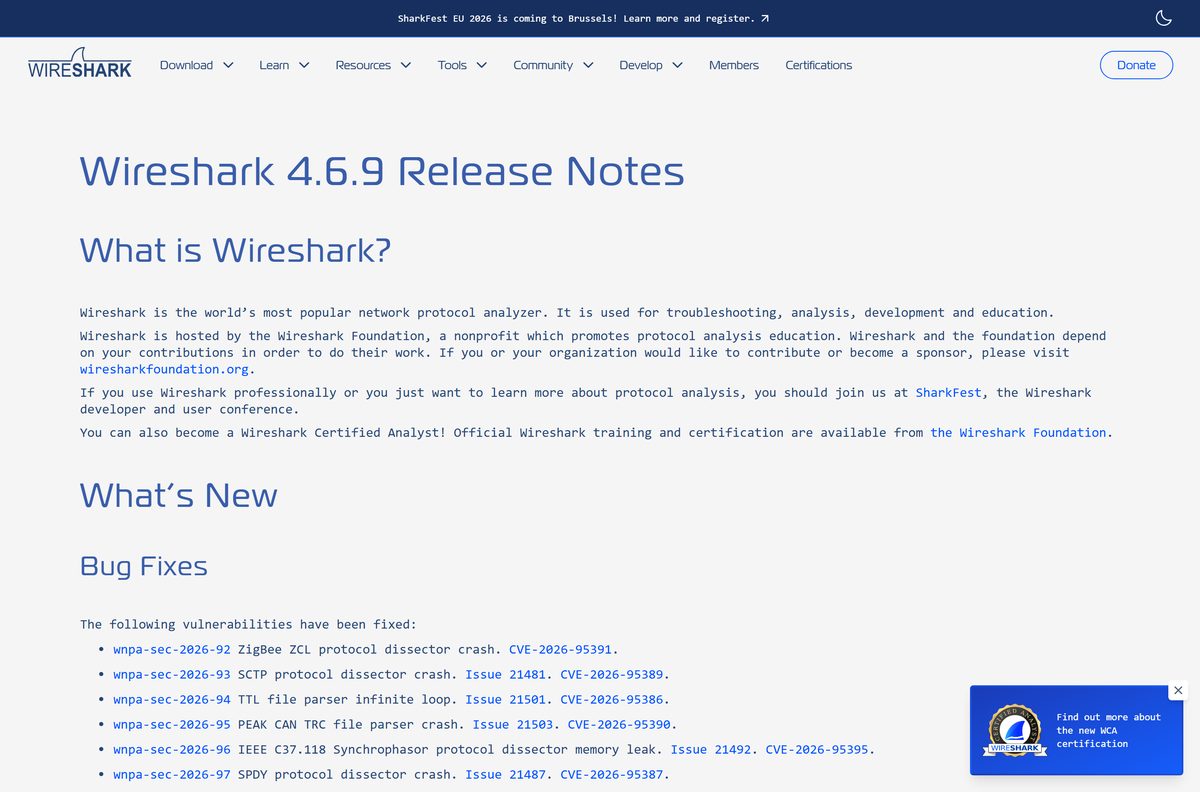
wireshark.org keeps two branches: 4.6.9 is the current stable release and 4.4.19 is the old stable release. Both received updates on September 23, 2026.
Install Wireshark 4.6.9. Use 4.4.19 only when a team or a course standardises on the 4.4 branch. 4.6 is the newest branch, and its Mac build is a single universal disk image for Apple silicon and Intel. Its latest update also fixes 19 security issues in protocol dissectors and file parsers.
How to check your Wireshark version and update it
The updater runs on Windows and macOS. On Linux, update through your distribution’s package manager.
- Open Wireshark.
- Select Help > About Wireshark to see the version and build details.
- Select Help > Check for Updates.
- If a newer version appears, follow the prompt to download and install it.
- Restart Wireshark and confirm the new number under Help > About Wireshark.
macOS packages from wireshark.org also update automatically.
Fix Wireshark showing no interfaces or failing to install
Match what you see to one fix below.
Wireshark opens but lists no network interfaces on Windows
Npcap is missing, often after a silent install or a manual removal.
- Close Wireshark.
- Run the Wireshark installer from wireshark.org again.
- Keep the Npcap option selected and select Install when the Npcap setup appears.
- Restart the PC, then open Wireshark and check the interface list.
Wireshark on a Mac says you do not have permission to capture
The ChmodBPF helper that grants capture access is not installed.
- Select Wireshark > About Wireshark and open the Folders tab.
- Double-click macOS Extras.
- Open Install ChmodBPF.pkg and complete the installer.
- Restart the Mac and open Wireshark again.
Setup fails or Wireshark will not start on an older Windows build
The Universal C Runtime is missing.
- Run Windows Update and install every pending update.
- On systems older than Windows 10, install update KB2999226 or KB3118401 from Microsoft.
- Run the Wireshark installer again.
The installer says the app does not run on this PC
The x64 and Arm64 installers were swapped.
- Open Settings > System > About and read System type.
- Download the Windows x64 installer for an x64-based processor, or the Arm64 installer for an ARM-based processor.
How to uninstall Wireshark and Npcap
The default uninstall keeps your personal settings and Npcap, so other capture tools keep working.
- Open Settings > Apps > Installed apps on Windows 11, or Programs and Features in Control Panel.
- Find Wireshark, select Uninstall, and follow the prompts.
- To remove the capture driver too, find Npcap in the same list and select Uninstall.
Remove Npcap only when no other tool on the PC needs it, because live capture stops working without it.
Choose between Wireshark, TShark and the portable build
The same download gives you more than one tool. Pick the one that fits the job.
| What you need | Use this | Where it comes from |
|---|---|---|
| Inspect packets in a window, filter and follow conversations | Wireshark | Windows and Mac installers |
| Capture or analyse from a script, a server or SSH | TShark, the command-line analyzer | Installed with Wireshark on Windows |
| Open saved captures on a PC you cannot install on | Wireshark PortableApps | Windows x64 portable package |
| Capture from a remote host or an Android device | External Capture tools such as Sshdump and Androiddump | Optional components in the Windows installer |
Wireshark measures traffic only. It is not an intrusion detection system and does not send packets onto the network.
Frequently asked questions
Is Wireshark free to download?
Yes. Wireshark is free and open source under the GNU General Public License. You can install it on any number of computers, at home or at work, with no licence fee and no paid edition.
What is the official Wireshark download page?
The official page is wireshark.org/download.html. It lists the Windows x64 and Arm64 installers, the Windows portable package, the macOS disk image and the source code for the current and old stable releases.
Does Wireshark work on Windows 11?
Yes. Wireshark supports Windows 11, Windows 10 and Windows Server 2022, 2019 and 2016. It needs a 64-bit Intel, AMD or Arm processor, and there are separate x64 and Arm64 installers.
What is the Wireshark download size?
Wireshark 4.6.9 for Windows x64 is 93.4 MB and the Arm64 installer is 78.4 MB. The Windows portable package is 103.3 MB, and the universal macOS disk image is 140.5 MB.
Is there an offline installer for Wireshark?
Yes. Every Wireshark installer on wireshark.org is a full package, not a web stub. Copy the file to another PC and install it there without an internet connection. Npcap is included in the Windows installers.
How do you download Wireshark for Mac?
Download the universal disk image from wireshark.org, open it and drag Wireshark to Applications. It runs on Apple silicon and Intel Macs with macOS 11 or later. Install ChmodBPF from the disk image to capture packets.
Does Wireshark have an ARM64 build?
Yes. wireshark.org offers a Windows Arm64 installer for Arm-based Windows 11 PCs, and the macOS disk image is universal, so it runs natively on Apple M-series Macs as well as Intel Macs.
Is the Wireshark download safe?
Yes, when it comes from wireshark.org or its download servers. Wireshark only reads traffic and never sends packets onto the network. Keep it updated, because releases such as 4.6.9 fix security issues in protocol dissectors.
What is the latest Wireshark version?
Wireshark 4.6.9 is the current stable release, and 4.4.19 is the old stable release. Both were released on September 23, 2026, with security fixes and protocol updates.
Why does Wireshark show no interfaces on Windows?
Npcap, the capture driver, is missing. This happens after a silent install, which skips Npcap, or after Npcap was removed. Run the Wireshark installer again with the Npcap option selected, then restart the PC.
Does Wireshark need Npcap?
Yes, for live capture on Windows. Each Windows package from wireshark.org comes with the latest stable release of Npcap. Without it, Wireshark can still open and analyse saved capture files.






8 best network analyzer tools (paid & free) - Techdows
[…] can download Wireshark for Windows 11 and Mac with the current version details. Captures save in pcapng and libpcap formats, and Wireshark also […]