The Vimeo download for Mac is a free app on the Mac App Store, and on Windows 11 and Windows 10 you install vimeo.com as a desktop app from Microsoft Edge. Both routes sign in to the same account, with the same library, uploads and privacy settings.
The account starts on a Free plan with 1 GB of storage. Paid Starter, Standard, Advanced and Enterprise plans add terabytes of storage, team seats and longer recordings.
This guide covers the official links, installing on Windows and Mac, the phone apps, plan prices, and fixes for installs that fail.
Which Vimeo download do you need?
Match your device to the row below. Every route uses the same Vimeo account.
| Your device | Get this | Size and notes |
|---|---|---|
| Windows 11 or Windows 10 PC | vimeo.com installed from Microsoft Edge | No download; opens in its own window |
| Mac on macOS 11.0 or later | Vimeo – Video Management on the Mac App Store | 19.2 MB, free, Final Cut Pro export |
| Mac on macOS 10.15 or older | vimeo.com in Safari or Chrome | The App Store blocks the app below macOS 11 |
| iPhone, iPad, Apple TV or Apple Vision | Vimeo on the App Store | 157.3 MB, iOS 16.0 or later |
| Android phone or tablet | Vimeo on Google Play | Android 8.0 or later |
Vimeo lists apps for iOS, Android, macOS and Apple TV, and no Windows app. That is why the PC row points at Edge.
Download Vimeo from the official links
Every listing below is sold by Vimeo.com, Inc. Check that name before you install anything.
- Vimeo – Video Management (Mac App Store) — 19.2 MB · macOS 11.0 or later, free
- Vimeo (App Store) — 157.3 MB · iPhone, iPad, Apple TV and Apple Vision
- Vimeo (Google Play) — Android 8.0 or later, 10M+ installs
- vimeo.com — the web app Windows users install from Edge
- System requirements (Vimeo Help Center) — supported apps and browsers
Search results offering a Vimeo setup.exe are not from Vimeo. The company publishes no standalone Windows installer.
How to install Vimeo on Windows 11 and 10
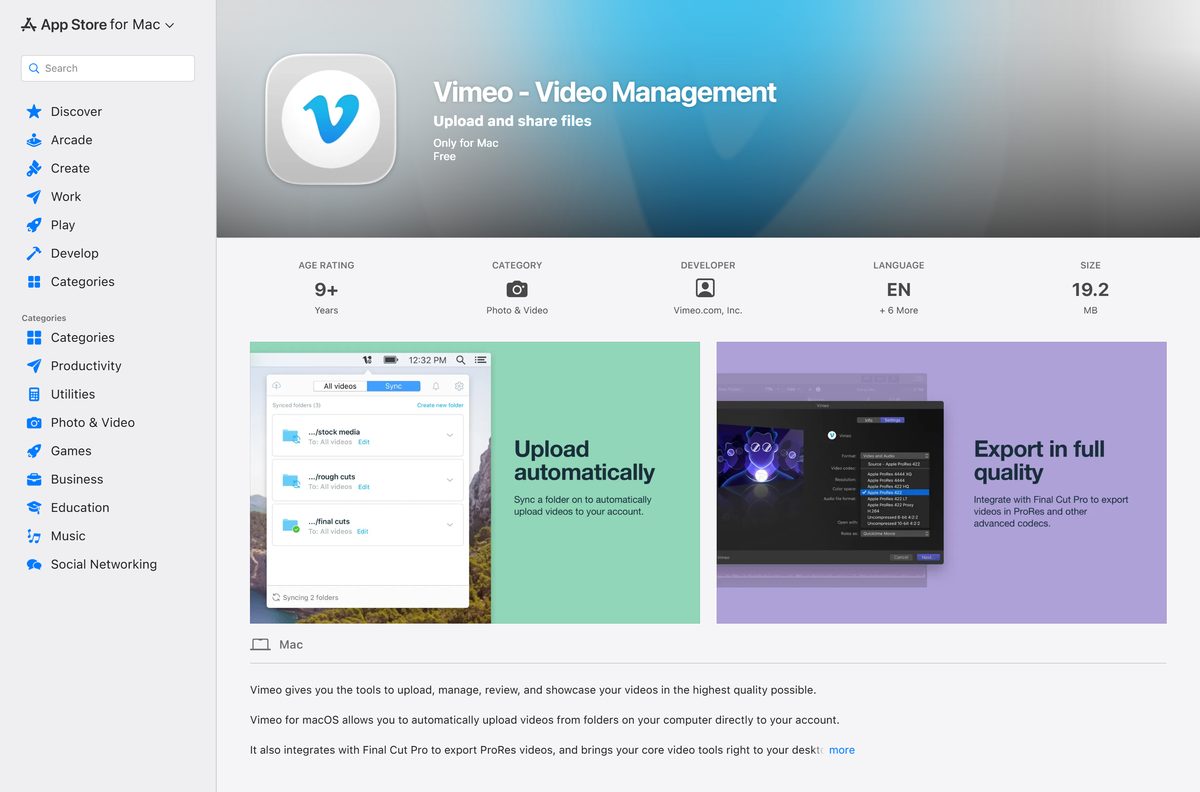
Edge turns vimeo.com into an app with its own window and taskbar icon. The whole install takes under a minute.
- Open Microsoft Edge and go to vimeo.com.
- Select Log in and sign in, or select Join to create a Free account.
- Select Settings and more (the three dots) in the top-right corner.
- Select More tools, then Apps, then Install this site as an app.
- Keep the name Vimeo and select Install.
- Type edge://apps in the address bar and select Details on the Vimeo card.
- Select Pin to taskbar or Pin to Start.
- Open Vimeo from the taskbar; it launches in its own window, signed in.
The installed app shares Edge’s sign-in cookies. Signing out of vimeo.com in Edge signs the app out too.
Install the Vimeo app on a Mac from the App Store
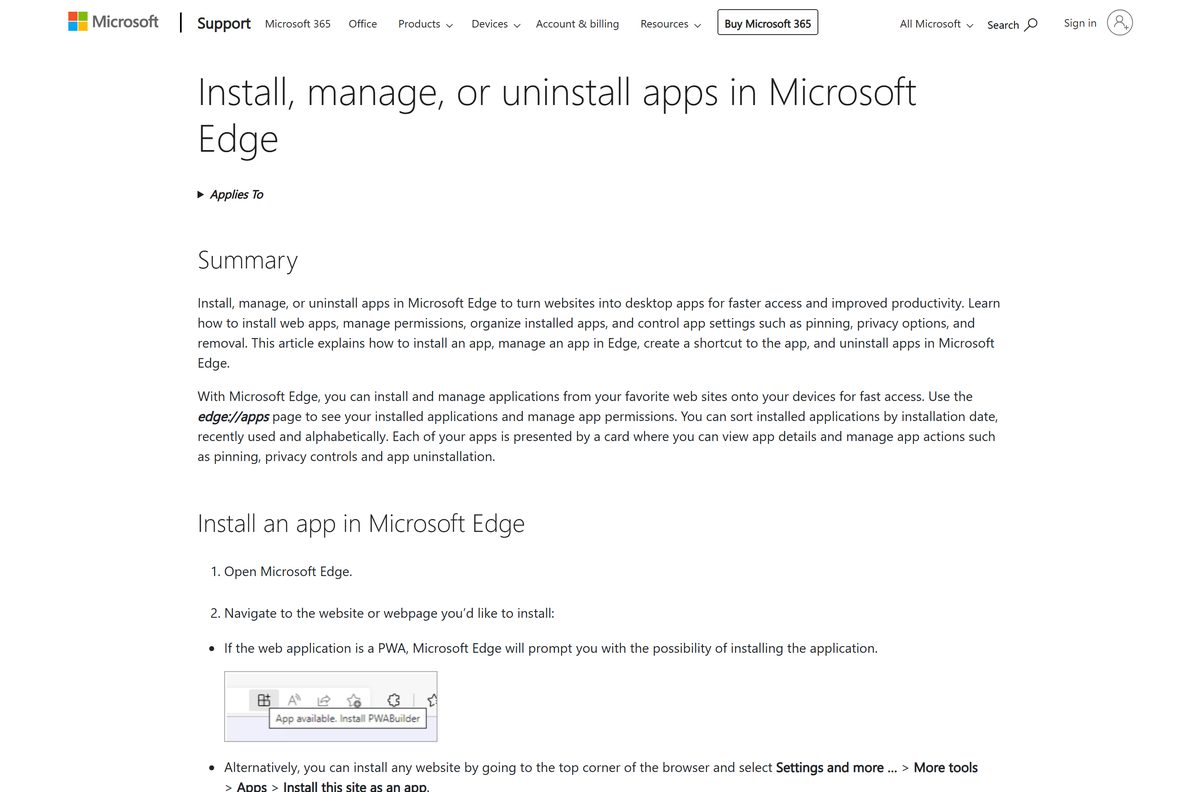
The Mac app is built for uploading and managing videos, not for browsing Staff Picks.
- Open the Mac App Store listing, or open App Store and search Vimeo .
- Confirm the app is Vimeo – Video Management and the seller is Vimeo.com, Inc.
- Select Get, then Install, and enter your Apple Account password if asked.
- Open the Applications folder and launch Vimeo.
- Sign in with your Vimeo email and password.
- Add a folder to watch so new files upload automatically.
- In Final Cut Pro, choose Vimeo as a share destination to export straight to your account.
Vimeo recommends uploading no more than 10 videos at a time from the Mac app. Large batches go faster from a browser.
Which Vimeo download do you need for your Mac?
Open the Apple menu and select About This Mac to read your macOS version first.
| Your Mac and goal | Use this | Why |
|---|---|---|
| macOS 11.0 or later, uploading or editing in Final Cut Pro | Mac App Store app | Folder sync, ProRes export, caption uploads |
| macOS 10.15 or older | vimeo.com in a browser | The current App Store build needs macOS 11.0 |
| Watching videos only | vimeo.com in Safari | The Mac app has no browse or watch feed |
| Recording your screen | Record desktop app notice | The desktop recorder is retired; use Record Studio in the browser |
The iPhone app lists no Mac compatibility on the App Store, so the Mac app above is the only native macOS option.
Is Vimeo free?
Yes. Every Vimeo app is free, and the Free plan stores up to 1 GB of content for the life of the account. Paid plans add storage and seats: Starter has 2 TB, Standard 4 TB with 5 seats, Advanced 7 TB with 10 seats, and Enterprise is custom. Bought inside the iPhone app, Starter costs $20.00 a month or $143.99 a year, Standard $41.00 or $300.00, and Advanced $124.99 or $900.00. Vimeo no longer sells the Basic plan to new customers.
Should you use the Vimeo Mac app or the browser?
The two do different jobs, and most Mac users end up with both.
Install the Mac app if you upload regularly or export from Final Cut Pro. Use the browser for everything else. The Mac app handles folder sync, ProRes 422 HQ exports and privacy edits. It cannot change live events or custom embed settings, and it has no watch feed, so those stay on vimeo.com. Review pages from the app need a Pro, Business or Premium account.
How to check your Vimeo version and update it
Only the store apps carry version numbers. The Windows web app loads the current vimeo.com every time it opens.
- On a Mac, open App Store and select Updates in the sidebar.
- Select Update next to Vimeo if it appears in the list.
- Select Vimeo in Finder’s Applications folder, press Command + I, and read the Version line.
- On iPhone, open App Store, tap your profile picture, and pull down to refresh the update list.
- On Android, open Google Play, tap your profile icon, then Manage apps & device.
- On Windows, open Edge’s Settings and more, then Help and feedback, then About Microsoft Edge to keep the host browser current.
Check whether your computer meets the Vimeo system requirements
The Mac app has the only real system gate. Everything else needs a current browser.
| Field | Value |
|---|---|
| Software | Vimeo (Mac app: Vimeo – Video Management) |
| Developer | Vimeo.com, Inc. |
| Latest version | 1.6.3 on Mac, 11.25.0 on iPhone and iPad |
| License | Free apps; Free plan plus paid Starter, Standard, Advanced and Enterprise plans |
| Download size | 19.2 MB on Mac, 157.3 MB on iPhone and iPad |
| Supported OS | macOS 11.0 or later; Windows 11 and 10 through Edge; iOS 16.0; Android 8.0 |
| Architecture | No separate Intel, Apple silicon, x64 or ARM64 downloads |
| Browsers | Latest Chrome, Firefox, Safari or Edge |
| Final Cut Pro | Version 10.0 or later for the export integration |
| Official download source | Mac App Store, App Store, Google Play, vimeo.com |
| Offline installer | No |
| Last verified | 2026-09-24 |
Vimeo’s help page still quotes macOS 10.12 for the Mac app, but the current App Store build requires macOS 11.0.
Fix Vimeo not installing or not uploading
Each problem below has one cause and one fix.
The Mac App Store says Vimeo is not compatible
The Mac runs a macOS release older than 11.0.
- Open the Apple menu, then About This Mac, and read the macOS version.
- Open System Settings, then General, then Software Update, and install macOS 11 or later if your Mac supports it.
- Use vimeo.com in Safari when the Mac cannot update.
Edge has no Install this site as an app option
Edge is out of date.
- Open Settings and more, then Help and feedback, then About Microsoft Edge, and let it update.
- Restart Edge and reload vimeo.com.
- Open Settings and more, then More tools, then Apps, and select Install this site as an app.
The Record desktop app will not install
Vimeo retired the Record desktop app for new installations.
- Sign in at vimeo.com and open the Record Studio instead.
- Keep each take under 30 minutes on Free, or 120 minutes on a paid plan.
Uploads from the Mac app stall or time out
Too many files are queued at once.
- Pause the queue and keep 10 or fewer videos uploading at a time.
- Upload very large batches from vimeo.com in a browser instead.
- Check the account’s storage; a Free account stops at 1 GB.
How to uninstall Vimeo
Removing the app leaves your videos on Vimeo untouched.
- On Windows, type edge://apps in the Edge address bar.
- Select Details on the Vimeo card, then select Uninstall.
- Tick the box to clear data from Edge if you want the sign-in removed, then confirm.
- On a Mac, open Finder and select Applications.
- Drag Vimeo to the Trash.
- Select Finder, then Empty Trash, to delete it permanently.
What to use instead of Vimeo
Pick by what you need the video platform to do.
| Platform | Desktop route | Pick it when |
|---|---|---|
| YouTube | Browser, or install youtube.com from Edge | You want reach and ad revenue more than ad-free playback |
| Microsoft Stream | Part of Microsoft 365, in the browser | Your company already keeps Teams recordings in SharePoint |
| Google Drive | Browser or Drive for desktop | You only need to share a file privately, not host a player |
| Vimeo | Mac App Store app, or vimeo.com in Edge | You need ad-free embeds, review pages and privacy controls |
Frequently asked questions
Is Vimeo free to download?
Yes. The Mac app, the iPhone app and the Android app are all free, and installing vimeo.com as an app in Edge costs nothing. The account has a Free plan with 1 GB of lifetime storage, and paid Starter, Standard, Advanced and Enterprise plans add more.
What is the official Vimeo download page?
The Mac app is on the Mac App Store as Vimeo – Video Management, sold by Vimeo.com, Inc. Phones use the App Store and Google Play listings from the same seller. On Windows, the official route is vimeo.com installed as an app from Microsoft Edge.
Is there a Vimeo app for Windows 11?
Vimeo ships no native Windows 11 app today. Install vimeo.com from Microsoft Edge with Install this site as an app, and it opens in its own window with a taskbar icon. The old Microsoft Store listing targets Windows Phone only and will not install on a PC.
How big is the Vimeo download?
The Mac app is 19.2 MB on the Mac App Store. The iPhone and iPad app is 157.3 MB. The Windows web app installs through Edge and adds almost nothing to disk, because the site loads from vimeo.com each time you open it.
Is there a Vimeo offline installer?
No. The Mac app comes only through the Mac App Store, and Vimeo publishes no standalone EXE, MSI or DMG. Any site offering a Vimeo setup file is repackaging something Vimeo does not distribute, so skip it.
Does Vimeo have a Mac app?
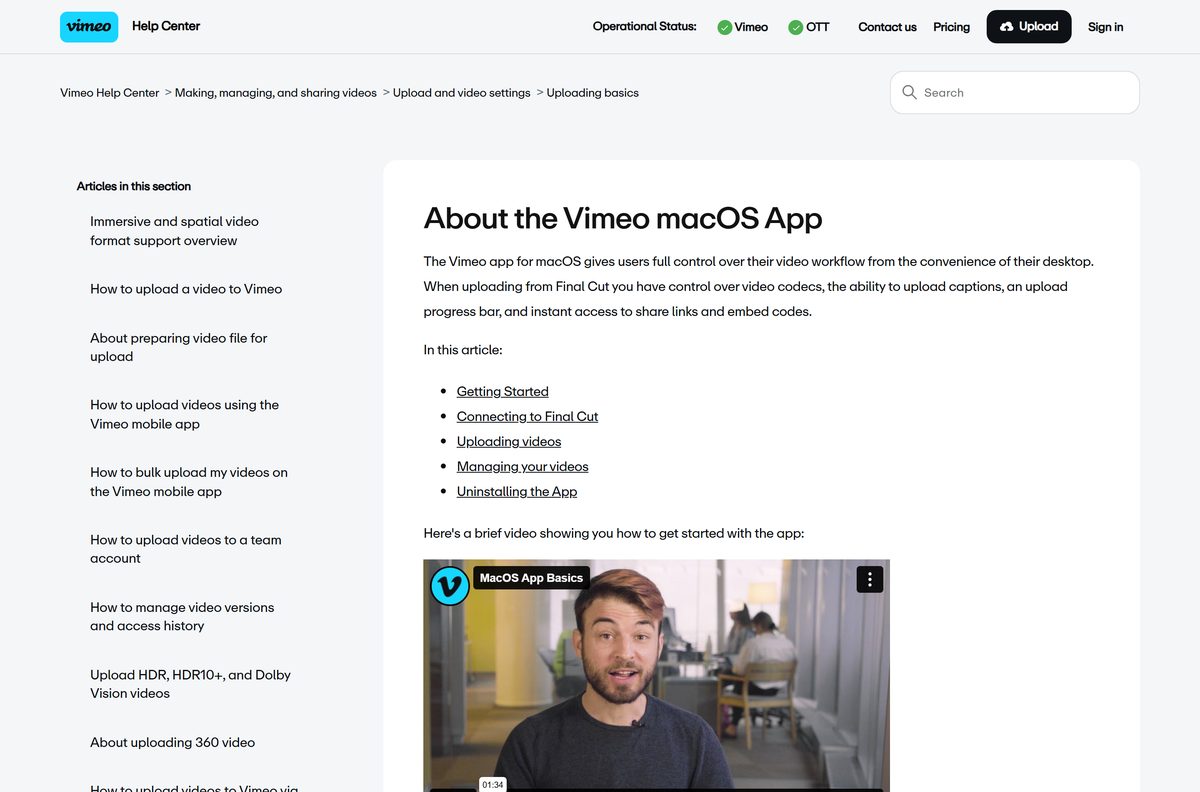
Yes. Vimeo – Video Management is a free Mac App Store app that needs macOS 11.0 or later. It uploads whole folders automatically, exports ProRes from Final Cut Pro, and edits titles, privacy and captions without opening a browser.
Does Vimeo run on ARM64 and Apple silicon?
On Windows, the web app runs wherever Microsoft Edge runs, including Arm-based PCs, because there is no separate build to match. On a Mac, the App Store lists only macOS 11.0 as the requirement and names no chip limit.
Is the Vimeo app safe?
Yes, when it comes from the Mac App Store, the App Store or Google Play under the seller Vimeo.com, Inc. Apple and Google review those listings. Avoid third-party Vimeo installers and browser extensions that promise to rip other people’s videos.
What is the latest version of Vimeo?
The Mac app is version 1.6.3, released on 4 December 2025. The iPhone and iPad app is 11.25.0. The web app on Windows has no version number, because vimeo.com updates on the server.
Why won’t the Vimeo app install?
On a Mac, the usual cause is a macOS release older than 11.0, which the App Store blocks. On Windows, the Edge menu item is missing when Edge is out of date. The Record desktop app no longer installs at all, because Vimeo retired it for new users.
How do I download a Vimeo video to my PC?
Select the Download button below the player, then pick a file size in the window that opens. The button appears only when the video owner allows downloads, and you must be signed in to your Vimeo account.
Is Vimeo free to watch and upload?
Yes. Watching public videos is free and ad-free, and the Free plan lets you upload up to 1 GB of content for the life of the account. Screen and webcam recordings on the Free plan are capped at 30 minutes each.






