The Turtle Beach Audio Hub download for Windows 11 and Windows 10 is free, and the installer is a 6.53 MB MSI file. Mac owners install the same app free from the Mac App Store.
Which build you need depends on the headset. Audio Hub handles the Stealth 600 and Stealth 700 families, the Elite range and the Scout Air earbuds. The Stealth Pro uses a separate app, Audio Hub v2.
This guide covers the official links, install steps for Windows and Mac, the supported device list, firmware updates, and fixes for a headset the app refuses to detect.
Which Turtle Beach Audio Hub download do you need?
Match the headset first, then the operating system. Picking the wrong app leaves the device invisible in the window.
| Your headset and system | What to download | Size | Format |
|---|---|---|---|
| Stealth 600, Stealth 700, Elite or Scout Air on Windows | Audio Hub for Windows | 6.53 MB | MSI installer |
| The same headsets on a Mac | Audio Hub on the Mac App Store | 9.4 MB | App Store |
| Stealth Pro on Windows | Audio Hub v2 for Windows | 45.14 MB | MSIX package |
| Stealth Pro on a Mac | Audio Hub v2 on the Mac App Store | 25.9 MB | App Store |
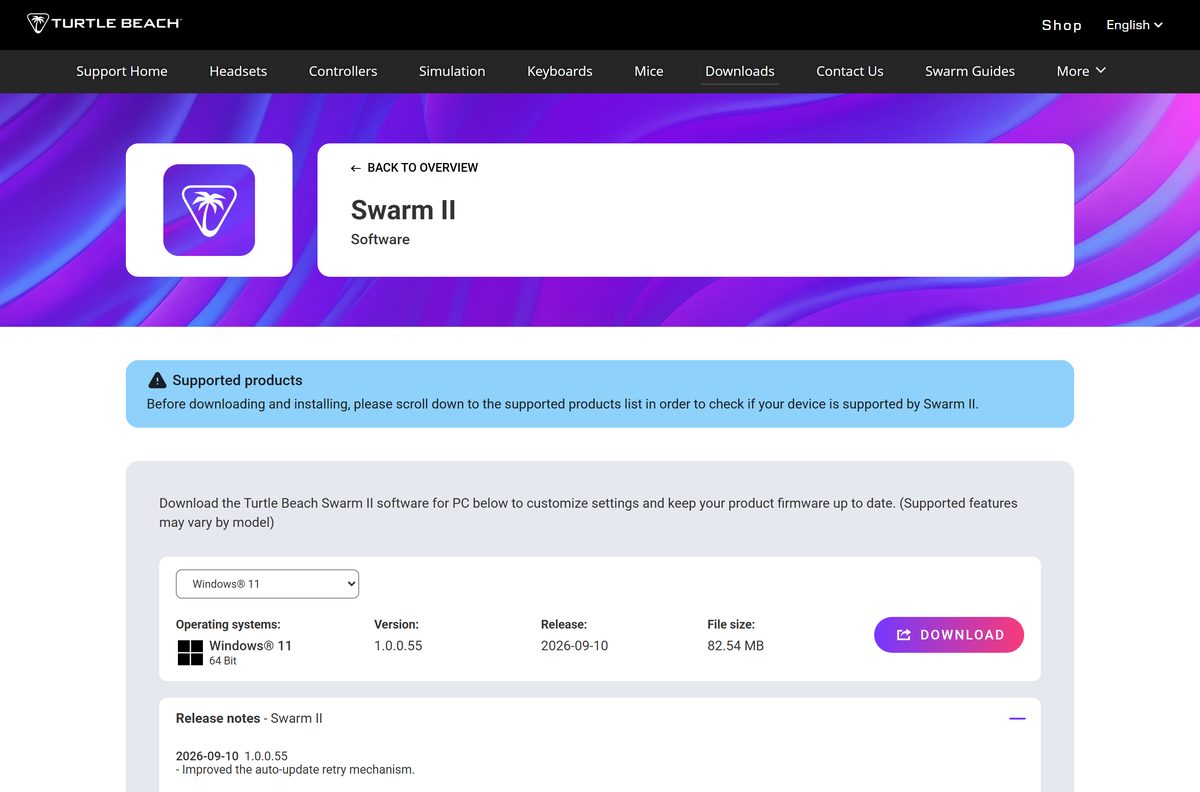
| Stealth 600 Gen 3, Vulcan II or another 2024-onward product | Swarm II | 82.54 MB | Windows only |
| iPhone or iPad | Audio Hub on the App Store | Not stated | Mobile app |
| Android phone or tablet | Audio Hub on Google Play | Not stated | Mobile app |
Download Turtle Beach Audio Hub from the official page
Turtle Beach distributes the desktop app from its own support site and from Apple’s store. Nothing else is a first-party copy.
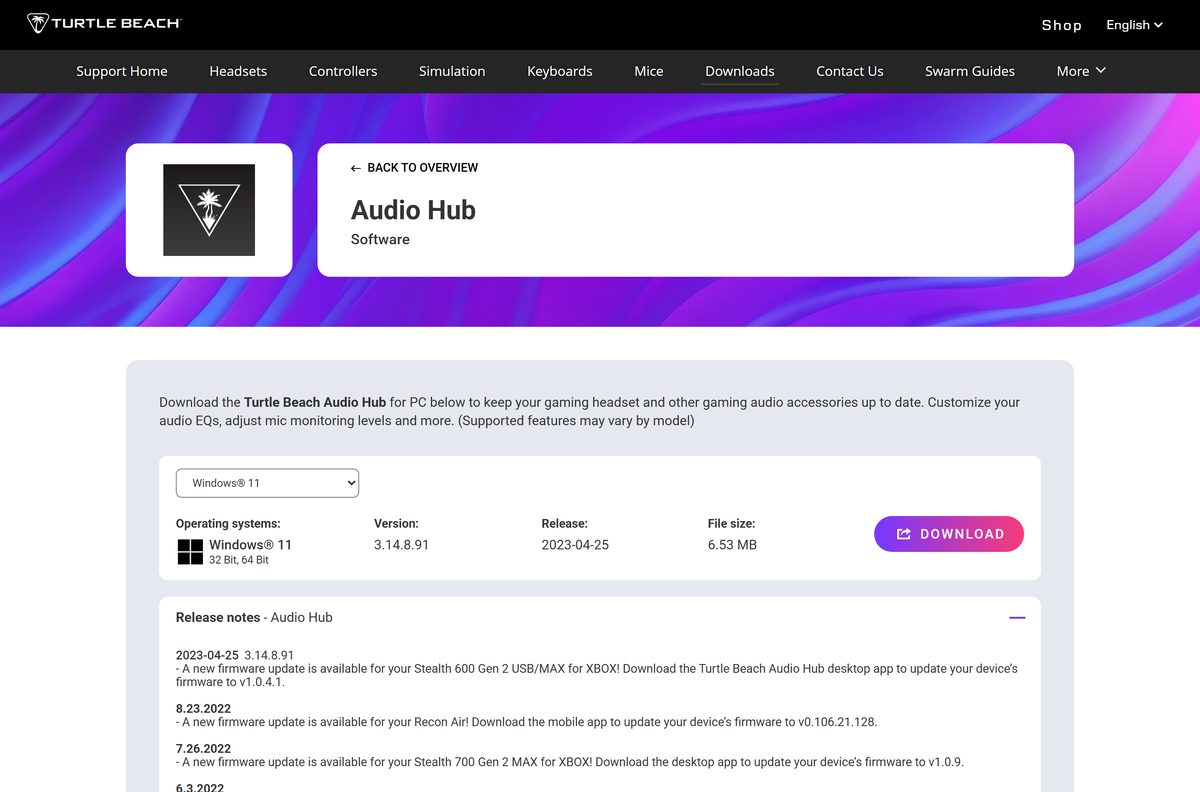
- Audio Hub on the Turtle Beach downloads page — 6.53 MB · Windows build 3.14.8.91, released 2023-04-25
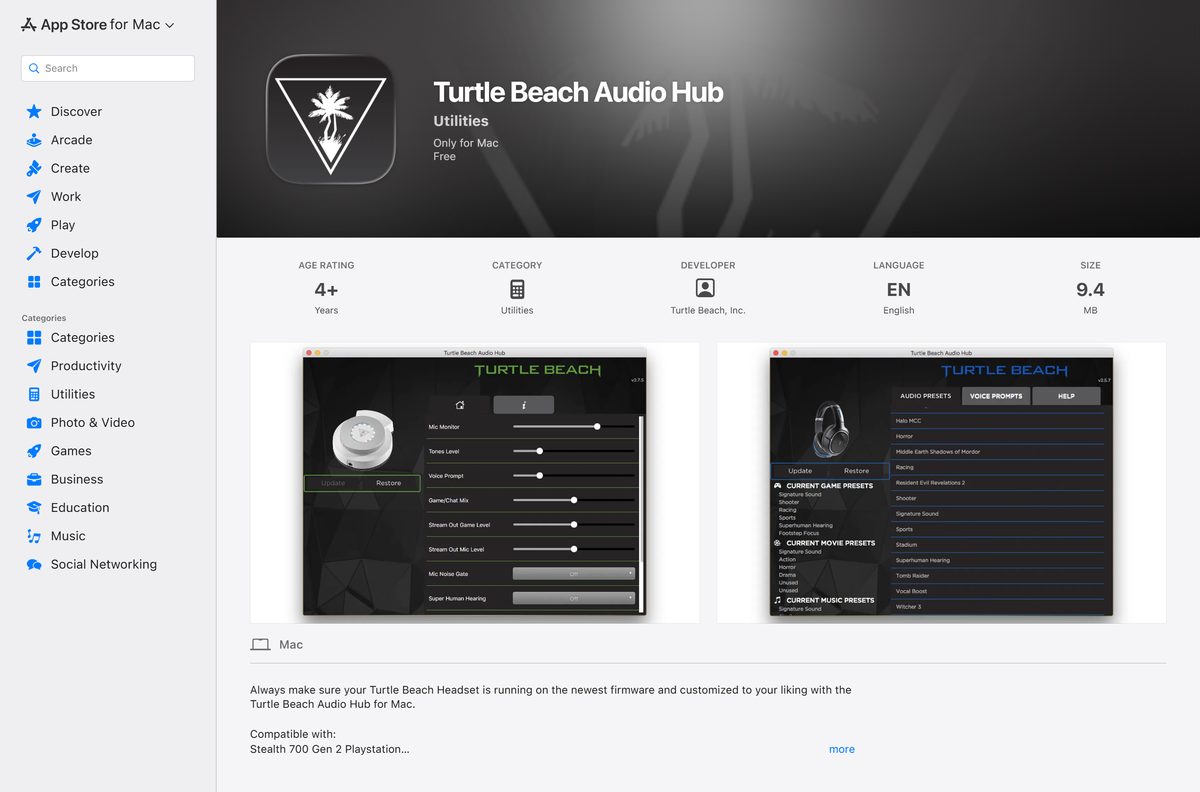
- Audio Hub for macOS on the Mac App Store — 9.4 MB · free, macOS 10.11 or later, seller Voyetra Turtle Beach
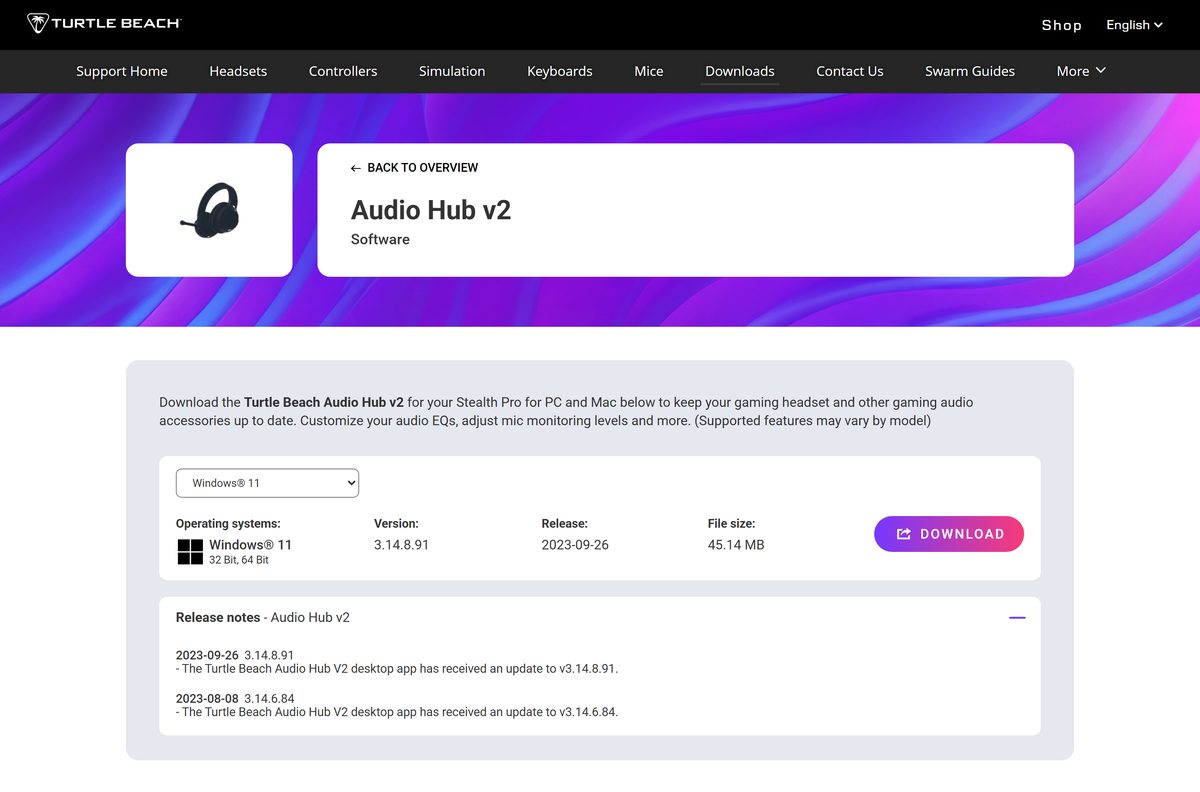
- Audio Hub v2 for the Stealth Pro — 45.14 MB · Windows MSIX package, released 2023-09-26
- Turtle Beach shortcut link to the downloads page — redirects to the same support listing
The downloads page opens on a tab strip. Select Windows 11, Windows 10 or macOS before you select DOWNLOAD.
Check the Turtle Beach Audio Hub system requirements
The MSI runs on 32-bit and 64-bit Windows alike. There is no separate ARM64 build.
| Field | Value |
|---|---|
| Software | Turtle Beach Audio Hub |
| Developer | Voyetra Turtle Beach, Inc. |
| Latest version | 3.14.8.91 on Windows, 3.4.9 on macOS |
| Price | Free |
| Windows | Windows 11 and Windows 10, 32-bit and 64-bit |
| macOS | macOS 10.11 or later |
| Architecture | One MSI for both Windows architectures |
| Download size | 6.53 MB (6,848,512 bytes) on Windows |
| Installer format | MSI on Windows, App Store on Mac |
| Mobile | iOS 3.14.8.201 and Android 3.14.8.232 |
| Connection | USB port for the headset or its transmitter |
| Official source | Turtle Beach support downloads page |
| Last verified | 2026-09-22 |
How to install Turtle Beach Audio Hub on Windows 11 and 10
The MSI is a complete package, so the install finishes without a second download.
- Open the Audio Hub entry on the Turtle Beach downloads page.
- Select the Windows 11 or Windows 10 tab above the version block.
- Select DOWNLOAD and save the MSI file.
- Double-click the file and approve the Windows security prompt.
- Work through the installer and accept the licence agreement.
- Plug the headset, or its USB transmitter, into a free USB port.
- Open Turtle Beach Audio Hub from the Start menu and wait for the device tile to appear.
- Accept the firmware update if the app offers one, and leave the cable connected until it finishes.
A headset that charges over USB still needs to be powered on. The app reads a sleeping headset as absent.
Which Turtle Beach Audio Hub download do you need for your Mac?
Open the Apple menu and select About This Mac to read your macOS version first.
| Your Mac | What to install | Size | Version |
|---|---|---|---|
| macOS 10.11 through macOS 14 with a Stealth or Elite headset | Audio Hub on the Mac App Store | 9.4 MB | 3.4.9 |
| macOS 11 or later with a Stealth Pro | Audio Hub v2 on the Mac App Store | 25.9 MB | 3.14.8 |
| macOS below 10.11 | Nothing to install | None | Under the App Store minimum |
| A Mac paired with newer 2024-onward hardware | Swarm II, Windows only | 82.54 MB | No Mac build |
Both Mac builds arrive through the App Store, so Apple handles Intel and Apple silicon for you.
Is Turtle Beach Audio Hub free?
The app is a companion for hardware you already bought, so Turtle Beach gives it away.
Yes, every build is free. The Windows MSI, the Mac App Store listing, the iPhone app and the Android app all cost nothing, with no subscription, no licence key and no paid tier. Any site charging for the installer, or wrapping it in a “download manager”, is not Turtle Beach.
Should you install Audio Hub or Audio Hub v2?
The two apps share a name and almost nothing else. Each one only talks to its own hardware.
Install Audio Hub v2 only for the Stealth Pro, and the original Audio Hub for everything else. Audio Hub v2 was built around the Stealth Pro and its transmitter, and it ships as a 45.14 MB MSIX package. The original app is a 6.53 MB MSI that covers the Stealth 600, Stealth 700, Elite and Scout Air lines. Installing both is harmless when you own headsets from each group.
What Turtle Beach Audio Hub can update
The device list is fixed. Newer hardware moved to Swarm II and never appears here.
| Product | App | Desktop platforms |
|---|---|---|
| Stealth 600, Stealth 600 Gen 2, Gen 2 USB and Gen 2 MAX | Audio Hub | Windows and Mac |
| Stealth 700 Gen 2 and Stealth 700 Gen 2 MAX | Audio Hub | Windows and Mac |
| Elite 800 and Elite 800X | Audio Hub | Windows and Mac |
| Elite Pro 2 + SuperAmp and Elite Pro Tactical Audio Controller | Audio Hub | Windows and Mac |
| Scout Air and Recon Air earbuds | Audio Hub | Mobile app preferred |
| Stealth Pro | Audio Hub v2 | Windows and Mac |
| Stealth 600 Gen 3, Vulcan II keyboards, newer mice | Swarm II | Windows only |
How to check your Turtle Beach Audio Hub version and update it
The version number sits in the bottom bar of the window, next to the device area.
- Open the app and read the version string at the bottom of the window.
- Compare it with the number shown on the downloads page for your platform.
- Open the downloads page if the number is lower.
- Select your operating system tab and select DOWNLOAD again.
- Run the new package over the old one; the installer replaces the existing copy.
- On a Mac, open the App Store, select Updates, and apply any pending update instead.
- Reconnect the headset and confirm its firmware version in the device panel.
Update the app before the firmware. A stale copy can stall halfway through a headset update.
Download the Turtle Beach Audio Hub MSI for deployment
The Windows build ships as a plain MSI, which suits Intune, Group Policy or a scripted rollout in an esports lab.
| Package | Size | Link |
|---|---|---|
| Audio Hub MSI | 6,848,512 bytes | Downloads page |
| Audio Hub v2 MSIX | 47,336,162 bytes | Downloads page |
Start from msiexec /i audio-hub.msi /qn on one test machine. Firmware prompts still need a signed-in user at the desk, so a silent install does not finish the job on its own.
Fix Turtle Beach Audio Hub not installing or not detecting a headset
Most failures come down to the wrong app, a sleeping headset or a charge-only cable.
The installer will not run on Windows 11
Windows blocks an MSI that arrived through a browser until you confirm the source.
- Right-click the file and select Properties.
- Tick Unblock at the bottom of the General tab, then select OK.
- Double-click the file again and approve the User Account Control prompt.
- Download the package once more from the support page if the file size does not match 6.53 MB.
The app opens but the headset never appears
The desktop app reads the headset over USB, and a power-only cable carries no data.
- Power the headset on before you plug it in.
- Swap to the cable that shipped in the box, or another known data cable.
- Move the plug to a USB port on the back of the PC rather than a hub.
- Plug the transmitter in as well if your model uses one, and set it to PC mode.
- Close the app, unplug everything, then reconnect and reopen it.
The Stealth Pro shows an “Unable to Connect” message
The Stealth Pro answers to Audio Hub v2, not to the original app.
- Close the original Audio Hub window.
- Install Audio Hub v2 from the downloads page.
- Pair the headset and transmitter, and keep both powered on.
- Connect the transmitter to the PC and wait for the device tile.
A firmware update stops part-way
An old copy of the app carries an old firmware payload.
- Update the app first, then restart the computer.
- Charge the headset above half before you retry.
- Keep the cable in place for the whole update, including the restart.
- Read the model support article for the firmware version your headset should end on.
How to uninstall Turtle Beach Audio Hub
The MSI registers in the normal Windows apps list, so no vendor tool is involved.
- Open Settings with Windows + I.
- Select Apps, then Installed apps.
- Search for Audio Hub and select the three-dot menu beside it.
- Select Uninstall and confirm.
- Unplug the headset or transmitter once the removal finishes.
- On a Mac, drag the app from Applications to the Bin and empty it.
Which other Turtle Beach apps do the same job?
Turtle Beach splits its software by product family rather than shipping one universal tool.
| App | Covers | Platforms | Link |
|---|---|---|---|
| Swarm II | Stealth 600 Gen 3, Vulcan II keyboards, current mice | Windows | Downloads page |
| Audio Hub v2 | Stealth Pro headset and transmitter | Windows and Mac | Downloads page |
| Audio Hub mobile | Bluetooth headsets and the Scout Air earbuds | iOS and Android | Google Play listing |
Pick by product, not by version number. The newest app is not the right one for an older headset.
Frequently asked questions
Is the Turtle Beach Audio Hub download free?
Yes. The Windows installer, the Mac App Store build and both mobile apps cost nothing. Turtle Beach ships the app as a companion for hardware you already own, so there is no subscription, no licence key and no paid tier.
What is the official Turtle Beach Audio Hub download page?
The Audio Hub entry on the Turtle Beach support downloads site. The short link turtlebeach.com/pages/audio-hub lands on the same listing. Mac users go to the Mac App Store instead, where the seller is Voyetra Turtle Beach.
Does Turtle Beach Audio Hub work on Windows 11?
Yes. The downloads page lists Windows 11 and Windows 10, each in 32-bit and 64-bit editions, and serves the same MSI package to all four. Nothing else needs installing first on a current Windows build.
How big is the Turtle Beach Audio Hub download?
The Windows installer is 6.53 MB, or 6,848,512 bytes. Audio Hub v2 for the Stealth Pro is much larger at 45.14 MB. The Mac App Store lists 9.4 MB for Audio Hub and 25.9 MB for Audio Hub v2.
Is there a Turtle Beach Audio Hub offline installer?
Yes on Windows. The MSI is a complete package that installs without fetching anything else, so you can copy it to a machine with no connection. The Mac builds come through the App Store, which needs a connection.
Is there a Turtle Beach Audio Hub for Mac?
Yes. The Mac App Store carries version 3.4.9 at 9.4 MB for macOS 10.11 or later. Stealth Pro owners install Audio Hub v2 instead, which lists version 3.14.8 and needs macOS 11 or later.
Is there a 64-bit or ARM64 build?
One MSI serves both 32-bit and 64-bit Windows, so there is no separate 64-bit file to choose. Turtle Beach publishes no ARM64 package. On a Mac the App Store picks the right build for Intel or Apple silicon.
Is Turtle Beach Audio Hub safe to install?
The installer comes straight from the Turtle Beach support domain and the Mac App Store, both first-party sources. Check that the file you saved is 6.53 MB before running it, and ignore mirrors that bundle a download manager.
What is the latest Turtle Beach Audio Hub version?
The Windows build is 3.14.8.91, released 2023-04-25. The Mac App Store build uses its own numbering and stands at 3.4.9 from June 2023. Audio Hub v2 for the Stealth Pro was last updated in September 2023.
Why will Turtle Beach Audio Hub not detect my headset?
Usually the cable, the power state or the app itself. Power the headset on, swap to a data cable rather than a charge-only one, and confirm your model belongs to Audio Hub rather than Audio Hub v2 or Swarm II.






