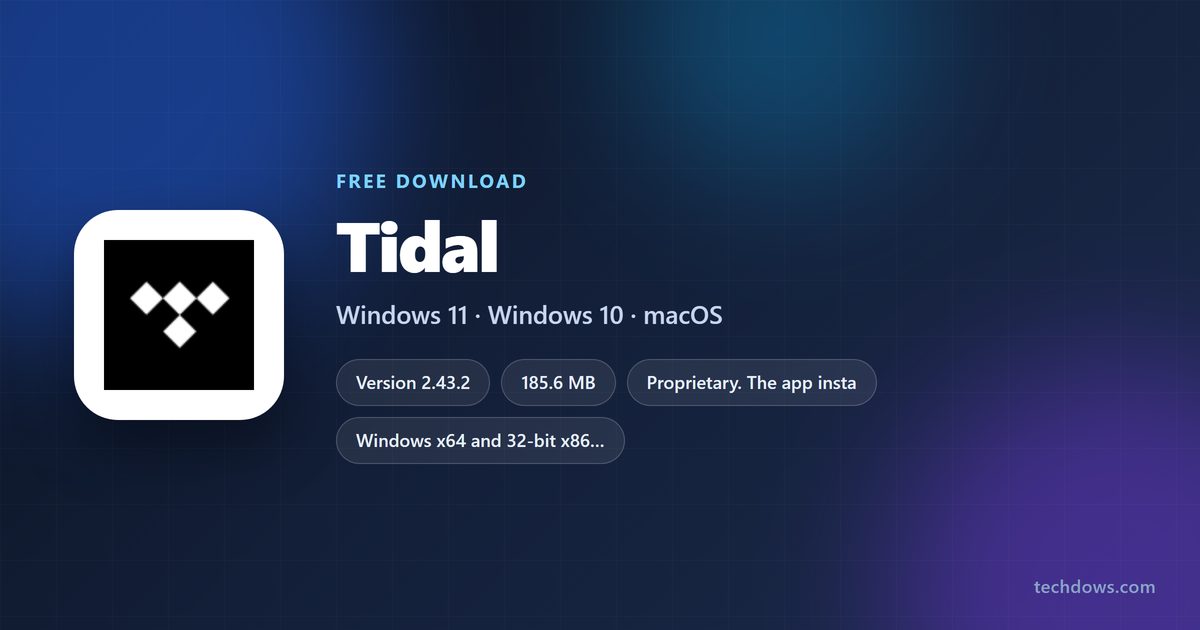
The TIDAL download for Windows 11, Windows 10 and Mac comes from one page on TIDAL’s own site, and the current desktop build is 2.43.2, released on 19 August 2026.
TIDALSetup.exe is 185.6 MB, a complete package rather than a small web bootstrapper. The app costs nothing to install, and playback runs on a subscription that starts at $11.99 a month with a 30-day trial for new subscribers.
This guide covers the right file for your machine, the Microsoft Store and winget routes, the Mac build, plan prices in dollars, install fixes and clean removal.
Which TIDAL download do you need?
One Windows installer covers both 64-bit and 32-bit machines. Match the row for the device in front of you.
| Your machine | What to get | Size |
|---|---|---|
| Windows 11 or Windows 10 PC | TIDALSetup.exe | 185.6 MB |
| Windows PC you update through the Store or winget | Microsoft Store listing | 172.7 MB listed |
| Mac running macOS 14 or later | macOS build on the TIDAL download page | Not published |
| Mac running macOS 13 or older | Web player | No install |
| iPhone or iPad on iOS 17 or later | App Store listing | 517 MB |
Linux gets no desktop build. There, the web player in Chrome or Firefox is the only route.
Download TIDAL for Windows 11 and Windows 10
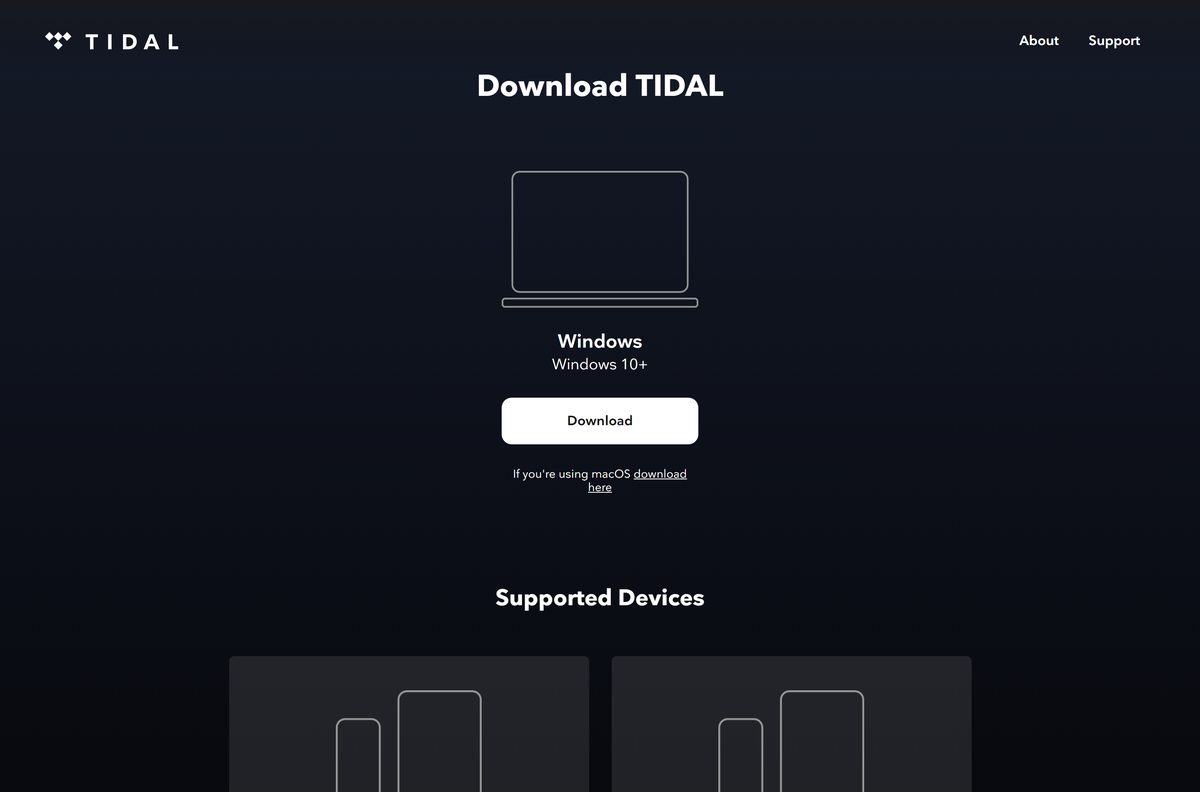
Two official routes lead to the same desktop app. The direct file is the faster one.
- TIDALSetup.exe (direct installer) — 185.6 MB · Version 2.43.2, dated 19 August 2026
- TIDAL download page — The page the Download Tidal support article points to
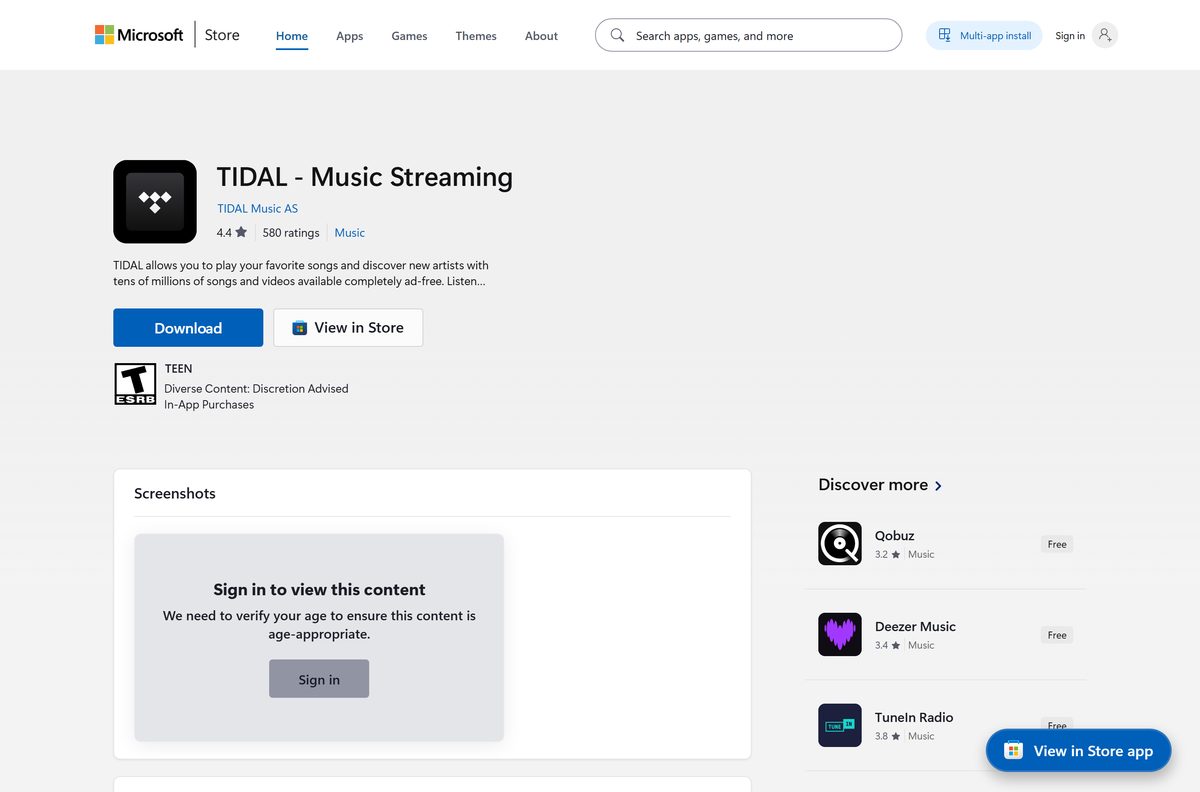
- TIDAL – Music Streaming on the Microsoft Store — Published by TIDAL Music AS, product 9NNCB5BS59PH
Any site selling a TIDAL installer is selling a file TIDAL gives away. The subscription is the only thing that costs money.
How to install TIDAL on Windows 11 and Windows 10
The installer runs for your user account and needs no administrator approval.
- Open the TIDAL download page and select Download under Windows.
- Wait for TIDALSetup.exe to finish arriving. The file is 185.6 MB.
- Double-click TIDALSetup.exe in your Downloads folder.
- Leave the progress window alone while it unpacks. It installs into %LocalAppData%\TIDAL and opens on its own.
- Select Log in and enter the email address on your account, or select the option to start a trial.
- Open Settings, then Streaming, and set Audio Quality to Max, High or Low.
- Pin the app to the taskbar if you want it back in one click.
The setup writes no shortcut prompt and asks for no install folder. A silent install for a scripted rollout uses TIDALSetup.exe –silent .
Install TIDAL from the Microsoft Store or with winget
The Store route suits a machine where every app updates through the Store. The winget route suits a scripted setup.
- Open the Microsoft Store listing in your browser.
- Select Get in Store app, then Install in the Store window.
- Confirm the publisher line reads TIDAL Music AS before you install.
- For the command line instead, open Windows Terminal and run winget install TIDALMusicAS.TIDAL .
- Answer Y when winget asks you to accept the source agreements.
- Launch TIDAL from the Start menu and log in.
The Store listing carries a 4.2-star rating from 2,797 ratings in the Music category.
How to check the TIDAL installer is the real file
Microsoft’s package repository publishes a SHA-256 hash for the current desktop build. Compare it with the file on your disk.
- Open Windows Terminal in your Downloads folder.
- Run Get-FileHash .\TIDALSetup.exe -Algorithm SHA256 .
- Read the Hash column in the output.
- Compare it with 550C12978F116187A616604BCC4DA92E46119BF7F42EB56ACEF2D135A60CABF8 , the hash Microsoft publishes for that build.
- Delete the file and fetch it again from TIDAL if the two strings differ.
- Right-click the file, open Properties, and check the Digital Signatures tab for a signature entry.
A newer build changes the hash, so read the current value from the repository before you compare.
Which TIDAL download do you need for your Mac?
There is no Mac App Store listing. The Mac app comes from the same download page as the Windows build, under the macOS link.
Open the Apple menu and select About This Mac to read your macOS version first.
| Your Mac says | What to use | Why |
|---|---|---|
| macOS 14 or later | macOS app from the TIDAL download page | The supported floor for the desktop app |
| macOS 13 or older | Web player in Chrome | Below the supported macOS version |
| You want Max quality on a Mac | macOS app from the TIDAL download page | Safari carries neither Max nor High in the browser |
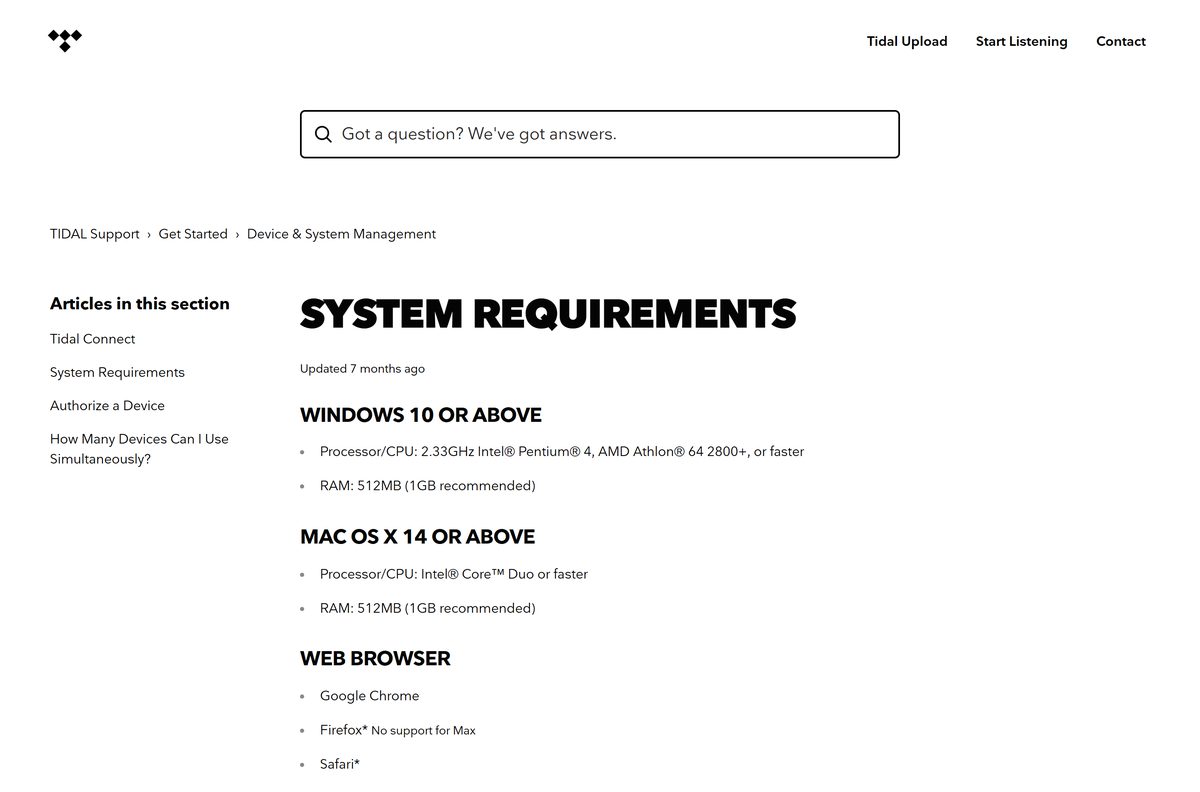
Chrome handles lossless playback in the browser; Firefox stops at High and Safari at Low.
Is TIDAL free?
The app is free to install. Listening is not, and there is no permanent free tier. TIDAL lists Individual at $11.99 a month, Family at $19.99 for up to six members, Student at $6.99, DJ Individual at $19.99 and DJ Student at $14.49, in dollars, on its subscription types page. New subscribers get a 30-day trial, charged monthly after that; a returning account that has already trialled the service is charged straight away. Student pricing runs through SheerID verification and has to be renewed every 11 months.
Prices changed on the first billing date on or after 3 August 2026, so an older invoice will not match the figures above.
Should you install the desktop app or use the web player?
Install the desktop app if you care about sound quality. Use the web player only on a machine you cannot install on. Max quality needs the installed app. In a browser, Firefox drops Max and Safari drops both Max and High, which leaves Low on a Mac’s default browser. The desktop app also carries Exclusive Mode, which hands your digital-to-analog converter direct control of the audio output, and that setting has no browser equivalent.
Neither the desktop app nor the web player stores tracks for offline listening. Offline playback is a feature of the phone and tablet apps.
How to check your TIDAL version and update it
The desktop app updates itself in the background. These commands report and force the update on a Windows machine.
- Open Windows Terminal.
- Run winget list TIDALMusicAS.TIDAL to print the installed version.
- Compare the number with the current build in the specification table on this page.
- Run winget upgrade TIDALMusicAS.TIDAL when the installed number is lower.
- Close and reopen the app once the command finishes.
- Run the installer again over the top if winget reports nothing; it upgrades in place.
Check the TIDAL system requirements before you install
The operating system version rules out more machines than the hardware does.
| Field | Value |
|---|---|
| Software | TIDAL desktop app |
| Developer | TIDAL Music AS, part of Block, Inc. |
| Latest version | 2.43.2, released 19 August 2026 |
| Price | Free to install; Individual $11.99 a month, Family $19.99, Student $6.99 |
| Supported OS | Windows 10 or later; macOS 14 or later |
| Not supported | Linux, and macOS 13 or older |
| Architecture | One installer for x64 and 32-bit x86 Windows; the Store package is x86 |
| Hardware | 2.33 GHz Pentium 4 or Athlon 64 2800+ and 512 MB RAM, 1 GB recommended |
| Bandwidth | 1.5 to 2 Mbps for High and Max quality |
| Download size | 185.6 MB for TIDALSetup.exe |
| Offline installer | Yes, TIDALSetup.exe is a complete package |
| Official download source | TIDAL (tidal.com) |
| Microsoft Store | TIDAL – Music Streaming, product 9NNCB5BS59PH, free listing |
| Mobile | iOS 17 and above, Android 7 and above |
| Last verified | 2026-09-22 |
Data use matters more than the processor. High quality runs to 10 MB a minute and Max to 40 MB a minute, which a metered connection will notice.
What TIDAL plays once it is installed
Quality follows the setting in Settings, then Streaming, and the formats the artist delivered.
| Setting | Format | What it means |
|---|---|---|
| Max | HiRes FLAC up to 24-bit, 192 kHz | Falls back to FLAC, then AAC, when no HiRes file exists |
| High | FLAC, 16-bit, 44.1 kHz | Lossless at CD quality |
| Low | AAC up to 320 kbps | Compressed, for a thin connection |
| Dolby Atmos | Object-based surround | A separate toggle, tied to your audio hardware |
The pill beside the progress bar in the bottom right names the format playing right now.
Fix TIDAL not installing or not opening on Windows 11 and 10
The installer finishes but the app will not open
A stale cache or a half-written install survives a plain reinstall.
- Update Windows, then restart the machine.
- Open TIDAL, select Help, then Troubleshooting, then Clear Cache.
- Close the app from the notification area so no copy stays running.
- Uninstall TIDAL, then install it again from TIDALSetup.exe.
api-ms-win-crt-runtime-l1-1-0.dll is missing
Update KB2999226, the Universal C Runtime, failed to install on the machine.
- Open Settings, then Windows Update, and select Check for updates.
- Install every update offered, then restart.
- Repeat until no updates remain.
- Install the Visual C++ Redistributable for Visual Studio 2015 that matches your Windows build.
- Run that redistributable once and select Uninstall, then run it again and select Install.
Playback was paused because you are on another device
A subscription streams to one device at a time, and a browser tab left open still counts.
- Close the web player tab and any phone app that is still playing.
- Log out of the desktop app and log back in.
- Reset your password at account.tidal.com to end every session at once.
- Leave offline listening to the phone app, where five devices are allowed.
The app plays but no sound arrives
Exclusive Mode has taken control of an audio device that is no longer connected.
- Reconnect the converter or speaker you used last.
- Open Settings, then Streaming, then Sound Output and select More Settings.
- Turn Exclusive Mode off and play a track.
- Set the volume inside the app rather than in Windows while Exclusive Mode is on.
How to uninstall TIDAL from Windows and Mac
The Windows app installs per user, so it leaves nothing behind in Program Files.
- Close TIDAL, including the icon in the notification area.
- Open Settings, then Apps, then Installed apps on Windows 11.
- Find TIDAL in the list, select the three dots and select Uninstall.
- Run winget uninstall TIDALMusicAS.TIDAL instead if you installed it that way.
- Delete the %LocalAppData%\TIDAL folder if the entry has gone but files remain.
- On a Mac, open Finder, select Applications, and drag TIDAL to the Bin.
- Cancel the subscription at account.tidal.com separately; removing the app does not stop the billing.
What to use instead of TIDAL
Stay with TIDAL for 24-bit HiRes FLAC on a desktop with a converter attached. Switch only if the catalogue or the price is the problem. Spotify and Apple Music both ship desktop apps for Windows and Mac, and Amazon Music runs in a browser or an app. None of them exposes Exclusive Mode or a 192 kHz stream, so a wired listening setup is the case where the switch costs you something.
Frequently asked questions
Is TIDAL free to download?
Yes. The Windows and Mac apps cost nothing to install, and the Microsoft Store listing is free. Playing music needs a subscription, which starts at $11.99 a month for an Individual plan with a 30-day trial for new subscribers.
What is the official TIDAL download page?
The page at offer.tidal.com/download, which the Download Tidal article on TIDAL’s support site points to. It carries the Windows button, the macOS link and the mobile store links.
Does TIDAL work on Windows 11?
Yes. The desktop app supports Windows 10 and later, so Windows 11 is covered. The same TIDALSetup.exe file installs on both, and the Microsoft Store listing installs on Windows 10 build 14316 or newer.
How big is the TIDAL download?
TIDALSetup.exe is 185.6 MB, or 194,574,392 bytes. The Microsoft Store package is listed at 172.7 MB for the whole package, and the iPhone app is 517 MB.
Is there a TIDAL offline installer?
Yes. TIDALSetup.exe is a complete 185.6 MB package rather than a stub that fetches the rest during setup. It still needs a connection to log in and stream after installation.
Is there a TIDAL app for Mac?
Yes, for macOS 14 or later. It comes from the macOS link on the TIDAL download page, not from the Mac App Store, because TIDAL publishes no Mac App Store build.
Does TIDAL have a 64-bit or ARM64 installer?
One installer covers 64-bit and 32-bit Windows, and the package repository lists the same file for both. TIDAL publishes no separate ARM64 build, and the Microsoft Store package is x86.
Is the TIDAL installer safe to run?
The file from download.tidal.com is the vendor’s own. Microsoft’s package repository publishes a SHA-256 hash for build 2.43.2, so you can compare it with Get-FileHash before running the setup.
What is the latest TIDAL version?
The desktop build is 2.43.2, released on 19 August 2026. The iPhone app is at 2.216.0. The desktop app updates itself, and winget upgrade TIDALMusicAS.TIDAL forces it.
Why will TIDAL not install on my PC?
The usual cause is a missing Universal C Runtime, which shows as an api-ms-win-crt-runtime-l1-1-0.dll error. Install every pending Windows update, restart, then repair the Visual C++ 2015 Redistributable.
Can I download songs in the TIDAL desktop app?
No. Offline downloads are a mobile feature. Neither the desktop app nor the web player stores tracks, so a laptop needs a connection to play anything.
How many devices can play TIDAL at once?
One device streams online at a time. Five more devices can play downloaded music in offline mode, which means one computer online plus five phones or tablets offline.