The Star Stable Online download is free from starstable.com and installs the horse-riding adventure game on Windows 11, Windows 10 and Mac. You can also play it on iPhone, iPad and Android, with the same account and progress on every device.
Below are the official links, install steps for each platform, system requirements, Star Rider membership prices, fixes for common errors and clean removal.
Which Star Stable Online download do you need?
Star Stable Entertainment publishes every version below. Your horses and progress follow your account between them.
| Your device | Where to get it | Space or size |
|---|---|---|
| Windows 11 or 10 PC (64-bit) | starstable.com download (log in first) | 5 GB free space |
| Mac on macOS 13.3 Ventura or later | starstable.com download (log in first) | 5 GB free space |
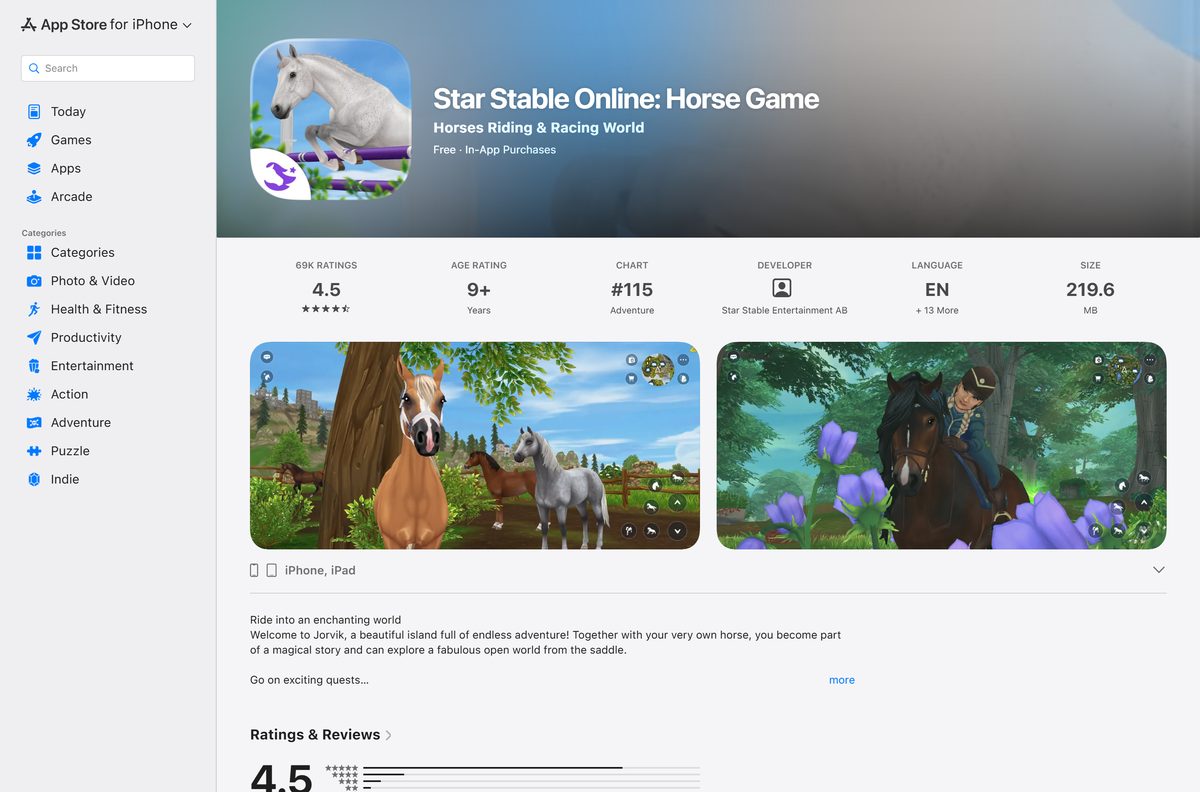
| iPhone or iPad on iOS 18 or later | Star Stable Online on the App Store | 219.6 MB |
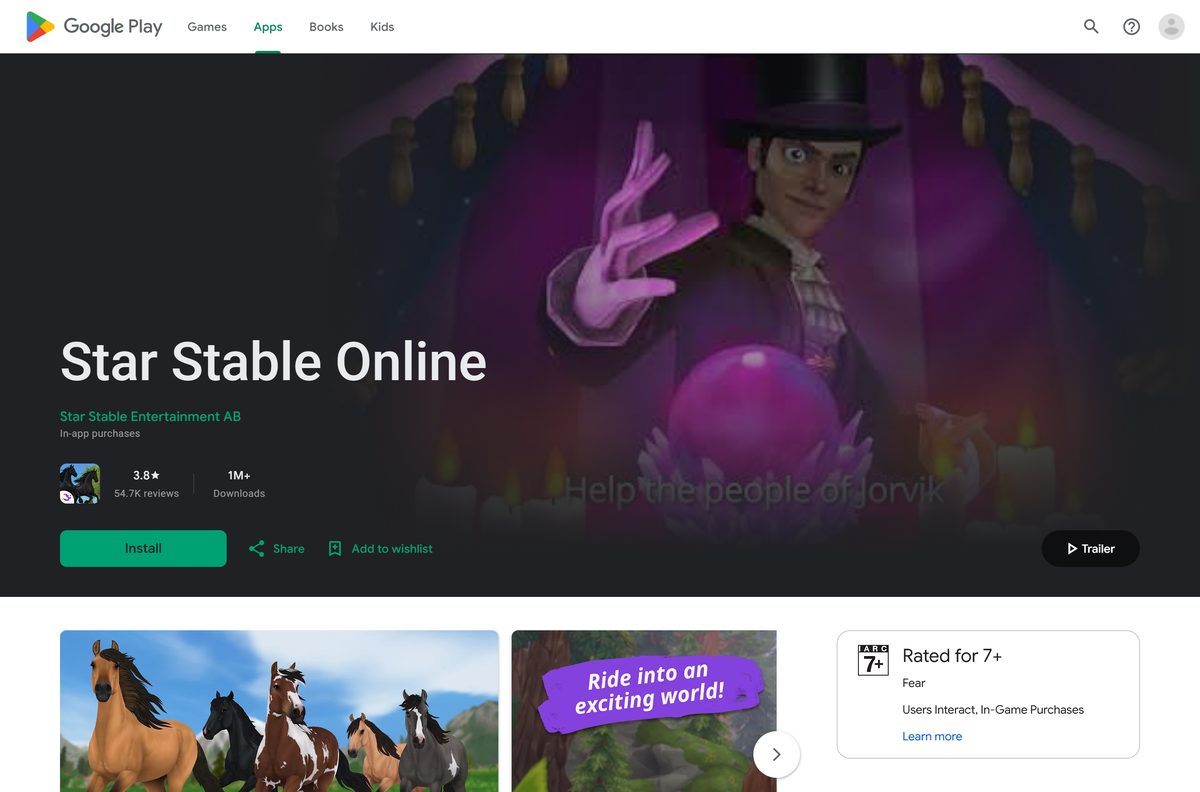
| Android 12 or later, ARM64 | Star Stable Online on Google Play | Shown on the listing |
| Chromebook or Linux PC | Not supported on these systems | – |
The desktop download appears only after you sign in to a free Star Stable account.
Download Star Stable Online for Windows 11 and 10 from starstable.com
Create a free account first. The Download link sits next to Account once you are logged in.
- Create a free Star Stable account — Needed before the desktop download
- Star Stable Online desktop download — Windows and Mac, redirects to log in
- Star Stable Online on the App Store — iPhone and iPad, 219.6 MB
- Star Stable Online on Google Play — Android phones and tablets
- Star Rider membership — Unlocks the game beyond level 5
Star Stable Online has no Steam listing.
How to install Star Stable Online on Windows 11 and 10
The install takes a few minutes, plus the time the launcher needs to fetch about 5 GB of game files.
- Open starstable.com/signup and create a free account, or log in if you already have one.
- Log in on starstable.com.
- Click Download next to Account.
- Open the installer file your browser saves.
- Follow the on-screen instructions to finish the install.
- Open Star Stable from the Start menu and let the launcher download the game files.
- Log in with your Star Stable account and start riding.
Keep 5 GB free on the drive before you start the download.
Which Star Stable Online download do you need for your Mac?
There is one Mac download. Open the Apple menu and select About This Mac to see your chip and macOS version.
| Your Mac says | What to do | Link |
|---|---|---|
| Apple M1 or M2 chip, macOS 15 Sequoia | Install it. This is Star Stable’s recommended setup | Mac download |
| Intel Core i5 with Intel UHD Graphics 630 or better | Install it. This meets the minimum spec | Mac download |
| macOS 13.3 Ventura or later, 8 GB memory | Install it | Mac download |
| macOS older than 13.3 Ventura | Update macOS first, or play on iPhone or iPad | App Store version |
Intel Macs play best with an AMD Radeon RX 5700 class graphics card.
Install Star Stable Online on iPhone, iPad or Android
The mobile apps are free to install and use the same account as the desktop game.
iPhone and iPad
- Update your device to iOS or iPadOS 18 or later.
- Open the Star Stable Online App Store listing.
- Tap Get and confirm with Face ID, Touch ID or your password.
- Open the app and log in with your Star Stable account.
Android
- Check that your phone runs Android 12 or later.
- Open the Star Stable Online Google Play listing.
- Tap Install.
- Open the app and log in with your Star Stable account.
If Google Play marks your phone as incompatible, it lacks ARM64 support or enough memory.
Check which devices can run Star Stable Online
Star Stable Online is cross-platform. PC, Mac and mobile players meet on the same servers.
| Device | Supported | Minimum |
|---|---|---|
| Windows PC | Yes | Windows 10, 64-bit |
| Mac | Yes | macOS 13.3 Ventura |
| iPhone and iPad | Yes | iOS 18, 4 GB RAM |
| Android phone or tablet | Yes | Android 12, ARM64, 4 GB RAM |
| Chromebook | No | – |
| Linux or Ubuntu | No | – |
Star Stable’s Android guide asks for 8 GB of RAM for smooth play, and phones with less can show as incompatible.
Is Star Stable Online free, and what does Star Rider add?
Downloading costs nothing. New players get a trial area and can level up to level 5 without paying.
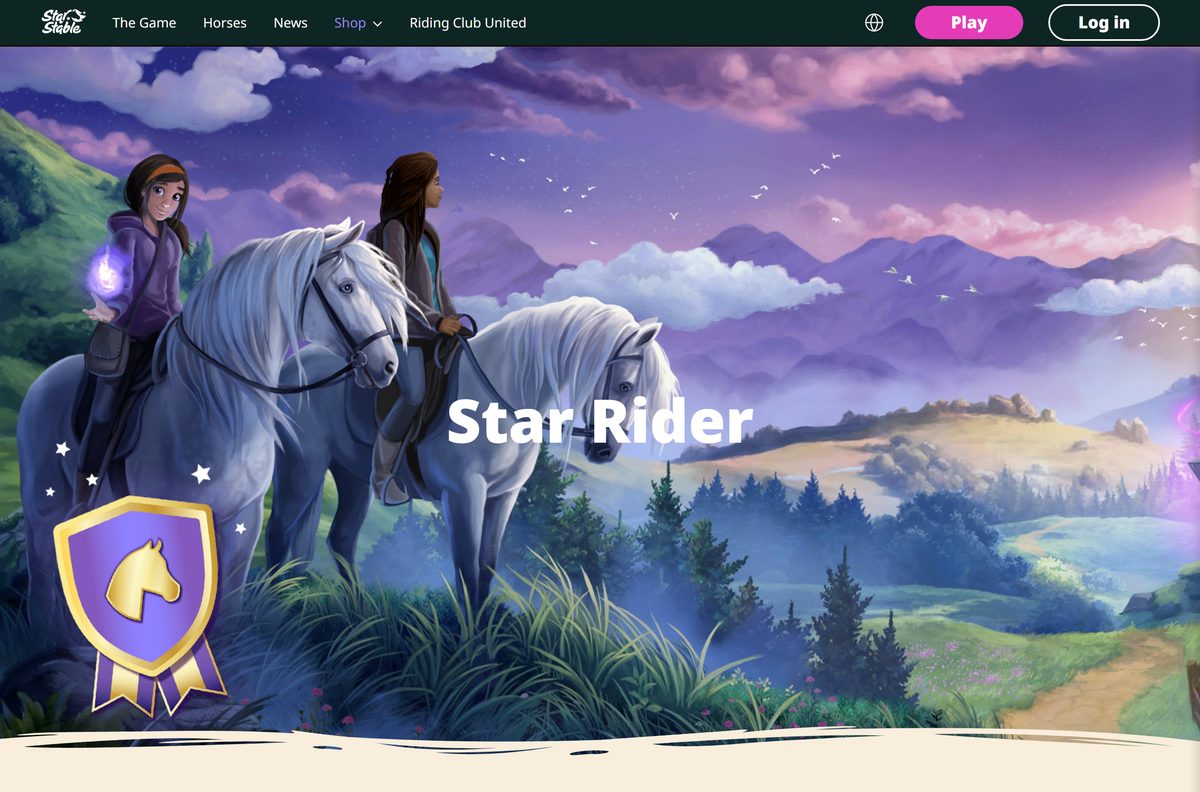
Play the free trial area first, then buy Star Rider only if you want to keep going past level 5. Star Rider unlocks the rest of the world map, thousands of quests, events, more horse breeds and every game update. The one-off $79.99 plan beats the monthly price after about ten months.
Star Rider costs $8.49 a month, $20.99 a quarter or $79.99 paid once. Every plan adds 100 Star Coins a week.
Star Coins are also sold separately. Ignore any site that offers free Star Coins or free membership.
Check the Star Stable Online system requirements
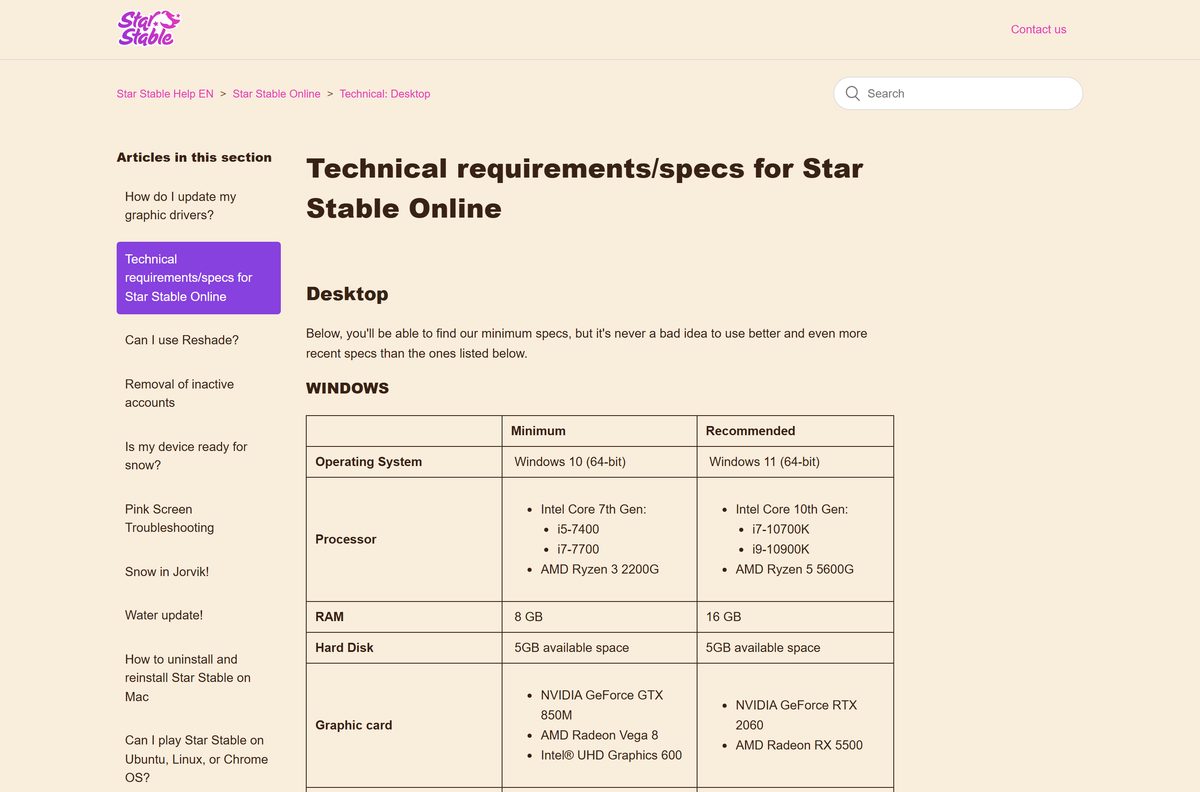
On Windows, open Settings > System > About to compare your processor and memory.
| Field | Windows | Mac |
|---|---|---|
| Developer | Star Stable Entertainment AB | Star Stable Entertainment AB |
| Latest version | Updates weekly via the launcher | Updates weekly via the launcher |
| Price | Free to level 5, Star Rider paid | Free to level 5, Star Rider paid |
| Operating system | Windows 10 64-bit (Windows 11 recommended) | macOS 13.3 Ventura (macOS 15 recommended) |
| Processor | Intel i5-7400 or AMD Ryzen 3 2200G | Intel Core i5 (Apple M1 or M2 recommended) |
| Memory | 8 GB (16 GB recommended) | 8 GB (16 GB recommended) |
| Graphics | GeForce GTX 850M, Radeon Vega 8 or Intel UHD 600 | Intel UHD Graphics 630 |
| Recommended graphics | GeForce RTX 2060 or Radeon RX 5500 | Radeon RX 5700 on Intel Macs |
| OpenGL | 4.5 (4.6 recommended) | – |
| Storage | 5 GB free | 5 GB free |
| Last verified | 2026-09-25 | 2026-09-25 |
Mobile needs iOS 18 or Android 12 with at least 4 GB of RAM.
How to make sure your Star Stable Online download is genuine
The desktop game has no public mirror, so any other download site is a warning sign.
- Download only after logging in on starstable.com.
- Check that the address bar shows starstable.com before you click Download.
- On mobile, confirm the seller is Star Stable Entertainment AB on the store listing.
- Never type your Star Stable password into a site that promises free Star Coins.
How to update Star Stable Online on PC, Mac and mobile
Star Stable Online gets a weekly update patch. You never download a new installer to update.
- Open Star Stable on your computer.
- Wait while the launcher shows Verify and checks which files the patch needs.
- Let the update download, then log in.
- On iPhone or iPad, open the App Store, tap your profile picture and update Star Stable Online.
- On Android, open Google Play, go to Manage apps & device and tap Update.
Verification can take a while on slower computers. Give it up to half an hour before troubleshooting.
Fix Star Stable Online not installing or launching
Match what you see to a symptom and follow the fix under it.
The launcher says Verify but nothing happens
The local game files are stuck or damaged.
- Wait 30 minutes, then close the launcher.
- Start the game again to reach the login window.
- Click the three dots in the bottom-right corner.
- Choose Remove game files and click confirm. Your progress is kept.
- Log in to download the game files again.
The game crashes on Windows
Outdated graphics drivers are the usual cause.
- Open Windows Update and install any driver updates.
- Open Device Manager, expand Display adapters and update your graphics driver.
- Right-click the Star Stable file and run it as administrator.
- Close other programs and start Star Stable again.
The screen turns pink
Your graphics driver is below the minimum spec.
- Update your graphics driver from Windows Update or your GPU maker.
- Restart the computer and open Star Stable.
The game will not start at all
Security software, specs or connection problems.
- Compare your computer with the system requirements above.
- Allow Star Stable through your antivirus and firewall.
- Switch to a stable Wi-Fi or wired connection.
- Reinstall the game if the problem continues.
The launcher freezes or misbehaves
Support needs the launcher logs to diagnose it.
- Open the Star Stable desktop launcher and click Settings.
- Select Logs to open the log folder.
- Attach the log files to a message through the Star Stable support form.
How to uninstall Star Stable Online
Uninstalling removes the game files only. Your account, horses and membership stay on Star Stable’s servers.
Windows 11 and 10
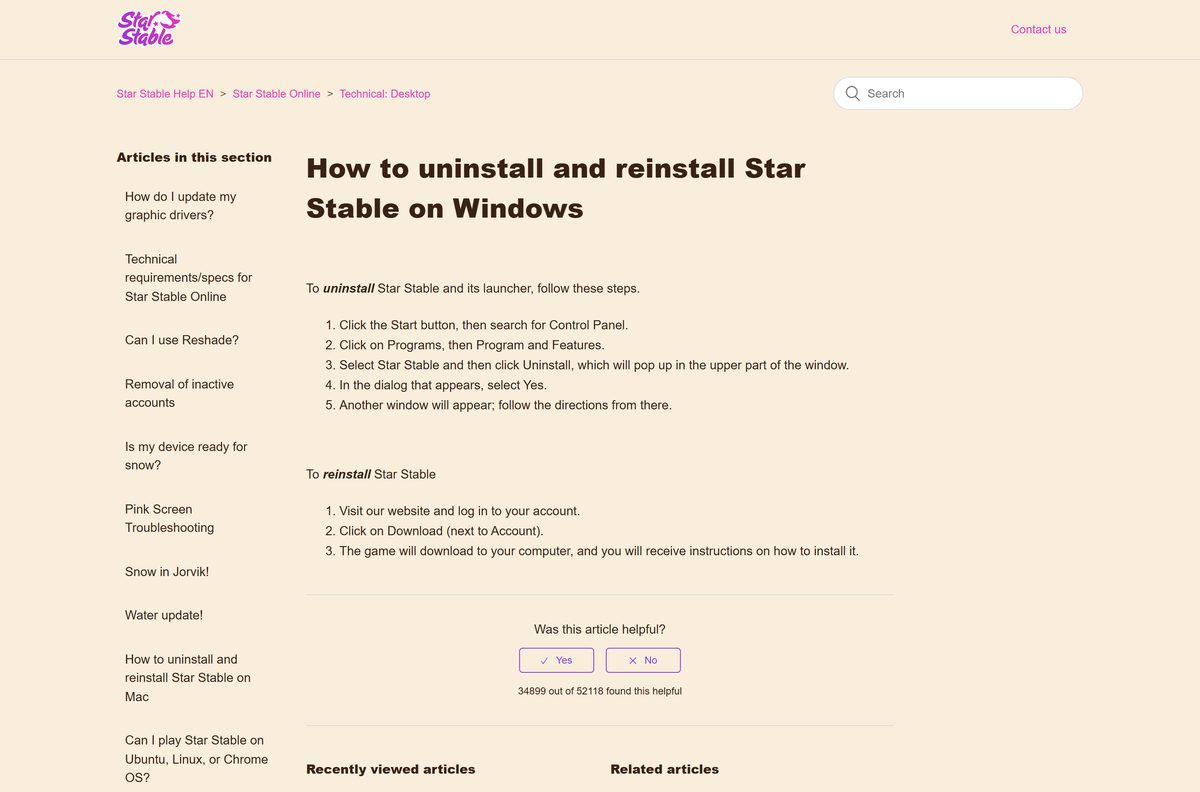
- Click Start and search for Control Panel.
- Click Programs, then Programs and Features.
- Select Star Stable and click Uninstall.
- Select Yes in the dialog.
- Follow the remaining prompts to finish.
Mac
- Open the Applications folder and drag Star Stable to the Trash.
- In Finder, click Go > Go to Folder… and enter ~/Library/Application Support/.
- Drag the Star Stable folder to the Trash.
- Right-click the Trash and select Empty Trash.
To reinstall, log in on starstable.com and click Download again.
Frequently asked questions
Is Star Stable Online free?
Yes, to start. You can download Star Stable Online free and play the trial area up to level 5. A Star Rider membership unlocks the rest of Jorvik, at $8.49 a month, $20.99 a quarter or $79.99 paid once.
Where is the official Star Stable Online download page?
The desktop download lives at starstable.com/en/download, which asks you to log in first. Mobile players install the game from the Apple App Store or Google Play, both published by Star Stable Entertainment AB.
Does Star Stable Online work on Windows 11?
Yes. Star Stable lists Windows 10 64-bit as the minimum and Windows 11 64-bit as the recommended system. You also need 8 GB of RAM and a graphics card with OpenGL 4.5 support.
How big is the Star Stable Online download?
Star Stable does not publish the size of its desktop installer. The game needs 5 GB of free disk space on Windows and Mac. The iPhone and iPad app is a 219.6 MB download from the App Store.
Is there an offline installer for Star Stable Online?
No. The desktop installer is only offered after you log in, and the launcher downloads the game files and each weekly update patch online. Star Stable Online is an online game, so it needs a connection to play.
Can I play Star Stable Online on a Mac?
Yes. The Mac version needs macOS 13.3 Ventura or later, an Intel Core i5 or Apple silicon, 8 GB of RAM and 5 GB of free space. Star Stable recommends an M1 or M2 Mac with macOS 15 Sequoia.
Is Star Stable Online 64-bit only?
Yes on Windows, where Star Stable lists only 64-bit Windows 10 and Windows 11. The Android app requires a 64-bit ARM (ARM64) device. On Mac, both Intel and Apple M1 or M2 processors are supported.
Is the Star Stable Online download safe?
Yes, when it comes from starstable.com after you log in, or from the App Store and Google Play listings by Star Stable Entertainment AB. Skip download portals and any site offering free Star Coins or membership.
What is the latest version of Star Stable Online?
Star Stable Online is a live game that updates weekly. The desktop launcher downloads each patch automatically, and the iPhone app was at version 1.338236 in September 2026.
Why won’t Star Stable Online install or start?
The usual causes are a computer below the minimum specs, outdated graphics drivers, an antivirus or firewall blocking the game, or a weak internet connection. Update the drivers, allow the game through security software and try again.
Can I play Star Stable Online on a Chromebook or Linux?
No. Star Stable supports only Windows and Mac on computers. Chromebooks cannot run the Android app either, so use a Windows PC, a Mac, an iPhone, an iPad or a supported Android phone.
Can PC and mobile players play Star Stable Online together?
Yes. Star Stable Online is cross-platform, so PC, Mac and mobile players share the same servers. You can sign in with one account on any device and keep your horses and progress.