You can get the PrusaSlicer download for Windows 11, Windows 10, Mac and Linux free from prusa3d.com. PrusaSlicer is Prusa Research’s open-source slicer, and it turns 3D models into print files for Prusa printers and many other brands.
This guide covers which file to pick, how to install and set it up, silent installs, the Linux Flatpak, system requirements and fixes for common install problems.
Which PrusaSlicer download do you need?
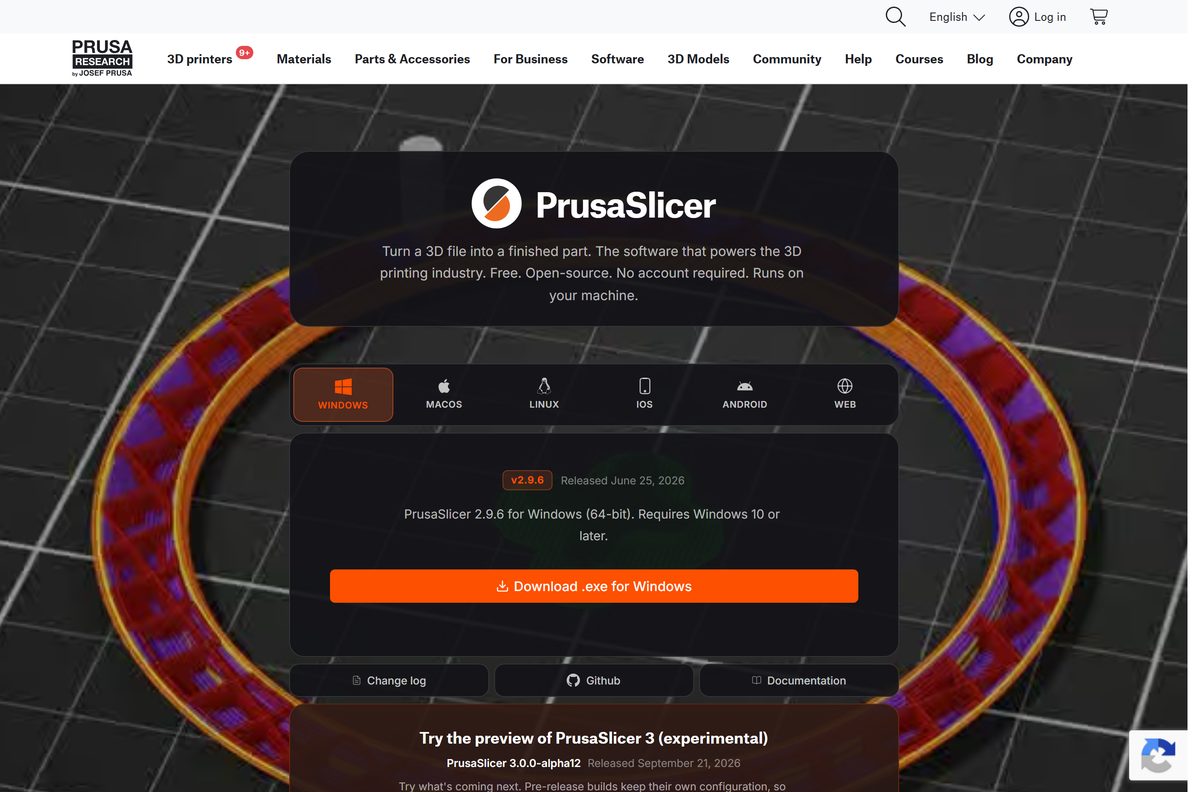
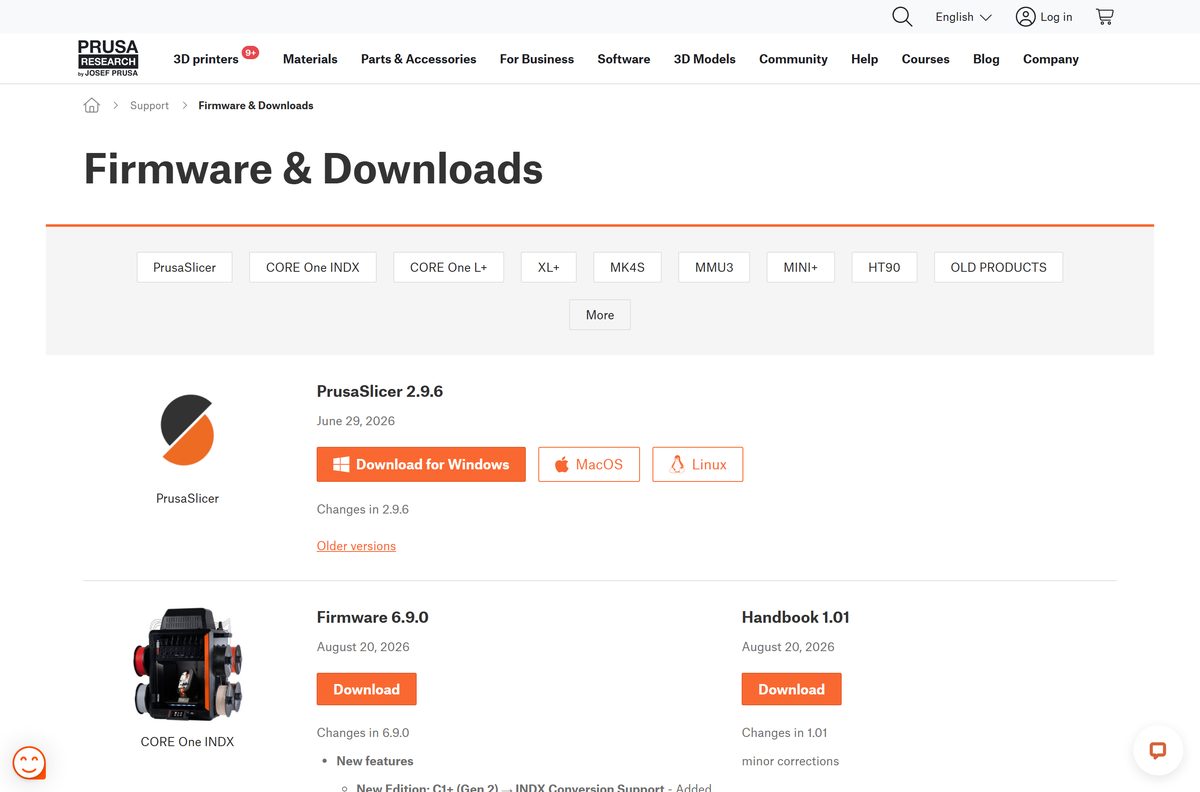
The PrusaSlicer page has one tab per platform. Match your computer to a row, then select that tab and its button.
| Your computer | Select this | Start here |
|---|---|---|
| Windows 11 or Windows 10 PC, 64-bit | WINDOWS tab, then Download .exe for Windows | PrusaSlicer download page |
| Mac with an Apple M-series chip | MACOS tab, then Download .dmg for macOS | PrusaSlicer download page |
| Mac with an Intel processor | The same .dmg, a universal binary | PrusaSlicer download page |
| Linux desktop | LINUX tab, then Get on Flathub or the AppImage | PrusaSlicer download page |
| iPhone, iPad or Android device | IOS or ANDROID tab for EasyPrint in the Prusa App | PrusaSlicer download page |
| You want to test the next major version | Try the preview of PrusaSlicer 3 | PrusaSlicer download page |
EasyPrint is a streamlined mobile slicer, not the full desktop app. For regular printing work, install the stable desktop build.
Download PrusaSlicer from the official Prusa site
Every current PrusaSlicer package is linked from Prusa’s own pages. The product page and the Knowledge Base downloads page point to the same files.
- PrusaSlicer download page — Windows .exe, macOS .dmg, Linux Flathub and AppImage, PrusaSlicer 3 preview
- Prusa Knowledge Base downloads — the same PrusaSlicer files next to Prusa printer firmware
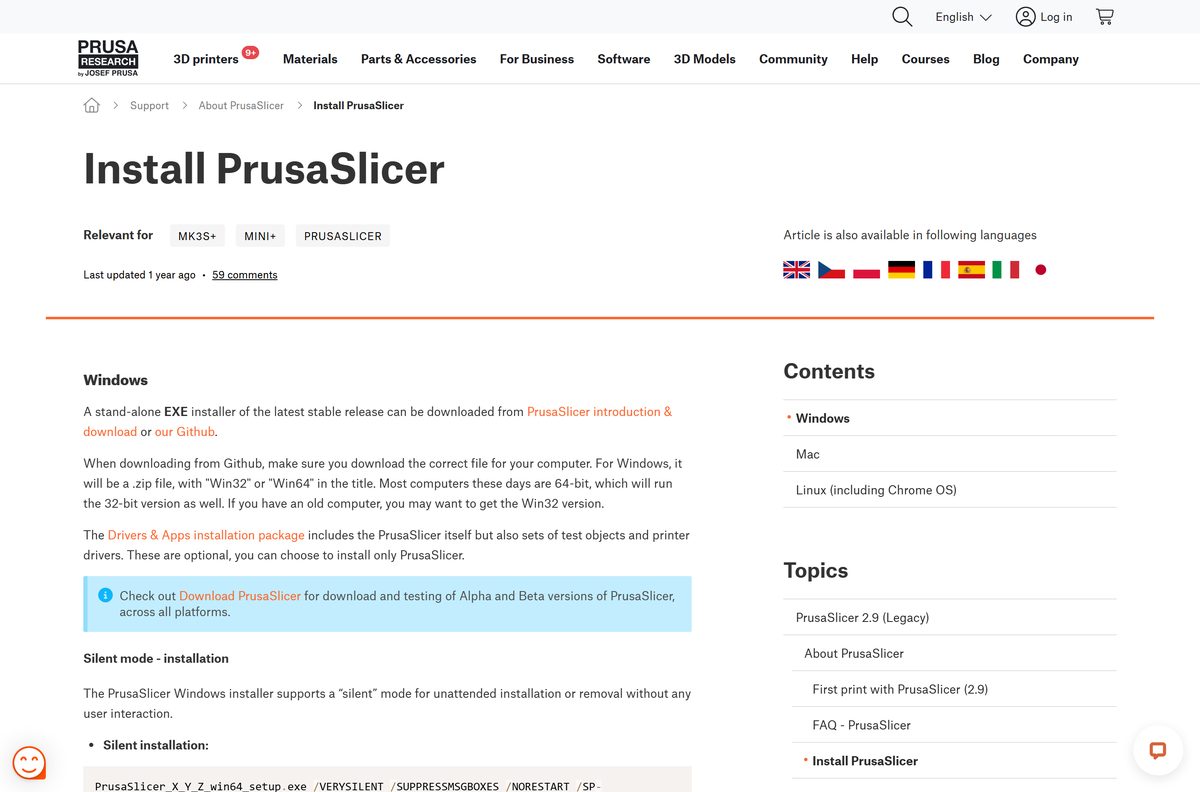
- Install PrusaSlicer guide — Windows, Mac and Linux instructions, silent install switches
- PrusaSlicer support hub — first-print guides and feature articles
The files themselves are hosted on Prusa’s GitHub releases, so the browser shows a GitHub address once the download starts. That is expected.
How to install PrusaSlicer on Windows 11 and 10
The Windows download is a stand-alone setup file. The first launch then opens the Configuration Wizard, which adds your printer.
- Open prusa3d.com/p/prusaslicer and select the WINDOWS tab.
- Select Download .exe for Windows.
- Open PrusaSlicer-2.9.6-setup.exe from your Downloads folder.
- Select Yes if User Account Control asks for permission.
- Follow the setup wizard to the end and keep the default folder.
- Open PrusaSlicer from the Start menu.
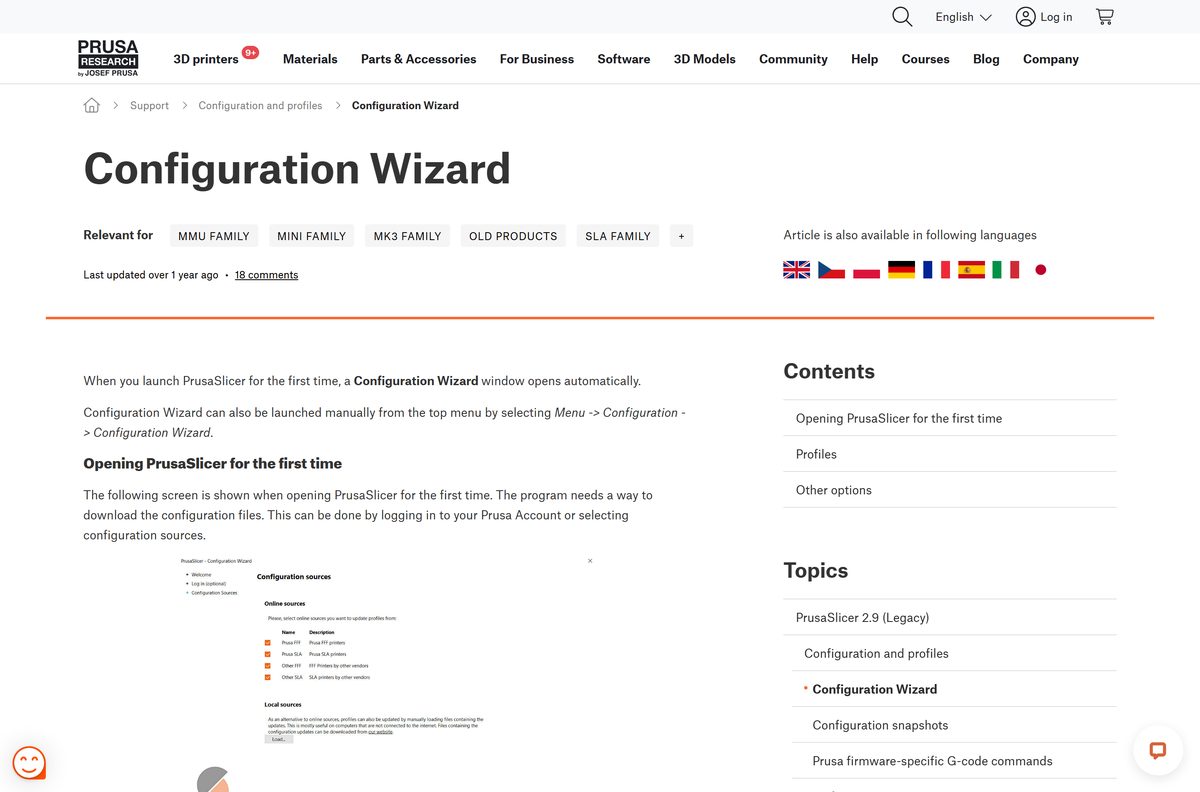
- Log in with your Prusa Account in the Configuration Wizard, or skip it and enable Configuration sources.
- Tick your printer under Prusa Research, Other FFF or Custom printer.
- Pick your filaments, then choose Updates, Files association and View mode settings.
- Complete the wizard, load a model and slice it to confirm everything works.
You can reopen the wizard later from Configuration → Configuration Wizard to add another printer.
Install PrusaSlicer silently on many Windows PCs
Prusa ships no MSI package. The regular Windows setup supports an unattended mode instead, which works from a script or a deployment tool.
| Task | Command | Source |
|---|---|---|
| Silent install | PrusaSlicer_X_Y_Z_win64_setup.exe /VERYSILENT /SUPPRESSMSGBOXES /NORESTART /SP- |
Install PrusaSlicer guide |
| Silent uninstall | "%ProgramFiles%\Prusa3D\PrusaSlicer\unins000.exe" /VERYSILENT /SUPPRESSMSGBOXES /NORESTART |
Install PrusaSlicer guide |
| Write an install log | Add /LOG="path\to\file.log" to either command |
Install PrusaSlicer guide |
Replace the placeholder file name with the setup file you downloaded. Test the command on one machine before pushing it to a whole lab.
Install PrusaSlicer on Linux from Flathub
Prusa publishes PrusaSlicer for Linux as a Flatpak on Flathub, and the same method works on Chrome OS with Linux enabled. Some distributions, such as Mint, already have Flatpak set up.
- Install Flatpak; on Ubuntu, run sudo apt install flatpak .
- Add the Flathub remote: flatpak remote-add –if-not-exists flathub https://dl.flathub.org/repo/flathub.flatpakrepo .
- Restart the system.
- Run flatpak –version to confirm Flatpak works.
- Run flatpak install flathub com.prusa3d.PrusaSlicer .
- Open PrusaSlicer from the app menu, or run flatpak run com.prusa3d.PrusaSlicer .
No admin rights? Add –user to the remote-add and install commands to install PrusaSlicer for your account only. Flathub builds can arrive a few hours after a new release.
Which PrusaSlicer download do you need for your Mac?
Open the Apple menu and select About This Mac to see your chip. For PrusaSlicer, the answer is the same file either way.
| Your Mac says | Download | What to know |
|---|---|---|
| Apple M1, M2, M3 or M4 | Download .dmg for macOS | Universal binary, runs natively |
| Intel Core processor | Download .dmg for macOS | The same universal .dmg |
| You want the PrusaSlicer 3 preview | PrusaSlicer 3.0.0-alpha12 (.dmg) | Experimental, keeps its own configuration |
Open the .dmg and drag and drop PrusaSlicer as the installer window shows. Then launch it and complete the Configuration Wizard.
Is PrusaSlicer free?
Yes. PrusaSlicer is free and open source on Windows, Mac and Linux, with no trial, no paid tier and no account requirement. Prusa Research pays for development through printer and filament sales, and the printer profiles and updates are free too. A Prusa Account is optional. Any site that charges for PrusaSlicer or asks for a licence key is not Prusa.
PrusaSlicer 2.9 or the PrusaSlicer 3 preview: which should you install?
Install the stable 2.9 release unless you want to test upcoming features. PrusaSlicer 3.0.0-alpha12 is an experimental preview, and Prusa does not recommend pre-release builds in production. Pre-release builds keep their own configuration, so you can run the preview next to the stable version without touching your profiles. On Windows the preview is a .zip rather than a setup file.
How to check your PrusaSlicer version and turn on updates
PrusaSlicer can check for new application versions and update its printer profiles on its own. Both options sit in the Configuration Wizard.
- Open PrusaSlicer.
- Select Configuration → Configuration Wizard from the top menu.
- Open the Updates page in the wizard.
- Enable the automatic check for application updates.
- Enable automatic updates of the built-in profiles.
- Complete the wizard to save the settings.
- Compare your version with the one on the PrusaSlicer page and install the newer setup over the old one.
PrusaSlicer system requirements
Prusa lists operating system requirements on the download page rather than hardware minimums.
| Field | Value |
|---|---|
| Software | PrusaSlicer |
| Developer | Prusa Research a.s. |
| Latest version | 2.9.6, released June 25, 2026 |
| Preview version | 3.0.0-alpha12, experimental |
| License | Free and open source, no account required |
| Windows | Windows 10 or later, 64-bit |
| Mac | Universal binary for Intel and Apple silicon |
| Linux | Flatpak from Flathub, or AppImage |
| Offline installer | Yes, stand-alone .exe and .dmg |
| Internet needed | No; slicing runs locally |
| Official download | prusa3d.com |
| Last verified | 2026-09-25 |
Mobile devices are not supported by the desktop app; the IOS and ANDROID tabs lead to EasyPrint instead.
Fix PrusaSlicer not installing or starting
The Windows setup will not run on an older PC
The current build requires 64-bit Windows 10 or later.
- Open Settings → System → About.
- Check System type and the Windows version listed there.
- Upgrade to 64-bit Windows 10 or 11 before installing the current release.
The wizard shows no printer profiles
No Prusa Account login and no configuration source is enabled.
- Open Configuration → Configuration Wizard.
- Log in with a Prusa Account, or enable the online Configuration sources.
- Load local profile files instead if the PC has no internet access.
- Tick your printer and complete the wizard.
The Flatpak install fails on Linux
Flatpak or the Flathub remote is missing.
- Run flatpak –version and install Flatpak if it prints nothing.
- Run flatpak remotes -d and look for a flathub line.
- Add the Flathub remote again if it is missing.
- Run flatpak install flathub com.prusa3d.PrusaSlicer again.
PrusaSlicer on Linux cannot open files on another drive
Flatpak only grants access to your home folder, /media and /run/media by default.
- Run flatpak install flathub com.github.tchx84.Flatseal .
- Open Flatseal and select PrusaSlicer.
- Add the folder under Filesystem → Other files.
- Restart PrusaSlicer.
How to uninstall PrusaSlicer
Uninstalling removes the program. Your printer profiles stay in the configuration folder unless you delete them too.
- Quit PrusaSlicer.
- On Windows, open Settings → Apps → Installed apps.
- Find PrusaSlicer, select the … menu and select Uninstall.
- On a Mac, open Applications and drag PrusaSlicer to the Bin.
- On Linux, run flatpak uninstall com.prusa3d.PrusaSlicer .
- Reinstall from prusa3d.com if needed; the Configuration Wizard runs again on the next start.
Admins can remove it without prompts with the silent uninstall command from the deployment table above.
Pick a PrusaSlicer alternative for your printer
PrusaSlicer handles Prusa printers and many third-party machines. These official slicers cover the other common cases.
| Slicer | Best for | Price | Official page |
|---|---|---|---|
| PrusaSlicer | Prusa printers, MMU3 multi-material, many other FFF and SLA printers | Free, open source | prusa3d.com |
| UltiMaker Cura | UltiMaker printers and a wide range of other brands | Free, open source | ultimaker.com |
| Creality Print | Creality printers | Free download | creality.com |
Stay with PrusaSlicer if you own a Prusa printer, because its tested profiles ship first there. To design your own models before slicing them, see the Blender download guide.
Other CAD programs for PC include Autodesk 3ds Max.
Frequently asked questions
Is PrusaSlicer free?
Yes. PrusaSlicer is free and open source on Windows, Mac and Linux, with no paid tier and no account requirement. Prusa Research funds it through printer and filament sales, so the slicer, the printer profiles and the updates cost nothing.
Where is the official PrusaSlicer download page?
The official page is prusa3d.com/p/prusaslicer. It has tabs for Windows, macOS and Linux, each with its own download button, plus a separate button for the experimental PrusaSlicer 3 preview. The Prusa Knowledge Base downloads page links the same files.
Does PrusaSlicer work on Windows 11?
Yes. The Windows build is 64-bit and requires Windows 10 or later, which includes Windows 11. The same setup file installs on both versions, and there is no separate Windows 11 edition to look for.
How big is the PrusaSlicer download?
Prusa does not print an installer size on its download page or in its Knowledge Base. After installation, printer profile updates arrive through the built-in updater, so staying current needs no new software download.
Is there an offline installer for PrusaSlicer?
Yes. The Windows .exe and the macOS .dmg are stand-alone installers, so setup does not fetch anything extra. Slicing also runs entirely on your computer, and Prusa describes the app as suitable for air-gapped environments.
Is PrusaSlicer available for Mac?
Yes. The macOS download is a single .dmg with a universal binary, so the same file runs natively on Intel Macs and on Apple silicon Macs with M-series chips. Open the disk image and drag the app into place to install it.
Is there a 32-bit or ARM64 version of PrusaSlicer?
The current Windows download is a 64-bit build for Windows 10 or later, and Prusa lists no 32-bit Windows build on its download page. On Mac, the universal binary covers both Intel and Apple silicon ARM processors.
Is the PrusaSlicer download safe?
Yes, when you start from prusa3d.com or help.prusa3d.com. PrusaSlicer is free and open source, so any site that charges for it, asks for a licence key or wraps it in its own installer is not the official package.
What is the latest version of PrusaSlicer?
PrusaSlicer 2.9.6 is the current stable release, dated June 25, 2026 on the official page. PrusaSlicer 3.0.0-alpha12 is a public preview released on September 21, 2026, and Prusa advises against using it for production.
Why won’t PrusaSlicer install or start?
An unsupported system is the usual cause on Windows: PrusaSlicer needs 64-bit Windows 10 or later. On Linux, a missing Flatpak setup or Flathub remote stops the install. Check both, then download the setup again from prusa3d.com.
Do I need a Prusa Account to use PrusaSlicer?
No. The Configuration Wizard offers a Prusa Account login, but it is optional. Without an account, the Configuration sources screen downloads the printer profiles instead, and every slicing feature still works.
Does PrusaSlicer work with printers from other brands?
Yes. The Configuration Wizard includes Other FFF and Other SLA sections with profiles for third-party vendors, and a Custom printer option lets you define the main parameters of any printer yourself.
Can I use PrusaSlicer on an iPhone or Android phone?
No, PrusaSlicer is a desktop app for Windows, Mac and Linux. On phones and tablets, Prusa offers EasyPrint in the Prusa App for iOS and Android, a streamlined slicer that runs on the same engine through Prusa’s servers.