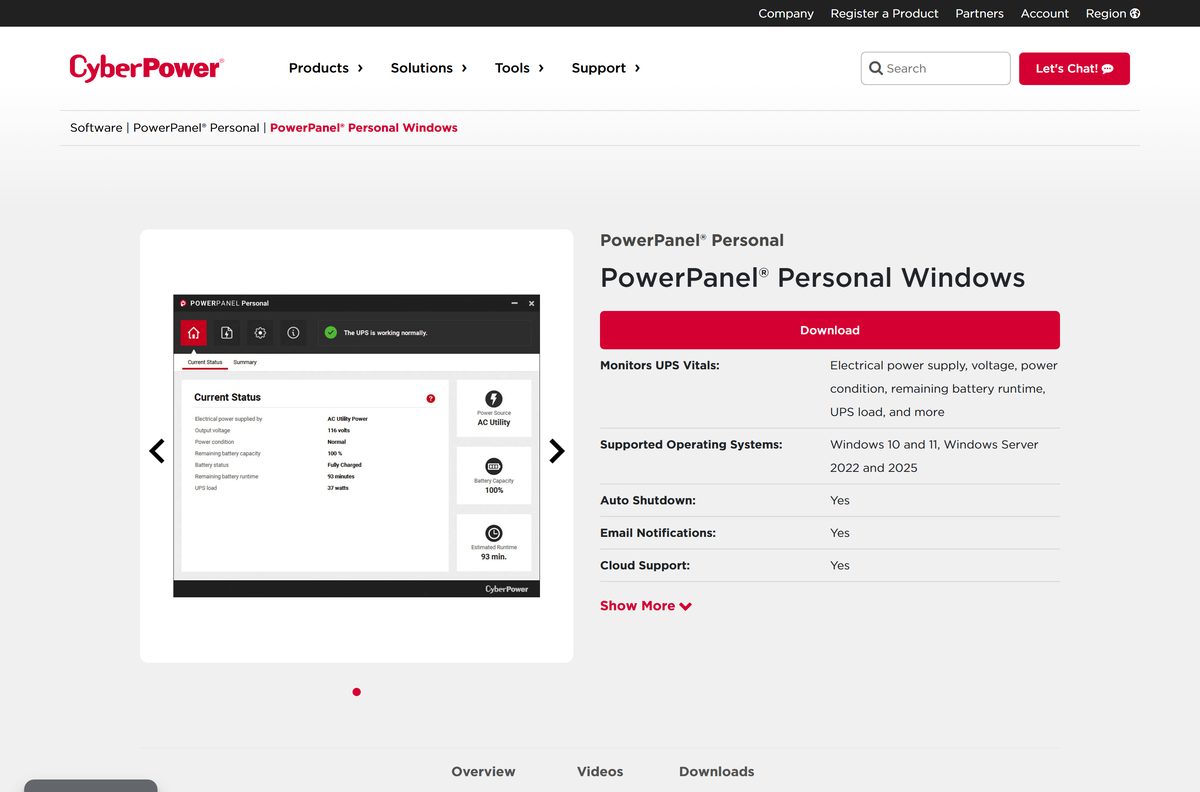
The PowerPanel Personal download installs CyberPower’s free UPS monitoring software on Windows 11, Windows 10, Mac and Linux. It reads your UPS through a USB or serial cable and shuts the computer down safely when the power fails.
Windows and Mac share version 2.7.2, with an .exe for PCs and a .pkg for macOS. Linux gets a command-line daemon, version 1.4.2, in .deb, .rpm and .tar.gz packages for 32-bit and 64-bit systems.
Below you will find the right file for your system, install steps, the older build for Windows 7, how to set shutdown timing, and fixes for a UPS the software cannot see.
Which PowerPanel Personal download do you need?
Match your operating system to a row. Each link opens the official CyberPower product page, where the file sits under the Downloads tab.
| Your computer runs | Download | Package |
|---|---|---|
| Windows 11 or Windows 10 | PowerPanel Personal for Windows v2.7.2 | .exe installer |
| Windows Server 2022 or 2025 | PowerPanel Personal for Windows v2.7.2 | .exe installer |
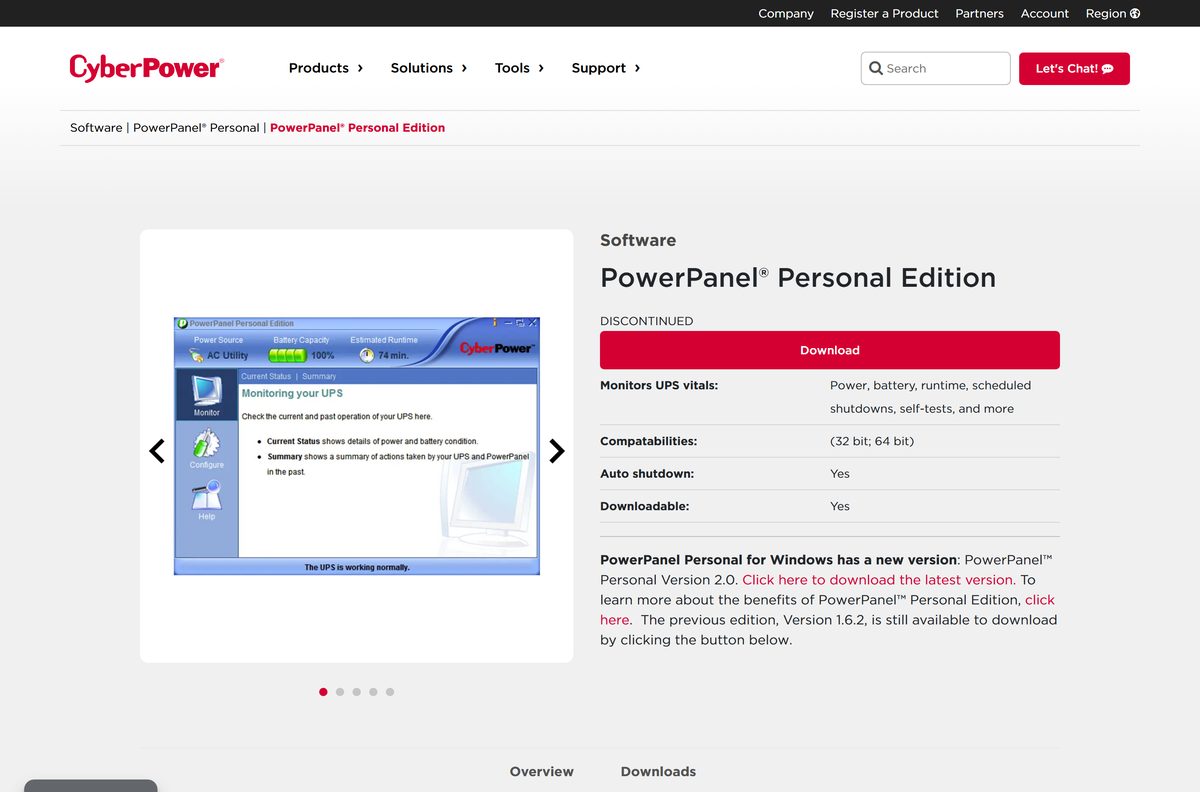
| Windows 8, 7, Vista, XP or Server 2008 | PowerPanel Personal Edition 1.6.2 | .exe installer, 32-bit and 64-bit |
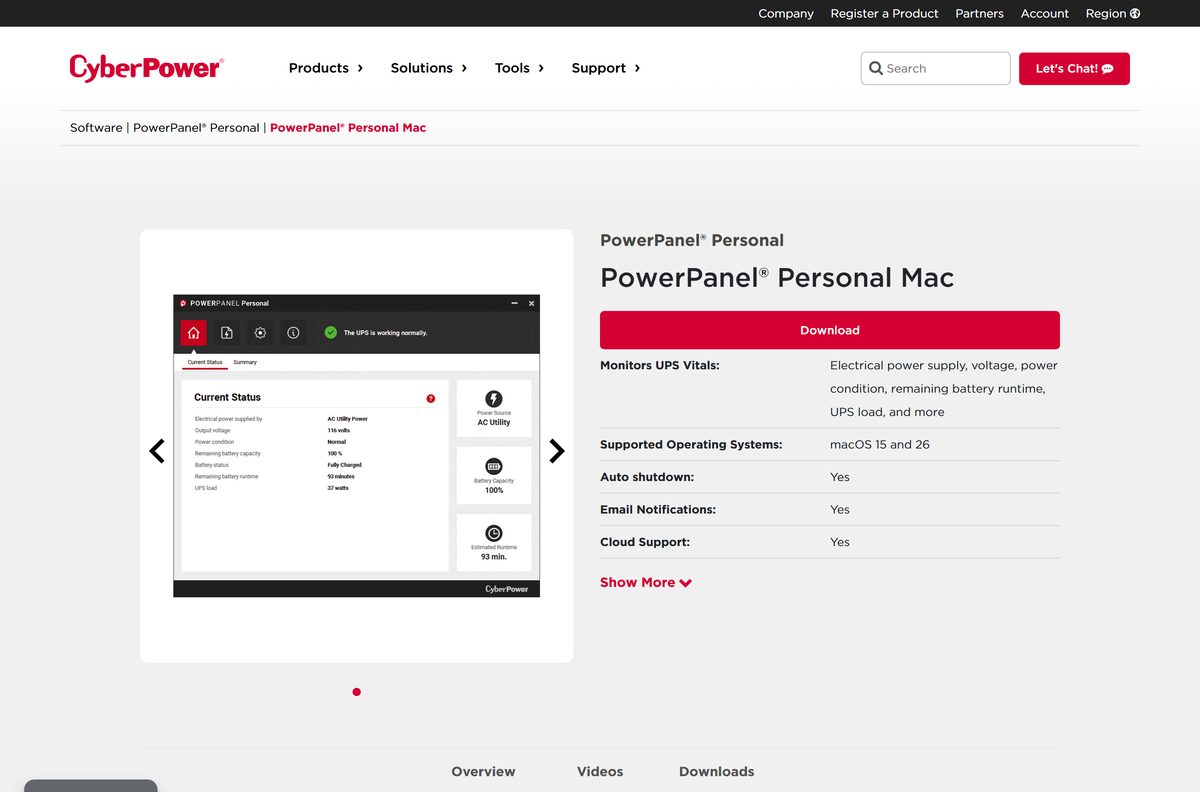
| macOS 14, 15 or 26 | PowerPanel Personal for Mac v2.7.2 | .pkg installer |
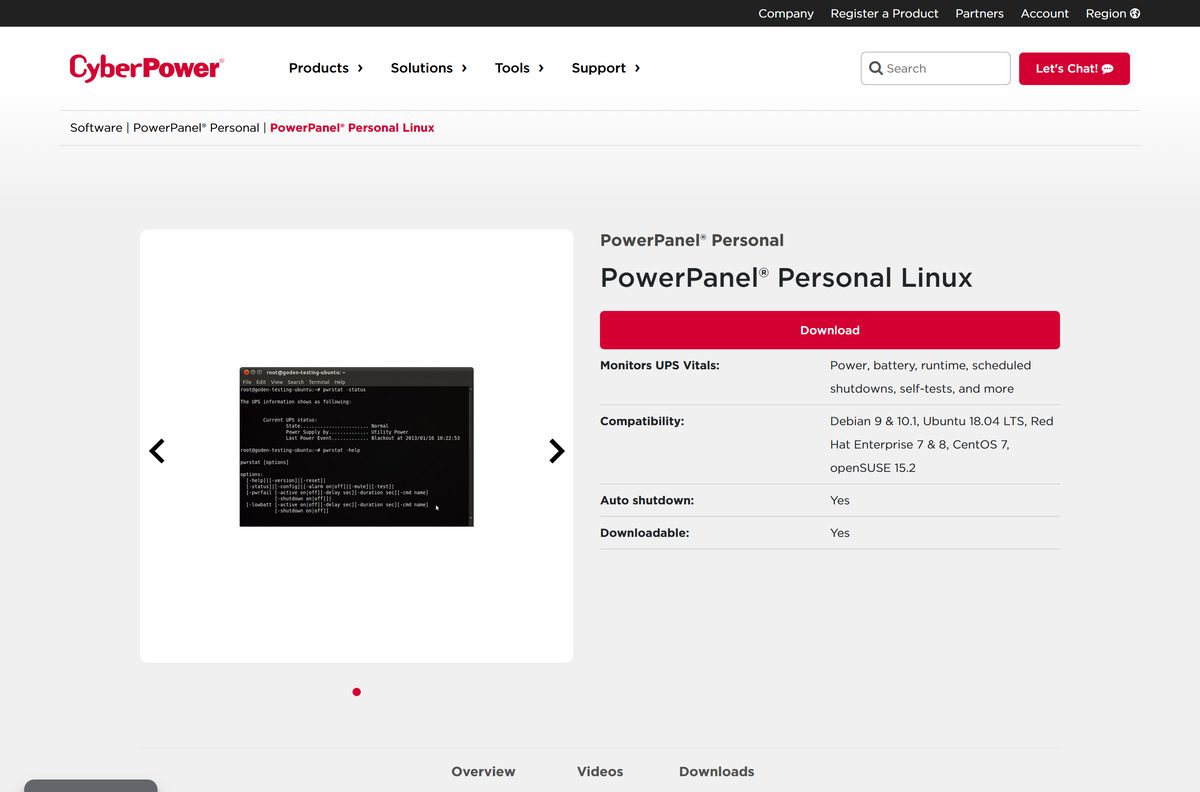
| 64-bit Debian or Ubuntu | PowerPanel Linux 64-bit v1.4.2 | .deb |
| 64-bit Red Hat, CentOS or openSUSE | PowerPanel Linux 64-bit v1.4.2 | .rpm |
| 32-bit Linux, or a distro with no .deb or .rpm support | PowerPanel Linux v1.4.2 | .deb, .rpm or .tar.gz, 32-bit or 64-bit |
Windows 10 can run either Windows build. Take 2.7.2, since it adds email alerts, energy reporting and PowerPanel Cloud support.
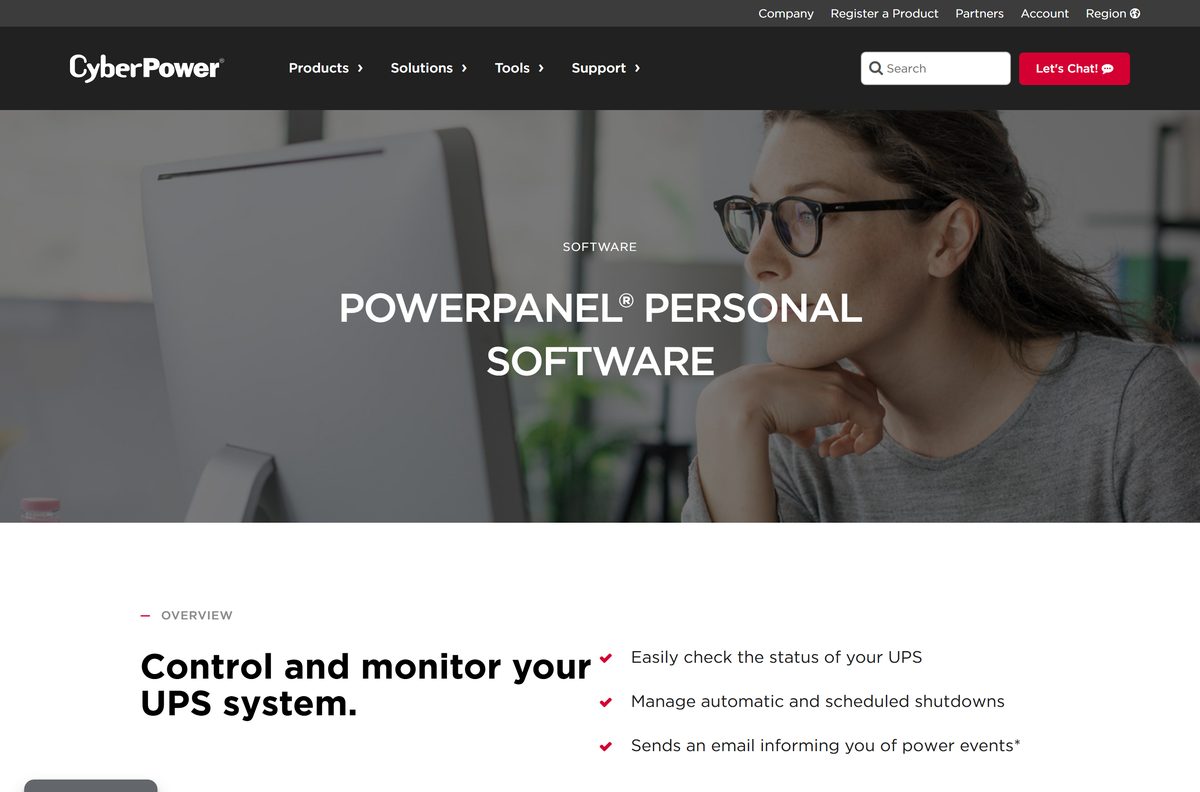
Download PowerPanel Personal from the official CyberPower page
Cyber Power Systems publishes every PowerPanel Personal build on cyberpowersystems.com. Each platform has its own product page, and the installer, user manual and release notes all sit under its Downloads tab.
- PowerPanel Personal overview — entry page with Windows, Mac and Linux editions
- PowerPanel Personal for Windows — version 2.7.2 for Windows 10, 11 and Server 2022/2025
- PowerPanel Personal for Mac — version 2.7.2 .pkg installer
- PowerPanel Personal for Linux — version 1.4.2 in .deb, .rpm and .tar.gz
- PowerPanel Personal Edition 1.6.2 — discontinued build for Windows 7, 8, Vista and XP
- Windows installation video — CyberPower tutorial for the Windows setup
The same Downloads tab lists the licence agreement. Read it before you deploy the software across several office PCs.
How to install PowerPanel Personal on Windows 11 and 10
Plug the UPS into the PC with its USB or serial cable before you start. The software looks for the UPS once setup finishes.
- Connect the CyberPower UPS to the computer with the USB or serial cable that came with it.
- Open the PowerPanel Personal for Windows page and select the Downloads tab.
- Select Download next to PowerPanel Personal for Windows v2.7.2 and save the .exe file.
- Double-click the file and select Yes when User Account Control asks for permission.
- Follow the setup wizard and accept the licence agreement.
- Open PowerPanel Personal from the Start menu and confirm it shows the UPS status, battery capacity and runtime.
CyberPower also hosts a Windows installation video that walks through the same setup.
Which PowerPanel Personal download do you need for your Mac?
Open the Apple menu and select About This Mac to read your macOS version. The Mac edition is one .pkg file, and CyberPower lists no separate Apple silicon or Intel download.
| Your Mac says | What to do |
|---|---|
| macOS Tahoe 26 or Sequoia 15 | Install PowerPanel Personal for Mac v2.7.2 |
| macOS Sonoma 14 | Install v2.7.2; the download note lists macOS 14 and above |
| macOS Ventura 13 or older | CyberPower lists no current build for this version. Update macOS first. |
Double-click the downloaded .pkg and follow the installer. CyberPower’s Mac installation video shows each screen.
Is PowerPanel Personal free?
Yes. CyberPower calls PowerPanel Personal free software on its Windows and Mac product pages, and the Linux packages carry no price either.
Automatic shutdown, scheduled shutdown and restart, self-tests, alarms and email alerts all work at no cost. The one paid add-on is PowerPanel Cloud, which shows the UPS status remotely and needs a plan purchase.
Install the free edition and add a PowerPanel Cloud plan only if you must check the UPS from another location. Local monitoring and safe shutdown, the reason most people buy a UPS, need nothing beyond the free download.
Should you install PowerPanel Personal 2.7.2 or Personal Edition 1.6.2?
CyberPower marks Personal Edition 1.6.2 as discontinued but keeps it downloadable. It covers Windows 10, 8, 7, Vista, XP and Server 2008 on 32-bit and 64-bit systems.
Version 2.7.2 drops everything older than Windows 10. In return it adds email notifications, energy use and CO2 tracking, and PowerPanel Cloud support.
Install 2.7.2 on Windows 10 and Windows 11. Use 1.6.2 only on a PC still running Windows 8, 7 or older. The discontinued build gets no new features, while 2.7.2 is the release CyberPower lists for current Windows versions.
Check the PowerPanel Personal system requirements and specifications
| Specification | Detail |
|---|---|
| Software | PowerPanel Personal |
| Developer | Cyber Power Systems (USA), Inc. |
| Latest version | 2.7.2 for Windows and Mac; 1.4.2 for Linux |
| Price | Free; PowerPanel Cloud needs a paid plan |
| Windows | Windows 10 and 11, Windows Server 2022 and 2025 |
| Older Windows | Personal Edition 1.6.2 for Windows 8, 7, Vista, XP and Server 2008 |
| macOS | macOS 15 and 26 listed; download note says macOS 14 and above |
| Linux | Debian 9 and 10.1, Ubuntu 18.04 LTS, RHEL 7 and 8, CentOS 7, openSUSE 15.2 |
| Linux kernel | Newer than 2.6.12 |
| Installer type | .exe on Windows, .pkg on Mac, .deb, .rpm or .tar.gz on Linux |
| UPS connection | USB or serial port |
| Supported hardware | CyberPower UPS systems |
| Official download source | cyberpowersystems.com |
| Last verified | 2026-09-25 |
Which PowerPanel Personal package fits your Linux distribution?
The Linux edition is a command-line daemon, not a desktop window. It handles automatic shutdown, event logging and alert notifications from the terminal.
| Distribution | Package | Architecture |
|---|---|---|
| Debian 9 and 10.1, Ubuntu 18.04 LTS | .deb | 32-bit or 64-bit |
| Red Hat Enterprise 7 and 8, CentOS 7, openSUSE 15.2 | .rpm | 32-bit or 64-bit |
| Other distributions | .tar.gz | 32-bit or 64-bit |
Install a .deb with sudo dpkg -i followed by the file name, or an .rpm with sudo rpm -i . The Linux product page carries a separate installation manual.
How to set PowerPanel Personal to shut down your PC during an outage
The main configuration screen groups its settings under Schedule, Notification, Runtime, Voltage, Self-Test and Advanced. Shutdown timing lives under Runtime.
- Open PowerPanel Personal from the Start menu or the Applications folder.
- Select Runtime in the configuration screen.
- Choose to keep the computer running until the battery runs low, or to shut down as soon as the outage starts.
- Open Notification and add your email address to receive power event alerts.
- Open Schedule to set a regular shutdown and restart time, if you want one.
- Run a battery test from Self-Test to confirm the UPS responds.
Shutting down immediately saves battery for the other devices plugged into the UPS. Running until the battery runs low suits short outages.
Fix PowerPanel Personal not detecting your UPS on Windows 11 or 10
Most problems come from the cable or from the wrong build for the operating system. Work through the symptom that matches yours.
The software shows no UPS connected
The data cable is loose, missing or plugged into the wrong port.
- Connect the USB or serial cable between the UPS data port and the PC, not only the power cords.
- Try a different USB port directly on the PC rather than a hub.
- Open Device Manager and check that the UPS appears under Batteries or Human Interface Devices.
- Restart PowerPanel Personal after the device appears.
Setup refuses to install on an older PC
Version 2.7.2 supports only Windows 10, Windows 11 and Server 2022/2025.
- Press Windows + R, type winver and select OK to read your Windows version.
- On Windows 8, 7, Vista or XP, download Personal Edition 1.6.2 instead.
The PC does not shut down when the power fails
The runtime setting keeps the computer on until the battery runs low.
- Open Runtime in PowerPanel Personal.
- Switch to shutting down as soon as the outage starts.
- Save your work, then unplug the UPS from the wall briefly to test the shutdown.
How to uninstall PowerPanel Personal on Windows 11 and 10
- Open Settings and select Apps, then Installed apps.
- Find PowerPanel Personal in the list.
- Select the three-dot menu next to it and choose Uninstall.
- Confirm the prompt and follow the uninstaller.
- Restart the PC before you install another UPS monitoring program.
On Windows 10, the same list sits under Settings > Apps > Apps & features.
Choose between PowerPanel Personal, Cloud and Business
CyberPower offers three PowerPanel products, and the free Personal edition covers a single computer attached to a UPS.
| Product | Use it when | Link |
|---|---|---|
| PowerPanel Personal | One PC, Mac or Linux machine is plugged into a CyberPower UPS by USB or serial | Product page |
| PowerPanel Cloud | You want to see the UPS status from anywhere; a paid plan is required | Product page |
| PowerPanel Business 4 | You need CyberPower’s business edition rather than single-PC monitoring | Product page |
Frequently asked questions
Is PowerPanel Personal free?
Yes. CyberPower offers PowerPanel Personal free for Windows, Mac and Linux, and it works with any CyberPower UPS on a USB or serial connection. Only remote monitoring through PowerPanel Cloud needs a paid plan.
Where is the official PowerPanel Personal download?
The official downloads sit on cyberpowersystems.com. Open the PowerPanel Personal product page, pick Windows, Mac or Linux, and select the Downloads tab. That tab also carries the user manual, release notes and the licence agreement.
What is the latest version of PowerPanel Personal?
Version 2.7.2 is the current release for both Windows and Mac. The Linux edition follows its own numbering, and its current packages are version 1.4.2 for 32-bit and 64-bit systems.
Does PowerPanel Personal work on Windows 11?
Yes. Version 2.7.2 lists Windows 10 and Windows 11 as supported, along with Windows Server 2022 and Windows Server 2025. Older Windows versions need the discontinued Personal Edition 1.6.2 instead.
Can I use PowerPanel Personal on Windows 7?
Not the current release. Windows 7, 8, Vista and XP are covered by PowerPanel Personal Edition 1.6.2, which CyberPower marks as discontinued but still offers on its own product page for 32-bit and 64-bit systems.
Is there a PowerPanel Personal version for Mac?
Yes. PowerPanel Personal 2.7.2 for Mac ships as a .pkg installer. The product page lists macOS 15 and macOS 26, and the download note says the package supports macOS 14 and above.
Does PowerPanel Personal work with APC or other UPS brands?
CyberPower describes the software as a tool for controlling and monitoring CyberPower UPS systems through a USB or serial port. For another brand, install the monitoring software from that UPS maker instead.
What does PowerPanel Personal do during a power outage?
It reads the UPS status and shuts the computer down gracefully to prevent data loss. You choose whether the PC keeps running until the battery runs low or shuts down as soon as the outage starts.