A PBS KIDS Games download for a Windows 11 or Windows 10 PC comes from Google Play, which installs the free app on Windows through Google Play Games on PC. On a Mac, you add pbskids.org to the Dock as its own app. iPhone, iPad and Android builds come from the App Store and Google Play.
Every route opens the same catalogue of 280+ free games for kids ages 2 to 8, with characters from Daniel Tiger’s Neighborhood, Wild Kratts and Alma’s Way.
This guide covers which download suits your device, the official links, install steps for Windows and Mac, the PC requirements, and fixes for the app refusing to install or load.
Which PBS KIDS Games download do you need?
Match your device to a row. The Windows row installs the Android app; the browser rows install the website as a desktop app.
| Your device | What to install | Size |
|---|---|---|
| Windows 11 or 10 PC with 8 GB RAM and an SSD | PBS KIDS Games on Google Play, installed with Google Play Games on PC | Play states no size |
| Older or low-memory Windows PC | pbskids.org/games, installed as an app in Edge | Nothing to download |
| Mac on macOS Sonoma 14 or later | pbskids.org/games, added to the Dock from Safari | Nothing to download |
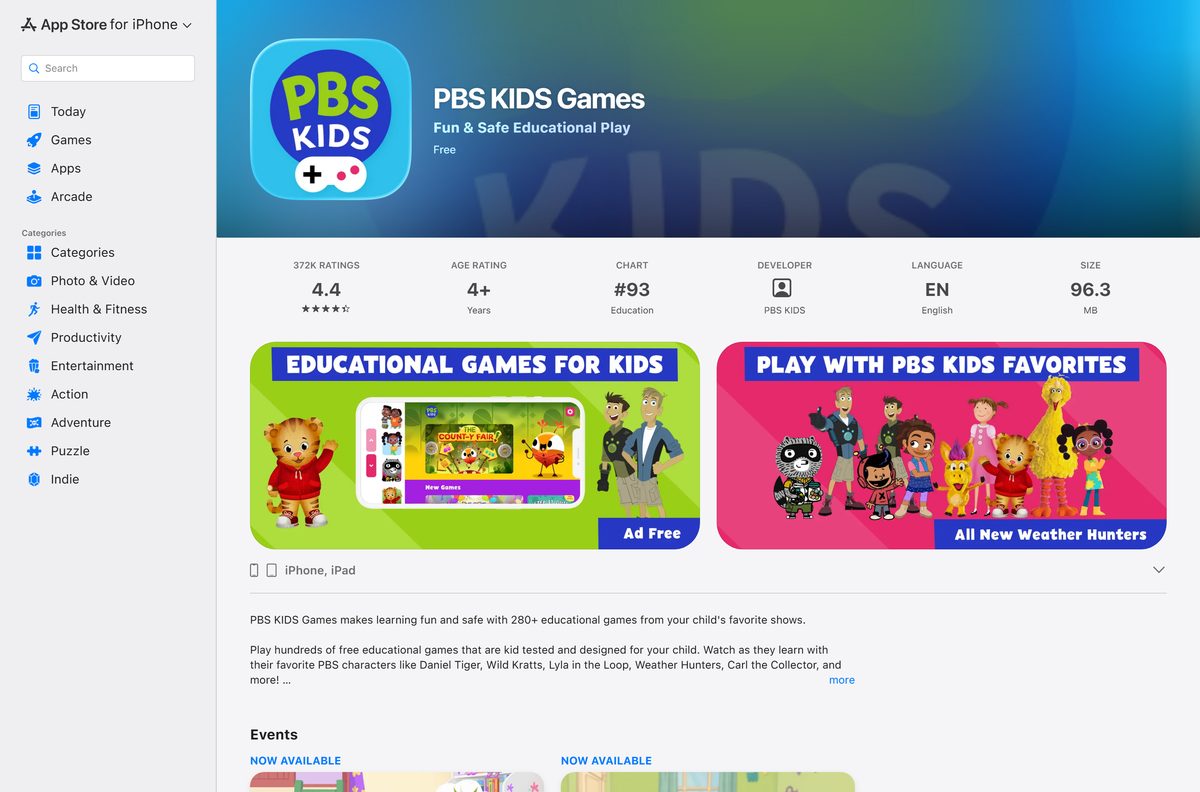
| iPhone or iPad on iOS 15.6 or later | PBS KIDS Games on the App Store | 96.3 MB |
| Android phone or tablet | PBS KIDS Games on Google Play | Play states no size |
Google Play Games on PC needs hardware virtualization and a Windows admin account. If your PC fails either test, the website row gives the same games.
Download PBS KIDS Games from the official sources
Four addresses cover every device. PBS KIDS distributes the app nowhere else, so skip any site offering a setup file.
- PBS KIDS Games on Google Play — Android and Windows, 10M+ downloads, 4.3 stars from 55.4K reviews, Teacher Approved
- Google Play Games on PC — the free Windows client that installs the Play listing on a PC
- PBS KIDS Games on the App Store — 96.3 MB · version 6.12.1, iPhone and iPad, iOS 15.6 or later
- PBS KIDS games website — plays in any desktop browser on Windows and Mac
Check the publisher name before you install. A listing under any name other than PBS KIDS is not the real app.
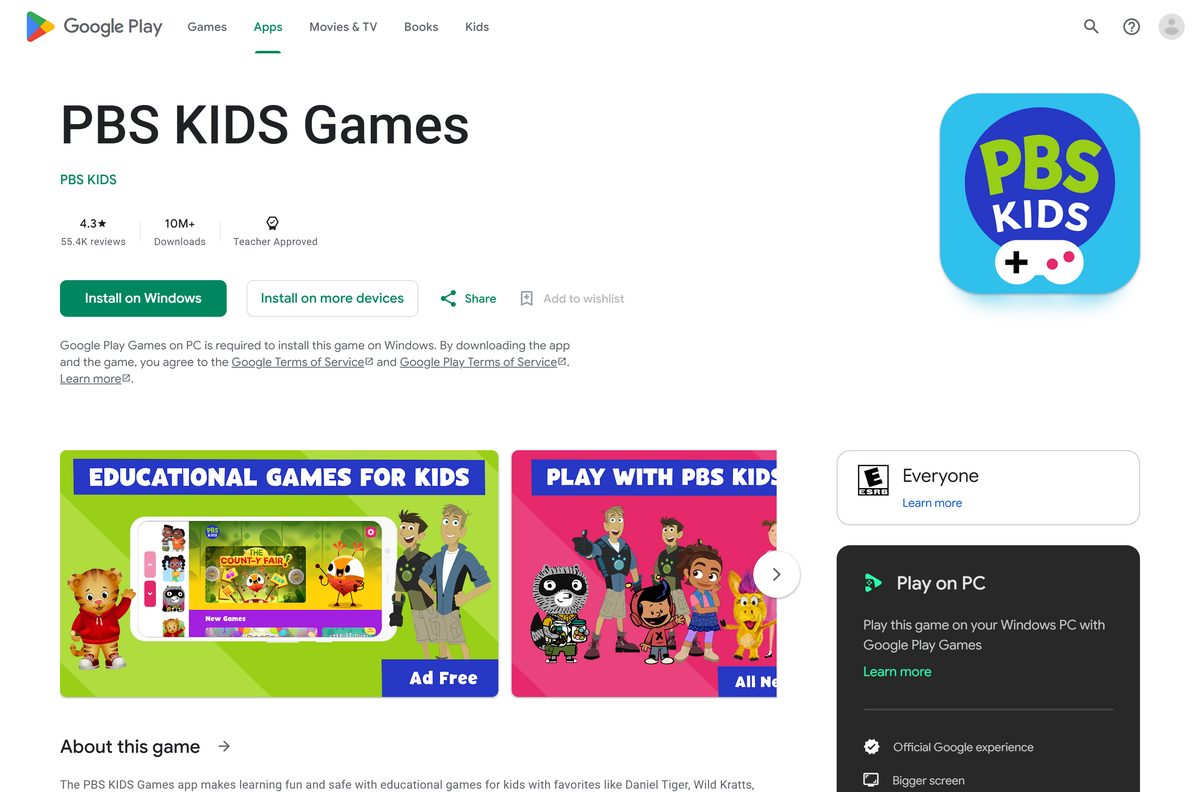
How to install PBS KIDS Games on Windows 11 and 10
The Play listing shows Install on Windows, which hands the app to Google Play Games on PC. Install that client first.
- On your Windows PC, go to play.google.com/googleplaygames and select Download.
- Open the downloaded file and follow the on-screen instructions.
- Accept the prompt to turn on Windows virtualization if it appears, then restart the PC.
- Open Google Play Games and sign in with your Google Account.
- Search for PBS KIDS Games and select the listing published by PBS KIDS.
- Select Install and wait for the button to change to Play.
- Select Play, then pick a show character and hand over the mouse.
Only the first Windows user who installed Google Play Games on PC can open it, so install it from the account your child uses.
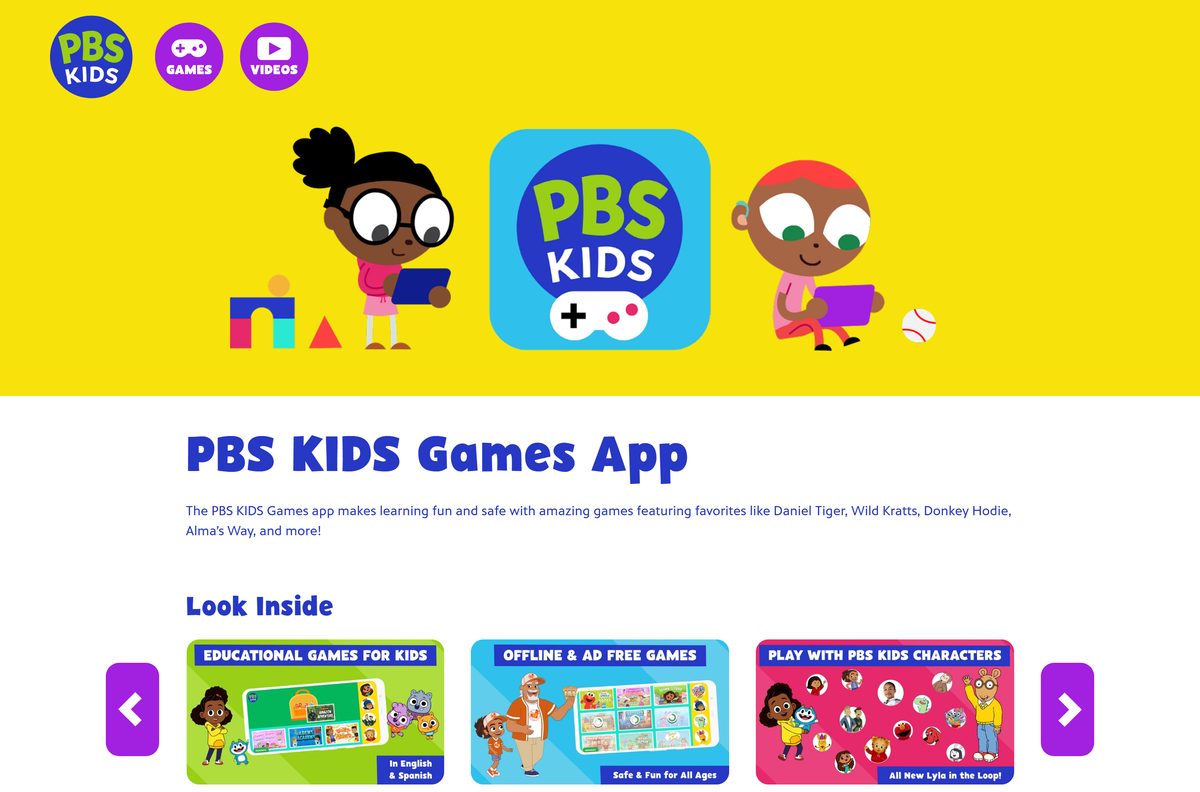
Install the PBS KIDS games website as an Edge app
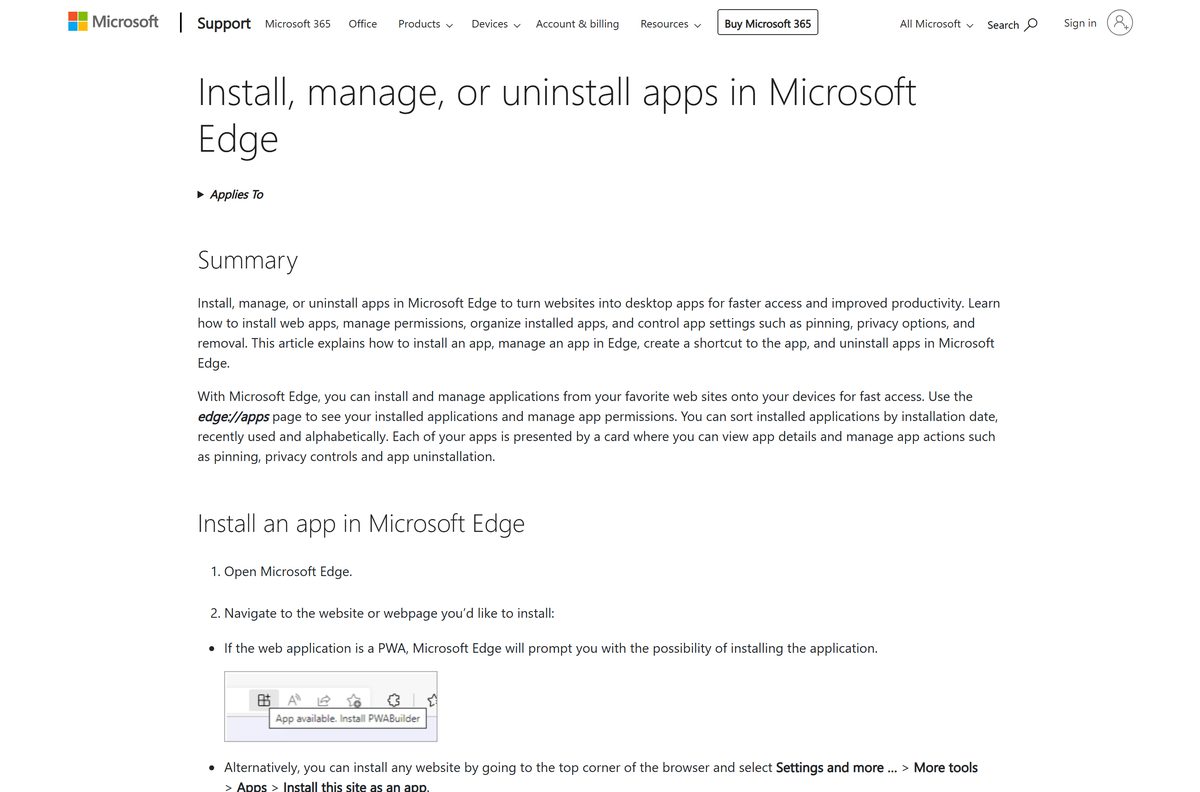
pbskids.org ships a web app manifest, so Edge installs it with its own window and taskbar icon. This route works on any Windows PC, including ARM laptops.
- Open Microsoft Edge and go to pbskids.org/games.
- Select Settings and more, the three-dot button.
- Select More tools, then Apps, then Install this site as an app.
- Keep the name PBS KIDS or type a new one, then select Install.
- Right-click the new taskbar icon and select Pin to taskbar.
- Open edge://apps to confirm the app is listed.
Which PBS KIDS Games download do you need for your Mac?
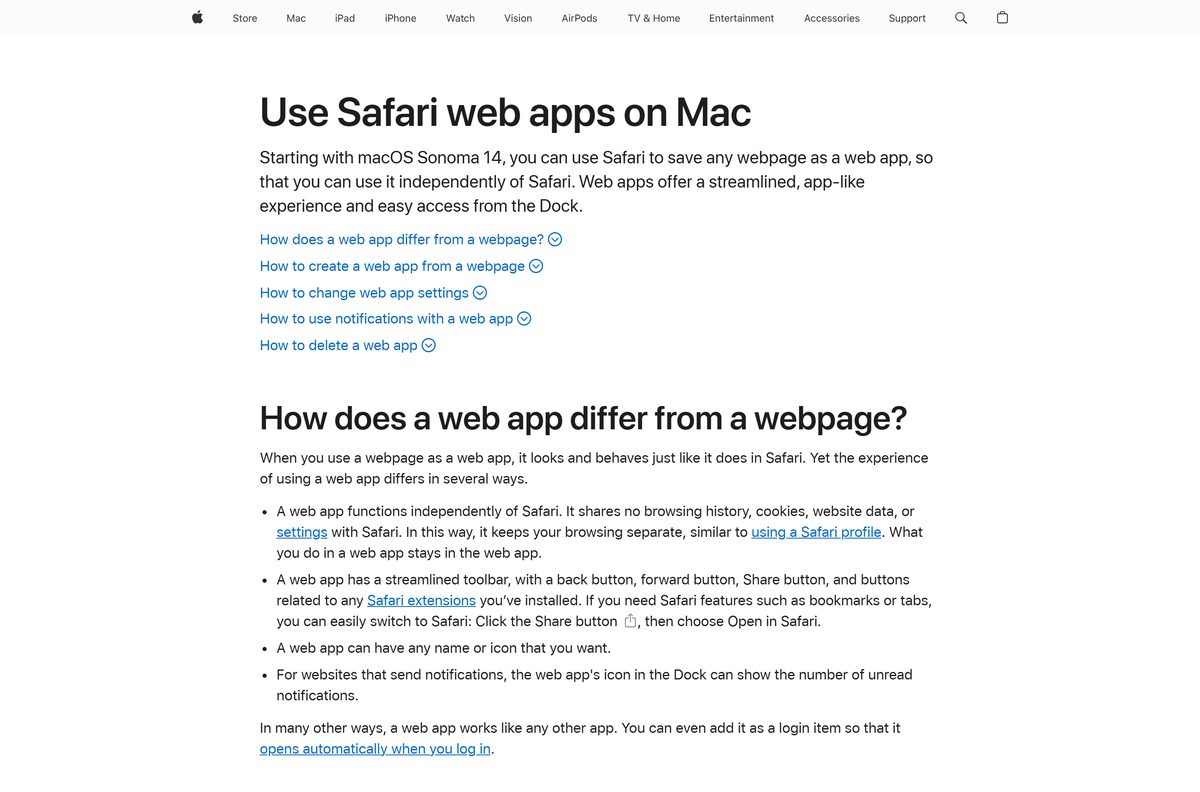
The App Store lists the app for iPhone and iPad only, with no Mac build. The website supplies the desktop app instead.
| Your Mac | What to do | Menu path |
|---|---|---|
| macOS Sonoma 14 or later | Add pbskids.org/games to the Dock from Safari | File > Add to Dock, then Add |
| Older macOS | Open pbskids.org/games in a browser tab | Bookmark it with Command-D |
| Looking on the Mac App Store | Nothing is listed there | Use a row above instead |
How to play PBS KIDS games without installing anything
The website needs no account and no install rights. That makes it the right choice for a school, library or shared computer.
- Open Edge, Chrome, Firefox or Safari.
- Go to pbskids.org/games.
- Select a game tile or a show character.
- Select Play and wait for the game to load.
- Press the browser’s full-screen key, F11 on Windows, for a larger view.
- Close the tab when your child is done.
Is PBS KIDS Games free?
Every game is free on every platform.
Yes. The App Store lists PBS KIDS Games as Free, Google Play installs it at no cost, and the website charges nothing. The store descriptions promise 280+ free curriculum-based games for ages 2 to 8, with new games added weekly. Google Play Games on PC is free to use as well. Google Play records no data collected and no data shared with third parties, and the listing follows the Play Families Policy. A site asking for payment or a card number is not PBS KIDS.
Parents can read the privacy policy at pbskids.org/privacy, which the store listings link.
Should you install the Google Play app or use the website?
Use the Google Play app on a Windows PC that meets Google Play Games requirements, and the pbskids.org website on a Mac, a Chromebook or a low-memory PC. The Play build is the same app children use on tablets, with the same show menus. Google Play Games on PC needs 8 GB of RAM, 4 CPU cores, an SSD with 10 GB free and virtualization turned on. The website runs in any modern browser and installs in seconds as an Edge or Safari web app.
How to check your PBS KIDS Games version and update it
Store builds update on their own. A stalled update is a common reason new games do not appear.
- On Windows, open Google Play Games and select Library.
- Find PBS KIDS Games and install any pending update.
- On an iPhone or iPad, open the App Store listing and tap Update if it appears.
- On Android, open the Google Play listing and tap Update if it appears.
- On the website or a web app, reload the page; pbskids.org updates itself.
Check the PBS KIDS Games system requirements
The Windows requirements belong to Google Play Games on PC, not to the game itself. The website has no hardware floor beyond a current browser.
| Field | Value |
|---|---|
| App | PBS KIDS Games |
| Developer | PBS KIDS |
| Latest version | 6.12.1 on iPhone and iPad; the website updates itself |
| Price | Free |
| Windows | Windows 10 (v2004) or later, including Windows 11, through Google Play Games on PC |
| PC hardware | 4 CPU physical cores, 8 GB RAM, Intel UHD Graphics 630 or comparable, SSD with 10 GB free |
| PC setup | Windows admin account and hardware virtualization turned on |
| Mac | No Mac app; macOS Sonoma 14 or later for a Safari web app, or any browser |
| iPhone and iPad | iOS 15.6 or later, 96.3 MB |
| Android | Phones and tablets through Google Play |
| Ages | 2 to 8; rated 4+ on the App Store and Everyone on Google Play |
| Offline installer | None |
| Official source | PBS KIDS Games app page |
| Last verified | 25 September 2026 |
What your child can play in PBS KIDS Games
The app groups games by show and by subject. These are the areas the store listings name.
| Area | What it covers |
|---|---|
| Shows | Daniel Tiger’s Neighborhood, Wild Kratts, Lyla in the Loop, Weather Hunters, Carl the Collector, Rosie’s Rules, Alma’s Way, Donkey Hodie, Odd Squad, Arthur, Molly of Denali, Sesame Street, Nature Cat and more |
| Subjects | Math, reading, science and art |
| Activities | Mazes, puzzles, numbers, dress-up and coloring |
| Social skills | Kindness, mindfulness, emotions and daily routines |
| Spanish | 50+ games in Spanish, with characters such as Alma and Rosie |
| New content | New games added weekly |
Fix PBS KIDS Games not installing or loading on Windows
Each symptom below has one cause and one fix. Work through the one that matches.
Google Play Games on PC says virtualization is off
The Android app runs in a virtual machine, and Windows or the firmware has that feature turned off.
- Accept the prompt in the Google Play Games installer to turn virtualization on.
- Restart the PC when asked.
- If the error returns, turn on virtualization in your PC’s firmware settings, following the PC maker’s instructions.
- Open Google Play Games again and select Install on the listing.
Google Play Games on PC refuses to install
The PC is below the minimum: Windows 10 (v2004), 8 GB RAM, 4 CPU cores and an SSD.
- Press Windows + R, type winver and press Enter to read your Windows version.
- Select Start > Settings > System > About to check RAM and processor.
- Run Windows Update if the version is older than 2004.
- Use pbskids.org/games in Edge if the hardware falls short.
Another Windows user cannot open the app
Only the first user who installed Google Play Games on PC can open it.
- Sign in to Windows with the account that installed Google Play Games.
- Open Google Play Games and launch PBS KIDS Games from there.
- For other accounts, install pbskids.org as an Edge app instead.
Games stop loading with no internet
PBS KIDS says the current app launched without download functionality, so games stream over the network.
- Connect the PC or tablet to Wi-Fi before play.
- Open pbskids.org/games to test whether the connection reaches PBS KIDS.
- Check whether a school or router filter blocks pbskids.org.
- Restart the app after the connection returns.
How to uninstall PBS KIDS Games
Removing the app deletes nothing from pbskids.org, so the website keeps working.
- On Windows, select Start > Settings > Apps > Installed apps.
- Find PBS KIDS Games, select More, the three-dot button, then Uninstall.
- Select Uninstall again to confirm.
- For an Edge web app, open edge://apps , select Details on the app card, then Uninstall.
- On a Mac, open Finder, choose Go > Home, open Applications and drag the web app to the Trash.
Which PBS KIDS Games alternatives are worth a look?
All three below are free on the App Store and aimed at young children.
| App | Publisher | What it adds | App Store listing |
|---|---|---|---|
| PBS KIDS Video | PBS Kids | Full episodes of the same shows | App Store listing |
| Khan Academy Kids | Khan Academy | Structured lessons for early learners | App Store listing |
| YouTube Kids | Google LLC | Parent-controlled videos | App Store listing |
Frequently asked questions
Is the PBS KIDS Games download free?
Yes. The App Store lists PBS KIDS Games as Free, Google Play installs it at no cost and pbskids.org charges nothing. Google Play Games on PC, which runs the app on Windows, is free too. All 280+ games are included.
What is the official PBS KIDS Games download page?
The official app page is pbskids.org/apps/play-pbs-kids-games. The app itself comes from the PBS KIDS Games listings on Google Play and the App Store, both published by PBS KIDS. The browser games live at pbskids.org/games.
Can I download PBS KIDS Games on Windows 11?
Yes. Install Google Play Games on PC from play.google.com/googleplaygames, sign in, search for PBS KIDS Games and select Install. Windows 11 and Windows 10 version 2004 or later are supported.
How big is the PBS KIDS Games download?
The iPhone and iPad app is 96.3 MB. Google Play states no size for the Android and Windows build, and Google Play Games on PC asks for 10 GB free on an SSD. The website downloads nothing to install.
Is there a PBS KIDS Games offline installer?
No. PBS KIDS publishes no .exe, .msi or .dmg file. Windows installs the app through Google Play Games on PC, phones use the App Store and Google Play, and every computer can play at pbskids.org/games.
Is there a PBS KIDS Games app for Mac?
No Mac app is listed; the App Store build is for iPhone and iPad only. On macOS Sonoma 14 or later, open pbskids.org/games in Safari and choose File, then Add to Dock to get a separate desktop app.
Does PBS KIDS Games run on an ARM64 Windows PC?
The website does. Install pbskids.org/games as an Edge app on any Windows processor. Google Play Games on PC lists Intel UHD Graphics 630 or comparable in its requirements, so check its eligibility page before trying it on an ARM laptop.
Is PBS KIDS Games safe for kids?
Yes. The app is published by PBS KIDS, rated 4+ on the App Store and Everyone on Google Play, and marked Teacher Approved. Google Play records no data collected and no data shared with third parties.
What is the latest PBS KIDS Games version?
The App Store build is version 6.12.1, released on 11 September 2026. Google Play shows no version number and an update date of 3 September 2026. The pbskids.org website carries no version and updates itself.
Why will PBS KIDS Games not install on my PC?
The usual cause is Google Play Games on PC, not the game. It needs Windows 10 version 2004 or later, 8 GB RAM, 4 CPU cores, an SSD, an admin account and virtualization turned on. Use pbskids.org/games if the PC falls short.
Can PBS KIDS Games be played offline?
Not in the current app. PBS KIDS said on Google Play in April 2026 that the new version launched without download functionality because of funding cuts, and that it is working to add it back.






