The Malwarebytes software download covers Windows 11, Windows 10 and Mac, and the scanner costs nothing. Every file comes from the company’s own download host or an official store.
A fresh install opens with 14 days of the Standard plan features, real-time protection included. After that it keeps working as Malwarebytes Free, an on-demand scanner with no time limit.
Below are the official links for each system, the install steps, the Store and winget route, the free and paid split, prices, requirements and install fixes.
Which Malwarebytes download do you need?
Match the device in front of you to a row. On Windows the choice is whether the PC can reach the internet while setup runs.
| Your device | What to get | How it installs |
|---|---|---|
| Windows 11 or Windows 10 PC that is online | MBSetup.exe | Web setup that pulls the program as it installs |
| Windows PC with no connection at install time | Full consumer installer | One file with the program, component and database packages |
| Windows 11 on an ARM processor | Microsoft Store listing | Same build, minus Exploit Protection and the rootkit option |
| Mac on macOS Big Sur 11 or later | Malwarebytes for Mac package | Standard macOS installer package |
| iPhone or iPad | Mobile Security on the App Store | Free with in-app purchases, iOS 18.0 or later |
| Android phone or tablet | Mobile Security on Google Play | Free with in-app purchases, Android 10 or later |
Press Windows + Pause and read System type to see whether the PC runs an x64 or an ARM processor.
Download Malwarebytes from the official page for Windows 11 and 10
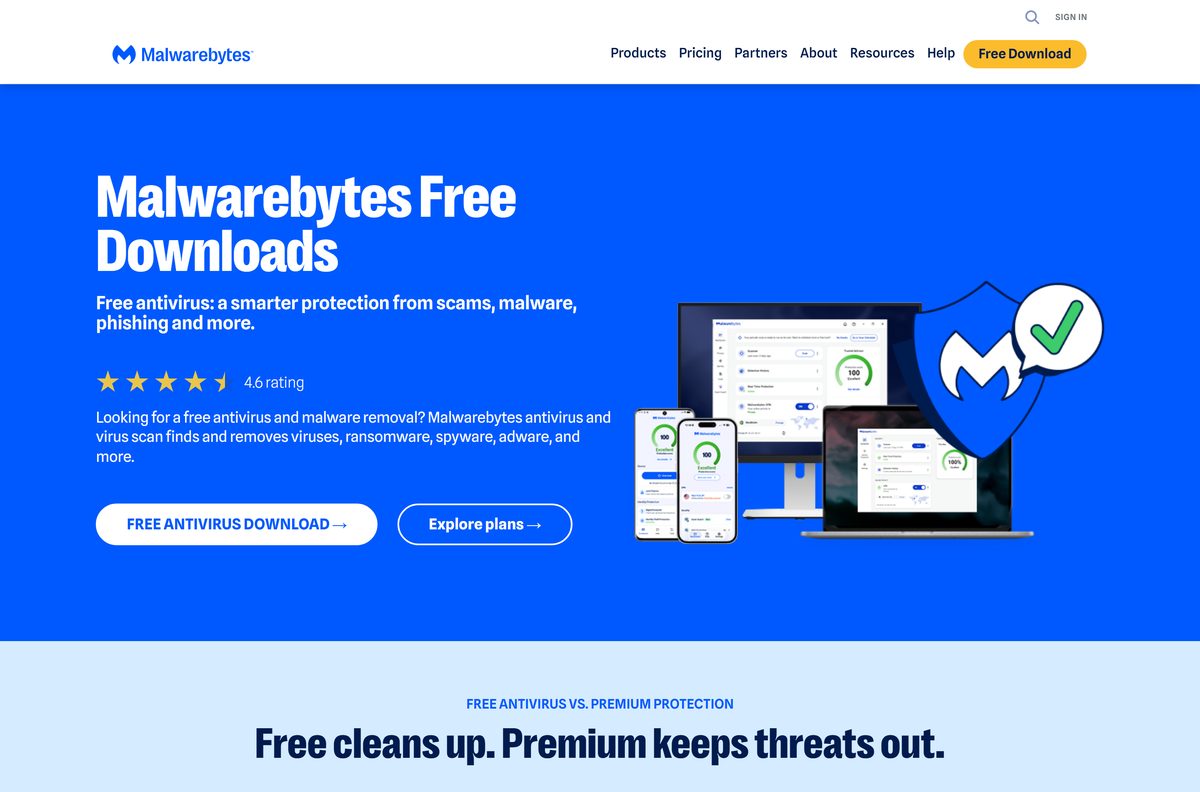
The download page gathers Windows, Mac, Android and iOS in one place. The two Windows files differ only in what they contain.
- Malwarebytes free antivirus download page — Every platform, plus current prices
- MBSetup.exe for Windows 11 and 10 — Web setup, needs a connection while installing
- Full Malwarebytes installer for Windows — Build 5.7.3.376 and component package 167.0.5780 in one file
- Malwarebytes for Mac package — Mac release 5.28.4, one package for every macOS version
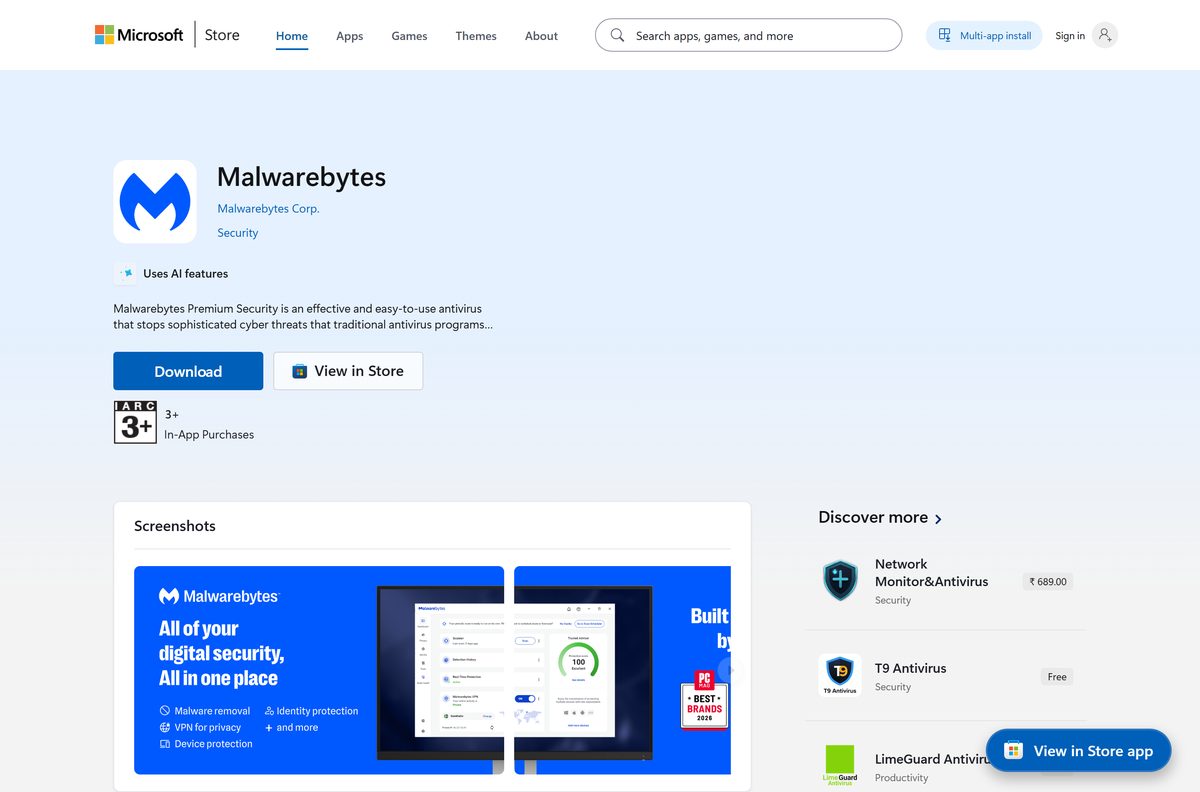
- Malwarebytes on the Microsoft Store — Published by Malwarebytes Corp., priced Free
Keep the full installer on a USB stick for a machine you cannot get online. Activation can wait until it has a connection.
How to install Malwarebytes on Windows 11 and 10
Setup takes about two minutes. The device-type question changes the feature set, so read it before you click.
- Open malwarebytes.com/mwb-download and select Free antivirus download.
- Double-click MBSetup.exe in your Downloads folder.
- Select Yes when Windows asks whether to allow the installer to run.
- Select Install in the Malwarebytes Setup Wizard.
- Choose Personal for a home device, or Business for a company device, then select Next.
- Select Skip this step if a product offer appears, and let the install finish.
- Select Open Malwarebytes.
- Select Activate now to sign in or enter a licence key, or close that screen to stay on the free scanner.
- Select Scan on the dashboard and let the first scan finish.
Restart the moment the installer asks. It relaunches itself afterwards, so do not start the app by hand.
Install Malwarebytes from the Microsoft Store or with winget
The listing delivers the ordinary Windows installer rather than a packaged Store app. It is the quickest route on a PC where app installs are restricted.
- Open the Malwarebytes listing in the Microsoft Store.
- Check that the publisher reads Malwarebytes Corp. and the price reads Free.
- Select Get, then Install, and wait for the Store to hand over to the installer.
- Or open Terminal and run winget install –id XP8C8Z6HXBX7B9 –source msstore instead.
- Answer the Personal or Business question in the setup wizard.
- Open Malwarebytes from the Start menu and run a scan.
The listing shows 4.3 stars from 29 ratings.
Which Malwarebytes download do you need for your Mac?
Open the Apple menu and select About This Mac to read your macOS version. There are no separate Intel and Apple silicon files.
| Your Mac | What to get | What you get |
|---|---|---|
| macOS Monterey 12 through Golden Gate 27 | Malwarebytes for Mac package | The current Mac release, 5.28.4 |
| macOS Big Sur 11 | Malwarebytes for Mac package | Runs, but new app versions stopped in September 2026 |
| macOS older than Big Sur 11 | Supported macOS versions | Not supported; update macOS first |
| Mac running Windows 11 on Apple silicon | Microsoft Store listing | Supported, with the ARM feature gaps |
The package asks for your Mac password partway through, then offers Maybe later so you can run the free version.

Is Malwarebytes free?
Two things carry the same name, which is where the confusion starts. The scanner is free forever; the protection that runs in the background is a subscription.
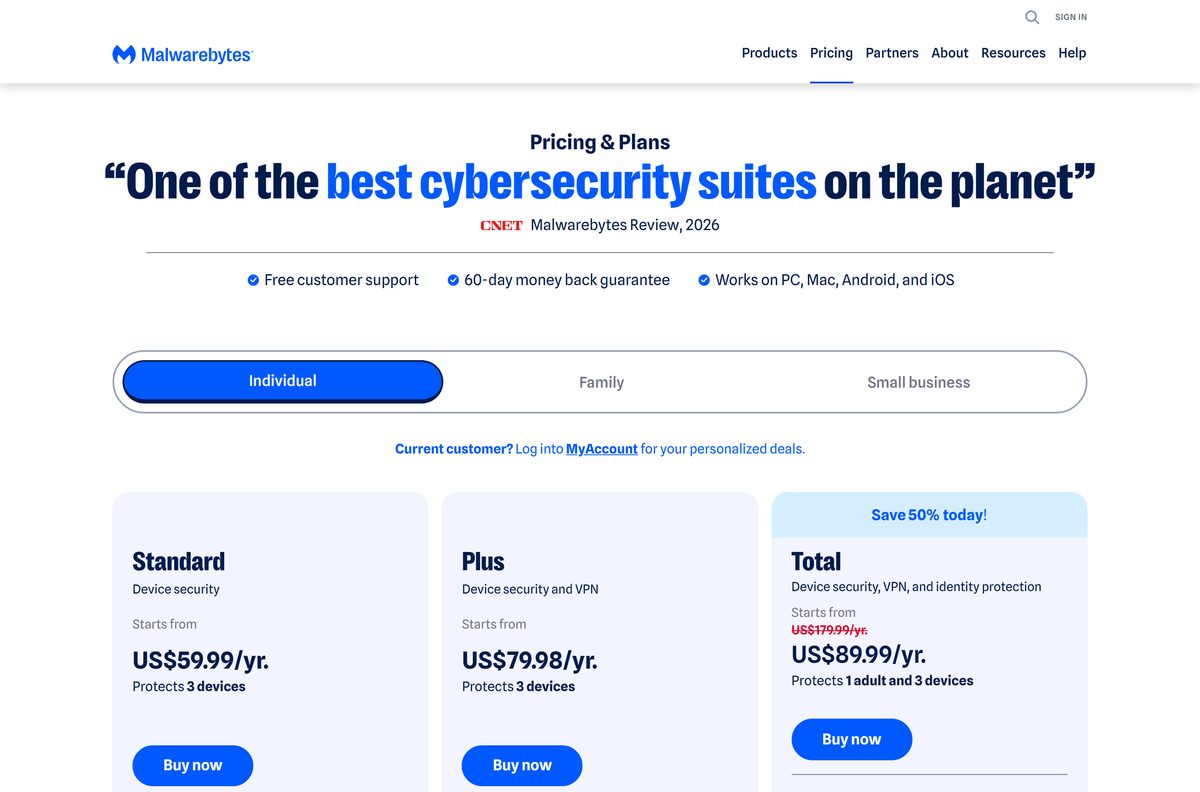
Install the free scanner to clean up a device, and pay for a plan only if you want protection that blocks threats before they land. Malwarebytes Free has no time limit. It runs Quick Scan and Custom Scan, removes infections already on the machine, and adds Privacy Controls, Digital Footprint Scan and Scam Guard, plus one free scheduled scan a month on Windows. Real-Time Protection, Web Protection, Malware Protection and Threat Scan are paid, and Ransomware Protection and Exploit Protection are paid Windows features. Standard costs US$59.99 a year for three devices or US$44.99 for one, Plus is US$79.98 with the VPN, and Total is listed at US$179.99 and offered at US$89.99 for the first year.
Nothing on the pricing page is a one-off licence. Plans renew yearly, and the device count moves the price most.
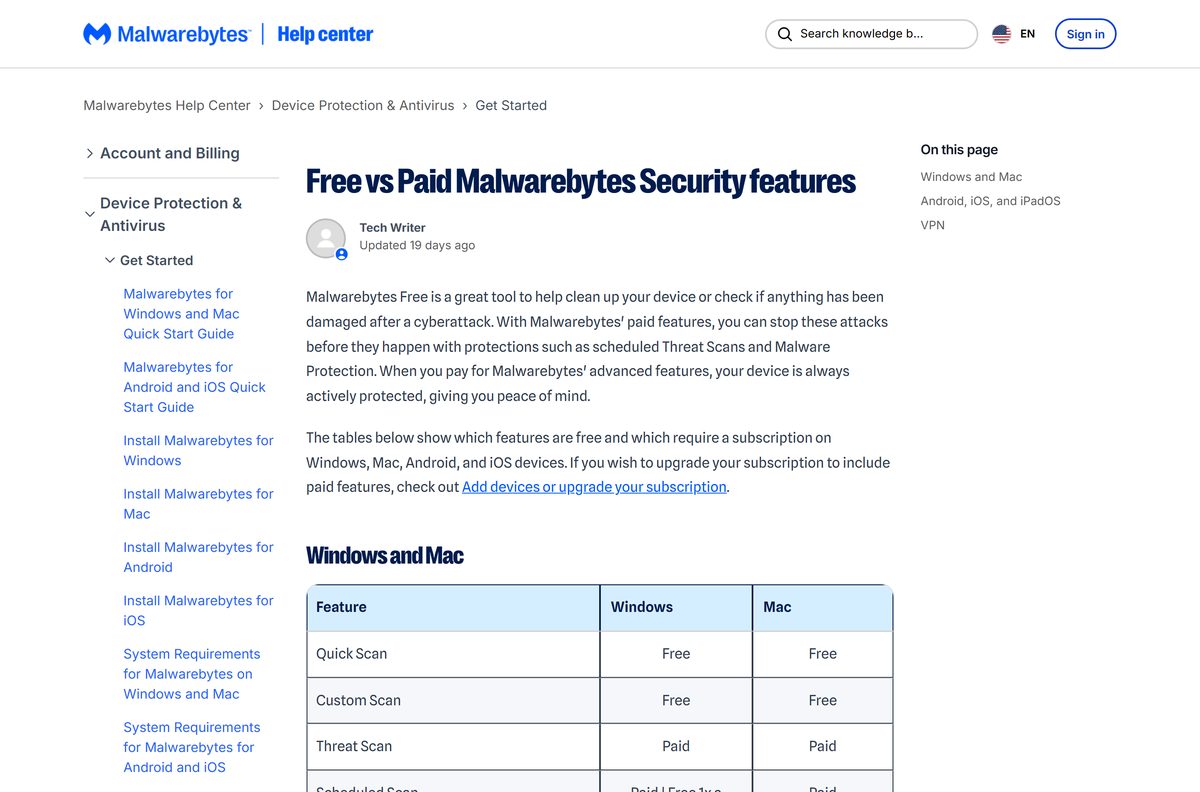
Which Malwarebytes features work on Windows and which on Mac
The two desktop builds are not the same product with a different logo. Check the row before you buy a plan for a Mac.
| Feature | Windows | Mac |
|---|---|---|
| Quick Scan and Custom Scan | Free | Free |
| Threat Scan | Paid | Paid |
| Scheduled Scan | Paid, one free scan a month | Paid |
| Real-Time Protection | Paid | Paid |
| Web Protection and Malware Protection | Paid | Paid |
| Ransomware Protection | Paid | Not available |
| Exploit Protection | Paid, and absent on ARM | Not available |
| App Block | Not available | Paid |
| Windows Firewall Control, System Tweaks, File Shredder | Free | Not available |
| Digital Footprint Scan and Scam Guard | Free | Free |
Browser Guard, the ad and scam blocker extension, comes with every plan.
Should you install Malwarebytes 5 or stay on version 4?
Both branches are still served from the download host, so the choice comes up on an older PC that never upgraded.
Install version 5. Version 4 is a dead end on every supported system. Malwarebytes for Windows 5.7.3 arrived on 15 October 2026 with component package 167.0.5780, and new builds land every two or three weeks. Version 4 stopped at 4.6.17.334 in July 2024, no longer receives complete software updates, and the vendor’s guidance is to move to version 5 on Windows 10 or higher. Windows 7, 8 and 8.1 lost support across the product in May 2026, so an old branch no longer covers them either.
Upgrading is an ordinary install over the top. Point it at the same folder the old copy used, usually C:\Program Files\Malwarebytes.
How to check your Malwarebytes version and update it
The app updates itself when automatic updates are on. Check by hand after a release, or when a feature from the notes is missing.
- Open Malwarebytes from the Start menu or the Dock.
- Select the Settings icon in the left sidebar.
- Open the General tab and read the number under Application updates.
- Select Check for updates.
- Wait while an available update downloads and installs itself.
- Select Close to go back to the app.
- Leave automatic updates switched on so the next build arrives on its own.
A message saying you are up to date means the build already matches the newest release.
Check the Malwarebytes system requirements before you install
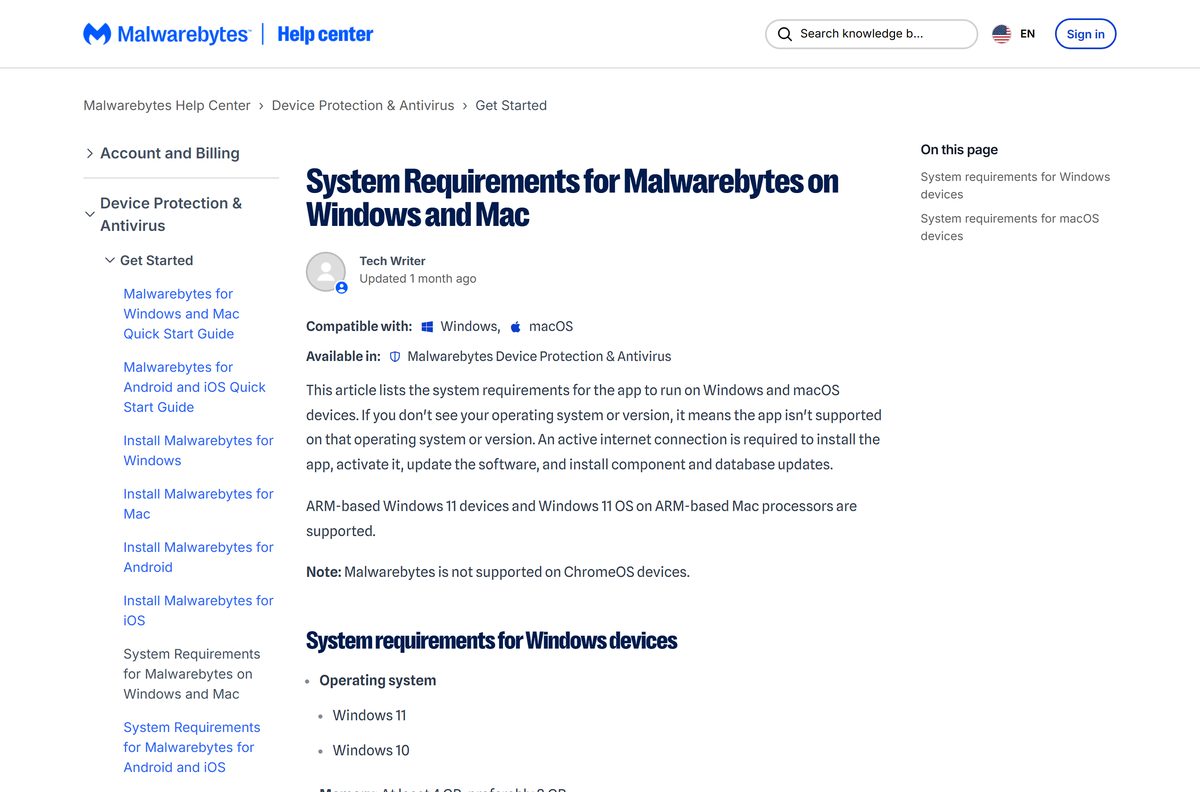
The bar is low for a security app, and free disk space is the one number worth checking first.
| Field | Value |
|---|---|
| Software | Malwarebytes for Windows and Mac |
| Developer | Malwarebytes Inc. |
| Latest version | 5.7.3.376 on Windows, 5.28.4 on Mac |
| License | Free scanner with no time limit; paid plans from US$44.99 a year |
| Supported OS | Windows 11 and Windows 10; macOS Big Sur 11 through Golden Gate 27 |
| Architecture | x86, x64, ARM and ARM64 |
| Memory | 4 GB minimum, 8 GB preferred |
| Free disk space | 1 GB at installation |
| S mode | Must be disabled |
| Internet connection | Required to install, activate and update |
| Official download source | malwarebytes.com/mwb-download |
| Offline installer | Yes, a full consumer package |
| Last verified | 2026-10-25 |
Press Windows + R, type winver and select OK to read your Windows version and build.
Fix Malwarebytes not installing on Windows 11 or 10
Work through the symptom that matches what you see. Each one has a single cause.
Setup stops part way through
The web installer cannot reach the Malwarebytes service it downloads from.
- Run the file from a local folder such as Downloads, never from a network drive.
- Confirm the PC is online, because setup fetches the program while it runs.
- Add a firewall rule allowing ark.mwbsys.com on port 443.
- Restart the moment the installer asks, and let it relaunch itself.
- Switch to the full installer if setup keeps stalling.
Windows says the app is not a Microsoft-verified app
App installation settings are limited to Microsoft Store apps.
- Select Change my app recommendation settings in the message window.
- Under Choose where to get apps, select Anywhere.
- Run MBSetup.exe again.
- Or install from the Microsoft Store listing, which that setting always allows.
Malwarebytes will not uninstall or reinstall
Files and settings from a damaged installation are still on the disk.
- Try the normal removal first from Settings, then Apps, then Installed apps.
- Follow the Support Tool steps if the entry stays behind.
- Select Advanced in the Support Tool, then Clean, which deletes all app files and configurations.
- Select OK to restart, answer Yes to the post-reboot cleanup, then Yes again only to reinstall.
How to uninstall Malwarebytes from Windows and Mac
Removal runs through the app’s own uninstaller on both systems, and it asks for a reason first.
- On Windows, find the app from the Start menu, Settings or Control Panel and choose to uninstall it.
- Pick a reason on the Before you uninstall page, then select Next.
- Select Uninstall Malwarebytes, then Submit and uninstall Malwarebytes.
- Select Uninstall in the pop-up, then Done when it finishes.
- On a Mac, select the Malwarebytes icon in the menu bar, then Open Malwarebytes.
- Select Help, then Uninstall Malwarebytes, and confirm with I’ll risk it.
- Enter your Mac password and select OK to finish.
Real-time protection goes with it, so confirm Windows Security has taken over under Virus & threat protection.
Which Malwarebytes alternatives cover the same job?
The free scanner competes with built-in tools rather than with paid suites. Compare on what you need running all day.
| Tool | What it covers | Download |
|---|---|---|
| Microsoft Defender Antivirus | Real-time protection built into Windows 11 and 10 | Windows Security |
| Malwarebytes AdwCleaner | Free Windows cleanup for adware and unwanted programs | malwarebytes.com/adwcleaner |
| Avast Free Antivirus | Free real-time antivirus for Windows and Mac | avast.com |
| Bitdefender Antivirus Free | Free Windows antivirus with a paid upgrade | bitdefender.com |
Run the free scanner beside Windows Security for a second opinion. Pay for one real-time product only.
Frequently asked questions
Short answers to what readers ask before installing.
Is the Malwarebytes software download free?
Yes. The installer costs nothing on Windows, Mac, iPhone and Android, and Malwarebytes Free keeps scanning on demand with no time limit. Real-time protection is the paid part, from US$44.99 a year.
Where is the official Malwarebytes download site?
The official page is malwarebytes.com/mwb-download, and the Windows and Mac files come from the company’s own download host. The Microsoft Store listing published by Malwarebytes Corp. is the other first-party route.
Does Malwarebytes work on Windows 11?
Yes. Windows 11 and Windows 10 are supported, with S mode disabled, 4 GB of memory and 1 GB of free disk space at installation. Windows 7, 8 and 8.1 lost support in May 2026.
How big is the Malwarebytes download?
Malwarebytes publishes no download size. The web setup fetches the program while installing, and the full installer is one large file. Allow 1 GB of free disk space.
Is there a Malwarebytes offline installer?
Yes. The download host serves a full package carrying the program, its component package and a database package, so setup pulls nothing. Activation and later updates still need a connection.
Does Malwarebytes work on Mac computers?
Yes. The Mac release is 5.28.4 and installs on macOS Big Sur 11 through Golden Gate 27. Ransomware Protection and Exploit Protection are Windows-only features.
Does Malwarebytes run on a 64-bit or ARM64 PC?
Both. The Microsoft Store listing covers x86, x64, ARM and ARM64, and ARM devices keep the same protection level. Exploit Protection and the rootkit scan option are the exceptions.
Is Malwarebytes safe to install?
Yes, when the file comes from malwarebytes.com or the Microsoft Store listing published by Malwarebytes Corp. Skip download portals, which wrap the same setup file in their own installers.
What is the latest version of Malwarebytes?
Malwarebytes for Windows 5.7.3 arrived on 15 October 2026 with component package 167.0.5780, and the Mac release is 5.28.4. Check your copy under Settings, then General, then Application updates.
Why won’t Malwarebytes install?
The web setup needs a connection and a local folder to run from. Allow ark.mwbsys.com on port 443 through the firewall, restart when the installer asks, and try the full installer.