The KaraFun download for Windows 11, Windows 10 and Mac comes straight from karafun.com, the site of its developer Recisio. The same account also works in the iPhone, iPad, Android and Apple TV apps, and in the Web Player.
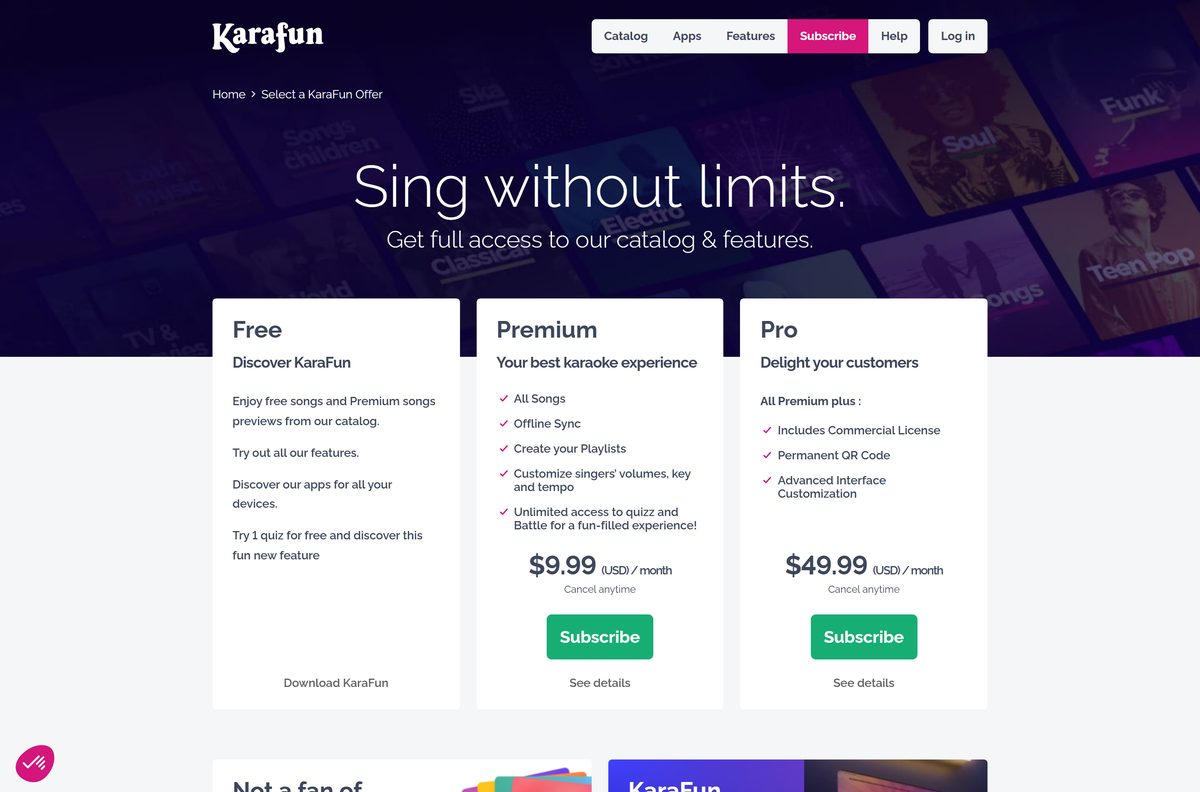
The app itself is free to install. Without a subscription you get 30-second previews, a small set of full-length songs and one quiz; Premium unlocks the full catalog at $9.99 a month.
Below are the official links for every device, install steps for Windows and Mac, the free and paid options, system requirements, common fixes and clean removal.
Which KaraFun download do you need?
Recisio ships a separate app for each platform. Match your device to the row below and use that link.
| Your device | Get this | Needs |
|---|---|---|
| Windows 11 or Windows 10 PC | KaraFun for Windows (.exe) | 64-bit Windows 10 or later |
| Mac on macOS Sonoma or newer | KaraFun for Mac (.dmg) | macOS 14 or later |
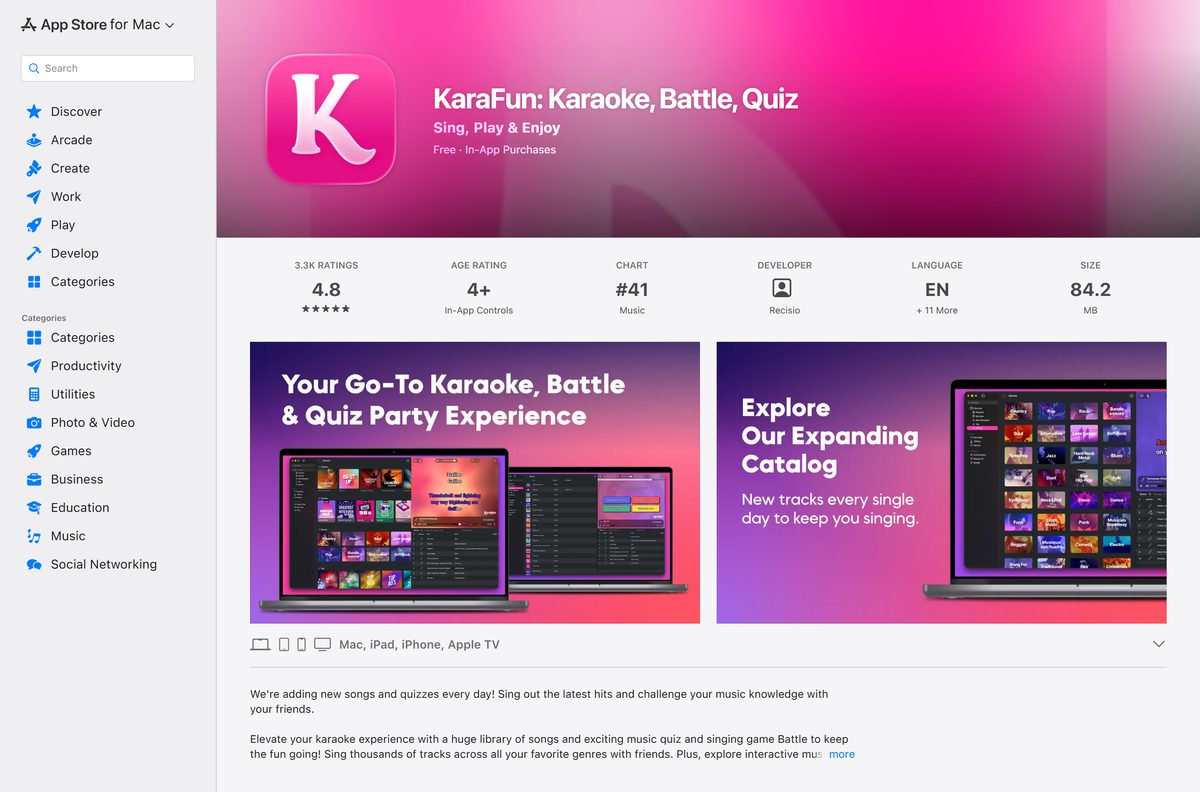
| Mac, installing through Apple | KaraFun on the Mac App Store | Apple ID |
| iPhone or iPad | KaraFun on the App Store | iOS 17.0 or later |
| Android phone or tablet | KaraFun on Google Play | Google account |
| Chromebook or a borrowed PC | KaraFun Web Player | A browser and a KaraFun login |
The desktop apps suit parties: they add dual-screen output for a TV or projector and let guests queue songs from their phones.
Download KaraFun for Windows 11, 10 and Mac from the official site
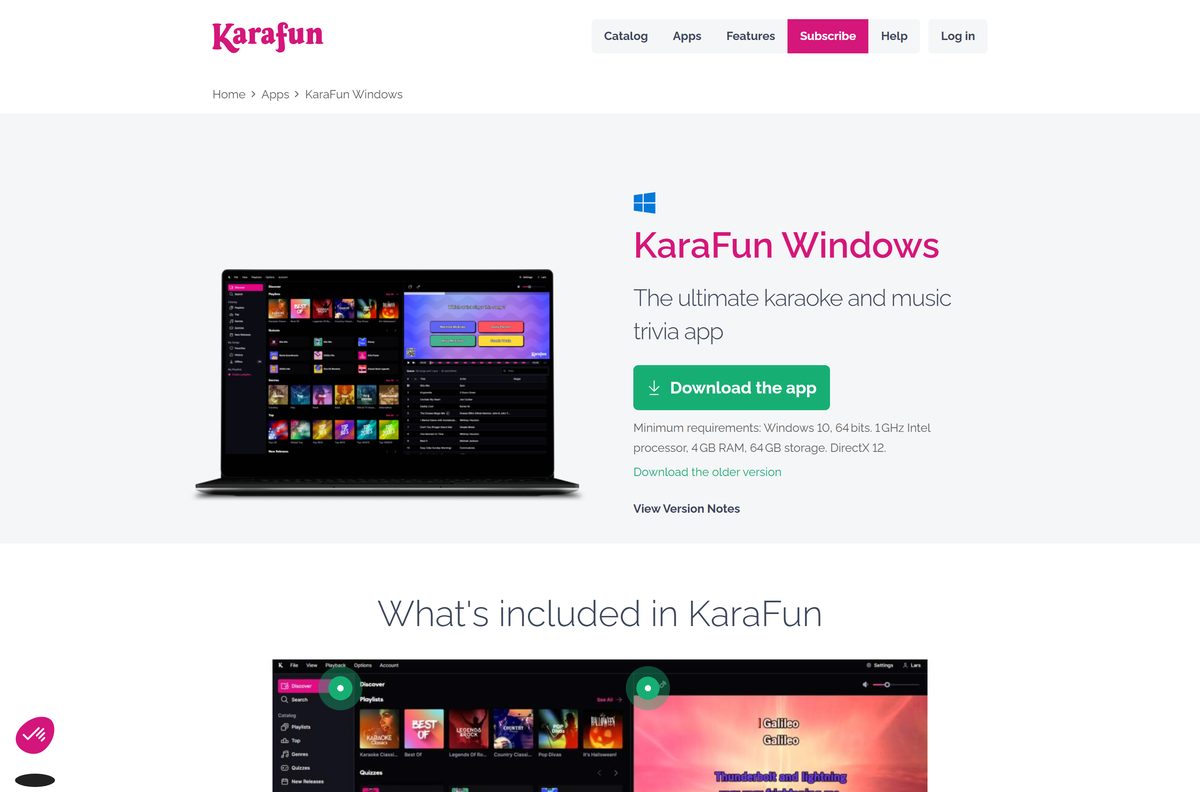
Every link below starts on karafun.com or an official app store. The Windows and Mac links start the file download straight away.
- KaraFun 3.12.3 for Windows 11 and 10 — Full .exe setup, 64-bit
- KaraFun 2.18.2 for Mac — Disk image (.dmg), macOS 14 or later
- All KaraFun apps and store badges — Mobile, TV, computer and Web Player
- KaraFun Web Player — Runs in the browser, no install
Version 3.12.3 for Windows fixes an incompatibility with a recent Windows update that broke offline downloads. Install it if offline songs stopped saving.
How to install KaraFun on Windows 11 and 10
The Windows setup is a standard installer. You need a KaraFun account to sign in once it opens.
- Open the KaraFun Apps page and select Download for Windows.
- Open your Downloads folder when the download finishes.
- Double-click the KaraFun-Setup file.
- Select Yes if User Account Control asks for permission.
- Follow the on-screen instructions to finish the installation.
- Open KaraFun from the Start menu.
- Select Log in and sign in, or create a free account.
A free account plays the samples and free songs. Subscribing on karafun.com unlocks the full catalog the next time you sign in to the app.
Install KaraFun on iPhone, iPad and Android
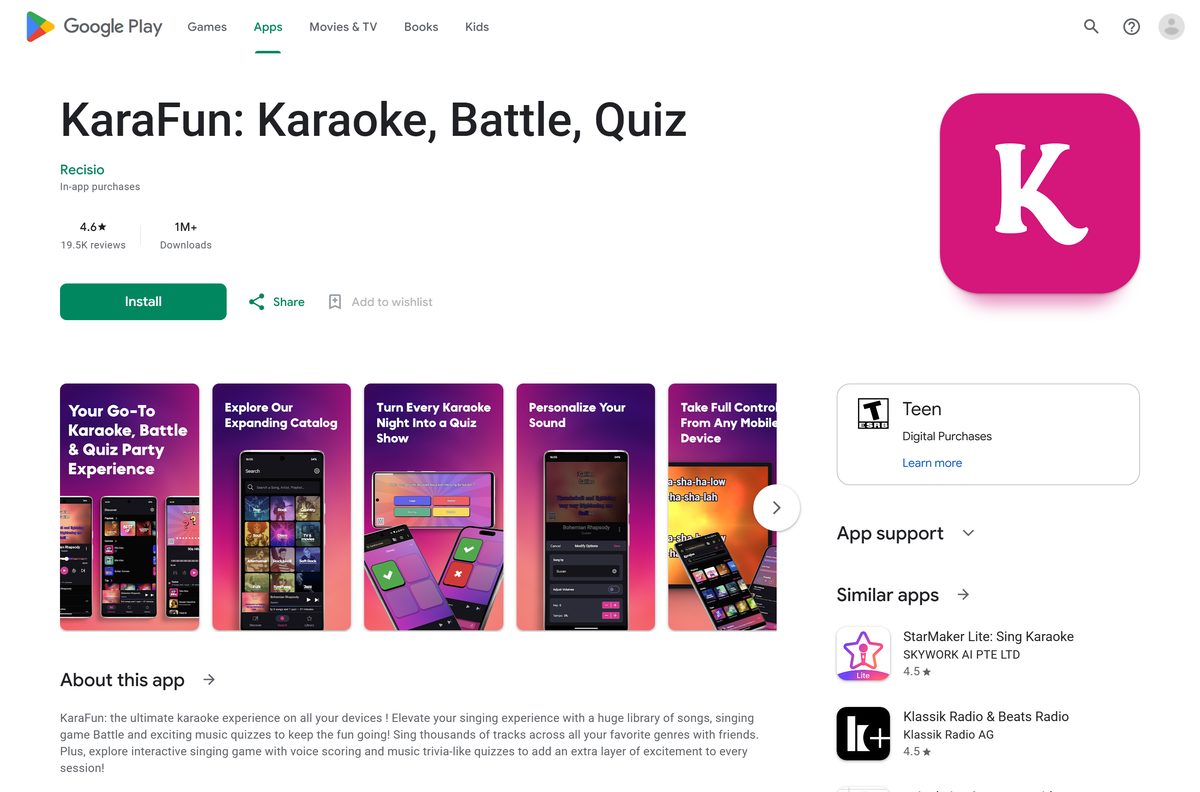
The mobile app is listed as free with in-app purchases on both stores. It needs iOS 17.0 or later on iPhone and iPad.
- Open the KaraFun listing on the App Store or on Google Play.
- Check that the developer is Recisio.
- Tap Get on iPhone or Install on Android.
- Open KaraFun and sign in with the same account you use on your computer.
- Tap a song to start singing, or use the phone as a remote for the desktop app.
Buying Premium inside the iPhone or Android app bills through Apple or Google. Cancel it there, not on karafun.com.
Which KaraFun download do you need for your Mac?
Open the Apple menu and select About This Mac to read your macOS version first.
| Your Mac runs | Install this | Notes |
|---|---|---|
| macOS 14 Sonoma or newer | KaraFun 2.18.2 for Mac (.dmg) | Double-click the .dmg and follow the prompts |
| macOS 14 or newer, prefer Apple-managed updates | KaraFun on the Mac App Store | Same 2.18.2 release; the App Store updates it |
| An older macOS that cannot reach Sonoma | Older KaraFun 1.9.6 for Mac | Recisio’s older Mac build, linked from its Mac page |
Version 2.18.2 adds Automix background music, which picks tracks to fit the next song in the queue, and support for macOS 27.
Is KaraFun free?
The download and the account cost nothing. Singing the full catalog is what the subscription pays for.
KaraFun is free to install with a limited free version, but there is no free trial. Full access costs $9.99 a month for Premium. The free version plays 30-second samples of each song, a limited selection of full-length songs and one quiz. Premium adds every song, offline sync of up to 1,000 songs, playlists, key and tempo changes, vocal volume control and unlimited quizzes and Battle. Pro costs $49.99 a month and adds a commercial license, a permanent QR code and the whole catalog offline. Both plans renew monthly, cancel anytime and stay active until the end of the paid month.
One account plays on one device at a time. Two people singing on two devices at once need two subscriptions.
Choose between the KaraFun app and KaraFun Player
KaraFun’s Windows page still links the older KaraFun Player alongside the current app. They do different jobs.
Install the current KaraFun app for the streaming catalog. Use KaraFun Player 2.6.2 only to play karaoke files you already own. The current app is what the subscription, Battle, quizzes and phone remote are built around. KaraFun Player 2.6.2 is a free Windows program that opens your own CD+G, MPEG, KAR and MID karaoke files, and it runs on Windows 8 or above. KaraFun Player 1 is no longer supported. Download Player 2 from the KaraFun Player page if you need it.
Playlists from KaraFun Player 2 can be imported into the current Windows app, so switching later keeps your lists.
Check the KaraFun system requirements
The Windows app is 64-bit only. A 32-bit copy of Windows 10 cannot run it.
| Item | Detail |
|---|---|
| Software | KaraFun |
| Developer | Recisio |
| Latest version | 3.12.3 (Windows), 2.18.2 (Mac), 5.33.3 (iPhone and iPad) |
| License | Free version; Premium $9.99 a month, Pro $49.99 a month |
| Windows | Windows 10 or later, 64-bit |
| Processor | 1 GHz Intel processor |
| Memory | 4 GB RAM |
| Storage | 64 GB |
| Graphics | DirectX 12 |
| macOS | macOS 14 Sonoma or later |
| iPhone and iPad | iOS 17.0 or later |
| Offline installer | Yes, a full .exe for Windows and a .dmg for Mac |
| Official download source | karafun.com (Recisio) |
| Last verified | 2026-09-25 |
Press Windows + Pause, or open Settings > System > About, and read System type to confirm a 64-bit system.
Fix KaraFun install, playback and offline problems
Most KaraFun problems trace back to one of four causes.
Setup will not run on Windows
The PC runs 32-bit Windows or a version older than Windows 10.
- Open Settings > System > About.
- Read System type and the Windows edition.
- Use the KaraFun Web Player in a browser if the PC is 32-bit or older than Windows 10.
Playback is blocked on one of your devices
The same account is playing on a second device. KaraFun blocks simultaneous playback.
- Close KaraFun on the other device, or select Log out there.
- Restart playback on the device you want to use.
- Buy a second subscription if two devices must play at the same time.
Songs only play for 30 seconds
The account has no active subscription, so the free version plays samples only.
- Sign in to your account on karafun.com and open My Account.
- Check the subscription status under Manage subscription and payments.
- Subscribe or renew, then log out of the app and back in.
Offline songs will not download on Windows
Older builds hit an incompatibility with a recent Windows update, or the offline option is off.
- Install the latest build from karafun.com over the old one.
- Select Settings, then Offline, and make sure Download is enabled.
- Right-click a song in the catalog and select Download.
- Check the Offline list in the left menu bar for the saved song.
Premium saves up to 1,000 songs offline, at roughly 5 MB each. Pro can save the complete catalog.
How to uninstall KaraFun from Windows or Mac
Uninstalling removes the songs you saved for offline use. Your online profile data stays on KaraFun’s servers.
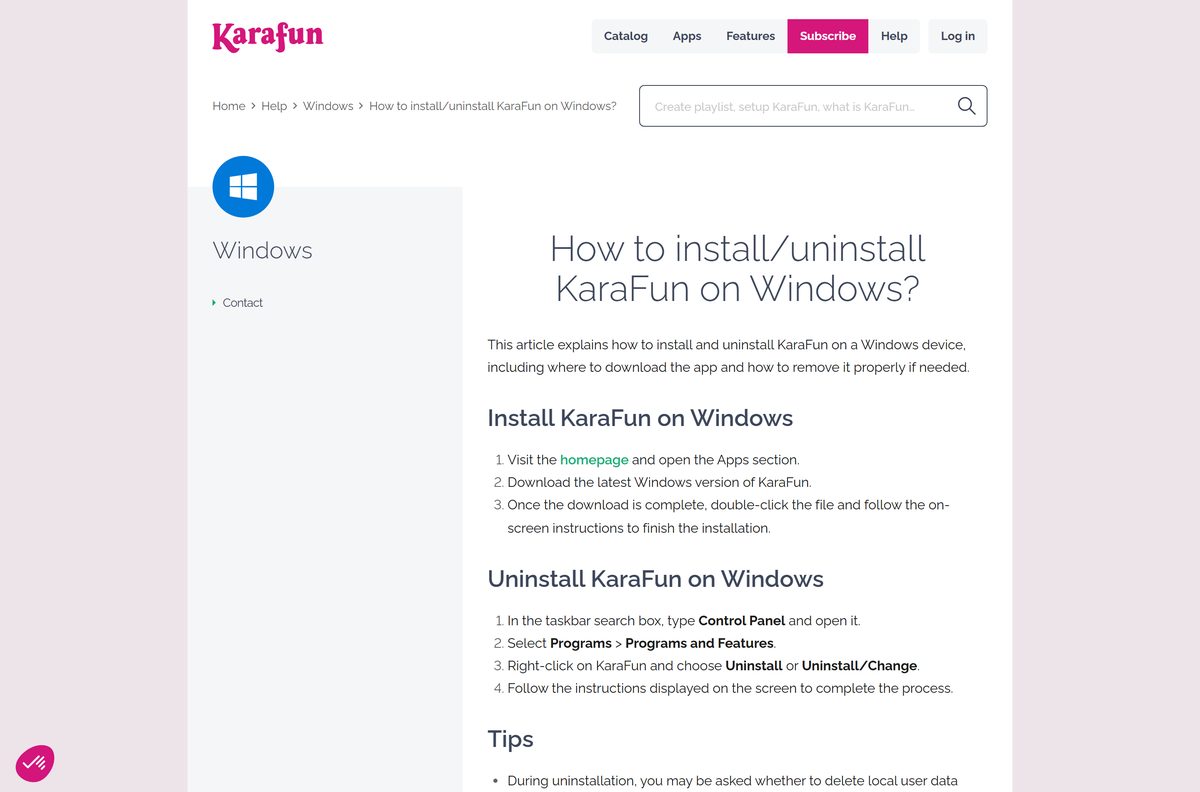
- On Windows, type Control Panel in the taskbar search box and open it.
- Select Programs > Programs and Features.
- Right-click KaraFun and choose Uninstall or Uninstall/Change.
- Choose whether to delete local data such as history, downloads, queue and settings, then follow the prompts.
- On a Mac, quit KaraFun and open the Applications folder in Finder.
- Drag KaraFun to the Trash, or select it and press Command + Delete.
- Enter your administrator password if asked, then empty the Trash.
Uninstalling does not cancel a subscription. Cancel it under My Account > Manage subscription and payments on karafun.com.
Should you use the KaraFun Web Player instead?
The Web Player signs in to the same account and plays the same catalog from a browser tab.
Install the desktop app for parties at home. Use the Web Player on a shared or locked-down computer. The Web Player lets you log in, browse the catalog, play songs and build the queue with no install. KaraFun keeps it simple on purpose, so some features from the apps are missing. The Windows and Mac apps add dual-screen output, offline sync and full audio control.
The Apps page also lists Apple TV, Android TV, Fire Stick and Fire Tablet versions for singing on a TV without a computer.
Frequently asked questions
Is KaraFun free to download?
Yes. The Windows, Mac, iPhone and Android apps install at no cost, and a free account plays 30-second samples, a limited set of full-length songs and one quiz. The full catalog, offline sync and key changes need Premium at $9.99 a month.
Does KaraFun have a free trial?
No. KaraFun does not offer a free trial period. The free version lets you explore the interface, hear samples and sing a limited selection of full songs before you decide whether to subscribe to Premium or Pro.
How much does KaraFun cost?
Premium costs $9.99 (USD) a month and covers home use with the full catalog and offline sync. Pro costs $49.99 a month and adds a commercial license and the complete catalog offline. Both renew monthly and cancel anytime.
Where do I download KaraFun for Windows 11?
Download it from the KaraFun Apps page at karafun.com by selecting Download for Windows. The installer runs on 64-bit Windows 10 or later, which includes Windows 11. Double-click the setup file and follow the prompts.
Does KaraFun work on a Mac?
Yes. KaraFun 2.18.2 for Mac needs macOS 14 Sonoma or later and comes as a .dmg from karafun.com or from the Mac App Store. Recisio also links an older 1.9.6 build from its Mac page.
Can I use KaraFun on two devices at once?
Not with one account. A single KaraFun account plays on one device at a time, and playback is blocked when a second device starts. Log out on one device to switch, or buy a separate subscription for each device.
Can I sing KaraFun songs without internet?
Yes, with a subscription. Right-click a song and select Download, or turn on automatic downloads under Settings and Offline. Premium keeps up to 1,000 songs offline, and Pro can store the whole catalog on the device.
How do I cancel my KaraFun subscription?
Sign in on karafun.com, open My Account, select Manage subscription and payments, then Cancel my KaraFun subscription. If you subscribed through the App Store or Google Play, cancel it in your Apple or Google account instead.
Can KaraFun play my own karaoke files?
The free KaraFun Player 2.6.2 for Windows opens your own CD+G, MPEG, KAR and MID karaoke files. The current KaraFun app is built around the streaming catalog. Download the Player from the KaraFun Player page on karafun.com.






