You can get the Fortnite download for Windows 11 and Windows 10 free, straight from Epic Games or the Microsoft Store. Install the Epic Games Launcher, sign in with an Epic account, and the launcher pulls down the full game and keeps it updated.
This guide covers which route to pick, both install methods, playing on a Mac, system requirements, fixes for Fortnite not installing, and a clean uninstall.
Which Fortnite download do you need?
Fortnite has no standalone setup file. A launcher or a store app downloads the game for you, so pick the route that matches your device.
| Your device | Get this | What it installs |
|---|---|---|
| Windows 11 or Windows 10 PC, 64-bit | Epic Games Launcher | The launcher, which then downloads Fortnite |
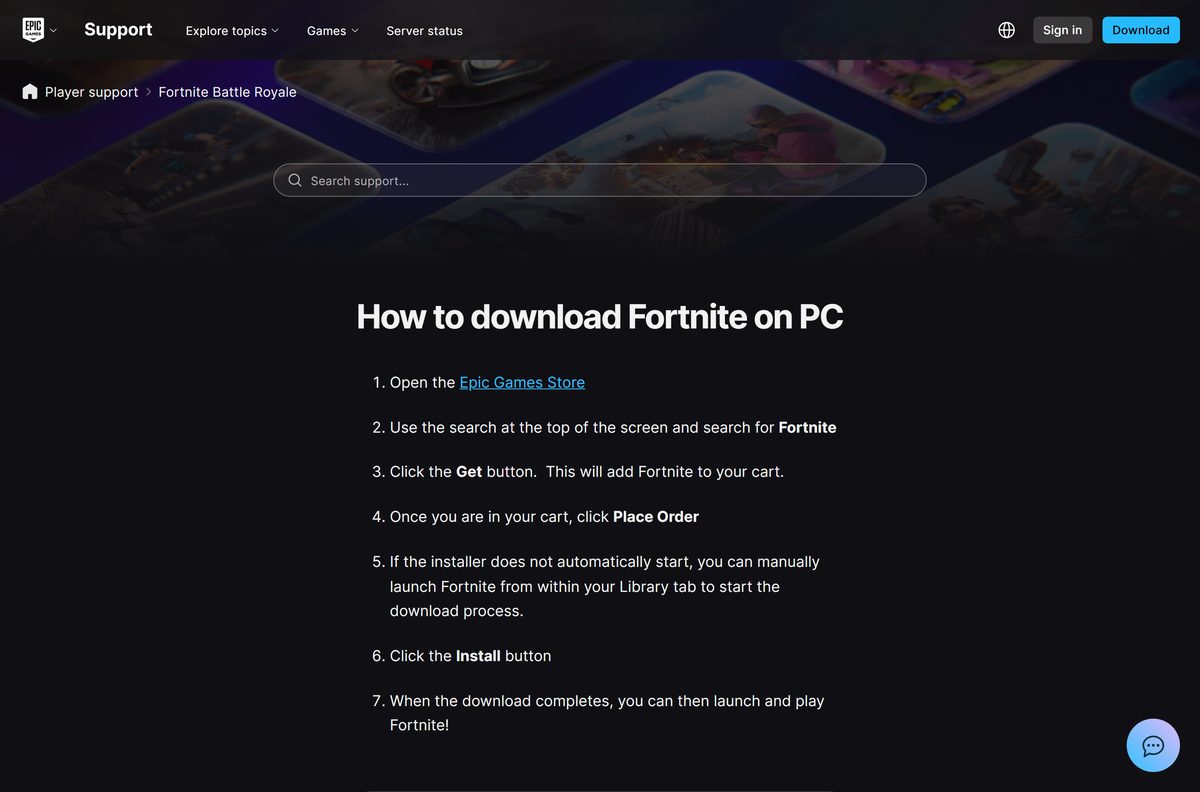
| Windows PC where you already use the Xbox app or Microsoft Store | Fortnite on the Microsoft Store | The PC package, up to 55.8 GB |
| Mac, or a PC below the minimum specs | Xbox Cloud Gaming | Nothing; the game streams in your browser |
| Mac with the GeForce NOW app | NVIDIA GeForce NOW | The streaming app, not the game |
Both Windows routes sign in to the same Epic account. Your skins, V-Bucks and progress follow the account, not the install.
Download Fortnite from the official links
Epic Games and Microsoft are the only two official sources for the Windows game. Any other site offering a Fortnite .exe is not Epic.
- Fortnite download page on Epic Games — Download Launcher button, then install Fortnite
- Epic Games Launcher installer for Windows — currently EpicInstaller-20.1.4.msi
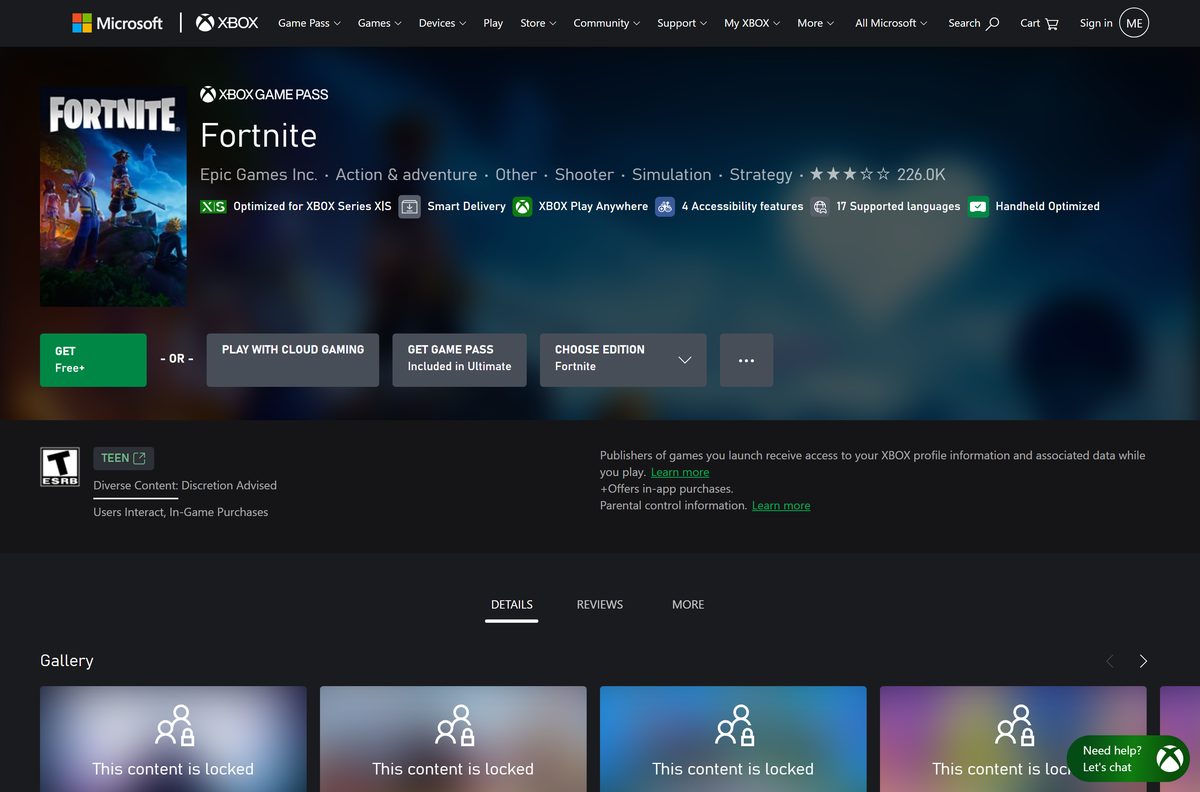
- Fortnite on the Microsoft Store — opens the Xbox store page with the GET button
- Fortnite on Xbox Cloud Gaming — play in a browser without installing
The launcher file is a Windows Installer package. Keep the PC online after you run it, because the game itself downloads through the launcher.
How to install Fortnite on Windows 11 and 10
Check free space on your drive first. The game download is many gigabytes, and an NVMe SSD is Epic’s recommended drive.
- Open the Fortnite download page and select Download Launcher.
- Run EpicInstaller-20.1.4.msi from your Downloads folder and select Yes at the User Account Control prompt.
- Open the Epic Games Launcher and sign in, or create a free Epic Games account.
- Select Store, search for Fortnite and open the Fortnite page.
- Select Get, then Place Order in the cart. The price is $0.
- Open Library and select Fortnite if the download does not start on its own.
- Pick an install folder and select Install. The default is C:\Program Files\Epic Games .
- Wait for the download to finish, then select Fortnite to launch and play.
The launcher installs Fortnite updates automatically. Leave it running in the system tray so a new season downloads before you sit down to play.
Install Fortnite from the Microsoft Store
Microsoft sells Fortnite as a free Xbox Play Anywhere title. The listing shows Free+ because the game offers in-app purchases.
- Open the Fortnite Microsoft Store listing in your browser.
- Select GET under the game title.
- Sign in with your Microsoft account when prompted.
- Let the install start on your PC and wait for the package to download. Microsoft lists up to 55.8 GB.
- Launch Fortnite from the Start menu.
- Sign in with your Epic account so your existing progress and items carry over.
Pick one route per PC. Installing through both the launcher and the Store puts two full copies of the game on your drive.
How to play Fortnite on a Mac
Epic’s own support site answers this directly: Fortnite is not available on Mac as an installed game. The current version runs on a Mac only through cloud gaming.
| Your situation | What to do | Link |
|---|---|---|
| You want to play in a browser with no install | Sign in with a Microsoft account on Xbox Cloud Gaming and select Fortnite | Xbox Cloud Gaming |
| You want a Mac app with keyboard and mouse | Install GeForce NOW, link your Epic account and launch Fortnite from the cloud | GeForce NOW |
| You want Epic’s full list of streaming options | Read the cloud-streaming article, which also names Amazon Luna | Epic cloud streaming help |
| You found a Fortnite .dmg for macOS | Do not install it; Epic confirms there is no current Mac version | Is Fortnite available on Mac? |
The Epic Games Launcher itself still installs on macOS 13.5 or higher, but it cannot install the current Fortnite on a Mac.
Is Fortnite free?
Yes. Fortnite is free to download and free to play on Windows, and an Epic Games account costs nothing. Money only changes hands for V-Bucks, the in-game currency. The Microsoft Store lists 800 V-Bucks at $8.99, 2,400 at $22.99, 4,500 at $36.99 and 12,500 at $89.99. Battle Royale, Zero Build, LEGO Fortnite, Fortnite Festival and Rocket Racing all come with the free game. A site that charges for the download, or offers free V-Bucks for your login, is a scam.
Turn on two-factor authentication on your Epic account before you buy anything. It protects your purchases and your cosmetics.
Should you install Fortnite from Epic or the Microsoft Store?
Install through the Epic Games Launcher. It is Epic’s own delivery route, it matches every step in Epic’s support articles, and fixes such as clearing the launcher cache or verifying files apply to it directly. Choose the Microsoft Store only if you already manage your PC games through the Xbox app and want Fortnite there too.
The game is the same either way. Your progress sits in your Epic account, so switching routes later costs only the re-download.
Check the Fortnite system requirements before you download
Fortnite runs only on 64-bit Windows. Press Windows + R, type msinfo32 and press Enter to see your processor, RAM and Windows version on one screen.
| Field | Value |
|---|---|
| Game | Fortnite |
| Developer | Epic Games, Inc. |
| Latest version | v42.20, released September 17, 2026 |
| License | Free to play, optional V-Bucks purchases |
| Minimum Windows | Windows 10 version 22H2 (64-bit) or Windows 10 Enterprise 21H2 (64-bit) |
| Recommended Windows | Windows 10 or Windows 11, 64-bit |
| Architecture | x64 only |
| macOS | No installed version; cloud gaming only |
| Microsoft Store PC package | Up to 55.8 GB |
| Epic Games Launcher | Windows 10 (64-bit) or Windows 11, 4 GB RAM, 3 GB storage |
| Offline installer | No; the launcher or Store downloads the game |
| Official source | Epic Games |
| Last verified | 2026-09-19 |
Check which Fortnite settings tier your PC can handle
Epic publishes three hardware tiers. Find the row your graphics card and processor fit, then set the in-game quality to match.
| Tier | Graphics | Processor | Memory | Drive |
|---|---|---|---|---|
| Minimum | Intel HD 4000 or AMD Radeon Vega 8 | Core i3-3225 3.3 GHz | 8 GB RAM | Not specified |
| Recommended | Nvidia GTX 960, AMD R9 280 or equivalent DX11 GPU, 2 GB VRAM | Core i5-7300U 3.5 GHz or AMD Ryzen 3 3300U | 16 GB RAM | NVMe SSD |
| Epic quality presets | Nvidia RTX 3070 or AMD Radeon RX 6700 XT, 8 GB VRAM | Intel Core i7-8700 or AMD Ryzen 7 3700X | 16 GB RAM | NVMe SSD |
A PC at the minimum tier runs the game on low settings. Lower the graphics options and close background apps to steady the frame rate.
Fix Fortnite not installing on Windows 11 or 10
Most install failures show up in the launcher as error LS-0006: Installation Failed. Work through these fixes in order.
The download stalls or fails with LS-0006
Old launcher cache files interfere with the install or update.
- Select the up arrow in the lower-right corner of the taskbar, right-click the Epic icon and select Exit.
- Press Windows + R, type %localappdata% and press Enter.
- Open EpicGamesLauncher, then Saved.
- Delete the webcache , webcache_4147 and webcache_4430 folders that are present.
- Reopen the launcher and start the install again.
The install fails with a permissions error
The launcher cannot write to the install folder without administrator rights.
- Exit the Epic Games Launcher from the system tray.
- Right-click the Epic Games Launcher shortcut.
- Select Run as administrator.
- Retry the Fortnite install or update.
The install keeps failing at the same point
Damaged game files block every retry.
- Open Library, select the three dots under Fortnite and select Uninstall.
- Exit the launcher from the system tray.
- Open C:\Program Files\Epic Games in File Explorer and delete the Fortnite folder if it is still there.
- Restart the launcher and select the Fortnite tile to install it again.
Epic’s LS-0006 support article also lists the Mac cache path for the launcher.
How to uninstall Fortnite
Uninstalling removes only the game files. Your progress, items and V-Bucks stay in your Epic Games account.
- Open the Epic Games Launcher.
- Select Library.
- Select the three-dot menu under Fortnite.
- Select Uninstall and confirm.
- For a Microsoft Store copy, open Settings > Apps > Installed apps, select the three dots next to Fortnite and choose Uninstall.
- Uninstall the Epic Games Launcher from Installed apps too if you no longer play any Epic games.
To reinstall later, select the Fortnite tile in Library and the launcher downloads it again.
Which free games are similar to Fortnite?
The Microsoft Store lists these free-to-play games next to Fortnite. Each one installs from the Store or its publisher’s launcher.
| Game | Price on the Microsoft Store | Pick it if you want |
|---|---|---|
| PUBG: BATTLEGROUNDS | Free+ | A slower, more realistic battle royale |
| Fall Guys | Free+ | Short party-game rounds instead of shootouts |
| Rocket League | Free+ | Fast car-soccer matches online |
Stay with Fortnite if you want building, LEGO survival and thousands of player-made islands in one download.
Other PC games and game launchers include Fall Guys and World Of Warcraft.
Frequently asked questions
Is the Fortnite download free?
Yes. Fortnite is free to download and play on Windows through the Epic Games Launcher or the Microsoft Store. The only purchases are optional V-Bucks, the in-game currency, starting at $8.99 for 800 on the Microsoft Store.
Where is the official Fortnite download page?
Epic hosts it at epicgames.com/fortnite/en-US/download, where the Download Launcher button fetches the Epic Games Launcher. Microsoft also lists Fortnite on the Microsoft Store, published by Epic Games Inc., as a free game for PC.
Does Fortnite work on Windows 11?
Yes. Epic recommends Windows 10 or Windows 11, 64-bit, for Fortnite. The minimum is Windows 10 version 22H2 (64-bit) or Windows 10 Enterprise 21H2 (64-bit), so older Windows releases cannot run the current game.
How big is the Fortnite download on PC?
Microsoft lists a maximum download of 55.8 GB for the Fortnite PC package on the Microsoft Store. The Epic Games Launcher needs its own 3 GB of storage, and updates add more over time, so keep plenty of free space.
Is there a Fortnite offline installer?
No. Epic offers no standalone Fortnite setup file. The Epic Games Launcher or the Microsoft Store downloads the game over the internet, and you need to stay online to sign in and play.
Can you download Fortnite on a Mac?
No. Epic’s support site states Fortnite is not available on Mac. You can still play it on a Mac through cloud gaming with Xbox Cloud Gaming, NVIDIA GeForce NOW or Amazon Luna, with no game download.
Does Fortnite run on 32-bit or ARM64 Windows?
Fortnite needs 64-bit Windows, and the Microsoft Store package lists x64 as its only architecture. A 32-bit Windows PC cannot run it, so use cloud gaming on devices that fall outside the requirements.
Is it safe to download Fortnite?
Yes, when you get it from Epic Games or the Microsoft Store. Avoid sites offering a Fortnite .exe, a Mac .dmg or free V-Bucks generators, because Epic ships the Windows game only through its launcher and the Microsoft Store.
What is the latest version of Fortnite?
Fortnite v42.20 is the latest release, dated September 17, 2026. The Epic Games Launcher and the Microsoft Store install updates automatically, so you never download a new version by hand.
Why is Fortnite not installing on my PC?
The usual cause is error LS-0006 from stale launcher cache files or missing permissions. Clear the webcache folders, run the Epic Games Launcher as administrator, then uninstall and reinstall Fortnite if the install still fails.
Is Fortnite free on the Microsoft Store?
Yes. The Microsoft Store lists Fortnite as Free+, which means the game is free and offers in-app purchases. It installs on Windows PCs and supports Xbox Play Anywhere with the same Epic account.
If I uninstall Fortnite, do I lose everything?
No. Epic stores your Fortnite progress, items and V-Bucks in your Epic Games account, not on the PC. Reinstall the game and sign in with the same account to get everything back.






