The Family Tree Maker download installs FTM 2024 on Windows 11, Windows 10 and Mac from Software MacKiev, the program’s publisher. One $80 license covers both systems, and the download links arrive right after you order.
This guide covers which edition to buy, installing on Windows and Mac, the free update to the latest build, system requirements, updater fixes and a clean uninstall.
Which Family Tree Maker download do you need?
Match your situation to a row. Every option comes from Software MacKiev, and each FTM 2024 license includes both the Windows and Mac downloads.
| Your situation | Take this | Cost |
|---|---|---|
| New user on Windows 11, Windows 10 or Mac | FTM 2024 download | $80 |
| You want a backup disc | FTM 2024 DVD + Download | $90 plus $5.95 shipping |
| You want a backup drive | FTM 2024 USB + Download (16 GB USB) | $100 plus $5.95 shipping |
| Several users on several computers at home | Family Pack Upgrade | $20 on top of one license |
| You already own FTM 2024 | Free 25.0.2 updater | Free |
| You bought FTM 2024 but lost the installer | Replacement download | See Software MacKiev support |
The DVD edition is out of stock until October 2026, so the download or USB option ships sooner.
Download Family Tree Maker from the official links
Software MacKiev sells Family Tree Maker directly. The installer itself comes through personalized links, so these pages are the only legitimate starting points.
- Buy FTM 2024 in the Software MacKiev store — Download, DVD or USB
- Family Tree Maker product page and requirements — Mac and Windows
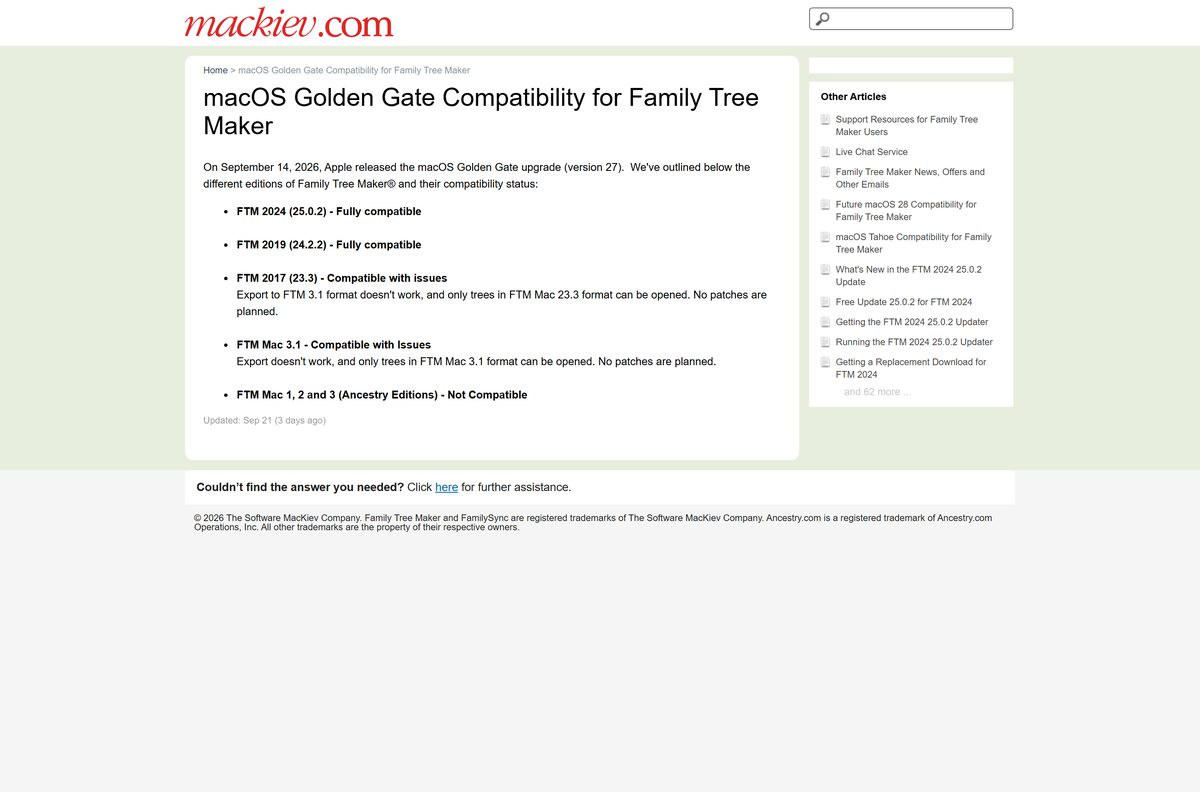
- Pick up your FTM 2024 download links — For pre-orders and free copies
- Get the free FTM 2024 25.0.2 updater — For existing FTM 2024 owners
- Family Tree Maker Support Center — Help articles and live chat
How to install Family Tree Maker on Windows 11 and 10
Order first, then install from the link that matches your system.
- Open the Software MacKiev US store and select the Download option for FTM 2024.
- Complete the order and click Complete Order on the summary page.
- On the next page, click the Windows download link. The same link also arrives by email.
- Wait until the installer file finishes downloading completely.
- Double-click the downloaded installer and select Yes if Windows asks for approval.
- Follow the on-screen setup prompts and click Finish.
- Open FTM 2024 from its new desktop icon, not from any older Family Tree Maker shortcut.
- Open your trees in the Plan workspace, or use Import an Existing Tree.
The installer stays on your computer after setup. Keep it with your order email so you can reinstall later.
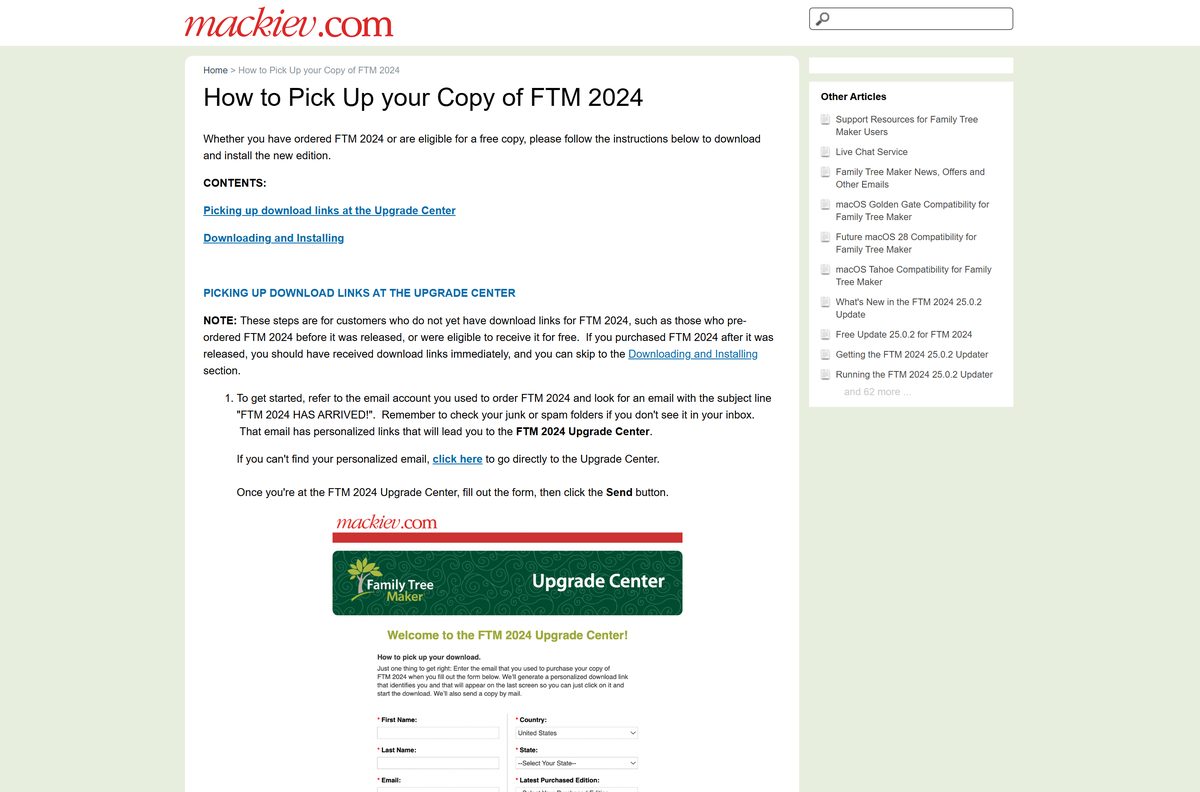
Which Family Tree Maker edition should you install on your Mac?
Open the Apple menu and select About This Mac to see your macOS version. Then find your row.
| Your Mac | Install this | Status |
|---|---|---|
| macOS Big Sur 11 through macOS Golden Gate 27 | FTM 2024 (Mac download) | Fully compatible |
| Running FTM 2019 on macOS 27 | Keep it or upgrade to FTM 2024 | Fully compatible |
| Running FTM 2017 on macOS 27 | Upgrade to FTM 2024 | Works with issues, no patches planned |
| Running FTM Mac 1, 2 or 3 (Ancestry editions) | Upgrade to FTM 2024 | Not compatible |
To install, click the Mac link from your order, then double-click the downloaded .dmg file and follow the prompts. FTM 2024 then appears in the Dock or the Applications folder.
Is Family Tree Maker free?
No. FTM 2024 costs $80 as a download, and Software MacKiev offers no free trial. Returning owners of older editions can get a discounted upgrade.
Some parts are free. Updates within FTM 2024 cost nothing, TreeVault cloud services are free for the first year, and relatives view your tree in the free FTM Connect app. TreeVault then starts at $1.99 a month.
A site offering a free full version, a license key or an activator is not selling the real program. Those copies do not come from Software MacKiev and cannot receive its updates.
Buy the $80 download from the Software MacKiev store; add the $20 Family Pack only if more than one person uses it on more than one computer at home. One license already covers Mac and Windows, and a single user may run it on both a desktop and a laptop.

Should you upgrade to FTM 2024 from an older edition?
FTM 2024 is a standalone program, so an earlier edition does not need to be installed first. Trees from FTM 2019 are converted the first time you open them.
FTM 2019 still works on macOS Golden Gate 27. FTM 2017 on that system cannot export to the FTM 3.1 format, and the Ancestry editions of FTM Mac do not run at all.
Upgrade to FTM 2024 if you use FTM 2017 or older, or if you want Turn Back Time 5000 and the Connect workspace; FTM 2019 users on a working setup can wait. FTM 2017, 2019 and 2024 all sync with Ancestry, but only FTM 2024 receives new features and Connect workspace fact-checking by relatives.
How to check your Family Tree Maker version and update it
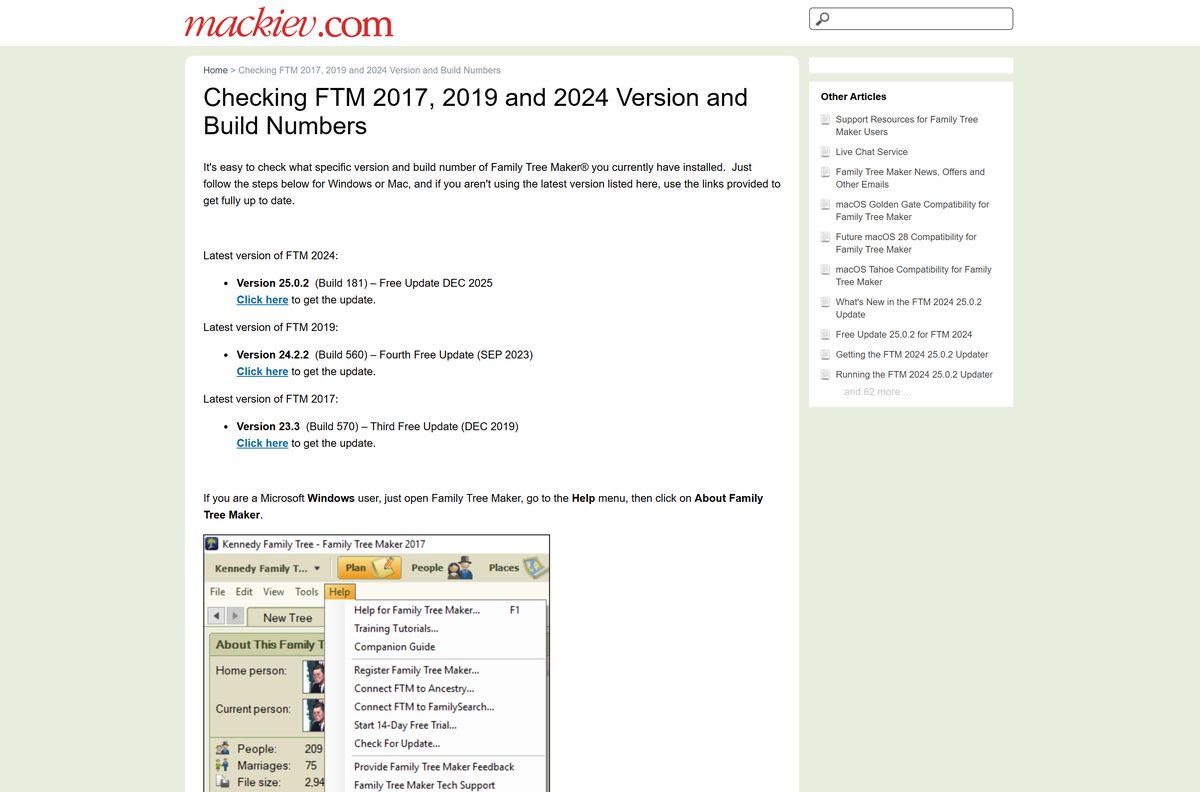
The newest FTM 2024 release is build 181. The updater is free for anyone who owns FTM 2024.
- On Windows, open Family Tree Maker and select Help > About Family Tree Maker.
- On a Mac, open the Family Tree Maker 2024 menu and select About Family Tree Maker 2024.
- If the build is lower than 181, sync your trees once and make a backup with File > Backup.
- Open the Software MacKiev Update Center and enter the email address you used to buy FTM 2024.
- Choose the free download, then click Order Now at the end of the Gift Collection.
- Click Download Now and select FTM2024Updater1.exe on Windows or FTM2024Updater1.dmg on a Mac.
- Close FTM 2024, double-click the updater and follow the prompts.
- Reopen About and confirm that build 181 appears.
Software MacKiev lists the updater at 727 MB for Windows and 309 MB for Mac. The Gift Collection items are optional.
Check the Family Tree Maker system requirements
Compare your computer with the minimum specifications before you order.
| Specification | Detail |
|---|---|
| Software | Family Tree Maker (FTM 2024) |
| Developer | The Software MacKiev Company |
| Latest version | 25.0.2 (build 181) |
| License / price | Paid: $80 download; no free trial |
| Windows | Windows 10 (64-bit) or later, including Windows 11 |
| Windows hardware | 800 MB disk space, 2 GB RAM (4 GB recommended), 1024 x 768 screen |
| macOS | macOS Big Sur 11 and later, including macOS Golden Gate 27 |
| Mac hardware | 900 MB disk space, 4 GB RAM (8 GB recommended), 1280 x 800 screen |
| Architecture | 64-bit Windows only; one Mac edition for macOS 11 and later |
| Offline installer | Yes, the purchased .exe and .dmg are full installers |
| Official download source | Software MacKiev store |
| Last verified | 2026-09-25 |

Fix Family Tree Maker not installing or updating
Most install problems come from the wrong file, an open program or a missing download link. Match your symptom below.
Windows shows “File in Use” during the update
FTM 2024 is still open while the updater runs.
- Close FTM 2024 with the X in the corner or from the File menu.
- Double-click the updater again.
- Follow the prompts to Finish.
The updater says “You’re up to date!”
The 25.0.2 update is already applied.
- Open FTM 2024.
- Select Help > About on Windows, or the Family Tree Maker 2024 menu on a Mac.
- Confirm that build 181 appears.
The About box still shows an older build
The updater was downloaded but never run.
- Find FTM2024Updater1.exe or FTM2024Updater1.dmg in your Downloads folder.
- Double-click it.
- Complete the on-screen prompts.
The updater will not run at all
It needs FTM 2024 installed and looks for an earlier FTM 2024 version first.
- Install FTM 2024 from your original purchase links.
- Run the updater again.
- If the installer is lost, request a replacement download from Software MacKiev support.
The download stalls or the page link fails
Heavy traffic on the download server.
- Open the order email from Software MacKiev.
- Click the personalized download link for your system.
- If it is still slow, try again later when fewer users are downloading.
How to uninstall Family Tree Maker
Removing the program does not delete your tree files. Make a backup with File > Backup first anyway.
- On Windows 11, open Settings > Apps > Installed apps.
- Find the Family Tree Maker edition you want to remove.
- Click the three-dot menu, select Uninstall, and confirm.
- On Windows 10, open Settings > Apps > Apps & features and select Uninstall instead.
- On a Mac, quit the program and open the Applications folder.
- Drag the Family Tree Maker app to the Trash, then empty the Trash.
After you install FTM 2024, you can remove FTM 2019 or FTM 2017 safely. Doing so avoids opening the old program by mistake.
Frequently asked questions
Is Family Tree Maker free?
No. Family Tree Maker is paid software, and the FTM 2024 download costs $80 from the Software MacKiev store. No free trial is offered. Updates within FTM 2024 are free, and the FTM Connect mobile app is free for your relatives.
Where is the official Family Tree Maker download?
The only official source is Software MacKiev, at mackiev.com and familytreemaker.com. After you buy FTM 2024, the download links appear on screen and arrive by email. Sites that offer a free Family Tree Maker installer are not official.
Does Family Tree Maker work on Windows 11?
Yes. FTM 2024 runs on Windows 10 (64-bit) or later, including Windows 11. It needs 800 MB of disk space, 2 GB of RAM (4 GB recommended) and a 1024 x 768 screen.
How big is the Family Tree Maker download?
Software MacKiev does not list the size of the full FTM 2024 installer. It lists the 25.0.2 updater at 727 MB for Windows and 309 MB for Mac. The installed program needs 800 MB of disk space on Windows and 900 MB on a Mac.
Is there a Family Tree Maker offline installer?
Yes. The purchased download is a full installer, an .exe for Windows or a .dmg for Mac, and it stays on your computer after setup. For a physical copy, order the DVD + Download or USB + Download edition instead.
Is Family Tree Maker available for Mac?
Yes. One FTM 2024 license covers both Mac and Windows. The Mac edition needs macOS Big Sur 11 or later, and Software MacKiev rates it fully compatible with macOS Golden Gate 27.
Is Family Tree Maker 64-bit, and does it run on ARM?
The Windows edition requires 64-bit Windows 10 or later. On the Mac, Software MacKiev ships one edition for macOS 11 and later and lists no separate Intel or Apple silicon download.
Is Family Tree Maker safe to download?
Yes, when the installer comes from the personalized links Software MacKiev sends after purchase. Avoid download portals, cracked copies and free license keys, which do not come from the publisher. The free Update Center only serves owners it can match to a purchase email.
What is the latest version of Family Tree Maker?
The latest edition is FTM 2024, and its latest version is 25.0.2, build 181, a free update from December 2025. Check your copy under Help > About Family Tree Maker on Windows.
Why won’t the Family Tree Maker updater install?
The updater needs FTM 2024 already installed, and FTM 2024 must be closed while it runs. If Windows shows File in Use, close the program and run the updater again. A You’re up to date message means the update is already applied.
Do I need the old version installed to upgrade to FTM 2024?
No. FTM 2024 is a standalone program, so it installs without any earlier edition present. After installing, you can uninstall the old edition, and your tree files stay on your computer.
Can I install Family Tree Maker on two computers?
Yes, if you are the only FTM 2024 user in your home, one license covers your desktop and your laptop. A $20 Family Pack Upgrade is needed only when more than one person uses it on more than one computer.






