You can put the ESPN app on a Windows 11 or Windows 10 PC in under a minute. Disney publishes it free on the Microsoft Store, and it opens in its own window with a Start menu entry and a taskbar icon.
On a Mac, open the Watch tab at espn.com in Safari, Chrome or Edge. iPhone, iPad and Android phones get the full ESPN app from their own stores.
Below are the official links, the Windows, Mac and phone setup steps, what ESPN Select and ESPN Unlimited cost, how TV provider sign-in works, and fixes for streams that stall.
Which ESPN download do you need?
Match the device in front of you to a row. One ESPN account signs in on all of them.
| Your device | What to get | What it needs |
|---|---|---|
| Windows 11 or Windows 10 PC | ESPN on the Microsoft Store | Windows 10 build 19041 or later, 263.8 KB |
| MacBook, iMac, Mac mini or Mac Studio | The Watch tab at espn.com | A current web browser |
| iPhone or iPad | ESPN: Live Sports & Scores on the App Store | iOS or iPadOS 18.0, 263.2 MB |
| Android phone or tablet | ESPN on Google Play | Google Play on the device |
| Any computer, no install | espn.com in a browser | An ESPN account |
The Windows app is the only desktop install. ESPN ships no setup file and no Mac disk image.
Download ESPN from its official sources
Every official copy comes from Disney through one of these addresses.
- ESPN on the Microsoft Store — 263.8 KB · Windows 11 and Windows 10, publisher Disney, free
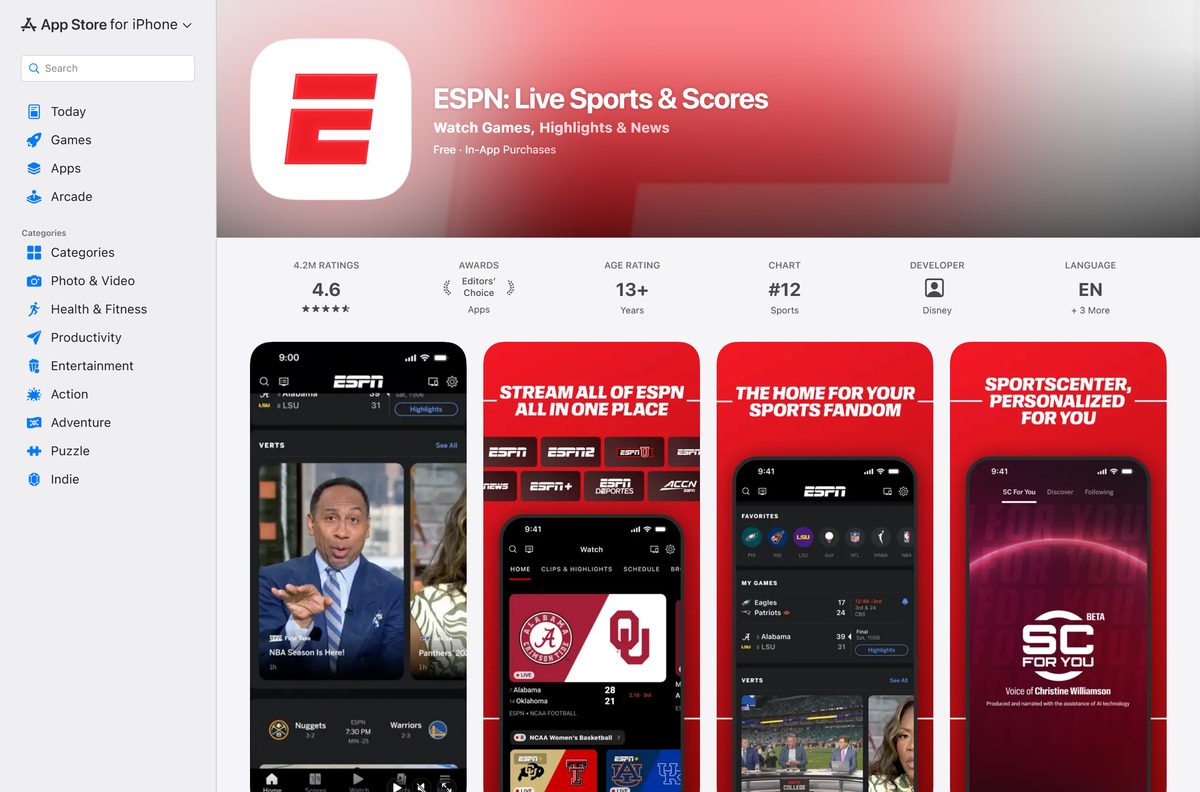
- ESPN: Live Sports & Scores on the App Store — 263.2 MB · iPhone and iPad, seller Disney Electronic Content, Inc.
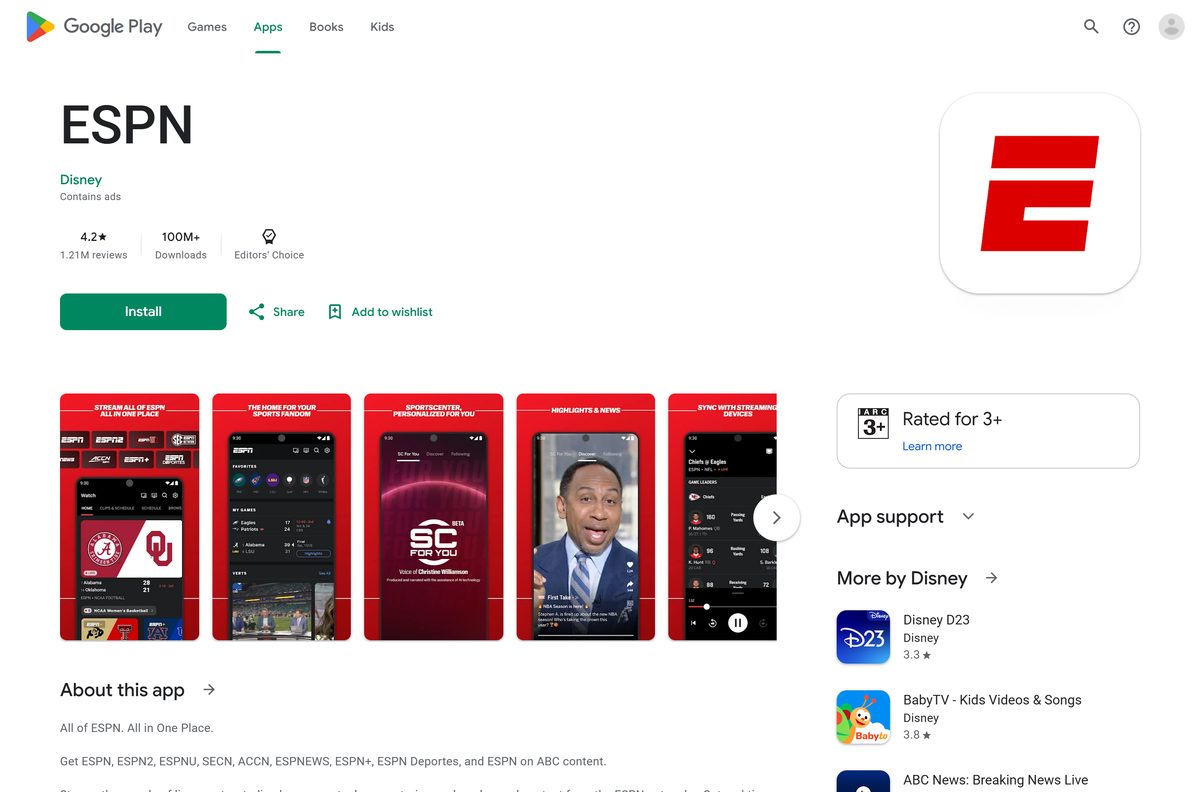
- ESPN on Google Play — Android phones and tablets, developer Disney
- Watch on espn.com — the browser route for Mac, Linux and any Windows PC
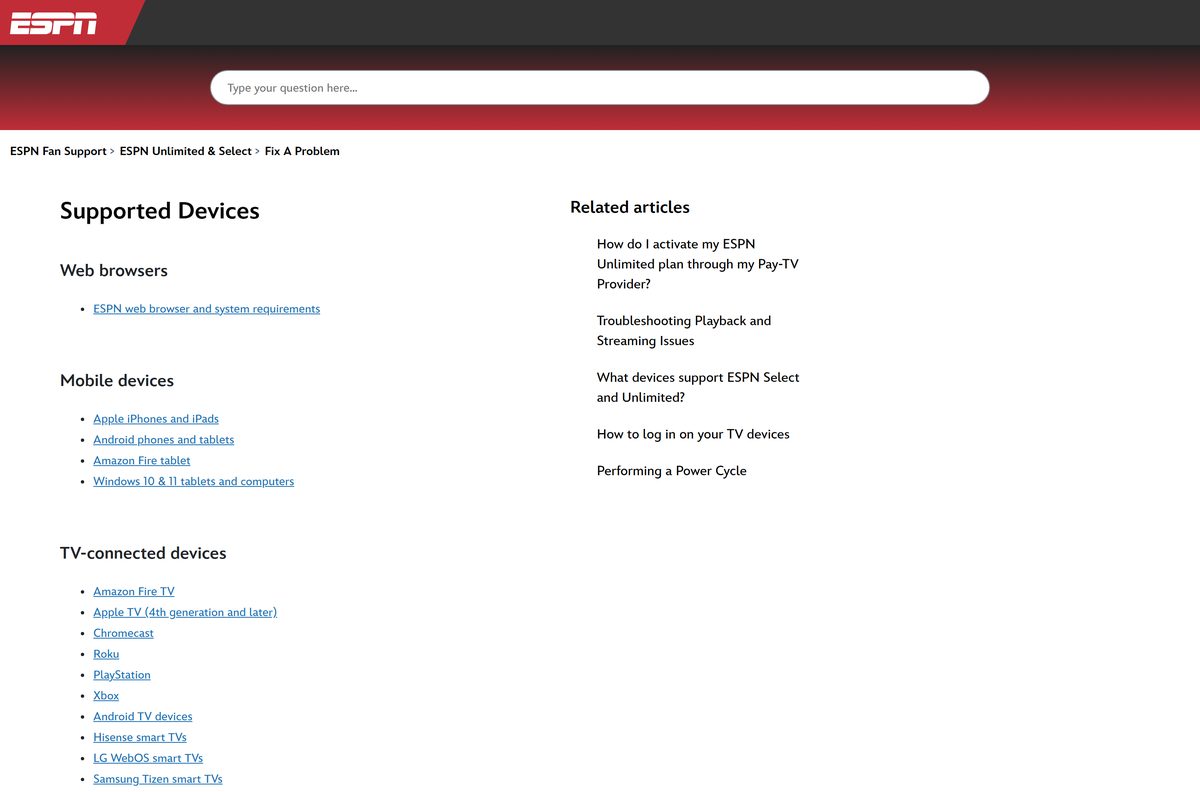
- ESPN supported devices — the official list of phones, consoles and TVs
An ESPN setup file offered on any other site does not come from Disney. Start at the Microsoft Store listing above.
Check the ESPN requirements before you install
The Windows app is small because it loads espn.com inside its own window.
| Field | Value |
|---|---|
| Software | ESPN |
| Developer | Disney (ESPN Inc.) |
| Latest version | 16.0.1.0 on the Microsoft Store; 8.26.1 on iPhone and iPad |
| License | Free app; live streams need a paid plan or a TV provider |
| Supported OS | Windows 10 build 19041 or later, Windows 11, iOS 18.0 or later, Android |
| Architecture | Neutral package: runs on x64 and ARM64 PCs |
| Download size | 263.8 KB on Windows; 263.2 MB on iPhone and iPad |
| Offline installer | No; Microsoft Store only |
| Mac app | None; watch at espn.com in a browser |
| Category | Sports |
| Last verified | 2026-09-24 |
To read your Windows build, press Windows + R, type winver and press Enter.
How to install the ESPN app on Windows 11 and 10
The Microsoft Store handles the download, the install and every later update.
- Open the ESPN listing on the Microsoft Store, or open Microsoft Store and search for ESPN.
- Check that the publisher reads Disney and the category reads Sports.
- Select Get, or Install if you have owned it before.
- Wait for the button to change to Open, then select it.
- Open the app, select the sign-in option and enter your MyDisney email address and password.
- Right-click the icon on the taskbar and select Pin to taskbar to keep it there.
Scores, news and highlights load right away. Live games ask for a plan or a TV provider sign-in first.
How to watch ESPN in a browser without installing anything
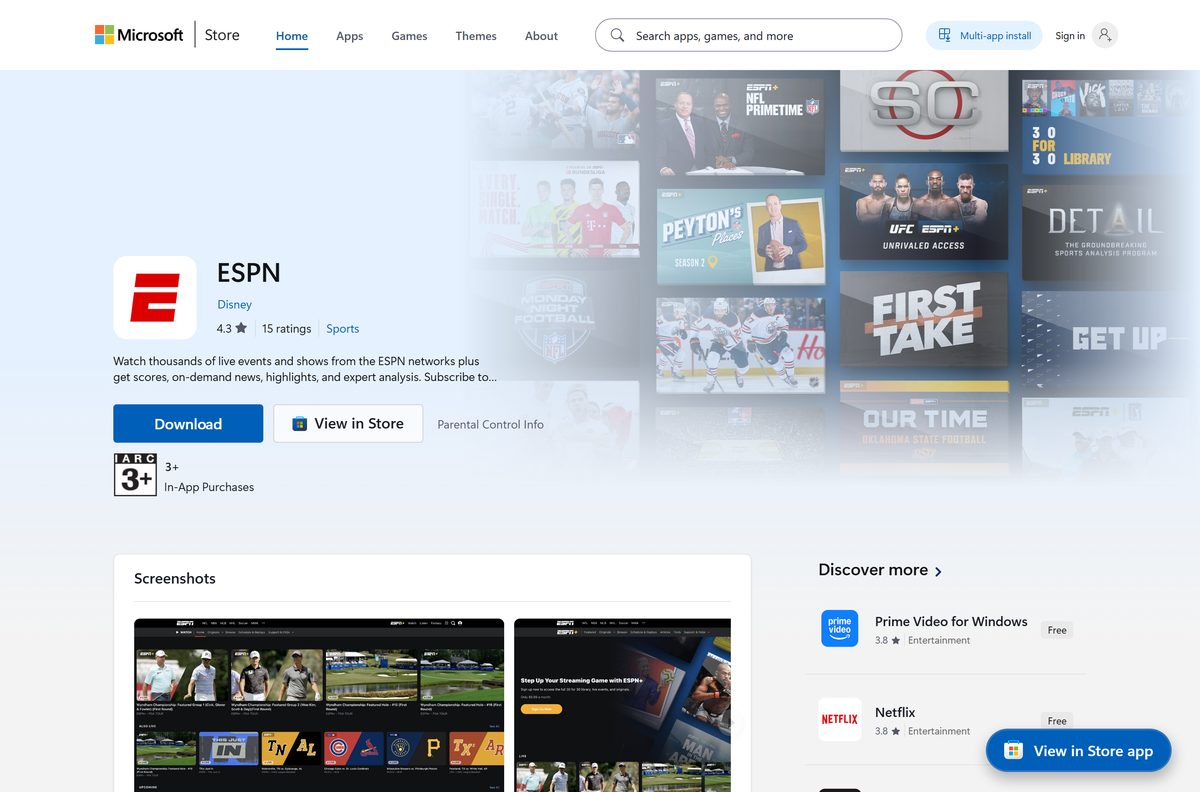
ESPN streams in the Watch tab at espn.com, which works on any PC, Mac or Chromebook.
- Open espn.com/watch in a web browser such as Chrome, Edge or Safari.
- Select the sign-in option and enter your ESPN account email address and password.
- Pick a live event or replay from the Watch tab.
- If the player asks for a TV provider, select yours and sign in with that provider’s username and password.
- In Chrome, open the three-dot menu, then Cast, save and share, then Install page as app to get a desktop icon.
Full access to ESPN streams needs an eligible package with one of ESPN’s affiliate providers, or an ESPN plan.
Which ESPN download do you need for your Mac?
There is no Mac app. The App Store listing covers iPhone, iPad and Apple Watch models only.
| Your Apple device | What to do | What it needs |
|---|---|---|
| Any Mac, Apple silicon or Intel | Sign in at espn.com/watch in Safari | A current version of Safari |
| A Mac where you want a Dock icon | Open espn.com in Chrome and install it as an app | Google Chrome |
| iPhone or iPad | The App Store listing | iOS or iPadOS 18.0 |
| Apple TV | The official supported-device list | The App Store on the Apple TV |
Safari has no install-as-app command, so use Chrome when you want the Dock icon.
Install the ESPN app on iPhone, iPad and Android
The phone and tablet apps are free, and they carry the full ESPN feature set.
- On an iPhone or iPad, open App Store and search for ESPN: Live Sports & Scores.
- Check that the seller reads Disney Electronic Content, Inc., then select Get.
- On Android, open Google Play, open the ESPN listing from Disney and select Install.
- Open the app and allow notifications if you want score alerts for your teams.
- Select Log In and sign in with your MyDisney account.
The iPhone build needs iOS 18.0 or later. Google Play marks the Android app as containing ads.
Is the ESPN app free?
The download costs nothing on any device. Live streaming does.
The app is free, but live games need ESPN Select, ESPN Unlimited or a TV provider that includes ESPN. The Microsoft Store, App Store and Google Play all list ESPN at $0, and scores, news and highlights work without a plan. ESPN Select costs $13.99 a month or $139.99 a year. ESPN Unlimited costs $31.99 a month or $319.99 a year. Hulu + Live TV, YouTube TV, DIRECTV, Fubo TV, Spectrum TV, Verizon Fios, U-verse, Cox and Comcast Xfinity packages can include ESPN Unlimited. Any site selling a cracked ESPN build or a lifetime key is not selling anything real.
Check with your TV provider first. An eligible package unlocks the live channels without a second bill from ESPN.
Which ESPN plan should you get: Select or Unlimited?
Both plans sign in to the same app. The difference is which channels and events unlock.
Take ESPN Unlimited if you want the ESPN TV networks; take ESPN Select if the ESPN+ lineup is enough. ESPN Select at $13.99 a month carries the ESPN+ streaming content. ESPN Unlimited at $31.99 a month adds the full set of ESPN networks on top of it. Annual billing costs $139.99 for Select and $319.99 for Unlimited. If a pay-TV package already includes ESPN Unlimited, activate it on espn.com with Agree & Activate and a MyDisney login instead of paying again.
Hulu + Live TV subscribers skip activation and sign in with their MyDisney credentials.
Check which devices run ESPN
ESPN’s own device list covers far more than computers.
| Device family | Where the app comes from |
|---|---|
| Windows 10 and 11 computers and tablets | Microsoft Store |
| Mac and other computers | espn.com in a web browser |
| iPhone and iPad | App Store |
| Android phones and tablets, Amazon Fire tablet | Google Play, or the tablet’s own app store |
| Amazon Fire TV, Apple TV, Android TV, Chromecast, Roku | The device’s own app store |
| PlayStation and Xbox | The console store |
| Hisense, LG webOS, Samsung Tizen, Vizio SmartCast TVs | The TV’s app store |
| Cox Contour, Xfinity Flex and X1, Xumo | The provider’s app menu |
The full list sits in the ESPN supported-devices article.
How to check your ESPN version and update it
The Windows app pulls its content from espn.com, so it rarely needs a new package. The phone apps update often.
- On Windows, open Microsoft Store and select Library at the bottom left.
- Select Get updates and wait for ESPN to finish if it appears in the list.
- To read the installed version, open Settings, then Apps, then Installed apps, and select the three dots next to ESPN, then Advanced options.
- On an iPhone or iPad, open App Store, select your profile picture and select Update next to ESPN.
- On Android, open Google Play, select your profile picture, then Manage apps & device, then Updates available.
The iPhone and iPad app reached 8.26.1 on 22 September 2026.
Fix the ESPN app not working on Windows 11, 10 or Mac
Most failures come from the provider sign-in, a congested connection or an old Windows build.
An error message appears when a live stream starts
ESPN shows these messages when the video service or cable subscription has a problem.
- Sign out of the TV provider in the player and sign in again.
- Contact your TV provider’s customer service to confirm the package includes ESPN.
- If the provider confirms access, contact ESPN Customer Care through the chat link on ESPN Fan Support.
The stream freezes, stalls or drops in quality
Internet congestion or other programs competing for the connection.
- Refresh the browser, or close it and open it again.
- Wait several minutes and start the stream again.
- Close other applications running at the same time.
- Turn off any content filter, proxy accelerator or pop-up blocker, then try again.
The Microsoft Store will not install ESPN
The package needs Windows 10 build 19041 or later.
- Press Windows + R, type winver and press Enter to read your build.
- Open Settings, then Windows Update, and install every pending update.
- Press Windows + R, type wsreset.exe and press Enter to clear the Store cache.
- Open the ESPN Store listing again and select Get.
In the phone apps, Contact Support under Settings opens a live support chat.
How to uninstall the ESPN app
Removing the app leaves any ESPN plan running. Billing is managed from the account, not the app.
- On Windows, press Windows + I to open Settings, then select Apps, then Installed apps.
- Find ESPN, select the three dots and choose Uninstall, then confirm.
- Or right-click ESPN in the Start menu and select Uninstall.
- On a Mac that uses the Chrome shortcut, open chrome://apps , right-click the ESPN tile and choose Remove from Chrome.
- On an iPhone or iPad, press and hold the icon and select Remove App, then Delete App.
- On Android, press and hold the icon and select Uninstall.
A plan that came with a TV package ends when that package ends, under the provider’s own terms.
Frequently asked questions
Is the ESPN app free to download?
Yes. The Microsoft Store, App Store and Google Play all list ESPN at no cost. Scores, news and highlights work without paying, while live games need ESPN Select, ESPN Unlimited or an eligible TV provider package.
Where is the official ESPN app download for PC?
The official Windows app is the ESPN listing on the Microsoft Store, published by Disney. It installs on Windows 11 and on Windows 10 build 19041 or later. ESPN offers no separate setup file for Windows.
Can I download the ESPN app on a laptop?
Yes. A Windows 11 or Windows 10 laptop installs the ESPN app from the Microsoft Store. A MacBook or Chromebook uses the Watch tab at espn.com in a browser instead, which needs no install.
Is there an ESPN app for Mac?
No. The App Store listing covers iPhone, iPad and Apple Watch models, with no Mac build. On a Mac, sign in at espn.com/watch in Safari, or install the site as an app from Chrome.
How big is the ESPN download?
The Windows package is 263.8 KB, or 270,176 bytes, because it loads espn.com inside its own window. The iPhone and iPad app is 263.2 MB and needs iOS 18.0 or later.
How much does ESPN cost to stream?
ESPN Select costs $13.99 a month or $139.99 a year. ESPN Unlimited costs $31.99 a month or $319.99 a year. A TV package from a provider such as YouTube TV or Xfinity can include ESPN Unlimited.
Can I watch ESPN with my TV provider login?
Yes. Providers including Hulu + Live TV, YouTube TV, DIRECTV, Fubo TV, Spectrum TV, Verizon Fios, Cox and Comcast Xfinity can include ESPN Unlimited. Activate it on espn.com with Agree & Activate and a MyDisney login.
Is there an ESPN offline installer for Windows?
No. The Windows app installs only through the Microsoft Store, and there is no standalone ESPN setup file or MSI package. Any ESPN installer offered on another site does not come from Disney.
Why does the ESPN app show an error when a live game starts?
ESPN shows these messages when the video service or cable subscription has a problem. Sign in to the provider again, confirm the package includes ESPN, then contact ESPN Customer Care through the chat on ESPN Fan Support.
How do I update the ESPN app on Windows?
Open Microsoft Store, select Library and then Get updates. The Store installs any new ESPN package automatically. On iPhone, iPad and Android, update the app from the App Store or Google Play profile menu.