The 7-Zip download for Windows 11 and Windows 10 is a 1.6 MB installer from 7-zip.org. Run it once, and you can open ZIP, RAR, ISO and dozens of other archive types from File Explorer.
7-Zip is free for home and business use, with separate builds for 64-bit, 32-bit and ARM64 PCs.
Below: which file to pick, install steps, silent MSI deployment, the Mac and Linux builds, updates, fixes and a clean uninstall.
Which 7-Zip download do you need?
Open Settings > System > About and read the System type line. Match it to a row below.
| Your PC | File to download | Size |
|---|---|---|
| 64-bit Windows 11 or 10 (x64-based processor) | 7z2603-x64.exe | 1.6 MB |
| Windows on ARM (ARM-based processor) | 7z2603-arm64.exe | 1.5 MB |
| 32-bit Windows (x86) | 7z2603.exe | 1.3 MB |
| Managed PCs deployed through Group Policy or Intune | 7z2603-x64.msi or 7z2603.msi | MSI package |
| Mac, command line only | 7z2603-mac.tar.xz | Console build |
7-zip.org recommends the EXE installer over the MSI unless you need MSI for deployment.
Download 7-Zip for Windows 11 and 10 from 7-zip.org
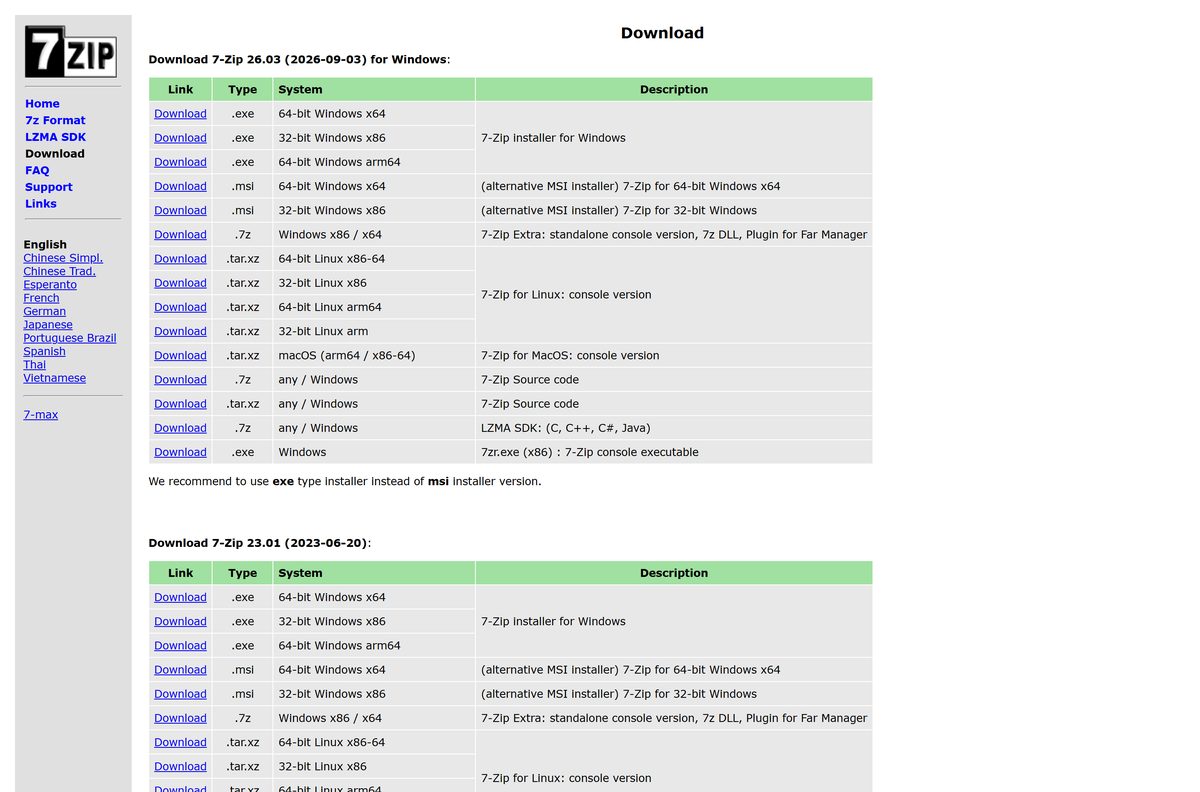
The current release came out on 3 September 2026. The download page lists every build, and each Download link fetches the file from the project’s release repository on GitHub.
- 7-Zip download page — Windows EXE and MSI, Linux and macOS console builds, source code
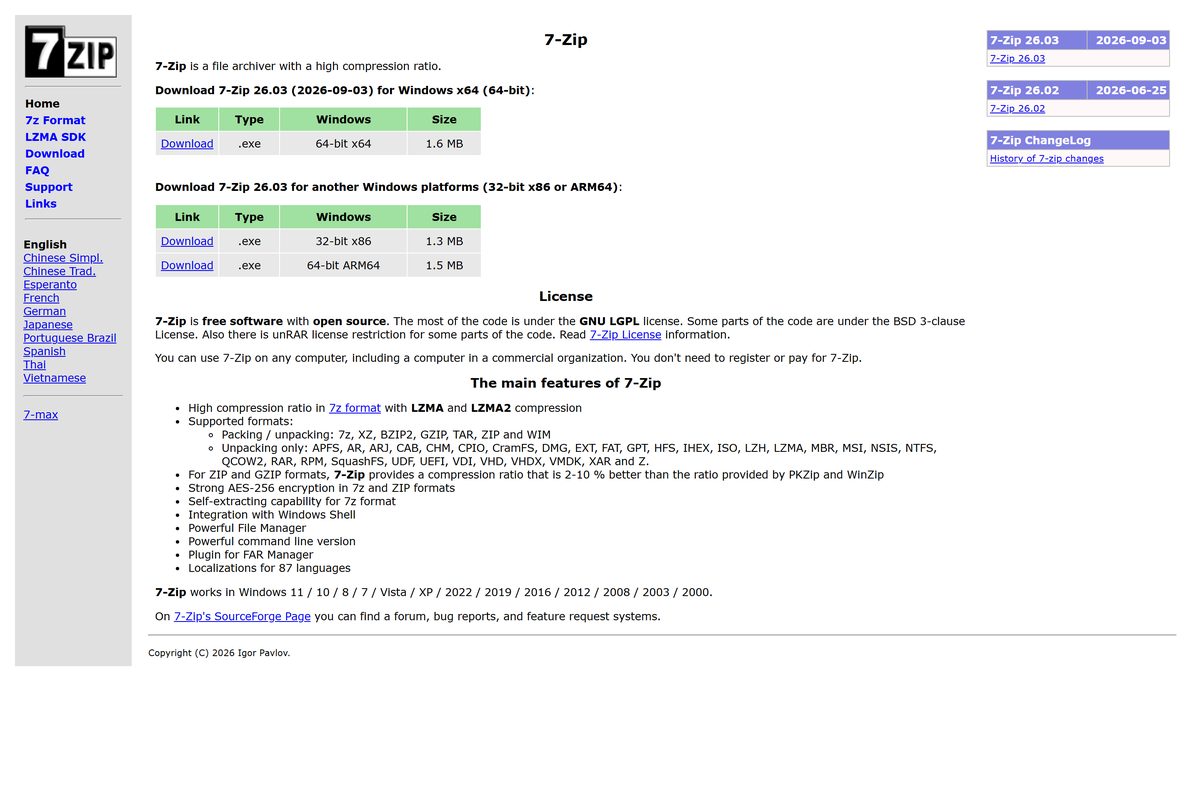
- 7-Zip home page — 1.6 MB · one-click 64-bit installer plus 32-bit and ARM64 links
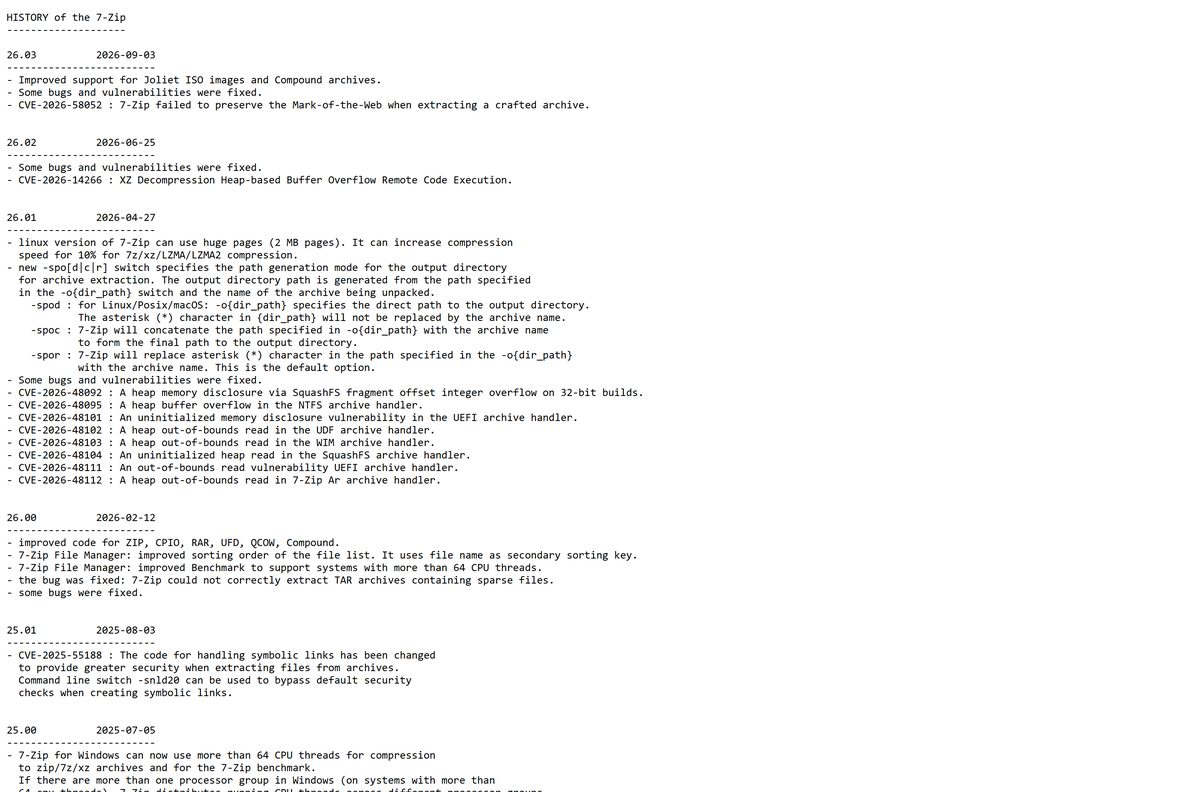
- 7-Zip version history — changes and security fixes in each release
Download portals often wrap 7-Zip in their own installer. The files linked from 7-zip.org are the only ones Igor Pavlov publishes.
How to install 7-Zip on Windows 11 and 10
- Open 7-zip.org/download.html in your browser.
- Click Download in the row for 64-bit Windows x64, or the ARM64 row on an ARM PC.
- Save 7z2603-x64.exe to your Downloads folder.
- Double-click the file and click Yes at the User Account Control prompt.
- Keep the destination folder C:\Program Files\7-Zip and click Install.
- Click Close when setup finishes.
- Right-click any archive in File Explorer and open the 7-Zip menu to extract it.
Setup copies everything it needs from the 1.6 MB file, so it also works on a PC with no internet connection.
Install 7-Zip silently with the EXE or MSI package
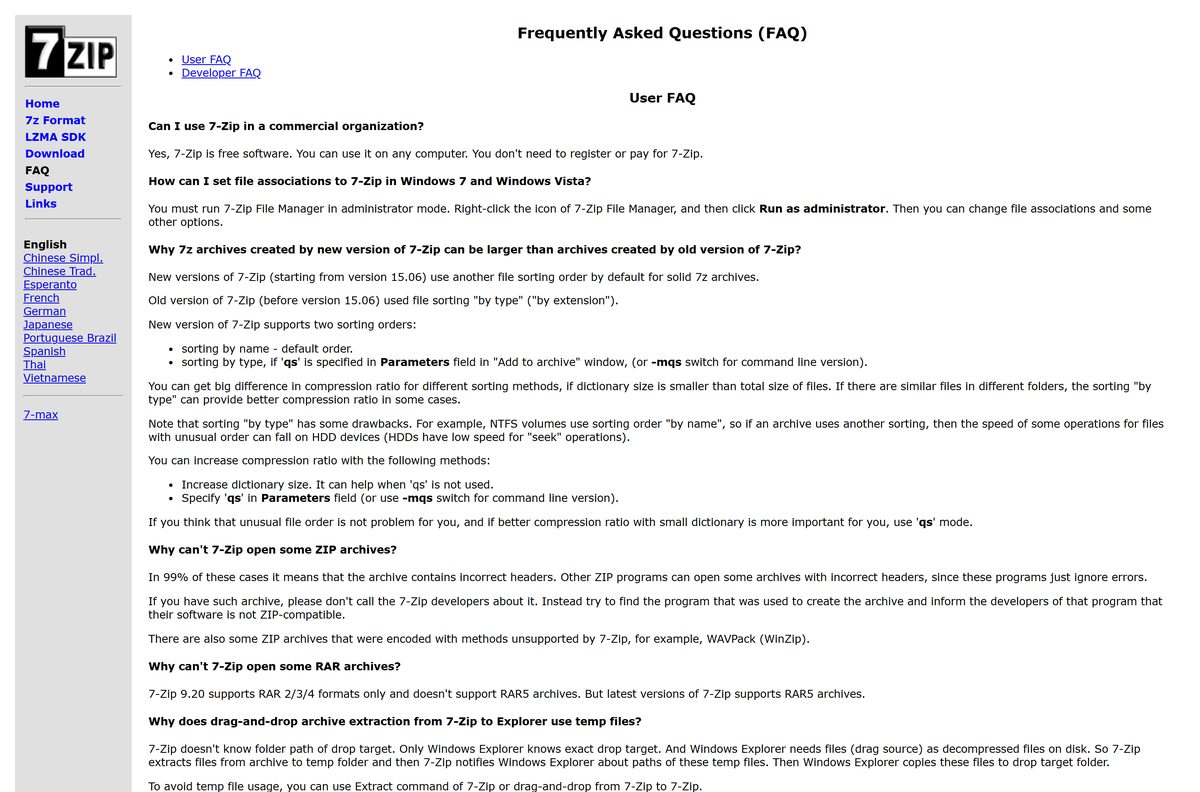
For scripted installs, the 7-Zip FAQ documents one switch set for each package type. Get the MSI files from 7-zip.org/download.html and test on one PC before you push them to a fleet.
| Package | Silent install command | Use it for |
|---|---|---|
| 7z2603-x64.exe | 7z2603-x64.exe /S /D="C:\Program Files\7-Zip" |
Scripts, login scripts and one-off remote installs |
| 7z2603-x64.msi | msiexec /i 7z2603-x64.msi /q INSTALLDIR="C:\Program Files\7-Zip" |
Group Policy, Intune and other MSI-based tools |
| 7z2603.msi | msiexec /i 7z2603.msi /q INSTALLDIR="C:\Program Files\7-Zip" |
Remaining 32-bit Windows machines |
Run the commands from an elevated Command Prompt or your deployment tool’s system context.
Which 7-Zip download do you need for your Mac or Linux PC?
7-zip.org publishes a macOS build that runs in Terminal. It has no windows or menus, so it suits scripting rather than everyday unzipping.
| Your computer | What to use | Download |
|---|---|---|
| Mac, Apple Silicon or Intel, comfortable in Terminal | 7-Zip for macOS console version | 7z2603-mac.tar.xz |
| Mac, wanting a double-click archive app | Keka, which 7-zip.org lists as a free Mac archiver | 7-zip.org download page |
| Linux x86-64, x86, arm64 or arm | 7-Zip for Linux console version | 7z2603-linux-x64.tar.xz and others |
The single Mac archive covers both Apple Silicon (arm64) and Intel (x86-64) Macs.
Is 7-Zip free?
Install 7-Zip without paying. There is no paid edition, trial or registration. 7-Zip is open source, mostly under the GNU LGPL with some BSD 3-clause code. Its license lets you use it on any computer, including computers in a commercial organization.
Any site asking for money, a serial number or a “pro” upgrade for 7-Zip is not selling the official program.
Developers who ship 7-Zip’s EXE or DLL files must credit 7-Zip, name the GNU LGPL and link to 7-zip.org.
How to check your 7-Zip version and update it
7-Zip has no automatic updater. Older copies miss security fixes: the current release fixes CVE-2026-58052, where crafted archives could drop the Mark-of-the-Web on extracted files.
- Open 7-Zip File Manager from the Start menu.
- Click Help and choose About 7-Zip.
- Compare the version shown with the heading on 7-zip.org/download.html.
- If yours is older, download the new installer for your system type.
- Close all 7-Zip windows, run the installer and click Install over the existing folder.
Download only from 7-zip.org when you update, so you get the patched release rather than a repackaged copy.
Check the 7-Zip system requirements before you install
| Field | Value |
|---|---|
| Software | 7-Zip |
| Developer | Igor Pavlov |
| Latest version | 26.03 |
| Released | 3 September 2026 |
| License | Free, open source (GNU LGPL, some BSD 3-clause code) |
| File size | 1.6 MB (x64), 1.3 MB (x86), 1.5 MB (ARM64) |
| Windows | Windows 11, 10, 8, 7, Vista, XP |
| Windows Server | 2022, 2019, 2016, 2012, 2008, 2003, 2000 |
| Architecture | x64, x86 (32-bit), ARM64 |
| macOS and Linux | Console versions only |
| Offline installer | Yes, the setup EXE is the full program |
| Official download source | 7-zip.org |
| Last verified | 2026-09-25 |
Current versions still install on Windows XP and Windows 7, which makes 7-Zip useful on older machines.
What 7-Zip can open and create
| Task | Formats |
|---|---|
| Create and extract | 7z, XZ, BZIP2, GZIP, TAR, ZIP, WIM |
| Extract only | APFS, AR, ARJ, CAB, CHM, CPIO, CramFS, DMG, EXT, FAT, GPT, HFS, IHEX, ISO, LZH, LZMA, MBR, MSI, NSIS, NTFS, QCOW2, RAR, RPM, SquashFS, UDF, UEFI, VDI, VHD, VHDX, VMDK, XAR, Z |
| Encrypt | AES-256 in 7z and ZIP archives |
| Self-extracting archives | 7z format |
7-Zip opens RAR files but cannot create them. For ZIP and GZIP, it compresses 2 to 10 percent smaller than PKZip and WinZip.
Fix 7-Zip not installing or not opening files
The installer will not run on a Windows on ARM PC
The x64 or 32-bit file was downloaded instead of the native ARM build.
- Open Settings > System > About and confirm System type says ARM-based processor.
- Download 7z2603-arm64.exe from 7-zip.org and run it.
File associations will not save
Associations need administrator rights.
- Right-click 7-Zip File Manager in the Start menu.
- Choose Run as administrator.
- Open Tools > Options, tick the file types on the System tab and click OK.
Setup fails with files in use
An open 7-Zip window or Explorer menu is locking the old files.
- Close every 7-Zip window.
- Restart the PC, then run the installer again before opening any archive.
A silent install ends up in the wrong folder
The EXE and MSI packages use different path switches.
- Use /D= with the EXE installer.
- Use INSTALLDIR= with the MSI package, together with /q .
How to uninstall 7-Zip from Windows 11 and 10
- Close all 7-Zip windows.
- Open Settings > Apps > Installed apps.
- Search for 7-Zip.
- Click the three-dot menu next to it and choose Uninstall.
- Confirm with Uninstall, then Yes at the User Account Control prompt.
- Restart File Explorer or sign out and back in to clear the old context menu entries.
If C:\Program Files\7-Zip is still there afterwards, delete the folder by hand.
Choose another archiver if 7-Zip is not the right fit
| Option | Best for | Link |
|---|---|---|
| 7-Zip | Free compression, AES-256 encryption and the widest extract list on Windows | 7-zip.org |
| Windows 11 File Explorer | Opening ZIP, RAR, 7z and TAR on version 24H2 with nothing to install; no encrypted archives | Microsoft support |
| WinZip | A paid archiver with encryption and file-sharing tools | winzip.com |
Install 7-Zip if you create archives, need passwords or open ISO and DMG files. Built-in Windows support covers casual unzipping.
Frequently asked questions
Is 7-Zip free?
Yes. 7-Zip is free, open-source software under the GNU LGPL, with some BSD 3-clause code. You can use it on any computer, including business computers, without registering or paying.
What is the official 7-Zip download page?
The official page is 7-zip.org/download.html. It lists the Windows EXE and MSI installers, the ARM64 build, the Linux and macOS console versions and the source code for every current release.
What is the latest version of 7-Zip?
The latest version is 7-Zip 26.03, released on 3 September 2026. It improves Joliet ISO and Compound archive support and fixes several bugs and vulnerabilities, including CVE-2026-58052.
Does 7-Zip work on Windows 11?
Yes. The current 7-Zip release runs on Windows 11 and Windows 10, and still supports Windows 8, 7, Vista and XP. It also runs on Windows Server 2000 through 2022.
How big is the 7-Zip download?
The 64-bit Windows installer is 1.6 MB. The 32-bit x86 installer is 1.3 MB and the ARM64 installer is 1.5 MB, so any build downloads in seconds.
Is there a 7-Zip offline installer?
Yes. Every 7-Zip installer is a full offline package. Copy the 1.6 MB EXE to a USB drive and it installs on a PC with no internet connection.
Is 7-Zip available for 64-bit and ARM64 Windows?
Yes. 7-zip.org offers a 64-bit x64 installer, a native ARM64 installer for Windows on ARM PCs and a 32-bit x86 installer. Check System type in Settings to pick the right one.
Can I download 7-Zip for Mac?
Only as a command-line tool. 7-zip.org offers a macOS console build for Apple Silicon and Intel that runs in Terminal. For a double-click archive app, 7-zip.org lists Keka as a free Mac archiver.
Is 7-Zip safe to download?
Yes, when you download it from 7-zip.org. Keep it updated, because the current release fixes a flaw where crafted archives could remove the Mark-of-the-Web from extracted files.
Why won’t 7-Zip install?
The usual causes are the wrong build for your processor or files locked by an open 7-Zip window. Download the build that matches System type, close 7-Zip, restart and run setup again.
How do I install 7-Zip silently?
Run the EXE with /S and /D=”C:\Program Files\7-Zip”, or run the MSI with /q INSTALLDIR=”C:\Program Files\7-Zip”. Both switch sets come from the official 7-Zip FAQ.






