Techdows

Your source for Windows, Software and Browser news

  • Home
  • News
  • Windows 11
  • Firefox
  • Chrome
  • Microsoft Edge
  • Android

tips and tricks

tips and tricks

How to Enable or disable Tabbed Inbox for Gmail

June 1, 2013 by Venkat Eswarlu Leave a Comment

Gmail’s new Inbox is rolling out for all users, it won’t be turned on by default though. You need to check and enable it by selecting ‘Configure inbox” from Settings (Gear) menu and then need select two other (optional) tabs- […]

Posted in: tips and tricks
How to

How to Disable or Turn off Adobe Reader XI’s ‘Signature Field Detected’ Message Permanently

June 1, 2013 by Venkat Eswarlu Leave a Comment

With Adobe Reader XI 11.0.03 Update Adobe has introduced Signature field detection feature, which upon finding ‘sign’ or ‘sign in’ words in a PDF document automatically displays green bar on top with message “Signature field detected” and prompts to “open

Posted in: How to, tips and tricks
How to

How to Run Winamp in Safe Mode on Windows?

June 1, 2013 by Venkat Eswarlu Leave a Comment

Winamp by Nullsoft, once upon a time popularly known as Audio Player now available as multi-format media player for Windows and Android platforms. Winamp’s latest version 5.64 has been released for Windows with addition of “Safe Mode” option and Microsoft

Posted in: How to, News, tips and tricks
How to

LinkedIn Two-Step Verification: How to add your PC/Mobile as Trusted Device [Tip]

June 1, 2013 by Venkat Eswarlu Leave a Comment

After enabling Two-step verification for your LinkedIn account, you need to make sure your computer or mobile device you use to login to LinkedIn should be added as trusted device. its, very simple, here is how to do it. Unlike […]

Posted in: How to, tips and tricks
Firefox

How to Restore Old Firefox Profile Data After Reset

June 1, 2013 by Venkat Eswarlu Leave a Comment

As you know to fix the problems such as slowness and other issues Firefox users face Mozilla has introduced Reset feature from version 13 onwards, you can find Reset button on “Troubleshooting Information”/about:support page. This feature is also useful to

Posted in: Firefox, How to, tips and tricks
How to

How Dropbox Automatically Saves Screenshots to Its Folder on Windows

June 1, 2013 by Venkat Eswarlu Leave a Comment

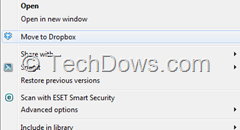
Recently, we’ve covered Dropbox has made experimental build available for Windows and Mac with features like saving screenshots to Dropbox, move to Dropbox and other features. The most useful future Dropboxers find will be Saving screenshots. Let us take a

Posted in: How to, tips and tricks
Google Chrome

How to Disable Service/Site Handler Requests in Google Chrome

May 1, 2013 by Venkat Eswarlu Leave a Comment

If you don’t want Google Chrome to show site handler requests you can disable them easily. Google Chrome lets web services to request you to open some kind of links for instance when you visit Gmail login page in Chrome,

Posted in: Google Chrome, How to, tips and tricks
Firefox

Firefox 21: Disable Slow Startup Notification

May 1, 2013 by Venkat Eswarlu Leave a Comment

Today Mozilla to officially release Firefox 21 for Windows, Mac and Linux platforms with new features and improvements over the previous version. Significant new features are: three options for Do Not Track feature, Firefox Health Report and notification about slow

Posted in: Firefox, tips and tricks
How to

How to hide Start Page and Advertisement Shown by Foxit Reader on Startup

May 1, 2013 by Venkat Eswarlu Leave a Comment

Yesterday we’ve covered how to set Foxit Reader default Zoom to 100%, today we’re going to share another useful tip for Foxit Reader users -that is how to hide Start page and ad showed by Foxit. Foxit Reader by default

Posted in: How to, tips and tricks
Google Chrome

How to Install IDM Integration Extension in Google Chrome Manually

May 1, 2013 by Venkat Eswarlu Leave a Comment

The article which I’ve written way back in 2008 on how to integrate internet Download manager into Chrome is old and needs to updated which I did. If you’ve Google Chrome installed on your computer and when you install IDM

Posted in: Google Chrome, How to, tips and tricks
How to

How to Uninstall or Remove SecureLine VPN from Avast v8?

May 1, 2013 by Venkat Eswarlu Leave a Comment

If you’ve recently installed latest Avast v8 cleanly on your computer by choosing “Express Settings” during the setup then you should know that SecureLine VPN service also installed for you along with Avast. FYI, recent minor update 8.0.1488.286 for Avast

Posted in: How to, tips and tricks
Firefox

Enable Mixed Content Blocker in Firefox 21 for More Security

May 1, 2013 by Venkat Eswarlu Leave a Comment

We’ve already covered that Firefox 23 to block Mixed active Content by default. Let me give you a little brief about mixed content.  On HTTPS page when some content is loaded via HTTP connection there are chances for hackers to

Posted in: Firefox, security, tips and tricks
« Previous 1 … 56 57 58 59 Next »

More from Techdows

File Explorer on Windows 11
Windows 11 KB5079382 fixes File Explorer white flashes
News · 2 weeks ago
Google Chrome prepares ‘Safety Hub’ feature
Google Chrome · 3 years ago
Fix ‘AdBlocker Ultimate’ breaks websites in ‘Firefox 116.0.1’
Firefox · 3 years ago
How to disable Chrome’s ‘download tray’ & get ‘Download bar’ at bottom
Google Chrome · 3 years ago
Chrome 116 to introduce ‘One-time permissions’ for greater control over websites
Google Chrome · 3 years ago
Chrome Incognito Mode no longer leaks Video Title & Thumbnail on Lock Screen
Google Chrome · 3 years ago
Chrome now supports Windows 11’s ‘Fluent Scrollbars’, how to enable?
Google Chrome · 3 years ago
Windows 11 KB5028254 update may break Start Menu
News · 3 years ago

Categories

  • Android (112)
  • Announcements (1)
  • Browser News (3)
  • Cool websites (1)
  • Firefox (715)
  • Freeware (267)
  • Google Chrome (658)
  • How to (535)
  • Internet (5)
  • Internet Explorer (18)
  • Microsoft Edge (426)
  • MS Office (5)
  • News (2,602)
  • Opera (194)
  • security (270)
  • Software (12)
  • Spartan (2)
  • Technology News (1)
  • tips and tricks (706)
  • Troubleshooting (199)
  • Uncategorized (23)
  • Vivaldi (143)
  • Windows (13)
  • Windows 11 (99)

© 2009–2026 Techdows

Copyright © 2026 Techdows.

Techdows WordPress Theme by Techdows