App updates are no longer a tab at the bottom of the App Store: on iPhone and iPad, tap the My Account button or your photo at the top of the App Store and then tap App Updates, and on a Mac click Updates in the App Store sidebar.
This guide shows where updates live on each Apple device, why some apps never appear in the list, how automatic updates hide pending updates, and what to do when an update will not download.
Where are app updates in the App Store on iPhone?
The update list sits inside your account page, not on the main App Store tabs. The same steps work on iPad and Apple Vision Pro.
- Open the App Store app.
- Tap the My Account button or your photo at the top of the screen.
- Scroll down and tap App Updates.
- Tap Update next to one app to update only that app, or tap Update All to install every pending update.
- Wait for the progress ring on each app to finish before you close the App Store.
If App Updates shows nothing pending, your apps are probably already current, because the App Store installs updates automatically by default. The next section explains the other reasons an app can be missing from the list.
Why are my app updates not showing in the App Store?
Match what you see to a row. Most missing updates have one of these causes rather than a fault in the App Store.
| What you see | Why it happens | What to do |
|---|---|---|
| No pending updates at all, but apps did change | Automatic App Updates is on, so updates install in the background before you look | Check Updated Recently under App Updates to see what changed |
| Safari, Messages, Mail or Photos never appear in the list | Apps that come with the iPhone update only when you update iOS | Install the latest iOS in Settings > General > Software Update |
| A Mac app never shows in Updates | The app was not installed from the Mac App Store | Update it with the developer's own updater or website |
| An app asks for a different Apple Account password | The app was bought with another Apple Account | Sign in with that account or delete the app and download it again with yours |
| An app you own is missing from the App Store | The developer removed it, so it can no longer be downloaded or updated | Look for it in Apps & Purchase History > Your Apps; if it is gone, find an alternative |
| Update starts but never finishes | A payment, network or download problem | Use the troubleshooting steps further down this page |
How to find app updates in the App Store on Mac
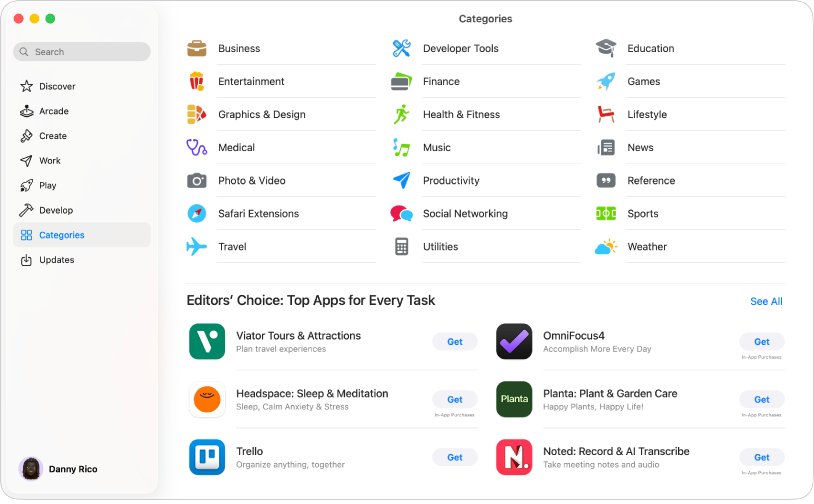
On a Mac the App Store keeps a dedicated Updates page in its sidebar, so you do not need to open your account first.
- Open the App Store on your Mac.
- Click Updates in the sidebar.
- Click Update next to an app to update only that app, or click Update All.
- Enter your Apple Account password if the App Store asks for it.
- Leave the App Store open until the update finishes.
Apps you downloaded from a developer's website, such as many browsers and office suites, do not appear here. Contact the developer or use the app's own update option for those.
Safari, Notes, Messages and Apple Music on a Mac update with macOS, so they arrive through System Settings > General > Software Update instead of the App Store.
How to update apps on Apple Watch, Apple TV and Vision Pro
Each Apple device keeps its update list in a slightly different place. Use the row for the device in front of you.
| Device | Where app updates are | Turn automatic updates on or off |
|---|---|---|
| iPhone and iPad | App Store > My Account button or your photo > App Updates | Settings > Apps > App Store > App Updates |
| Mac | App Store > Updates in the sidebar | App Store menu > Settings (or Preferences) > Automatic Updates |
| Apple Watch | App Store > scroll to the bottom > Account > Updates | Settings > App Store > Automatic Updates, or the Watch app on iPhone > App Store |
| Apple TV 4K and Apple TV HD | App Store > Purchased > select the app > Update | Settings > Apps > Automatically Update Apps |
| Apple Vision Pro | App Store > My Account button or your photo > App Updates | Settings > Apps > App Store > App Updates |
Apple Watch offers Update All like iPhone does; if an iPhone app never appears on the watch at all, fix apps missing from the Watch app first. Apple TV has no single update list, so select each app under Purchased and choose Update.
How to update built-in iPhone apps like Safari and Messages
Apps installed by default on your iPhone are updated whenever you update iOS. That is why Safari, Messages, Mail, Photos and Camera never show an Update button in the App Store.
- Back up your iPhone to iCloud or your computer.
- Plug the iPhone into power and connect to Wi-Fi.
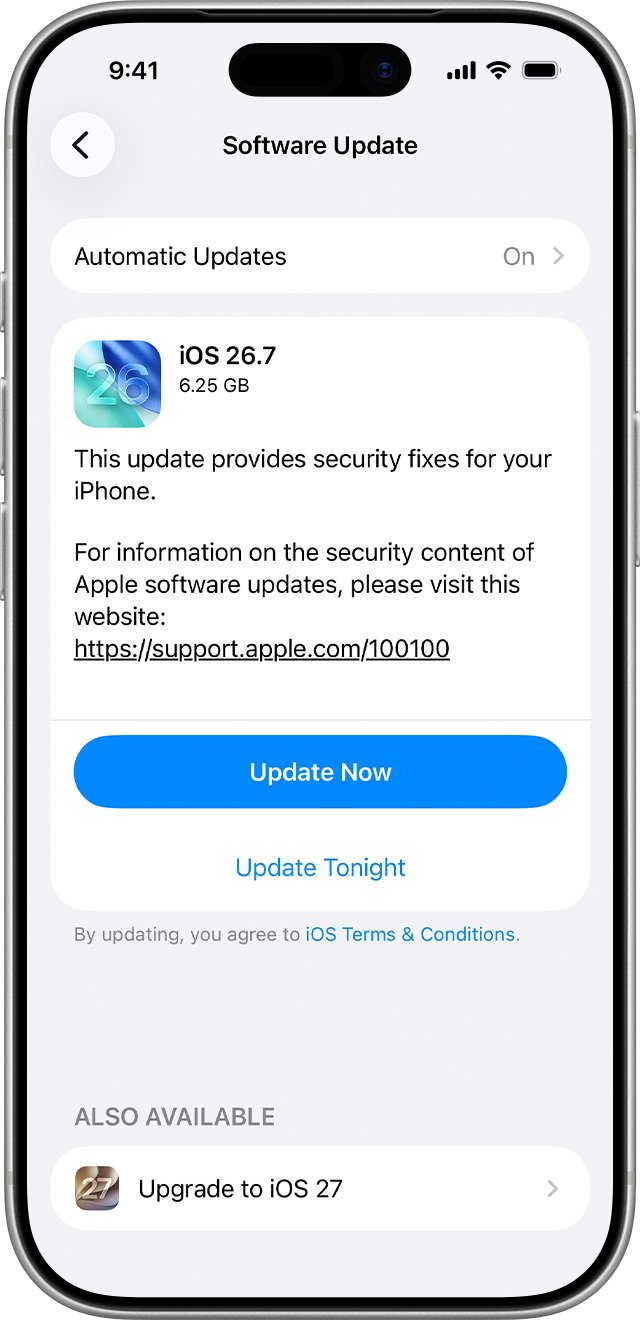
- Open Settings and tap General.
- Tap Software Update to see the installed iOS version and whether an update is available.
- Tap Download and Install if an update is listed, then follow the onscreen instructions.
- Enter your passcode when asked and let the iPhone restart.
If the update needs more space, iOS can offer to remove apps temporarily and reinstall them after the update. You can also free up iPhone storage yourself before you start.
VPN or proxy connections can stop the iPhone from reaching Apple's update servers, so turn them off if Software Update cannot check for updates.
How to turn on automatic app updates on iPhone
With automatic updates on, the App Store installs new versions without you having to update iPhone apps manually from the update list. With it off, the App Store sends a notification each time one of your apps gets an update.
- Open Settings.
- Tap Apps, then tap App Store.
- Turn on App Updates to download and install updates automatically.
- Turn on Cellular Data if you want the App Store to download updates away from Wi-Fi.
- Turn on App Downloads if you also want apps bought on your other devices to install automatically.
On iPhone and iPad, App Updates is on by default. If you turned it off to control when apps change, check App Updates in the App Store now and then, because pending updates are only listed there.
How to see recently updated apps in the App Store
An empty update list does not tell you whether anything was installed. The App Store keeps a record of recent updates on the same page.
- Open the App Store and tap the My Account button or your photo.
- Tap App Updates.
- Scroll down to Updated Recently to see apps that have already been updated.
- Tap an app in the list to open its page and read the release notes for the latest version.
- On a Mac, open Updates in the sidebar to see the same record for Mac apps.
If an app is listed under Updated Recently, it is on the newest version the App Store offers for your device, and no further action is needed.
App Store not showing updates on iPhone
Find the symptom that matches and work through its steps in order.
Can't find app updates in the App Store at all
The update list moved into the account page, so there is no Updates tab.
- Open the App Store and tap the My Account button or your photo at the top.
- Tap App Updates and check both the pending list and Updated Recently.
Update is stuck on Waiting or will not download
Another download is ahead of it, the device needs a restart, or the payment method has a problem.
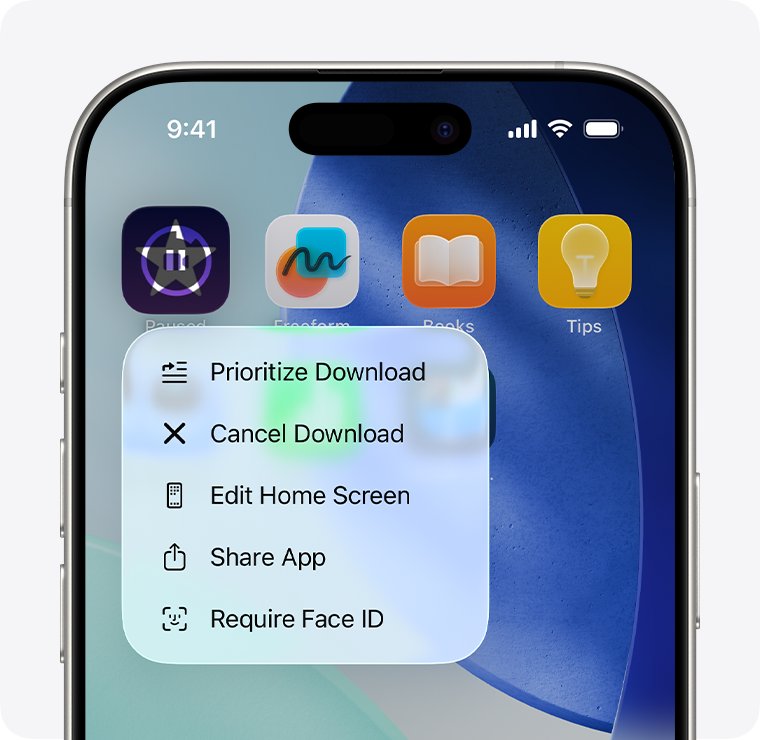
- On the Home Screen, touch and hold the app, then choose Prioritize Download.
- Restart the iPhone or iPad, then try the update again.
- Add a valid payment method in your Apple Account settings, even if the app is free.
- Resolve any billing problem with previous purchase or verification required message before you retry.
App asks for a different Apple Account to update
Updates use the account that originally downloaded the app.
- Find which Apple Account bought the app from your purchase history.
- Enter that account's password to update, or delete the app and download it again with your own account.
- If the wrong account keeps appearing, fix the wrong Apple ID in App Store updates.
Can't find app on App Store to update it
The developer removed the app, or it is not offered in your country or region.
- Open the App Store, tap the My Account button or your photo, then tap Apps & Purchase History > Your Apps.
- Find the app in the list and tap the download button if it is still available.
- If the app is not listed, it can no longer be downloaded or updated, so keep using the installed copy or choose another app.
Updates only download on Wi-Fi
Cellular Data is off for the App Store.
- Open Settings > Apps > App Store.
- Turn on Cellular Data and adjust its automatic download options.
- Return to App Updates and tap Update again.
Mac App Store won't update an app
The App Store is down, the account has an unpaid order, or the network blocks the download.
- Check Apple's System Status page to see whether the App Store is unavailable in your region.
- Change your payment method, or redeem a gift card to pay any unpaid order.
- Restart the Mac and try the update from Updates again.
- Try a different network; if that works, contact your network administrator or internet provider.
App Store app updates FAQ
Why can't I find apps in the App Store updates list?
Apps with automatic updates turned on install new versions in the background, so they never wait in the list. Built-in apps such as Safari update with iOS, and apps removed by their developer can no longer be updated.
Can't find app on App Store, what does it mean?
The developer has probably removed it, or it is not offered in your country or region. Check Apps & Purchase History > Your Apps in your account page; an app you can no longer download from there is no longer in the App Store.
I can't find an app I installed on my iPhone. Where is it?
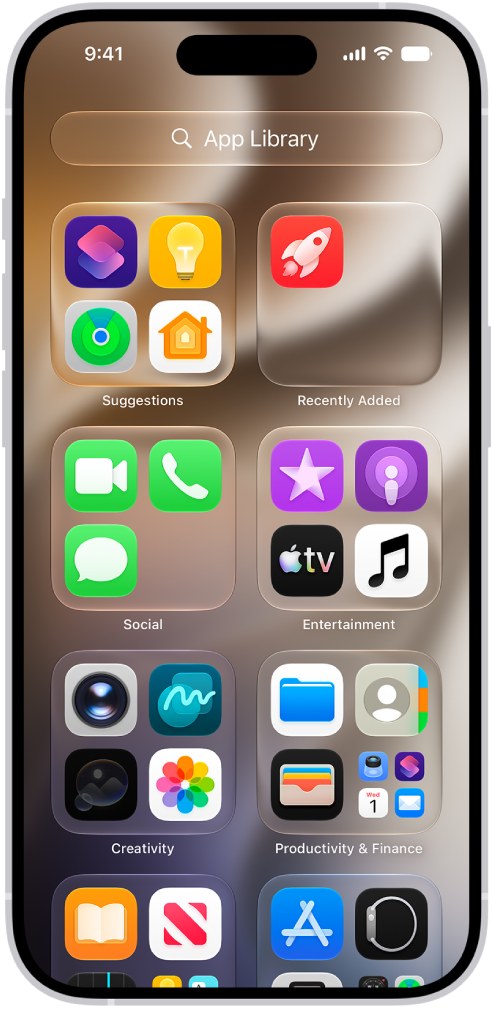
Swipe left past your last Home Screen page to open App Library, then type the app's name in the search field at the top. New apps can land in App Library instead of the Home Screen when some Home Screen pages are hidden.
Why can't I see my apps on my Home Screen?
The apps were removed from the Home Screen, not deleted, or their Home Screen page is hidden. App Library always shows every installed app, and you can touch and hold an app there to move it back to the Home Screen.
Can't find app after downloading, how do I open it?
Swipe down on the Home Screen to open Search, type the app's name, and tap it in the results. You can also look under Recently Added at the top of App Library, which lists your newest apps.
Do iPhone apps update automatically?
Yes. Apps you download from the App Store update automatically by default on iPhone and iPad. Check or change this in Settings > Apps > App Store > App Updates.
How do I update all apps at once on iPhone?
Open the App Store, tap the My Account button or your photo, tap App Updates, and then tap Update All. The button appears only when at least one update is waiting.
Why is the Update All button missing in the App Store?
No updates are pending, usually because automatic updates already installed them. Scroll to Updated Recently under App Updates to see which apps changed.