To get classic Solitaire and Minesweeper back on Windows 11 or Windows 10, install the free Microsoft Solitaire Collection and Microsoft Minesweeper apps from the Microsoft Store, then play Klondike or Minesweeper's Classic Mode.
This guide covers both installs, which game in the collection matches the old Windows version, how to make the cards look plainer, how ads and Premium work, and what to do when either game will not open.
Get back classic Solitaire & Minesweeper on Windows 11/10
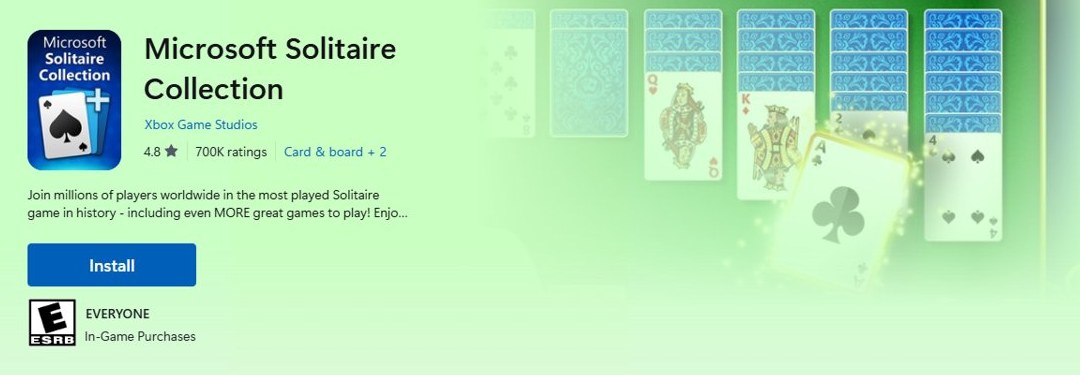
Both games are published by Xbox Game Studios and are free to download from the Microsoft Store on Windows 11 and Windows 10. The same steps work for each one.
- Select Start, then select Microsoft Store from the apps list.
- Type Microsoft Solitaire Collection in the search box at the top and press Enter.
- Open the result published by Xbox Game Studios and select Get or Install.
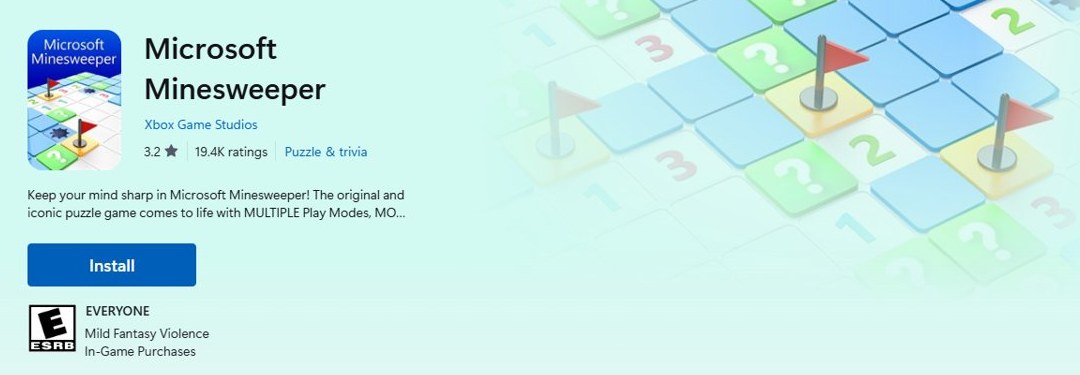
- Search for Microsoft Minesweeper, open the Xbox Game Studios listing and select Get or Install.
- Select Open when each download finishes, or launch the game later from the Start menu.
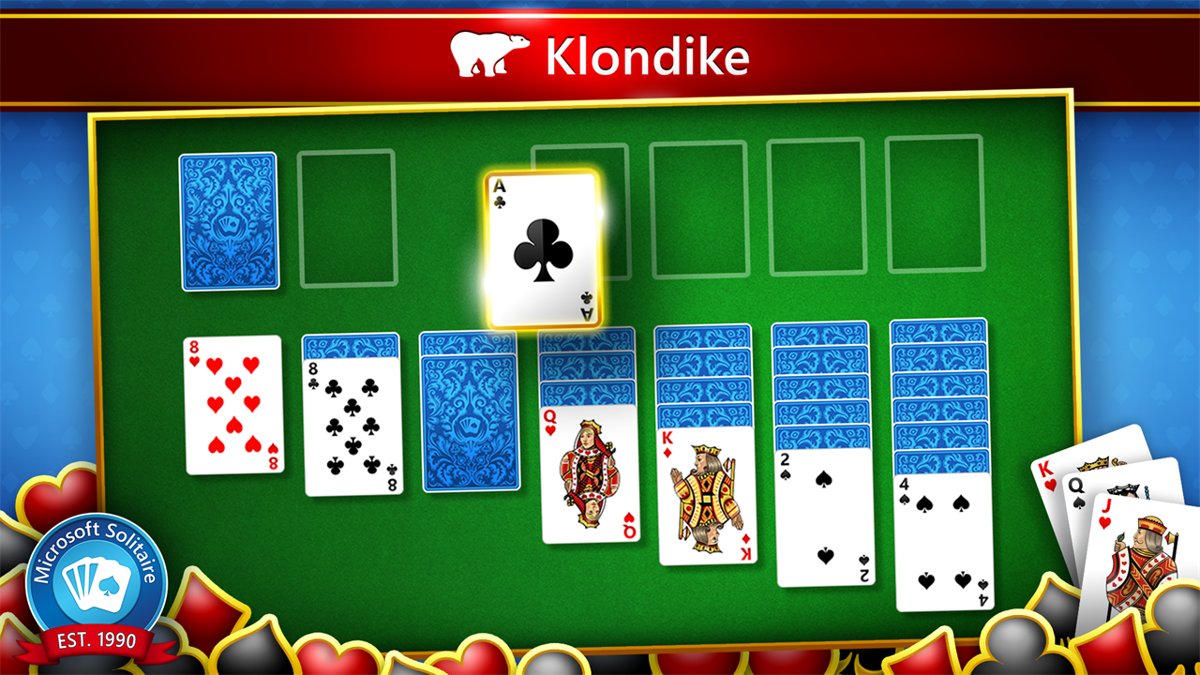
- In Microsoft Solitaire Collection, select Klondike for the card game older Windows versions called Solitaire.
- In Microsoft Minesweeper, select Classic Mode for the original grid of mines and numbers.
Sign in with your Microsoft account inside each game if you want your progress, level and statistics saved across devices.
How to install Microsoft Solitaire Collection on Windows 11
If Microsoft Solitaire Collection was installed on your PC before and you removed it, it is still listed in your Microsoft Store library of apps and games. Reinstalling it from there is quicker than searching.
- Select Start, then select Microsoft Store.
- Select Library in the Store window.
- Find Microsoft Solitaire Collection in the list of apps and games.
- Select Install, or the Download icon next to the game if it was never installed on this PC.
- Wait for the download to finish, then select Open.
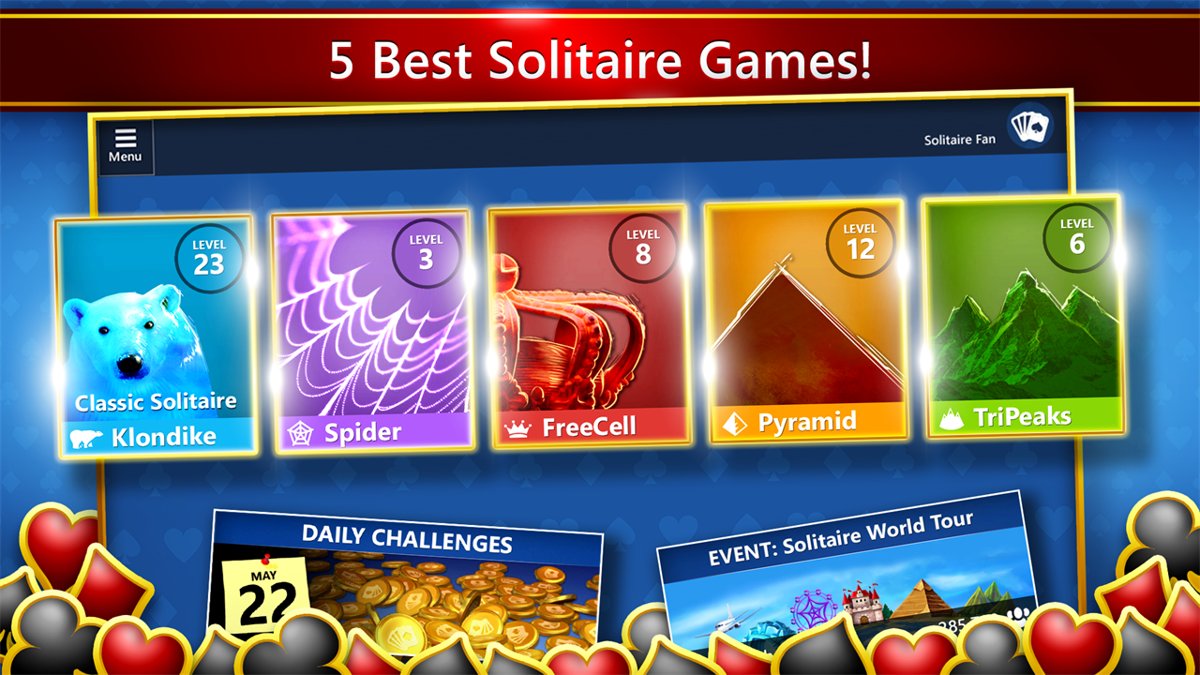
- Choose Klondike, Spider, FreeCell, TriPeaks or Pyramid from the home screen.
If the game is not in your library, install it from the search results as in the first section. The Microsoft Solitaire Collection download is also available for iPhone and Android.
How to download Microsoft Minesweeper on Windows 10
Microsoft Minesweeper is a separate app, not part of the Solitaire Collection. It is free to play on Windows PCs and offers optional in-app purchases.
- Select Start, then select Microsoft Store.
- Type Microsoft Minesweeper in the search box and press Enter.
- Select the Microsoft Minesweeper result from Xbox Game Studios.
- Select Get or Install and wait for the download to finish.
- Select Open, then choose Classic Mode on the home screen.
- Change the difficulty or board size in Classic Mode if you want a smaller or larger grid.
The same steps work on Windows 11, and the game then appears in the Start menu apps list.
Microsoft Solitaire Collection games list
Microsoft Solitaire Collection bundles five solitaire games in one app. Klondike is the one most people mean by classic Windows Solitaire, while Spider and FreeCell replace the separate games older Windows versions shipped.
| Game | How it plays | Older Windows equivalent |
|---|---|---|
| Klondike | Build four foundations from Ace to King while moving cards between seven tableau columns | Solitaire |
| Spider | Build full King-to-Ace runs in one suit to clear them from the table | Spider Solitaire |
| FreeCell | Use four free cells to park cards while you build the foundations | FreeCell |
| TriPeaks | Clear three peaks of cards by picking cards one higher or one lower than the waste pile | No direct equivalent |
| Pyramid | Remove pairs of cards that add up to 13 until the pyramid is cleared | No direct equivalent |
The app also contains other casual games, such as Microsoft Bubble, Microsoft Jewel 2 and Mahjong 3D. The app also has Daily Challenges, Weekly Rewards and event leaderboards for the card games.
Microsoft Minesweeper Classic Mode vs Adventure Mode
Microsoft Minesweeper has more than one way to play. Classic Mode is the closest match to the Minesweeper that came with Windows 7 and earlier.
| Mode | What it is | Pick it if |
|---|---|---|
| Classic Mode | An updated version of the original game with flags, adjustable difficulty, board selection, themes and achievements | You want the old Windows Minesweeper |
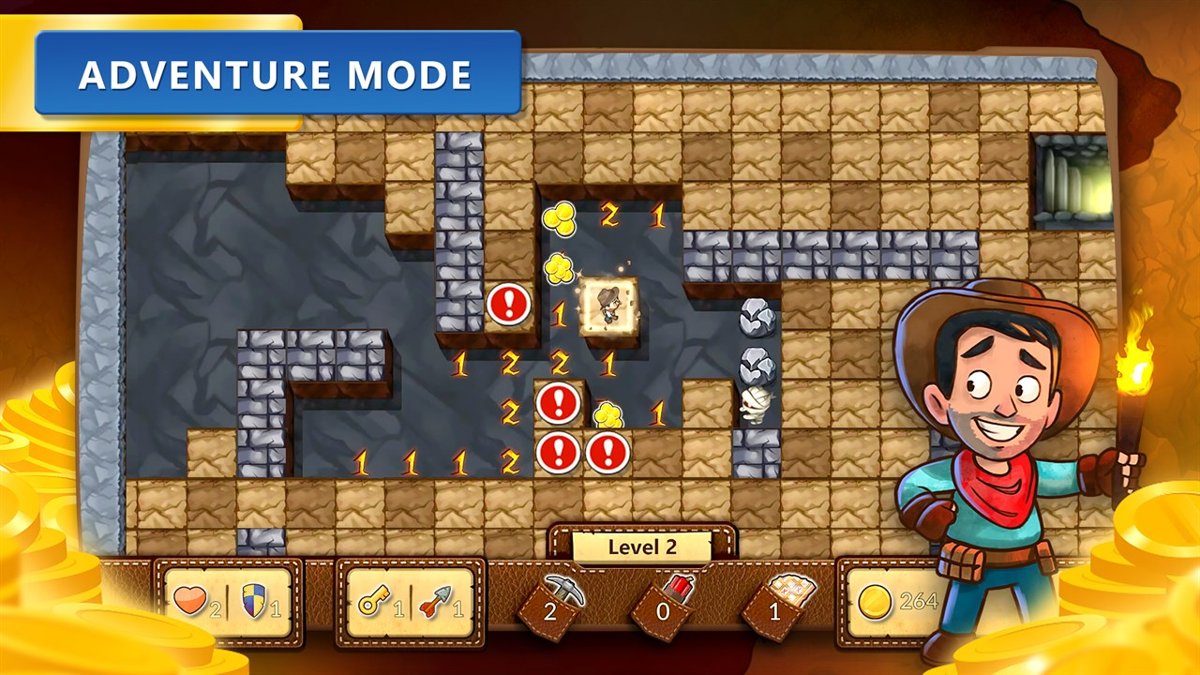
| Adventure Mode | A labyrinth of Minesweeper boards where a hero collects loot, fights enemies and heads for the center of the Earth | You want a story and levels on top of the puzzle |
| Daily Challenges | Five challenges a day across Classic, Flags, Detonation, Treasure Hunt and Taps; finishing every one in a month earns a Perfect Badge | You want a new set of puzzles each day |
Signing in with a Microsoft account saves your level, XP and achievements across devices.
How to change the Solitaire theme to the classic look
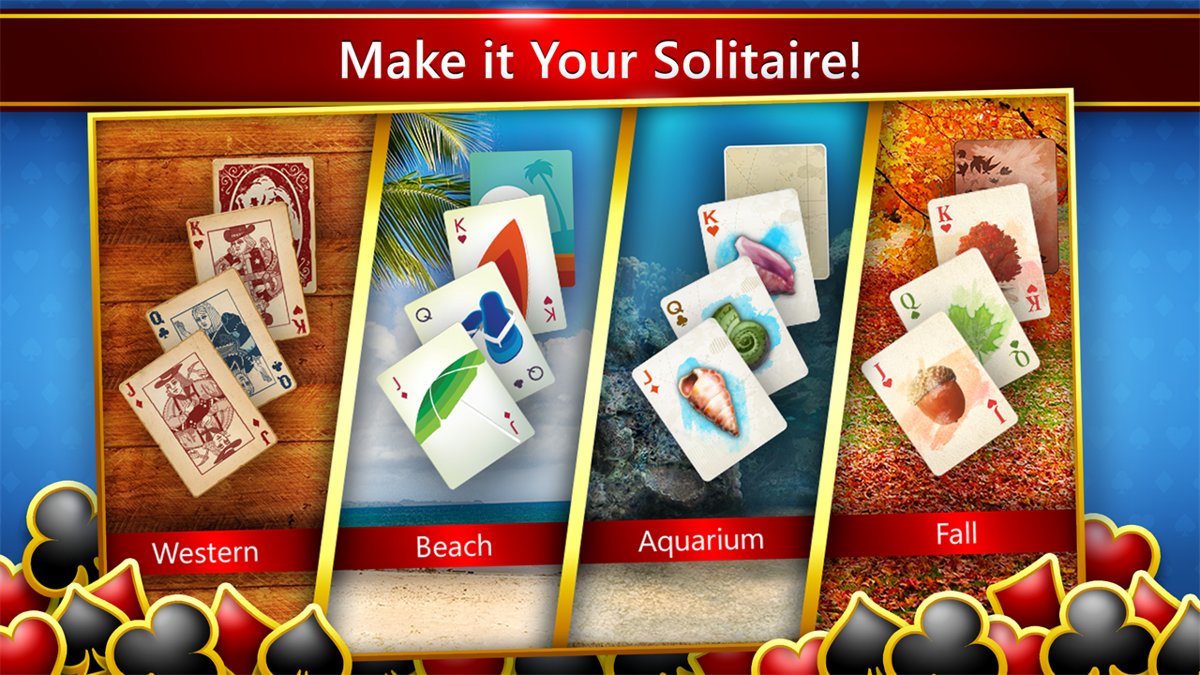
The default board in Microsoft Solitaire Collection is brighter and busier than the old green table. Themes change the board, card backs, card deck style and animation effects.
- Open Microsoft Solitaire Collection, either on the Home screen or inside a game.
- Select Menu, then select Themes.
- Browse Standard Themes and select a board, card back or card deck style.
- Download the theme if the game asks, then apply it.
- Choose Jumbo for larger cards, Dark for a darker board, or Jumbo Dark for both.
- Turn off or change animation effects in the same Themes screen if the moving backgrounds distract you.
Premium members also get a free Retro bundle of themes, which is the closest the app comes to the old Windows card style.
How to turn on hints in Microsoft Solitaire Collection
The old Windows Solitaire had no tutorial. The new app has built-in rules for every game and an automatic hint option.
- Open Microsoft Solitaire Collection and start a game, or stay on the Home screen.
- Select Menu, then select How to play.
- Choose the game mode you want to learn, such as Klondike or Spider.
- Go back to Menu and select Game options.
- Turn on Show automatic hints.
- Select Hints at the bottom of the screen during a game whenever you are stuck.
How to play Microsoft Solitaire Collection without ads
Both games are free with ads. Microsoft Casual Games Premium removes them, and Premium is also included with Xbox Game Pass Ultimate and other Game Pass tiers.
| Option | What you get | Covers |
|---|---|---|
| Free download | Every Solitaire game and Minesweeper mode, with ads | Solitaire Collection and Minesweeper |
| Microsoft Casual Games Premium Edition | Ad-free play, plus extras such as unlimited Solitaire Solver, past Daily Challenges and the Retro bundle | Solitaire Collection, Minesweeper, Jigsaw, Mahjong and Sudoku |
| Xbox Game Pass | Premium membership included in the Essential, Premium, PC and Ultimate tiers | Microsoft Solitaire Collection |
Xbox Support's ad-free Premium page lists the subscription for each game. Treasure Hunt is the one Microsoft Casual Game with no ad-free option.
Can you get Windows 7 Solitaire on Windows 11?
Use the Microsoft Store apps. Microsoft's current Solitaire and Minesweeper for Windows 11 and Windows 10 are Microsoft Solitaire Collection and Microsoft Minesweeper; it does not offer the Windows 7 games as a separate download. Installers that promise the Windows 7 games on Windows 11 come from third-party sites that repackage old Microsoft game files, so they are unofficial and unsupported. The Store apps get updates from Microsoft, keep progress in your Microsoft account, and Klondike plus Classic Mode play the same games.
If what you miss is the older desktop more generally, Windows 11 can also get a classic-style Start menu back, and you can still run the old Windows File Manager.
Microsoft Solitaire Collection not working on Windows 11
Solitaire or Minesweeper will not open or closes straight away
The app data is damaged, or the app or Windows is out of date.
- Select the Close (X) button in the upper-right corner of the game, then reopen it.
- Select Start > Settings > Windows Update > Check for updates, and install any update offered.
- Select Start > Settings > Apps > Installed apps.
- Select the More icon next to the game, then select Advanced options.
- Select Repair. If that does not help, select Reset.
The game will not install or update from Microsoft Store
Microsoft Store itself needs an update, or you are not signed in to the Store.
- Open Microsoft Store and sign in with your Microsoft account.
- Select Library > Get updates to update the Store and your apps.
- Find the game in Library and select Install again.
Saved game progress disappeared
The game is signed out, or signed in with a different Microsoft account from the one that holds your progress.
- Open the game and check which account is signed in.
- Sign in with the Microsoft account you used before.
- Check the Xbox status page if sign-in keeps failing or the game cannot stay connected.
Solitaire or Minesweeper is missing from the Start menu
The app is not installed on this PC, for example after it was removed.
- Open Microsoft Store and select Library.
- Find Microsoft Solitaire Collection or Microsoft Minesweeper and select Install.
- Open the game from Start once the download finishes.
Classic Solitaire and Minesweeper on Windows FAQ
Is Microsoft Solitaire Collection free on Windows 11?
Yes. Microsoft Solitaire Collection is a free download from the Microsoft Store on Windows 11 and Windows 10. It shows ads and offers in-app purchases, and a Premium subscription, also included with Xbox Game Pass, removes the ads.
Where can I play Microsoft Minesweeper?
Microsoft Minesweeper is a free Microsoft Store game for Windows PCs, published by Xbox Game Studios. Install it from the Store search or your Store library, then choose Classic Mode for the traditional game.
Which game in Microsoft Solitaire Collection is the classic Windows Solitaire?
Klondike is the classic Windows Solitaire. It uses seven tableau columns and four foundations built from Ace to King, the same game older Windows versions shipped simply as Solitaire.
Does Microsoft Solitaire Collection include Spider and FreeCell?
Yes. Microsoft Solitaire Collection includes Klondike, Spider, FreeCell, TriPeaks and Pyramid in one app, so there is no separate Spider Solitaire or FreeCell download for Windows 11 or Windows 10.
Can I play Microsoft Solitaire Collection on my phone?
Yes. Microsoft Solitaire Collection is available on Windows PCs, Android phones and iPhones. Sign in with the same Microsoft account on each device and your progress follows you.
How do I get rid of ads in Microsoft Solitaire?
Buy the Microsoft Casual Games Premium Edition subscription for the game, or use Xbox Game Pass, which includes Premium for Microsoft Solitaire Collection. Premium removes ads and adds extras such as unlimited Solitaire Solver use.
Can I play Solitaire in dark mode?
Yes. Open Microsoft Solitaire Collection, select Menu, then Themes, and choose Dark. Jumbo enlarges the cards, and Jumbo Dark combines both looks on Windows and mobile devices.
Why has my Solitaire saved game progress disappeared?
Progress is tied to the Microsoft account signed in to the game. If the game is signed out or signed in with another account, your level and statistics will not appear. Sign in with the original account to restore them.
Can I install the Windows 7 games on Windows 11?
Microsoft does not offer the Windows 7 games for Windows 11. Packs that claim to restore them come from third-party sites. Microsoft Solitaire Collection and Microsoft Minesweeper are the official versions and play the same classic games.