Most AirPods Pro 3 setup and Hearing Test problems on iOS 18.7 come from the software: Apple lists iOS 26 or later as the minimum for AirPods Pro 3, so update the iPhone, then update the AirPods firmware and run the test again.
This guide covers what AirPods Pro 3 can do on iOS 18.7, how to set them up, how to clear the "need to be cleaned" prompt, how to fit the ear tips, and how to read your Hearing Test results.
How to fix AirPods Pro 3 hearing test on iOS 18.7
The Hearing Test needs AirPods Pro firmware that is current, and AirPods firmware installs from an up-to-date iPhone. Work through these steps in order.
- Back up your iPhone, plug it into power and connect it to Wi-Fi.
- Open Settings > General > Software Update and install the latest iOS version offered.
- Put the AirPods Pro 3 in the charging case, plug the case into power and keep the lid closed near the iPhone for at least 30 minutes.
- Open the lid, then check the firmware in Settings > Bluetooth > the Info button next to your AirPods > About.
- Remove the ear tips and clean the meshes, then let the AirPods dry for at least two hours.
- Run the Ear Tip Fit Test and change tip size until both ears show a good seal.
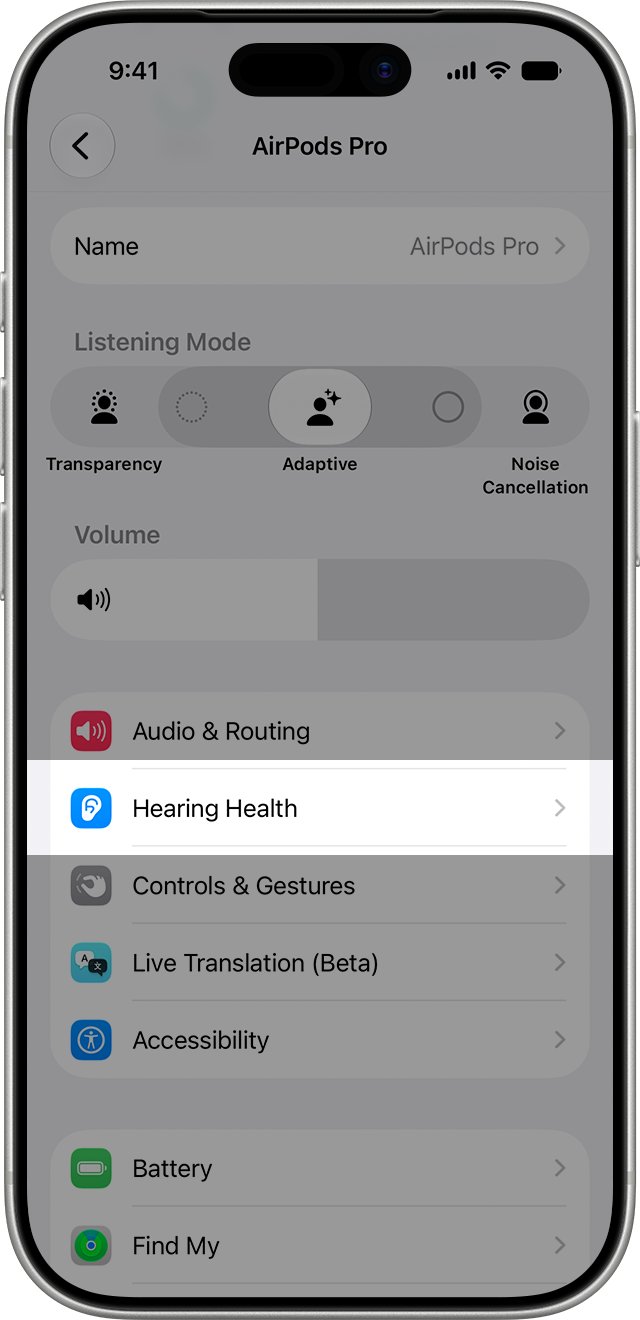
- Go to Settings > your AirPods name > Hearing Health > Take a Hearing Test in a quiet room.
If you plan to hold off on iOS 26, you can still install iOS 18 updates without moving to iOS 26, but AirPods Pro 3 then run below Apple's listed minimum.
Do AirPods Pro 3 work with iOS 18?
Yes, as Bluetooth headphones. Apple's AirPods Pro 3 specifications say AirPods work as wireless Bluetooth headphones with Apple devices on earlier software, while full setup lists iOS 26 or later.
| AirPods Pro 3 feature | Software Apple lists | On iOS 18.7 |
|---|---|---|
| Setup and pairing | iOS 26 or later | Below the listed minimum |
| Listening and calls as Bluetooth headphones | Earlier software allowed | Works |
| Hearing Test and Hearing Aid | Latest AirPods firmware, iOS 18 or later | Depends on the firmware the AirPods can get |
| Heart rate during workouts | iOS 26 and later | Not available |
| Live Translation | Apple Intelligence iPhone with iOS 26 and later | Not available |
| Automatic Conversation Boost in Hearing Aid | iOS 26 or later | Not available |
That gap explains why many AirPods Pro 3 settings look missing on iOS 18.7. The features exist; the iPhone software does not expose them.
How to set up AirPods Pro 3 on iPhone
Your iPhone needs Wi-Fi or cellular data during setup, or Find My features for AirPods may not be available.
- Open Settings > Bluetooth and turn Bluetooth on.
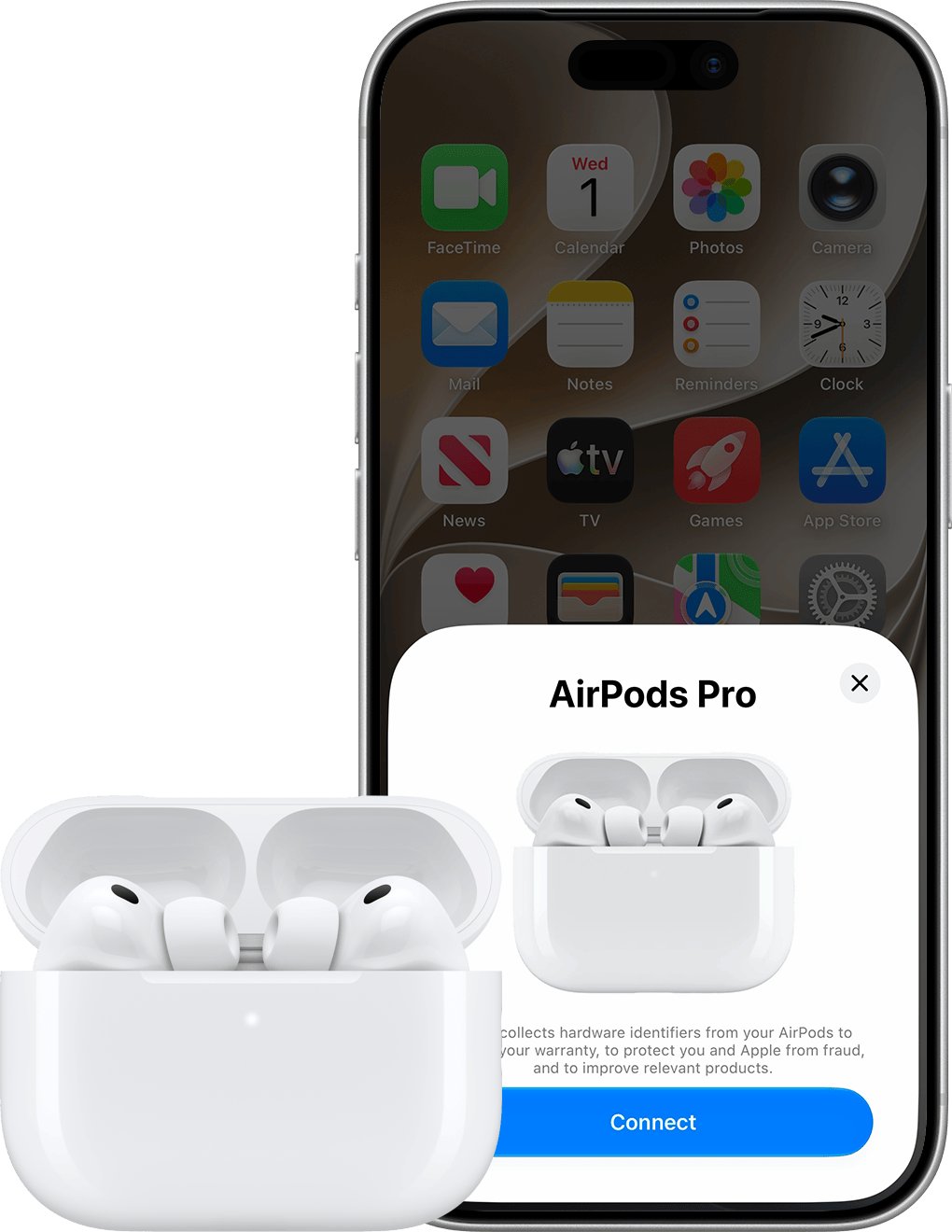
- Open the charging case with both AirPods inside.
- Hold the open case next to your iPhone until the setup animation appears.
- Tap Connect and follow the onscreen instructions.
- Tap Done.
When you are signed in to iCloud, the AirPods are also set up on your other devices that use the same Apple Account. Older AirPods use a setup button on the back instead, and you can pair AirPods with any device the same way.
Setting up AirPods Pro 3 without the setup animation
AirPods Pro 3 have no setup button on the back of the case. You put them in pairing mode by tapping the front of the case instead.
- Keep both AirPods in the case and open the lid.
- Hold the case near your iPhone.
- Double-tap the front of the case until the status light flashes white.
- Open Settings > Bluetooth.
- Tap your AirPods when they appear in the list.
How to update AirPods Pro 3 firmware
There is no install button for AirPods firmware. Updates download automatically while the AirPods charge in range of an iPhone, iPad or Mac on Wi-Fi.
- Update the iPhone to the latest iOS and keep Bluetooth on.
- Connect the AirPods Pro 3 to the iPhone and connect the iPhone to Wi-Fi.
- Plug the charging case into power.
- Put both AirPods in the case and keep the lid closed within Bluetooth range.
- Wait at least 30 minutes, then open the lid to reconnect.
- Check the version again in Settings > Bluetooth > Info > About.
Apple lists firmware 9B47 as the latest for AirPods Pro 3. If the version does not change, reset the AirPods and repeat the steps.
AirPods Pro 3 hearing test says AirPods need to be cleaned
When the Hearing Test recommends cleaning, Apple's instruction is to follow the AirPods Pro cleaning steps. The prompt can appear on brand-new AirPods, so do the cleaning and the fit check together.
- Pull both ear tips straight off the AirPods.
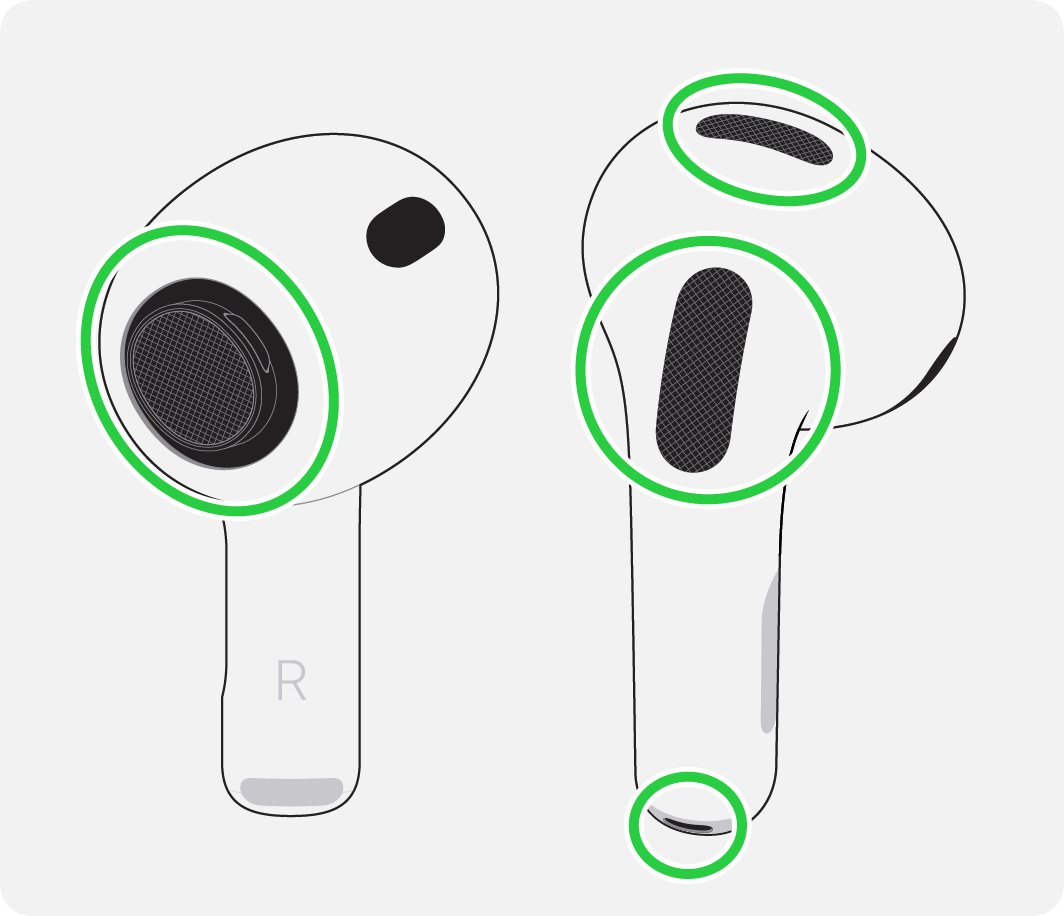
- Brush the circled meshes, including the bottom microphone on AirPods Pro 3, with micellar water and a soft children's toothbrush.
- Blot each AirPod on a paper towel.
- Rinse the ear tips with water only, with no soap or household cleaner.
- Let the AirPods and tips dry completely for at least two hours.
- Click the tips back on and run the Hearing Test again.
Never use sharp objects or abrasive materials on the meshes. If the prompt returns after cleaning, the next check is the seal, covered below.
How to change AirPods Pro 3 ear tips
AirPods Pro 3 ship with five sizes: XXS, XS, S, M and L. Ear tips do not swap between AirPods Pro models, so Pro 2 tips will not fit.
- Hold one AirPod firmly in one hand.
- Grip the ear tip where it meets the AirPod, using a clean lint-free cloth for extra grip.
- Pull the tip straight out with steady pressure.
- Line up the new tip with the oval-shaped connector.
- Push the tip on from the base until you feel and hear a click.
- Tug the tip gently to make sure it is secure.
Your left and right ears can need different sizes. Fit each side on its own result.
AirPods Pro 3 ear tip fit test
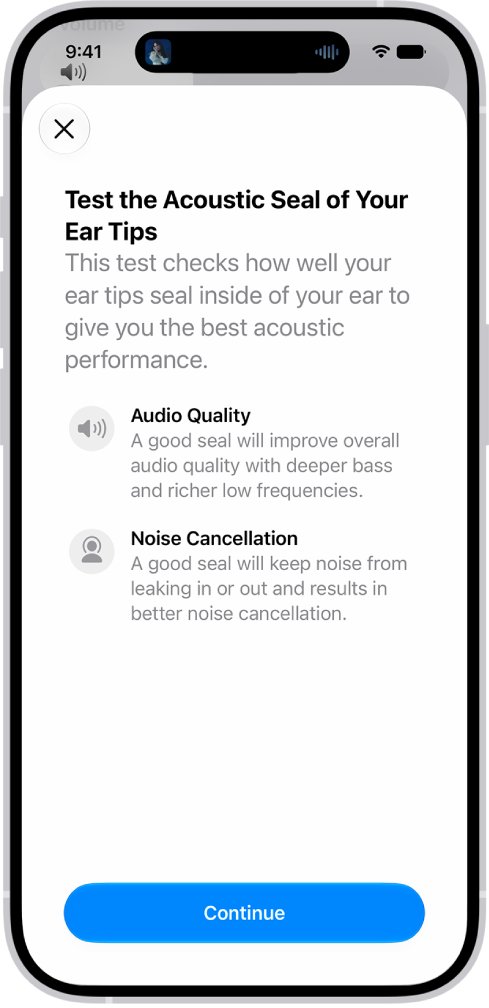
Apple asks for a complete seal before the Hearing Test, and the fit test is how you confirm it on iPhone or iPad.
- Put on both AirPods and make sure they are connected to your iPhone.
- Open Settings and tap your AirPods name near the top.
- Tap Ear Tip Fit Test or Test Acoustic Seal.
- Follow the prompts and play the test sound.
- If a side needs adjusting, reseat that AirPod and run the test again.
- If the result stays the same, try the next tip size for that ear.
On AirPods Pro 3, the best tip for the heart rate sensor can differ from the best tip for the seal. For the Hearing Test, choose the tip that passes the seal check.
How to take a hearing test with AirPods Pro 3
Set aside about five quiet minutes. Wait 24 hours after a cold, an ear or sinus infection, or a loud event like a concert, because they can skew the result.
- Charge the AirPods and sit in a quiet room with fans and air conditioning off.
- Put on the AirPods with them connected to your iPhone or iPad.
- Open Settings > your AirPods name and tap Hearing Health if it appears.
- Tap Take a Hearing Test and follow the prompts.
- If asked for a check, put the AirPods in the case, close the lid, tap OK, then tap Take Hearing Test.
- Tap the screen once each time you hear a tone; tones pulse three times, and missing some is fine.
The test pauses if you remove or adjust an AirPod or the room gets louder, then resumes. It is meant for people 18 and older, and you can also start it from the Health app.
AirPods Pro 3 hearing test results explained
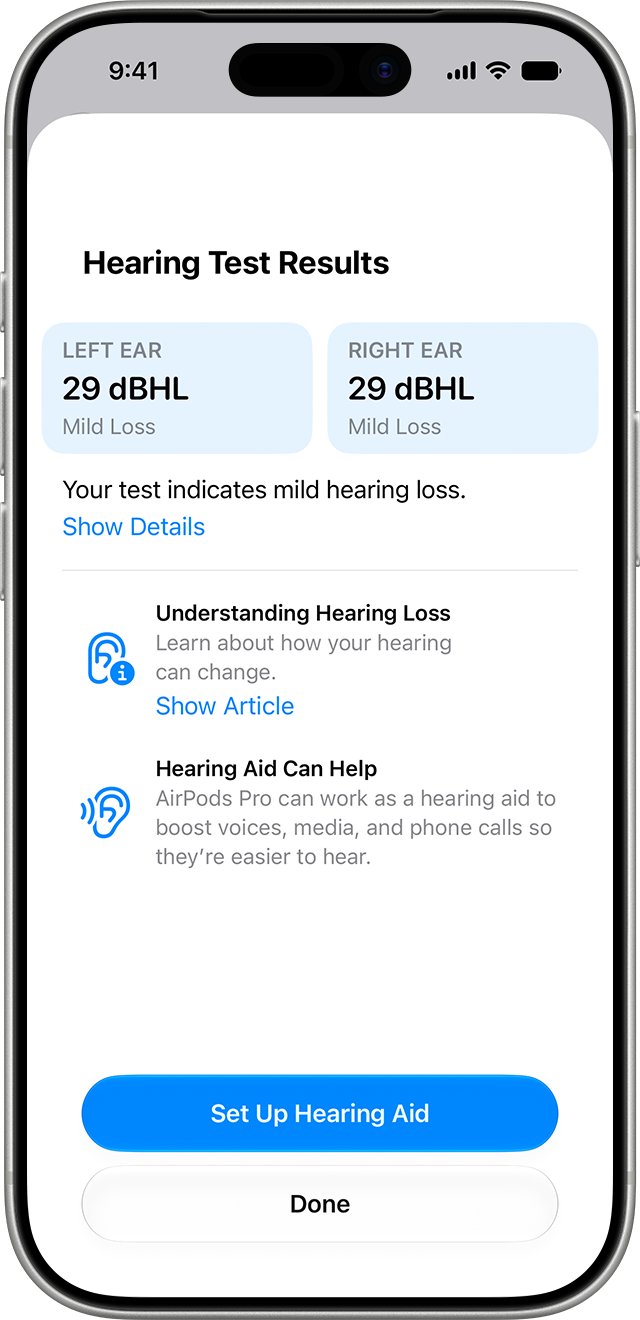
Results show one dBHL number for each ear plus a hearing loss classification. Tap Show Details to see the audiogram, which is saved in the Health app.
| Result per ear | Classification | What Apple suggests |
|---|---|---|
| Up to 25 dBHL | Little to no hearing loss | No action needed |
| 26 to 40 dBHL | Mild hearing loss | Hearing Aid or Media Assist features |
| 41 to 60 dBHL | Moderate hearing loss | Hearing Aid or Media Assist features |
| 61 to 80 dBHL | Severe hearing loss | Talk to a doctor |
| Sudden change in hearing | Any level | Talk to a doctor |
To share results, open Health > Browse > Hearing > Hearing Test Results, then tap Export PDF.
How to operate AirPods Pro 3
AirPods Pro 3 use the same stem controls as AirPods Pro 2. Every press is on the stem of either AirPod.
| To do this | On the stem |
|---|---|
| Pause or resume audio | Press once |
| Skip to the next track | Double-press |
| Go back a track | Triple-press |
| Change volume | Swipe lightly up or down |
| Switch listening mode | Press and hold until you hear a chime |
The listening modes are Adaptive Audio, Active Noise Cancellation and Transparency, plus Off if you turn on Off Listening Mode. Your hearing is not protected when the mode is Off.
AirPods Pro 3 problems on iOS 18.7
AirPods Pro 3 not connecting to iPhone
The iPhone software is out of date, an AirPod is not charging, or the pairing record is stale.
- Update the iPhone in Settings > General > Software Update.
- Put both AirPods in the case and make sure both are charging.
- Close the lid for 15 seconds, then open it.
- Double-tap the front of the case until the light flashes white and hold it next to the iPhone.
- If it still fails, reset the AirPods and set them up again.
AirPod Pro 3 Find My issues or only one AirPod pairs
Setup did not finish, usually because Find My or Apple Account security settings are incomplete.
- Wait a few minutes, since pairing can take time.
- Make sure the iPhone has a passcode and two-factor authentication is on.
- Open Settings > your name > Find My > Find My iPhone and turn on Find My iPhone and Find My network.
- Put the AirPods in the case, close the lid, wait, then reopen it.
- If they still do not pair, remove them in the Find My app under Devices and set them up again from the Home Screen.
Hearing Test keeps asking to clean the AirPods
The test cannot get a clean reading through the meshes or the seal.
- Clean the meshes and tips as described above and dry them for two hours.
- Run the Ear Tip Fit Test and try a smaller or larger tip.
- Update the iPhone and the AirPods firmware, then try again.
Heart rate or Live Translation missing in AirPods Pro 3 settings
Both features need iOS 26 or later.
- Update the iPhone to iOS 26 or later.
- Open Settings > your AirPods name and look for Heart Rate, under Privacy if needed.
If none of these work, factory reset AirPods Pro with three double-taps on the front of the case, then set them up again.
AirPods Pro 3 setup and hearing test FAQ
How do you set up AirPods Pro 3?
Turn on Bluetooth, open the case with both AirPods inside and hold it next to your iPhone. When the setup animation appears, tap Connect, follow the prompts and tap Done. Apple lists iOS 26 or later for AirPods Pro 3.
How do you connect new AirPods Pro 3 without the animation?
Open the case near your iPhone and double-tap the front of the case until the status light flashes white. Then open Settings > Bluetooth and tap your AirPods in the list. AirPods Pro 3 have no setup button on the back.
How do you operate AirPods Pro 3?
Use the stem. Press once to pause or play, double-press to skip forward, triple-press to go back, and swipe up or down for volume. Press and hold the stem until you hear a chime to change listening mode.
Why aren't my AirPods Pro working?
Start with software and charge. Update your iPhone, put both AirPods in the case to charge, close the lid for 15 seconds and reconnect. If they still fail, reset them by double-tapping the front of the case three times and set them up again.
Do AirPods Pro 3 work on iOS 18.7?
They play audio as Bluetooth headphones on earlier software, but Apple lists iOS 26 or later as the minimum for AirPods Pro 3. Heart rate, Live Translation and automatic Conversation Boost need iOS 26 or later.
Why do new AirPods Pro 3 need cleaning for the Hearing Test?
The Hearing Test recommends cleaning when it cannot get a clean reading, and Apple's answer is the standard AirPods Pro cleaning steps. Clean the meshes, dry the AirPods for two hours, confirm the seal with the Ear Tip Fit Test, then retest.
Do AirPods Pro 2 ear tips fit AirPods Pro 3?
No. Apple says ear tips are not interchangeable between AirPods Pro models. AirPods Pro 3 come with five sizes, XXS to L, while AirPods Pro 2 come with four, XS to L.
Is the AirPods Pro 3 Hearing Test available in the US?
Yes. Apple lists the United States for both the Hearing Test and Hearing Aid features. They need AirPods Pro 2 or later with the latest firmware, an iPhone or iPad on iOS 18 or later, and a user aged 18 or older.
Are AirPods Pro 3 coming out?
AirPods Pro 3 are already out. Apple's AirPods identification guide lists them as a 2025 model, and they have their own firmware line, currently 9B47.