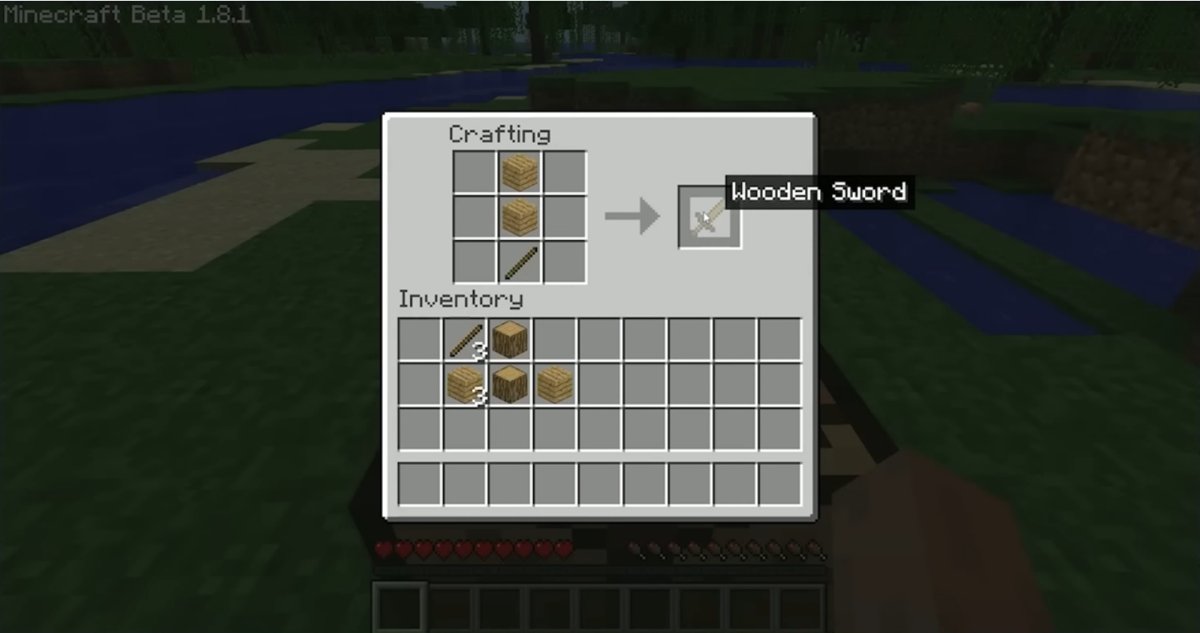
Make sticks in Minecraft by placing two wooden planks one above the other in any crafting grid, including the small grid in your inventory.
The sections below cover the bamboo recipe, drops and chests, Creative mode, the /give command, controller buttons on console, and what to craft with your sticks.
How to make sticks in Minecraft (survival mode)
You can do this in the first minute of a new world, with no tools. Wood from one tree gives you more than enough planks to start.
- Walk up to a tree and keep hitting the trunk with your hand until a log block breaks.
- Pick up the log, then open your inventory: press E on a keyboard, Y on Xbox or Nintendo consoles, or Triangle on PlayStation.
- Place the log in the Crafting grid. The output slot shows four planks of the same wood.
- Take the planks and move them to your inventory.
- Place one plank in a crafting slot and a second plank directly below it, in the same column.
- Take the sticks from the output slot. The number on the item shows how many you made.
Any plank works, so oak, birch, spruce and even crimson or warped planks from the Nether all give you the same sticks.
Materials needed to make sticks in Minecraft
You need very little, and nothing here requires a tool. Pick the row that matches what you have within reach.
| Material | Amount per craft | Where it comes from |
|---|---|---|
| Wooden planks | 2 | Put one log or wood block in a crafting grid to get four planks |
| Bamboo (alternative to planks) | 2, for one stick | Break bamboo stalks where they grow |
| Crafting grid | 1 | The small grid in your inventory is enough; a crafting table also works |
How to make sticks in Minecraft without a crafting table
You do not need a crafting table for sticks. The recipe fits inside the two-by-two grid that every player has in the inventory screen, labelled Crafting.
- Open your inventory.
- Find the four empty squares under Crafting, with an arrow pointing to a fifth square.
- Put one plank in the top-left square.
- Put a second plank in the square directly beneath it.
- Take the sticks from the fifth square.
Build a crafting table once you have four spare planks, because tools such as the wooden pickaxe need its three-by-three grid.
How to make sticks from bamboo in Minecraft
Two bamboo in the planks layout also give you a stick. Use this when you are in a jungle and bamboo is closer than a usable tree.
- Break bamboo and collect at least two pieces.
- Open your inventory or a crafting table.
- Place one bamboo in a crafting slot.
- Place a second bamboo directly below it.
- Take the stick from the output slot.
Each craft uses two bamboo and returns one stick, so this route suits a small top-up. To make planks instead, craft nine bamboo into a block of bamboo, then craft that block into two bamboo planks.
How to make sticks in Minecraft on PS4, PS5, Xbox and Switch
Console players use the same recipe as PC players. Only the buttons change, and Minecraft's official controls page lists them as follows.
| Console | Open the inventory | Open the crafting screen |
|---|---|---|
| PlayStation (PS4 and PS5) | Triangle | Square |
| Xbox | Y | X |
| Nintendo Switch | Y | X |
Recent Minecraft Preview builds use the crafting button to swap items between hands instead. If that button no longer opens crafting, go through the inventory button and use the grid there.
Other ways to get sticks in Minecraft
Crafting is the fastest route, but sticks also turn up during normal play. These sources help most when you have no wood nearby.
| Your situation | Source of sticks | How it works |
|---|---|---|
| You are clearing a forest | Leaves | Leaves can drop sticks when they are destroyed or when they decay |
| You are in a desert or badlands | Dead bushes | Break a dead bush by hand for a few sticks; shears give you the bush itself |
| You already have a fishing rod | Fishing | Sticks are one of the items you can catch |
| You are fighting hostile mobs | Witches | Witches sometimes drop sticks when they die |
| You have found a village | Chests | Several village chests can contain sticks |
None of these beats a single tree for speed. Treat them as a bonus or a stopgap rather than a plan.
Common uses for sticks in Minecraft
Sticks are the handle on most tools and a part of many everyday items. Mojang's own stick article lists torches, ladders, fences, signs, item frames, fishing rods and arrows among the items that depend on them.
| What you are making | What you need | Layout or note |
|---|---|---|
| Wooden pickaxe | 3 planks and 2 sticks | Planks across the top row, sticks down the middle column |
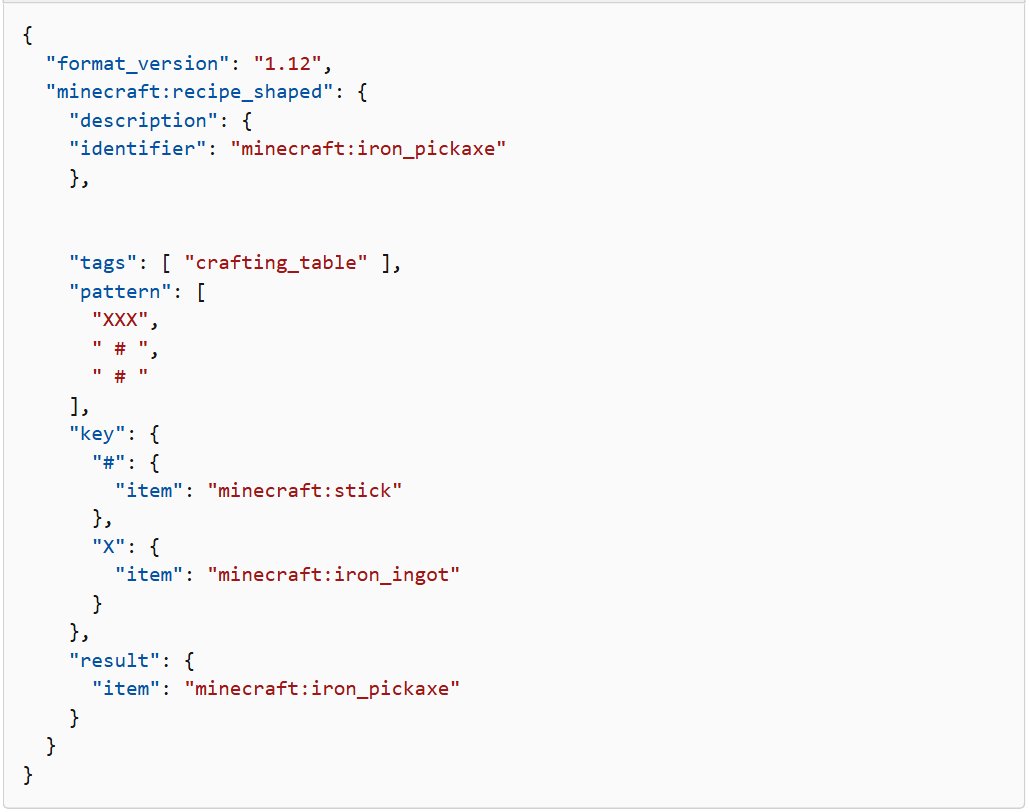
| Iron pickaxe | 3 iron ingots and 2 sticks | Ingots across the top row, sticks down the middle column |
| Torch | Coal and a stick | Craft in your inventory or at a crafting table |
| Ladder | 7 sticks | Arrange in an H shape to get three ladders |
| Fishing rod | 3 sticks and 2 string | Arrange diagonally; catches more sticks once you have one |
| Fence gate | 4 sticks and 2 planks | Planks in the center; any kind of wood works |
| Fence | Sticks and planks | Any plank type works, including crimson and warped |
| Furnace fuel | 2 sticks | Burning two sticks smelts one item |
| Villager trade | 32 sticks | Fletcher villagers buy them for one emerald |
How to trade sticks to a fletcher in Minecraft for emeralds
Spare sticks can turn into emeralds. A fletcher villager buys 32 sticks for one emerald when that offer is on its trade list.
- Craft or collect at least 32 sticks.
- Find a fletcher in a village.
- Open the villager's trade screen with the use button.
- Look through the offers for the one that takes sticks and gives an emerald.
- Select the offer, place your sticks, and take the emerald.
Villagers offer different trades, so a fletcher may not show this one straight away. Try another fletcher if the offer is not on the list.
How to get sticks in creative mode
Creative mode does not need crafting at all, because sticks are already in the Creative inventory. You can search for them instead of collecting wood.
- Switch to Creative mode when you create the world, or run
/gamemode creativein a world with cheats on. - Open your inventory: E on a keyboard, Y on Xbox or Nintendo consoles, or Triangle on PlayStation.
- Open the search tab and type stick.
- Select Stick in the results and move it to your hotbar.
Searching "stick" also shows items with stick in their name, such as carrot on a stick and warped fungus on a stick, so check the name before you select it.

Minecraft stick command (Java and Bedrock)
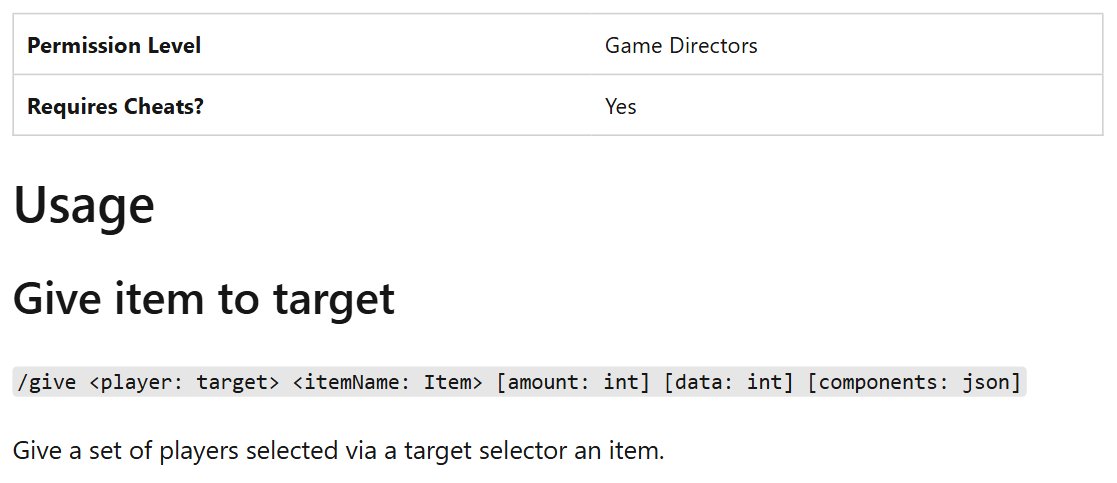
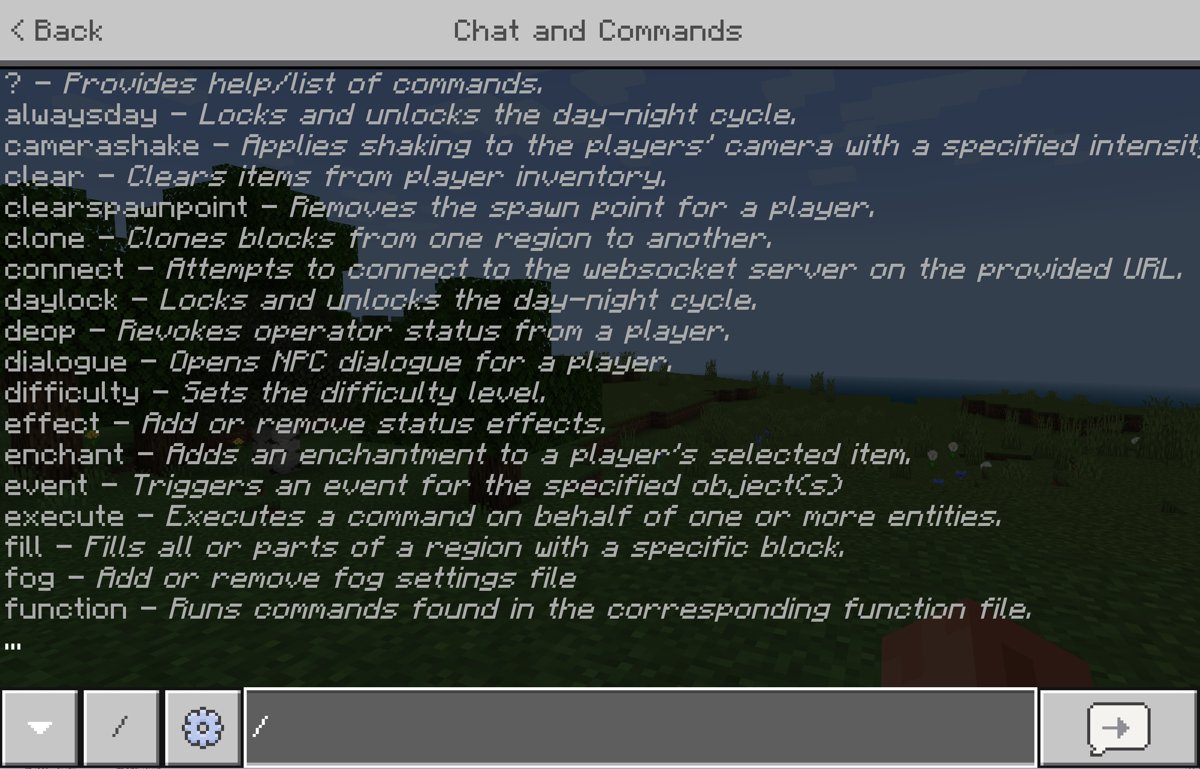
The /give command puts sticks straight into your inventory, and it uses the item ID minecraft:stick. It works only when cheats are on, and turning them on in a Bedrock world disables achievements for that world, even if you turn cheats off later.
- On Java Edition, turn on Allow Cheats when you create the world; some versions label it Allow Commands. For an existing world, open the game menu, select Open to LAN, tick the same option, and select Start LAN World.
- On Bedrock Edition, turn on Activate Cheats in the world settings when you create or edit the world.
- Open the chat window and start the command with a forward slash.
- On Java Edition, type
/give Steve minecraft:stick 64and replace Steve with your player name. - On Bedrock Edition, type
/give @s stick 64, where@smeans the player running the command. - Press Enter and check your inventory for 64 sticks.
Change 64 to any amount you want. On Bedrock, minecraft:stick works in the command as well as stick, and the Java LAN method lasts only until you close the world.
Supported platforms for crafting sticks in Minecraft
The stick recipe is part of the base game, so you do not need an add-on. You can get Minecraft for PC with both editions, and Bedrock Edition also runs on consoles, mobile and Chromebook.
| Platform | Edition | Open the inventory with | Stick recipe |
|---|---|---|---|
| Windows PC | Java and Bedrock | E | Two planks or two bamboo, stacked |
| PlayStation | Bedrock | Triangle | Two planks or two bamboo, stacked |
| Xbox | Bedrock | Y | Two planks or two bamboo, stacked |
| Nintendo Switch | Bedrock | Y | Two planks or two bamboo, stacked |
| iPhone, iPad and Android | Bedrock | The on-screen inventory button | Two planks or two bamboo, stacked |
| Chromebook | Bedrock | E on a keyboard | Two planks or two bamboo, stacked |
On PC, the Minecraft Launcher starts both editions, and the steps in this article apply whichever one you open.
Minecraft sticks FAQ
Do I need a crafting table to make sticks in Minecraft?
No. The stick recipe uses only two slots in one column, so it fits the small crafting grid in your inventory. A crafting table also works, and you will want one for tools, but sticks do not require it.
How many planks does one wood log make?
One log or wood block makes four planks of the same variety. The stick recipe uses two planks per craft, so a single log gives you enough planks for two stick crafts. The output slot shows the stick count before you take them.
Can you make sticks from any type of wood in Minecraft?
Yes. Minecraft treats plank types alike for this kind of crafting, so any plank will do. That includes oak, spruce, birch, jungle, acacia and dark oak, along with crimson and warped planks made from giant Nether fungi.
Is bamboo an efficient way to make sticks in Minecraft?
Bamboo works best as a stopgap. Two bamboo in the same stacked layout give you one stick, so each craft returns a small amount. Use it when bamboo is nearby and trees are not, then switch to planks when you can.
Can you get sticks in Minecraft without crafting them?
Yes. Leaves and dead bushes can drop sticks, witches sometimes drop them when they die, you can catch them while fishing, and several village chests contain them. Crafting from planks is still the fastest route.
How do you make sticks in Minecraft on a console (PS4, PS5, Xbox)?
Press Triangle on PlayStation or Y on Xbox to open the inventory, then stack two planks in one column of the crafting grid and take the sticks. The recipe is the same on every platform; only the buttons differ.
What is the Minecraft item ID for sticks?
The item ID for sticks is minecraft:stick. You can use it with the /give command, for example /give Steve minecraft:stick 64 on Java Edition. Bedrock Edition also accepts the short name, as in /give @s stick 64.
What can you make with sticks in Minecraft?
Sticks go into tools, torches, ladders, fences, fence gates, signs, item frames, fishing rods and arrows. You can also burn two sticks in a furnace to smelt one item, or sell 32 of them to a fletcher villager for an emerald.
Do sticks work as furnace fuel in Minecraft?
Yes. Put sticks in the bottom slot of a furnace and they burn as fuel, with two sticks smelting one item. This helps early on, when you have spare wood but no coal or charcoal to hand.