To get Apple News on a computer, open the News app on a Mac, because Apple lists no Apple News app for Windows.
This guide covers the Mac setup, the ways to follow Apple News from a Windows PC, Apple News+ costs, and fixes for a missing app or missing stories.
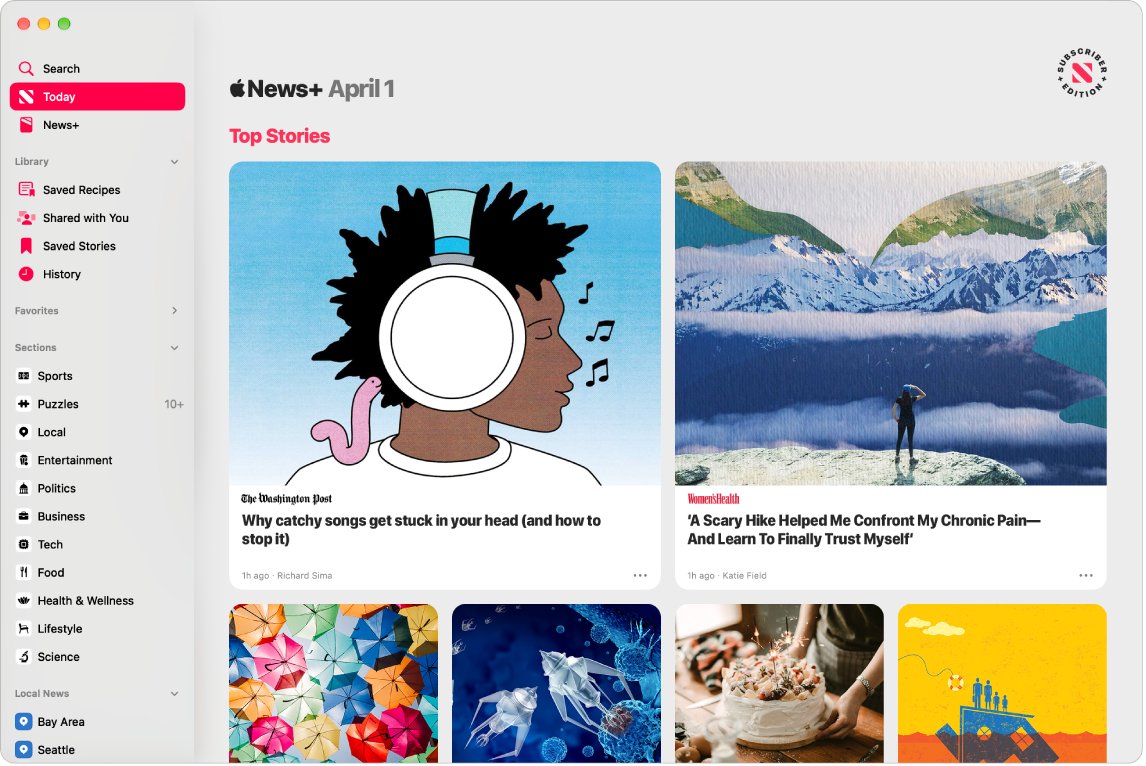
How to get Apple News on Mac
Apple News runs on a Mac through the News app, and Apple's own News guide covers Mac versions from Mojave onward. Your setup takes a few minutes.
- Open the News app on your Mac.
- Choose View > Show Sidebar if the sidebar is hidden.
- Click Today in the sidebar to read top stories chosen by Apple News editors.
- Choose File > Discover Channels and select the publications you want to follow.
- Click Search at the top of the sidebar to find a channel, topic or event.
- Open System Settings, click your name, click iCloud, and turn on News to sync with your other Apple devices.
The Today feed then mixes editors' picks with stories from what you follow. Apple News is not available in every country or region, so the app can be missing where the service is not offered.
Can I get Apple News on my PC?
No, not as an app. Apple's News page lists iPhone, Mac, iPad, CarPlay, HomePod and Apple Watch, and it lists no Windows or browser version. These are the real options for each computer.
| Your computer or goal | Use this | What you get |
|---|---|---|
| A Mac | The News app | The full service, including Apple News+ if you subscribe |
| A Windows PC plus an iPhone or iPad | Apple News newsletters by email | Top stories in your inbox, personalized to your interests |
| A Windows PC, listening only | Apple News Today on the Apple Podcasts website | The weekday audio briefing in a browser |
| A Windows PC and a specific publication | That publisher's own website | Its stories, subject to its own paywall |
| A Windows PC and a personalized feed | A Windows news app | A similar feed, but not Apple News content or your Apple News+ subscription |
How to access Apple News on PC with newsletters
Newsletters are the one Apple News feature that reaches a PC directly, because they arrive by email. You set them up once on an iPhone, iPad or Mac, then read them on any computer.
- Open the News app on your iPhone.
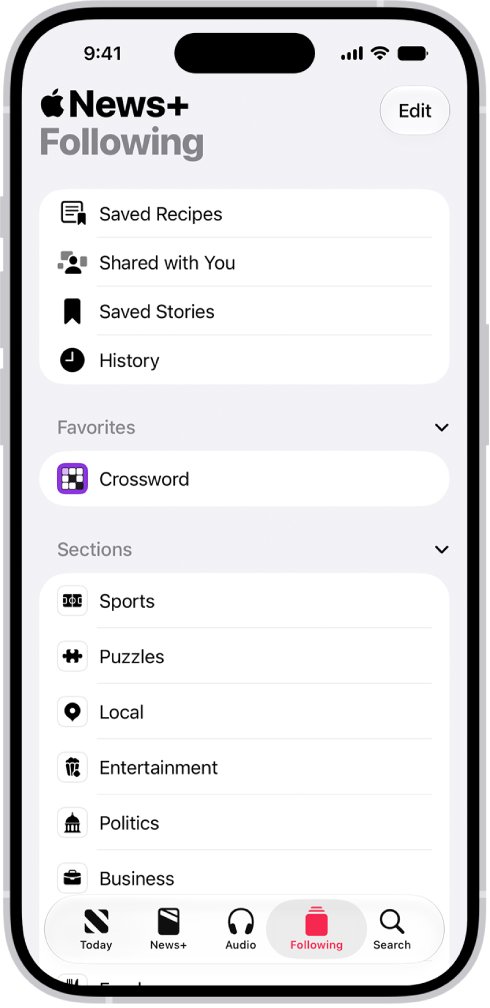
- Tap Following, swipe to the bottom of the screen, then tap Notifications & Email.
- Swipe to the bottom, then turn on Apple News Newsletters, or tap Sign Up for Newsletters and tap Sign Me Up.
- In the U.S., tap Sign Up beside each extra newsletter you want.
- Open the same email account in a browser or mail app on your Windows PC to read each edition.
On a Mac, the same switch is under File > Manage Notifications & Email. Personalized newsletters are not offered in every country or region.
How to get Apple News on Windows 11
Windows 11 has no Apple News app, and Apple's Windows software covers other jobs, such as the Apple Devices app for managing an iPhone. The Apple News Today briefing is the closest thing you can open directly on a PC.
- Open a browser on your Windows 11 PC and go to podcasts.apple.com.
- Select Search and type Apple News Today.
- Select the Apple News Today show in the results.
- Play the latest episode in the browser.
- Use the Apple Podcasts app for Windows if you prefer a desktop player.
For a reading feed on Windows, the Microsoft News app for Windows 11 and 10 fills the same role. It is a separate service, so your Apple News channels and Apple News+ subscription do not carry over.
How to get Apple News on iPhone
News is a built-in Apple app where the service is available. You do not need a computer to use it, and iCloud keeps your channels and saved stories in step with a Mac.
- Open the News app on your iPhone.
- Tap the search button and find a channel or topic you like.
- Tap the topic, then tap the follow button so it appears in your Today feed.
- Tap a story to read it, then swipe left for the next one.
- To sync with a Mac, open Settings, tap your name, tap iCloud, tap See All, and turn on News.
If you deleted the app, reinstall News from the App Store. iPad uses the same News app and the same iCloud switch.
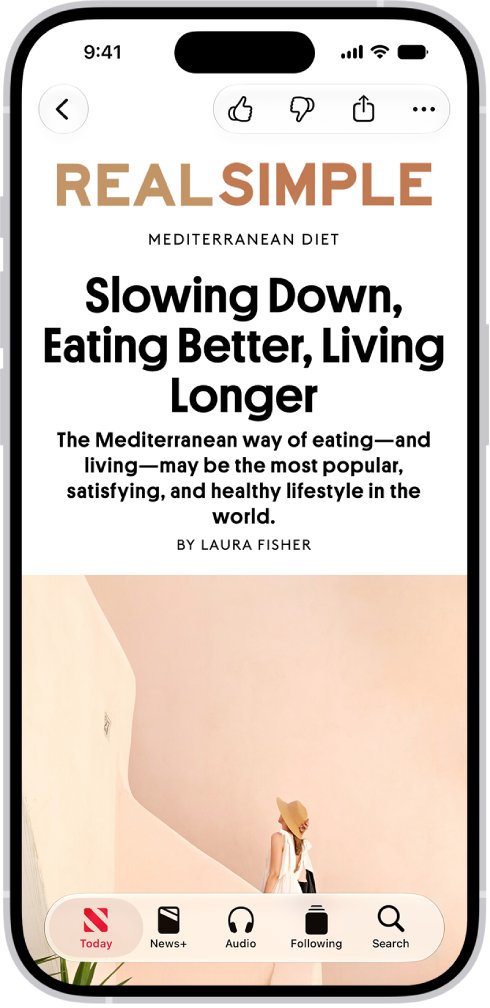
How to sign into Apple News
News has no separate login. It uses the Apple Account on your device, and Apple News+ follows the account you used to subscribe.
- Sign in to the same Apple Account on each Apple device.
- On a Mac, open System Settings and click your name at the top of the sidebar.
- Click iCloud, then turn on News, clicking See All if it is not listed.
- On iPhone or iPad, open Settings, tap your name, then tap Media & Purchases and check the App Store account.
- Open News and check that your channels and saved stories appear.
If you cannot get into the account itself, recover your Apple Account first. If you sign out of the subscribing account on a device, that device can read only free Apple News+ stories.
How to subscribe to Apple News+ on Mac
Subscribing needs an Apple device, because the sign-up button lives inside the News app. New subscribers get one month free, and then the plan renews at $12.99 per month until cancelled.
- Open the News app on your Mac.
- Click News+ in the sidebar, then click the subscription button.
- Follow the onscreen instructions and sign in to your Apple Account if asked.
- Click News+ again to browse My Magazines, Newspapers and the Catalog.
- To cancel later, choose File > Manage Subscriptions and follow the onscreen instructions.
You can share Apple News+ with up to five other family members through Family Sharing. They need no setup, because it is ready the first time they open News after your subscription begins.
What do you get with Apple News subscription?
Apple News is free, and Apple News+ adds premium publications and features. This comparison comes from Apple's own plan table.
| Feature | Apple News (free) | Apple News+ ($12.99 per month) |
|---|---|---|
| Top stories chosen by editors, personalized for you | Yes | Yes |
| My Sports with scores, standings and highlights | Yes | Yes |
| Apple News Today and In Conversation | Yes | Yes |
| Hundreds of magazines and leading newspapers | No | Yes |
| Apple News+ audio stories | No | Yes |
| Exclusive daily puzzles | No | Yes |
| Reading online and offline across devices | No | Yes |
| Cover-to-cover magazines | No | Yes |
| Family Sharing for up to six people | No | Yes |
Apple One Premier at $39.95 per month also includes Apple News+, alongside five other Apple services.
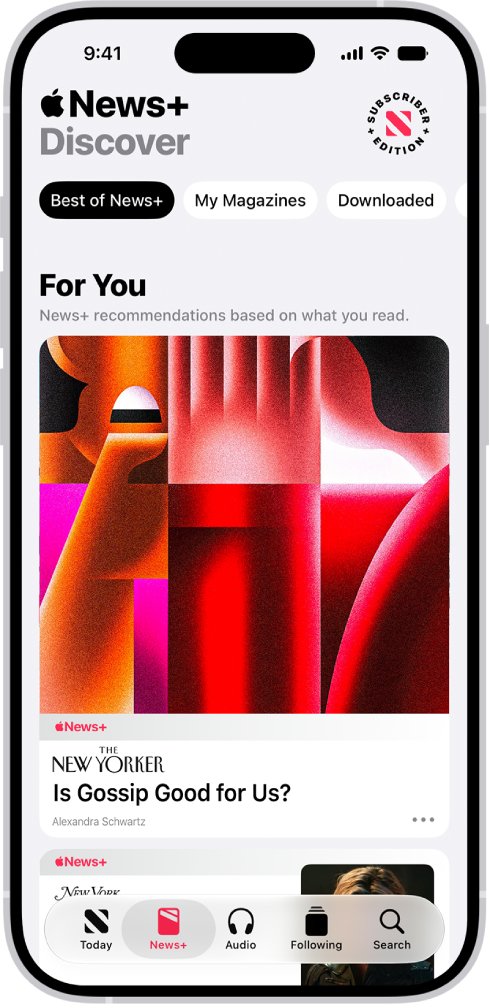
How to get Apple News free
The standard Apple News service costs nothing on a supported Apple device, and only Apple News+ needs a subscription. These are the free routes Apple lists for it.
| Route | How long | Who qualifies |
|---|---|---|
| Standard Apple News | No time limit | Anyone with a supported Apple device in an available region |
| Apple News+ trial | 1 month, then $12.99 per month | New subscribers |
| Apple News+ device offer | 3 months, then $12.99 per month | Buyers of an eligible new iPhone, iPad or Mac, one offer per family |
| Apple One device offer | 3 months, then the plan price | Buyers of an eligible new device who have not used this offer |
Plans renew automatically after a trial, so cancel before it ends if you do not want to pay.
How does Apple News work on Mac?
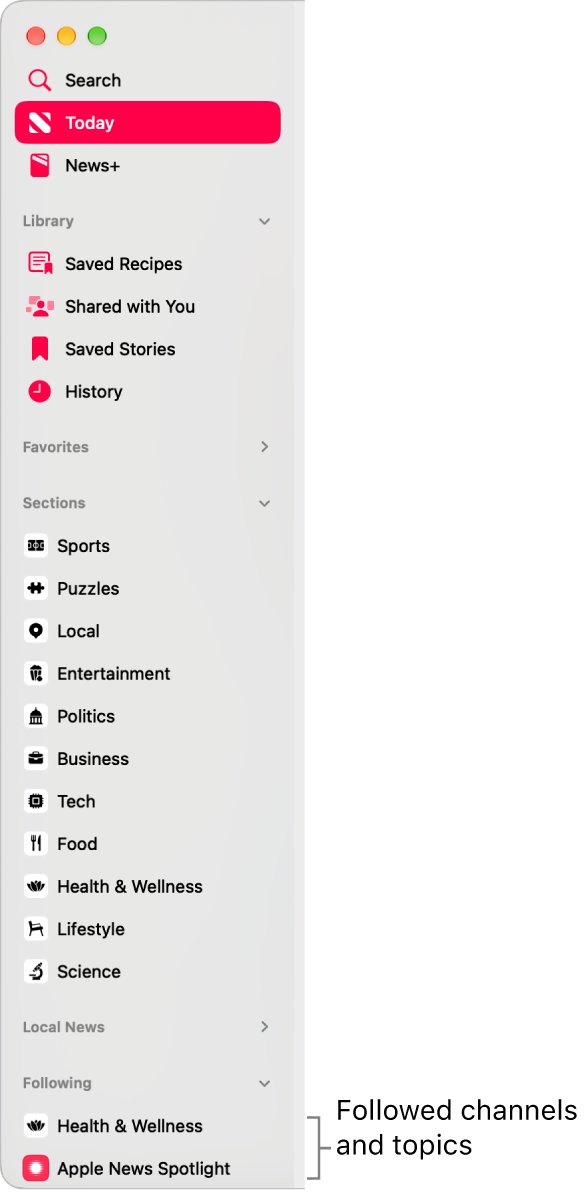
Apple News collects stories from publications, called channels, and from topics. The sidebar is where everything sits, and these are the sections you use most.
| Sidebar item | What it does |
|---|---|
| Today | Top stories from editors plus channels and topics you follow, with local news in some regions |
| News+ | Magazines and newspapers from Apple News+, which non-subscribers can browse by headline |
| Sports | Teams, leagues and athletes you follow, with scores, schedules and standings |
| Puzzles | Daily crossword, Quartiles, sudoku and Emoji Game for Apple News+ subscribers |
| Shared with You | Stories that contacts sent you in Messages |
| Following | Every channel and topic you follow |
| Suggested | Channels and topics suggested by Siri or by your actions in News |
Apple News system requirements for Mac, iPhone and iPad
Some features need a newer system than Apple News+ itself. A Mac on an older macOS version can run News but miss newer sections.
| Feature | Mac | iPhone | iPad |
|---|---|---|---|
| Apple News+ | macOS Mojave 10.14.4 or later | iOS 12.2 or later | iPadOS 13 or later |
| Local news | macOS Catalina 10.15.6 or later | iOS 13.6 or later | iPadOS 13.6 or later |
| My Sports | macOS Ventura 13 or later | iOS 16 or later | iPadOS 16 or later |
| Apple News+ puzzles | macOS Sonoma 14 or later | iOS 17 or later | iPadOS 17 or later |
How to tell if Apple News is syncing on your Mac and iPhone
- Follow a new channel in the News app on your Mac.
- Open News on your iPhone and tap Following.
- Look for the same channel in the list.
- Save a story on one device and check that it appears in the saved stories on the other.
Matching lists mean iCloud is working for News. If they differ, check that both devices use the same Apple Account and that News is on under iCloud.
Apple News not showing on Mac or PC
Apple News app is missing on your computer
Windows has no News app, and on Apple devices the service is limited by country or region.
- Confirm whether the computer is a Mac, because a Windows PC needs the routes in the table above.
- Open Apple's Availability of Apple Media Services page and find your country or region.
- Check for Apple News+ in the list, which the page shows for the United States, Canada, the United Kingdom and Australia.
- Chat with Apple Support if your region is listed but the app is still absent.
Sidebar is missing in the News app
The sidebar is hidden, which also hides News+, Sports and Search.
- Open the News app on your Mac.
- Choose View > Show Sidebar.
- Click Today or News+ to return to the section you wanted.
A channel or topic you want is not listed
Your Following list shows only what you chose, and suggestions change with your activity.
- Choose File > Discover Channels in News on your Mac.
- Use the search field at the top of the sidebar for anything not shown.
- Follow it from the results so it appears in your Today feed.
Apple News+ stories are locked
The device is signed out of the Apple Account that subscribed.
- On iPhone or iPad, open Settings, tap your name, then tap Media & Purchases.
- Sign in with the account you used to subscribe.
- Reopen News and try the story again.
Apple News on computer FAQ
Can I get Apple News on my PC?
No Apple News app exists for a Windows PC on Apple's device list, which names iPhone, Mac, iPad, CarPlay, HomePod and Apple Watch. On a PC you can read Apple News newsletters by email or play Apple News Today on the Apple Podcasts website.
Can I get Apple News+ on my PC?
Apple News+ is listed for iOS, iPadOS and macOS only, so a Windows PC cannot open your magazines and newspapers. Your subscription works on the supported Apple devices signed in to the same Apple Account, and newsletters can mention new issues by email.
How do I get Apple News on my iPad?
Open the News app on your iPad, which is a built-in Apple app where the service is available. If you deleted it, reinstall it from the App Store. Turn on News under iCloud in Settings to keep channels and saved stories in sync.
Can I get Apple News on an Amazon Fire tablet?
Apple does not list Amazon Fire tablets among Apple News devices. Apple's page names iPhone, Mac, iPad, CarPlay, HomePod and Apple Watch only. To follow the same publications on a Fire tablet, open their own websites in the tablet's browser.
What do I get with Apple News?
The free service gives you top stories chosen by editors and personalized for you, My Sports, and the Apple News Today and In Conversation audio shows. Apple News+ adds hundreds of magazines and newspapers, audio stories, puzzles and Family Sharing.
How do I subscribe to Apple News?
Standard Apple News needs no subscription, so you can open the News app and start reading. For Apple News+, click News+ in the Mac sidebar or follow the subscription prompt on iPhone, then complete the onscreen steps.
How good is Apple News?
It suits people who read on Apple devices and want one feed from many publishers, with editors choosing top stories. It suits Windows users poorly because no PC app exists. Try the free service before paying for Apple News+.
How do I get rid of Apple News on iPhone?
Touch and hold the News icon, tap Remove App, tap Delete App, then tap Delete. News is on Apple's list of built-in apps you can delete where the service is available. To keep the app and silence it, turn off its notifications instead.
Why is Apple News not available in my country?
Apple offers Apple News and Apple News+ only in some countries and regions. The Availability of Apple Media Services page lists Apple News+ for the United States, Canada, the United Kingdom and Australia. Use a publisher's own site where it is not offered.