Add an AOL account by going to Settings > Apps > Mail > Mail Accounts > Add Account, entering your address, and choosing Aol. if Mail asks for a provider.
When that fails, the sections below cover the wrong-provider error, testing your AOL password in Safari, entering the server settings by hand, and fixing AOL mail that stops arriving.
How to add an AOL account to iPhone or iPad
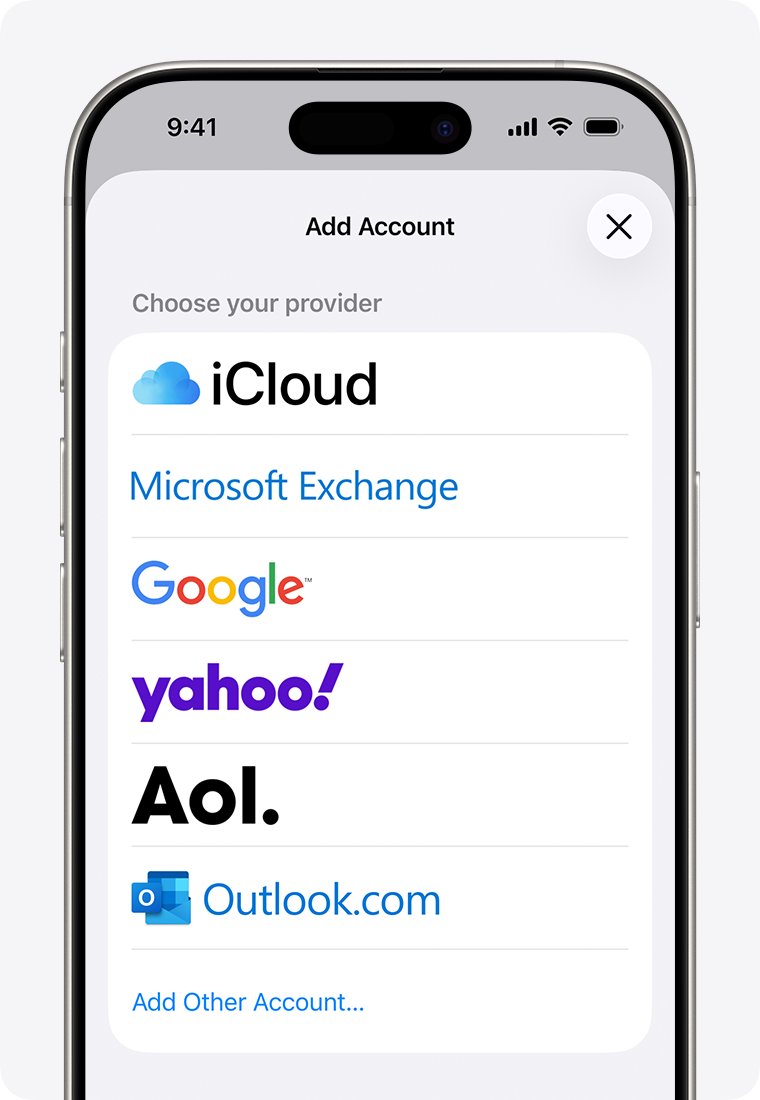
Aol. is on the provider list in Mail, so setup needs only your address and password. Use these steps on iOS 18 and later, and on iPad.
- Go to Settings, then tap Apps.
- Tap Mail, then tap Mail Accounts.
- Tap Add Account and enter your AOL email address.
- Choose Aol. from the provider list if Mail asks.
- Follow the prompts and enter your email address and password.
- If you see Next, tap it and wait for Mail to verify the account.
- If you see Save, tap Save.
On iOS 17 and earlier, go to Settings > Mail, tap Accounts, then tap Add Account and choose the email service from the list.
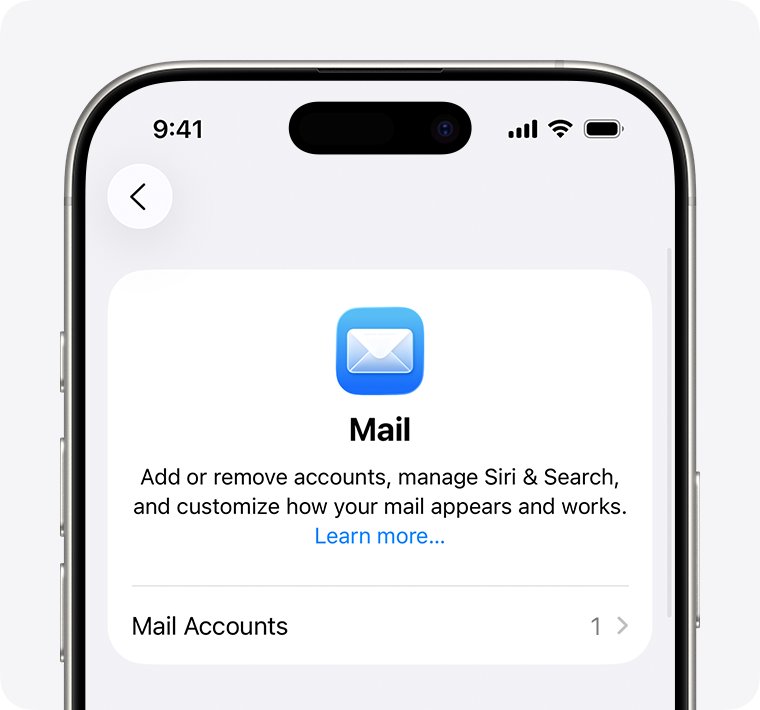
Choose the correct email provider for an AOL address on iPhone
Mail sometimes asks you to pick a provider, and the right choice is not always obvious. A wrong choice can block setup, so match your address to this table.
| Your email address ends in | Choose this provider | Why |
|---|---|---|
| @aol.com | Aol. | Apple lists this match directly |
| @aim.com | Aol. | Apple lists Aol. for AIM addresses too |
| @verizon.net | Aol. | Apple lists Aol. for Verizon addresses too |
| Any other address on a different domain | Other, at the bottom of the list | Setup then asks for server details from your email provider |
If Mail does not ask you to choose, it has already identified the provider from your address.
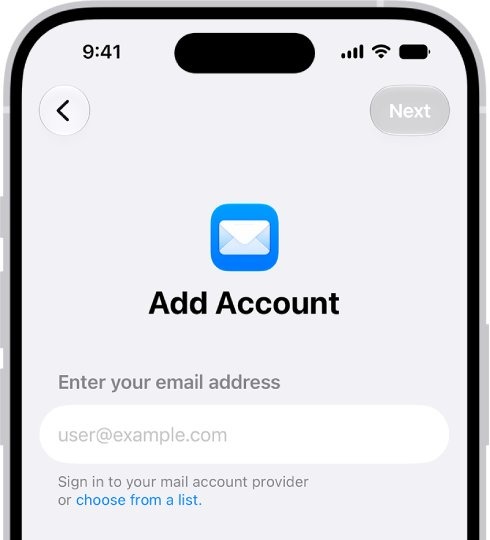
Remove and add back an AOL account on iPhone
A wrong provider choice stays stuck until you remove the account. Trying to add it again without removing it first can show a message that the email account already exists.
Removing the account from the iPhone does not close it with AOL. Previously downloaded email might be removed from the device.
- Go to Settings, tap Apps, then tap Mail.
- Tap Mail Accounts, then tap the AOL account.
- Tap Sign Out or Delete Account.
- Go back to Mail Accounts and tap Add Account.
- Enter your AOL address and choose Aol. if asked.
- Enter your password and finish the prompts.
I cannot get into my AOL account on iPhone: test the sign-in in Safari
Mail can only reach your account if AOL accepts the password. Testing on the website tells you whether the problem is your AOL sign-in or the iPhone's Mail setup.
- Open Safari and go to aol.com.
- Select Login / Join.
- Enter your username and select Next.
- Enter your password and select Sign in.
- If the website rejects you too, fix the AOL sign-in before you touch the iPhone's settings.
- If the website accepts you, go back to Mail Accounts and add the account with exactly that address and password.
You can also sign in to AOL Mail on a computer. If the website itself will not load in Safari, fix the cannot connect to server error first.
AOL password not working in iPhone Mail but works on the website
A password that works on the website but fails in Mail can point to AOL's security settings. Apple notes that a provider can refuse a normal password when two-step verification calls for an app-specific one, and Microsoft reports that AOL requires 2-factor authentication for accounts added to Outlook.
- Sign in at aol.com in Safari.
- Select your profile name.
- Enter your Account Security Question answer if prompted, then select Continue.
- Open Account security or the Account Settings page, whichever appears.
- Check whether 2-step verification is on and whether an app password option is offered.
- If it is, create an app password and enter it in Mail instead of your normal AOL password.
If AOL still rejects both passwords, contact AOL directly. Apple's own advice for a repeated username or password error is to contact the email provider.
AOL IMAP and SMTP server settings for iPhone Mail
These are the AOL values in Mozilla's mail configuration database. You need them only when Mail cannot find the settings by itself.
| Setting | Incoming (IMAP) | Incoming (POP) | Outgoing (SMTP) |
|---|---|---|---|
| Server | imap.aol.com |
pop.aol.com |
smtp.aol.com |
| Port | 993 | 995 | 465 |
| Security | SSL | SSL | SSL |
| User name | Your full AOL email address | Your full AOL email address | Your full AOL email address |
Apple's manual setup asks you to choose IMAP or POP. Mozilla's database lists IMAP first for AOL, so start with IMAP and ask AOL if the server rejects it.
How to set up AOL email manually on iPhone or iPad
Use the manual route when automatic setup keeps failing with the Aol. provider. Keep the server table above open while you type.
- Go to Settings, tap Apps, tap Mail, then tap Mail Accounts.
- Tap Add Account, enter your address, then tap Next.
- Tap Add Other Account, then tap Mail Account.
- Enter your name, email address, password and a description, then tap Next.
- If Mail finds the settings, tap Done.
- If it cannot, choose IMAP and enter the Incoming Mail Server and Outgoing Mail Server details, then tap Next.
- Tap Save when the settings are accepted.
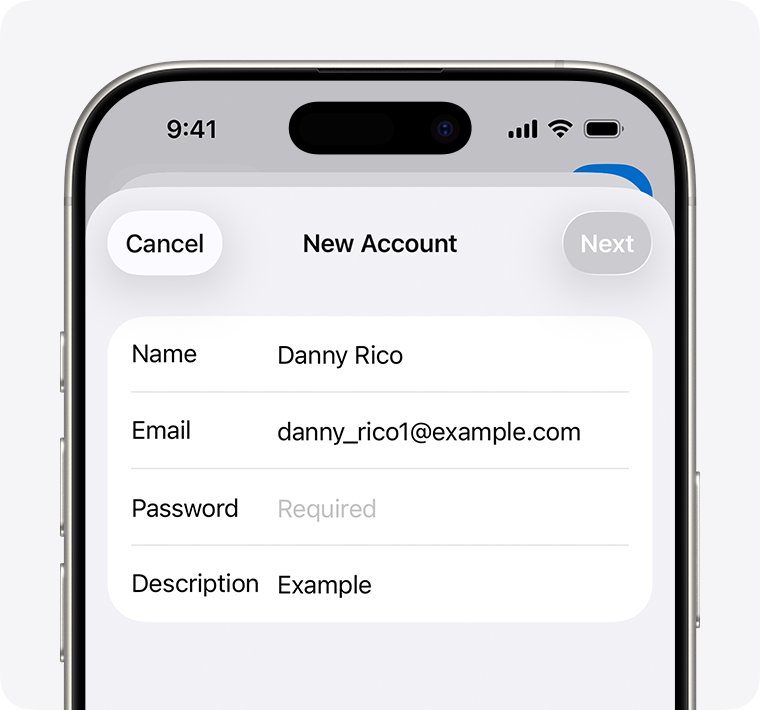
Use the AOL app on iPhone and iPad instead of Mail
AOL publishes its own app, called AOL Mail, News, Weather, for iPhone and iPad. It is a practical fallback if you need your mail now and the Mail app still refuses the account.
- Open the App Store.
- Search for AOL Mail, News, Weather and check that the developer is AOL Media LLC.
- Download the app and open it.
- Sign in with your AOL address and password.
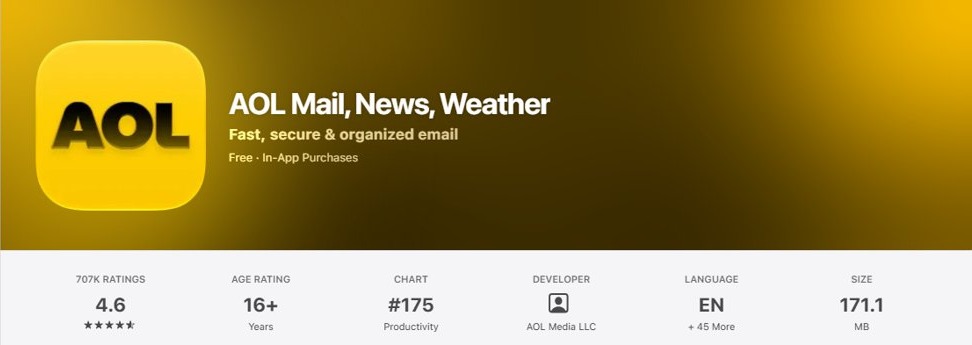
How to tell if AOL mail is working on iPhone
A saved account does not prove that mail flows in both directions. Run this quick round trip.
- Go to Settings > Apps > Mail > Mail Accounts and confirm the AOL account is listed.
- Tap the account and check that Mail is turned on.
- Open the Mail app, go to your list of mailboxes, and open the AOL inbox.
- Send a message from AOL to your own address.
- Check that it arrives, and that the Outbox does not hold it.
AOL account error cannot get mail on iPhone
Match the symptom you see, then work through its fix. Confirm first that the iPhone or iPad is online.
AOL account error: cannot get mail
Mail asks for a password when it reaches the provider but the provider will not accept what is stored.
- Sign in at aol.com with the same address and password.
- Check AOL for a service outage if the website also misbehaves.
- Remove the account from Mail Accounts and add it back with the current password.
The email account already exists
The account was added earlier, possibly with the wrong provider.
- Open Settings > Apps > Mail > Mail Accounts.
- Tap the existing account and tap Sign Out or Delete Account.
- Add it again and choose Aol. as the provider.
Why can't I get my AOL mail when the account is added
Fetch settings decide when the iPhone looks for new mail, and Automatically fetches in the background only while charging on Wi-Fi.
- Go to Settings, tap Apps, tap Mail, then tap Mail Accounts.
- Tap Fetch New Data.
- Choose a timed schedule under Fetch.
- Go to Settings > Notifications > Mail and check Alerts, Sounds and Badges.
My AOL account is not working for sending
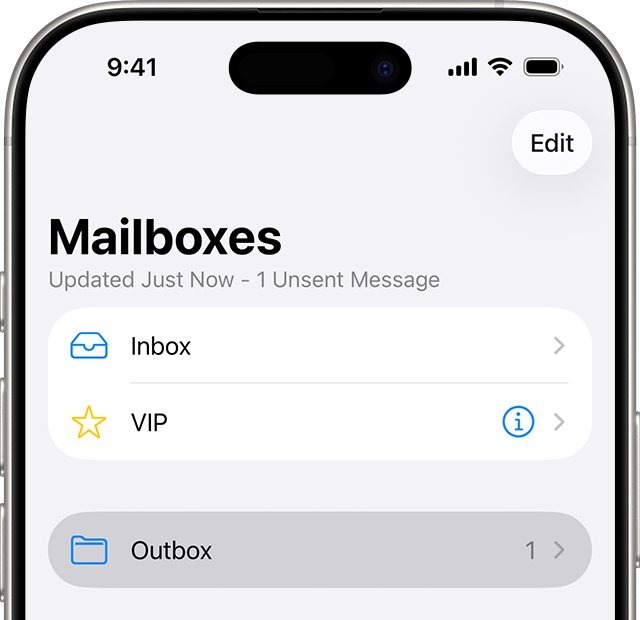
A message that fails to send waits in the Outbox.
- In Mail, go to your list of mailboxes and tap Outbox.
- Tap the email and check the recipient's address.
- Tap Send.
AOL account added but the Mail app is missing
The Mail app may only have left the Home Screen.
- On the Home Screen, swipe left until you see App Library.
- Enter Mail in the search field.
- Touch and hold the app, then tap Add to Home Screen.
You can change push and fetch settings for each account. If every account fails after an update, the problem is broader, so fix Mail after an iOS update instead. Mac users have a separate AOL fix for Mac Mail.
AOL account on iPhone and iPad FAQ
Why can't I access my AOL account on my iPhone?
Mail cannot connect when the password is wrong, the provider choice was wrong, or AOL has an outage. Test your address and password at aol.com first. If the website works, remove the account from Mail Accounts and add it again with the Aol. provider.
Can't get into AOL email account: what should I check first?
Check that you can sign in at aol.com with your full address and password. Use Login / Join on the AOL home page. A failed sign-in there means the issue is with the AOL account rather than your iPhone or iPad.
Why can't I get into AOL on my iPad?
An iPad uses the same Mail Accounts setup as an iPhone, so the causes match. Confirm the iPad is online, test the sign-in at aol.com in Safari, and re-add the account with the Aol. provider if your password works on the website.
Why can't I get my AOL mail?
The account may be turned off, or fetch settings may be delaying new mail. In Mail Accounts, tap the AOL account and make sure Mail is on, then tap Fetch New Data and choose a timed schedule. Automatically only fetches while charging on Wi-Fi.
Why can't I log into AOL with the correct password?
Your provider may reject a normal password for security reasons, such as when two-step verification is on. Check Account security at aol.com for an app password option. If you recently changed your password, enter the new one on every device.
Why can't I get on AOL at all?
Check your connection by loading another website in Safari, then check for an AOL service outage. If other sites load and aol.com does not, the fault is outside your iPhone or iPad. If nothing loads, fix the device's internet connection first.
My AOL account is not working: what should I do?
Sign in at aol.com first to find out whether the account or the device is at fault. If the website works, remove the account from Mail Accounts, add it back with the Aol. provider, and check that Mail is turned on for it.