When Mail stops working with an AOL account after you install macOS Sonoma, the fix that usually works is to remove the AOL account from Internet Accounts and add it back, so Mail signs in to AOL again with fresh settings.
This guide covers that fix plus the quicker checks first: status messages, webmail, the stored password, Connection Doctor, an inactive account and a full mailbox.
Fix AOL mail not working in Mac Mail after the Sonoma update
Work through these steps in order and test Mail after each one. Most AOL accounts reconnect at step 5.
- Confirm the Mac is online by loading a website in Safari.
- Sign in to AOL Mail in a web browser with the same email address and password.
- Click any warning symbol or lightning bolt next to the AOL inbox in the Mail sidebar and read the status message.
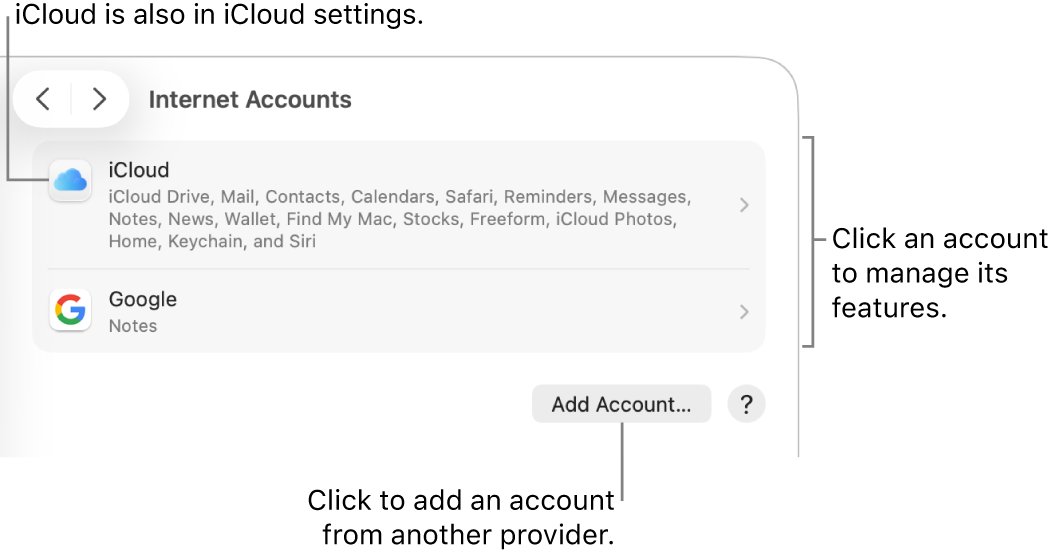
- Choose Apple menu > System Settings > Internet Accounts, select the AOL account, and click Delete Account.
- Click Add Account, choose AOL if it is listed or Add Other Account if not, and sign in again.
- Turn on Mail for the account when macOS asks which apps should use it.
- Open Mail and click the Get Mail button in the toolbar.
Before you delete the account, move any messages stored only on your Mac to a mailbox in the On My Mac section of the sidebar. Messages on AOL's server stay there and download again.
Check the AOL account status message in Mail on Mac
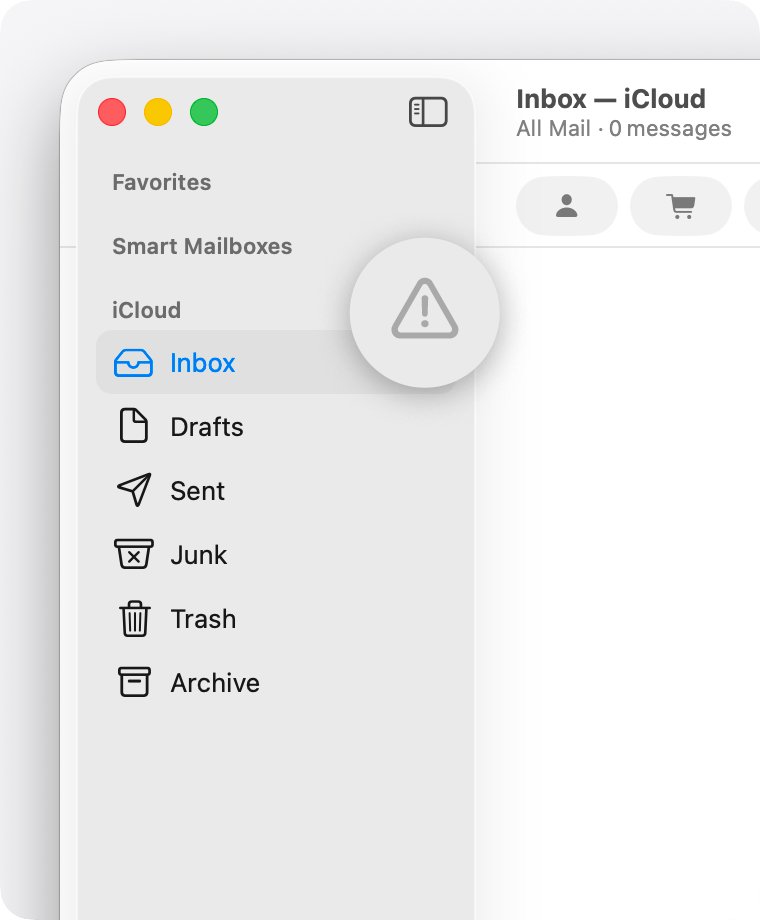
Mail shows a warning symbol or lightning bolt when an account cannot connect. The message tells you which fix applies.
- Open Mail and look next to the AOL inbox in the sidebar, or at the upper-right corner of the Mail window.
- Click the warning symbol or lightning bolt to see the status details.
- If Mail says the network is offline but the Mac is online, check for a VPN or other software that interacts with network connections.
- If Mail says login failed, confirm the AOL account details and check for an AOL service outage.
- If Mail keeps asking for the password, use the password fix below.
Test your AOL account in webmail
Webmail shows whether the account itself works. If you can sign in to AOL Mail on the web but not in Mail, the problem is the Mac setup.
- Open Safari and sign in to AOL Mail with your AOL email address and password.
- If the password is rejected, reset it with AOL before changing anything in Mail.
- Look for a notice asking you to accept updated terms, because providers can pause email until you agree.
- Send a test message to yourself from webmail and confirm it arrives.
Re-enter the AOL password in Internet Accounts on macOS Sonoma
Mail asks for a password when it reaches AOL but AOL refuses the password it has stored. A password changed on another device is the usual cause.
- Quit Mail, or force it to quit if it does not respond.
- Choose Apple menu > System Settings, then click Internet Accounts.
- Click your AOL account.
- Click Details if the button is shown.
- Delete the password in the password field and type the current AOL password.
- Close System Settings, open Mail and try the account again.
If AOL changed how it authenticates accounts, a corrected password is not enough, and removing and re-adding the account is the fix.
Remove and re-add the AOL account in Mail on Mac
Apple recommends this when nothing else works, because adding the account again picks up the provider's current sign-in method. Removing the account deletes its messages from the Mac only.
- Move any messages you need that are not on AOL's server into a mailbox under On My Mac.
- Choose Apple menu > System Settings > Internet Accounts.
- Select the AOL account and click Delete Account, then click OK.
- Click Add Account and click the provider name, or click Add Other Account and choose the account type.
- Enter your AOL email address, password and any other details requested.
- Select Mail in the list of apps that should use the account.
- Open Mail and wait for the AOL mailboxes to download.
You can also add the account from Mail itself: choose Mail > Add Account, enter the email address, and click Continue.
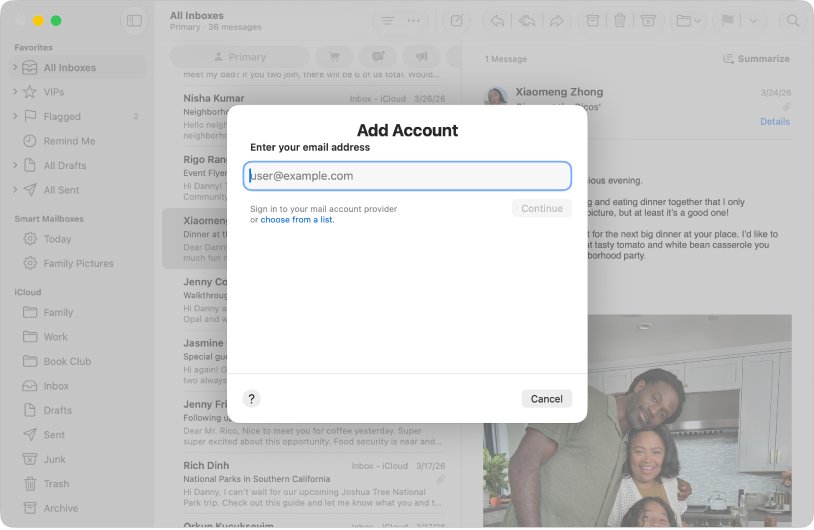
Run Mail Connection Doctor for the AOL account
- Open Mail on the Mac.
- Choose Window > Connection Doctor.
- Find the AOL account in the list and read the Details column.
- Follow any instruction shown for logging in, the incoming mail server or the outgoing mail server.
- Check whether firewall software is blocking mail traffic if Connection Doctor reports a network problem.
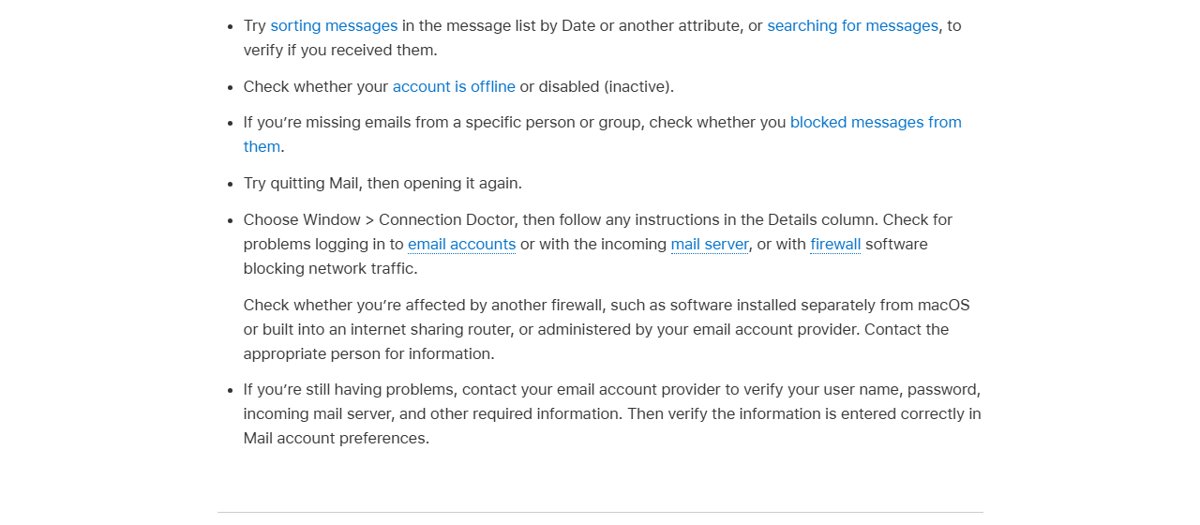
Turn the AOL account back on in Mail
A disabled account is dimmed in Mail settings, and its mailboxes disappear from the sidebar. A macOS update can leave the Mail switch off.
- In Mail, choose Mail > Settings, then click Accounts.
- Select the AOL account on the left.
- Select Enable this account.
- If the account is still missing, open System Settings > Internet Accounts, select AOL and turn on the Mail switch.
Check AOL mailbox storage in Mail on Mac
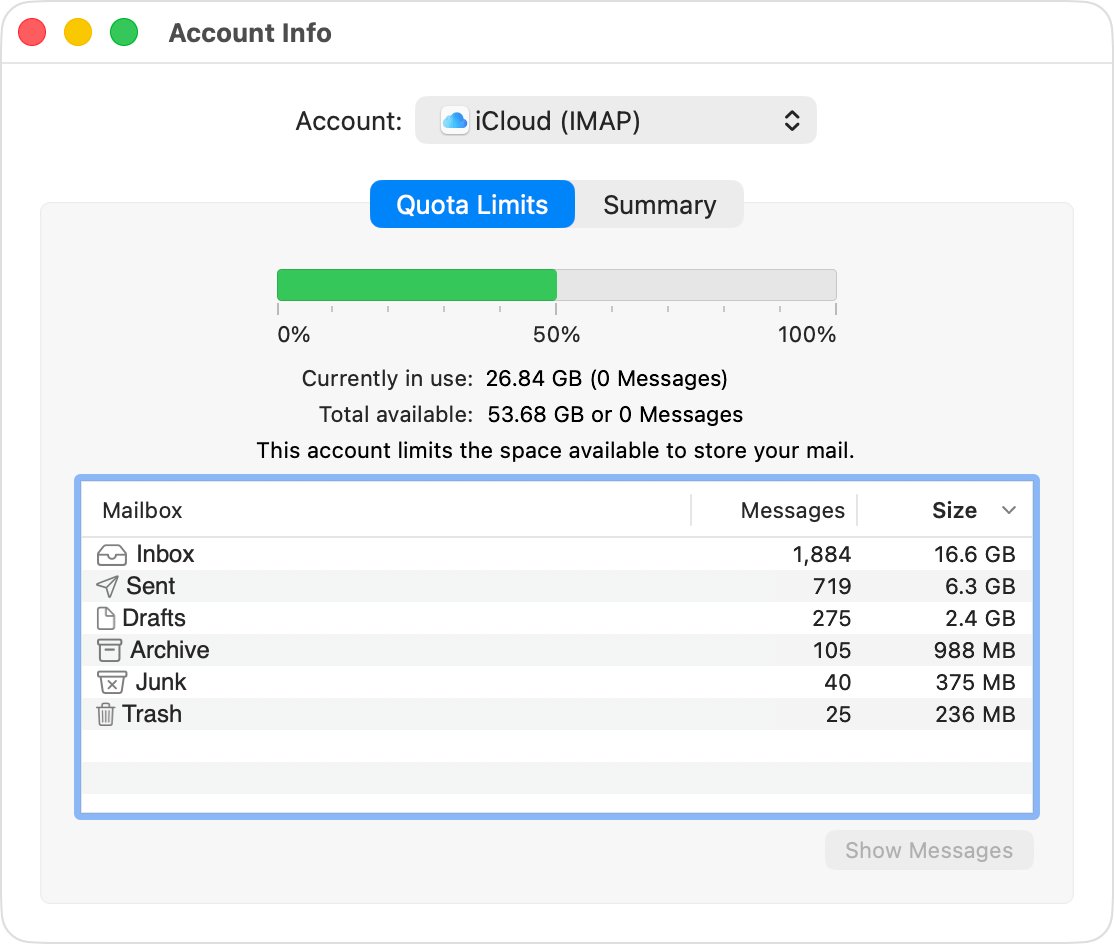
A full mailbox on the server can stop new mail from arriving. Mail can show how much of the AOL storage your mailboxes use.
| Step | Where | Result |
|---|---|---|
| Control-click the AOL mailbox and choose Get Account Info | Mail sidebar | Shows server mailboxes and storage used |
| Delete unneeded messages | Any mailbox in Account Info | Frees server space |
| Choose Mailbox > Erase Deleted Items | Mail menu bar | Empties the Trash so the space is released |
| Drag messages to a mailbox under On My Mac | Mail sidebar | Keeps the messages on the Mac and off the server |
Confirm AOL mail sends and receives on Mac again
- Click Get Mail and confirm no warning symbol appears next to the AOL inbox.
- Send a message from the AOL account to another address you own.
- Reply to it and confirm the reply lands in the AOL inbox in Mail.
- Open Window > Connection Doctor and confirm the AOL account shows no errors.
AOL mail on Mac still not working after Sonoma
Mail keeps asking for the AOL password
AOL is rejecting the stored password, or it needs a different sign-in method.
- Sign in to AOL webmail with the same password to confirm it works.
- Re-enter the password in System Settings > Internet Accounts.
- Ask AOL whether the account needs a special app password for Mail.
- Remove and re-add the account if Mail still prompts.
AOL mail arrives but will not send
The outgoing (SMTP) server settings or a firewall is blocking sending.
- Choose Window > Connection Doctor and read the Details column.
- Confirm firewall software is not blocking port 25, 465 or 587.
- Choose Mail > Settings > Accounts, select AOL and click Server Settings to compare the outgoing server with AOL's published settings.
- Select Use TLS/SSL only if AOL supports it, and deselect it again if Mail reports Unable to connect.
Why can I not get my AOL mail in Mail?
A large download, a filter, an offline account or a blocked sender is hiding new mail.
- Check Mail activity for a large message still downloading.
- Choose View > Filter > Disable Message Filter, or press Command-L.
- Check the Junk mailbox and your blocked senders.
- Quit Mail and open it again.
Mail says the AOL account is offline
A VPN or network-monitoring software is interfering, or the account is disabled.
- Disconnect the VPN and click Get Mail.
- Confirm Enable this account is selected in Mail > Settings > Accounts.
- Check whether a router firewall blocks email traffic.
AOL mail on Mac Sonoma FAQ
Why is AOL mail not working in Mail on my Mac?
Usually AOL is rejecting the password Mail has stored, or the account needs to sign in again after a macOS update. Test webmail, re-enter the password in Internet Accounts, then remove and re-add the AOL account if it still fails.
Will removing my AOL account from Mail delete my emails?
It removes the account's messages from the Mac only. Copies on AOL's server remain and download again when you add the account back. Move any messages stored only on the Mac to an On My Mac mailbox first.
Why is my mail not working after a macOS update?
An update can leave an account disabled, ask you to sign in again, or keep an old password. Check the status icon in the Mail sidebar, confirm Enable this account is selected, and re-enter the password in Internet Accounts.
Why can I not get my mail on my Mac?
New mail can be hidden by a message filter, held by a large download, blocked by a firewall, or stopped by a full mailbox. Run Window > Connection Doctor and follow the Details column, then check filters and the Junk mailbox.
Why does my email not work in Mail but works in webmail?
Webmail proves the account is valid, so the problem is the account setup on the Mac. Re-enter the password in Internet Accounts, then remove the account and add it back, choosing the correct provider.
How do I check AOL mail settings in Mail on Mac?
Choose Mail > Settings, click Accounts, select the AOL account, then click Server Settings. Compare the incoming and outgoing server details with the settings AOL publishes for its accounts.
Do I need to update macOS to fix AOL mail?
Apple lists updating macOS among its Mail fixes, so install any pending Sonoma updates from System Settings > General > Software Update before removing the account.