To get an IMAP password, generate an app password in your email provider's account security page and paste it into your mail app's password field instead of your normal password.
This guide covers iCloud email addresses, Gmail, Yahoo and Outlook.com, explains what an IMAP password is, and fixes the IMAP password prompts that keep coming back.
How to get IMAP password for email
Most providers no longer accept your main password over IMAP when two-step sign-in is on, so the IMAP password is an app password you create.
- Turn on two-factor authentication or 2-Step Verification for your email account if it is not already on.
- Sign in to your provider's account security page in a browser.
- Find the app passwords section and create a new password, naming it after the mail app.
- Copy the password the page shows. Most providers show it only once.
- Paste it into the Password field of your mail app's IMAP account settings and save. The same steps apply when you add an email account to a laptop or set up an IMAP account in Outlook.
Where to find IMAP password for each email provider
| Your email | Where to create it | Requirement |
|---|---|---|
| iCloud Mail (@icloud.com, @me.com, @mac.com) | account.apple.com > Sign-In and Security > App-Specific Passwords | Two-factor authentication |
| Gmail | myaccount.google.com/apppasswords | 2-Step Verification, not security-key-only or Advanced Protection |
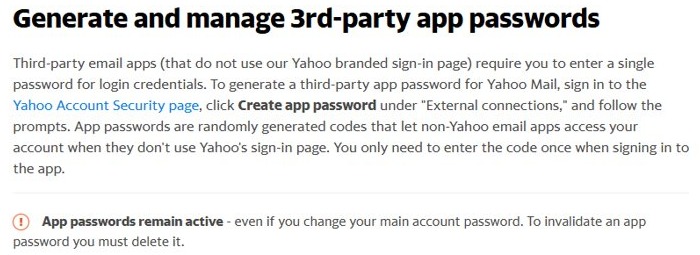
| Yahoo Mail | Yahoo Account Security page > External connections > Create app password | Signed in to Yahoo |
| Outlook.com, Hotmail, Live | Microsoft account > Advanced security options > App passwords | Two-step verification |
| Work, school or ISP mailbox | Your IT department or provider | Their own policy |
What is an IMAP password?
| Term | What it means |
|---|---|
| IMAP password | The password a mail app uses to read your mailbox over IMAP |
| Account password | Your normal sign-in password; often refused by IMAP once two-step sign-in is on |
| App password | A randomly generated code you enter once in one app instead of your account password |
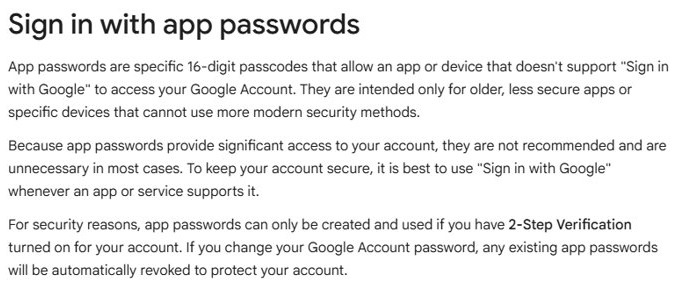
| Gmail app password | A 16-digit passcode for apps that do not offer Sign in with Google |
If your app supports signing in through the provider's own page, such as Sign in with Google, use that instead and skip the app password.
Get an IMAP password for iCloud Mail
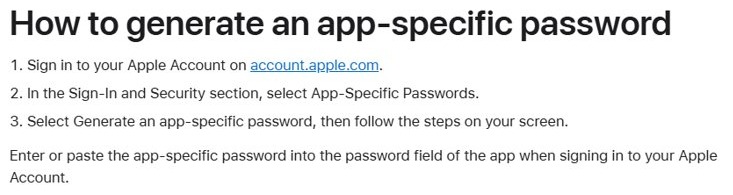
- Sign in to account.apple.com.
- In the Sign-In and Security section, select App-Specific Passwords.
- Select Generate an app-specific password, then follow the steps on screen.
- Enter the password in your mail app's password field.
Use imap.mail.me.com with SSL for incoming mail and smtp.mail.me.com with SSL and authentication for outgoing mail. The incoming username is usually the name before @icloud.com, and the outgoing username is the full address.
You can have up to 25 active app-specific passwords. Outlook 2021 or later on Windows can authorize iCloud with your Apple Account instead.
How to get IMAP password Gmail
- Turn on 2-Step Verification in your Google Account.
- Go to myaccount.google.com/apppasswords and sign in if asked.
- Enter a name for the app and create the password.
- Copy the 16-digit passcode and paste it into your mail app's password field.
iPhones and iPads with iOS 11 or later do not need a Gmail app password; choose Sign in with Google instead.
Get a Yahoo Mail IMAP password
- Sign in to the Yahoo Account Security page.
- Click Create app password under External connections.
- Follow the prompts and copy the generated code.
- Enter the code once in the third-party mail app.
Yahoo app passwords stay active even after you change your main password, so delete any you no longer use.
How to get IMAP password for Outlook.com
- Turn on two-step verification for your Microsoft account.
- Open Advanced security options in your Microsoft account dashboard.
- Scroll to the App passwords section and create a new app password.
- Enter the password where the app asks for your Microsoft account password.
Microsoft only needs an app password for apps and devices that do not support two-step verification, such as Outlook for Office 2010 or earlier. A new Outlook email account can turn on two-step verification from the start.
Why do I get an IMAP password message?
The mail app keeps asking for the IMAP password
Your account password was changed or reset, which revokes app passwords at Apple and Google.
- Create a new app password at your provider.
- Open the account in your mail app and replace the old password.
- Remove the old app password from the provider's list.
Where is my IMAP password? I forgot it
App passwords are shown once and cannot be viewed again.
- Generate a new app password instead of looking for the old one.
- Paste the new one into the mail app.
There is no app password option in my Gmail account
2-Step Verification is off, set up only for security keys, Advanced Protection is on, or it is a work or school account.
- Turn on 2-Step Verification with a phone or authenticator method.
- For a work or school account, ask your administrator.
Password incorrect with the correct account password
Two-step sign-in blocks your main password in older mail apps.
- Create an app password for that app.
- Enter the app password in place of your account password.
IMAP password FAQ
What is my IMAP password?
It is either your normal email password or, more often, an app password you generate. With two-step sign-in turned on, iCloud, Gmail, Yahoo and Outlook.com expect an app password in the mail app.
Where to find IMAP password?
You do not find it, you create it. Open your provider's account security page and look for App-Specific Passwords (Apple), App passwords (Google and Microsoft) or Create app password (Yahoo).
How to get IMAP password for Outlook?
For an Outlook.com account, go to Advanced security options in your Microsoft account and create an app password. For Gmail or iCloud inside the Outlook app, create the app password at Google or Apple instead.
How to get IMAP password Gmail?
Turn on 2-Step Verification, then go to myaccount.google.com/apppasswords, name the app and create it. Paste the 16-digit passcode into the mail app instead of your Google password.
Is the IMAP password the same as my email password?
Only if your account has no two-step sign-in and the provider still allows it. Otherwise the IMAP password is a separate app password that works only in the app you entered it in.
Why do I get an IMAP password message?
The mail app was refused by the server, usually because the password changed or app passwords were revoked. Create a new app password and enter it in the account settings.
Can I see an app password again after creating it?
No. Google says every app password can only be viewed once, and the others work the same way. Create a new one whenever you need it.
How many app-specific passwords can I have for iCloud?
Apple allows up to 25 active app-specific passwords. You can remove them one by one or select Revoke All in the Sign-In and Security section at account.apple.com.