An IMAP password prompt when accessing email means your mail app reached the provider's server, but the provider rejected the saved password for your account.
The fix is usually to confirm the password in webmail, then remove the account and add it back under the correct provider, or use an app password; steps for iPhone, Mac and Outlook follow.
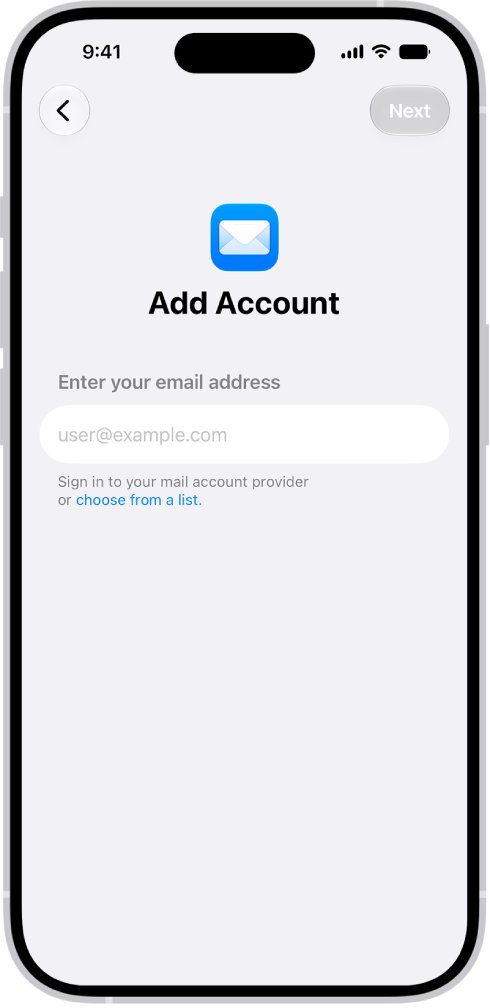
Fix the IMAP password prompt in iPhone Mail
Re-adding the account under the right provider switches it to the provider's own sign-in page, which ends most repeat prompts for AOL, Yahoo, Gmail and Outlook.com addresses.
- Sign in to your provider's webmail in Safari with the same password. If it fails there too, reset the password with your provider first.
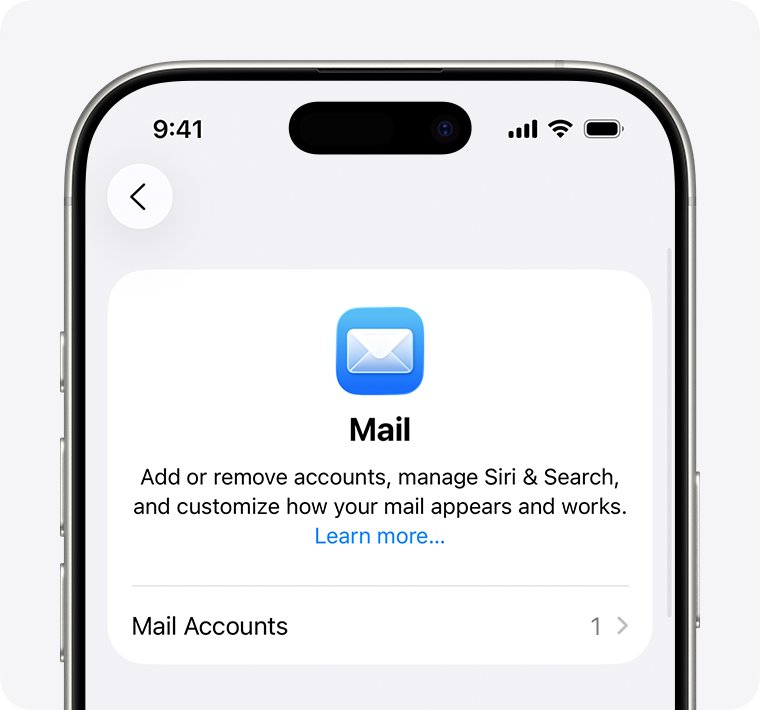
- Open Settings, tap Apps, then tap Mail.
- Tap Mail Accounts, tap the account that asks for the IMAP password, and tap Delete Account.
- Go back to Mail Accounts and tap Add Account.
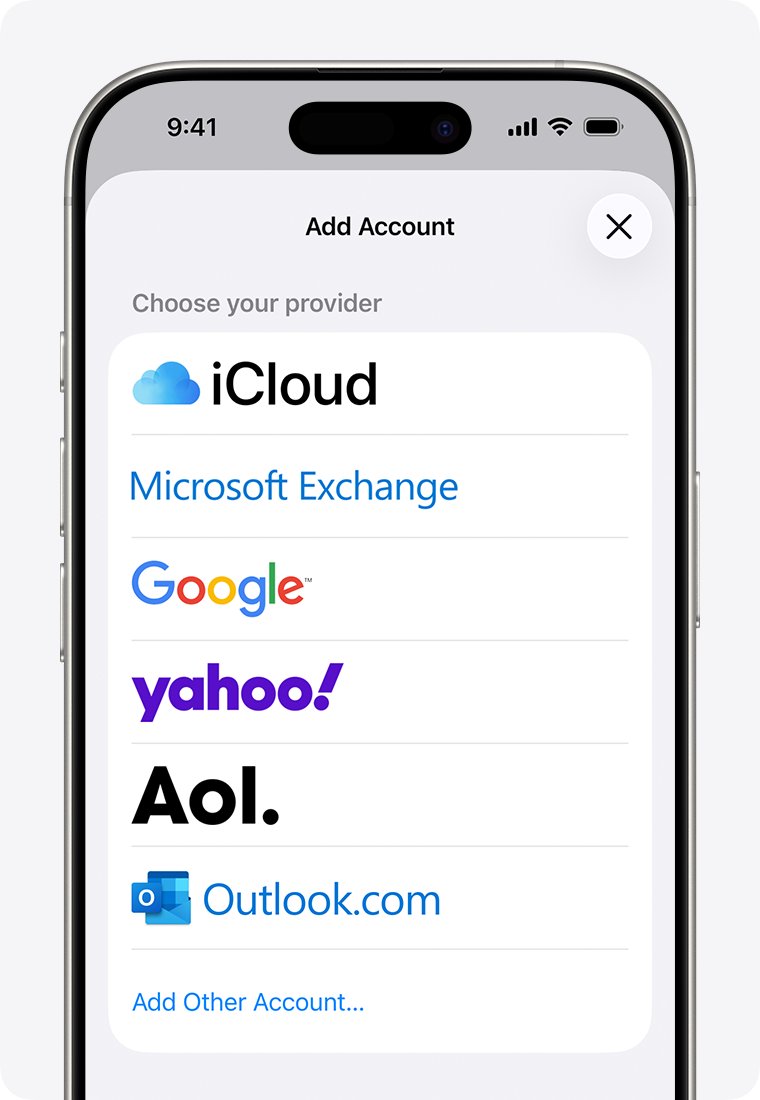
- Choose the provider that matches your address, for example Aol. for @aol.com or yahoo! for @yahoo.com.
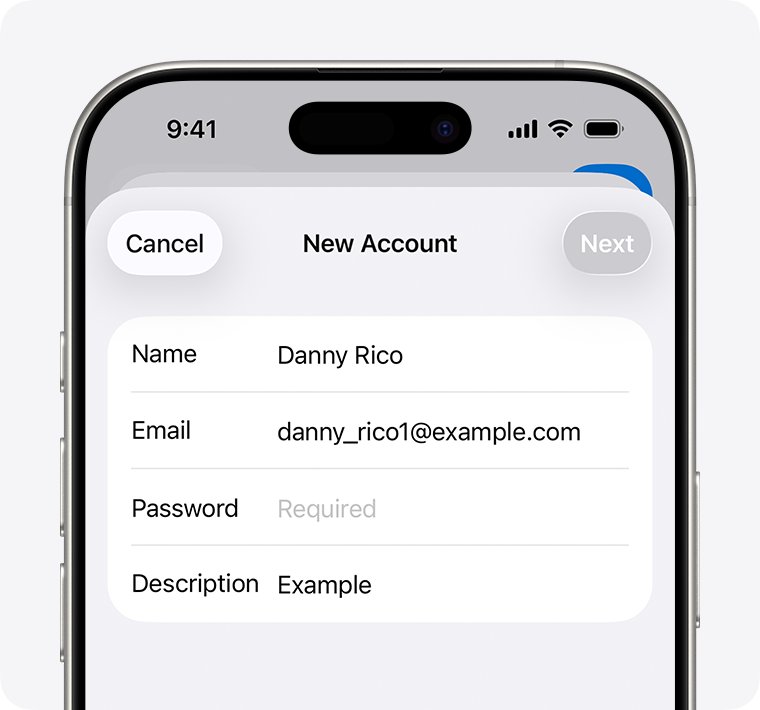
- Follow the prompts to enter your email address and password, then tap Save if you see it.
Deleting the account from iPhone does not close the email account itself. If you use AOL, test the password when you sign in to AOL Mail on the web.
Why is my email asking for IMAP password
Mail asks for a password when it connects to the provider but the provider refuses the password it holds.
| Cause | What you notice | Fix |
|---|---|---|
| Password changed on another device | Prompt starts right after a change elsewhere | Enter the current password on this device |
| Two-step verification is on | The correct password is rejected in the app but works in webmail | Use the provider's sign-in option or an app password |
| Provider changed how apps sign in | Prompt appears with no change on your side | Remove the account and add it back |
| Wrong provider chosen at setup | Account was added as Other or IMAP | Re-add it under the correct provider |
| Account suspended or deactivated | Webmail also refuses you | Contact the email provider |
What is an IMAP password?
An IMAP password is simply the password your mail app sends to the provider's IMAP server. For most accounts it is your normal email password; some providers require a separate app password instead.
| Email address | Choose this provider in iPhone Mail | Password to use |
|---|---|---|
| @aol.com, @aim.com, @verizon.net | Aol. | Sign in on the provider's page |
| @yahoo.com, @att.net, @sbcglobal.net | yahoo! | Sign in on Yahoo's page; for apps without it, a Yahoo app password |
| @gmail.com | Sign in with Google; an app password only for apps without it | |
| @outlook.com, @hotmail.com, @live.com | Outlook.com | Microsoft sign-in; IMAP with a plain password is no longer accepted |
| @icloud.com, @me.com, @mac.com | iCloud | Your Apple Account password |
| Work or other domains | Microsoft Exchange or Other | Settings from your email provider |
How to get an IMAP password for Yahoo Mail
Yahoo requires an app password for email apps that do not use Yahoo's own sign-in page. You enter the code once in the app.
- Sign in to the Yahoo Account Security page in a browser.
- Under External connections, click Create app password.
- Follow the prompts and copy the generated code.
- Paste the code into the IMAP password prompt in your mail app instead of your Yahoo password.
Yahoo app passwords stay active even after you change your main password. Delete the app password to stop that app from signing in.
How to get IMAP password for Gmail
Google says iPhones and iPads on iOS 11 or later do not need app passwords. Add Gmail in Mail as Google and sign in with Google instead.
- Use Sign in with Google in the app if it offers it.
- If the app has no Google sign-in, turn on 2-Step Verification for your Google Account.
- Open the app passwords page in your Google Account and create a new app password.
- Enter the 16-digit app password in the app's IMAP password field.
- Create a new one if you later change your Google password, because that revokes existing app passwords.
The app password option is missing when 2-Step Verification uses only security keys, when the account is a work or school account, or when Advanced Protection is on.
Why is Outlook asking for IMAP password
Microsoft ended Basic Authentication for Outlook.com on September 16, 2024. An Outlook.com, Hotmail or Live account set up as IMAP or POP with a plain password now keeps prompting and then fails.
- In Outlook for Windows, create a new Outlook profile.
- Add your Outlook.com address with automatic account setup instead of IMAP or POP, so Outlook uses Modern Authentication.
- If your Outlook is 2007, 2010, 2013, 2016 MSI or 2019 LTSC, move to a current Microsoft 365 Outlook, Outlook 2021 LTSC, or the free new Outlook for Windows.
- In Thunderbird, open Account Settings > Server Settings and set Authentication method to OAuth2, then do the same under Outgoing Server (SMTP).
Outlook for Windows supports Modern Authentication for Outlook.com from build 11601.10000. If you only need webmail, the Hotmail sign-in page works without any IMAP settings.
Mail on Mac keeps asking for IMAP password
- Quit Mail, or force it to quit if it does not respond.
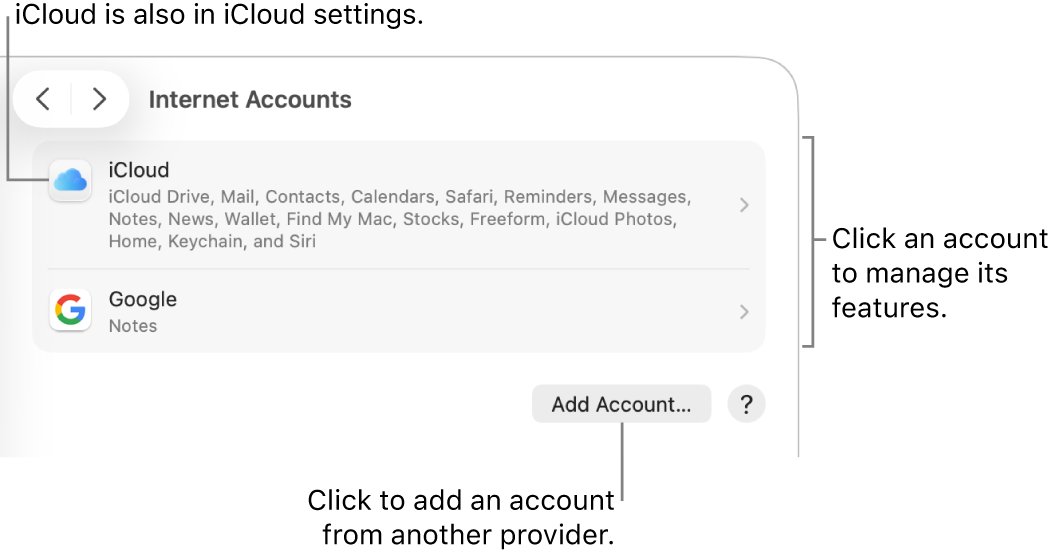
- Choose the Apple menu > System Settings, then click Internet Accounts.
- Click your mail account, then click Details if the button is there.
- Delete the saved password and type the correct one.
- Close System Settings, open Mail and check the account again.
- If it still asks, remove the account and add it back under the correct provider. @outlook.com and @hotmail.com addresses use Microsoft Exchange on Mac.
Check the email account connects without a password prompt
- Open Mail and pull down on the inbox to refresh it.
- Confirm new messages arrive and no password prompt appears.
- Send a test message to yourself to check the outgoing server also accepts the sign-in.
- Close and reopen Mail later in the day to confirm the prompt does not return.
Email keeps asking for IMAP password
The password works on my computer but the phone rejects it
The phone account was set up with a plain IMAP password that the provider no longer accepts from that app.
- Delete the account in Settings > Apps > Mail > Mail Accounts.
- Add it back and choose your provider from the list, not Other.
- For Yahoo addresses set up as IMAP, use a Yahoo app password.
Outlook email keeps asking for IMAP password on iPhone
Apple Mail added the Outlook.com account with basic authentication.
- Delete the account from Mail Accounts.
- Tap Add Account and choose Outlook.com.
- If prompts continue, remove the account again, go to Settings > Safari, tap Clear History and Website Data, restart the iPhone, and add the account once more.
Enter the password for the IMAP account appears with no change on your side
The provider changed its sign-in method or flagged the account for a security check.
- Sign in to webmail and complete any security prompt there.
- Wait and try again later, because the provider may be refusing sign-ins only for a while.
- If it continues, remove the account and add it back.
Webmail also refuses the password
The password is wrong, or the provider deactivated or suspended the account.
- Use the provider's forgot-password link to reset it.
- Enter the new password in the mail app prompt.
- If the account is suspended, contact the email provider.
IMAP account password FAQ
What is an IMAP password?
It is the password a mail app uses to sign in to your provider's IMAP server. For most accounts it is your normal email password. Providers such as Yahoo and Google require an app password for apps that do not use their own sign-in page.
How do I find my IMAP password for email?
There is usually nothing separate to find: the IMAP password is your email password. If your provider requires an app password, create one in your account security settings, for example under External connections on the Yahoo Account Security page.
How to get an IMAP password for Outlook?
For Outlook.com, Hotmail and Live addresses you no longer use an IMAP password. Microsoft stopped accepting Basic Authentication on September 16, 2024, so add the account as Outlook.com or with automatic setup so it signs in with Microsoft's own page.
Why is Outlook asking for IMAP password?
Outlook is connecting with a plain username and password over IMAP or POP, which Outlook.com no longer accepts. Create a new Outlook profile and add the account with automatic setup, or move to a version of Outlook that supports Modern Authentication.
What is the password for an IMAP account in iPhone Mail?
It is the password for the email account, not your iPhone passcode or Apple Account password, unless the account is iCloud Mail. If your correct password keeps failing, delete the account and add it back under the right provider.
How do I get an IMAP account password for Gmail?
On iOS 11 or later you do not need one: add the account as Google and sign in with Google. For other apps without Google sign-in, turn on 2-Step Verification and create a 16-digit app password in your Google Account.
Why does my AOL email ask for an IMAP password on iPhone?
The phone is sending a password AOL no longer accepts from that setup. Confirm the password in AOL webmail, then delete the account in Settings > Apps > Mail > Mail Accounts and add it back by choosing Aol. from the provider list.