No: every iPhone 17 Pro Max made for the United States (model A3257) is eSIM-only with no SIM tray, and the only version with a nano-SIM tray is model A3526, sold in countries and regions outside the US and the markets Apple groups with it.
This guide shows which model numbers have a tray, how to check a phone before you buy it, the warranty and network risks of importing one, and how to move your number to eSIM instead.
Does iPhone 17 Pro Max have a SIM card slot in the US?
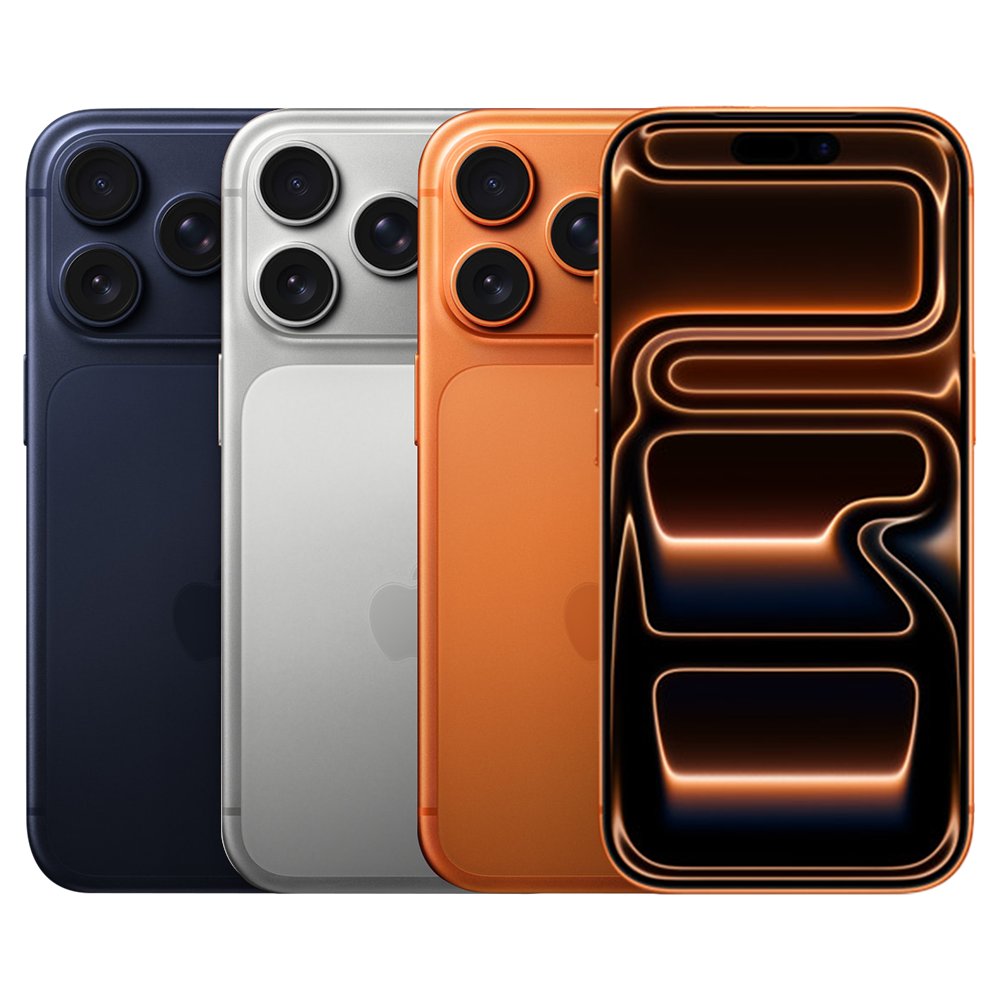
Do not expect a SIM card slot on any iPhone 17 Pro Max sold in the US. Apple's US tech specs list Dual eSIM only and state that iPhone 17 Pro and iPhone 17 Pro Max are not compatible with physical SIM cards. Apple builds a separate US model, A3257, without a SIM tray. The tray exists only on the A3526 model for other countries and regions, so the only route to one in the US is importing that model, with the warranty and network limits covered below.
As of November 2026, Apple's US store no longer lists iPhone 17 Pro Max as a new phone, and its US refurbished store lists models up to iPhone 16 Pro Max. Any 17 Pro Max you buy now comes from a carrier, a retailer or a previous owner.
iPhone 17 Pro Max model numbers and SIM tray by country
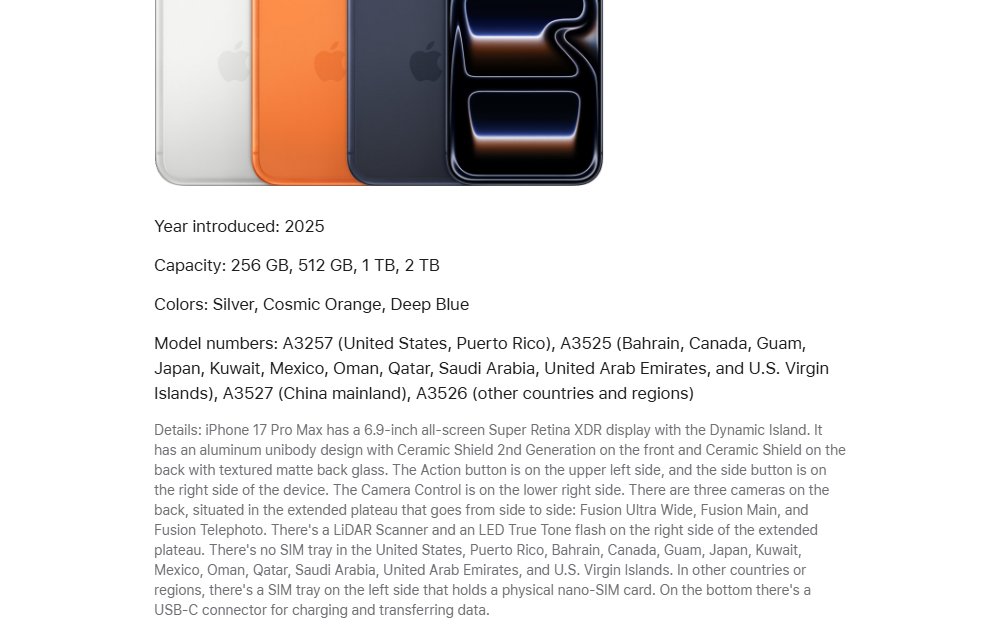
The model number decides whether the phone has a tray. Apple lists four iPhone 17 Pro Max models.
| Model number | Sold in | SIM tray |
|---|---|---|
| A3257 | United States, Puerto Rico | No SIM tray, eSIM only |
| A3525 | Bahrain, Canada, Guam, Japan, Kuwait, Mexico, Oman, Qatar, Saudi Arabia, United Arab Emirates, U.S. Virgin Islands | No SIM tray, eSIM only |
| A3527 | China mainland | SIM tray for physical SIM cards |
| A3526 | Other countries and regions | SIM tray on the left side for a physical nano-SIM card |
Canada, Mexico and Japan models also have no tray, so buying one there does not get you a SIM slot. In China mainland, Apple says only iPhone 18 Pro, iPhone 18 Pro Max, iPhone Duo, iPhone 17e and iPhone Air support eSIM, so the A3527 depends on a physical SIM.
iPhone 17 Pro Max SIM card specs: US vs international
| Spec | US model (A3257) | International model (A3526) |
|---|---|---|
| SIM card | Dual eSIM: two active eSIMs, stores eight or more | Dual SIM: one nano-SIM plus eSIM, with Dual eSIM support |
| Physical SIM | Not compatible with physical SIM cards | Nano-SIM tray on the left side |
| Activation | Activated with an eSIM; needs a carrier that supports eSIM | Nano-SIM from any compatible carrier, or eSIM |
| Capacity | 256GB, 512GB, 1TB, 2TB | 256GB, 512GB, 1TB, 2TB |
| Display | 6.9-inch Super Retina XDR | 6.9-inch Super Retina XDR |
| Chip | A19 Pro | A19 Pro |
How to check if an iPhone 17 Pro Max has a SIM tray before you buy
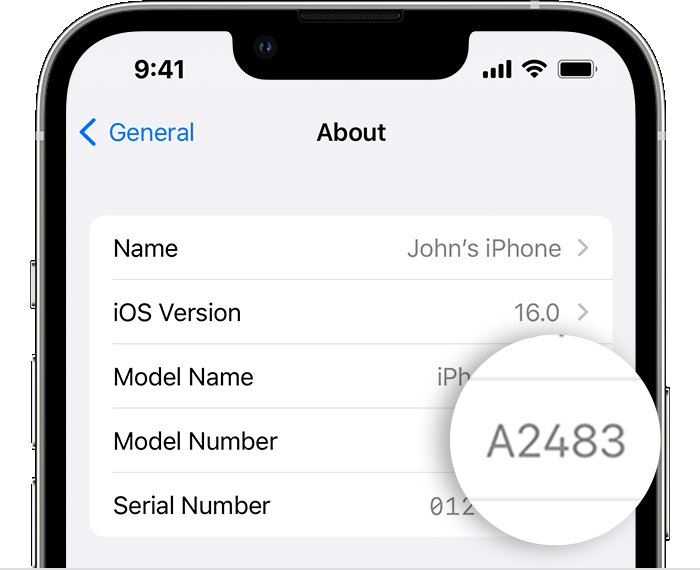
Ask the seller to show these screens, or check them yourself on a phone in a store. The model number settles it, and the part number's country code shows which region the phone was sold for.
- Open the Settings app and tap General.
- Tap About.
- Find Model Number; it shows a part number first.
- Tap the part number to switch it to the model number, which starts with A.
- Match it to the table above: A3526 or A3527 has a tray, A3257 and A3525 do not.
- On the same screen, check that Carrier Lock says No SIM Restrictions if you plan to use a different carrier.
A phone with a tray also shows a removable SIM tray on its left side. On models that have one, the model number is printed inside the slot.
Where can I get iPhone 17 Pro Max with a SIM slot?
| Your situation | Option | What to know |
|---|---|---|
| You only need your US number to work | Any US iPhone 17 Pro Max, moved to eSIM | Major US carriers support eSIM activation and transfer |
| You must use a physical SIM card | An A3526 model bought outside the US | Apple may restrict warranty service to the country of sale |
| You travel abroad and want a local SIM | US model with a travel eSIM | Your iPhone must be unlocked to use another carrier's eSIM |
| You are buying used in the US | Check the model number first | Most US listings are A3257, which has no tray |
| You can wait or buy the newer model | iPhone 18 Pro Max | The US model also has no SIM tray |
Should I get an iPhone 17 Pro Max international model in the US?
Buy the US model and use eSIM unless a physical SIM card is a hard requirement, such as a carrier that does not offer eSIM. Apple's warranty lets Apple restrict iPhone warranty service to the country where Apple or its Authorized Distributors originally sold the device. Apple also says unlocked models support 5G and LTE outside the country of purchase only with a valid SIM from a supported carrier, so confirm compatibility with your US carrier before importing an A3526.
How to convert a physical SIM to eSIM on iPhone 17 Pro Max
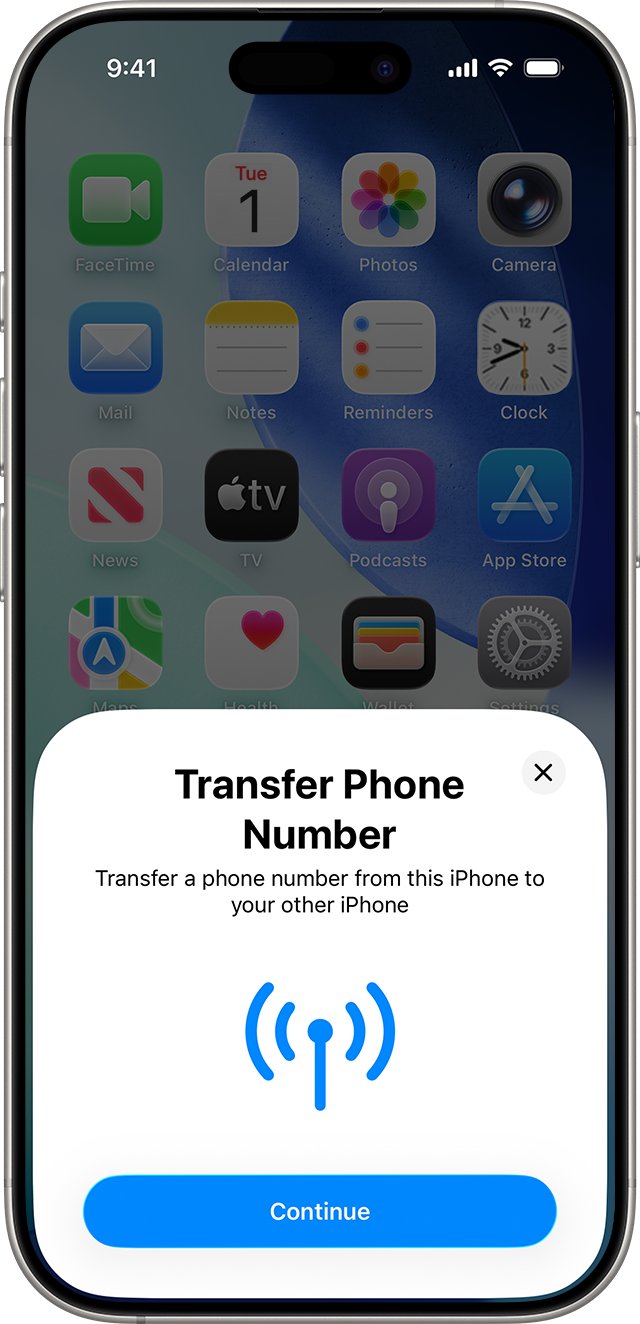
If your old iPhone uses a physical SIM, eSIM Quick Transfer moves the number to the new phone without a call to the carrier. In the US, AT&T, T-Mobile, Verizon, Cricket, Spectrum, Xfinity Mobile and other carriers support it.
- Update both iPhones to iOS 18.4 or later, sign in to the same Apple Account on both, and turn on Bluetooth.
- Unlock your previous iPhone and keep it near the new one.
- During setup, follow the prompt to transfer your phone number, or later open Settings > Cellular and tap Set Up Cellular or Add eSIM.
- Choose the plan to transfer. If no numbers appear, tap Transfer From Nearby iPhone.
- On the previous iPhone, tap Transfer, or enter the code the new iPhone shows.
- Wait for the plan to activate. Your previous SIM stops working when it does.
If a banner says Finish Setting Up Your Carrier's Cellular Plan, tap it to finish on the carrier's webpage. If setup stalls at the transfer step, fix a stuck iPhone 17 Pro Max setup before trying again.
How to set up iPhone 17 Pro Max eSIM with a QR code
- Ask your carrier for an eSIM QR code.
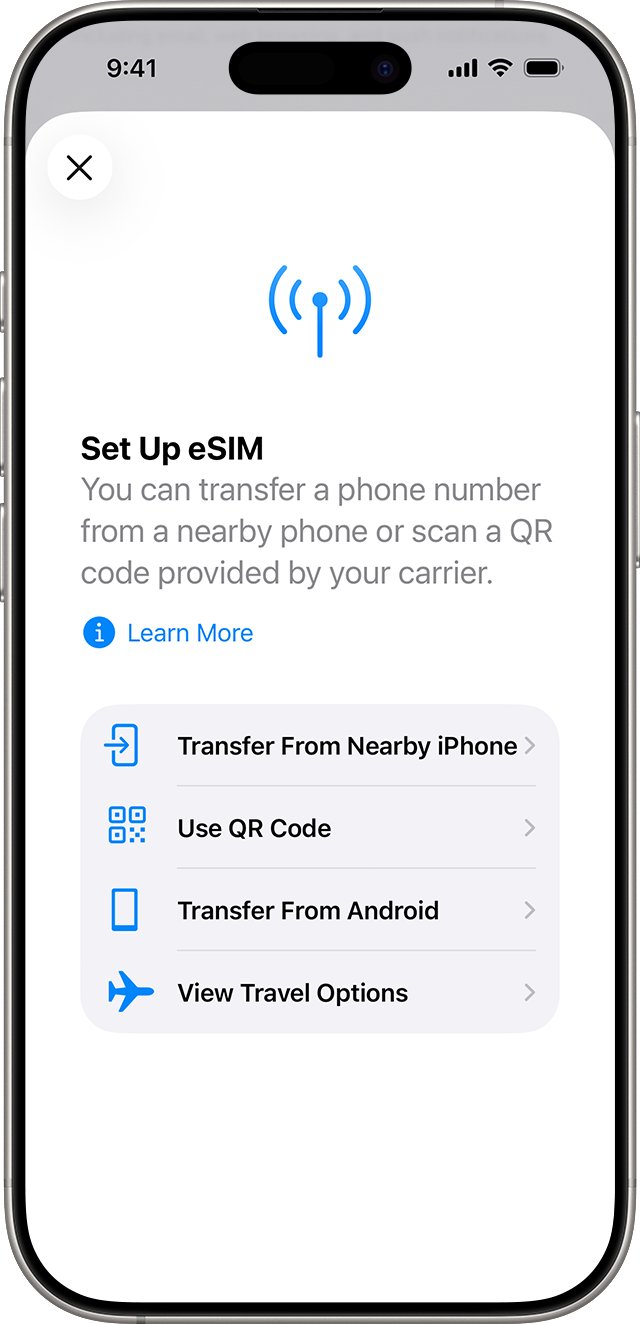
- During setup, tap Use QR code on the Set Up Cellular screen and follow the onscreen instructions.
- After setup, open the Camera app, scan the code and tap the Cellular Plan Detected notification.
- Tap Continue, then tap Add Cellular Plan.
- Enter the confirmation code if the carrier gave you one.
If your carrier assigned an eSIM when you bought the phone, there is no QR code: turn the iPhone on and follow the setup prompts to activate it.
Use iPhone 17 Pro Max eSIM while traveling internationally
The US model keeps two eSIMs active at once, such as your home number and a local plan, so the missing tray does not stop you using a local line abroad.
- Open Settings > General > About and check that Carrier Lock says No SIM Restrictions.
- Check whether your carrier includes international roaming or sells a travel pass.
- For a local line, buy a prepaid eSIM from a carrier in the country you are visiting, online before you go or at an airport kiosk or store.
- For data only, buy a prepaid eSIM from a worldwide service provider that covers over 190 countries and regions.
- Activate it with the QR code, link or app the provider gives you, while connected to Wi-Fi.
On a small prepaid data plan, watch for mobile data usage that climbs unexpectedly from background apps and iCloud sync.
Should I get iPhone 17 Pro Max or wait for 18 Pro Max?
Waiting does not bring the SIM tray back. Apple's iPhone 18 Pro Max, introduced in 2026, also has no SIM tray in the US.
| iPhone 17 Pro Max | iPhone 18 Pro Max | |
|---|---|---|
| Year introduced | 2025 | 2026 |
| SIM tray in the US | No | No |
| SIM tray in other countries and regions | Yes, nano-SIM on the left side | Yes, nano-SIM on the left side |
| Display | 6.9-inch Super Retina XDR with the Dynamic Island | 6.9-inch Super Retina XDR with the smaller Dynamic Island |
| Capacity | 256GB to 2TB | 256GB to 2TB |
| Sold new by Apple US (November 2026) | No | Yes |
How to tell if your iPhone 17 Pro Max eSIM is active
- Open Settings > Cellular and check that your line appears under SIMs.
- Make a phone call to test cellular service.
- Turn off Wi-Fi and load a page in Safari to test cellular data.
- If calls fail, contact your carrier to check the eSIM on its side.
If the line shows but data or calls drop, work through the iPhone 17 Pro cellular connection fixes before calling the carrier.
iPhone 17 Pro Max SIM card slot FAQ
Does the iPhone 17 Pro Max have a SIM card slot?
Only outside the US and the markets Apple groups with it. The A3526 model for other countries and regions and the A3527 model for China mainland have a nano-SIM tray. US model A3257 and model A3525 are eSIM-only.
Is iPhone 17 Pro in the US eSIM only?
Yes. Apple's US tech specs say iPhone 17 Pro and iPhone 17 Pro Max use eSIM and are not compatible with physical SIM cards. The US models, A3256 for 17 Pro and A3257 for 17 Pro Max, have no SIM tray.
Where can I get iPhone 17 Pro Max?
As of November 2026, Apple's US online store no longer lists iPhone 17 Pro Max new; it sells iPhone 18 Pro instead. A 17 Pro Max now comes from sellers other than Apple, such as carriers, retailers or previous owners. Check the model number before you pay.
Should I get iPhone 17 Pro Max or wait for 18?
For a SIM tray, waiting does not help: the US iPhone 18 Pro Max is also eSIM-only. Choose between them on price, availability and features, since both have 6.9-inch displays and up to 2TB of storage.
Should I get iPhone 17 Pro or Pro Max?
The SIM setup is the same on both. iPhone 17 Pro has a 6.3-inch display and up to 1TB of storage, while iPhone 17 Pro Max has a 6.9-inch display and up to 2TB, so the choice comes down to size and storage.
How do I set up iPhone 17 Pro with eSIM?
During setup, accept the prompt to transfer your number from your old iPhone with eSIM Quick Transfer, or tap Use QR code on the Set Up Cellular screen. Both iPhones need iOS 18.4 or later and the same Apple Account for Quick Transfer.
Can I use an international iPhone 17 Pro Max in the US?
An unlocked A3526 model can work on US networks with a valid SIM from a supported carrier, but check band support with your carrier first. Apple may also restrict warranty service to the country where the phone was originally sold.