The official Anki download installs a free, open-source flashcard app on Windows 11, Windows 10, macOS and Linux. Version 26.09.3 is the current desktop release, and it comes straight from apps.ankiweb.net.
Windows gets an MSI installer for x64 PCs and a separate one for Windows 11 on ARM. Macs get a DMG for Apple Silicon or Intel, and Linux gets a compressed package for x64 or ARM.
This guide covers which file to take, installing and updating on each platform, older releases for old machines, the paid and free mobile apps, and fixes for an Anki window that never opens.
Which Anki download do you need?
Open Settings > System > About on Windows and read System type. A line ending in ARM-based processor means you need the ARM build. On a Mac, open the Apple menu and select About This Mac to see the chip.
| Your computer | Button on the download page | File you get |
|---|---|---|
| 64-bit Windows 10 or Windows 11 on Intel or AMD | Windows 10+ (x64) | anki-26.09.3-win-x64.msi |
| Windows 11 on a Snapdragon or other ARM laptop | Windows 11 (ARM) | anki-26.09.3-win-arm64.msi |
| Mac with an M-series chip on macOS 13 or later | macOS 13+ (Apple Silicon) | anki-26.09.3-mac-apple.dmg |
| Mac with an Intel chip on macOS 13 or later | macOS 13+ (Intel) | anki-26.09.3-mac-intel.dmg |
| Linux x64 with glibc 2.35 or later | Linux 2022+ (x64) | anki-26.09.3-linux-x86_64.tar.zst |
| Linux ARM with glibc 2.39 or later | Linux 2024+ (ARM) | anki-26.09.3-linux-aarch64.tar.zst |
The page detects your system and shows one large button for it, such as Download for Windows 10+. The full list of builds sits under Not your platform? See all options below.
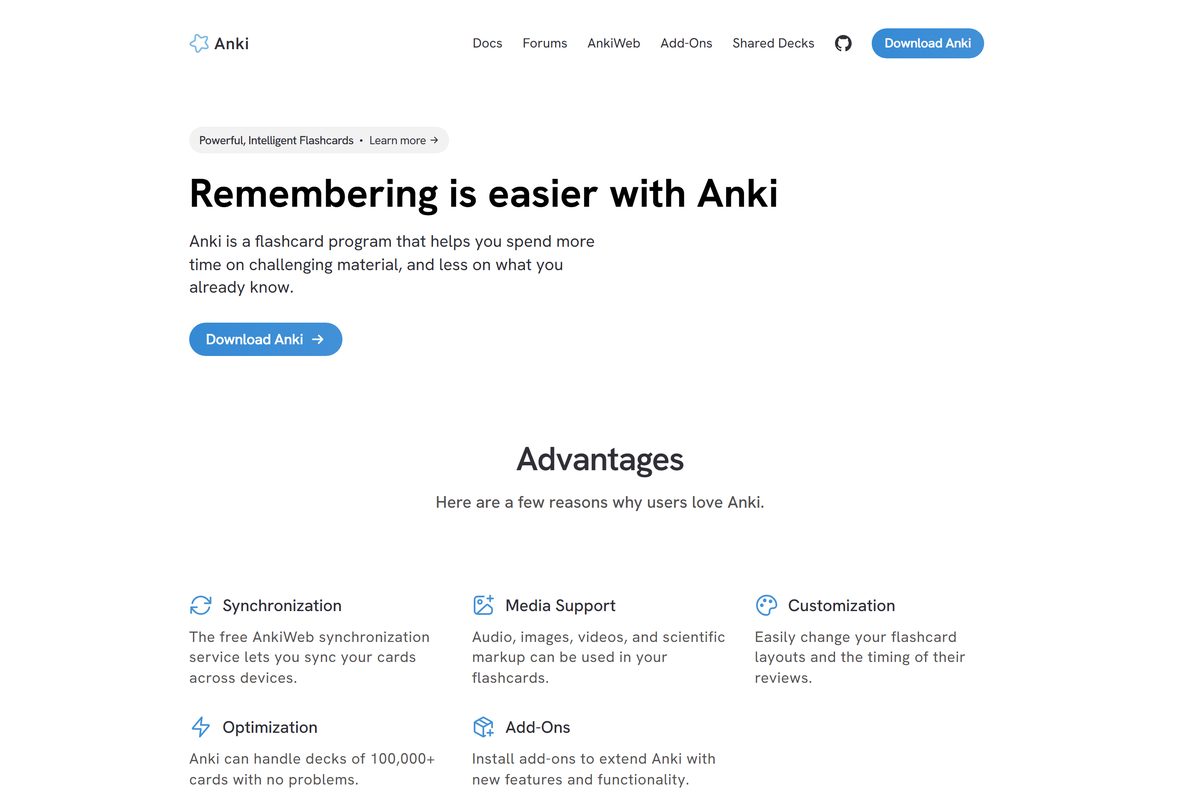
Download Anki from the official page
Ankitects publishes every desktop build on apps.ankiweb.net, and the mobile apps sit in the Apple and Google stores. Anything else that calls itself Anki is a different product.
- Anki desktop download page — Windows, macOS and Linux builds, free
- Anki manual: installing on Windows — requirements, upgrades and problem pages
- Anki manual: installing on macOS — includes the Homebrew command
- Anki manual: installing on Linux — library prerequisites and install script
- AnkiMobile Flashcards on the App Store — iPhone and iPad, $24.99
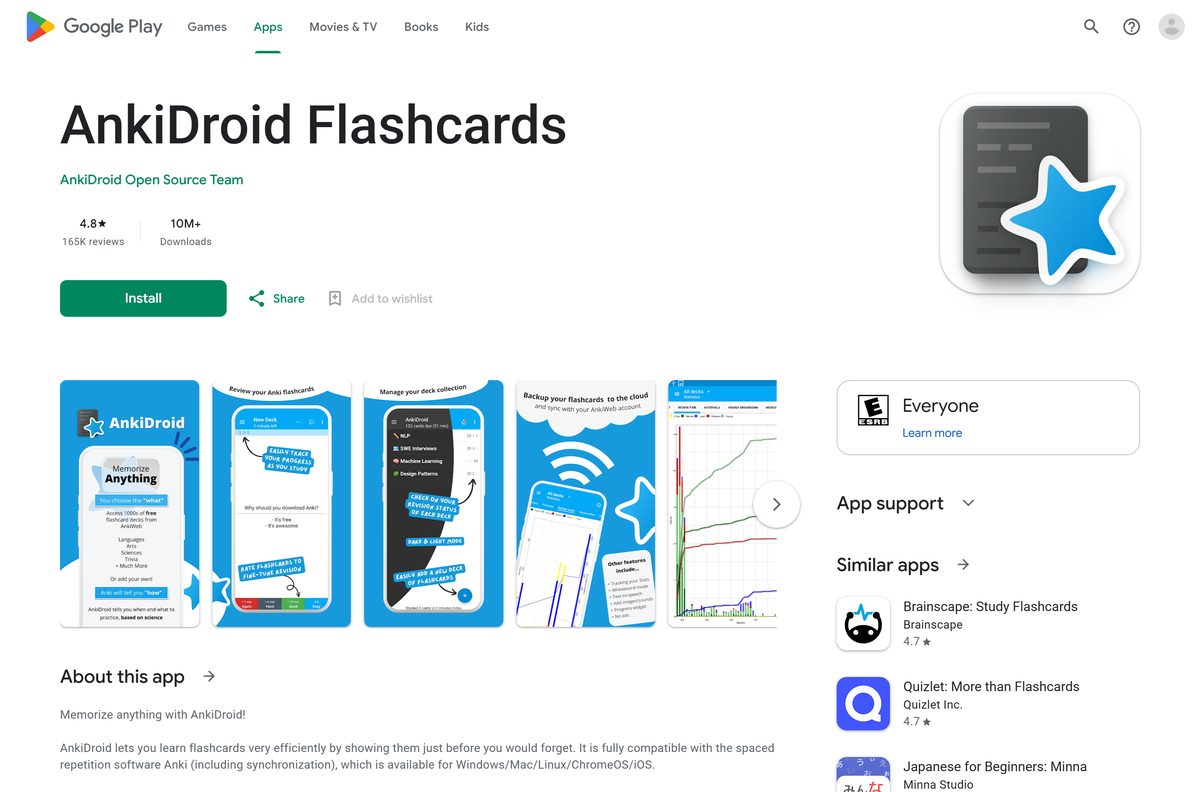
- AnkiDroid Flashcards on Google Play — Android, free
The page also links Change Notes & Older Releases, which is where you find builds for old Windows and macOS versions.
How to install Anki on Windows 11 and 10
The installer needs the 64-bit edition of Windows 10 or Windows 11. It places the program in %LOCALAPPDATA%\Programs\Anki by default.
- Open apps.ankiweb.net and select Download for Windows 10+, or Windows 11 (ARM) on an ARM laptop.
- Save the MSI file to your Desktop or Downloads folder.
- Double-click the file to run the installer and follow the prompts.
- Double-click the new star-shaped Anki icon on your desktop.
- Select Sync at the top right, or press Y, and sign in with your AnkiWeb account to pull in decks from other devices.
Anki keeps your collection in %APPDATA%\Anki2 . Paste that path into the File Explorer address bar to open your profile folders.
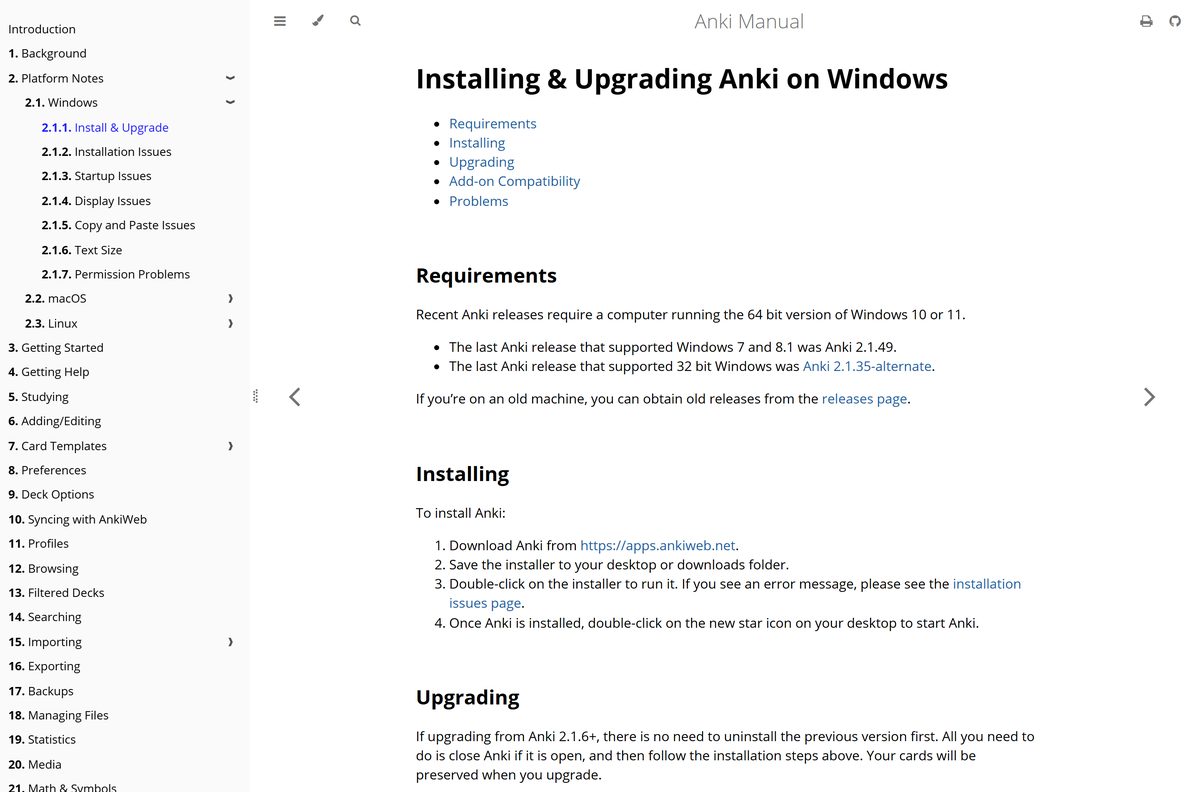
Which Anki download do you need for your Mac?
The current builds need macOS 13 Ventura or later. Older Macs still run Anki, but only from an older release.
| Your Mac | Take this | Source |
|---|---|---|
| Apple M-series chip, macOS 13 or later | macOS 13+ (Apple Silicon) DMG | apps.ankiweb.net |
| Intel chip, macOS 13 or later | macOS 13+ (Intel) DMG | apps.ankiweb.net |
| macOS 10.14 to macOS 12 | A Qt5 build from 24.11 or earlier | Anki manual: macOS |
| macOS 10.10 to 10.13 | Anki 2.1.35-alternate | Anki manual: macOS |
| You manage apps with Homebrew | brew install --cask anki |
Anki manual: Homebrew |
To install, open the DMG and drag Anki to your Applications folder, then double-click Anki there. To update, close Anki, repeat the drag and choose to replace the old copy. Your cards stay in ~/Library/Application Support/Anki2 .
Is Anki free?
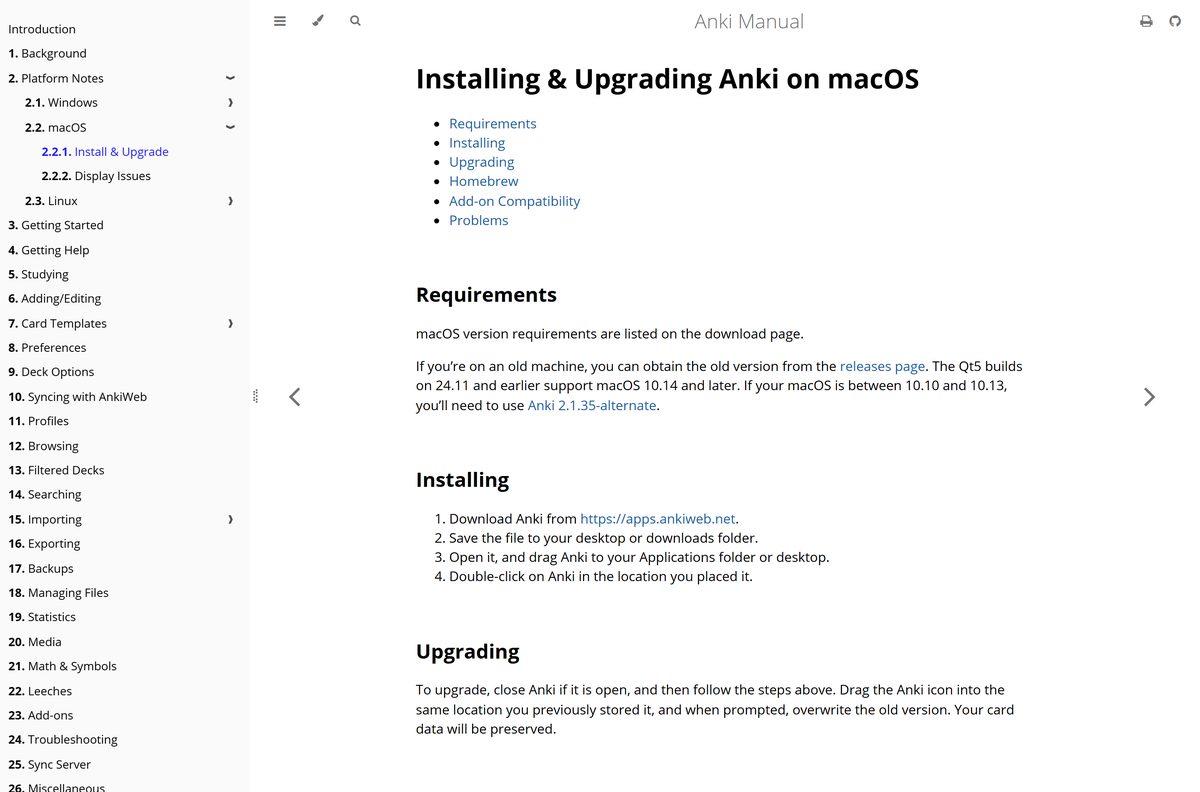
Yes, on computers. The desktop app for Windows, macOS and Linux costs nothing and is open source. AnkiWeb sync and the AnkiWeb study site are free too.
The one paid piece is AnkiMobile for iPhone and iPad, a one-time $24.99 purchase from Anki Software, LLC. Its sales fund development of both the computer and mobile versions. AnkiDroid on Android is free and built by volunteers.
AnkiWeb deletes data from accounts that go 6 months without a sync or a visit. Sync at least that often if AnkiWeb holds your only copy.
The App Store listing warns about other apps with Anki in the name. They do not sync with Anki and often charge subscriptions.
Install the free desktop app from apps.ankiweb.net and add AnkiDroid or AnkiMobile only if you study on a phone. Every platform syncs through the same free AnkiWeb account, so cards you add on a PC show up on your phone. Paying for an Anki-branded subscription app gets you none of that.
Should you install Anki 26.09.3 or an older release?
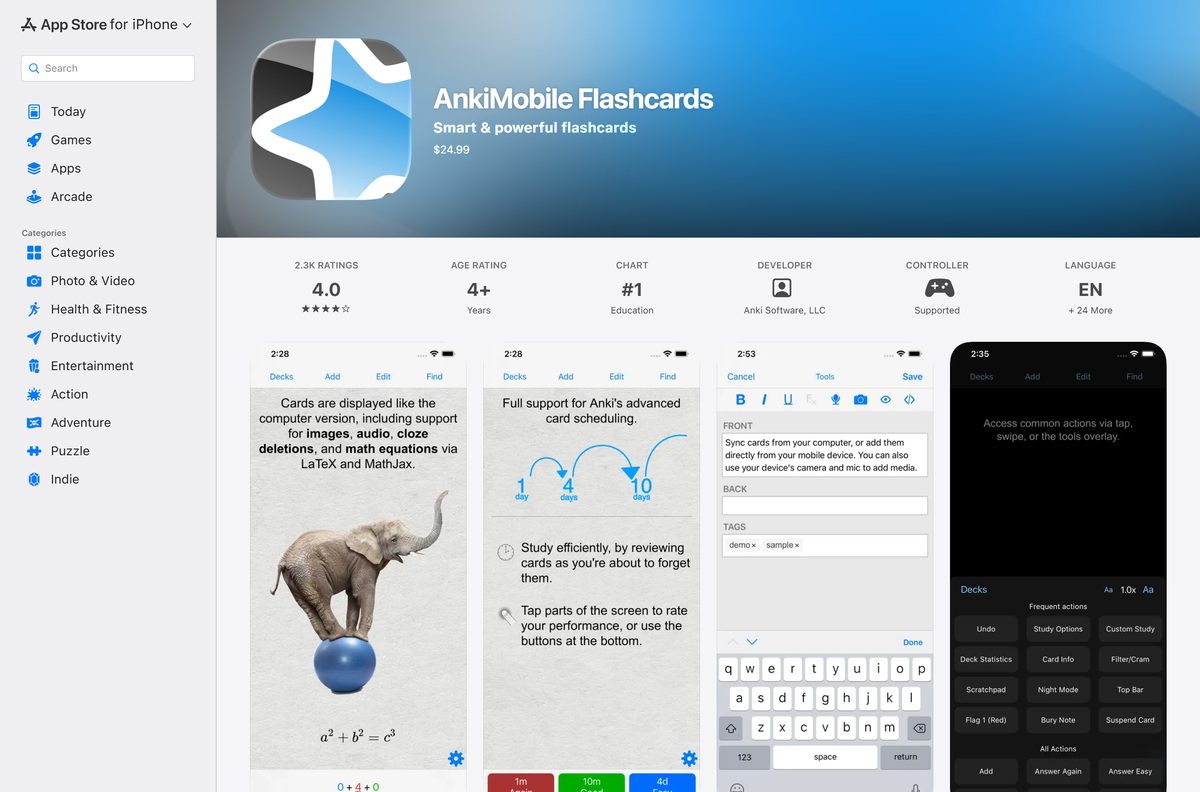
Take the current release unless your computer is too old for it. The older builds exist for machines the current one no longer supports.
Install 26.09.3 on 64-bit Windows 10 or 11 and on macOS 13 or later. Use 2.1.49 on Windows 7 or 8.1, and 2.1.35-alternate on 32-bit Windows. Anki 2.1.49 was the last release for Windows 7 and 8.1, and 2.1.35-alternate was the last for 32-bit Windows. Both remain on the releases page linked from apps.ankiweb.net.
An add-on that breaks after an upgrade is the other reason to step back. Downgrade first, and switch between standard and alternate builds only after uninstalling the old one.
How to update Anki to the latest version
An update is the normal installer run over the top of the old copy. Your cards survive the upgrade.
- Select Sync in Anki so AnkiWeb holds your latest reviews.
- Close Anki completely.
- Download the current installer from apps.ankiweb.net.
- Run it, exactly as for a fresh install.
- Open Anki and confirm your decks are all there.
Coming from a version older than 2.1.6? Uninstall it first. That removes the program files but leaves your card data in place.
Check the Anki system requirements and specifications
| Specification | Detail |
|---|---|
| Software | Anki (desktop) |
| Developer | Ankitects Pty Ltd |
| Latest version | 26.09.3 |
| Licence / price | Free and open source |
| Windows | 64-bit Windows 10 or Windows 11 |
| Windows architecture | x64, plus a separate Windows 11 ARM64 build |
| macOS | macOS 13 or later, Apple Silicon or Intel |
| Linux | x64 with glibc 2.35+, or ARM64 with glibc 2.39+ |
| Installer type | MSI on Windows, DMG on macOS, tar.zst on Linux |
| Install folder (Windows) | %LOCALAPPDATA%\Programs\Anki |
| Data folder (Windows) | %APPDATA%\Anki2 |
| Mobile apps | AnkiMobile for iOS ($24.99), AnkiDroid for Android (free) |
| Official download source | apps.ankiweb.net |
| Last verified | 2026-09-25 |
Fix Anki not installing or not opening on Windows 11 or 10
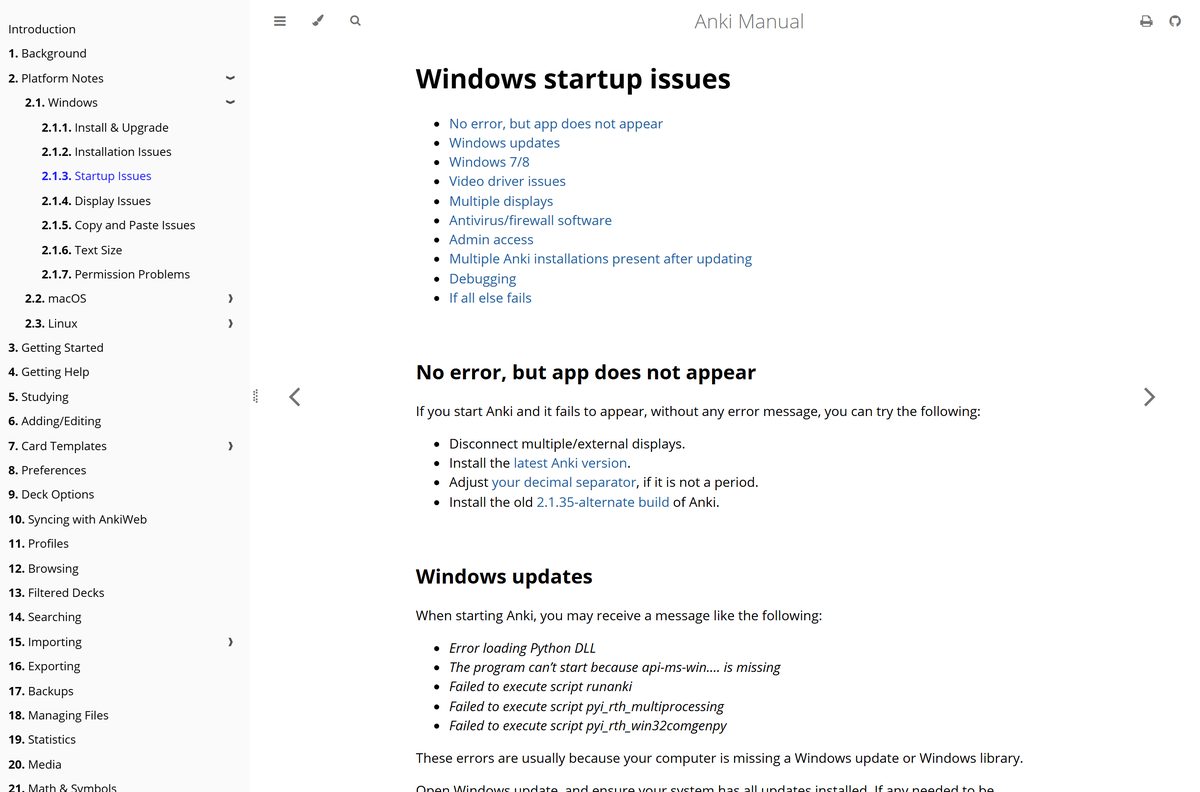
Hold Shift while you start Anki to open it in safe mode, which skips add-ons and automatic sync. If Anki opens that way, an add-on is the likely cause.
The installer shows “Error opening file for writing”
A running copy of Anki or a browser still holds a file open.
- Close Anki and your web browser.
- Run the installer again.
- If the error returns, restart the PC and run the installer once more.
Your antivirus blocks or quarantines the installer
Antivirus programs sometimes flag the installer as a false positive.
- Confirm the file came from apps.ankiweb.net.
- Add an exception for Anki in your antivirus.
- Run the installer again.
Anki starts but no window appears
Multiple displays, an outdated build or a non-period decimal separator.
- Disconnect any external or extra displays.
- Install the latest release from apps.ankiweb.net.
- Set your decimal separator to a period in the Windows region settings.
- As a last resort, install the older 2.1.35-alternate build.
“Error loading Python DLL” or “api-ms-win… is missing”
Windows is missing an update or a system library.
- Open Settings > Windows Update.
- Select Check for updates and install everything offered.
- Restart the PC and start Anki again.
“LoadLibrary failed with error 126”
The toolkit Anki is built on has trouble with multiple displays.
- Unplug the second display.
- Start Anki.
- Reconnect the display once Anki is open.
Anki fails silently after an update
Two installs, such as in C:\Program Files\Anki and C:\Program Files (x86)\Anki, conflict.
- Open Settings > Apps > Installed apps.
- Uninstall every copy of Anki listed.
- Install the current release again from apps.ankiweb.net.
You need to see the real error message
A normal launch hides the console output.
- Press the Windows key, type cmd and open Command Prompt.
- Paste %LocalAppData%\Programs\Anki\anki-console.bat and press Enter.
- Read the output for the failing file or library.
How to uninstall Anki from Windows and Mac
Uninstalling removes the program but leaves your collection folder behind. Sync to AnkiWeb first if you plan to come back on another machine.
- On Windows, open Settings > Apps > Installed apps.
- Select the three dots next to Anki, then Uninstall.
- To erase your cards too, delete the %APPDATA%\Anki2 folder.
- On a Mac, quit Anki and drag Anki from Applications to the Trash.
- If you installed with Homebrew, run brew uninstall –cask anki in Terminal instead.
- To erase Mac cards too, delete ~/Library/Application Support/Anki2 .
Choose the right Anki app for your phone or browser
Every official Anki app reads the same collection through AnkiWeb. Pick by device, not by feature list.
| App | Runs on | Price | Get it |
|---|---|---|---|
| Anki desktop | Windows, macOS, Linux | Free | apps.ankiweb.net |
| AnkiMobile Flashcards | iPhone and iPad | $24.99 | App Store |
| AnkiDroid Flashcards | Android | Free | Google Play |
| AnkiWeb | Any web browser | Free | ankiweb.net |
AnkiDroid is built by a separate open-source team but syncs with AnkiWeb like the others. AnkiMobile stores images and audio on the device, so you can study without a connection.
Frequently asked questions
Is Anki free on Windows and Mac?
Yes. The desktop app for Windows, macOS and Linux is free and open source, and so is AnkiWeb sync. Only AnkiMobile for iPhone and iPad costs money, as a one-time $24.99 purchase that funds Anki’s development.
Where is the official Anki download page?
The official page is apps.ankiweb.net. It lists the Windows, macOS and Linux builds under Desktop, and links AnkiMobile on the App Store and AnkiDroid on Google Play under Mobile. Other apps with Anki in the name are unrelated products.
Does Anki work on Windows 11?
Yes. Anki runs on 64-bit Windows 10 and Windows 11. PCs with Intel or AMD chips take the Windows 10+ (x64) build, and Windows 11 laptops with ARM chips take the separate Windows 11 (ARM) build.
Can I install Anki on Windows 7 or 32-bit Windows?
Only an older release. Anki 2.1.49 was the last version for Windows 7 and 8.1, and 2.1.35-alternate was the last for 32-bit Windows. Both are on the releases page linked from apps.ankiweb.net.
How do I install Anki on a MacBook?
Download the Apple Silicon or Intel DMG from apps.ankiweb.net, open it and drag Anki to your Applications folder. The current builds need macOS 13 or later. Homebrew users can run brew install –cask anki instead.
Is AnkiDroid free on Android?
Yes. AnkiDroid Flashcards is free on Google Play and is built by the AnkiDroid Open Source Team. It syncs with AnkiWeb, so decks you make in the desktop app appear on your phone after a sync.
Can Anki be used offline?
Yes. The desktop app studies your collection locally and needs the internet only to sync with AnkiWeb or download shared decks. AnkiMobile also stores images and audio on the device, so reviews work without a connection.
How do I update Anki to the latest version?
Sync, close Anki, then download and run the current installer from apps.ankiweb.net over your existing copy. Your cards are kept. Versions older than 2.1.6 should be uninstalled first, which leaves your card data in place.
Why is Anki not opening on Windows?
Common causes are missing Windows updates, multiple displays, antivirus software and two leftover installs after an update. Install all Windows updates, unplug extra displays, and uninstall every copy of Anki before reinstalling the current release.
Where does Anki store my cards?
On Windows, Anki keeps your collection in %APPDATA%\Anki2. On a Mac it lives in ~/Library/Application Support/Anki2, and on Linux in ~/.local/share/Anki2. Uninstalling the app does not delete these folders.