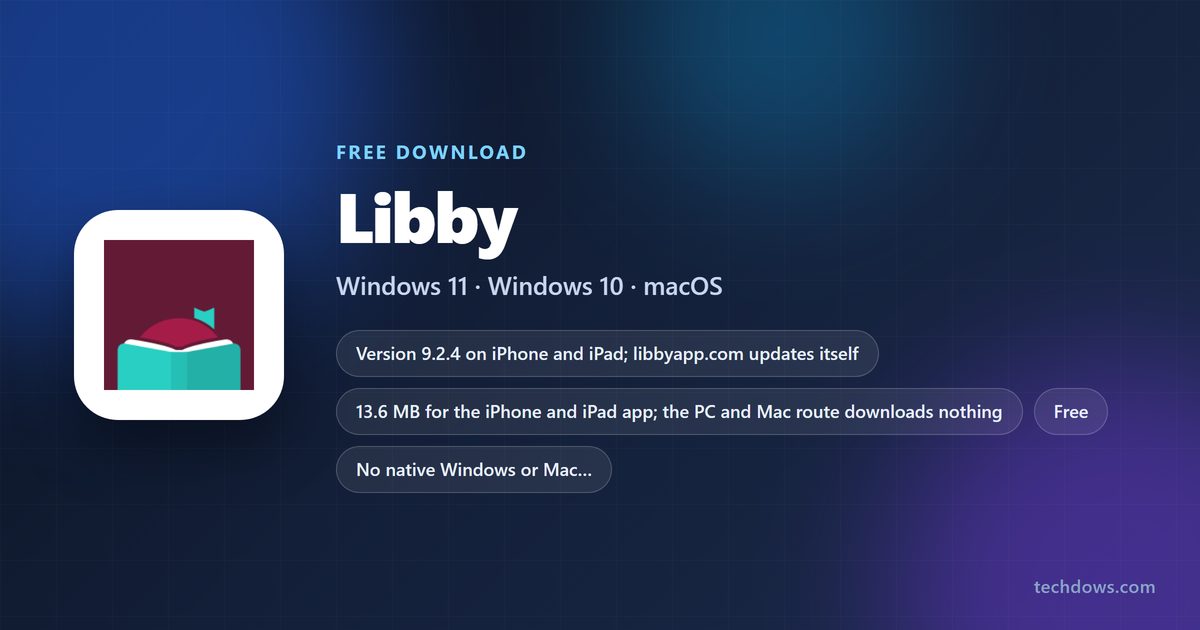
A Libby download for a Windows 11 or Windows 10 PC or a Mac is the libbyapp.com web app, which installs from Edge, Chrome or Safari into its own window. iPhone, iPad and Android users get the free app from the App Store and Google Play, both published by OverDrive, Inc.
Every version signs in with the same library card, so loans, holds and reading position follow you from the phone to the computer.
This guide covers the right build for each device, install steps for Windows and Mac, Kindle delivery, and fixes when Libby will not load.
Which Libby download do you need?
Match your device to a row. Computers use the browser version; phones and tablets get a native app.
| Your device | What to install | Size |
|---|---|---|
| Windows 11 or Windows 10 PC | libbyapp.com, installed as an app in Edge or Chrome | Nothing to download |
| Mac on macOS Sonoma 14 or later | libbyapp.com, added to the Dock from Safari | Nothing to download |
| Chromebook | libbyapp.com in Chrome | Nothing to download |
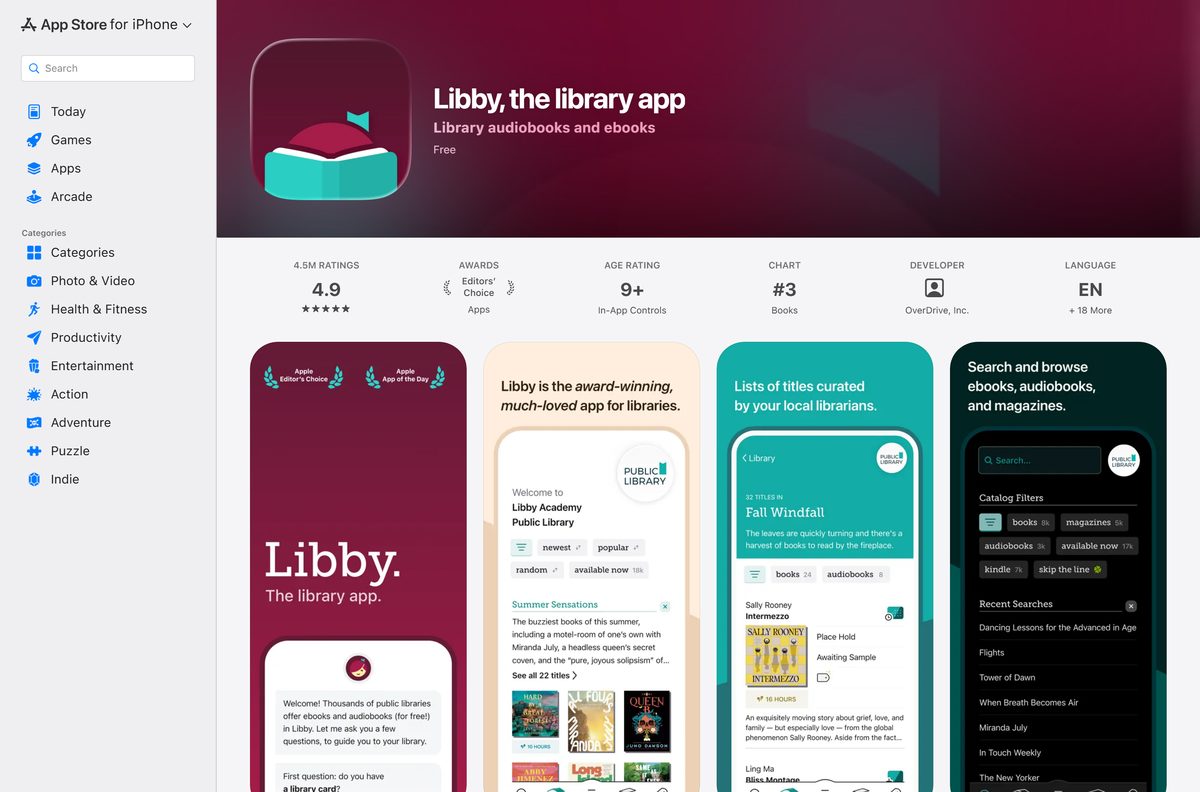
| iPhone or iPad on iOS 10.0 or later | Libby, the library app on the App Store | 13.6 MB |
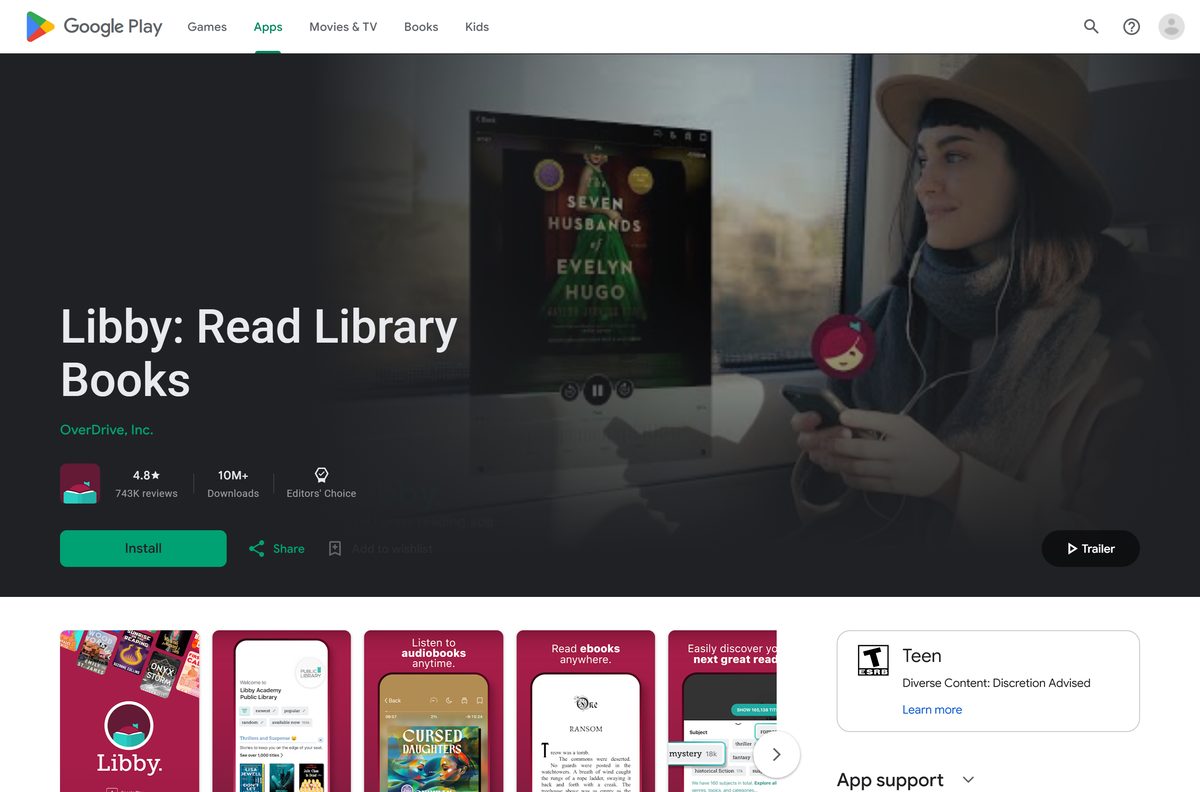
| Android 7.1 or later | Libby: Read Library Books on Google Play | Play states no size |
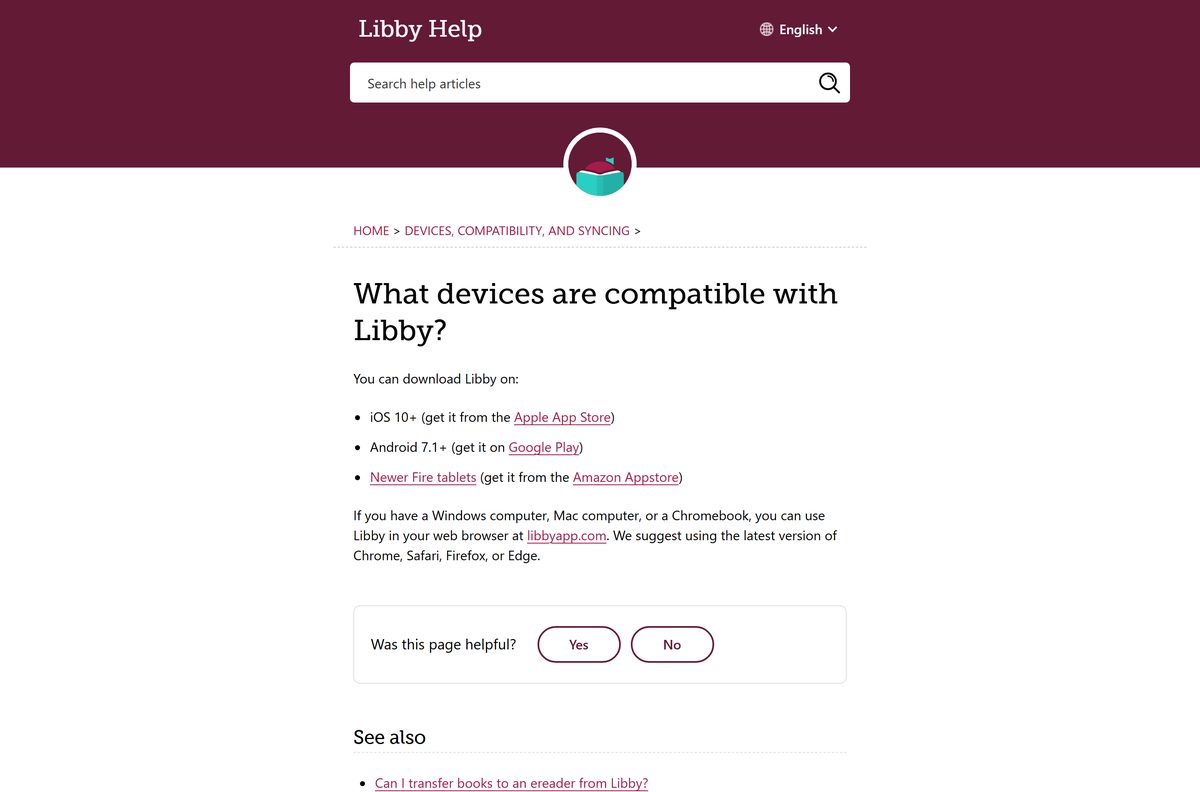
Newer Fire tablets get Libby from the Amazon Appstore, according to OverDrive’s device list.
Download Libby from the official sources
Three addresses cover every device. OverDrive, Inc. publishes all of them.
- libbyapp.com — the Windows, Mac and Chromebook version; works in the latest Chrome, Safari, Firefox or Edge
- Libby, the library app on the App Store — 13.6 MB · seller OverDrive, Inc., version 9.2.4, Free, rated 4.9 from 4,523,807 ratings
- Libby: Read Library Books on Google Play — 10M+ downloads, Editors’ Choice, 4.8 stars from 743K reviews
A Microsoft Store listing titled libby comes from Devign 34, an unrelated publisher. Skip it.
How to install Libby on Windows 11 and 10
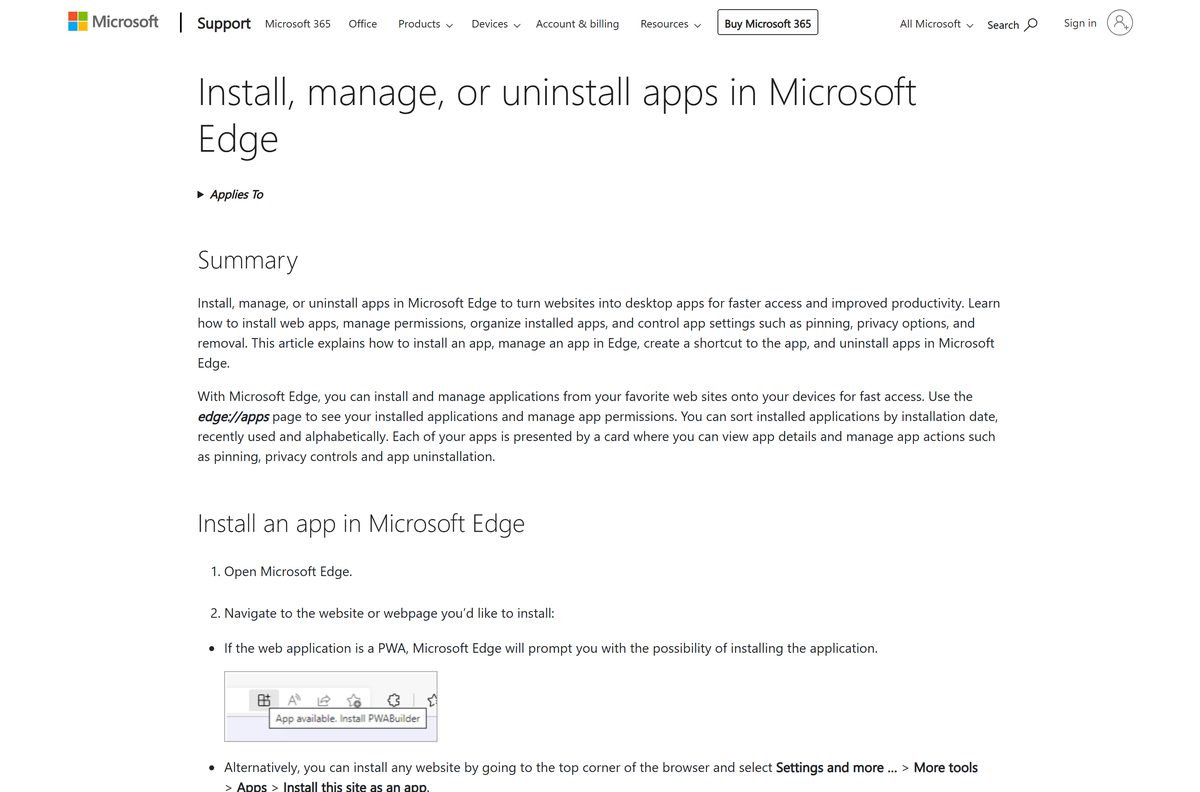
libbyapp.com ships a web app manifest set to standalone, so Edge installs it as a real app with its own window and taskbar icon.
- Open Microsoft Edge and go to libbyapp.com.
- Select Settings and more, the three-dot button at the top right.
- Select More tools > Apps > Install this site as an app.
- Keep the name Libby and select Install.
- In the new window, select Yes, I Have A Library Card and find your library.
- Sign in with your card number and PIN.
- Right-click the Libby taskbar button and select Pin to taskbar.
In Chrome, the same install is More > Cast, save, and share > Install page as app.
How to install Libby on iPhone, iPad and Android and sync it with your PC
Set up the phone first if you already use Libby there. A setup code then copies everything to the computer.
- Open the App Store listing or the Google Play listing and select Get or Install.
- Open Libby, select Yes, I Have A Library Card, and sign in to your library.
- Borrow a title; the app downloads it over Wi-Fi for offline reading.
- To copy the phone’s cards, loans, holds and tags to the PC, select Menu > Copy To Another Device.
- On libbyapp.com, select Yes, I Have A Library Card, then Recover Your Data.
- Enter the setup code shown on the phone, or choose Recover With Passkey if you created a recovery passkey.
Which Libby download do you need for your Mac?
The App Store listing covers iPhone and iPad only. On a Mac, the browser supplies the app.
| Your Mac | What to do | Menu path |
|---|---|---|
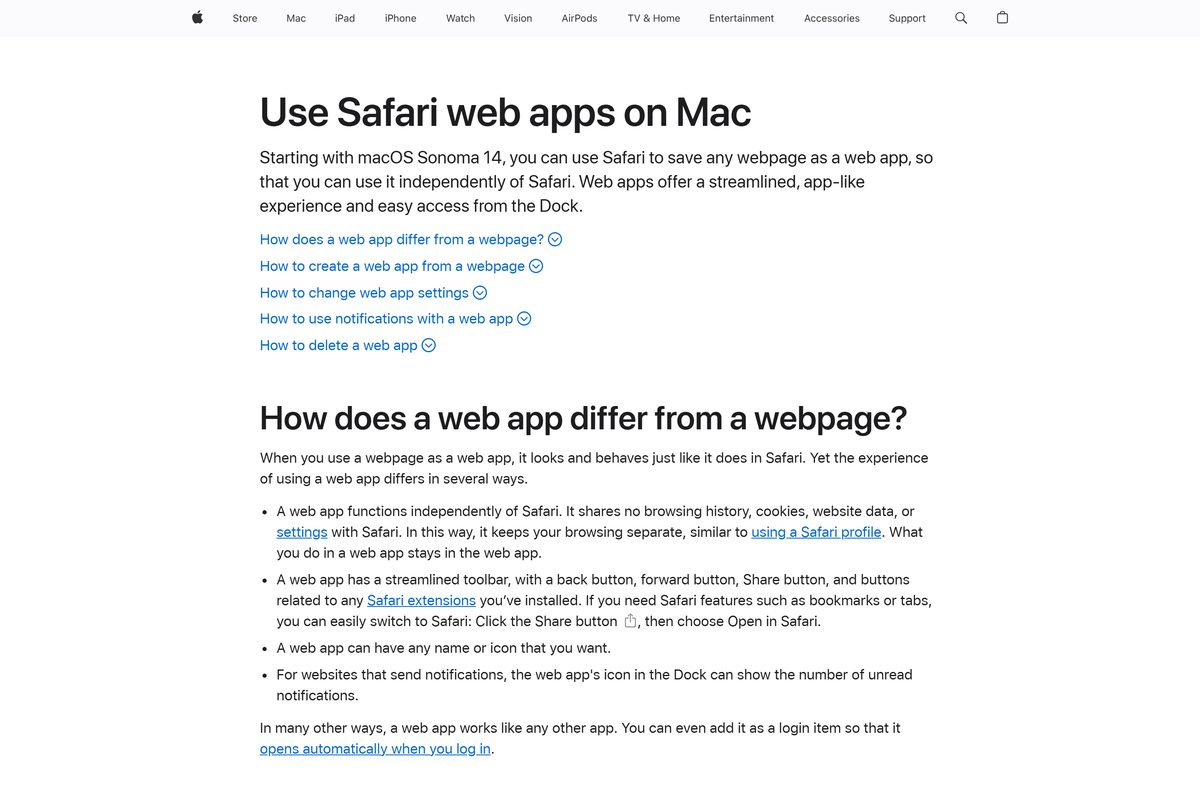
| macOS Sonoma 14 or later | Add libbyapp.com to the Dock from Safari | File > Add to Dock, then Add |
| Chrome installed | Install libbyapp.com as a Chrome app | More > Cast, save, and share > Install page as app |
| No install wanted | Open libbyapp.com in a tab | None |
A Safari web app is saved in the Applications folder of your home folder and opens from the Dock or Spotlight.
How to use Libby on a library or work computer without installing it
Loans live on your library account, so a borrowed PC needs nothing but a browser.
- Open Chrome, Edge, Firefox or Safari.
- Go to libbyapp.com.
- Select Yes, I Have A Library Card and sign in to your library.
- Open Shelf to read or listen to your current loans.
- Before you leave, open Menu and remove your card from that browser.
Is Libby free?
Your library buys the licences; you borrow them.
Yes. Libby is free with a library card, and the App Store lists it as Free. Libby’s help centre states there are no subscription costs, no in-app purchases and no late fees, because titles return themselves on their due dates. The only requirement is a card from a public library that lends through OverDrive. Popular titles can carry a hold queue, since each library owns a set number of copies.
Should you read Libby on the computer or the phone?
Both show the same shelf. The difference is offline access.
Use the phone or tablet app for travel and audiobooks in the car, and libbyapp.com for reading on a big screen at a desk. Libby’s help centre says libbyapp.com always needs an internet connection, while the phone apps download books and audiobooks over Wi-Fi by default. The Android app also supports Android Auto and playback from 0.6x to 3.0x.
What you can borrow in Libby and where it plays
Each library picks its own catalogue and lending rules. Libby carries digital titles only.
| Format | Where you can use it | Limit |
|---|---|---|
| Ebooks | Phone app, libbyapp.com, Kobo and Tolino ereaders | Library loan period |
| Kindle Books | Kindle devices and apps via Read With > Kindle | U.S. only |
| Audiobooks | Phone app and libbyapp.com | No transfer to MP3 players or iPods |
| Magazines | Phone app and libbyapp.com | Download manually for offline use |
| Physical books | Not in Libby | Borrow at the branch |
How to check your Libby version and update it
The web app updates itself; the phone apps update through their stores.
- On a PC or Mac, close the Libby window and open it again to load the current build.
- On iPhone or iPad, open the App Store listing and select Update if it appears.
- Confirm the listing shows version 9.2.4 or later.
- On Android, open the Google Play listing and select Update if it appears.
Check the Libby system requirements before you install
The only computer requirement is a current browser.
| Field | Value |
|---|---|
| App | Libby, the library app |
| Developer | OverDrive, Inc. |
| Latest version | 9.2.4 on iPhone and iPad; libbyapp.com updates itself |
| Price | Free with a library card |
| Windows, Mac and Chromebook | libbyapp.com in the latest Chrome, Safari, Firefox or Edge |
| iPhone and iPad | iOS 10.0 or later, 13.6 MB |
| Android | Android 7.1 or later through Google Play |
| Fire tablets | Newer models through the Amazon Appstore |
| Architecture | No native desktop build; the browser supplies it |
| Offline installer | None |
| Official source | libbyapp.com |
| Last verified | 25 September 2026 |
Fix Libby not loading or installing on your PC
Match the symptom to the fix.
Edge or Chrome shows no install option
The page has not finished loading, or the browser is out of date.
- Update the browser and restart it.
- Open libbyapp.com and wait for the welcome screen.
- In Edge, select Settings and more > More tools > Apps > Install this site as an app.
- In Chrome, select More > Cast, save, and share > Install page as app.
Loans on the phone do not appear on the computer
The computer is signed in to a different card or has no copy of your data.
- On the phone, select Menu > Copy To Another Device.
- On libbyapp.com, select Recover Your Data and enter the setup code.
- Open Shelf and pull the loans list down to refresh.
Books will not open on a laptop away from Wi-Fi
libbyapp.com always needs an internet connection.
- Connect to a network and reload the Libby window.
- For offline reading, open the loan in the phone or tablet app, which downloads it over Wi-Fi.
Your library is not listed
Libby works only with public libraries that lend through OverDrive.
- Search by library name, city or ZIP code.
- Ask your library which digital lending service it uses.
How to uninstall Libby from Windows and Mac
Removing the app leaves loans and holds on your library account.
- In Edge, open edge://apps , select Details on the Libby card, then Uninstall.
- In Chrome, open the Libby window and select More > Uninstall Libby > Remove.
- On a Mac, choose Go > Home in Finder, open Applications, and drag Libby to the Trash.
- On a phone, delete the app as you would any other; loans stay on your card.
Which Libby alternatives are worth a look?
Check which service your library subscribes to before installing any of these.
| App | Publisher | Best for |
|---|---|---|
| Hoopla: Your Library Anywhere | Midwest Tape LLC | Libraries that lend through hoopla |
| CloudLibrary | OCLC | Libraries on cloudLibrary |
| The Palace Project | LYRASIS, Inc. | Libraries on Palace |
| Sora, by OverDrive Education | OverDrive, Inc. | School reading collections |
| BorrowBox | Bolinda Digital Pty Ltd | Libraries on BorrowBox |
All five are free on the App Store; each needs a card from a library that uses that service.
Frequently asked questions
Is the Libby download free?
Yes. Libby charges nothing: no subscription, no in-app purchases and no late fees. The App Store lists it as Free. You need a library card from a public library that lends through OverDrive, and the library pays for the books.
Is there a Libby app for Windows 11 or Windows 10?
Not as a setup file. OverDrive points Windows users to libbyapp.com in Chrome, Edge, Firefox or Safari. Install that site as an app from Edge or Chrome and Libby opens in its own window with a Start menu entry.
Is there a Libby app for Mac?
The App Store lists Libby for iPhone and iPad only. On a Mac with macOS Sonoma 14 or later, open libbyapp.com in Safari and choose File, then Add to Dock. Chrome can also install it as an app.
How big is the Libby download?
The iPhone and iPad app is 13.6 MB. Google Play states no size. On a PC or Mac nothing is downloaded, because the desktop version runs from libbyapp.com and your borrowed books stream from the library’s servers.
Can I read Libby books offline on a computer?
No. Libby’s help centre says you always need an internet connection to use libbyapp.com. The phone and tablet apps are different: they download books and audiobooks over Wi-Fi by default, so take the phone when you travel.
Do I need a library card to use Libby?
Yes. You need a card for each library you want to borrow from, and the library must lend digital titles through OverDrive. Libby lets you add several libraries and several cards, then switch between them from the same shelf.
Can I send Libby books to a Kindle?
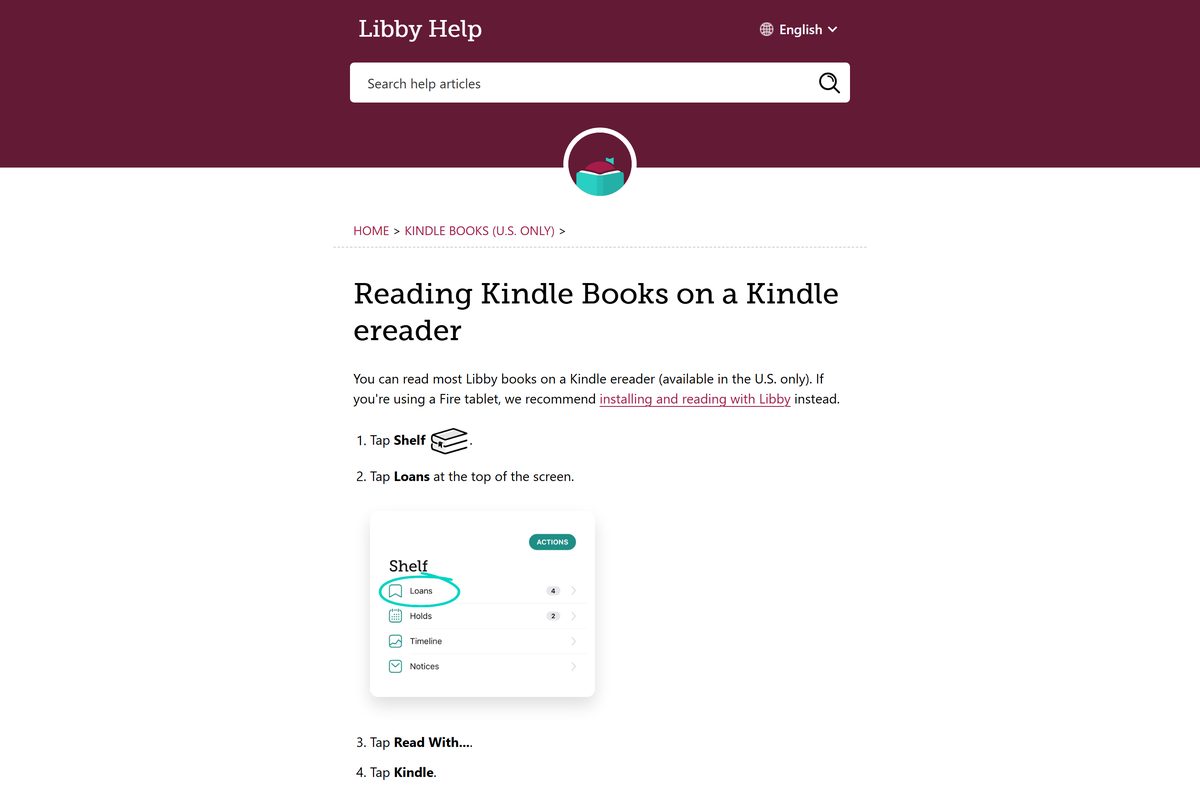
In the U.S. only. Open Shelf, select Loans, then Read With and Kindle. Sign in to Amazon if asked and select Get Library Book. The ebook then appears on the devices linked to that Amazon account.
Is the Libby app in the Microsoft Store safe?
The Store listing titled libby is published by Devign 34, not OverDrive, so it is not the library app. The genuine desktop route is libbyapp.com. Phone users should install only the App Store and Google Play listings from OverDrive, Inc.
How do I move my Libby loans to my PC?
Nothing needs moving if you sign in with the same card. To copy cards, holds and tags too, open Menu on your phone, select Copy To Another Device and enter the setup code on libbyapp.com, or use a recovery passkey.
What is the latest Libby version?
The iPhone and iPad app is version 9.2.4, released on 4 August 2026. Google Play shows an update dated 26 August 2026 without a version number. The browser version at libbyapp.com updates itself each time it loads.
Can I transfer Libby audiobooks to an MP3 player?
No. Libby’s help centre states that audiobooks cannot be transferred to MP3 players or iPods. Listen in the phone app, or play them on a computer at libbyapp.com, where playback runs in the browser.