You can download Grand Theft Auto V on a Windows 11 or Windows 10 PC through the Rockstar Games Launcher, Steam, Epic Games Store, or Xbox app. The current PC purchase includes GTA V Enhanced and GTA V Legacy, allowing you to install the edition that matches your hardware.
The Rockstar Games Launcher is free to download, but GTA V is a paid game unless you already own it, receive it through an eligible subscription, or obtain it during an official promotion. Websites offering a permanent free GTA V PC download, cracked installer, compressed repack, or activation bypass do not provide an authorized copy.
This guide covers the official GTA V download for PC, Windows 11 and Windows 10 compatibility, Enhanced and Legacy editions, Rockstar Games Launcher installation, Steam and Epic downloads, offline play, storage requirements, Mac availability, and fixes for common download problems.
Download GTA V for Windows 11 and Windows 10
The Rockstar Store provides GTA V for the Rockstar Games Launcher. A current purchase includes both GTA V Enhanced and GTA V Legacy, so you can use Legacy when the computer does not meet the higher Enhanced system requirements.
Official GTA V PC page: Download GTA V for PC
GTA V Enhanced PC page: Download GTA V Enhanced for PC
Free Rockstar Games Launcher: Get the Rockstar Games Launcher
| Download option | Availability |
|---|---|
| GTA V Enhanced for Windows 11/10 | Available |
| GTA V Legacy for Windows 11/10 | Available |
| Rockstar Games Launcher | Free download |
| GTA V full game | Paid or included with an eligible subscription |
| Native GTA V for Mac | Not available |
| GTA V 32-bit version | Not supported |
| Full offline installer | Not provided |
Use Rockstar Games, Steam, Epic Games Store, or the Xbox app to obtain GTA V. Avoid torrent downloads, repacks, modified launchers, and websites asking you to disable security software before installation.
How to Download GTA V with Rockstar Games Launcher
Use this method when you buy GTA V directly from the Rockstar Store or redeem a Rockstar activation code.
- Download the Rockstar Games Launcher from Rockstar’s official website.
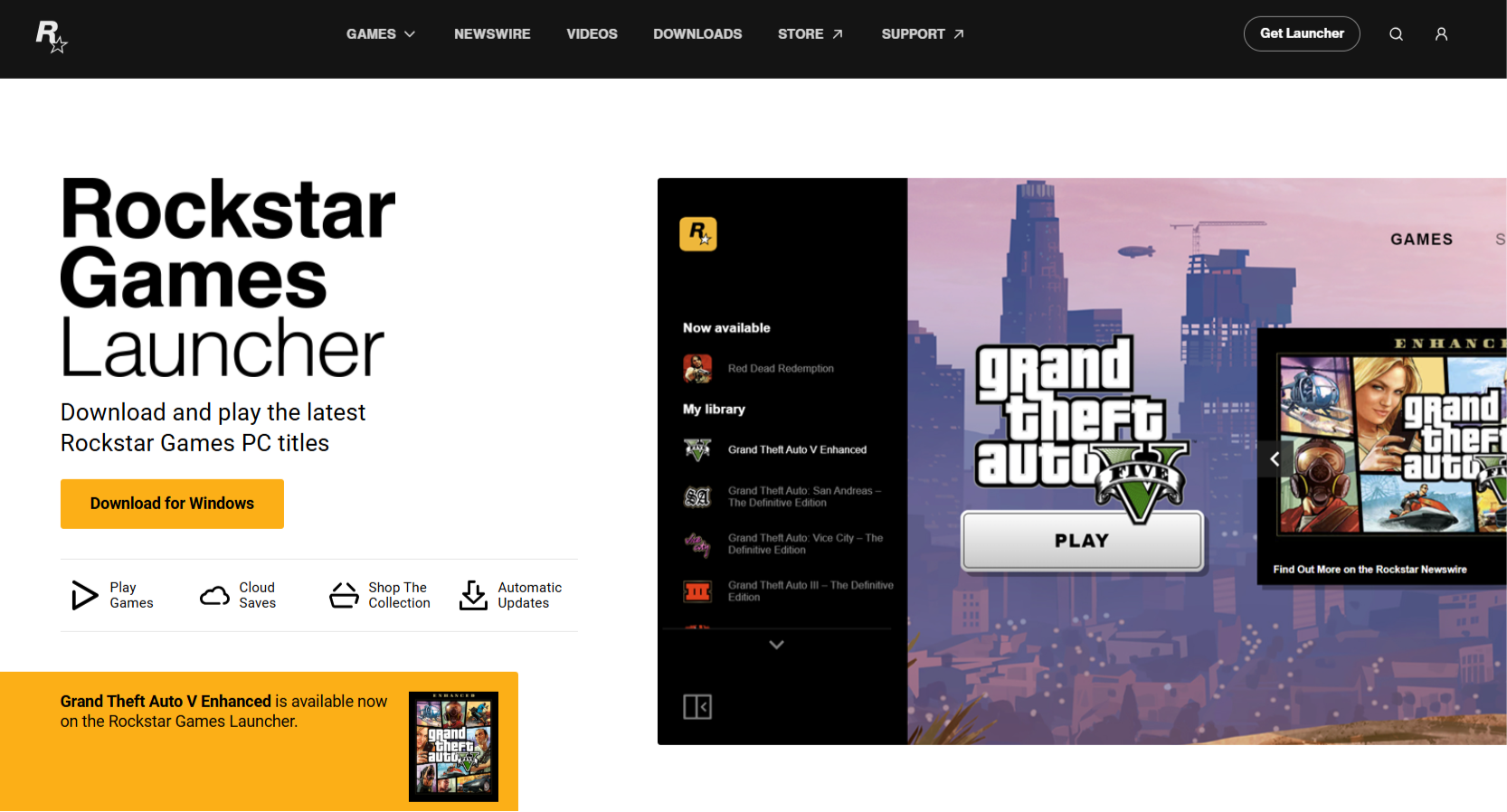
- Open the downloaded setup file.
- Select your language and click Continue.
- Accept the license agreement.
- Choose where to install the launcher.
- Open the launcher and sign in to your Rockstar Games account.
- Purchase GTA V or redeem an existing activation code.
- Open your game library.
- Select Grand Theft Auto V Enhanced or Grand Theft Auto V Legacy.
- Choose an installation drive and start the download.
The launcher downloads the game files and installs required components such as Rockstar authentication software, DirectX libraries, Microsoft Visual C++ packages, and anti-cheat components used by GTA Online.
Keep at least 125GB of free space available before starting. The launcher can also require temporary space while downloading, unpacking, and updating files.
Download GTA V Enhanced for PC
GTA V Enhanced is the newer PC edition with upgraded graphics, faster loading on supported storage, ray-tracing options, AMD FSR, NVIDIA DLSS, 3D audio support, and newer GTA Online features.
GTA V Enhanced PC page: Download GTA V Enhanced for PC
Choose Enhanced when your PC has a supported dedicated graphics card, at least 8GB of RAM, and an SSD. Rockstar recommends Windows 11, 16GB of dual-channel memory, and a DirectStorage-compatible drive for the stronger configuration.
GTA V Enhanced minimum requirements
| Component | Minimum requirement |
|---|---|
| Operating system | Windows 10 with the latest updates |
| Processor | Intel Core i7-4770 or AMD FX-9590 |
| Memory | 8GB RAM |
| Graphics | NVIDIA GeForce GTX 1630 4GB or AMD Radeon RX 6400 4GB |
| Storage | 105GB SSD |
GTA V Enhanced recommended requirements
| Component | Recommended requirement |
|---|---|
| Operating system | Windows 11 |
| Processor | Intel Core i5-9600K or AMD Ryzen 5 3600 |
| Memory | 16GB dual-channel RAM |
| Graphics | NVIDIA GeForce RTX 3060 8GB or AMD Radeon RX 6600 XT 8GB |
| Storage | 105GB DirectStorage-compatible drive |
An SSD is mandatory for GTA V Enhanced. Installing it on a mechanical hard drive does not meet Rockstar’s minimum storage requirement.
Download GTA V Legacy for Low-End PCs
GTA V Legacy is the older PC edition and remains useful for computers that cannot run Enhanced. It has lower processor, memory, and graphics requirements, although it lacks several visual upgrades and newer Enhanced-only GTA Online features.
GTA V Legacy minimum requirements
| Component | Minimum requirement |
|---|---|
| Operating system | Windows 10 64-bit |
| Processor | Intel Core 2 Quad Q6600 or AMD Phenom 9850 |
| Memory | 4GB RAM |
| Graphics | NVIDIA 9800 GT 1GB or AMD HD 4870 1GB |
| Storage | 125GB |
GTA V Legacy recommended requirements
| Component | Recommended requirement |
|---|---|
| Operating system | Windows 10 64-bit |
| Processor | Intel Core i5-3470 or AMD FX-8350 |
| Memory | 8GB RAM |
| Graphics | NVIDIA GTX 660 2GB or AMD HD 7870 2GB |
| Storage | 125GB |
Legacy can run on an HDD, although an SSD reduces loading times and texture-streaming delays. A PC that barely meets the minimum specifications will need reduced resolution, population density, shadow quality, grass quality, and distance scaling.
GTA V Enhanced vs Legacy Download
| Feature | GTA V Enhanced | GTA V Legacy |
|---|---|---|
| Windows support | Windows 10 and Windows 11 | Windows 10 and Windows 11 |
| SSD required | Yes | No |
| Ray tracing | Available on supported hardware | No |
| DLSS and FSR support | Yes | Limited or unavailable |
| Enhanced GTA Online features | Yes | No |
| Older hardware support | Limited | Better |
| Installation size | About 105GB | About 125GB |
Install Enhanced when your computer meets its minimum specifications. Use Legacy when the PC lacks a supported GPU, 8GB of RAM, or an SSD.
Download GTA V from Steam
Players who purchase GTA V through Steam download it from the Steam library, although the game still installs and uses Rockstar Games Launcher components for account authentication.
- Install and open Steam.
- Sign in to your Steam account.
- Search for Grand Theft Auto V.
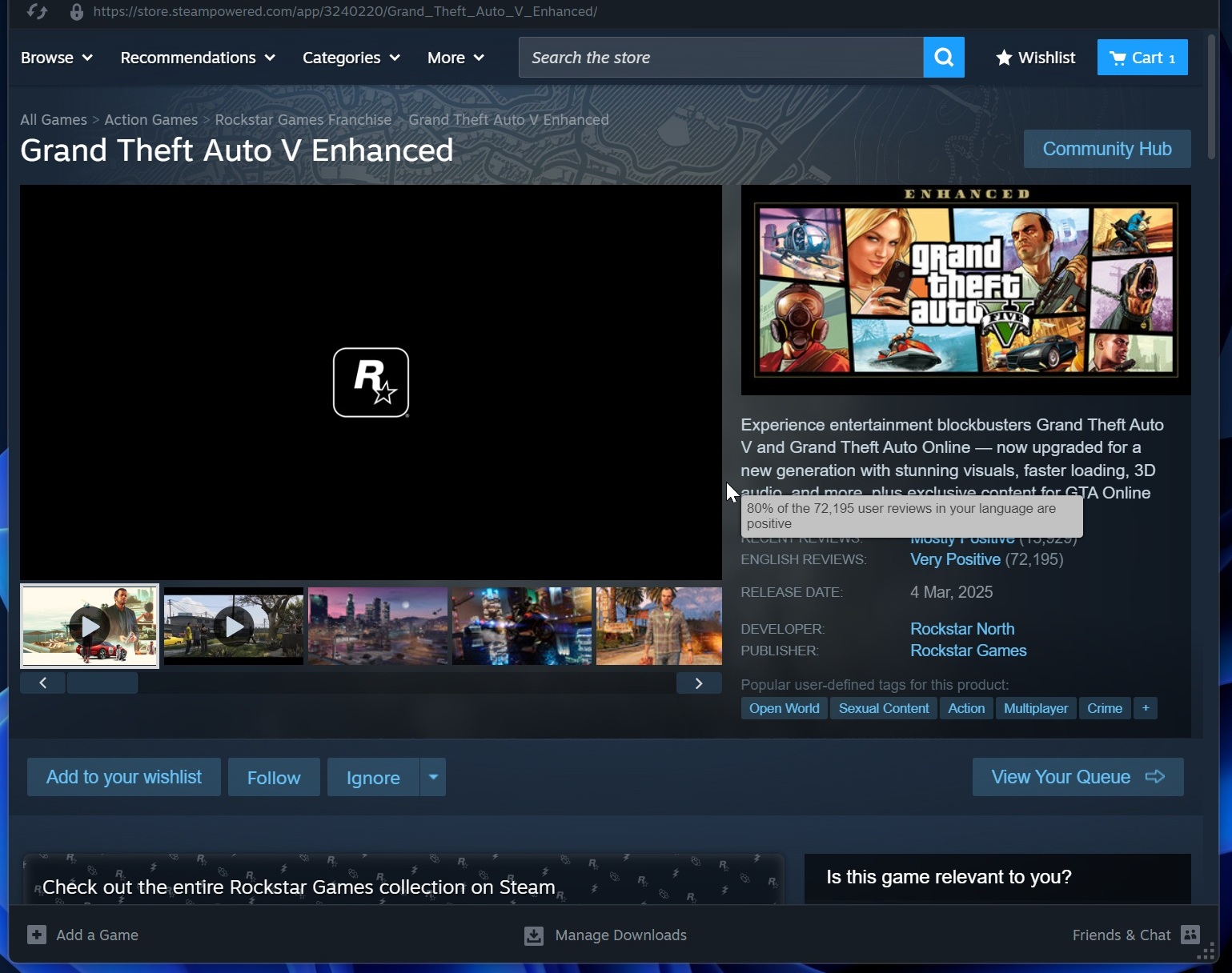
- Purchase the game or open it from your Library if you already own it.
- Select Install.
- Choose an installation drive.
- Wait for Steam to download the game.
- Launch GTA V and sign in to the linked Rockstar Games account.
Link the correct Rockstar account the first time you launch the game. Rockstar account linking can become difficult to reverse, and ownership cannot simply be moved to another Rockstar account.
Download GTA V from Epic Games Store
GTA V is also available through the Epic Games Store. The Epic Games Launcher manages the main download, while Rockstar Games Launcher handles Rockstar account authentication and supporting services.
- Install the Epic Games Launcher.
- Sign in to your Epic account.
- Search for Grand Theft Auto V or go to the Epic Games Store.
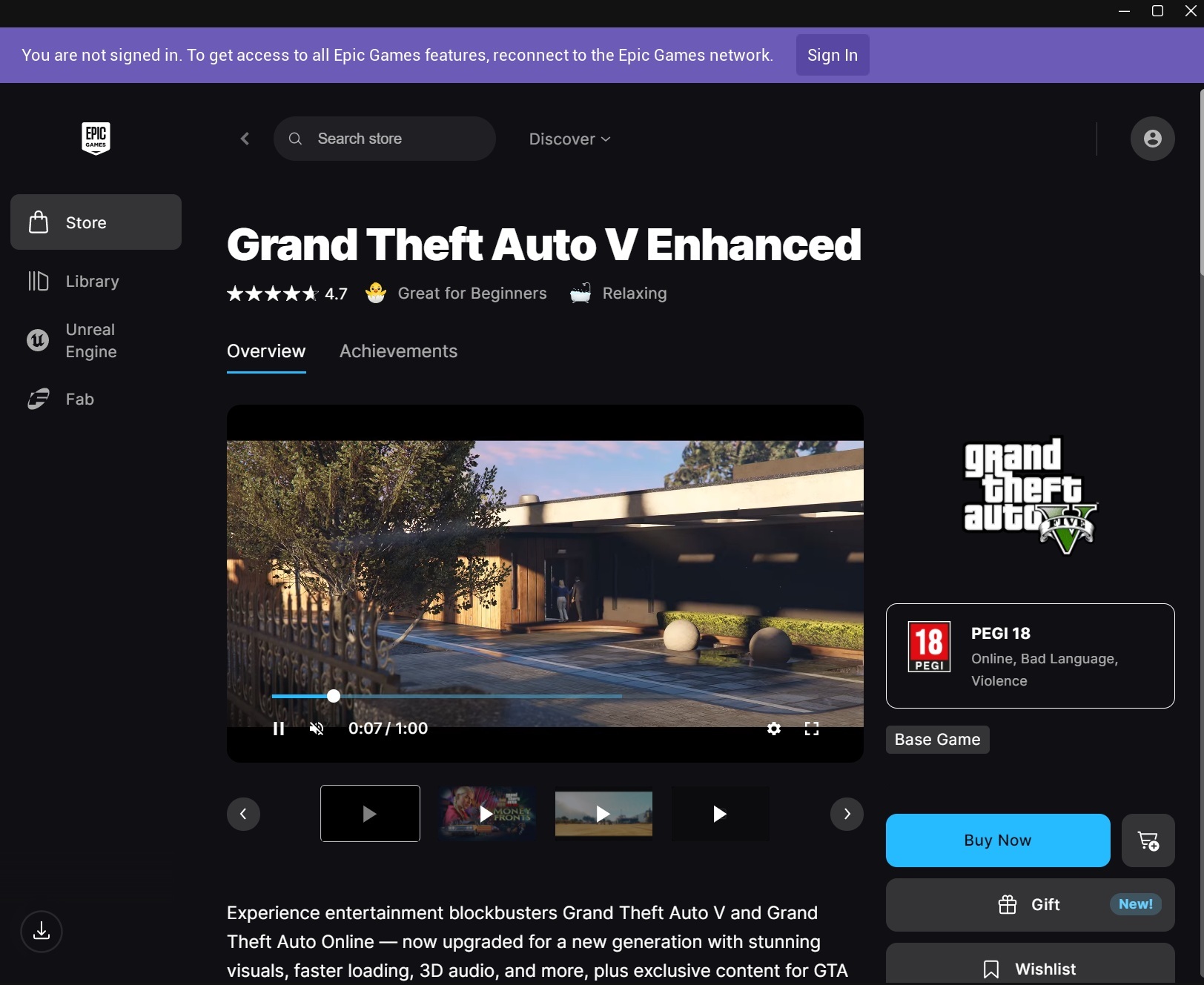
- Purchase it or open your Library if it is already attached to the account.
- Click Install.
- Select the installation location.
- Launch the game after the download completes.
- Sign in to the Rockstar account linked to the Epic account.
Players who claimed GTA V during an earlier Epic Games Store giveaway retain access through the Epic account that claimed it. The game is not continuously free for new accounts.
Download GTA V from the Xbox App on Windows
GTA V Enhanced is also distributed through the Xbox app for Windows in supported regions and subscriptions.
- Open the Xbox app on Windows.
- Sign in with your Microsoft account.
- Search for Grand Theft Auto V.
- Purchase the game or confirm that it is included with your current subscription.
- Click Install.
- Select a drive with enough space.
- Launch the game and complete Rockstar account sign-in.
Subscription availability can change, so confirm that GTA V remains included before beginning a large download.
Can You Download GTA V for Free on PC?
The Rockstar Games Launcher is free, but GTA V normally requires a purchase or an eligible subscription. Rockstar does not provide a permanent free trial of the complete PC game.
Legitimate free access can occur when:
- A store runs an official limited-time giveaway.
- The game is included in a PC subscription you already pay for.
- You receive a valid activation code with eligible hardware or a promotion.
- Rockstar offers a temporary free-play period.
Downloading a cracked or repacked version introduces several practical problems beyond copyright. Modified copies can contain password stealers, cryptominers, remote-access malware, broken game files, outdated executables, and disabled GTA Online access.
GTA V Offline Installer Download
Rockstar does not provide a complete standalone offline installer for the current digital PC version. The Rockstar Games Launcher, Steam, Epic Games Launcher, or Xbox app must download the game files and verify ownership.
An internet connection is required for:
- The initial game download.
- Rockstar Games account sign-in.
- Game activation.
- Periodic ownership verification.
- Updates and downloadable content.
- GTA Online.
Copying already downloaded game files to another PC can reduce the amount that must be downloaded, but the destination launcher still needs to scan or verify the files and confirm ownership.
Can GTA V Story Mode run offline?
Story Mode generally works without a continuous internet connection after the game has been installed, updated, activated, and launched online at least once.
Rockstar provides the following launch argument for forcing Story Mode into offline mode:
-scofflineonlyIn Rockstar Games Launcher, open Settings, select GTA V, enter the argument under Launch Arguments, and start the game. Remove the argument before using GTA Online or synchronizing cloud progress.
Rockstar can still require periodic online verification, so offline access should not be treated as permanent activation without future internet access.
Download GTA V for Mac
Rockstar does not provide a native GTA V download for macOS. There is no official GTA V DMG, Mac launcher edition, or Apple silicon version for M-series MacBooks and iMacs.
Mac users commonly consider these options:
- Stream GTA V through a cloud gaming service that supports the game and region.
- Use a separate supported Windows gaming PC.
- Install Windows through Boot Camp on an older Intel Mac that supports it.
- Use remote play from another Windows computer.
Apple silicon Macs cannot use Boot Camp to install standard x64 Windows. Virtual machines and compatibility layers do not guarantee that GTA V, Rockstar Games Launcher, GTA Online, or BattlEye will work correctly.
A website offering a native GTA V Mac installer is not distributing an official Rockstar release.
GTA V x64 and ARM64 Downloads
GTA V for PC requires 64-bit Windows. Rockstar does not provide a 32-bit edition of the current game.
Rockstar also does not publish a native ARM64 version for Snapdragon-powered Windows PCs. Windows 11 on Arm can emulate many x64 applications, but GTA V compatibility depends on graphics drivers, launcher components, authentication software, BattlEye, and game performance under emulation.
Use an Intel or AMD Windows gaming PC for supported and predictable GTA V performance.
How to Change the GTA V Download Location
Choose the destination before starting the download because moving more than 100GB after installation takes time and can make the launcher lose track of the files.
Rockstar Games Launcher
- Open the launcher.
- Select GTA V from your library.
- Click Install Now.
- Choose the preferred drive and folder.
- Confirm that enough free space is available.
- Start the download.
Steam
- Open Steam > Settings > Storage.
- Add or select the required drive.
- Install GTA V into the chosen Steam library.
Epic Games Launcher
Select the folder shown in the installation window before clicking Install. Epic also lets you choose another supported drive.
How to Move an Existing GTA V Installation
Moving GTA V without redownloading works best when the launcher provides a built-in move function. When it does not, copy the files to the new drive, begin a fresh installation in that location, pause it, replace the new files with the copied installation, and run file verification.
Back up Story Mode saves before changing files. Rockstar cloud saves can protect supported progress, but local saves and settings should still be copied separately.
Fix GTA V Not Downloading on PC
Check available storage
GTA V requires more than 100GB, and the launcher can need additional temporary space during installation and updates. Free more space than the listed final size before retrying.
Restart the launcher as administrator
Exit the launcher completely, right-click its shortcut, and select Run as administrator. This helps when Windows prevents it from writing to the selected game folder.
Check the Rockstar service status
A Rockstar outage can prevent account authentication, store access, GTA Online connectivity, or launcher downloads. Wait until the affected service returns before reinstalling software.
Disable download limits
Review bandwidth or throttle settings in Rockstar Games Launcher, Steam, Epic Games Launcher, or the Xbox app. A low download limit can make the installation appear stuck.
Use a stable connection
Connect the PC through Ethernet when possible, pause other large downloads, restart the router, and avoid switching networks while the launcher verifies large files.
Temporarily test without a VPN or proxy
A VPN, proxy, filtered DNS service, or managed network can interfere with Rockstar authentication and content servers. Disable it temporarily when permitted and restart the launcher.
Fix GTA V Installation Failed or Corrupted Files
Verify GTA V in Rockstar Games Launcher
- Open Rockstar Games Launcher.
- Select Settings.
- Choose GTA V under My installed games.
- Select Verify Integrity.
- Wait for the scan and repair to finish.
Verify GTA V in Steam
- Open your Steam Library.
- Right-click GTA V.
- Select Properties > Installed Files.
- Click Verify integrity of game files.
Verify GTA V in Epic Games Launcher
- Open the Epic Games Library.
- Click the three dots beside GTA V.
- Select Manage.
- Click Verify.
Verification checks existing files and redownloads only damaged or missing data, which is faster than deleting the complete installation.
Fix Rockstar Games Launcher Not Installing
Download a fresh launcher installer from Rockstar, restart Windows, and run the setup as an administrator. Remove incomplete launcher files only when reinstalling becomes necessary.
The default launcher folders can include:
C:Program FilesRockstar GamesLauncher
C:Program FilesRockstar GamesSocial Club
C:Program Files (x86)Rockstar GamesSocial Club
C:UsersYourNameDocumentsRockstar GamesLauncher
Do not delete folders containing game saves or GTA V installation files unless you have created a backup.
Frequently Asked Questions
Is GTA V free to download on PC?
The Rockstar Games Launcher is free. GTA V normally requires a purchase, eligible subscription, valid activation code, or an official limited-time giveaway.
What is the official GTA V PC download?
You can obtain GTA V through the Rockstar Store, Steam, Epic Games Store, or Xbox app. The Rockstar Store version installs through Rockstar Games Launcher.
Does GTA V work on Windows 11?
Yes. GTA V Enhanced recommends Windows 11, while Enhanced and Legacy both run on supported 64-bit Windows PCs.
Can I download GTA V on Windows 10?
Yes. Windows 10 64-bit supports GTA V Enhanced when the computer meets its higher hardware requirements, and GTA V Legacy supports substantially older hardware.
Should I download GTA V Enhanced or Legacy?
Download Enhanced when your PC has at least 8GB RAM, a supported 4GB graphics card, and an SSD. Download Legacy when the computer falls below those requirements.
Does buying GTA V include Enhanced and Legacy?
Rockstar’s current PC purchase includes both editions. You can install the version that fits your hardware.
How large is the GTA V download?
Rockstar lists 105GB of SSD space for Enhanced and 125GB for Legacy. Keep additional free space available for installation files and future updates.
Can I download GTA V without Rockstar Games Launcher?
Steam, Epic Games Store, and the Xbox app can manage the main download, but GTA V still uses Rockstar account and launcher components for authentication.
Can I play GTA V offline?
Story Mode generally works offline after the game has been activated, updated, and launched online. GTA Online and periodic ownership verification require internet access.
Is there a full GTA V offline installer?
No. Rockstar does not provide a complete current offline installer. The game must be downloaded and activated through a supported launcher.
Can I download GTA V for Mac?
No native macOS version exists. Rockstar does not provide a GTA V DMG or Apple silicon installer.
Is there a GTA V ARM64 download?
No native Windows ARM64 version is available. Running the x64 edition through Windows emulation does not guarantee game, driver, or anti-cheat compatibility.
Can I transfer GTA Online progress from Legacy to Enhanced?
Eligible PC players can perform a one-time migration of their GTA Online character and progress from Legacy to Enhanced. The migration remains within the PC platform.
Can I install GTA V on more than one PC?
You can install Rockstar Games Launcher on multiple PCs and download owned games after signing in, although Rockstar allows only one active launcher sign-in at a time.
Why does GTA V say Buy Now when I already own it?
Confirm that you signed in to the correct Steam, Epic, Microsoft, and Rockstar accounts. A purchase remains attached to the account and storefront where it was obtained.
Can I share GTA V with another Rockstar account?
Rockstar does not support sharing purchased Rockstar Games Launcher titles between Rockstar accounts.




GTA 6 countdown: days until launch, unlock time and preload date - Techdows
[…] scheduled, and a pre-loaded copy is the only way to start at the first minute. While you wait, the GTA V Enhanced download is the closest thing to Rockstar's newest […]