CPU cores are the separate processing units inside one processor, and most people need four to eight of them: four or more for everyday work, six to eight for gaming and eight or more for video encoding and streaming.
This guide explains cores, threads and logical processors, what matters besides core count, and how to check how many cores your CPU has in Windows 11, PowerShell and Linux.
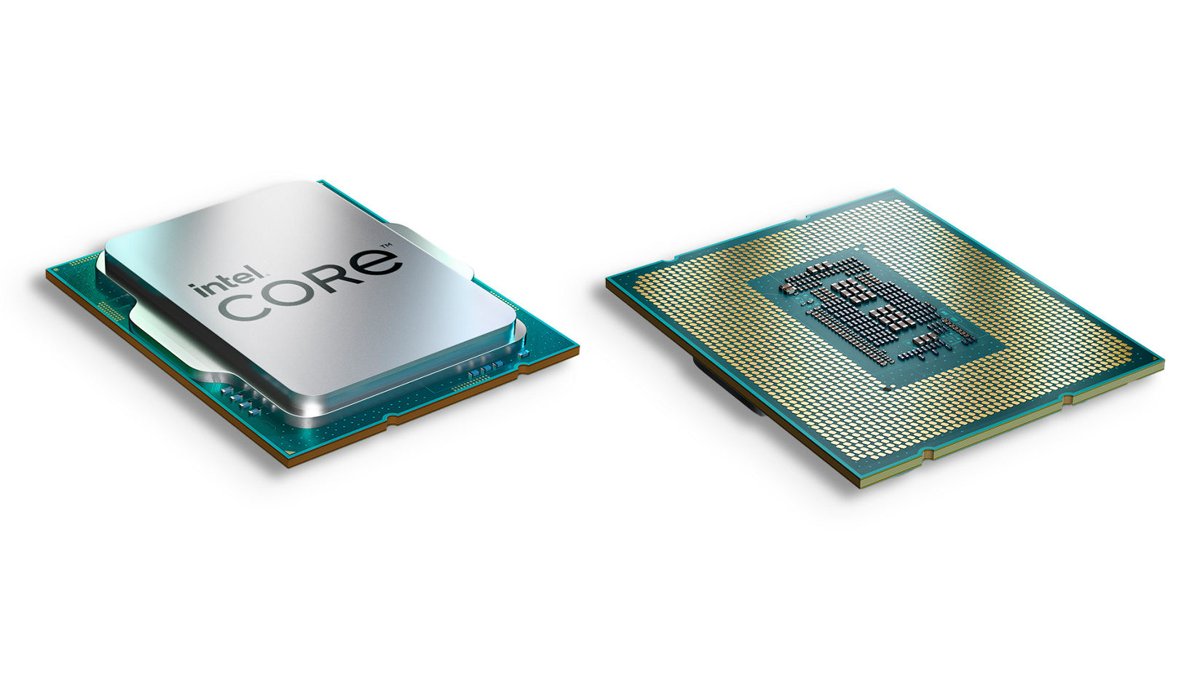
How many CPU cores do you need?
Windows 11 sets the floor: Microsoft requires a 1 GHz or faster 64-bit processor with two or more cores. Above that, the right count depends on whether your apps split work across cores or lean on one fast core.
The ranges below are practical guidance for current desktop and laptop chips, not vendor rules. Treat them as a starting point and check benchmarks for the exact apps and games you use.
| What you do on the PC | Cores to look for | Why |
|---|---|---|
| Run Windows 11 at all | 2 or more | Microsoft's minimum processor requirement for Windows 11 |
| Browsing, email, Office apps, video calls | 4 or more | Leaves room for background tasks while you work |
| Gaming | 6 to 8 | Many PC games use multiple cores, but high clock speed per core still matters most for many engines |
| Gaming while streaming | 8 or more | Intel recommends a Core i7 or better with at least 8GB of RAM to play and stream at the same time |
| Video encoding, 3D rendering, large builds | 8 or more, with a high thread count | Intel notes that core count becomes increasingly important for CPU-intensive work such as encoding video |
Once you know your target, compare AMD and Intel processors within the same generation, because a newer chip with fewer cores can beat an older one with more.
What are CPU cores?
A core is a complete processing unit on the processor chip. Microsoft's definition is short: a core is a physical processor on the integrated circuit, so a dual-core processor has two. Intel describes each core as acting like an additional processor, which lets the CPU work on several instructions at the same time.
| Term | What it means | Example |
|---|---|---|
| Processor (CPU) | The chip in the socket or soldered to the board | One Intel Core or AMD Ryzen chip |
| Core | A physical processing unit inside that chip | A quad-core CPU has four |
| Single-core | A CPU with one core that handles one stream of work at a time | Older desktop and low-power chips |
| Multi-core | A CPU with several cores that run tasks in parallel | Nearly all CPUs sold today |
| Clock speed | Cycles per second each core runs, in GHz | 3.2 GHz is 3.2 billion cycles per second |
More cores help only when software splits its work into threads. A lightly threaded program runs on one core and gains more from a higher clock speed than from extra cores.
Cores in CPU explained: threads and logical processors
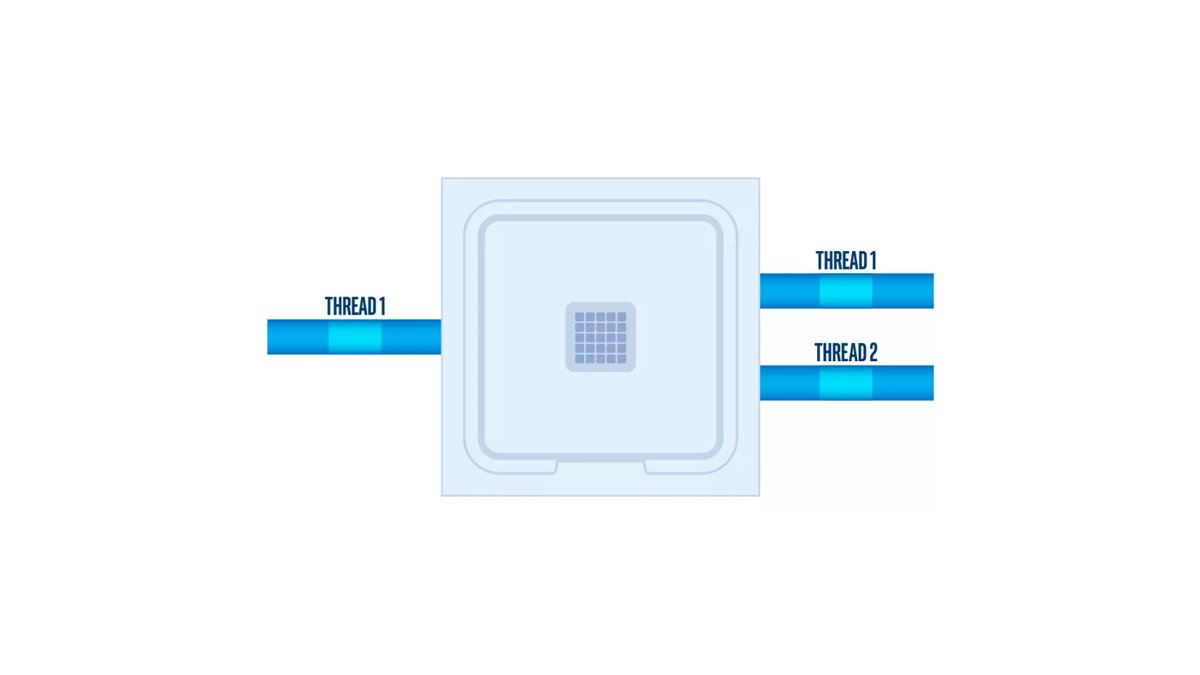
Windows reports two numbers for your processor: Cores and Logical processors. The gap between them comes from technologies such as Intel Hyper-Threading, which lets one physical core run two threads.
| Term | Meaning | How it shows up in Windows |
|---|---|---|
| Physical core | Real hardware that executes instructions | The Cores value in Task Manager |
| Thread | A stream of instructions a program hands to the CPU | Programs split work into threads to use more cores |
| Logical processor | An execution context Windows can schedule work on | The Logical processors value in Task Manager |
| Hyper-Threading | Intel technology that exposes two execution contexts per physical core | Logical processors is double the core count on supported chips |
| Multithreading | Dividing a workload into threads that run in parallel on different cores | Heavily threaded apps finish faster on more cores |
Intel states that Hyper-Threading is enabled by default on CPUs that support it and can be switched on or off in the BIOS with the Hyper-Threading Technology setting. Not every Intel CPU has it, so a chip can show equal core and logical processor counts.
Should you consider only the CPU cores?
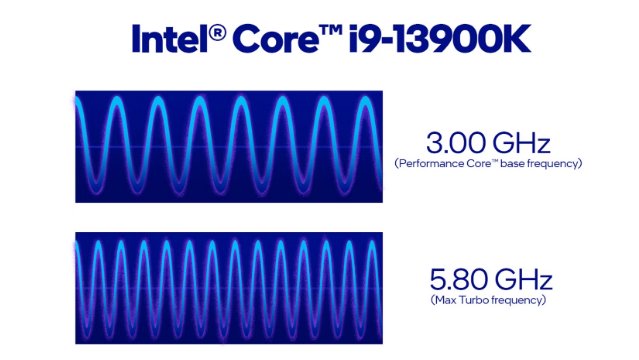
No. Core count is one spec among several, and Intel lists core count alongside cache size, power use and clock speed when comparing processors. Intel's advice is to look for the highest clock speed your budget allows while making sure you have the cores and threads your workloads need.
| Spec | Why it matters | When it outweighs core count |
|---|---|---|
| Clock speed and turbo frequency | Higher speed per core runs each thread faster | Games and apps that rely on single-core performance |
| Generation and architecture | Newer designs complete more work per clock cycle | A new CPU with a lower clock can beat a five-year-old CPU with a higher one |
| Cache size | Larger, faster cache keeps data close to the cores | Games and workloads that reuse the same data |
| Power and cooling | Turbo Boost raises speed only as far as heat allows | Thin laptops that cannot sustain full speed |
| Core types | Performance-cores and Efficient-cores do different jobs | Hybrid Intel chips, where the core total mixes both kinds |
Compare clock speeds only within the same brand and generation. Across generations, real benchmarks for the software you use are a better guide than any single number.
Intel P-cores vs E-cores explained
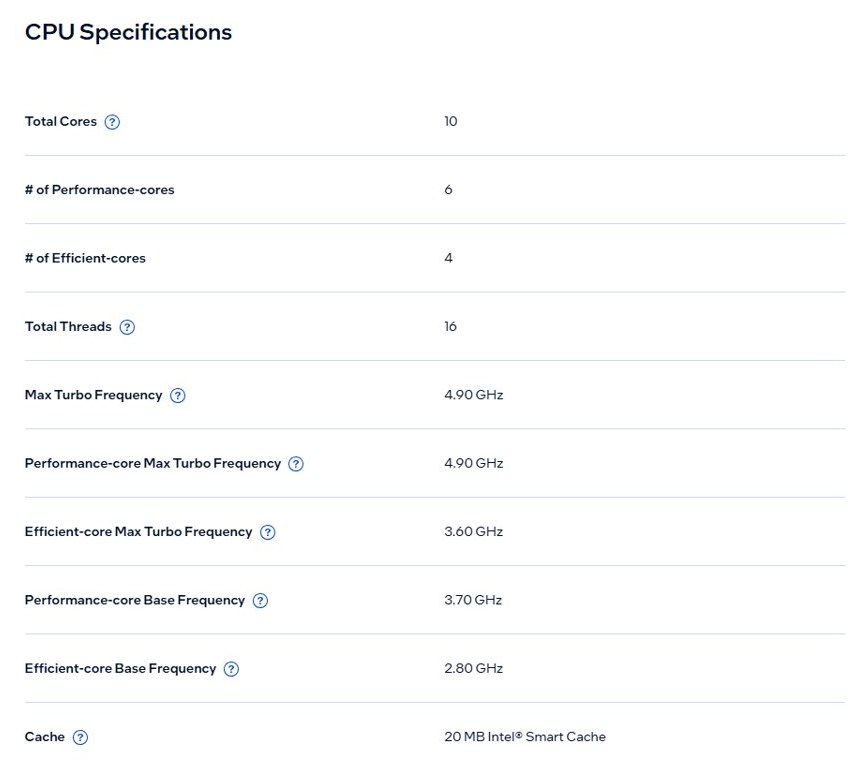
Many recent Intel Core processors use a hybrid design that mixes two kinds of core, so the advertised core total does not describe one uniform set of cores.
| Core type | Designed for | Typical work |
|---|---|---|
| Performance-cores (P-cores) | Raw speed; physically larger cores | Heavy single-threaded work such as many game engines |
| Efficient-cores (E-cores) | Performance per watt | Background tasks that run alongside your main app |
| Intel Thread Director | Scheduling each task on the right core at the right time | Moves work between P-cores and E-cores automatically |
When you compare two hybrid chips, check the P-core count separately. Two CPUs with the same total can perform differently if one has more P-cores.
How many cores does my CPU have in Windows 11
Task Manager shows the physical core count and the logical processor count on the same page.
- Press Ctrl + Shift + Esc, or right-click Start and select Task Manager.
- Select Performance in the left pane.
- Select CPU.
- Read the number next to Cores: for physical cores.
- Read the number next to Logical processors: for the threads Windows can schedule.
On Windows 10, select the Performance tab at the top of Task Manager, make sure CPU is selected and read the same two values. If Task Manager shows fewer cores than your CPU's specification, enable all CPU cores by checking the boot processor setting.
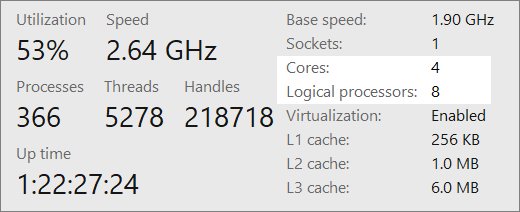
Check how many CPU cores in Windows with PowerShell
The Win32_Processor class exposes the same counts to PowerShell, which is handy for scripts or remote checks.
Get-CimInstance -ClassName Win32_Processor | Select-Object Name, NumberOfCores, NumberOfEnabledCore, NumberOfLogicalProcessorsName is the processor model. NumberOfCores is the physical core count. NumberOfEnabledCore is the number of enabled cores per socket. NumberOfLogicalProcessors is the number of logical processors.
You should see: One row per processor socket with the model name and three numbers. If NumberOfLogicalProcessors is larger than NumberOfCores, Hyper-Threading is enabled.
Microsoft's example: a system whose processors are enabled for Hyper-Threading can show NumberOfCores as 2 and NumberOfLogicalProcessors as 4. For ongoing load rather than counts, check CPU usage in Windows 11 in the same Task Manager view.
Check how many CPU cores in Linux
Linux has two quick tools for the same question. Run them in a terminal; neither needs root.
- Type
nprocand press Enter to print the number of processing units available to the current process. - Type
nproc --alland press Enter to print the number of installed processors, which can be higher than plainnproc. - Type
lscpuand press Enter for the full layout, including CPUs, threads per core, cores per socket and sockets. - Multiply Core(s) per socket by Socket(s) in the
lscpuoutput to get the physical core total.
Both tools count logical processors as CPUs. Inside a virtual machine, lscpu reports the guest configuration, and its cores-per-socket figure can be wrong on virtual hardware.
CPU cores FAQ
How many CPU cores do I have?
Open Task Manager with Ctrl + Shift + Esc, select Performance and then CPU. The value next to Cores is your physical core count, and Logical processors is the number of threads Windows can schedule at once.
What are the cores of a CPU?
The cores of a CPU are its individual processing units. Each one executes instructions on its own, so a CPU with more cores can run more tasks in parallel. Microsoft defines a core as a physical processor on the integrated circuit.
How many cores are there in a CPU?
It depends on the model. Windows 11 requires at least two cores, and current desktop and laptop processors range from a handful of cores to many more on high-end chips. Check the model's specification page or Task Manager for the exact count.
How many cores should a CPU have?
Four or more cores suit everyday browsing and Office work, six to eight suit gaming, and eight or more suit video encoding or streaming while you play. Clock speed and processor generation matter as much as the count.
Is 1 CPU the same as 1 core?
No. One CPU is the physical processor chip, and it usually contains several cores. Tools such as lscpu and nproc also call each logical processor a CPU, so their CPU count can be double the physical core count.
What does the number of CPU cores mean?
The number of CPU cores is how many physical processing units the chip has. A higher number helps software that splits work into threads, such as video encoders, while single-threaded apps gain more from a faster core.
How do I check how many CPU cores I have in Linux?
Run nproc for the processing units available to you, nproc –all for all installed processors, or lscpu for a full breakdown. In lscpu output, multiply Core(s) per socket by Socket(s) to get the physical cores.
Why does my CPU show more logical processors than cores?
Your processor runs two threads per core with Intel Hyper-Threading or a similar technology. Windows schedules work on each logical processor, so a chip with eight cores and Hyper-Threading shows sixteen logical processors.