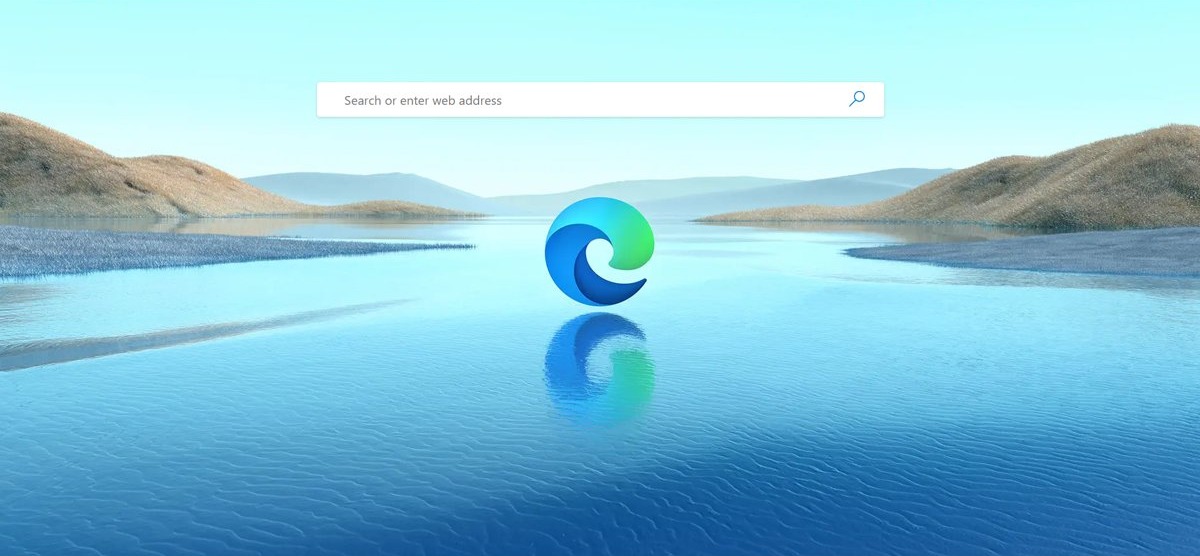
The new tab customize option in Microsoft Edge is the Settings icon at the top-right corner of a new tab; when it is missing or greyed out, an organization policy, an extension that replaces the new tab page, or the Copilot new tab page is usually responsible.
This guide shows where the option lives, how to find which cause applies to you, and how to get the content, layout, background and quick links controls back.
New Tab Customize Option missing in Edge
Work through these checks in order. Most readers find the cause by step 4.
- Press Ctrl + T to open a new tab and look at the top-right corner of the page for the Settings icon.
- If the icon is there but controls are greyed out, type
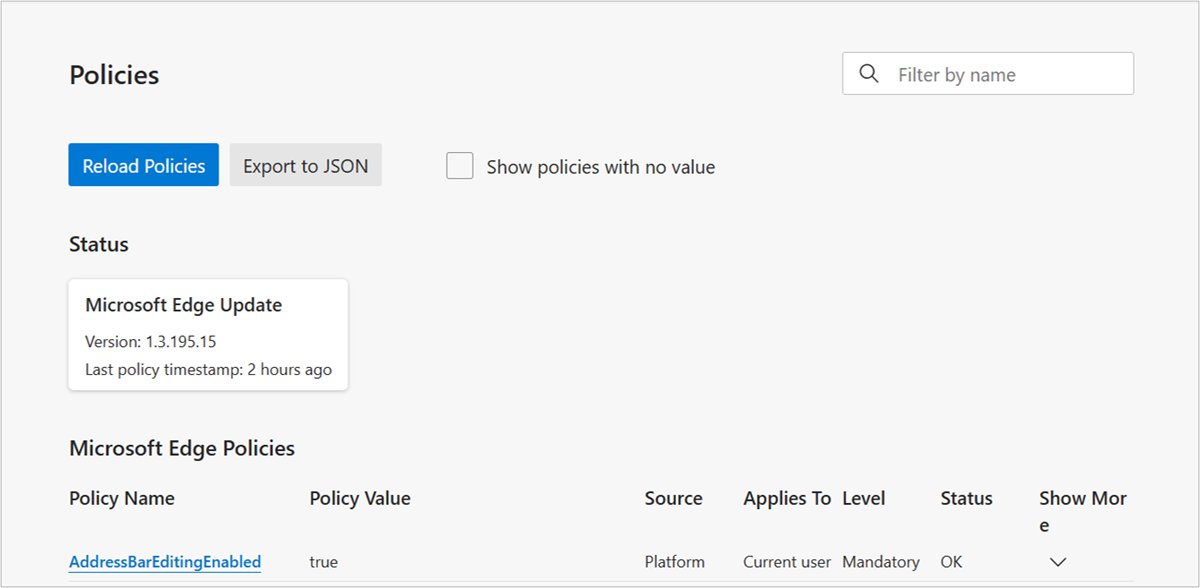
edge://policyin the address bar and press Enter. - Look for policies whose names start with NewTabPage. Any listed one is set by an administrator or by software on the PC.
- If a different page opens instead of the Edge new tab page, type
edge://extensions, turn off each extension and open a new tab again. - Type
edge://settings/helpand let Edge install any update, then restart Edge. - If nothing else works, type
edge://settings/resetand select Restore settings to their default values.
A reset restores the startup page, new tab page, search engine and pinned tabs to their defaults, disables all extensions and clears cookies. Favorites, history and saved passwords stay.
Why is the new tab page settings option missing in Edge?
| What you see | Likely cause | Where to fix it |
|---|---|---|
| Content and Layout are greyed out, Content is set to Content off, Layout to Custom | The NewTabPageContentEnabled policy is disabled | edge://policy, then your IT admin or the registry on a personal PC |
| Quick links are hidden and their control is greyed out | The NewTabPageQuickLinksEnabled policy is disabled | edge://policy |
| Background image choices are missing | The NewTabPageAllowedBackgroundTypes policy is set | edge://policy |
| A company site or blank page opens instead of the new tab page | The NewTabPageLocation policy sets a custom new tab URL | Managed devices only; ask your IT admin |
| Another search page or dashboard opens on every new tab | An extension overrides the new tab page | edge://extensions |
| The page shows Copilot chat, work cards and a side rail | The Copilot new tab page is turned on | New tab page Settings (gear icon) or edge://settings/ai |
How do I customize a new tab in Edge?
Microsoft puts all the new tab page customization options in one flyout. Select Settings on the top-right corner of a new tab to change the content and page layout.
- Open Microsoft Edge and press Ctrl + T.
- Select the Settings icon at the top-right corner of the new tab page.
- Choose a layout, or pick Custom to set each part yourself.
- Turn quick links on or off with the quick links control.
- Pick a background, such as the daily image or a custom background image of your own.
- Set Content to the option you want, then close the flyout.
Startup behaviour lives elsewhere: go to Settings and more (…) > Settings > Start, home, and new tab page and choose Open the new tab page, Open tabs from the previous session or Open custom sites under On startup.
How to get Microsoft Edge News feed?
The news feed on the Edge new tab page is the Microsoft content section, and the Content control in the new tab page settings flyout decides how it appears, or lets you turn off the news feed entirely.
- Open a new tab in Microsoft Edge.
- Select the Settings icon at the top-right corner.
- Open the Content control.
- Select Content visible to show the feed, Content visible on scroll to show it when you scroll down, or Headings only for a compact list.
- Close the flyout and scroll the new tab page to check the feed.
If Content is locked to Content off, the NewTabPageContentEnabled policy is disabled on your device and only its administrator can change it.
Edge new tab page policies that hide customize options
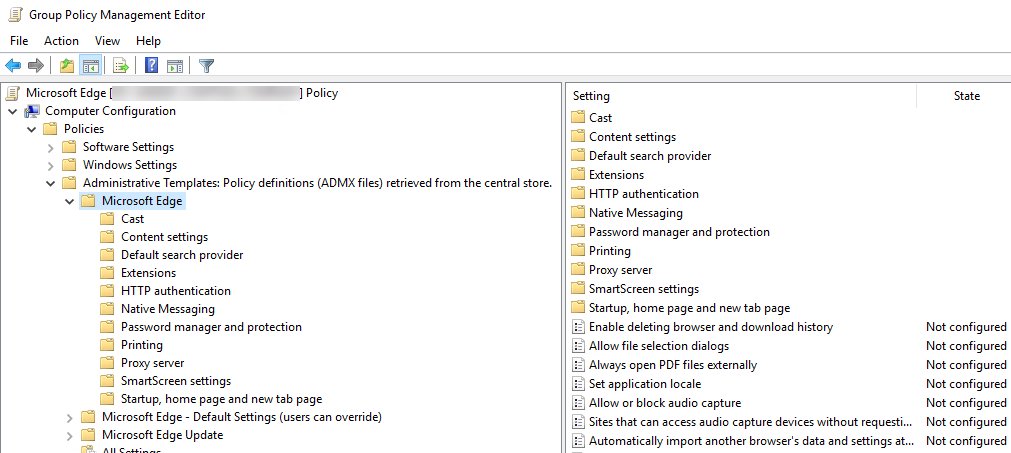
These policies live under SOFTWARE\Policies\Microsoft\Edge in the registry, and Group Policy shows them under Administrative Templates > Microsoft Edge > Startup, home page and new tab page.
| Policy (registry value) | What it does to the new tab page | Value that hides options |
|---|---|---|
| NewTabPageContentEnabled (REG_DWORD) | Hides Microsoft content, locks Content to Content off and Layout to Custom | 0 (Disabled) |
| NewTabPageQuickLinksEnabled (REG_DWORD) | Hides quick links, disables their control and hides Top Sites in the search bar | 0 (Disabled) |
| NewTabPageAllowedBackgroundTypes (REG_DWORD) | Removes background image types | 1 daily image, 2 custom image, 3 all |
| NewTabPageLocation (REG_SZ) | Opens a set URL instead of the Edge new tab page | Any URL, on domain-joined or MDM-enrolled PCs only |
| CopilotNewTabPageEnabled | Turns on the Copilot new tab page for work profiles | Enabled |
On a personal PC with no IT department, a value here usually comes from a tweak tool or other software. Open Registry Editor, go to HKEY_LOCAL_MACHINE\SOFTWARE\Policies\Microsoft\Edge and HKEY_CURRENT_USER\SOFTWARE\Policies\Microsoft\Edge, and delete only the NewTabPage value you identified. Never change these on a work device.
Edge new tab page changed by an extension
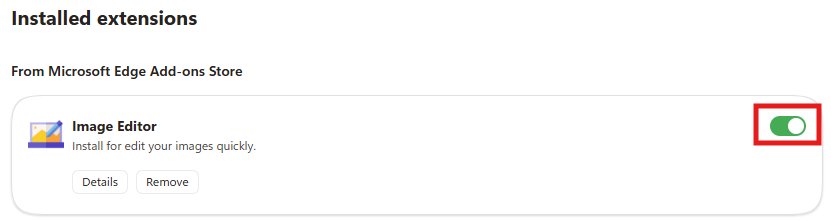
An extension can replace the page that appears when you create a new tab or window. While it does, the Edge new tab page and its Settings icon never load.
- Type
edge://extensionsin the address bar and press Enter. - Turn off every extension with its toggle.
- Press Ctrl + T. If the Edge new tab page with its Settings icon appears, an extension was the cause.
- Turn the extensions back on one at a time, opening a new tab after each, until the page changes again.
- Remove the extension that replaced the new tab page, or leave it turned off.
Keep any extension you installed on purpose to open new tabs to a page of your choice, and remove only the one you did not expect.
Edge Copilot new tab page settings
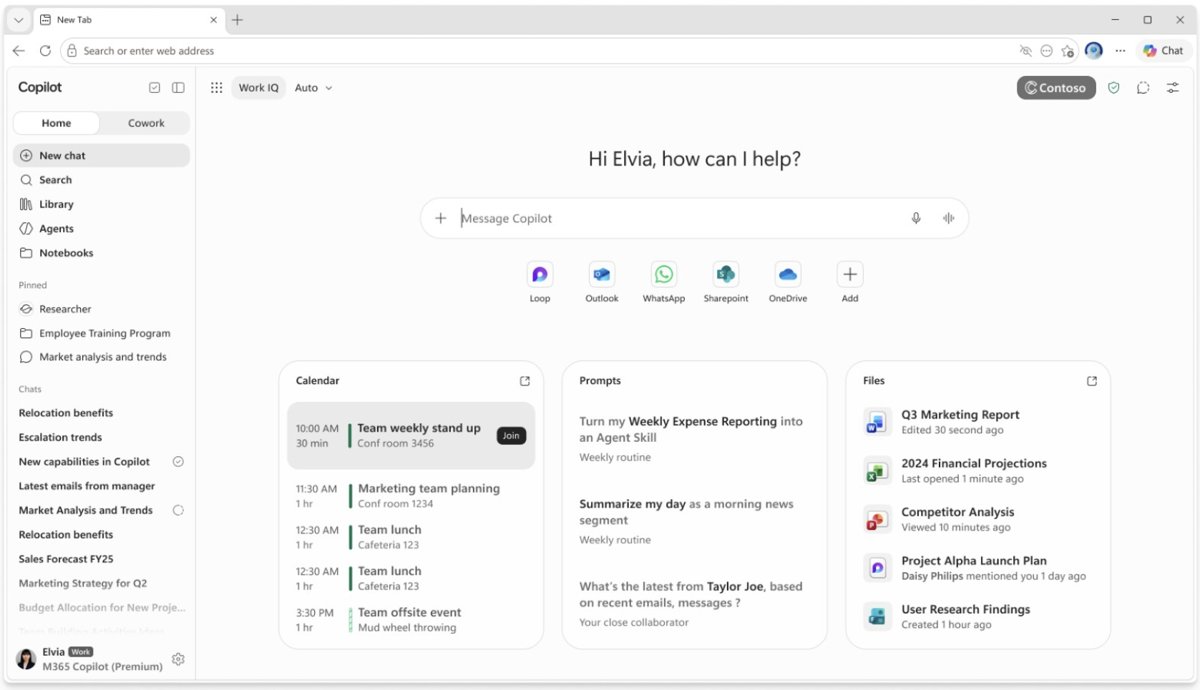
Work and school profiles can get the Copilot new tab page, with a Copilot side rail, work cards and an app launcher. Its settings are different from the classic page, which is why familiar options seem to vanish.
- Open a new tab and select the new tab page Settings (gear icon).
- Select Change background to choose refresh daily, no image, an uploaded image or a different theme.
- Turn off Cards in the new tab page Settings (sliders icon) to hide work cards.
- To return to the classic page, select More settings to open
edge://settings/ai. - Turn off Copilot new tab page, if your organization allows it.
Microsoft notes that in Edge version 148 some users do not see the Work feed, Discover feed or feed toggle when their tenant or locale is outside supported markets.
Change what new tab opens to in Edge
| You want new tabs to show | Do this | Who can do it |
|---|---|---|
| The Edge page with a different look | Use the Settings icon on the new tab page: layout, background, quick links, content | Anyone, unless a policy locks it |
| A specific website | Set the NewTabPageLocation policy | Admins on domain-joined or MDM-enrolled PCs |
| A blank page | Set NewTabPageLocation to about:blank | Admins on managed PCs |
| A third-party dashboard | Install an extension that overrides the new tab page | Anyone, if extensions are allowed |
| Your previous tabs at startup | Settings > Start, home, and new tab page > Open tabs from the previous session | Anyone |
Microsoft says the blank-tab URL is about:blank, not about://blank.
How to tell if Edge new tab page settings are back
- Close all Edge windows and open Edge again.
- Press Ctrl + T and check that the Settings icon shows at the top-right corner.
- Open it and check that Content and the layout choices are no longer greyed out.
- Type
edge://policy, select Reload policies, and check that no NewTabPage policy you removed is still listed.
Edge new tab page settings not working
Content and Layout are greyed out in the flyout
NewTabPageContentEnabled is disabled, which forces Content off and a Custom layout.
- Open
edge://policyand search for NewTabPageContentEnabled. - On a work PC, ask your IT admin to set it to Enabled or Not Configured.
- On a personal PC, delete the value from the Edge policies key in Registry Editor and restart Edge.
Quick links option missing on the Edge new tab page
NewTabPageQuickLinksEnabled is disabled.
- Open
edge://policyand search for NewTabPageQuickLinksEnabled. - Remove or change the policy at its source, then restart Edge.
Why did my new tab settings change?
An extension took over the new tab page, a reset restored defaults, or your organization turned on the Copilot new tab page.
- Check
edge://extensionsfor a recently added extension and turn it off. - Check
edge://policyfor CopilotNewTabPageEnabled or NewTabPage policies. - Reapply your layout, background and content choices from the Settings icon.
Work feed or Discover feed missing on the Copilot new tab page
Feeds depend on supported languages and markets, and some users on version 148 do not see them.
- Update Edge from
edge://settings/help. - Check with your IT admin that your tenant's locale is in a supported market.
New tab settings reset every time Edge restarts
A mandatory policy reapplies its value at each start, overriding your choice.
- Open
edge://policyand note which NewTabPage policies show. - Export the policy list from
edge://policyand send the file to whoever manages the PC. - On a personal PC, remove the policy values and restart Edge.
Edge new tab customize FAQ
How do I customize the new tab page in Edge?
Open a new tab and select the Settings icon at the top-right corner of the page. The flyout changes the layout, background, quick links and Microsoft content. If controls are greyed out, a policy on your device has locked them.
How do I change what a new tab opens to in Edge?
Edge itself only lets you restyle its own new tab page. A different website needs the NewTabPageLocation policy on a managed PC, or an extension that overrides the new tab page.
Why did my Edge new tab settings change?
An extension that overrides the new tab page, a browser reset, or an organization policy such as the Copilot new tab page can all change it. Check edge://extensions and edge://policy to find which one applies.
How do I remove the news feed from the Edge new tab page?
Open a new tab, select the Settings icon and set Content to Content off. On a managed PC, the NewTabPageContentEnabled policy can turn Microsoft content off for everyone.
How do I get the old Edge new tab page back from the Copilot one?
Open the new tab page Settings (gear icon), select More settings to open edge://settings/ai, and turn off Copilot new tab page. Your organization's settings decide whether that switch is available.
How do I make Edge open a blank new tab?
On a managed PC, an administrator sets the NewTabPageLocation policy to about:blank. Microsoft notes that about://blank is the wrong form. On a home PC, set Content off and hide quick links for a near-empty page.
Does resetting Edge fix a missing new tab customize option?
It fixes causes inside your profile, because a reset restores the new tab page to default and disables all extensions. It does not remove organization policies, which you must change at their source.
Where are the Edge new tab page settings in Edge Settings?
Go to Settings and more, then Settings, then Start, home, and new tab page. That page controls startup and the home button, while layout, background and content are set from the Settings icon on the new tab itself.