Microsoft retired the Bing Search APIs on August 11, 2025, decommissioned every existing instance, and pointed customers to Grounding with Bing Search in Azure AI Agents, now part of Microsoft Foundry Agent Service.
This article covers what replaced the APIs, how the Foundry Web Search and Grounding with Bing tools differ from the old endpoints, the compliance changes, and the steps to move an app across.
The end of Bing Search APIs and a forced migration
The retirement was total: existing Bing Search API instances stopped working, and new sign-ups closed. Any app still calling the old endpoints needs a new design, not a new key.
- List every service that called a Bing Search API endpoint and what it did with the results.
- Decide whether an AI agent answer with citations can replace the raw result list your app used.
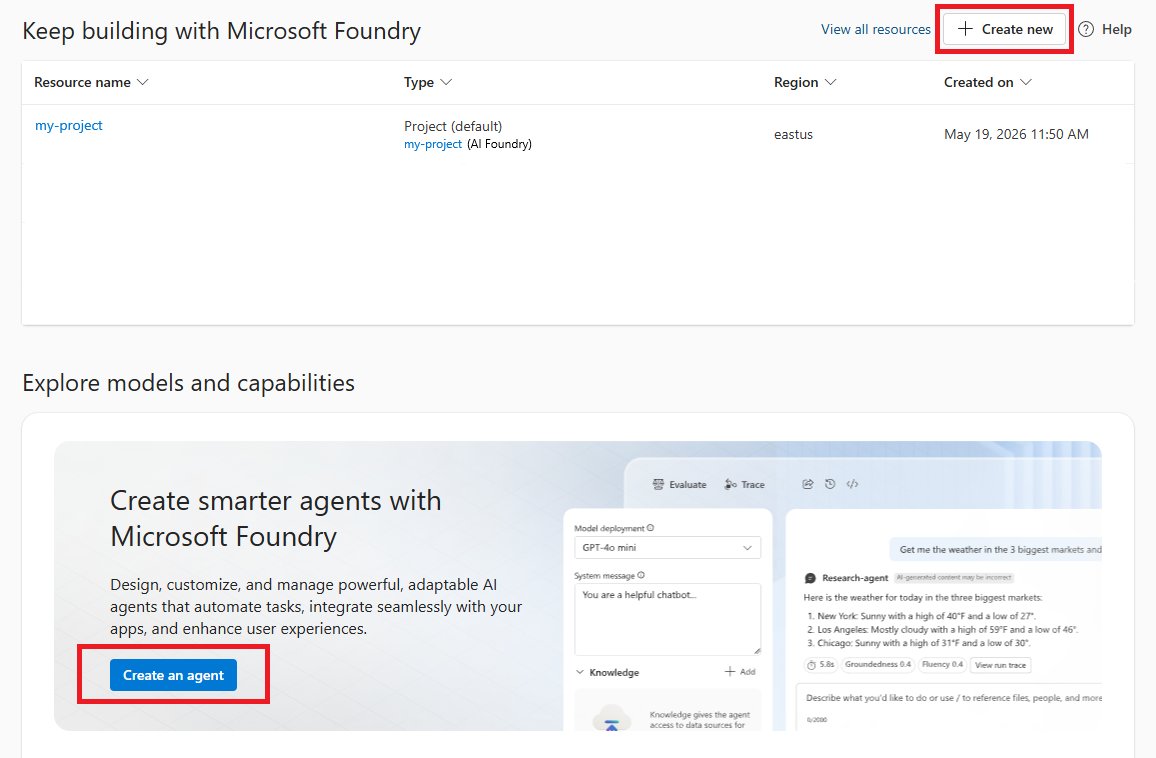
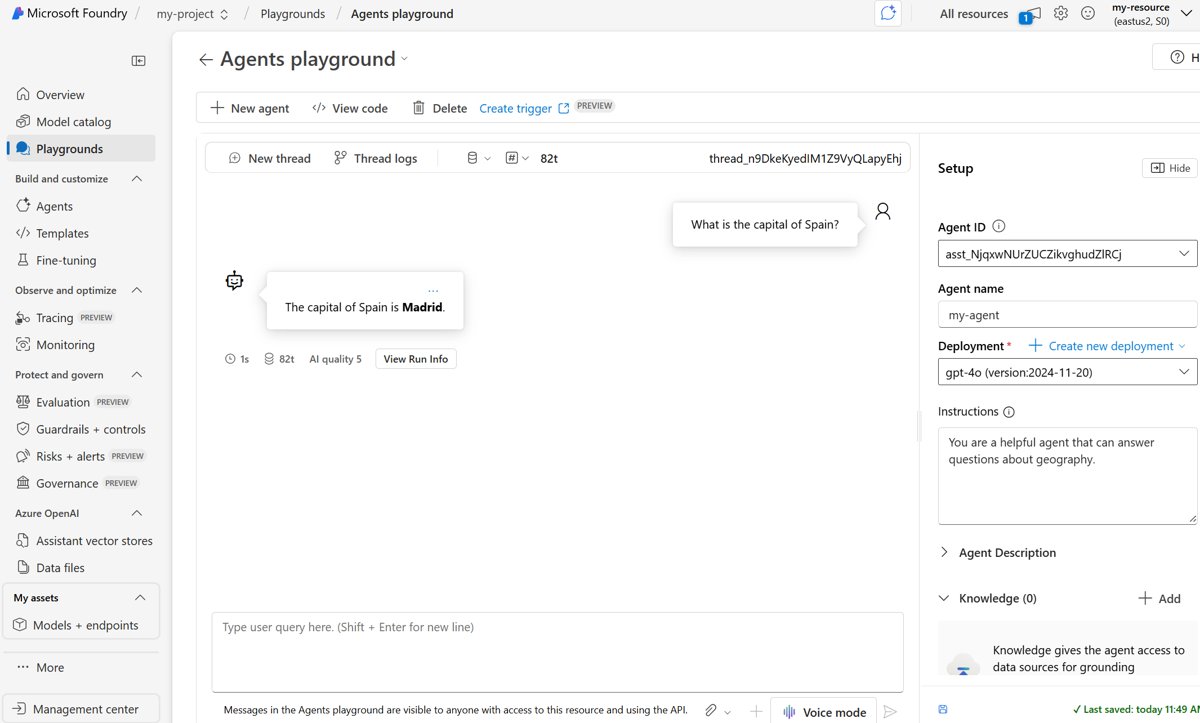
- Create a Microsoft Foundry project and deploy a supported Azure OpenAI model.
- Start with the Web Search tool, which needs no separate Bing resource.
- Move to Grounding with Bing Search only if you need
count,freshness,marketorset_lang, or a non-OpenAI model. - Update your interface to show the website citations and the Bing query link that every response returns.
Why is Microsoft doing this?
Microsoft's lifecycle notice gives no business reason beyond the redirect. What it does say is where search now lives: inside AI agents that use Bing results to ground a model's answer.
Treat Bing web search as an agent tool from now on, not as a standalone results API. Microsoft's own migration path, documentation and pricing all sit under Foundry Agent Service, and the retirement notice names Grounding with Bing Search as the replacement.
What is “Grounding with Bing Search” in Azure AI Agents?
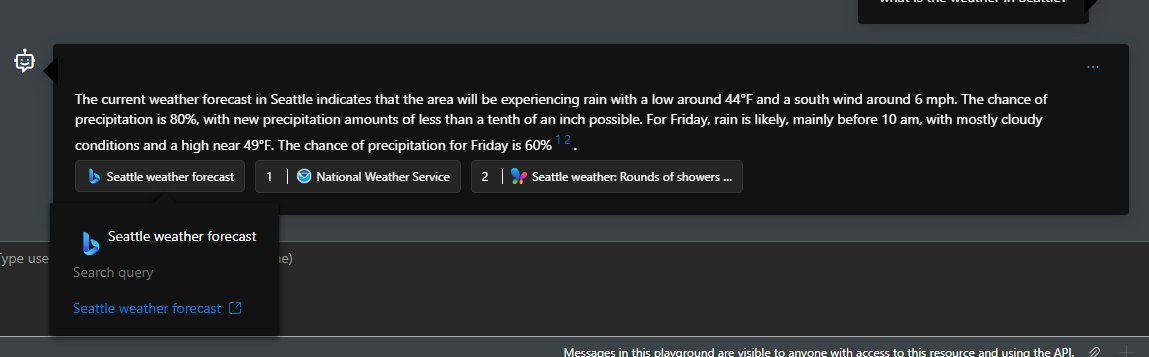
Grounding with Bing Search lets an agent pull real-time public web data into a model's response, which gets past the model's knowledge cutoff.
| Stage | What happens |
|---|---|
| Query formulation | The agent spots an information gap and writes search queries from the user's input |
| Search execution | The grounding tool sends the queries to Bing and gets results back |
| Information synthesis | The agent works the results into its answer |
| Source attribution | The answer cites the source URLs it used |
The classic Foundry agents that first carried this tool are deprecated and retire on March 31, 2027, so build on the new agents API.
Comparing the old and new models
| Need | Bing Search APIs (retired) | Foundry Web Search | Grounding with Bing Search |
|---|---|---|---|
| Status | Retired August 11, 2025 | Generally available | Generally available |
| Bing resource | Your own API key | Managed by Microsoft | You create a Grounding with Bing resource |
| What you get back | Raw search results | A model answer with citations | A model answer with citations; no raw content |
| Tuning | Query parameters | user_location, search_context_size |
count (default 5, max 50), freshness, market, set_lang |
| Models | Not applicable | Azure OpenAI models | Azure OpenAI and other Foundry models sold by Azure |
| Restrict to chosen domains | Bing Custom Search | Yes, with a Bing Custom Search instance | Grounding with Bing Custom Search (preview) |
Critical analysis: Notable strengths
The new model does add things the old endpoints never offered. The four strengths below map to documented features.
| Strength | Documented feature behind it |
|---|---|
| Single platform | Search, models and agents share one Foundry project |
| Current answers | Real-time web data past the model's knowledge cutoff |
| Admin control | RBAC and Azure Policy can allow or block the tools |
| Room to grow | Same tools across Python, C#, JavaScript, Java and REST |
1. Unified AI experience for enterprises
Teams already on Azure OpenAI gain the most: web grounding is one more tool on an agent they already run. Web Search needs no roles beyond Foundry project access, and Grounding with Bing Search attaches through a project connection.
2. Enhanced real-time web access
Use the freshness parameter on Grounding with Bing Search when answers must reflect recent pages. It filters results by Day, Week, Month or a date range, much like Bing's own search operators and filters, so the agent can be held to what Bing discovered in that window.
3. Stronger governance and compliance posture within Azure
Governance is stronger for who can use the tools, not for where the data goes. Admins can control access with RBAC, unregister the Microsoft.Bing provider and block resource creation by policy, but query data still leaves the Azure compliance boundary.
4. AI-agent ecosystem and future potential
Build new search features on the current Foundry agents API rather than the classic one. Web Search also backs deep research agents, and Microsoft Agent Framework exposes a Bing grounding tool, while classic agents retire in March 2027.
Challenges and pain points
The costs of the move are just as concrete. Each row below is a documented limit, not a forecast.
| Pain point | What the documentation says |
|---|---|
| More setup | Foundry project, model deployment, roles and a project connection |
| Data leaves Azure | The Data Protection Addendum does not apply |
| Preview pieces | Grounding with Bing Custom Search is in preview |
| No raw results | Developers and end users cannot access the raw content |
1. Increased complexity and steeper learning curve
| Requirement | Detail |
|---|---|
| Azure subscription | With rights to create resources |
| Contributor role | On the resource group while you create the Bing resource and get its keys |
| Foundry Project Manager role | To create the project connection |
| Foundry User role | To create and run agents |
| Foundry project and model | A project endpoint and a deployed model |
| SDK | azure-ai-projects (Python), Azure.AI.Extensions.OpenAI (C#), @azure/ai-projects (JavaScript) |
The Foundry roles were renamed from Azure AI User, Azure AI Owner and Azure AI Project Manager, so older scripts may still use those names.
2. Data sovereignty and compliance concerns
Check with your compliance team before sending regulated data through any Bing grounding tool. Data sent to Grounding with Bing flows outside the Azure compliance and Geo boundary, and using it waives elevated Government Community Cloud commitments such as data sovereignty.
3. Dependency on preview and unsupported features
| Feature | Stage |
|---|---|
| Web Search | Generally available |
| Grounding with Bing Search | Generally available |
| Grounding with Bing Custom Search | Preview |
| Classic Foundry agents | Deprecated, retiring March 31, 2027 |
Not every model supports the Bing tools, so check Microsoft's tool support by region and model before you pick a deployment.
4. Disrupted workflows and a swift sunset
| Old workflow | What changes |
|---|---|
| Show a list of search results | Not possible; the tool returns a model answer, not raw results |
| Store or reprocess results | Raw content is not available to developers |
| Custom result layout | You must display the citations and Bing query URL as Microsoft provides them |
| Simple per-call pricing | Usage-based grounding charges on top of model usage |
Navigating compliance and data privacy
Grounding with Bing's use and display requirements apply to every interface that shows a grounded answer.
- Read the response's
argumentsfield to get the website URLs and the Bing query URL. - Show both the source links and the Bing query link in your interface.
- Rewrite the query URL's endpoint to
www.bing.com, givinghttps://www.bing.com/search?q={search query}. - Keep both references in the exact form Microsoft provides.
- If your project is network-secured, note that these tools act as public endpoints and ignore VPNs and private endpoints.
Developer sentiment and community response
The practical complaints from developers line up with the documented gaps. These are the questions a team has to answer before it can migrate.
| Question teams ask | Answer from the documentation |
|---|---|
| Can we still get a plain results list? | No; raw content is not returned |
| Do we need Azure OpenAI? | Web Search supports Azure OpenAI models; Grounding with Bing Search also supports other Foundry models |
| Does it cost extra? | Yes, grounding tools have their own usage-based charges |
| Can we limit results to our sites? | Yes, through a Bing Custom Search instance |
Strategic implications for Microsoft and the broader cloud AI ecosystem
Expect web search on Azure to be sold as part of the agent stack rather than as a separate API. Web Search is now the recommended starting tool, and grounding also powers Copilot Studio public website knowledge sources and the Azure OpenAI Responses API web search.
Guidance for developers and IT decision-makers
- If you just need current web answers, add the Web Search tool to a prompt agent.
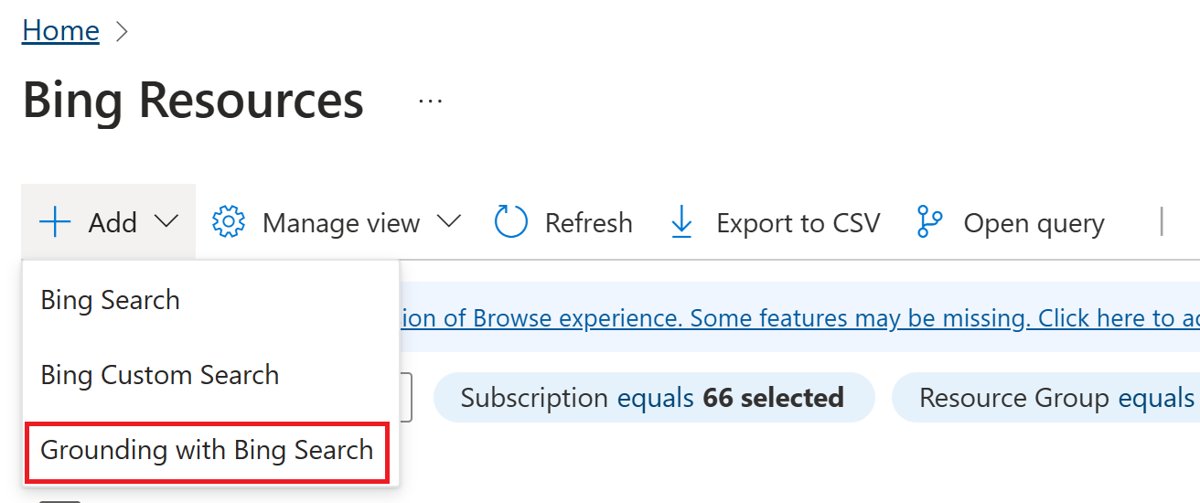
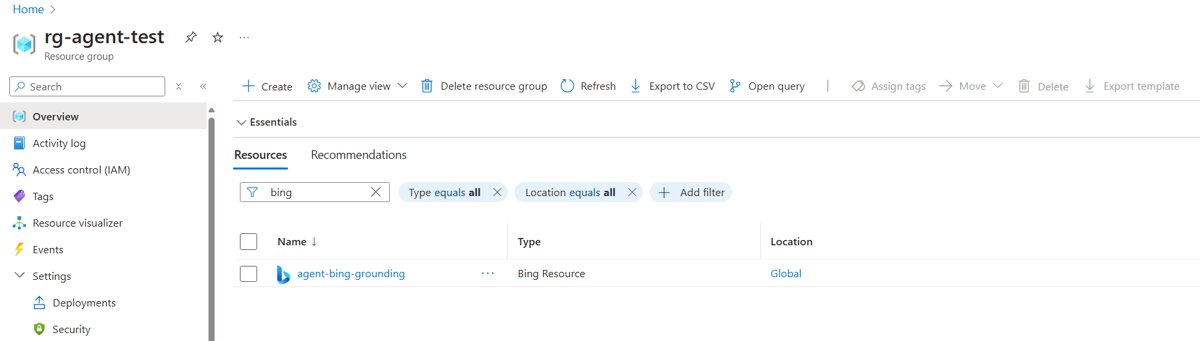
- If you need tuning parameters, create a Grounding with Bing Search resource in the Azure portal.
- Find its keys under Resource Management > Keys.
- Add a connection for it in your Foundry project and record the connection name or ID.
- Set
BING_PROJECT_CONNECTION_NAMEfor SDK samples orBING_PROJECT_CONNECTION_IDfor REST. - Create the agent with the
BingGroundingTooland send a test prompt withtool_choice="required".
Activate the Contributor role only while you create the resource, using Microsoft Entra Privileged Identity Management, and turn it off afterwards.
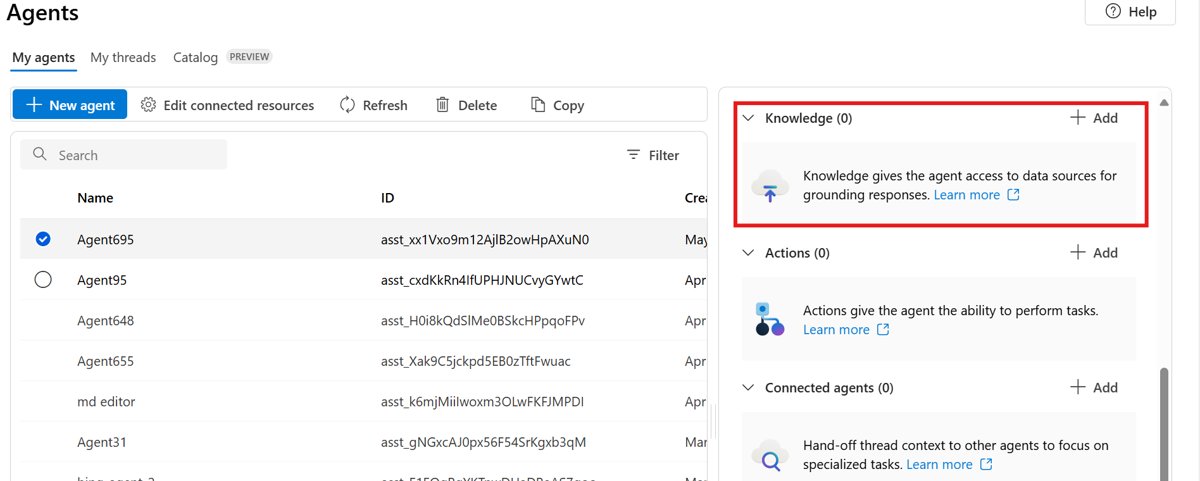
Grounding with Bing Search not working
Agent does not use web grounding
The tool is not configured, or the model does not support it.
- Confirm the tool is in the agent definition.
- Set
tool_choice="required"to force it. - Check that your model deployment supports the tool.
No citations in the response
The model answered without the search results.
- Tell the agent in its instructions to always cite sources.
- Use
tool_choice="required".
Search results are not relevant
The query did not capture what the user meant.
- Improve the agent instructions on how to build queries.
- Set
marketandset_langon the Bing tool.
Tool blocked by administrator
The organisation disabled web grounding tools.
- Ask your Azure administrator to enable access.
Recommendations for Microsoft
Microsoft should give developers a documented path for apps that need raw search results, not only agent answers. The retirement removed that use case entirely, and neither Web Search nor Grounding with Bing Search returns raw content.
Looking forward: The new normal for search-as-a-service
| Date | Event |
|---|---|
| August 11, 2025 | Bing Search APIs retired and instances decommissioned |
| August 31, 2026 | Legacy SOAP and POX Bing Webmaster APIs retire |
| March 31, 2027 | Classic Foundry agents retire |
The Bing Webmaster API is a separate product from the Bing Search APIs; its REST API stays available.
Bing Search API retirement FAQ
When were the Bing Search APIs retired?
Microsoft retired the Bing Search APIs on August 11, 2025. Every existing instance was decommissioned, and the product closed to new customers on the same date.
What replaces the Bing Search APIs?
Microsoft points customers to Grounding with Bing Search in Azure AI Agents, now Foundry Agent Service. The Foundry Web Search tool is the recommended starting point because it needs no separate Bing resource.
What is the difference between Web Search and Grounding with Bing Search?
Web Search uses a Microsoft-managed Bing resource and supports Azure OpenAI models. Grounding with Bing Search needs your own Bing resource, adds count, freshness, market and set_lang parameters, and supports more Foundry models.
Can I get raw search results from Grounding with Bing Search?
No. Developers and end users cannot access the raw content. The response contains the model's answer, citations to the websites used and a link to the Bing query.
Does Grounding with Bing Search keep data inside Azure?
No. Data sent to Grounding with Bing flows outside the Azure compliance and Geo boundary, and the Microsoft Data Protection Addendum does not apply to it.
Does Grounding with Bing Search cost extra?
Yes. Web Search, Grounding with Bing Search and Grounding with Bing Custom Search are charged on top of standard Azure OpenAI usage. Microsoft publishes the rates on its web grounding pricing page.
Is the Bing Webmaster API being retired too?
Only its legacy SOAP and POX APIs, which retire on August 31, 2026. The Bing Webmaster REST API remains, and Microsoft advises moving to it.