To talk to a real person at Verizon Wireless, dial \*611 from your Verizon phone or call 800-922-0204 from any phone between 8 a.m. and 7 p.m. Monday to Saturday, or 8 a.m. to 5 p.m. on Sunday.
This guide covers the phone route, the chat route that reaches a live agent around the clock, what to have ready, when a store visit is the better choice, and how to avoid fake Verizon support numbers.
Call Verizon Wireless and Reach a Live Agent
Verizon lists 800-922-0204 under Speak to an agent on its own support pages, and \*611 is the Customer Service short code on a Verizon phone.
Calling \*611 from your mobile phone is airtime-free, according to Verizon's account security page.
- Check the time: agents answer 8 a.m. to 7 p.m. Monday to Saturday and 8 a.m. to 5 p.m. on Sunday.
- On your Verizon phone, dial \*611. From a landline or another carrier's phone, dial 800-922-0204 instead.
- Answer the automated questions in plain words that name your issue, such as billing, a lost phone or a plan change.
- Have your mobile number and 4-digit Account PIN ready, because the rep uses the PIN to verify your identity.
- Explain the issue in one or two sentences once the agent answers, then state the exact outcome you want.
- Before you hang up, write down the rep's name and a summary of what was changed on the account.
Verizon's site header also shows a general sales and service number, which changes over time. For an existing wireless account, 800-922-0204 is the number Verizon labels for speaking to an agent.
Use the Verizon App or Online Chat for Human Support
Chat is the only route Verizon describes as reaching a live person 24 hours a day. Verizon's own wording is to open Chat With Us, sign in, and type Live Agent into Verizon Chat Assistant.
- Open the Verizon support site in a browser, or open the My Verizon app on your phone.
- Select Chat With Us to start Verizon Chat Assistant, the automated assistant.
- Sign in with your My Verizon username and password when prompted.
- Type Live Agent into the chat box and send it.
- Wait for a representative to join, then describe the issue and confirm your identity with your Account PIN if asked.
- Keep the chat window open until the agent confirms the change, and save or screenshot the transcript for your records.
If the problem is with the phone itself rather than the account, Verizon's Tech Coach support offers call and chat inside the Tech Coach app. It is included with Verizon Mobile Protect or Mobile Secure, and the app does not run on computers.
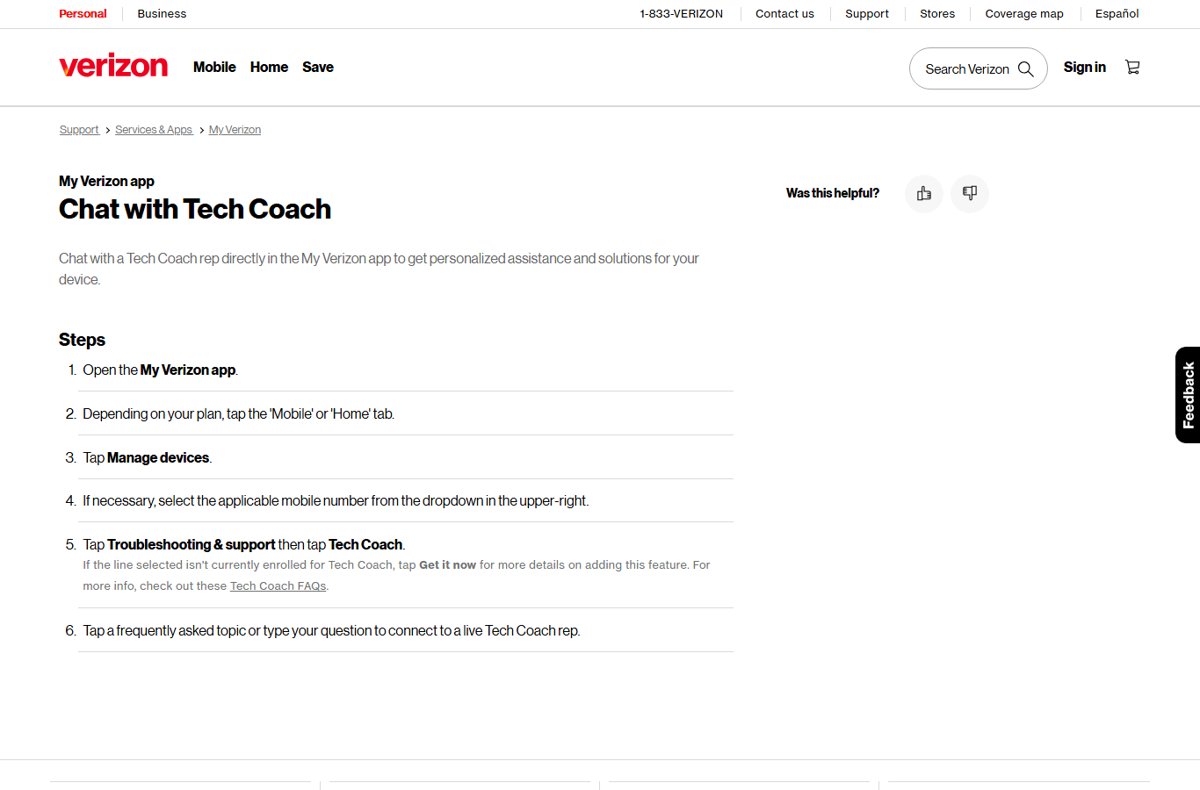
Which Verizon contact route fits your problem
Each route below is published on verizon.com. Pick the row that matches your situation.
| Your situation | Use this | Why |
|---|---|---|
| Billing, plan or account question during business hours | Call \*611 or 800-922-0204 | Verizon labels 800-922-0204 as the number to speak to an agent |
| It is late at night or a weekend evening | Chat, then type Live Agent | Verizon states chat reaches 24-hour live support after regular hours |
| Device setup, data transfer or troubleshooting with Mobile Protect | Tech Coach app, or dial \*611 and say Tech Coach | Tech Coach support runs 24/7 for subscribers |
| Your number was moved to another carrier without your consent | Dial \*611 from your phone or 888-844-7095 from any phone | Verizon lists these for port-out fraud; \*611 works even on a deactivated device |
| Someone took over your account or added charges | Call 888-483-7200 | Verizon lists this number for account takeover and fraudulent activity |
| A SIM or device was changed without your permission | Dial \*611 or 800-922-0204 | Verizon lists both for unauthorized SIM or device changes |
| You need hands-on help or an in-person ID check | Book a store appointment | Store appointments let you skip the wait and meet a specialist in person |
Best Times to Contact Verizon Customer Service
Verizon publishes its agent hours but does not publish call volumes or quietest times. The table lists only the hours Verizon states; its support page does not name a time zone.
| Channel | When a person is available | Source on verizon.com |
|---|---|---|
| Phone: 800-922-0204 | 8 a.m. to 7 p.m. Monday to Saturday; 8 a.m. to 5 p.m. Sunday | Keeping your account safe FAQs, Tech Coach FAQs |
| Chat: type Live Agent in Verizon Chat Assistant | 24 hours, including after regular business hours | Account Security Hub |
| Tech Coach (Mobile Protect or Mobile Secure) | 24/7 by call or chat in the Tech Coach app | Tech Coach FAQs |
| Verizon store | Varies by store; book through Schedule an appointment | Verizon store locator |
If the phone hours have ended, switch to chat instead of waiting for the next morning. Chat also leaves a written record of what the agent agreed to.
What to Have Ready Before You Contact Support
Verizon reps verify your identity before they change anything, so the call goes faster when these details are in front of you.
| Have ready | Why the agent needs it | If you do not have it |
|---|---|---|
| Your Verizon mobile number | Identifies the account and line | Use the number on your latest bill |
| Your 4-digit Account PIN | Verizon uses it to verify your identity by phone or chat | The Account Owner can reset it on the Security page in My Verizon |
| My Verizon username and password | Needed to sign in before chat hands you to a live agent | Use the sign-in reset option in My Verizon |
| Account Owner or Account Manager status | Some changes need the Account Owner; an Account Manager gets the PIN from the Owner | Ask the Account Owner to join the call or share the PIN |
| Device name and the line it is on | Needed for device, upgrade and troubleshooting questions | Check the device details in My Verizon |
| The bill, order or plan detail in question | Lets the agent find the exact charge or order | Note the date and amount from your bill |
| A one-sentence goal | Keeps the conversation on the outcome you want | Write it down before you call |
For a PIN change in a store, the Account Owner must bring a valid government-issued photo ID and a mobile device that can receive a SecurePIN text.
How to Bypass Automated Menus and Common Phone Prompts
Verizon documents two prompts that route you past the automated layer: saying Tech Coach at \*611, and typing Live Agent in chat.
Verizon does not publish keypad sequences for skipping the phone menu. Key-press shortcuts found on third-party sites are unverified and can change, so they are left out here.
- For account, billing or plan questions after hours, open Chat With Us, sign in and type Live Agent.
- For device help with Tech Coach, dial \*611 from your Verizon smartphone and say Tech Coach.
- For other phone requests, answer the automated system with a short, specific phrase that names the issue.
- Keep your Account PIN ready so the automated check does not stall the call.
- If the menu does not reach a person during business hours, hang up and use chat with Live Agent instead.
When to Visit a Verizon Store or Escalate Your Issue
A store visit makes sense when the job needs your ID, your device or a specialist's hands. Fraud is a different case: call the fraud line Verizon lists before anything else.
| Situation | Best next step | Why |
|---|---|---|
| You need to change your Account PIN and cannot reset it online | Visit a store with photo ID and a phone that can get a SecurePIN text | Verizon lists these as the store requirements for a PIN change |
| You want hands-on help with a new or faulty phone | Book with Schedule an appointment on the store locator | Verizon offers appointments to get help without the wait |
| You want to pick up a phone ordered online | Use Express Pickup In-store | Verizon offers same-day pickup at stores |
| Phone and chat have not solved a billing or account problem | Contact again by chat so there is a written record, and quote the earlier rep's name | A transcript gives the next agent the history |
| Your number was ported out without your consent | Dial \*611 or 888-844-7095 immediately | Verizon lists these for port-out fraud |
| Unauthorized charges or account takeover | Call 888-483-7200 | Verizon states it will investigate fraudulent activity through this number |
To stop a future port-out, set up Number Lock in the My Verizon website or app, or by calling Customer Service at \*611. A locked number cannot be ported to another carrier until the lock is removed.
How to avoid fake Verizon support numbers
Scammers use spoofing, which Verizon describes as disguising themselves as a trusted contact or brand to get sensitive personal information.
Verizon states it will never contact you unsolicited asking for your login information or PIN, and it will never call you and ask for your Account PIN.
| Red flag | What Verizon says | What to do |
|---|---|---|
| A caller claiming to be Verizon asks for your Account PIN | Verizon will never call you and ask for your Account PIN | Hang up, then call \*611 or 800-922-0204 yourself |
| A text asks for your password, PIN, SSN or card details | Verizon does not send texts asking for these | Forward the text to 7726 (SPAM), then delete it |
| An unsolicited email asks for passwords or account details | Verizon will never email unsolicited requests for this information | Report it through Verizon's Account Security page |
| A search result or ad shows an unfamiliar Verizon number | Verizon's own pages list \*611 and 800-922-0204 for agents | Use only a number printed on verizon.com, your bill or the My Verizon app |
How to check you reached the real Verizon
- Confirm that you placed the call or started the chat yourself, using \*611, 800-922-0204 or Chat With Us after signing in.
- Check that the agent asks you for your PIN to verify you, and never asks you to read out a password or a texted code for an unrelated reason.
- After the agent makes a change, open the My Verizon app and confirm the change appears on your account or bill.
- If anything looks wrong, hang up and call \*611 or 800-922-0204 directly to review the account.
Fix problems reaching a Verizon agent
The automated phone system keeps sending you in circles
The phone line routes through automated menus first, and Verizon does not publish a keypad bypass.
- Hang up instead of repeating the same menu.
- Open Chat With Us, sign in and type Live Agent.
- If the issue is with your device and you have Tech Coach, dial \*611 and say Tech Coach.
The chat bot will not hand you to a human agent
Verizon's live-agent handoff in chat happens after you sign in.
- Sign in to My Verizon inside the chat window.
- Type Live Agent exactly, as Verizon's page words it.
- If you cannot sign in, call 800-922-0204 during business hours instead.
You cannot pass the identity check because you forgot your Account PIN
Reps verify you with the 4-digit Account PIN, and Verizon cannot send you your current PIN.
- Sign in to My Verizon as the Account Owner.
- Open the Security page and reset the Account PIN.
- If you are an Account Manager, ask the Account Owner for the PIN.
- If online reset fails, take photo ID and a phone that can receive a SecurePIN text to a Verizon store.
Your phone is lost, deactivated or switched to another carrier
Without a working Verizon line you may not be able to use the app or start a normal \*611 call.
- Try \*611 anyway; Verizon states it is airtime-free and works even if the device was deactivated.
- From another phone, call 800-922-0204 for SIM or device changes, or 888-844-7095 for an unauthorized port-out.
- Once the line is back, set up Number Lock in My Verizon.
Frequently Asked Questions
Can I speak to a real person at Verizon Wireless?
Yes. Call 800-922-0204 or dial *611 from your Verizon phone between 8 a.m. and 7 p.m. Monday to Saturday, or 8 a.m. to 5 p.m. on Sunday. Outside those hours, sign in to Verizon chat and type Live Agent to reach a person.
What is the fastest way to talk to a real person at Verizon Wireless?
During business hours, dial *611 from your Verizon phone, which is airtime-free. After hours, open Chat With Us, sign in and type Live Agent into Verizon Chat Assistant, which Verizon says reaches 24-hour live chat support.
Can I reach a live Verizon agent through chat instead of calling?
Yes. Verizon's account security page says to open Chat With Us, sign in, and type Live Agent into Verizon Chat Assistant. Verizon describes this as 24-hour live chat support, so it works when the phone lines are closed.
What information should I have ready before contacting Verizon customer service?
Have your Verizon mobile number, your 4-digit Account PIN and your My Verizon sign-in ready. Verizon uses the Account PIN to verify your identity by phone or chat. Also note the bill amount, order or device your question is about.
What should I do if Verizon's automated phone system keeps sending me in circles?
Hang up and switch to chat: sign in, then type Live Agent into Verizon Chat Assistant. Verizon does not publish keypad shortcuts for its phone menu, so chat is the documented way past the automated layer.
When should I go to a Verizon store instead of calling customer service?
Go to a store when you need hands-on device help, same-day pickup of an online order, or an in-person PIN change. For a PIN change, the Account Owner brings a government-issued photo ID and a phone that can receive a SecurePIN text.
Is *611 free to call from a Verizon phone?
Yes. Verizon states that dialing *611 from your mobile phone is an airtime-free call. Verizon also says *611 works even if your device has been deactivated, which matters when reporting SIM or port-out fraud.
Will Verizon ever call me and ask for my Account PIN?
No. Verizon states it will never call you and ask for your Account PIN, and never contacts you unsolicited for login details. If a caller asks, hang up and call *611 or 800-922-0204 yourself.
How do I report a scam text pretending to be Verizon?
Forward the text to 7726, which spells SPAM, and then delete it. Verizon does not send texts asking for your password, Account PIN, Social Security number or payment card details.
Can I talk to someone at Verizon about account fraud at any time?
Verizon lists dedicated fraud numbers: 888-844-7095 for port-out fraud and 888-483-7200 for account takeover or fraudulent charges. For SIM or device changes you did not make, dial *611 or 800-922-0204.
Bottom Line
Dial *611 from your Verizon phone, or 800-922-0204 from any phone, during business hours; after hours, sign in to Verizon chat and type Live Agent. Both routes are the ones Verizon publishes on verizon.com. Using only those, and never a number from an ad or unsolicited call, avoids spoofed support lines that target your Account PIN.