Sign in at roblox.com in a web browser, click the Robux icon in the upper right corner, then click your Robux amount to open the My Transactions page.
This guide covers every transaction filter, mobile and store receipts, a child's spending, refunds, and fixes when the page looks empty.
The Fastest Way To Open Roblox Transaction History
Roblox documents the spending history route for a web browser. The mobile app shows your Robux balance, not your transaction list.
- Log in to the account where the Robux were purchased or earned.
- Click the Robux icon in the upper right corner.
- Click your Robux amount.
- Wait for the My Transactions page to load.
What You Can See In Roblox Transaction History
Change what the page lists by selecting the filter option in the upper left of My Transactions.
| Transaction type | What it lists |
|---|---|
| Summary | Your Robux incoming and outgoing totals |
| Currency Purchases | Your Robux spending history |
| Premium Stipends | The Robux allowance from a Premium membership each month |
| Purchases | Your purchase history for virtual items and passes |
| Sales of Goods | Your sales history for virtual items and passes |
| Creator Rewards | Robux earned from daily engagement and audience expansion rewards |
| Group Payouts | One-time payouts and recurring payouts to group contributors |
Robux amounts appear here. The money side of a payment sits with whichever store billed the card.
Which record should you check?
| What you are trying to find | Where to look | Why |
|---|---|---|
| Robux you spent on items | Purchases filter | Lists virtual items and passes you bought |
| Robux packages you paid money for | Currency Purchases filter | Shows the Robux credited to the account |
| The charge on a card or bank statement | The store that billed you | Roblox lists Robux; the store holds the money receipt |
| Monthly membership Robux | Premium Stipends filter | One entry per successful renewal |
| Robux from a sale still on hold | Sales of Goods filter | Sale Robux appears as Pending first |
| Robux paid out inside a community | Group Payouts filter | Covers one-time and recurring payouts |
| A complete copy of your payment history | A Right to Access Report | The report includes account details, login history and payment history |
How To See Roblox Transaction History On A Computer
The desktop browser gives the filter control, which is the part that turns a balance into a readable record.
- Open roblox.com and log in to the account that made the purchases.
- Click the Robux icon in the upper right corner.
- Click your Robux amount to load My Transactions.
- Select the filter option in the upper left of the page.
- Choose a transaction type, such as Purchases or Currency Purchases.
- Review the entries listed for that type, then switch the type to compare another category.
How To Check Roblox Purchase History On iPhone, iPad, And Android
Use a mobile browser rather than the Roblox app. The app route in the Roblox help pages ends at your Robux balance.
- Open Safari on iPhone or iPad, or Chrome on Android, and go to roblox.com.
- Log in to the account where the Robux were purchased or earned.
- Tap the Robux icon at the top of the page.
- Tap your Robux amount to load My Transactions.
- Tap the filter option and choose the transaction type you need.
Robux bought inside the iOS or Android app are billed by Apple or Google. Those receipts live in Apple's purchase history and Google Play order history.
How To See What You Bought With Robux
- Open My Transactions and select the filter in the upper left.
- Choose Purchases to list virtual items and passes you bought.
- Choose Sales of Goods to list items you sold.
- Open your Inventory to confirm an avatar item arrived, checking every category such as hats, hair, animations, faces and packages.
Items bought inside an experience are not avatar items. Experience passes are sold on the experience's Store page, and pricing is set by the developer.
How To See Robux Bought With Real Money
On My Transactions, the Currency Purchases filter shows your Robux spending history for the account.
The matching money receipt is held by the store that processed the payment, not by Roblox.
| Where the Robux were bought | Where the money receipt lives |
|---|---|
| iPhone, iPad or Mac app | App Store purchase history |
| Android app | Google Play order history |
| Microsoft Store app or Xbox | Microsoft Store order history, or Xbox purchase history |
| Amazon app | Amazon order history |
| Samsung Galaxy Store | Samsung Galaxy Store purchase history |
| Card or PayPal on roblox.com, charge reads Xsolla | Xsolla receipts at help.xsolla.com |
When sending a receipt to Roblox support, make sure the order number, billing address, Roblox product and purchase amount are all visible.
How To Check Roblox Premium Robux Payments
- Open My Transactions.
- Select Type of Transactions, then Premium Stipends.
- Review the monthly Robux deposited on each renewal.
- Go to Settings and then Subscriptions to view the renewal date and the expiration date.
A renewal that completes successfully deposits the monthly Robux by the end of the renewal day. If a renewal fails, Roblox retries over the next 72 hours.
How To Check Pending Robux
Robux from a sale is not added to your balance straight away. It appears as Pending first.
- Open My Transactions.
- Select the Sales of Goods filter.
- Look for entries marked Pending and note their dates.
- Wait for the holding period to end, after which the Robux moves to your balance.
- Check your balance again by clicking the Robux icon in the upper right corner.
A Limited or Limited U item you buy enters a holding period of up to 30 days before you can resell it at all.
How To Check Group Payouts And Group Sales
- Open My Transactions and select the Group Payouts filter to see payouts reaching your own account.
- Open the community's page and select the Store tab to see its items.
- Open the Revenue section of the Community Admin Page for the community totals.
- Read how many Robux the community earned or paid out in the last day, week, month or year.
Only the community owner and members holding the Spend Community Funds permission can open the Revenue section.
Creators checking cash-out eligibility can see an estimated Earned Robux Balance at create.roblox.com/dashboard/devex, which lags transfers and sales by up to 72 hours.
How To Check A Child's Roblox Purchase History
Parental controls do not display a child's transaction list. They deliver spending alerts and caps, so pair them with the child's own My Transactions page.
- On the child's account, go to Settings, then Parental Controls, and select Add parent.
- Verify your age with a government-issued ID or credit card, then select Agree to link to the child's account.
- Sign in to the child's account in a web browser and open My Transactions to read the purchases.
- From your account with parent privileges, open Settings, then Parental controls, then Settings you manage.
- Select Spending restrictions, then Spending notifications.
- Choose All transactions to be notified of every spending transaction on the child's account.
High spend alerts email you when spending passes $100, $250 and $500 USD or the local equivalent in a month, then after every ten transactions.
How to check you are reading the right history
- Confirm the account name in the upper right is the one that made the purchases.
- Confirm the page heading reads My Transactions.
- Set the filter to Summary and check the Robux incoming and outgoing totals.
- Match one money charge to the store receipt with the same date and amount.
How Far Back Does Roblox Transaction History Go?
Roblox does not publish a retention window for the My Transactions page. For a durable copy, request your account data instead of relying on the page.
| What you need | Where to get it | Limit |
|---|---|---|
| Robux activity by type | The My Transactions filters | No published cut-off date for the listing |
| Account details, login history and payment history | A Right to Access Report from your privacy settings | You cannot select a time period, and the download link expires 7 days after it is sent |
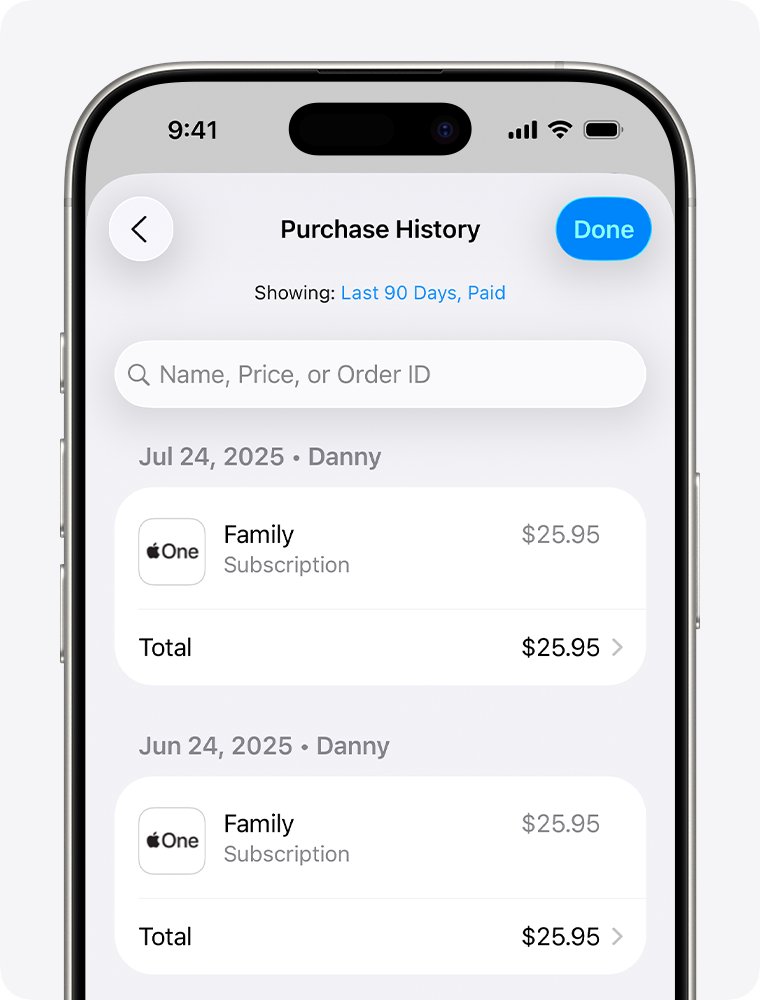
| Money receipts for Robux you paid for | The store that billed you | App Store purchase history opens on Last 90 Days and needs the filter changed for older items |
| Membership renewal and expiration dates | Settings then Subscriptions | Covers the active membership only |
Why A Roblox Purchase Might Not Appear Immediately
Robux you paid for have not arrived
The payment is still clearing, or the Robux landed on a different account.
- Log in to the account where the Robux were purchased, not a second account on the same device.
- Refresh the page or open a different page, which is when a new balance is drawn.
- Open My Transactions and check the Currency Purchases filter for the entry.
- Contact Roblox support at roblox.com/support if the charge cleared and the Robux never arrived.
A pending charge is showing on the card
A declined charge is held by the bank, or Xsolla created a small verification charge.
- Check whether the amount is a micro-transaction, typically between $0.20 and $0.90 USD.
- Enter the numeric value of that charge in the verification form within 3 hours of receiving it.
- Use the latest code if several arrived.
- Allow 1-10 business days for a declined charge or a verification fee to return to the card.
The monthly membership Robux is missing
The renewal has not completed yet, or it failed and is being retried.
- Open Settings, then Subscriptions, and read the renewal date.
- Wait until the end of the renewal day, which is when a successful renewal deposits the Robux.
- Allow a further 72 hours of retry attempts if the renewal did not go through.
- Open My Transactions, select Type of Transactions, then Premium Stipends to confirm the deposit.
The item bought with Robux is not on the avatar
Marketplace items go to your Inventory, while experience items stay inside that experience.
- Open your Inventory and check every category, including hats, hair, animations, faces and packages.
- Check the item type shown under the title on the item details page, because packages and decals can imitate official items.
- Re-enter the experience if the purchase was an in-experience item or pass.
- Message the experience's creator, who sets and maintains what the item does.
What To Do If You See An Unknown Roblox Purchase
Contact support before disputing the charge with the bank. Once a charge is disputed, a refund can no longer be issued through the payment provider's dispute process.
- Note the date and amount, and whether the statement names Roblox alone or carries the Xsolla prefix.
- Ask everyone who uses the account or the payment card whether they made the purchase.
- Reset the account password to something that is not easy to guess.
- Turn on 2-Step Verification under Settings, then Security.
- Contact Xsolla support at help.xsolla.com for a charge carrying the Xsolla prefix, or Roblox support at roblox.com/support for one that reads Roblox alone.
- Report the charge with the dates and amounts, the billing name, the last four digits of the card, the PayPal email or the Google Play purchase number, and the Roblox username.
Attachments sent to Roblox support must be .jpg or .png files to be viewed.
Can You Refund Roblox Purchases From Transaction History?
There is no refund control on My Transactions; it is a record. Robux spent on an item cannot be reversed, including accidental purchases and unused items.
| What was charged | Who handles a refund |
|---|---|
| Card, PayPal or Google Play charge made on roblox.com | Roblox Customer Support, contacted before any bank dispute |
| A charge carrying the Xsolla prefix | Xsolla Customer Support at help.xsolla.com |
| Robux bought through Apple or iTunes | Apple; Roblox cannot refund these charges |
| Robux bought through Microsoft Store or Xbox | Microsoft or Xbox support |
| Robux bought through PlayStation, Meta Quest, Samsung or Amazon | That provider's own support service |
| An avatar item you no longer want | Nobody; Robux is not returned once an item is purchased |
| A Roblox gift card | Nobody; Roblox does not provide refunds for gift cards |
How To Find Roblox Gift Card And Code Redemptions
Redeemed gift card value is stored as Roblox Credit, and the balance only shows on purchasing or settings pages.
- Open Roblox in a web browser and log in to the account where the card was redeemed.
- Go to the Gift Card redemption page at roblox.com/redeem.
- Read Available Credit directly under the Redeem button.
- Open the Billing Settings page instead to read Balance next to the Roblox Credit line.
- Treat a missing credit balance as proof that no gift card credit is currently redeemed on the account.
Roblox Credit can only be viewed and used in a web browser, not in the Roblox mobile apps. Amazon and Party Packs gift cards convert to Robux only.
How To Save Or Print Your Roblox Transaction History
- Set the filter on My Transactions to the transaction type you want to keep.
- Take a screenshot of the page for a quick visual record.
- Open your browser's print dialog and choose a PDF destination to save the page as a file.
- Open your Roblox privacy settings for a fuller record, and find Account data, deactivation & deletion.
- Select Request for Request Account Data, which prepares a Right to Access Report including payment history.
- Open the link from your Roblox inbox or verified email within 7 days, after which it expires.
A verified email address on the account is required before the report can be prepared.
Troubleshooting: Roblox Transactions Page Not Working
My Transactions loads but lists nothing
A different account is signed in, or the chosen type has no entries on this account.
- Sign out, then log in to the account where the Robux were purchased or earned.
- Click the Robux icon in the upper right corner, then click your Robux amount again.
- Select the filter in the upper left and try Summary first.
- Step through the other transaction types, since an account with no sales has nothing under Sales of Goods.
The transaction list will not open in the Roblox app
Roblox documents spending history and gift card credit for a web browser only.
- Open roblox.com in Safari, Chrome or any other browser instead of the app.
- Log in to the same account you use in the app.
- Tap the Robux icon at the top of the page, then tap your Robux amount.
- Use this browser session for Roblox Credit as well, which is not shown in the apps.
You cannot sign in to the account that holds the history
The password is lost, or the account was compromised.
- Run a full virus scan, restart the computer, then scan a second time.
- Remove browser extensions you did not install deliberately from a verified source.
- Reset the account password.
- Turn on 2-Step Verification under Settings, then Security.
- Contact Roblox support from the first email address added to the account, or the billing email used for the very first payment.
Common Roblox Transaction History Terms
| Term | What it means on your account |
|---|---|
| Robux | The official currency of Roblox, with no equivalent value in real currency |
| Roblox Credit | The balance stored after redeeming a gift card, usable in a web browser only |
| Premium Stipend | The monthly Robux grant that comes with a membership plan |
| Earned Robux | Robux earned from your own listings, Creator Rewards, in-experience purchases, ad revenue and affiliate fees |
| Pending | Robux from a sale that has not yet moved into your balance |
| Limited and Limited U | Collectible avatar items that can be resold, Limited U being sold in a fixed number of serial-numbered copies |
| Marketplace | The shop where users acquire virtual content for their avatars |
| Group Payout | Community Robux transferred to a member, as a one-time or recurring payment |
| DevEx | The by-application program that exchanges Earned Robux for real currency |
| UGC Subscription | A creator's renewing subscription, bought with real money rather than Robux |
Tips For Keeping Better Track Of Roblox Spending
- Open Settings, then Parental Controls, then Settings You Manage on the linked parent account.
- Select Spending restrictions and set a monthly spending limit in money.
- Set Spending notifications to All transactions for an alert on every purchase.
- Treat the limit as a calendar-month cap, since it resets at month end and does not roll over.
- Check My Transactions on a fixed day each month, comparing Currency Purchases against the card statement.
The monthly spending limit does not cover gift card redemption, so track redeemed credit separately at roblox.com/redeem.
Frequently Asked Questions
How do you view your transaction history on Roblox?
Log in at roblox.com in a web browser, click the Robux icon in the upper right corner, then click your Robux amount. The My Transactions page loads, and the filter in the upper left switches between Summary, Currency Purchases, Purchases and the other types.
How do you see what you purchased with Robux?
Open My Transactions and set the filter to Purchases, which lists your purchase history for virtual items and passes. Open your Inventory to confirm an avatar item arrived, checking every category such as hats, hair, animations, faces and packages.
How do you check transaction details on Roblox?
Pick the transaction type first, because the page lists one type at a time. Summary shows Robux in and out, Currency Purchases shows Robux spending, Premium Stipends shows the monthly membership grant, and Sales of Goods shows items you sold.
Where do you find a Roblox transaction ID?
Roblox does not document a transaction ID on the My Transactions page. Use the order number from the store that billed you instead, such as a Google Play purchase number beginning GPA., which Roblox support asks for when reviewing charges.
How do you check your Roblox purchases on a phone?
Open roblox.com in a mobile browser rather than the Roblox app, log in, tap the Robux icon at the top, then tap your Robux amount. The app route documented by Roblox ends at your balance, not at the transaction list.
How do you see Microsoft transactions for Roblox?
Robux bought through the Microsoft Store app or Xbox are billed by Microsoft, so the receipt sits in your Microsoft Store order history or Xbox purchase history. Refunds for those charges go through Microsoft or Xbox support, not through Roblox.
How does a Roblox purchase transaction work?
Money buys Robux through a payment provider, and that step appears under Currency Purchases. Spending those Robux on an item is a separate entry under Purchases. Sales you make arrive as Pending before the Robux reaches your balance.
Can a parent see a child's Roblox transactions?
A linked account with parent privileges controls spending limits and notifications, not a transaction list. Set Spending notifications to All transactions for an alert on every purchase, and open My Transactions on the child's account for the full record.
How do you check a Roblox transaction using a receipt?
Match the date and amount on the store receipt to an entry under Currency Purchases. When sending that receipt to Roblox support, make sure the order number, billing address, Roblox product and purchase amount are all visible in the image.
Can you get a copy of all your Roblox purchases?
Request a Right to Access Report from your Roblox privacy settings, under Account data, deactivation and deletion. It includes account details, login history and payment history. No time period can be chosen, and the download link expires after 7 days.
Why does a Roblox purchase not show up right away?
The payment may still be clearing, or the Robux may have gone to another account. Log in to the account that made the purchase, refresh the page, then check Currency Purchases. Declined or verification charges return to the card within 1-10 business days.
Can you refund a purchase from Roblox transaction history?
No. There is no refund control on My Transactions, and Robux is not returned once an item is purchased. Card, PayPal and Google Play charges go to Roblox support, while Apple, Microsoft, PlayStation, Meta Quest, Samsung and Amazon handle their own.

![Rockstar Games Launcher not working on Windows PC [Fix]](https://techdows.com/wp-content/uploads/2026/10/Rockstar-Games-Launcher-not-working-on-Windows-PC-Fix-600x338.jpg)