No app tells you that someone blocked you, so the only way to know is to read the signs: messages that never deliver, calls that never ring, and a profile that stops updating.
This guide shows the step-by-step check on iPhone, the signs on WhatsApp, Instagram, Facebook, Snapchat, Telegram, Android and email, and the everyday problems that look like a block but are not.
Step-by-step guide to tell if someone blocked you on iPhone
Apple confirms three things about a block: messages are not delivered, the caller can still leave a voicemail, and the blocked person gets no notification.
Each step below tests one of those facts from your side of the conversation.
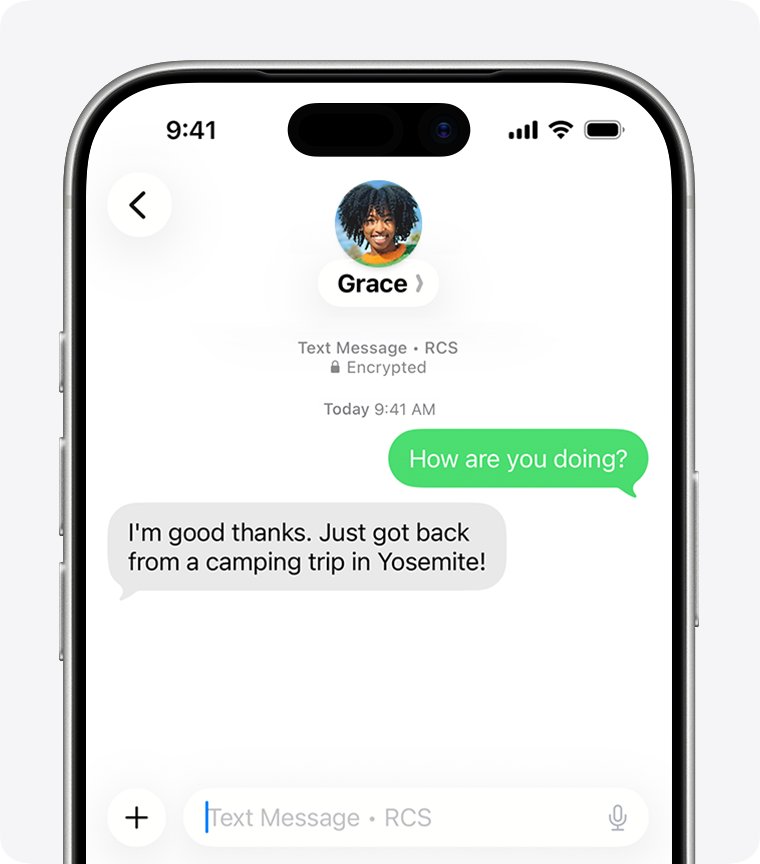
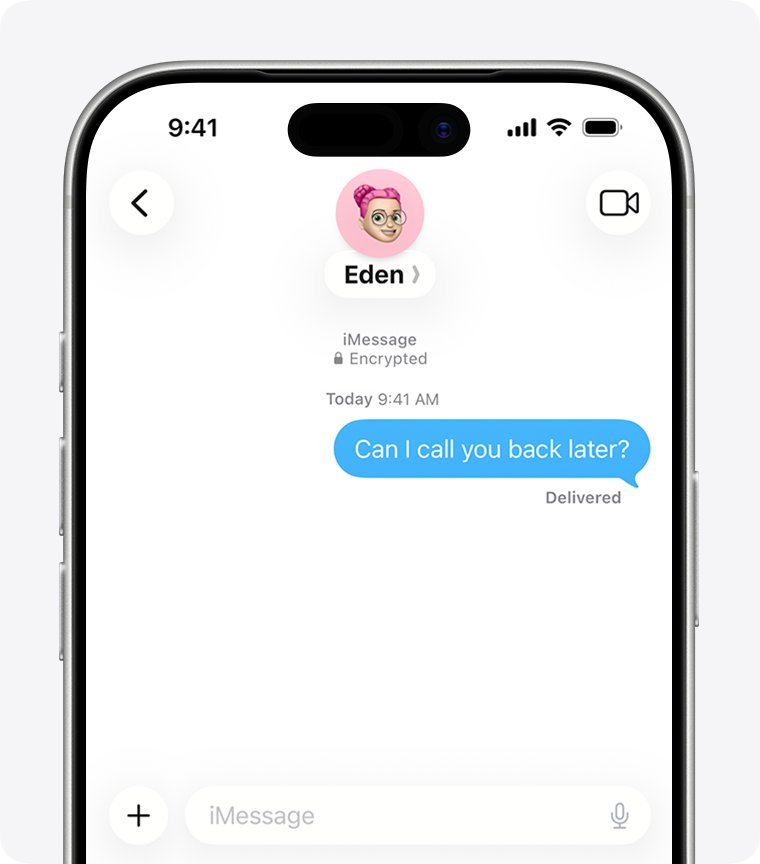
- Open Messages and send a short iMessage (a blue bubble) to the person.
- Look under the message for the Delivered label. A blocked iMessage is never delivered, so the label never appears.
- Open the Phone app and call the number once.
- Note whether the call goes to voicemail without the usual rings. A blocked caller can still leave a voicemail, but the other person gets no alert for it.
- Open FaceTime and place one FaceTime audio call to the same contact.
- Repeat the message test the next day. One missing Delivered label is noise; the same result for a day or more, together with the call pattern, points to a block.
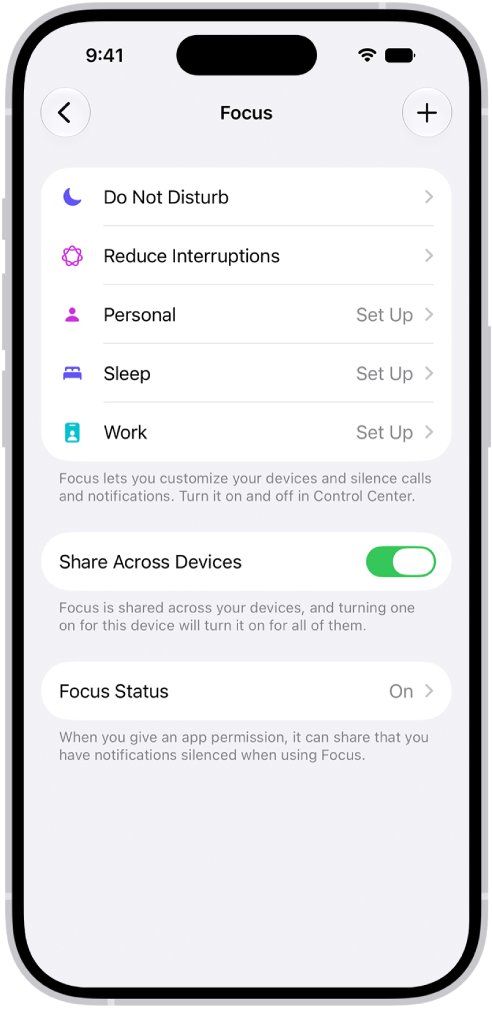
None of these results proves a block on its own. A phone that is off, out of signal or in a Focus mode produces the same signs for a while.
Block detection methods compared
Every check gives a sign, not proof. The table ranks them by how hard each one is to explain away.
| Check | What a block looks like | What else causes the same sign |
|---|---|---|
| iMessage status | No Delivered label under your blue bubble, for a day or more | Their phone is off, has no data, or iMessage is turned off |
| Phone call | The call lands in voicemail, and they never call back | Do Not Disturb, a Focus mode, a dead battery or no signal |
| WhatsApp message | One gray check mark that never becomes two | Their phone is offline or WhatsApp is not open |
| WhatsApp profile | No last seen, no online status, no profile photo updates | Their privacy settings hide these from everyone |
| Instagram or Facebook | You cannot open their profile or message them | They deactivated or deleted the account |
| Snapchat | You cannot view their profile or send a Snap or Chat | They removed you as a friend or deleted the account |
| Telegram | Last seen a long time ago, all the time | They really have not opened Telegram for over a month |
| No reply, no bounce message | Your email went to their spam folder or they are ignoring it |
The more of these signs line up at once, on more than one app, the stronger the case for a block.
Why is it difficult to tell if someone blocked you?
Every major platform keeps blocking silent on purpose. Telling people they were blocked would invite the follow-up contact the block exists to stop.
| Platform | Is the blocked person told? | What the platform says |
|---|---|---|
| iPhone (Phone, Messages, FaceTime) | No | The contact won't get a notification that the call or message was blocked |
| No | WhatsApp cannot tell you whether someone has blocked you | |
| No | People aren't notified when you block them | |
| No | Profiles, Pages and nicknames won't be notified when you block them | |
| Snapchat | No | The person won't get a notification, but may notice they can no longer view the profile |
| Android Phone app | No | Your phone declines a blocked number's calls automatically |
Because nobody is told, every method in this guide works by spotting what stopped working.
How to know if someone blocked you on WhatsApp
WhatsApp lists the signs itself, and warns that each one has other causes. Seeing all of them for one contact is the strongest sign you will get.
- Open the chat with the contact and look under their name for last seen or online. A block hides both.
- Tap their name and check whether their profile photo has changed recently. You stop seeing profile photo updates once blocked.
- Open Updates and look for their status. You cannot see the statuses of someone who blocked you.
- Send a message and watch the check marks. A message to someone who blocked you stays at one gray check mark.
- Place a WhatsApp voice call. Calls to a contact who blocked you do not go through.
- If you are a group admin, try adding them to a group. WhatsApp will not let you add someone who blocked you.
WhatsApp does not show who blocked you and cannot remove someone else's block for you.
How to know if someone blocked you on Instagram
Instagram does not notify you of a block, but it does stop several things working between the two accounts.
- Open Messages and find your chat with the person. The thread stays in your inbox after a block.
- Send a message. Direct messages to someone who blocked you are not received, and they are not delivered later if the block is lifted.
- Start a new post or comment and type
@followed by their username. A blocked account cannot mention or tag the person who blocked it. - Search for their username from the Search tab and try to open the profile.
- Ask a mutual follower whether the account still exists. If it does for them but not for you, a block is the likely reason.
If you share a group chat, a block does not remove either of you. You can both still see each other's messages in the group if the other person chooses to stay.
How to know if someone blocked me on Facebook
A Facebook block also unfriends, unlikes and unfollows, so the signs show up across your account at once.
- Open your friend list and search for the person. A block removes the friend connection.
- Search for their name in the Facebook search bar and try to open the profile. A blocked person can no longer see the profile owner's posts.
- Open Messenger and try to start a conversation. A blocked profile cannot start a conversation with the person who blocked it.
- Try to tag them in a post or invite them to an event or group. Blocking stops both.
- Check a group or app you both use. Facebook says blocking does not affect apps, games or groups you are both members of, so seeing them there does not rule out a block.
If the profile is gone for mutual friends too, the account was deactivated or deleted rather than blocked. If you only need distance from someone yourself, you can restrict someone in Messenger instead of blocking them.
How to know if someone blocked you on Snapchat
Snapchat says the blocked person gets no notification, but may realize it when they can no longer view the profile or contact the person.
- Swipe right to open the Chat screen and open your conversation with the person.
- Open your chat with them and try to send a Snap or a Chat. A blocked account cannot send either.
- Check their Story. Someone who blocked you stops appearing in your Stories.
- Open the Snap Map and look for their location. A block hides it, even if they shared it with you before.
- Search for their username and try to open the profile. Snapchat says a blocked person notices they can no longer view the profile.
A removed friend looks similar but is not a block. Snapchat says removing a friend only takes them off the Friends list, and public content stays visible depending on privacy settings.
How to know if someone blocked me on Telegram
Telegram has one reliable sign: a blocked user always sees the last seen time as last seen a long time ago.
- Open the chat with the person in Telegram.
- Read the status line under their name.
- Note whether it says last seen a long time ago even though you know they use Telegram daily.
- Check again over several days. Telegram uses that label for more than a month of inactivity, and it always shows it to blocked users.
- Remember that a hidden last seen is not proof. By default, people who hide their last seen from you also stop seeing yours.
How to know if someone blocked your number on Android
In the Phone by Google app, a blocked number's calls are declined automatically, and the person who blocked you never sees them in their call history.
- Call the number from your phone.
- Note whether the call is cut short or goes straight to voicemail instead of ringing.
- Try to leave a voicemail. If the other person has visual voicemail turned on, a blocked caller cannot leave one at all.
- Send an SMS text and watch for a reply over the next day.
- Call again at a different time of day to rule out a phone that is simply switched off.
The person who blocked you sees nothing: calls received from a blocked number do not show in their call history, even after they unblock it.
How to know if someone blocked your email
Email blocking is the hardest to detect, because the major mail services accept the message and file it away instead of bouncing it back to you.
- Send a normal email and check your inbox for a bounce or delivery failure notice.
- Treat a missing bounce as normal. In Gmail, mail from a blocked sender goes to the Spam folder, so your message is accepted.
- On Apple devices, a blocked address in the Mail app goes to the Trash folder, and that block applies on all of the person's Apple devices.
- Look for any reply over several days. Silence is the only sign either service gives.
- Contact the person another way only if you have a real reason to, such as a work or school matter.
Alternative solutions to check if you are blocked
When one app gives a mixed result, these checks confirm or rule out a block without sending the person a stream of test messages.
| Alternative | What it tells you | Limit |
|---|---|---|
| Check a different app you both use | A block on one app does not block the other, so they still appear on WhatsApp or Snapchat | They may have blocked you everywhere |
| Ask a mutual friend to look at the profile | If the friend sees a working profile and you do not, you are blocked | Puts the friend in the middle |
| Watch WhatsApp last seen for a few days | A hidden last seen on top of one gray check mark points to a block | Privacy settings can hide last seen from everyone |
| Compare iMessage and SMS | An iMessage that never shows Delivered points to a block or an iMessage problem | Green bubbles have several normal causes |
Calling from a different number shows only whether the phone is on. If the person did block you, contact from new numbers ignores a boundary they set.
Helpful tips when you think someone blocked you
A block is a decision the other person made, and the checks above are only for knowing where you stand.
| Tip | Why it matters |
|---|---|
| Run each check once, then wait a day | A dead battery, no signal or a Focus mode clears up on its own |
| Do not keep texting to test | Blocked messages are never delivered, so repeat tests add nothing |
| Do not create new accounts to reach them | Instagram lets people block existing and future accounts in one step |
| Check your own block list too | On iPhone, go to Settings > Privacy & Security > Blocked Contacts to make sure you did not block them by mistake |
| Use a mutual friend only for practical matters | Shared plans, money or school issues are a fair reason to pass a message on |
If you want to stop someone yourself, the same silent rules apply when you block a number on iPhone or block someone on Snapchat.
iMessage still not working? Signs that are not a block
These symptoms show up in the checks above, and each one has a normal cause worth ruling out first.
Your message turned green instead of blue
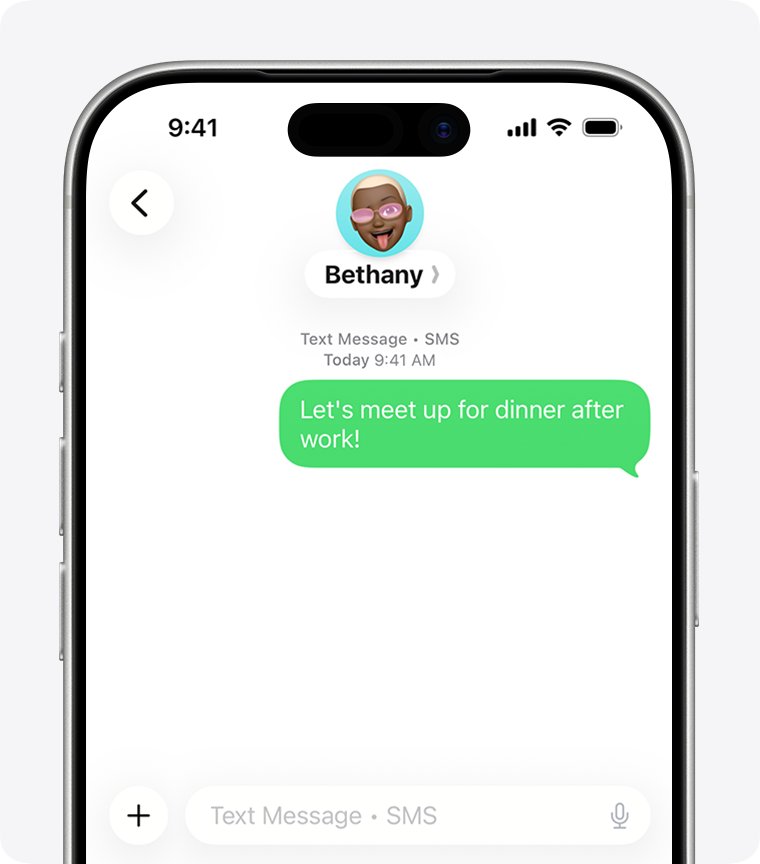
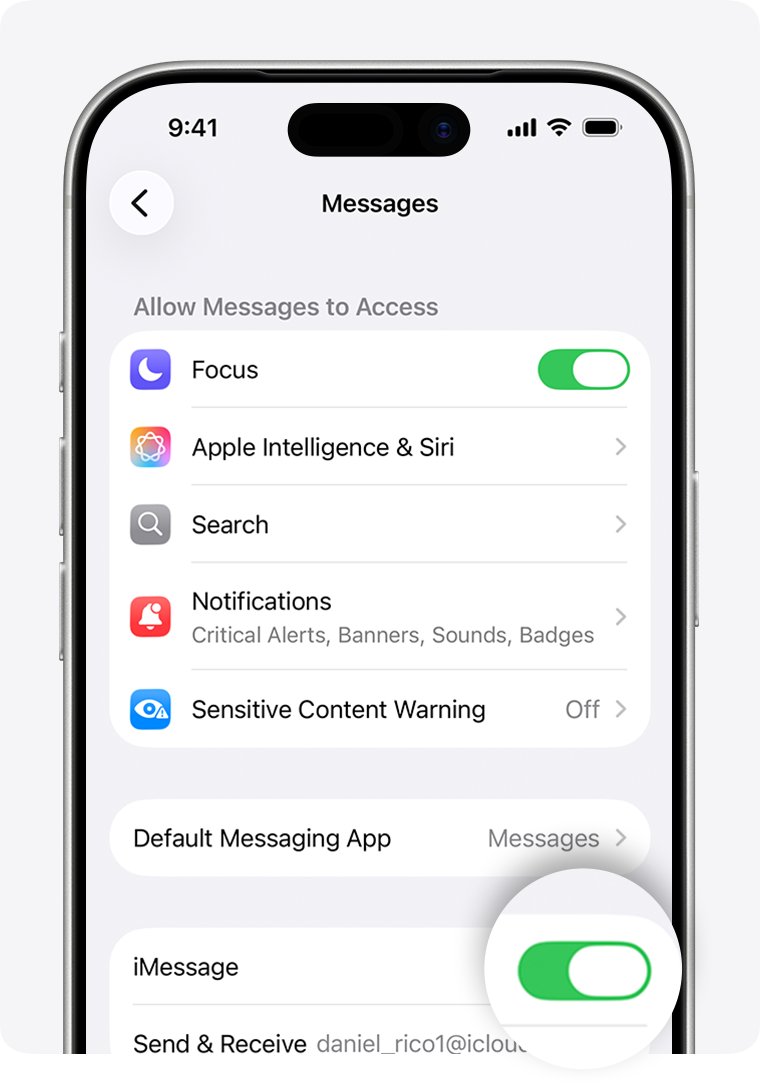
Apple sends a message as RCS or SMS/MMS when iMessage is turned off or unavailable on either phone, or the other person does not use an Apple device.
- Open Settings, tap Apps, then tap Messages.
- Make sure iMessage is turned on.
- Tap Send & Receive and check the phone number or email you send from.
- Send the message again. A green bubble on its own is not a block.
Calls go straight to voicemail
A block, but also a switched-off phone, no signal, or a Focus mode that silences calls.
- Call once at a different time of day.
- Send a text and see whether it shows Delivered.
- Treat the result as a block only if calls and messages fail together for a day or more.
WhatsApp shows only one gray check mark
One check mark means sent but not delivered, which also happens when the other phone is offline.
- Wait until the person is likely to be online.
- Check whether their last seen and profile photo are still visible to you.
- If the check mark stays single and their profile details are all hidden, a block is the likely reason.
Their profile disappeared on Instagram, Facebook or Snapchat
A block, or an account that was deactivated or deleted.
- Ask a mutual friend to search for the same username.
- If they cannot find it either, the account is gone, not blocked.
- If they can find it and you cannot, you are blocked.
Someone blocked me FAQ
Does my iPhone tell me when I have been blocked?
No. Apple says a blocked contact does not get a notification that a call or message was blocked. Your iPhone shows the message as sent, but the Delivered label never appears, and calls go to voicemail.
If a message turns green instead of blue, does that mean I am blocked?
No. A green bubble means the message went as RCS or SMS/MMS instead of iMessage. That happens when iMessage is off or unavailable on either phone, or the other person does not have an Apple device.
Does someone know you blocked them on iPhone?
No. iPhone sends the blocked person no alert. Their messages are not delivered to you, and their calls go to voicemail without notifying you, so they only notice the pattern over time.
Will someone know I blocked their number?
Not through a notification. On iPhone and in the Phone by Google app, the blocked person is not told. They can guess from calls that never ring through and texts that never get a reply.
Will someone know I blocked them on Instagram?
Instagram does not notify people when you block them. They will notice they cannot message you, mention your username or tag you, and their old likes and comments on your posts are removed.
Will someone know I blocked them on WhatsApp?
WhatsApp sends no alert, but the blocked person stops seeing your last seen, online status, status updates and profile photo changes. Their messages to you also stay at one gray check mark.
How to know if someone blocked me on WhatsApp?
Look for every sign at once: no last seen or online status, no profile photo updates, no status updates, one gray check mark on your messages, and calls that do not go through. WhatsApp says each sign alone has other causes.
How to see people who blocked you?
No major platform gives you a list of people who blocked you. WhatsApp says it cannot tell you who blocked you. You can only see your own block list, such as Settings, Privacy & Security, Blocked Contacts on iPhone.
Should I keep texting to test if I am blocked?
No. A blocked message is never delivered, so extra texts tell you nothing new. Send one, wait a day, and check the Delivered label. Repeated contact after a block can also come across as harassment.
Can I tell if someone blocked my email?
Only by silence. Gmail sends mail from a blocked sender to Spam, and Apple Mail sends it to the Trash, so you get no bounce message. A long silence is the only sign either service gives.