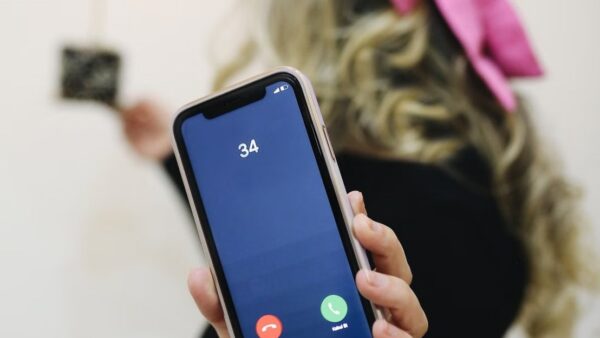
To unlock an iPhone that shows iPhone Locked to Owner, enter the Apple Account and password (or the device passcode) of the person who set it up, or have that owner remove the iPhone from their account at icloud.com/find.
This guide covers what the screen means, how sellers and owners remove Activation Lock, the Apple support request for buyers with a receipt, and what to do with a found or second-hand iPhone.
How to unlock iPhone locked to owner on the iPhone
The iPhone Locked to Owner screen is Activation Lock on iOS 15 and later. It appears when you turn on or wake an iPhone that is still linked to someone's Apple Account.
- Turn on the iPhone and wait for the iPhone Locked to Owner screen.
- Choose the option to unlock with the Apple Account, or with the passcode if the screen offers it.
- Enter the Apple Account email address or phone number and the password used to set up the iPhone, or enter the device passcode.
- Follow the onscreen steps until setup continues.
- Finish setup and sign in with your own Apple Account.
If you are not the owner, only the owner can enter these details. Hand the iPhone back to the seller, or ask them to remove it from their account in a browser (next sections).
What does iPhone locked to owner mean?
Activation Lock turns on automatically when Find My is turned on. Apple then stores the Apple Account on its activation servers and links it to that iPhone.
| Fact | What it means for you |
|---|---|
| The lock lives on Apple's activation servers | Each time an iPhone is activated or recovered, it contacts Apple to check whether Activation Lock is on |
| The owner's Apple Account password is required | Nobody can turn off Find My, erase the iPhone, or reactivate it without that password |
| Erasing does not remove it | A remote erase from Find My leaves Activation Lock in place |
| The screen appears from iOS 15 | iPhones on iOS 15 and later show iPhone Locked to Owner when turned on or woken |
| Parts are protected too | A part taken from an Activation Lock protected iPhone is ineligible for service under the Apple Limited Warranty or AppleCare |
| Work and school iPhones | Devices owned by a business or school are handled by that organization's IT department |
Who can remove Activation Lock on an iPhone?
| Your situation | Route that works | Why |
|---|---|---|
| You set up the iPhone and know the password | Enter your Apple Account and password on the lock screen | The lock checks for exactly this account |
| It is your iPhone but you forgot the password | Reset the Apple Account password, then sign in | A reset password works on the Activation Lock screen |
| You bought it used and the seller is with you | Seller enters their Apple Account password on the iPhone | Fastest route, no waiting |
| You bought it used and the seller is gone | Seller removes it at icloud.com/find | Works from any browser, anywhere |
| You own it, have a receipt and no account access | Activation Lock support request with Apple | Apple reviews proof of purchase |
| You found the iPhone | Contact the owner using the Lock Screen message | Only the owner can release it |
| It belongs to a company or school | Contact that IT department or manager | The organization manages the lock |
Remove Activation Lock from previous owner on iCloud.com
When the seller is not present, they can release the iPhone from any browser. Send them these steps.
- The previous owner goes to icloud.com/find in a browser and signs in with their Apple Account.
- In the list of devices, they select the iPhone they sold.
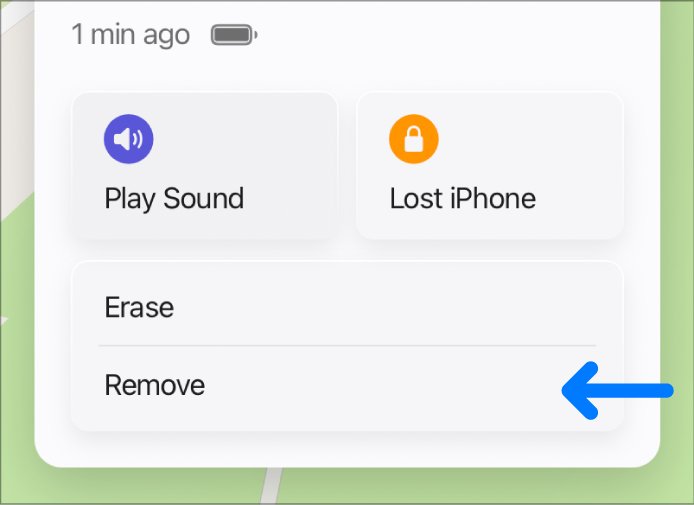
- If the iPhone is offline, they select Remove This Device. Activation Lock is removed immediately.
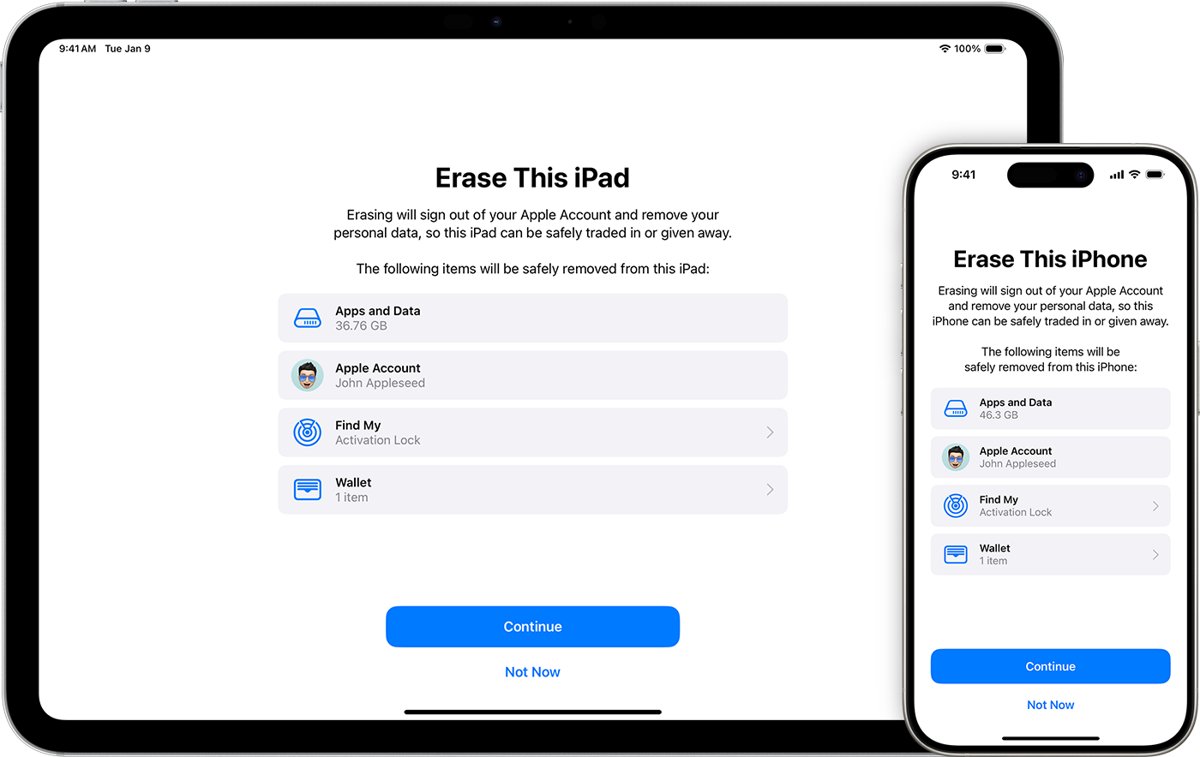
- If the iPhone is online, they first select Erase This Device and leave the phone number and message blank, because the iPhone is not lost.
- When the erase finishes, they select Remove This Device. Activation Lock and the Find My listing are removed.
- Restart the iPhone and begin setup again.
An online iPhone cannot simply be removed: choosing Remove This Device on it only offers to mark it Ready for Repair or Trade In for 30 days. That is why the erase comes first.
The owner can also do this in the Find My app on any device signed in to the same Apple Account.
Unlock iPhone locked to owner with passcode
On the Activation Lock screen, Apple accepts the device passcode as an alternative to the Apple Account password. This helps an owner who remembers the passcode but not the account details.
- On the iPhone Locked to Owner screen, choose the option to unlock with the passcode.
- Enter the passcode that was used on this iPhone before it was erased.
- Continue through setup when the passcode is accepted.
- Sign in with your Apple Account when setup asks, so Find My protects the iPhone again.
A buyer cannot use this route unless the seller shares the old passcode. Asking the seller to remove the iPhone from their account is the cleaner fix.
Forgot Apple Account password on iPhone locked to owner
If the iPhone is yours, resetting the Apple Account password is the normal way back in. The fastest reset uses a trusted device or your trusted phone number.
- On another iPhone, iPad, Mac or Apple Watch that is already signed in to your Apple Account, change the password there.
- With no trusted device, select Forgot password? where you sign in and follow the onscreen instructions.
- Have your recovery factors ready: your trusted phone number, a recovery contact code, your Apple Account email, or the card on the account.
- If you cannot reset it, start account recovery at iforgot.apple.com in Safari on iOS 17 or later.
- On a borrowed iPhone, open the Support app, go to Support Tools, select Reset Password, then Help Someone Else.
- Enter the new password on the iPhone Locked to Owner screen.
Apple Account recovery can take several days or more. Signing in on another device that uses the account cancels the request, so turn off unused signed-in devices during the wait.
Find the Apple Account email for an iPhone locked to owner
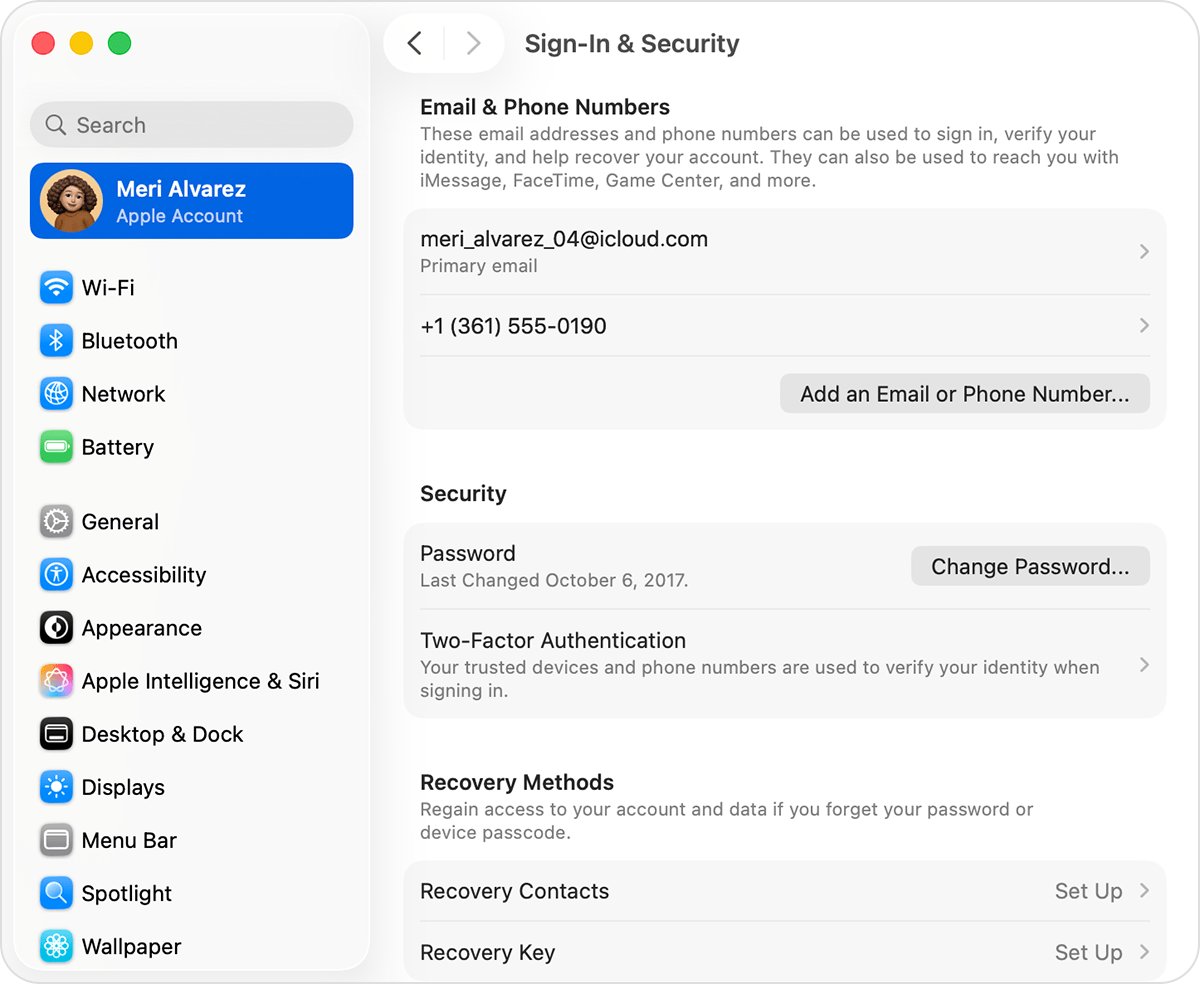
Any email address or phone number on the account works for sign-in. When Apple shows an address masked, such as j*@icloud.com, the number of asterisks might not match its real length.
- Try every email address and phone number you regularly use with Apple services; any address on the account works.
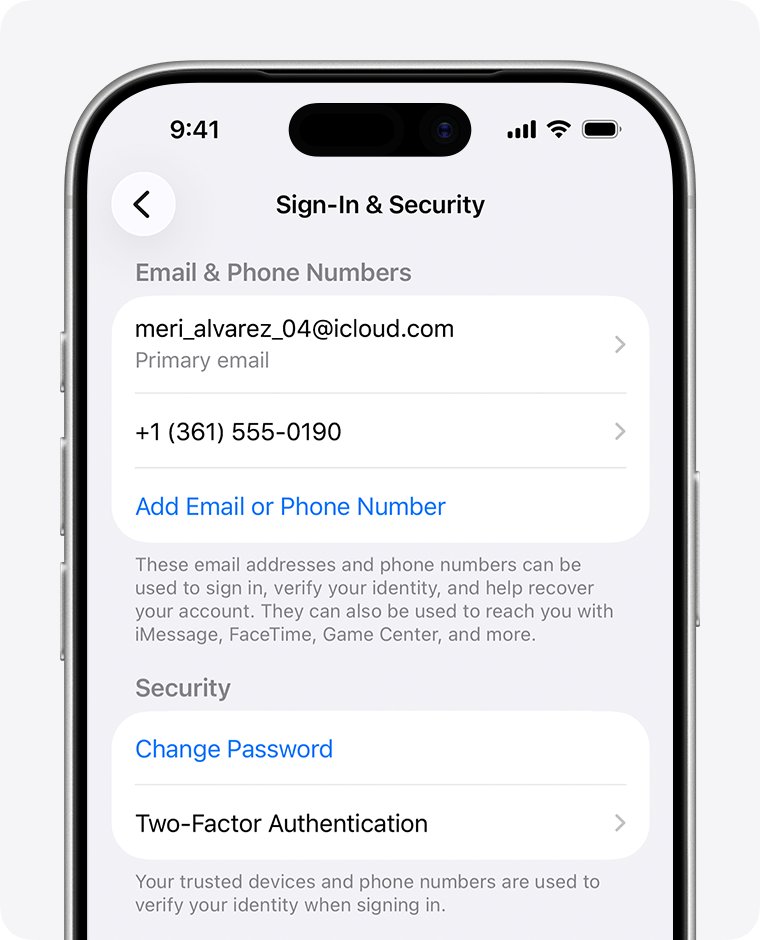
- On another iPhone or iPad, go to Settings, tap your name, then Sign-In & Security to see the addresses on file.
- On a Mac, open System Settings, click your name, then Sign-In & Security.
- On a Windows PC, open iCloud for Windows and read the address under your name.
- Go to account.apple.com and check whether the sign-in page remembers your address.
- Search your inbox for Apple receipts, repair or billing emails, which can include the account address.
Apple Activation Lock support request with proof of purchase
When you own the iPhone but neither you nor the previous owner can sign in, Apple offers an Activation Lock support request. It needs proof of purchase documentation.
- Find the receipt or invoice for the iPhone.
- Open Apple's article How to remove Activation Lock on support.apple.com.
- Select start an Activation Lock support request.
- Enter the details the form asks for, including the proof of purchase documentation.
- Follow Apple's onscreen steps, then restart setup on the iPhone once the lock is released.
The request needs proof of purchase. Without a receipt, the previous owner's removal at icloud.com/find is the route that remains.
How do I unlock an iPhone I found?
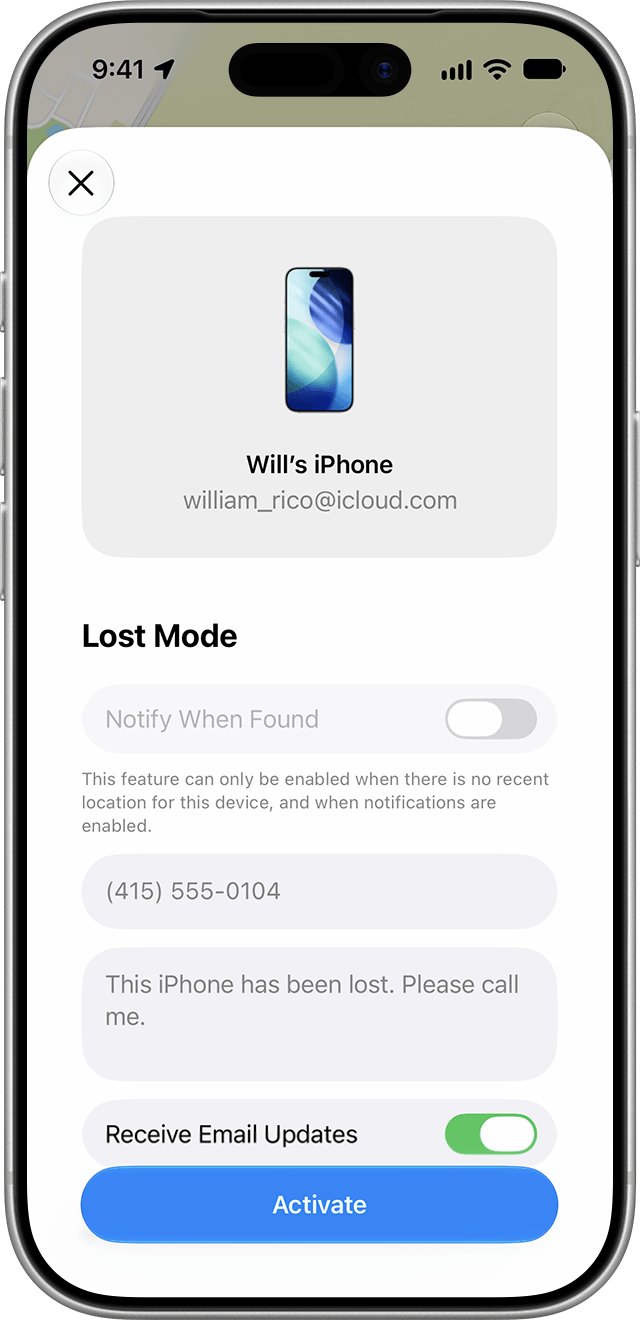
A found iPhone that shows iPhone Locked to Owner cannot be unlocked by the finder. The owner may also have put it in Lost Mode, which locks it with their passcode and can show a message and phone number.
- Wake the iPhone and read the Lock Screen for an owner message or phone number.
- Call or text that number from your own phone to arrange the return.
- If there is no message, hand the iPhone in where you found it, such as the store, venue or transport lost property office.
- Do not erase or restore it; the lock returns after any erase or restore anyway.
Apple never contacts owners to say a device has been found. Messages claiming to be Apple and asking for a passcode or verification code are scams.
How to check if an iPhone has Activation Lock before buying
Run this check in person, before you pay, on any iPhone not sold by Apple or an Apple Authorized Reseller.
- Turn on or wake the iPhone. An iPhone Locked to Owner screen means Activation Lock is on; do not buy it.
- If the passcode Lock Screen or Home Screen appears, the iPhone has not been erased. Ask the seller to erase it in front of you.
- Begin setup after the erase.
- If setup asks for the previous owner's Apple Account, hand it back and ask the seller to enter their password.
- The iPhone is ready to use when you reach the Hello screen and setup continues without the old account.
How to turn off Activation Lock before selling an iPhone
Sellers can avoid every problem above by signing out and erasing before handing the iPhone over. Erasing the iPhone this way turns off Find My and Activation Lock.
- Back up the iPhone and unpair any Apple Watch.
- Open Settings, tap your name, scroll down and tap Sign Out.
- On iOS 26 or later, choose Erase this iPhone or Sign Out But Don't Erase; on iOS 18 or earlier, enter your Apple Account password and tap Turn Off.
- Go to Settings > General > Transfer or Reset iPhone and tap Erase All Content and Settings.
- Enter the device passcode if asked, then tap Erase iPhone.
- For an eSIM iPhone you are selling, choose to erase the iPhone and the eSIM profile.
If the iPhone is already gone, remove it at icloud.com/find as shown above. You can also factory reset a locked iPhone when you still have it but cannot get past the passcode.
iPhone still locked to owner after removing from iCloud
The seller removed it, but the iPhone still asks for their Apple Account
The iPhone was online, so Remove This Device only offered Ready for Repair or Trade In instead of removing the lock.
- Ask the seller to open icloud.com/find and select the iPhone again.
- Have them select Erase This Device and wait for the erase email.
- Have them select Remove This Device once the erase is done.
- Restart the iPhone and begin setup again.
The lock came back weeks later
A device removed while offline reappears in Find My if it comes online after 30 days while still signed in to the old account.
- Ask the previous owner to erase the iPhone in icloud.com/find, then remove it.
- Set up the iPhone with your own Apple Account as soon as the lock is gone.
Why won't my iPhone unlock with password?
The password is wrong, or it belongs to a different Apple Account than the one shown on the screen.
- Try each email address and phone number you use with Apple services.
- Enter the password for that exact account.
- If it still fails, reset the Apple Account password with Forgot password?.
The iPhone says iPhone Unavailable or Security Lockout
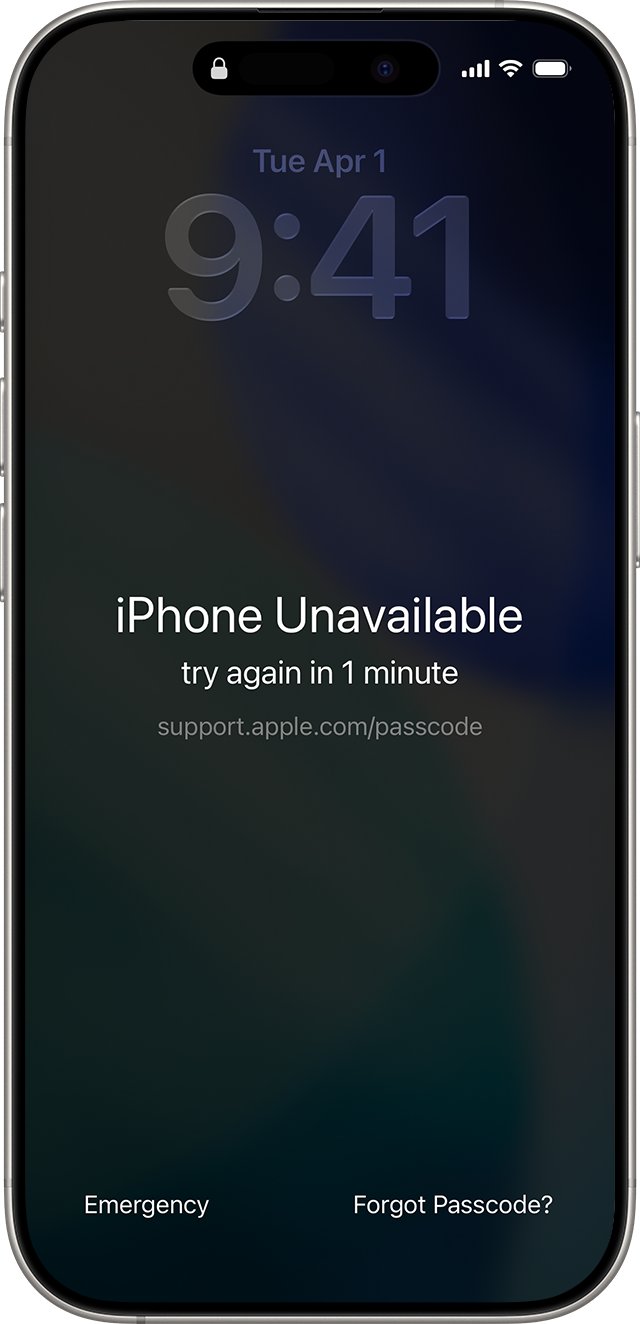
This is the screen passcode lock, not Activation Lock.
- Keep entering the passcode until the iPhone Unavailable screen appears.
- Tap Forgot Passcode? (needs Wi-Fi or cellular and Find My turned on), then Start iPhone Reset.
- Enter your Apple Account password and tap Erase iPhone.
- After the restart, set up the iPhone; you need the same Apple Account to pass Activation Lock.
Restoring with a laptop or iTunes did not unlock it
A recovered iPhone contacts Apple during activation and Activation Lock is checked again.
- Stop restoring; it cannot clear the lock.
- Use the owner's Apple Account, an icloud.com/find removal, or a support request with proof of purchase.
For the passcode lock on its own, the full steps to reset a forgotten iPhone passcode also cover the computer route.
Do iPhone unlock tools remove iPhone locked to owner?
Do not pay for an iPhone unlock tool or a free unlock service to clear iPhone Locked to Owner. Apple states that the owner's Apple Account password is required to reactivate an Activation Lock protected iPhone, and the only release routes Apple documents are that password, the device passcode, removal at icloud.com/find, and Apple's own support request with proof of purchase.
Activation Lock is separate from a carrier lock. A network unlock sold for a carrier problem does nothing here; the carrier lock and other iPhone locks work differently.
iPhone locked to owner FAQ
How do I unlock an iPhone locked to owner?
Enter the Apple Account and password, or the device passcode, of the person who set it up. If that person is not with you, they can remove the iPhone at icloud.com/find. An owner with proof of purchase can also start an Activation Lock support request with Apple.
Can I unlock an iPhone locked to owner for free?
Yes, every Apple route is free. The previous owner entering their password, removing the iPhone at icloud.com/find, and Apple's Activation Lock support request cost nothing. Paid unlock services are not an Apple route.
Can I unlock an iPhone with a laptop or iTunes?
No, a computer restore does not remove iPhone Locked to Owner. Each time an iPhone is activated or recovered it checks with Apple, so the lock screen returns after a restore with Finder, iTunes or the Apple Devices app.
How do I unlock an iPhone I found?
You cannot unlock it yourself. Read the Lock Screen for the owner's message or phone number and contact them. If there is no message, hand it in where you found it so the owner can reclaim it.
How do I unlock an iPhone that is disabled?
A disabled iPhone shows iPhone Unavailable or Security Lockout, which is the passcode lock. Tap Forgot Passcode? on iOS 17 or later, or Erase iPhone on iOS 15.2 or 16, then enter the Apple Account password. Activation Lock still asks for that account during setup.
Does erasing an iPhone remove Activation Lock?
Not on its own. A remote erase from Find My leaves Activation Lock on. Activation Lock turns off when the owner erases the iPhone from Settings with their password, or removes it from their account at icloud.com/find.
Is the iPhone locked to owner screen the same on iPhone 11, 13, 14 and 16e?
Yes. Any iPhone running iOS 15 or later shows the same iPhone Locked to Owner screen, and the same Apple Account, passcode, iCloud.com and support request routes apply to every model.
How do I completely unlock an iPhone I bought used?
Ask the seller to sign out of their Apple Account, erase the iPhone, and remove it from icloud.com/find. Setup should then reach the Hello screen without the old account. A carrier lock is a separate check through the original carrier.