You can download WinZip for Windows 11, Windows 10 and Mac straight from winzip.com, and run it free for 21 days before you buy a licence.
Two Windows files sit behind that trial. The main download button hands you a 2.8 MB web installer, while the Alternative download links page hosts winzip310.exe, a 145 MB standalone setup.
This guide covers which file to take, installing on Windows and Mac, the silent MSI command, plan differences and install fixes.
Which WinZip download do you need?
Match your machine to the file. Both Windows files install the same release.
| Your machine | Download | Size |
|---|---|---|
| Windows 11 or Windows 10, 64-bit | winzip310.exe | 145.2 MB |
| Windows 11 or Windows 10, fast connection | winzip77-downwz.exe | 2.8 MB |
| Windows 11 on an ARM processor | winzip310.exe | Release includes an ARM64 build |
| Mac, Apple silicon or Intel | winzipmacedition12.dmg | 34.5 MB |
| You want to stay on the previous release | winzip300.exe | 71.3 MB |
| An old PC still on Windows XP | winzip20xp.exe | 0.7 MB |
Take the 145 MB file for more than one PC, or for a machine behind a filtered connection.
Check WinZip system requirements before you install
Clear 235 MB on Windows and 54 MB on a Mac. Both figures cover the installed app, not the setup file.
| Field | Value |
|---|---|
| Software | WinZip |
| Developer | Corel Corporation |
| Latest version | 31 (build 31.0.17240.0) |
| Released | 16 September 2026 |
| Licence | Paid subscription, 21-day free trial |
| Supported OS | Windows 11 and Windows 10; macOS 10.10 or later |
| Architecture | 64-bit on Windows, with an ARM64 build; 64-bit on Mac |
| Windows requirements | 1 GHz processor, 2 GB memory, 235 MB disk, .NET 4.6 |
| Mac requirements | Intel 64-bit or Apple M1, 2 GB memory, 54 MB disk |
| Download size | 145.2 MB standalone, 2.8 MB web installer, 34.5 MB on Mac |
| Offline installer | Yes, on the Alternative download links page |
| Official source | winzip.com |
| Last verified | 2026-09-22 |
A single-user licence needs an active internet connection. The full list sits on the product page.
Download WinZip from the official winzip.com pages
Pages come from winzip.com and files from download.winzip.com. A setup served by any other domain is not Corel’s.
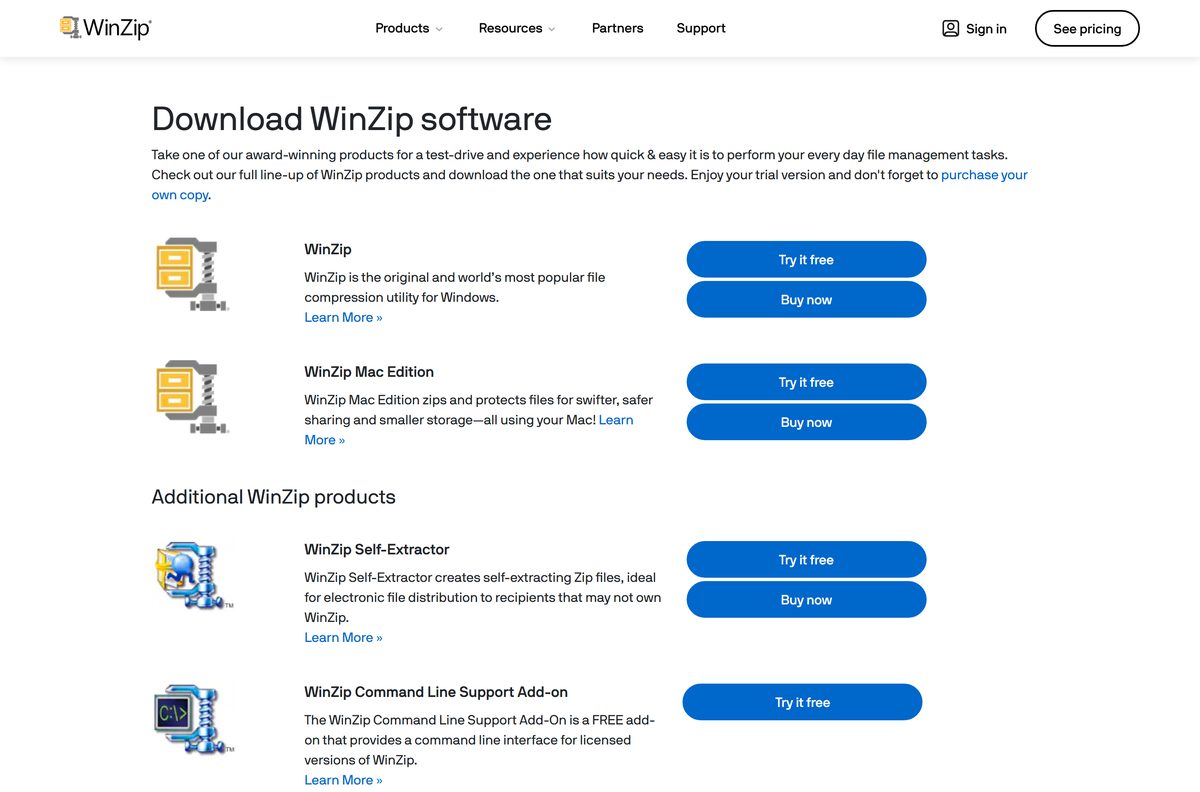
- WinZip download page — starts the 21-day trial with the web installer
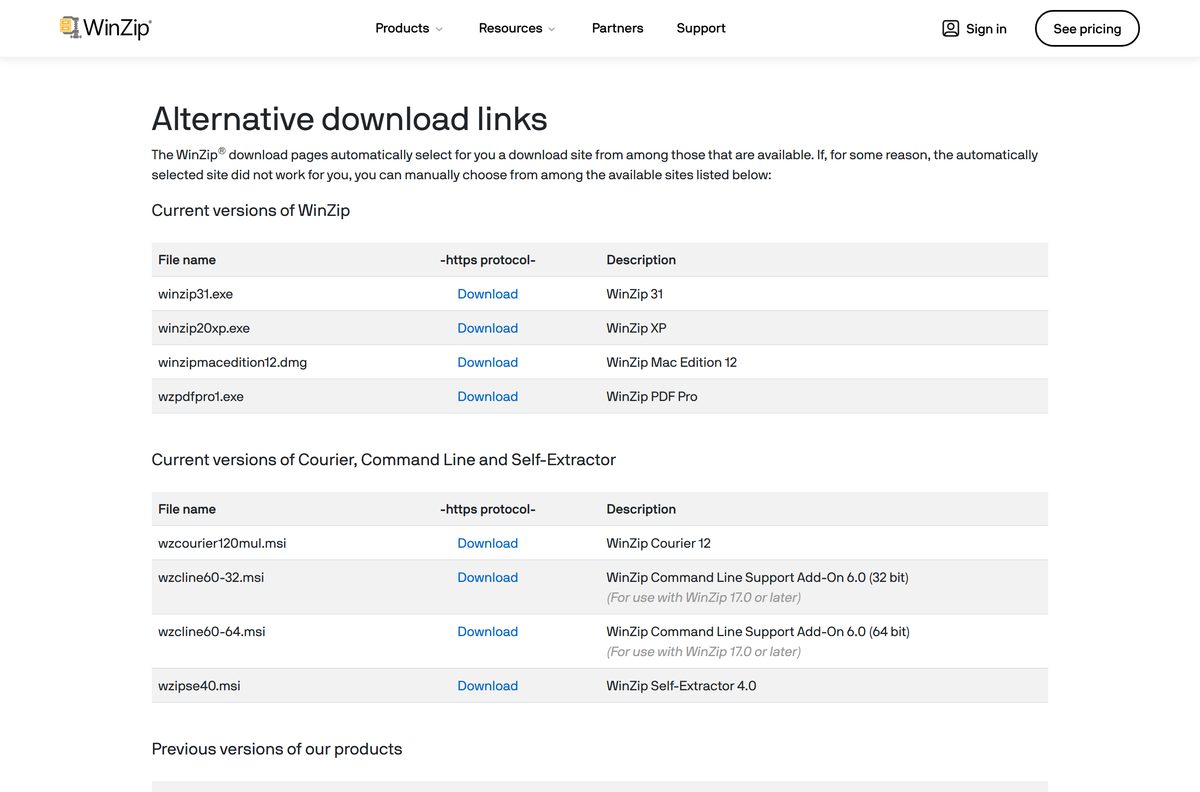
- Alternative download links — the page that lists every current and older file
- winzip310.exe — 152,250,848 bytes · standalone Windows setup
- winzipmacedition12.dmg — 36,204,209 bytes · Mac Edition 12 disk image
- wzcline60-64.msi — 3,741,696 bytes · free Command Line Support Add-On, 64-bit
- wzipse40.msi — 3,134,976 bytes · Self-Extractor 4.0
The Command Line Support Add-On costs nothing, but it needs a licensed desktop copy.
How to install WinZip on Windows 11 and 10
These steps use the standalone setup, which avoids a second download partway through.
- Open the Alternative download links page and select Download on the winzip31.exe row.
- Choose Save rather than Run, so the file stays on disk for a later repair or reinstall.
- Open your Downloads folder and double-click winzip310.exe.
- Select Yes at the User Account Control prompt.
- Accept the licence agreement when setup asks for it.
- Leave the default install folder unless you need the app on another drive, then select Install.
- Wait for the progress bar to finish and select Finish.
- Open WinZip from the Start menu and start the 21-day trial when it prompts you.
Setup claims Zip and Zipx during installation. Other formats stay with whatever app already owns them.
Install WinZip silently across several PCs
Run this from an elevated prompt, because a silent install fails without administrator rights.
msiexec /i winzipxxx.msi /qn Replace winzipxxx.msi with the real filename. Add INSTALLDIR=”C:\Program Files\WinZipXX” to change the target folder, and use msiexec /x winzipxxx.msi /qn to remove it again. No restart is required by default. The switches are documented in this support article. Test the command on one machine before a wide rollout.
Keep the MSI under its original filename. A renamed file triggers error 1316 on a later repair or uninstall, as this article explains.
Which WinZip download do you need for your Mac?
One disk image covers every supported Mac. Mac Edition 12 is a 64-bit Intel binary with Apple M1 support.
| Your Mac | Download | Notes |
|---|---|---|
| Apple M1 or later | winzipmacedition12.dmg | 34.5 MB, Apple M1 support is listed |
| Intel Mac, macOS 10.10 or later | winzipmacedition12.dmg | Same file, 54 MB installed |
| A Mac stuck on an older macOS | winzipmacedition11.dmg | Previous edition, no longer updated |
Open the disk image, drag the app to Applications, then launch it from Launchpad.
Is WinZip free?
The trial is the free part, and it is time-limited rather than feature-limited.
No. WinZip is a paid subscription with a 21-day free trial, and it stops working when those 21 days end. Standard, Pro and Ultimate are billed annually, each with a 30-day money-back guarantee. Prices vary by country, so read them on the pricing page. A free full version, keygen or lifetime activator is never from Corel.
Windows already unzips plain Zip archives without any extra app, so there is no need to pay just to open one.

Should you buy WinZip Standard or WinZip Pro?
Both tiers install the same app from the same setup file. Your licence decides which features light up.
Take Standard for compression and encryption alone, and Pro when you need backups, transfers or scanning. Standard covers zipping, AES encryption and Courier for encrypted email. Pro adds automated backups, secure FTP over SSH, malware scanning of Zip files, PDF and image watermarking, and ZipShare. Ultimate adds System Utilities and PDF Fusion.
The trial runs the full feature set, so test the Pro tools before deciding.
How to check your WinZip version and update it
The About dialog carries the version and the licence state.
- Open WinZip from the Start menu.
- Click the question mark icon at the right end of the ribbon to open the About dialog.
- Read the version line and compare it with the current release, 31.
- Select Check for Update in the same Help area.
- Open Settings, then the Updates tab, to set how often the check runs.
- Choose Check automatically every and pick an interval, or Do not check for updates to turn it off.
- Select Check for Update Now to run the check straight away.
- Download the newer setup from the Alternative download links page and run it over your existing install.
An in-place upgrade keeps your settings and licence, so leave the old copy alone.
Check which archive formats WinZip can open
The Windows and Mac editions list different formats, so check the one you plan to install.
| Format | Windows | Mac Edition 12 |
|---|---|---|
| Zip and Zipx | Yes | Yes |
| RAR | Yes | Yes |
| 7z | Yes | Yes |
| TAR and POSIX TAR | Yes | Not listed |
| GZIP and XZ | Yes | Not listed |
| VHD | Yes | Not listed |
| LHA, JAR and WAR | Not listed | Yes |
Creating archives is narrower than opening them: Zip and Zipx, with Zipx the smaller of the two.
How to make WinZip the default app for ZIP files
Windows 11 keeps associations per extension, so setting one does not move the rest.
- Press Windows + I to open Settings.
- Select Apps, then Default apps.
- Type .zip in the Set a default for a file type or link type box.
- Select the result, then pick WinZip from the list.
- Select Set default to confirm.
- Repeat for .zipx , .rar and .7z if you want those handled the same way.
- Right-click any archive in File Explorer and check that Open now uses the app.
Reverse any of these by repeating the steps and picking File Explorer instead.
Fix WinZip not installing on Windows 11 or 10
Failed installs come down to four things: a partial download, a renamed MSI, a missing framework, or leftovers.
The setup file will not run or closes instantly
A web installer that lost its connection leaves a truncated file behind.
- Delete the file from Downloads.
- Open the Alternative download links page and take winzip31.exe instead of the web installer.
- Check that the saved file is about 145 MB before running it.
- Right-click the file, select Properties, and select Unblock if that checkbox appears.
Error 1316 during a repair or uninstall
Windows Installer recorded a different MSI filename than the one you are using now.
- Find the filename Windows expects in the error message, brackets included.
- Rename your saved MSI to exactly that name.
- Run the repair or uninstall again from the renamed file.
Setup stops with a framework or component error
The app needs .NET 4.6 and a DirectX 9 or later driver.
- Open Settings, select Windows Update, and install every pending update.
- Restart the PC.
- Run the setup file again as the signed-in administrator.
The installer says an older copy is already present
An earlier version was removed by hand and left registry entries behind.
- Open Settings, select Apps, then Installed apps, and remove any listed entry.
- Restart the PC.
- Follow the manual removal steps in this support article if the entry refuses to go.
- Run the setup file again.
None of this asks you to switch off SmartScreen. A setup from winzip.com is signed, so a warning points at a file from somewhere else.
How to uninstall WinZip from Windows 11 and 10
Settings is the normal route. The command line is the fallback when the entry is missing.
- Press Windows + I and select Apps, then Installed apps.
- Find the entry in the list, select the three-dot menu and choose Uninstall.
- Select Uninstall again to confirm, then Yes at the User Account Control prompt.
- Restart the PC when the removal finishes.
- If the entry never appears, right-click Start and open Terminal (Admin).
- Run “%ProgramFiles%\WinZip\winzip64” /uninstall for the 64-bit build, or swap in winzip32 for a 32-bit one.
- Answer the dialogs, restart, then delete the leftover folder under C:\Program Files.
- Remove WinZip Courier, Self-Extractor or System Utilities separately, since each is its own entry.
Archives on disk survive the removal, and Windows takes .zip files back over afterwards.
What you can use instead of WinZip
Plain Zip files need no paid app on either platform. The paid tiers earn their keep elsewhere.
| Tool | Cost | Where it fits |
|---|---|---|
| File Explorer | Built into Windows | Zipping and unzipping plain Zip files with no install |
| Finder Archive Utility | Built into macOS | The same job on a Mac, from the right-click menu |
| 7-Zip | Free, open source | 7z, RAR and TAR archives, plus AES-256 on 7z and Zip |
| WinZip Web Tools | Browser based | Occasional zipping without installing anything |
| Command Line Support Add-On | Free add-on | Scripted zipping, but only alongside a paid licence |
Pay when you need Zipx compression, encrypted email through Courier, or the Pro backup and SFTP tools.
Other system utilities and drivers for Windows include Corsair iCUE and Surfshark.
Frequently asked questions
Is WinZip free?
No. It is a paid subscription with a 21-day free trial that runs the full feature set, then stops. Standard, Pro and Ultimate are billed annually, each with a 30-day money-back guarantee.
Is WinZip free forever?
No, and it is not freeware. The 21-day evaluation is the only free use Corel offers. Sites advertising a free full version, a keygen or a lifetime activator are not connected to the vendor.
What is the official WinZip download page?
It is winzip.com/en/download, which starts the trial with a 2.8 MB web installer. The Alternative download links page on the same site lists every current and older file.
Does WinZip work on Windows 11?
Yes. The product page lists Windows 11 and Windows 10 on 64-bit hardware. It also needs .NET 4.6, a DirectX 9 or later driver and 235 MB of free disk space.
How big is the WinZip download?
The standalone Windows setup is 152,250,848 bytes, about 145 MB. The web installer from the main button is 2.8 MB and pulls the rest during setup. The Mac disk image is 34.5 MB.
Is there a WinZip offline installer?
Yes. The Alternative download links page hosts winzip310.exe, a 145 MB standalone setup that needs no further downloading. Save it rather than running it, so the file serves a later repair.
Is there a WinZip version for Mac?
Yes. Mac Edition 12 ships as a 34.5 MB disk image and needs macOS 10.10 or later. It is a 64-bit Intel binary with listed Apple M1 support, and uses 54 MB once installed.
Is WinZip 64-bit, and does it run on ARM?
Yes to both. The Windows product page lists 64-bit only, and the version 31 release includes an ARM64 build numbered 31.0.17243.0 alongside the x64 build.
What is the latest WinZip version?
Version 31, build 31.0.17240.0, released on 16 September 2026. The previous release was 30.1, build 30.1.17091.0, from 21 August 2026. On the Mac the current release is Mac Edition 12.
Is WinZip safe to download?
Yes, when the file comes from winzip.com or download.winzip.com, because those setups are signed by the vendor. Copies from download portals and torrent sites are repackaged and worth deleting.
Can you download an older WinZip version?
Yes. The Alternative download links page keeps a Previous versions table going back to version 21, plus older Mac editions. Older releases stop receiving security fixes, so install one only when needed.
Why won’t WinZip install on my PC?
The usual causes are a truncated web installer, a missing .NET 4.6, or leftovers from a hand-removed copy. Take the 145 MB standalone setup, install pending Windows updates, then clear the old entry.