The Roku app download is free on every platform: iPhone and Android get the Roku Remote (Official) app, and Windows 11, Windows 10 and Mac get The Roku Channel as a desktop app from Edge or Chrome. The phone app controls your Roku player, and The Roku Channel streams free movies and live TV on your computer.
Both come straight from Roku. The phone app installs from the App Store or Google Play, and The Roku Channel installs from therokuchannel.roku.com in about a minute.
This guide covers the official links, installing The Roku Channel on a PC or Mac, setting up the phone remote, the old Windows app, requirements, and fixes for an app that will not connect.
Which Roku app download do you need?
Pick the row that matches the device in your hand. Computers stream through The Roku Channel, and phones get the full remote.
| Your device | Get this | What it does |
|---|---|---|
| Windows 11 or Windows 10 PC, including Arm laptops | The Roku Channel web player | Free movies and live TV; install it as an app from Edge or Chrome |
| Mac with Apple silicon or Intel | The Roku Channel web player | Same library; install it as an app from Chrome |
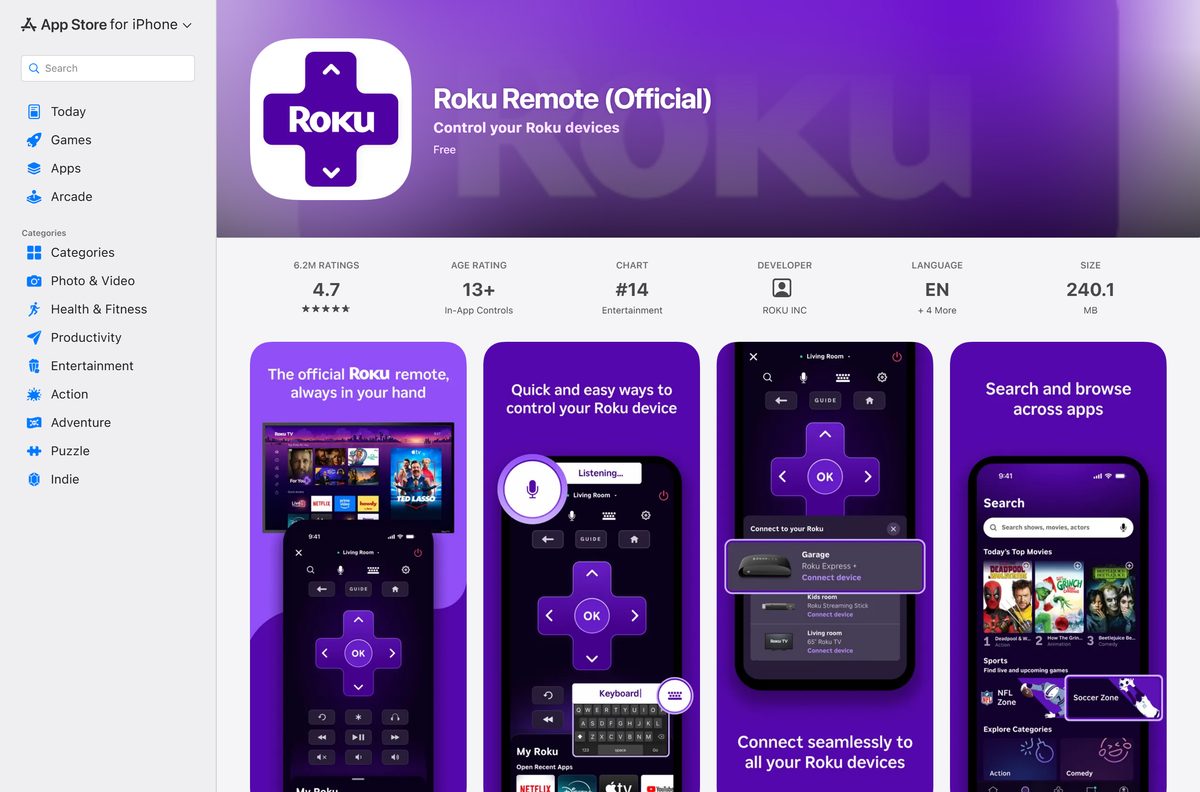
| iPhone or iPad | Roku Remote (Official) on the App Store | 240.1 MB; remote, voice search, private listening, casting |
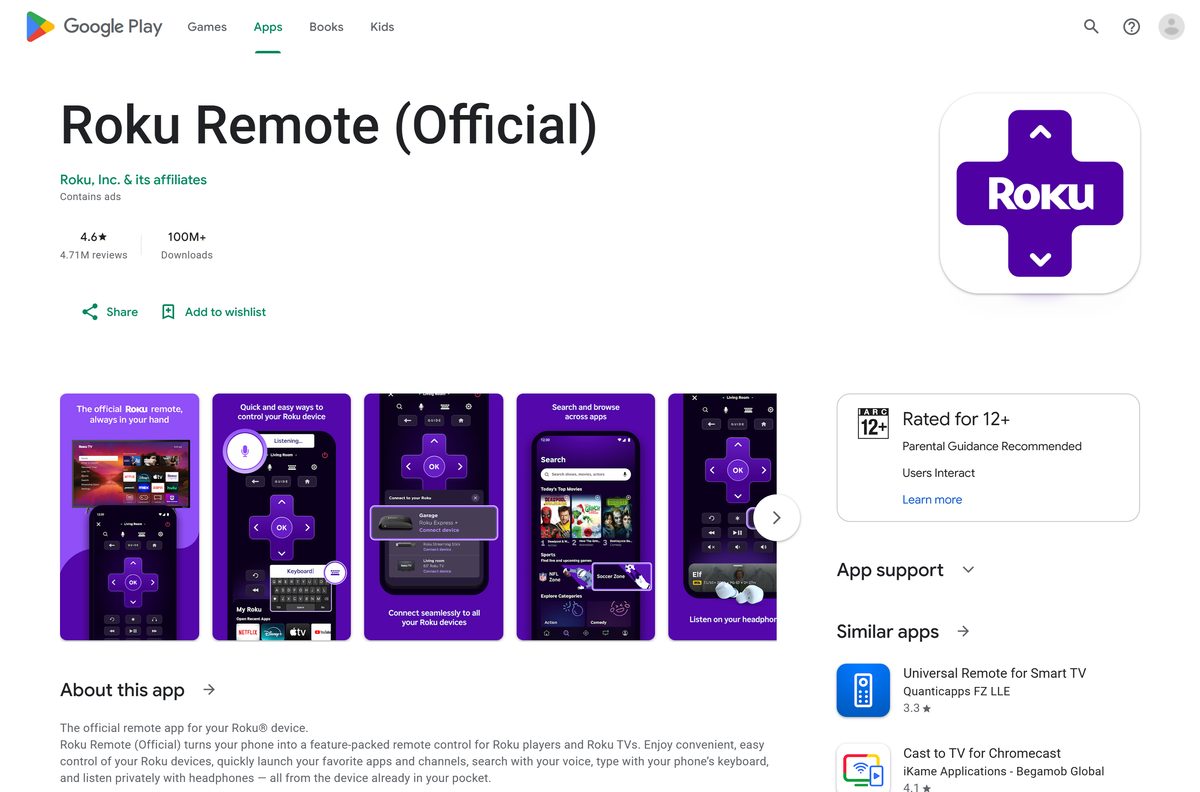
| Android phone or tablet | Roku Remote (Official) on Google Play | Free with ads; same remote features |
| Apple Watch | Roku Remote (Official) on the App Store | Installs alongside the iPhone app; watchOS 8.0 or later |
The remote features need a phone on the same Wi-Fi network as the Roku player. A PC or Mac cannot act as a Roku remote with any current Roku app.
Download the Roku app from the official links
Roku publishes the phone app under the name Roku Remote (Official). The developer line reads Roku, Inc. on both stores.
- The Roku Channel web player — Windows 11, Windows 10 and macOS, no download
- Roku Remote (Official) on the App Store — 240.1 MB · iPhone, iPad and Apple Watch, seller ROKU INC
- Roku Remote (Official) on Google Play — Android, 100M+ downloads, package com.roku.remote
- How to install the Roku remote app (Roku Support) — Roku’s own setup guide
Any site offering a Roku .exe or .dmg is not distributing a Roku product. Roku ships no installer file for Windows or macOS.
How to install The Roku Channel as an app on Windows 11 and 10
Microsoft Edge turns any website into a Start menu app with its own window. The steps below use Edge, which every Windows 11 and Windows 10 PC already has.
- Open Microsoft Edge and go to therokuchannel.roku.com.
- Select Settings and more (the three dots) in the top-right corner.
- Select More tools, then Apps, then Install this site as an app.
- Keep the suggested name or type Roku, then select Install.
- Go to edge://apps , select Details on the new app card, and select Pin to taskbar or Pin to Start.
- Launch the app and select the User icon to sign in with your Roku account.
- Open Live TV or Browse and pick something to play.
Signing in is optional for free titles. It lets you resume a show on your Roku player or phone where you stopped on the PC.
Install the Roku remote app on iPhone or Android
The phone app replaces a lost remote and adds a keyboard, voice search and headphone listening.
- Open the App Store listing on an iPhone, or the Google Play listing on Android.
- Confirm the developer reads ROKU INC or Roku, Inc. & its affiliates.
- Tap Get on iPhone or Install on Android.
- Connect the phone to the same Wi-Fi network as your Roku TV or player.
- Open the app and wait while it searches for Roku devices.
- Tap your Roku device in the list to connect.
- Tap the remote icon and use the buttons as you would the physical remote.
Roku requires a Roku device running Roku OS 6.2 or later for the app to pair.
Which Roku option works on your Mac?
The App Store lists the Roku phone app for iPhone, iPad and Apple Watch only, so it does not install on a Mac, even one with Apple silicon.
Chrome gives The Roku Channel its own Dock icon. Open the site, select More (the three dots), then Cast, save, and share, then Install page as app.
| You use | Do this | Result |
|---|---|---|
| Google Chrome on any Mac | Open The Roku Channel | Install page as app gives it a Dock icon and its own window |
| Microsoft Edge on a Mac | Open The Roku Channel | More tools, then Apps, then Install this site as an app |
| Safari | Open The Roku Channel | Watch in a tab; bookmark it for one-click access |
| A Mac as a Roku remote | Use the iPhone app instead | Roku offers no macOS remote |
Is the Roku app free?
Yes. Google Play lists Roku Remote (Official) at $0, the App Store lists it as free, and The Roku Channel streams its library free with ads. Google Play marks the app as containing ads, which pay for the free movies and live TV. Premium Subscriptions such as HBO Max or Sling are paid add-ons sold through The Roku Channel in the United States. Paid remote apps with Roku in the name, such as The Roku Mobile & Channel App from seller Bao Nguyen, come from other developers.
Should you install the old Roku app for Windows 10?
Roku once published its own Windows app, product ID 9WZDNCRDLM3T, as a remote and channel browser for Windows 10 laptops and tablets. Its last update in the Microsoft Store catalog is dated October 16, 2020.
No. Use The Roku Channel web app on the PC and the phone app as your remote. The Windows package is version 3.1.1.0, built for Windows 10 build 10240 on x86 and x64, and winget cannot find it. It controls a Roku player but plays nothing on the PC itself. Every other Roku remote in the Microsoft Store, such as QuickRemote for Roku or Roku Control, comes from a third-party publisher.
Roku’s Store listing still carries the old Roku publisher name. Treat it as retired software rather than a current download.
How to update the Roku app on your phone and computer
The Roku Channel on a PC or Mac updates itself each time it loads. Only the phone app needs a store update.
- On iPhone, open the App Store and tap your profile picture in the top-right corner.
- Scroll to the list of pending updates and tap Update next to Roku Remote (Official).
- On Android, open Google Play, tap your profile icon, then Manage apps & device.
- Tap Updates available and select Update next to the Roku app.
- On a PC or Mac, close and reopen The Roku Channel app to load the newest web build.
Check the Roku app requirements for your device
The App Store figure is the current minimum for iPhone. Roku’s older help pages still quote lower iOS versions.
| Field | Value |
|---|---|
| Software | Roku Remote (Official) and The Roku Channel |
| Developer | Roku, Inc. |
| Latest version | 14.1.2 on iPhone and iPad; The Roku Channel is web-based and auto-updating |
| License | Free, with ads |
| Download size | 240.1 MB on iPhone and iPad; nothing to download on PC or Mac |
| Supported OS | iOS 16.0, iPadOS 16.0, watchOS 8.0, Android (Play Protect certified); Windows 11, Windows 10 and macOS in a browser |
| Architecture | Any PC or Mac that runs Edge, Chrome or Safari, including Arm and Apple silicon |
| Roku device | Roku OS 6.2 or later, on the same Wi-Fi network as the phone |
| Regions | The Roku Channel web and mobile: United States, Canada, United Kingdom |
| Official download source | therokuchannel.roku.com, App Store, Google Play |
| Offline installer | No |
| Last verified | 2026-09-24 |
Fix the Roku app not connecting or not working
Most failures are network settings on the Roku device, not faults in the app.
The phone app cannot find or connect to the Roku TV
The Roku device blocks mobile control, or the phone sits on a different network.
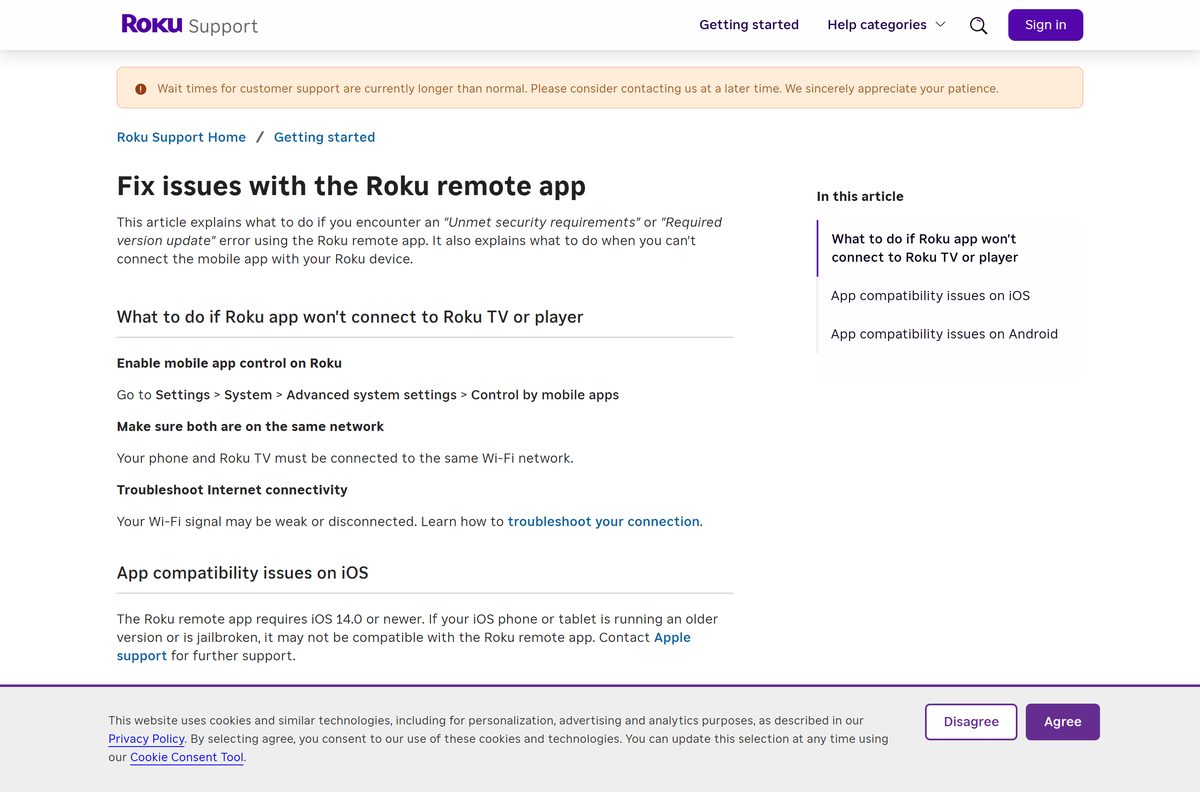
- On the Roku, go to Settings > System > Advanced system settings > Control by mobile apps and turn control on.
- Connect the phone to the same Wi-Fi network as the Roku, not a guest or mobile data connection.
- Close the app completely and open it again.
- Tap the Roku device in the list to reconnect.
iPhone shows Unmet security requirements or Required version update
The iPhone runs an old iOS release or is jailbroken.
- Open Settings > General > Software Update and install the latest iOS.
- Confirm the phone runs iOS 16.0 or later.
- Reinstall the app from the App Store.
Android says the app is not compatible with your device
The phone is rooted, runs uncertified software, or is not Play Protect certified.
- Open Google Play, tap your profile icon, then Settings > About, and check Play Protect certification.
- Update the Google Play Store and Google Play services.
- Restart the phone and clear the Play Store cache.
- Install the app again from Google Play only, not from an APK site.
The Roku Channel will not play on your computer
The web player serves only the United States, Canada and the United Kingdom.
- Turn off any VPN that places you in another country.
- Reload therokuchannel.roku.com in Edge, Chrome or Safari.
- Sign in with the User icon if a title asks for an account.
Roku’s fix guide covers further network checks for weak Wi-Fi.
How to uninstall the Roku app from Windows, Mac or your phone
Removing the app leaves your Roku account, subscriptions and Save List untouched.
- In Edge, go to edge://apps , select Details on the Roku card, and select Uninstall.
- Choose whether to clear app data, then select Uninstall again.
- In Chrome, open the installed app, select More, then Uninstall, then Remove.
- On iPhone, press and hold the app icon, tap Remove App, then Delete App.
- On Android, press and hold the icon and tap Uninstall.
Which Roku app should you use instead?
| App | Publisher | Best for |
|---|---|---|
| The Roku Channel web player | Roku, Inc. | Watching free movies and live TV on a PC or Mac |
| Roku Remote (Official) | Roku, Inc. | Controlling a Roku player from a phone |
| Roku Smart Home | Roku, Inc. | Roku’s smart home devices, not TV control |
| QuickRemote for Roku, Roku Control | Third-party developers | A Windows remote, without Roku’s own support |
Install Roku Remote (Official) for control and The Roku Channel for viewing. Third-party remotes rely on the same Control by mobile apps setting.
Frequently asked questions
Is the Roku app free to download?
Yes. Roku Remote (Official) is free on the App Store and Google Play, and The Roku Channel web player costs nothing on a PC or Mac. Ads pay for the free movies and live TV. Premium Subscriptions are optional paid add-ons.
What is the official Roku app download page?
The phone app comes from the App Store listing sold by ROKU INC or the Google Play listing from Roku, Inc. & its affiliates. On a computer, Roku points you to The Roku Channel at therokuchannel.roku.com, which installs as an app from Edge or Chrome.
Can I download the Roku app on Windows 11?
Yes. Open therokuchannel.roku.com in Microsoft Edge, then select More tools, Apps and Install this site as an app. The Roku Channel then opens from the Start menu in its own window, like any installed program on Windows 11 or Windows 10.
How big is the Roku app download?
The iPhone and iPad app is 240.1 MB on the App Store. Google Play does not display a size for Android. The Roku Channel on a PC or Mac needs no download, because Edge or Chrome installs it as a lightweight site app.
Is there a Roku offline installer or EXE for PC?
No. Roku ships no .exe, .msi or offline installer for Windows. The only Windows build Roku ever made was a Microsoft Store app last updated in October 2020. Any site offering a Roku setup file is not distributing a Roku product.
Is there a Roku app for Mac?
Roku makes no macOS app, and the App Store lists the phone app for iPhone, iPad and Apple Watch only. On a Mac, open The Roku Channel in Chrome and select Install page as app to give it a Dock icon and its own window.
Does the Roku app work on ARM64 laptops and Apple silicon Macs?
Yes. The Roku Channel runs in the browser, so Snapdragon Windows laptops, Intel Macs and Apple silicon Macs all play it the same way. Nothing needs emulation, because there is no native installer to translate.
Is the Roku app safe?
Yes, when it comes from Roku. Check that the App Store seller reads ROKU INC and the Google Play developer reads Roku, Inc. & its affiliates. Remote apps from other developers carry Roku in their names but are not made or supported by Roku.
What is the latest version of the Roku app?
Version 14.1.2 is the current iPhone and iPad release on the App Store. Google Play shows no version number and updates the Android app automatically. The Roku Channel on a PC or Mac is web-based and always loads the newest build.
Why won’t the Roku app connect to my TV?
The Roku device usually blocks mobile control or sits on a different network. On the Roku, open Settings, System, Advanced system settings, Control by mobile apps and turn it on, then put the phone on the same Wi-Fi.
Why won’t the Roku app install on my phone?
The App Store needs iOS 16.0 or later, and Google Play refuses phones that are rooted or not Play Protect certified. Update the phone first. A jailbroken iPhone fails Roku’s security checks even after the app installs.
Can I use my computer as a Roku remote?
Not with a current Roku app. Roku’s own Windows remote stopped receiving updates in 2020, and the Windows remotes in the Microsoft Store come from third-party developers. The Roku Remote (Official) phone app is the supported option.






