Power Automate for desktop is a free Microsoft download for Windows 11 and Windows 10, and Windows 11 already ships with it preinstalled. It records your mouse and keyboard, then replays those steps as a desktop flow across any Windows or web application.
This guide covers the official installer, the Microsoft Store route, silent deployment, what a free Microsoft account gets you, and fixes for the setup errors that stop most installs.
Which Power Automate download do you need?
Microsoft ships one app through two routes. Match your machine in the first column, then take the link beside it.
| Your machine | What to get | Why |
|---|---|---|
| Windows 11 PC | Search the Start menu first, then the Store listing | Windows 11 ships with the app preinstalled |
| Windows 10 PC with no admin rights | Microsoft Store listing | A standard Windows account is enough and updates are automatic |
| Work or managed PC, admin rights | Setup.Microsoft.PowerAutomate.exe, 453 MB | Adds the machine-runtime app and supports silent installation |
| Windows Server 2016, 2019, 2022 or 2025 | Setup.Microsoft.PowerAutomate.exe, 453 MB | Server editions are supported, multi-session Windows is not |
| ARM-based PC, Mac or Linux PC | No build exists, check the prerequisites | Devices with ARM processors are unsupported and macOS is not listed |
You cannot keep both routes on one machine. To switch, uninstall the build you have first.
Download Power Automate from the official Microsoft page
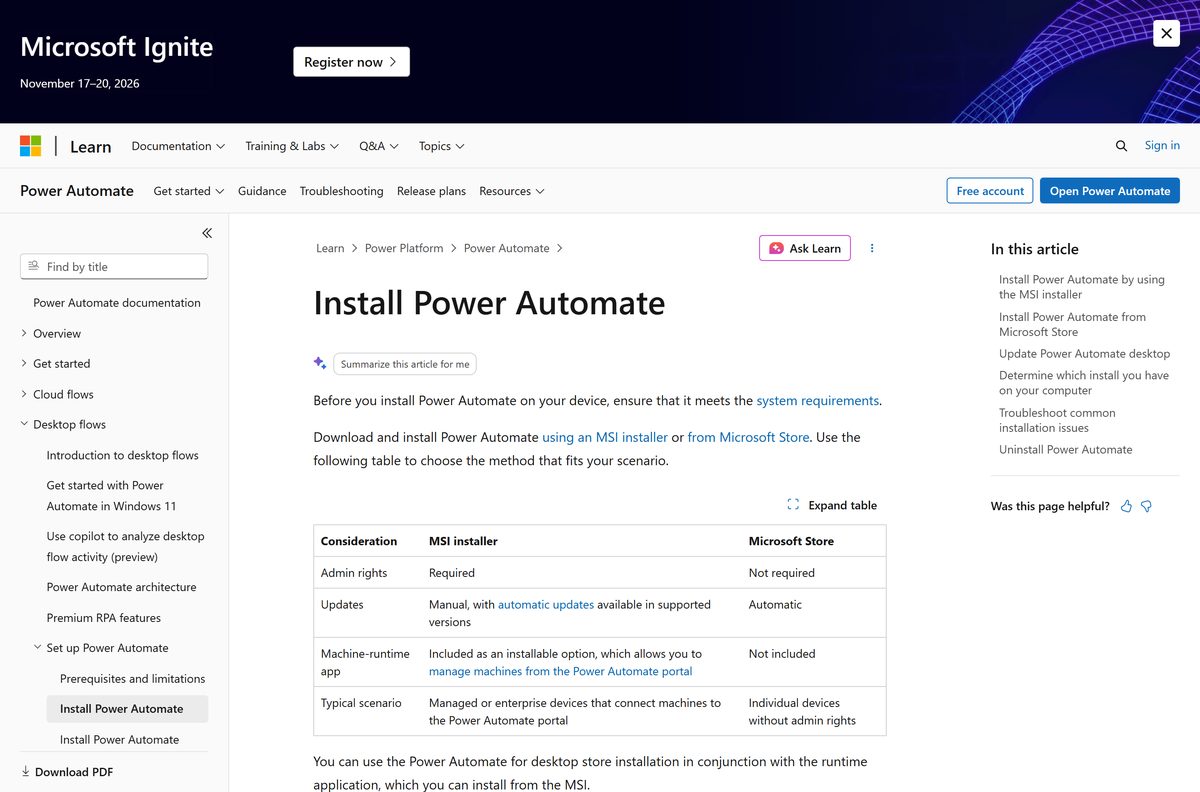
The installer link always serves the current release, so there is no version to pick. It resolves to a file on download.microsoft.com named Setup.Microsoft.PowerAutomate.exe.
- Setup.Microsoft.PowerAutomate.exe (MSI installer) — 453 MB · needs local admin rights
- Install guide on Microsoft Learn — the page the download button sits on
- Microsoft Store listing — no admin rights, automatic updates, no machine-runtime app
- Released versions table — build numbers and the regional rollout schedule
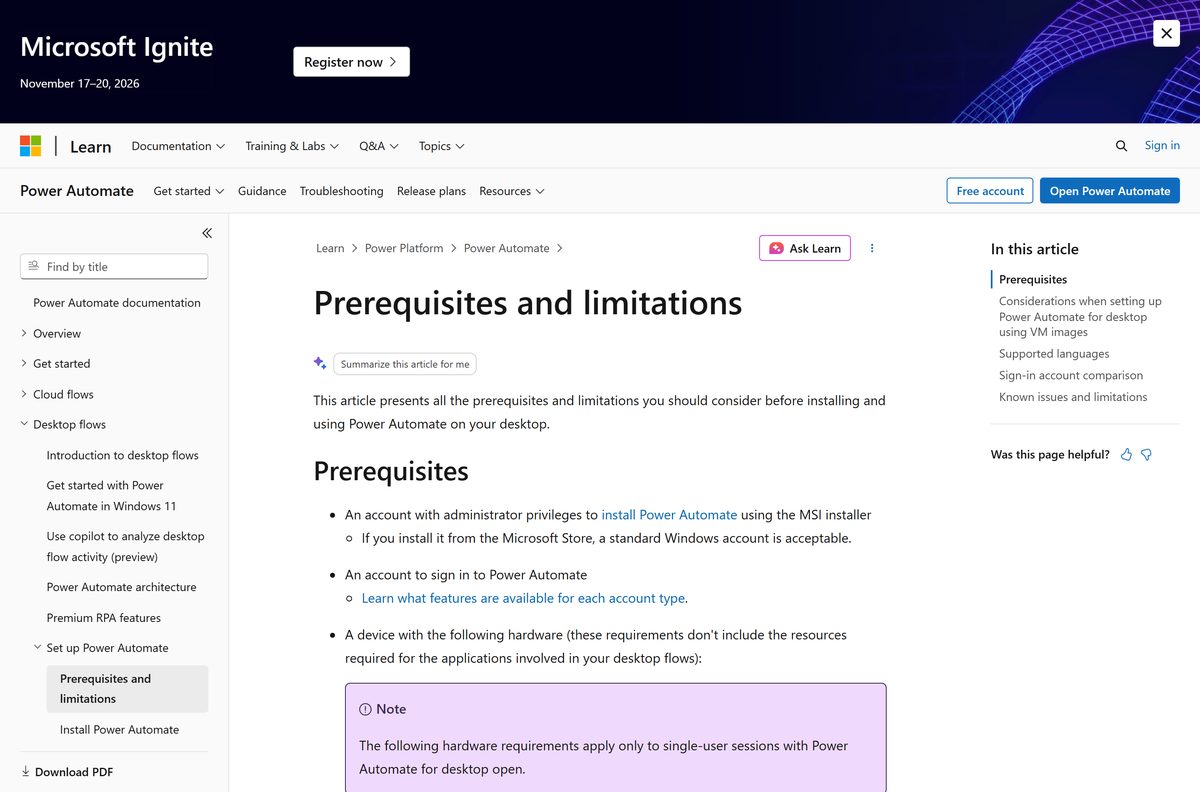
- Prerequisites and limitations — hardware, Windows editions and account comparison
If your browser saves a differently named file or bounces you to the Store, you clicked a Store link rather than the installer link. Go back to the install guide and use the direct download.
How to install Power Automate on Windows 11 and 10
The MSI route needs an account with administrator rights on the PC. Setup asks for three choices and a licence tick.
- Open the install guide on Microsoft Learn and select Download the Power Automate installer.
- Save Setup.Microsoft.PowerAutomate.exe to your Downloads folder.
- Double-click the file to start Power Automate for desktop setup.
- Leave Power Automate for desktop ticked. This is the app you build, edit and run flows in.
- Tick Machine-runtime app if you want the PC to connect to the Power Automate cloud for robotic process automation.
- Tick the option for UI automation in Java applets only if you automate Java software, and close every Java process before you continue.
- Tick the box to agree to the terms of use, then select Install.
- Search the Start menu for Power Automate and sign in with a Microsoft account or a work account.
From version 2.69 the setup also pulls down the .NET 10 runtime when the PC does not already have it, so keep the machine online during installation.
Install Power Automate from the Microsoft Store
The Store build is the route for a locked-down PC. It installs under a standard Windows account and updates itself.
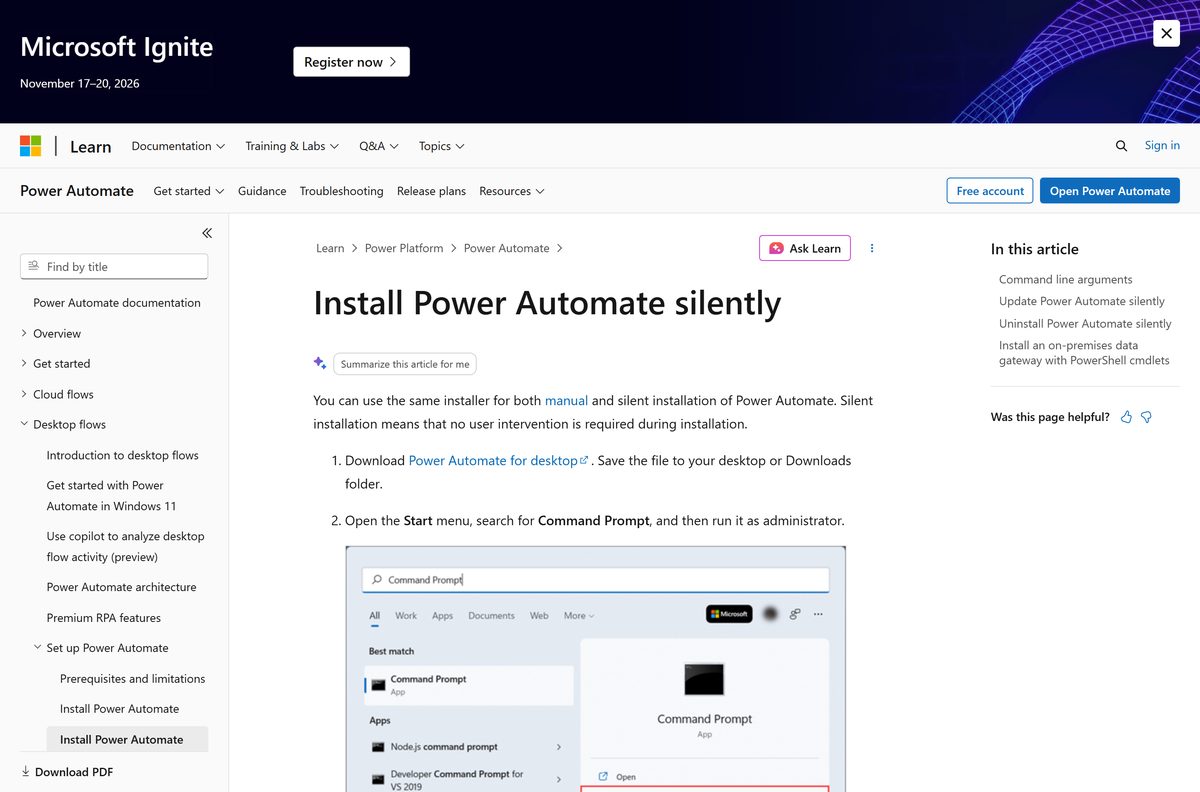
- Open the Microsoft Store listing in your browser.
- Select Download to hand the install to the Store app, or select View in Store to open the Store desktop experience first.
- Select Get, then wait for the Store to finish the install.
- Open the Start menu and select Power Automate to launch it.
- Sign in with a Microsoft account or a work or school account.
- Install the machine-runtime app separately from the MSI later if you need cloud-triggered flows.
Microsoft’s catalog lists the Store package at 1,105,666,707 bytes, but that figure covers the x86 and x64 builds together. Your PC downloads only the one that matches it.
How to install Power Automate silently on many PCs
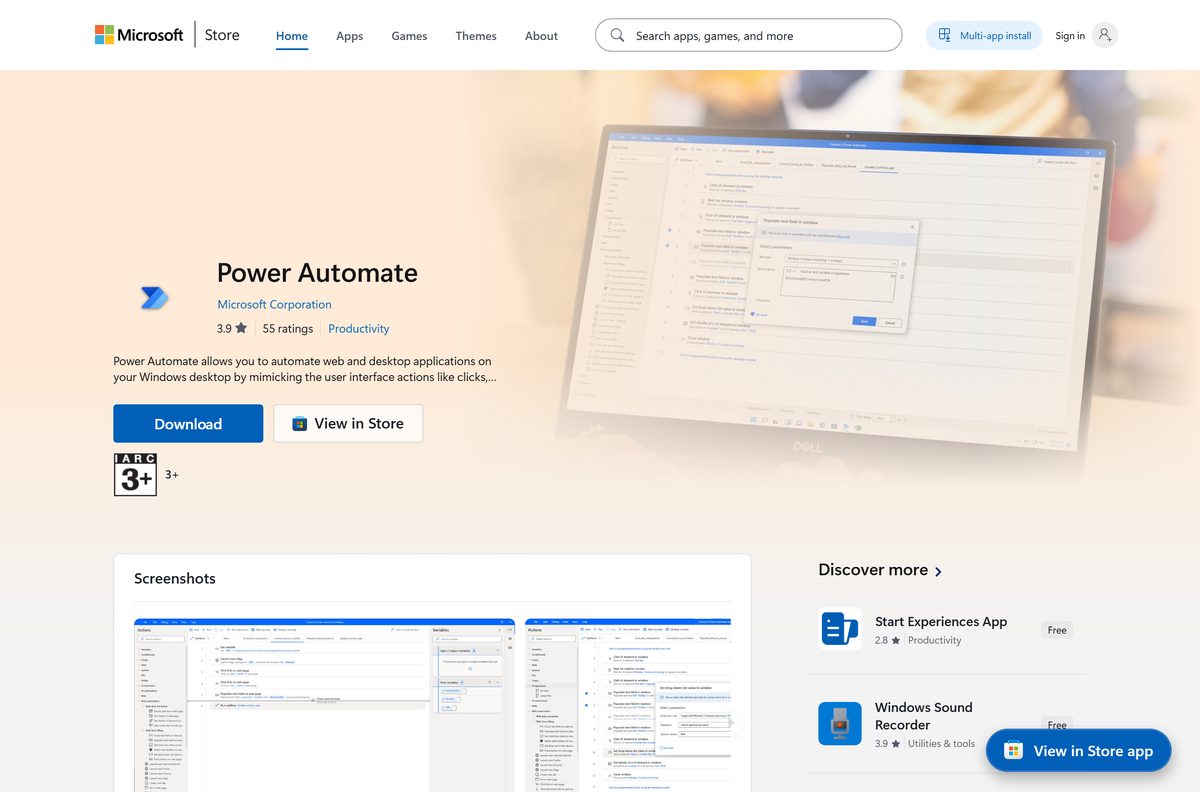
The same installer runs unattended. Open Command Prompt as administrator, change to the folder holding the file, then run the command below.
Setup.Microsoft.PowerAutomate.exe -Silent -Install -ACCEPTEULA The -ACCEPTEULA argument is mandatory and stands in for the licence tick. Add -INSTALLPATH: with a full path to move the app off the default %PROGRAMFILES(X86)%\Power Automate folder, -DONOTINSTALLMACHINERUNTIME to skip the runtime, -DISABLETURNONRDP to leave Remote Desktop alone and -SKIPINSTALLINGJAVAAUTOMATION to drop the Java files. Run Setup.Microsoft.PowerAutomate.exe -HELP for the full list, which is documented on the silent installation page.
Updating uses the same arguments, and settings chosen at install time stick through an update. Never bake the app into a base virtual machine image: machine registration data survives the clone, so install it on each machine after imaging.
Which Power Automate option works on a Mac?
There is no macOS build. Microsoft lists Windows 10, Windows 11 and Windows Server as the supported systems, and nothing else.
| What you have | What you can do | Limit |
|---|---|---|
| MacBook, iMac or Mac mini | Build cloud flows in a browser instead | Edge 80 or later, Chrome or Firefox; desktop flows stay on Windows |
| A Mac running 64-bit Windows in a virtual machine | Setup.Microsoft.PowerAutomate.exe | The supported system is the Windows edition, not the hardware brand |
| A Mac with Apple silicon | Check the prerequisites before you try | Devices with ARM processors are not supported |
| A Windows PC as well | Install on the PC and manage flows from any browser | Flows run where they were built |
Cloud flows in the browser cover connectors, approvals and scheduled runs. Recording clicks inside a desktop application is the part that needs Windows.
Is Power Automate free?
The app itself costs nothing, and neither does building or running desktop flows on your own PC.
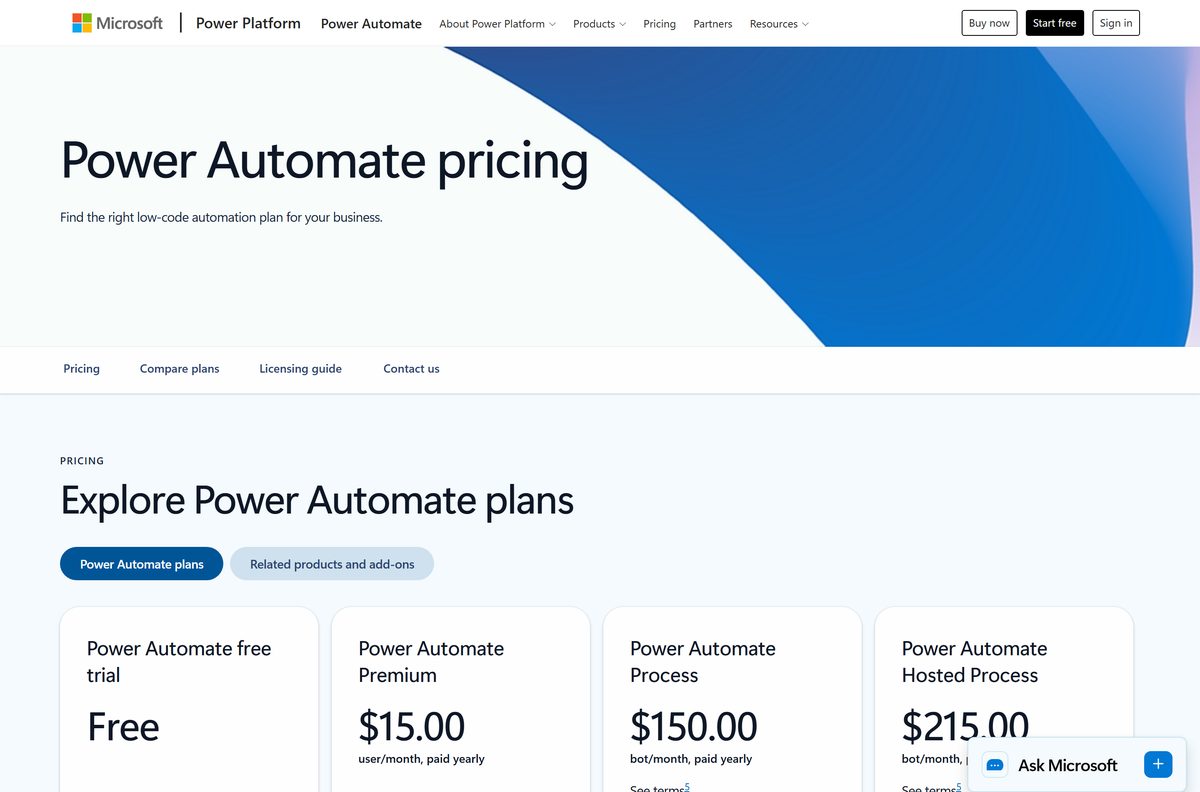
Download it free, and pay only when you need a flow to start without you. Microsoft states that using it with a Microsoft account is available at no extra cost, and the Store listing carries a list price of $0.00. Paid plans cover the cloud side: Power Automate Premium at $15.00 per user per month for cloud-triggered attended flows, Power Automate Process at $150.00 per bot per month for unattended runs, and Power Automate Hosted Process at $215.00 per bot per month when Microsoft supplies the machine. Any site charging for the installer is selling a file Microsoft gives away.
Which sign-in account should you use with Power Automate?
The download is identical either way. The account you sign in with decides where flows are stored and what they can trigger.
Use a personal Microsoft account for your own PC, and a work account once other people need the flow. A Microsoft account stores desktop flows on your OneDrive and gives you the recorder, the designer, more than 400 prebuilt actions and exception handling. It cannot connect to cloud flows, store flows in Dataverse or share them. A work or school account moves storage to the Dataverse database of the default environment, and an organization premium account adds cloud flow connectivity, sharing, central run logging and AI Builder.
Windows 10 Home and Windows 11 Home authorise, run and monitor desktop flows locally, but cannot trigger them from the cloud. That needs Pro, Enterprise or a Server edition.
How to check your Power Automate version and update it
Two builds share a Start menu tile, and they update differently. Find out which one you have before you chase an update.
- Open the app and select Help > About to read the installed version.
- Open Settings > Apps and look at the name in the list.
- Read Power Automate for desktop as the MSI build, and Power Automate without those last two words as the Store build.
- Leave the Store build alone. It updates through the Store on its own.
- On the MSI build at version 2.54 or newer, turn on automatic updates so the app patches itself.
- On older MSI builds, select Update when the app announces a new release, then run the downloaded installer with admin rights.
- Compare your number against the released versions table to see whether your region has the current build.
Releases reach regions in waves, so a newer number listed for another station is not a failed update. A flow saved in a newer build refuses to open in an older one, which matters when a team shares files.
Check that your PC meets the Power Automate requirements
The figures below cover the app with one user session open. Whatever software your flows drive needs its own headroom on top.
| Field | Value |
|---|---|
| Software | Power Automate for desktop |
| Developer | Microsoft Corporation |
| Latest version | Build 2609, released worldwide on September 17, 2026, shipping as installer version 2.72.183.26250 and Microsoft Store version 11.2609.183.0 |
| Price | Free to download and use; paid plans from $15.00 per user per month |
| File size | 453 MB (Setup.Microsoft.PowerAutomate.exe) |
| Supported OS | Windows 10 and Windows 11 (Home, Pro, Enterprise), Windows Server 2016, 2019, 2022 and 2025 |
| Architecture | One installer for 32-bit and 64-bit Windows; ARM processors are not supported |
| Processor | 1.00 GHz with two or more cores minimum, 1.60 GHz recommended; four cores for unattended mode |
| RAM | 2 GB minimum, 4 GB recommended |
| Storage | 1 GB minimum, 2 GB recommended |
| Framework | .NET Framework 4.7.2 or later, plus the .NET 10 runtime from version 2.69 |
| Browser | Microsoft Edge 80 or later, Google Chrome or Mozilla Firefox |
| Offline installer | No. The setup file downloads the .NET runtime when it is missing |
| Official download source | microsoft.com |
| Last verified | 2026-09-22 |
A multi-session host needs four cores, 4 GB of RAM and 2 GB of storage for the first session, then two cores and 4 GB for every extra session.
Fix Power Automate not installing on Windows 11 or 10
Work through the symptom that matches what you see on screen.
Setup closes with no error message
Almost always a rights problem or a leftover copy of the app.
- Right-click Setup.Microsoft.PowerAutomate.exe and select Run as administrator.
- Open Settings > Apps and remove any existing Power Automate entry.
- Restart the PC so the removal finishes, then run the installer again.
Installation fails with error code 1603
A permissions or registry fault on the machine.
- Confirm your account has administrator rights on this PC, not just on the domain.
- Close every running instance of the app and its background processes.
- Open Event Viewer and read the application log entry for the failed install.
- Run the installer again from an elevated Command Prompt.
A message says a .NET runtime failed to install
A firewall or proxy blocked the runtime download during setup.
- Check the PC can reach the .NET runtime addresses listed on the install guide.
- Install both the x64 and x86 runtime packages by hand. The x86 package is needed even on 64-bit Windows because some automation modules run in 32-bit mode.
- Run the installer again. Later releases stop trying to fetch the runtime once it is present.
The app will not start after installing
Either the install did not finish or the app cannot reach the service.
- Search the Start menu for Power Automate.
- Open Settings > Apps to confirm the entry is there. A Start menu tile with no entry means an incomplete install.
- Remove the leftover files and install again if the entry is missing.
- Check your network and proxy settings, since the app follows the Windows proxy configuration.
- Sign out of the app and sign back in.
How to uninstall Power Automate
Removal runs through Windows Settings, and the same entry covers both install routes.
- Open the Start menu and select Settings.
- Select Apps, then Installed apps.
- Search the list for Power Automate and select it.
- Select Uninstall and confirm.
- Restart the PC before installing the other build, since the MSI and Store versions cannot coexist.
- Run Setup.Microsoft.PowerAutomate.exe -Silent -Uninstall from an elevated Command Prompt instead when you are removing it across a fleet.
Flows built under a Microsoft account stay on your OneDrive, and flows built under a work account stay in Dataverse. Removing the app does not delete either.
Choose the right Power Automate plan for the job
Every tier below builds the same desktop flows. What changes is who or what starts them.
| What you need | Plan | Price |
|---|---|---|
| Automate your own PC while you watch | Power Automate for desktop with a Microsoft account | Free |
| Test cloud features before committing | Power Automate free trial | Free |
| Trigger attended desktop flows from the cloud | Power Automate Premium | $15.00 per user per month, billed yearly |
| Run flows unattended on your own machine | Power Automate Process | $150.00 per bot per month, billed yearly |
| Run flows unattended without supplying a machine | Power Automate Hosted Process | $215.00 per bot per month, billed yearly |
Start on the free tier. Nothing in a flow you build there has to be rewritten if you later move it to a paid plan.
Frequently asked questions
Is Power Automate free to download?
Yes. The app and the Microsoft Store listing both cost nothing, and Microsoft states that using it with a Microsoft account is available at no extra cost. Paid plans start at $15.00 per user per month and add cloud triggering.
Where is the official Power Automate download page?
The install guide on learn.microsoft.com carries the direct link to Setup.Microsoft.PowerAutomate.exe, which resolves to download.microsoft.com. The Microsoft Store listing at apps.microsoft.com is the second official route, and no other site is a source.
Does Power Automate work on Windows 11?
Yes, and Windows 11 ships with the desktop app preinstalled, so search the Start menu before downloading anything. Home, Pro and Enterprise editions are supported, as are Windows 10 and Windows Server 2016 through 2025.
How big is the Power Automate download?
The installer is 453 MB. Microsoft’s catalog lists the Store package at 1,105,666,707 bytes, but that number covers the x86 and x64 builds together, and your PC downloads only the matching one.
Is there an offline installer for Power Automate?
Not a complete one. The setup file is a single download you can copy to other machines, but from version 2.69 it fetches the .NET 10 runtime during installation when that runtime is absent.
Is there a Power Automate version for Mac?
No. Microsoft lists only Windows 10, Windows 11 and Windows Server editions as supported. On a Mac you can build cloud flows in Edge, Chrome or Firefox, but recording clicks inside desktop software needs Windows.
Does Power Automate run on ARM or 64-bit PCs?
It runs on both 32-bit and 64-bit Windows from one installer, which detects the architecture and installs the matching files. Devices with ARM processors are not supported, which rules out Windows on Arm laptops.
Is the Power Automate installer safe to download?
Yes, when it comes from the install guide or the Microsoft Store. The file is served from download.microsoft.com and signed by Microsoft. If a browser warns about it, check the address rather than turning protection off.
What is the latest Power Automate version?
Build 2609 went worldwide on 17 September 2026 as installer version 2.72.183.26250 and Store version 11.2609.183.0. Releases reach regions in waves, so the released versions table shows what your region has.
Why won’t Power Automate install on my PC?
The three common causes are missing administrator rights, an older copy still registered in Settings, and a blocked .NET runtime download. Run the installer as administrator, remove the old entry, then check the runtime addresses.