The official monday.com download installs the desktop app on Windows 11, Windows 10 and Mac, and it is free with a free-forever plan. Windows gets a 92.4 MB installer from monday.com, and the Mac app comes from the Mac App Store.
The desktop app opens your boards, docs and dashboards in their own window, away from browser tabs.
This guide covers which file to take, installing and signing in, the MSI package for IT teams, what the Free plan includes, and fixes for an app that will not load.
Which monday.com download do you need?
Match your device to a row. Every file and listing below is published by monday.com Ltd.
| Your device | Take this | Size |
|---|---|---|
| Windows 11 or 10 PC, one user | monday-win-latest.exe | 92.4 MB |
| Many Windows PCs, deployed by IT | monday-msi-latest.msi | 332.9 MB |
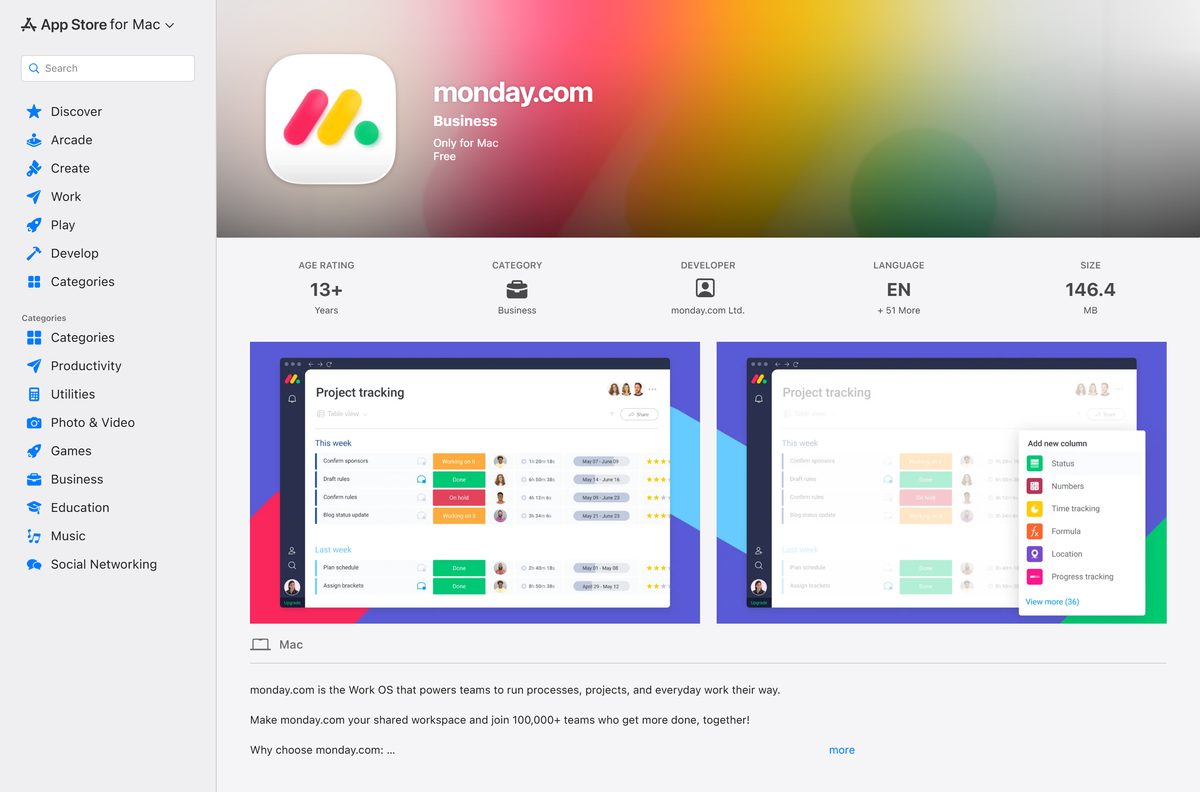
| Mac on macOS 12.0 or later | monday.com on the Mac App Store | 146.4 MB |
| Android phone or tablet | monday.com on Google Play | Listed in Google Play |
| iPhone or iPad | Search monday.com in the App Store | Listed in the App Store |
The Windows links always serve the newest build, so there is no older or newer file to choose between.
Download monday.com from the official links
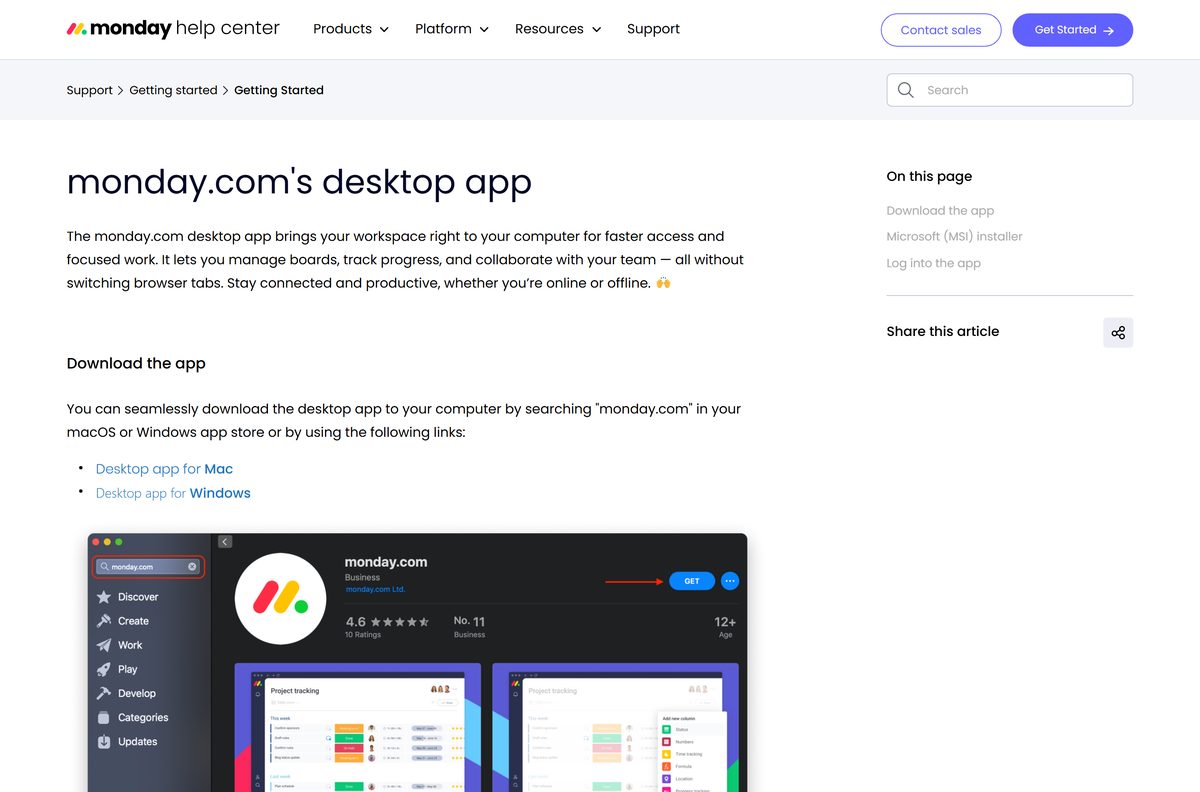
monday.com lists its desktop downloads in the Help Center rather than on a download page. The Windows files come straight from monday.com, and the Mac app installs through the App Store.
- monday.com for Windows (EXE) — 92.4 MB · standard installer
- monday.com for Windows (MSI) — 332.9 MB · per machine or per user
- monday.com for Mac — 146.4 MB · Mac App Store, macOS 12.0 or later
- monday.com desktop app article — the official source of all three links
Both Windows files are full installers. You can copy either one to another PC and run it without downloading again, but the app needs internet access to sign in and sync.
How to install monday.com on Windows 11 and 10
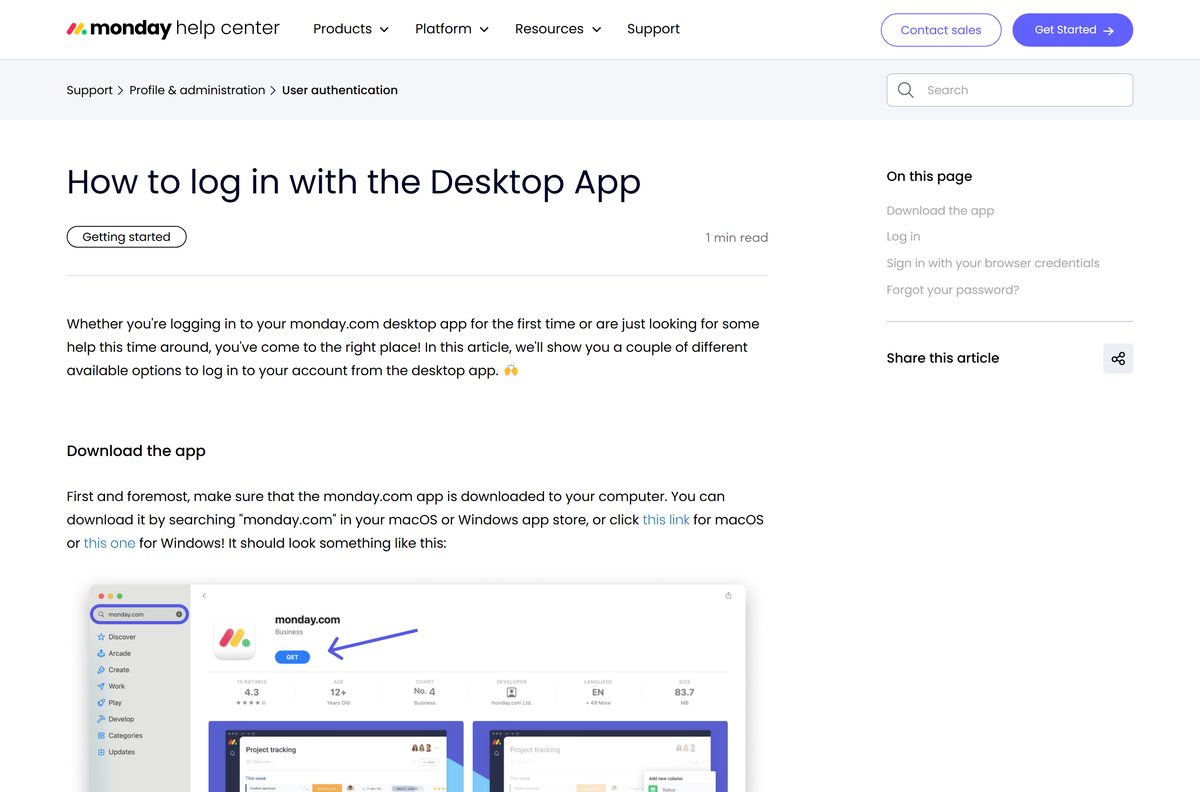
You need a monday.com account, or you can create one on monday.com before you start. Signing up starts a free 14-day Pro trial.
- Download monday-win-latest.exe from the official link above.
- Open the file from your browser’s downloads list.
- Select Yes if User Account Control asks to allow changes.
- Wait for the installer to finish and open the monday.com window.
- Enter the email address on your account, or select Google, Slack or LinkedIn.
- Type your account’s domain if the app asks, such as bestteamever for bestteamever.monday.com.
- Enter your password and select Log in.
- Or select Use Browser Login, sign in on the web and type the six-digit passcode into the app.
Forgot your account address? Select Forgot your account’s web address? and monday.com emails you the link.
Install monday.com on many PCs with the MSI package
monday.com offers an MSI installer so enterprise teams can install the desktop app on many computers with one command. During installation you choose a per-machine or per-user install. The MSI is Windows only; there is no equivalent package for Mac.
| Package | Size | Install scope | Starting command |
|---|---|---|---|
| monday-msi-latest.msi | 332.9 MB | Per machine or per user | msiexec /i monday-msi-latest.msi /qn |
| monday-win-latest.exe | 92.4 MB | Single PC | Double-click to run |
The msiexec command installs the app silently from an elevated Command Prompt. Test it on one PC before pushing it through Intune, Group Policy or another deployment tool.
The MSI is much larger than the EXE. Download it once to a network share rather than to each PC.
Which monday.com download do you need for your Mac?
Open the Apple menu and select About This Mac to see your macOS version. The Mac app installs only from the Mac App Store.
| Your Mac runs | Do this |
|---|---|
| macOS 12.0 Monterey or later | Get monday.com from the Mac App Store |
| macOS 11 Big Sur or earlier | Open monday.com in Safari or Chrome; the App Store build needs macOS 12.0 |
In the App Store, select Get, then Install, and open monday.com from Launchpad. Sign in with the same options as on Windows.
Is monday.com free?
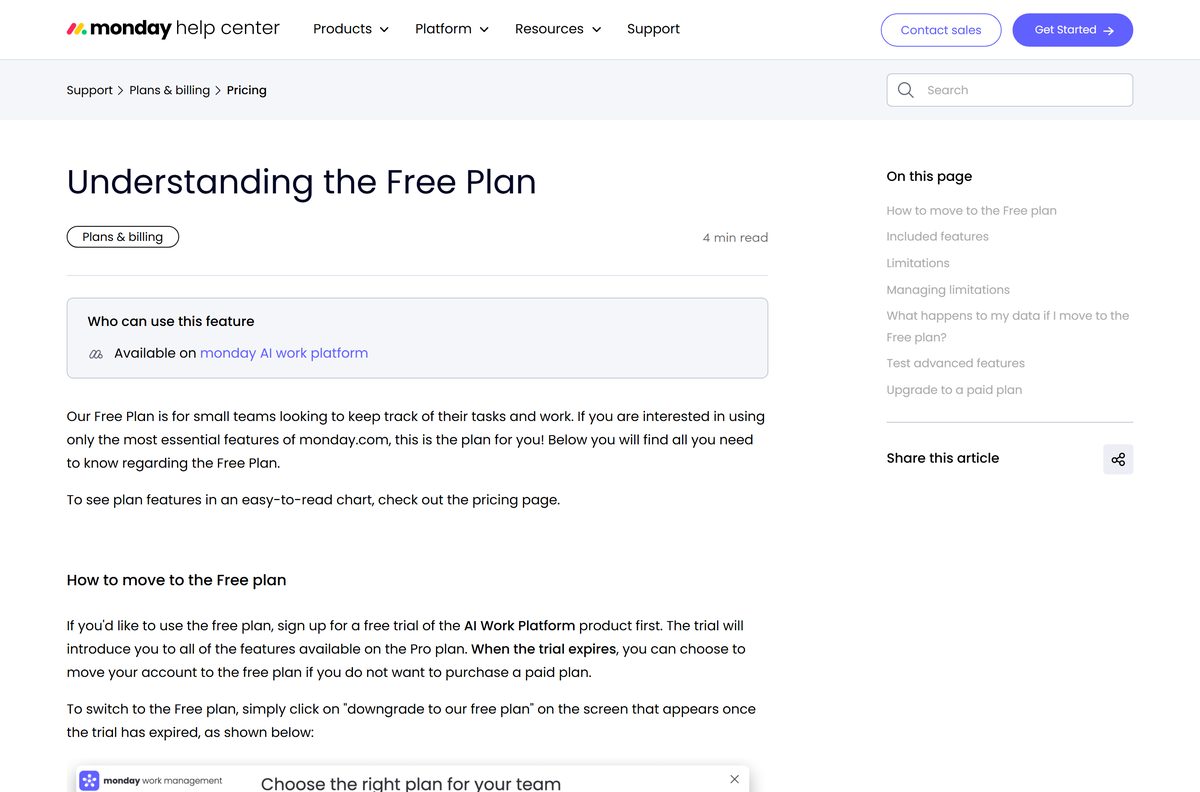
The app costs nothing, and the Free plan stays free forever for up to 2 seats. It allows 3 boards and starts you with 200 items, plus 100 more for each person you refer.
Paid work management plans are Basic at $9, Standard at $12 and Pro at $19 per seat per month, billed annually. Seats come in buckets that start at 3 and rise in multiples of 5, and Enterprise is priced by quote.
Every new account starts a 14-day Pro trial with no credit card. When it ends, you upgrade or select downgrade to our free plan; the trial cannot be extended.
Start on the free trial, then drop to the Free plan if you work alone or with one other person. The desktop app works on every plan, and the Free plan covers 2 seats and 3 boards without a time limit.
How to check your monday.com version and update it
monday.com recommends reinstalling the desktop app to make sure you run the latest build. The Mac App Store updates the Mac app for you.
- On Windows, close the monday.com app completely.
- Open Settings > Apps > Installed apps and uninstall monday.com.
- Download monday-win-latest.exe again from the official link.
- Run it and sign in; your boards live in your account, not on the PC.
- On a Mac, open the App Store and select Updates in the sidebar.
- Select Update next to monday.com if an update is listed.
Check the monday.com system requirements
monday.com publishes no minimum Windows version or hardware list for the desktop app. The Mac App Store listing sets the Mac minimum.
| Specification | Detail |
|---|---|
| Software | monday.com desktop app |
| Developer | monday.com Ltd. |
| Latest version | 1.0.45 (Mac App Store, January 22, 2026); the Windows link serves the newest build |
| License / price | Free app; Free plan for 2 seats; paid plans from $9 per seat per month, billed annually |
| Windows | Windows desktop installer; no minimum version published |
| macOS | macOS 12.0 or later |
| Mobile | iPhone, iPad and Android apps |
| Windows download size | 92.4 MB EXE; 332.9 MB MSI |
| Mac download size | 146.4 MB |
| Internet speed | 5 Mbps download or faster recommended |
| Official download source | support.monday.com desktop app article |
| Offline installer | Yes, the EXE and MSI; sign-in needs internet |
| Last verified | 2026-09-25 |
Fix monday.com desktop app not loading or signing in
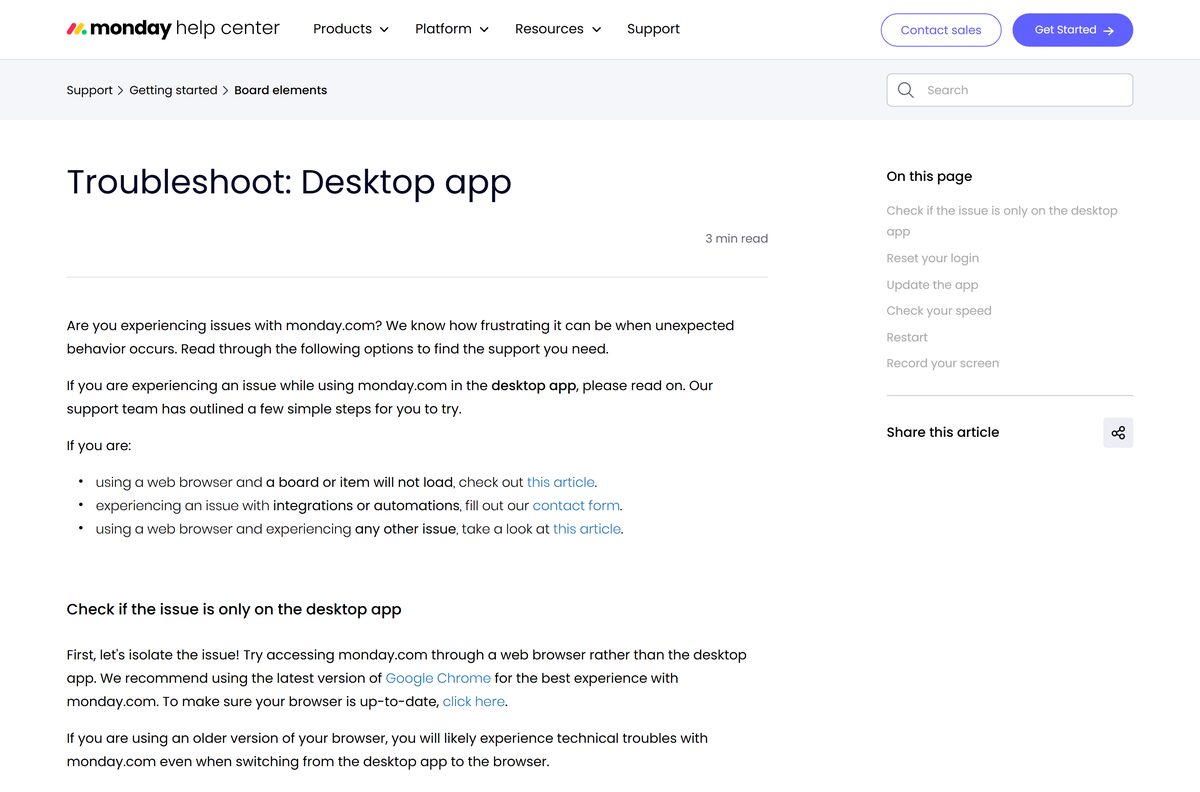
Start by checking whether the problem also happens in a browser. That tells you whether the app or your account is at fault.
Boards or items do not load in the app
An outage, or a problem with your connection.
- Open monday.com in the latest Google Chrome and try the same board.
- If it fails there too, check status.monday.com for a live incident.
- Run a speed test and confirm at least 5 Mbps download speed.
Everything works in the browser but not in the app
A stale session or an outdated app build.
- Sign out of the desktop app and sign back in with the same account.
- Uninstall the app and reinstall it from the official link to get the newest build.
- Exit the app, restart the computer and open it again.
The app will not accept your login
A password manager, SSO or a forgotten password.
- Select Use Browser Login and sign in through your web browser.
- Type the six-digit passcode from the browser into the app.
- Or select Forgot your password?, open the email and select Change your password.
Support asks for a console screenshot
Developers need the errors the app logs.
- Select View > Developer Console in the app’s menu bar.
- Click the Console tab, repeat the failing action and take a full screenshot.
How to uninstall monday.com
Removing the app does not delete your boards. They stay in your monday.com account and open again in a browser or on another device.
- Close the monday.com app completely.
- On Windows 11, open Settings > Apps > Installed apps.
- Select the three dots next to monday.com and choose Uninstall.
- On Windows 10, open Settings > Apps > Apps & features and uninstall it there.
- On a Mac, open Launchpad, hold the monday.com icon until it jiggles and select the X.
- Or drag monday.com from the Applications folder to the Trash.
Should you use monday.com in a browser or on your phone instead?
The desktop app is optional. The same account works in any current browser and in the iPhone, iPad and Android apps, so you can switch between them freely.
To get a phone app while signed in on a computer, click your profile picture and select Get mobile app, then scan the QR code.
Use the browser if your Mac is older than macOS 12.0 or the Windows app will not install; otherwise install the desktop app. monday.com recommends the latest Google Chrome for the web version, and the desktop app adds a dedicated window without changing any features of your plan.
Frequently asked questions
Is monday.com free?
Yes. The desktop app is free, and the Free plan stays free forever for up to 2 seats and 3 boards. Paid Basic, Standard and Pro plans start at $9 per seat per month billed annually, and every new account starts with a 14-day Pro trial.
What is the official monday.com download page?
The official links sit in the monday.com Help Center article on the desktop app at support.monday.com. It links the Windows installer, the Windows MSI package and the Mac App Store listing, all published by monday.com Ltd.
Does monday.com work on Windows 11?
Yes. The monday.com desktop app installs from the same EXE on Windows 11 and Windows 10. monday.com does not publish a minimum Windows version, so keep Windows fully updated before you install it.
How big is the monday.com download?
The Windows EXE installer is 92.4 MB and the MSI package for deployment is 332.9 MB. The Mac App Store lists the Mac app at 146.4 MB.
Is there a monday.com offline installer?
The Windows EXE and MSI are full installers, so you can copy either one to another PC and install it there. The app still needs an internet connection to sign in and load your boards.
Is monday.com available for Mac?
Yes. The Mac app comes from the Mac App Store, is free, and requires macOS 12.0 or later. Search for monday.com in the App Store or open the listing from the monday.com Help Center.
Does monday.com support 64-bit and ARM64 Windows?
monday.com does not state a CPU architecture for its Windows installer. If the desktop app will not install on your PC, open monday.com in Microsoft Edge or Google Chrome, which works on any Windows device.
Is monday.com safe to download?
Yes, when you download it from monday.com or the Mac App Store. monday.com Ltd. publishes both, and the installer links in its Help Center point to files on monday.com itself. Avoid copies from download portals.
What is the latest version of monday.com?
The Mac App Store lists version 1.0.45, released January 22, 2026. The Windows link always serves the newest build, and reinstalling from it is the way monday.com recommends updating the app.
Why won’t the monday.com desktop app load my boards?
First open monday.com in a browser. If boards fail there too, check status.monday.com for an outage. If the browser works, sign out of the app and back in, reinstall it, and confirm a download speed of at least 5 Mbps.
Can I sign in to the monday.com app with Google?
Yes. The login screen accepts an email and password, Google, Slack or LinkedIn. You can also select Use Browser Login and type the six-digit passcode your browser shows back into the app.
Is there a monday.com app for iPhone and Android?
Yes. monday.com publishes free apps in the Apple App Store and Google Play under the name monday.com. Android devices need access to the Google Play Store to install it.