The Docker Compose download is free. On Windows 11, Windows 10 and Mac it arrives inside Docker Desktop, and Docker also publishes a standalone binary for every platform under the Apache License 2.0.
Compose reads a compose.yaml file and starts the whole stack with one command, so a database, an API and a front end come up together.
This guide covers the right route for your machine, the Windows and Mac setups, the Linux plugin, checksum checks, updates, install fixes and a clean removal.
Which Docker Compose download do you need?
Two routes exist. Docker Desktop installs the engine, the CLI and the Compose plugin together, which is what a desktop machine needs. The standalone binary suits a server or a build agent that already has Docker Engine.
| Your machine | Take this route | Download | Size |
|---|---|---|---|
| Windows 11 or 10 on Intel or AMD | Docker Desktop, plugin included | Docker Desktop Installer.exe, x86_64 | 596.2 MB |
| Windows 11 on an Arm processor | Docker Desktop, early access build | Docker Desktop Installer.exe, Arm64 | 549.7 MB |
| Mac with an Apple silicon chip | Docker Desktop for Apple silicon | Docker.dmg, Apple silicon | 559.0 MB |
| Mac with an Intel processor | Docker Desktop for Intel | Docker.dmg, Intel | 614.6 MB |
| Linux that already runs Docker Engine | The plugin package from Docker’s repository | docker-compose-plugin | 30.8 MB installed |
| Windows Server or a CI runner, no desktop | The standalone executable | docker-compose-windows-x86_64.exe | 31.5 MB |
Open Settings, select System then About, and read System type to see whether your PC is x64 or Arm.
Download Docker Compose from Docker’s own pages
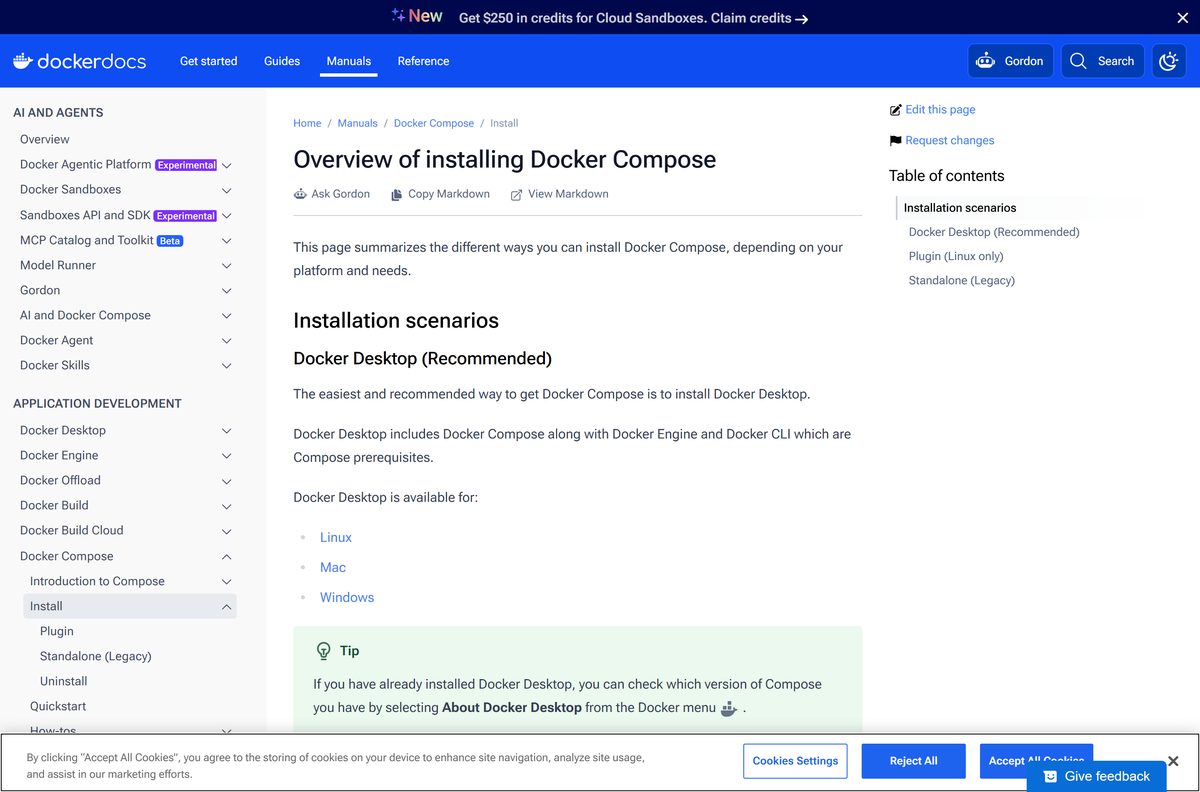
Docker hosts the plugin packages on its documentation site and every release binary in the docker/compose repository. Nothing else is an official source.
- Install Docker Compose (Docker documentation) — the hub page for every install route
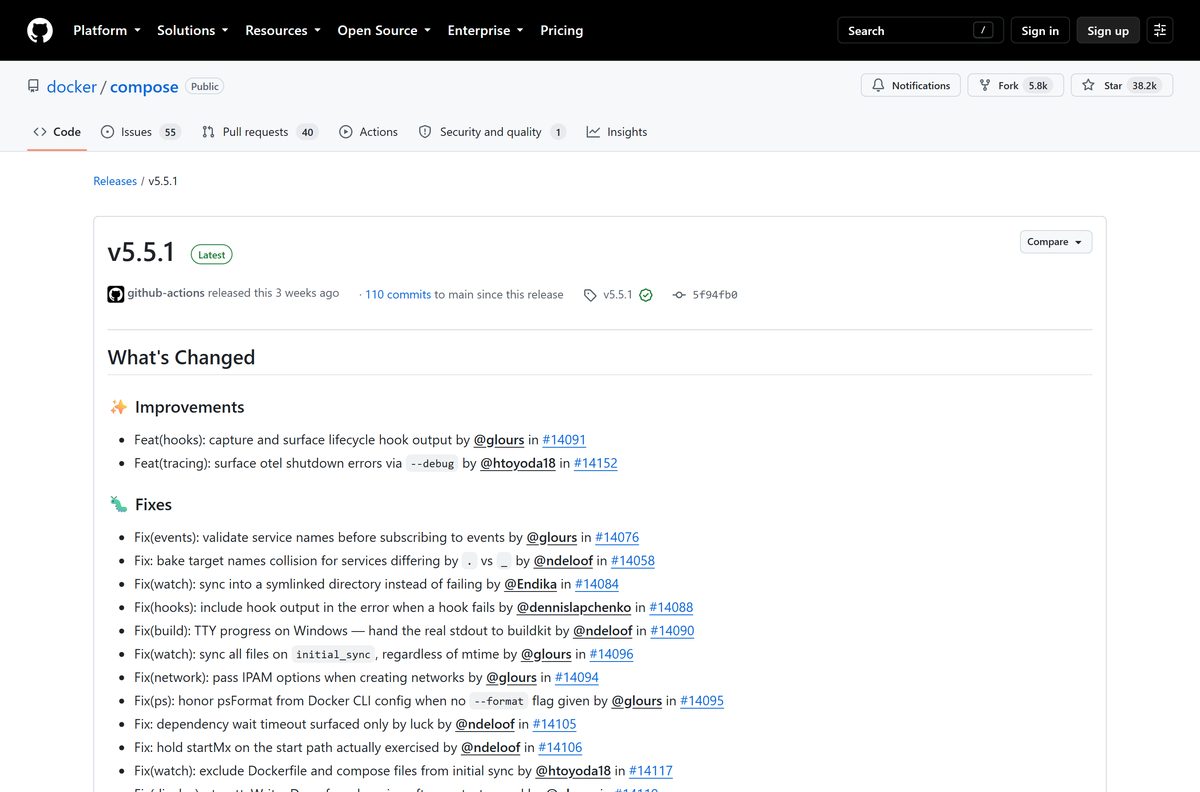
- Compose releases, binaries and checksums — 11 platform binaries plus checksums.txt per release
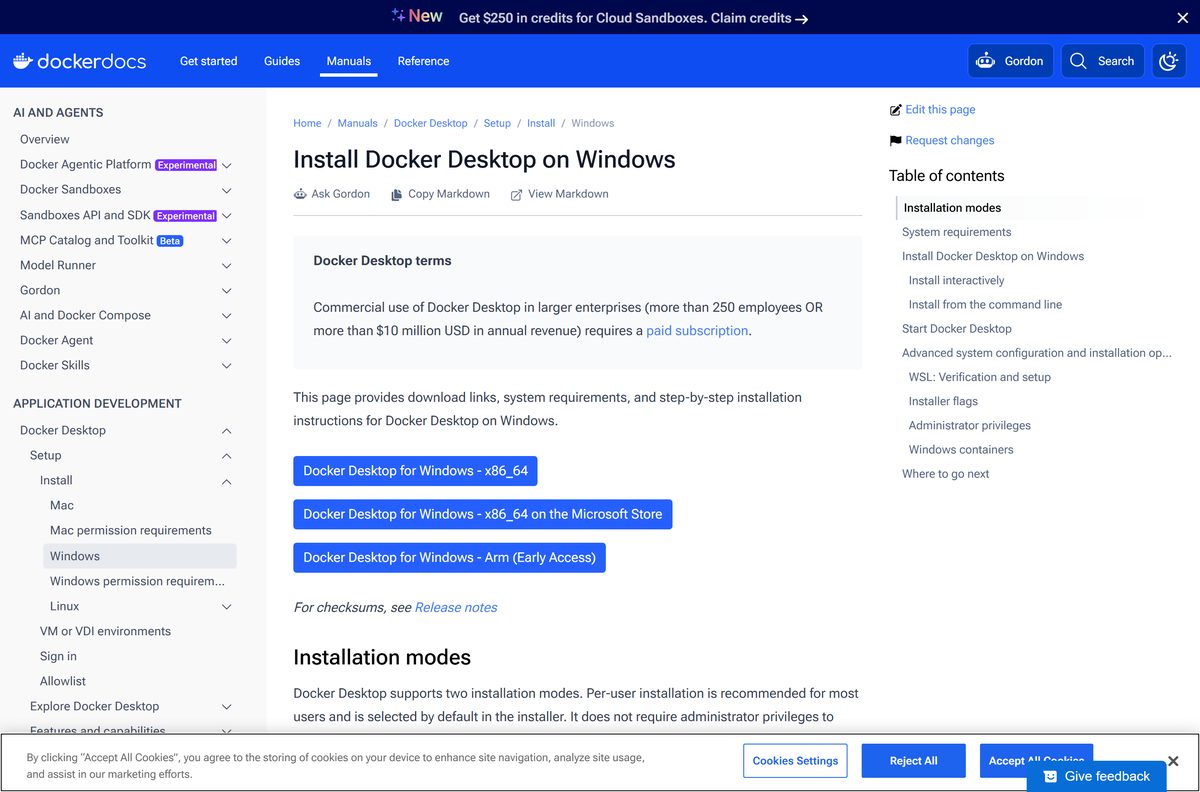
- Docker Desktop for Windows install guide — x86_64 and Arm installers, requirements, silent flags
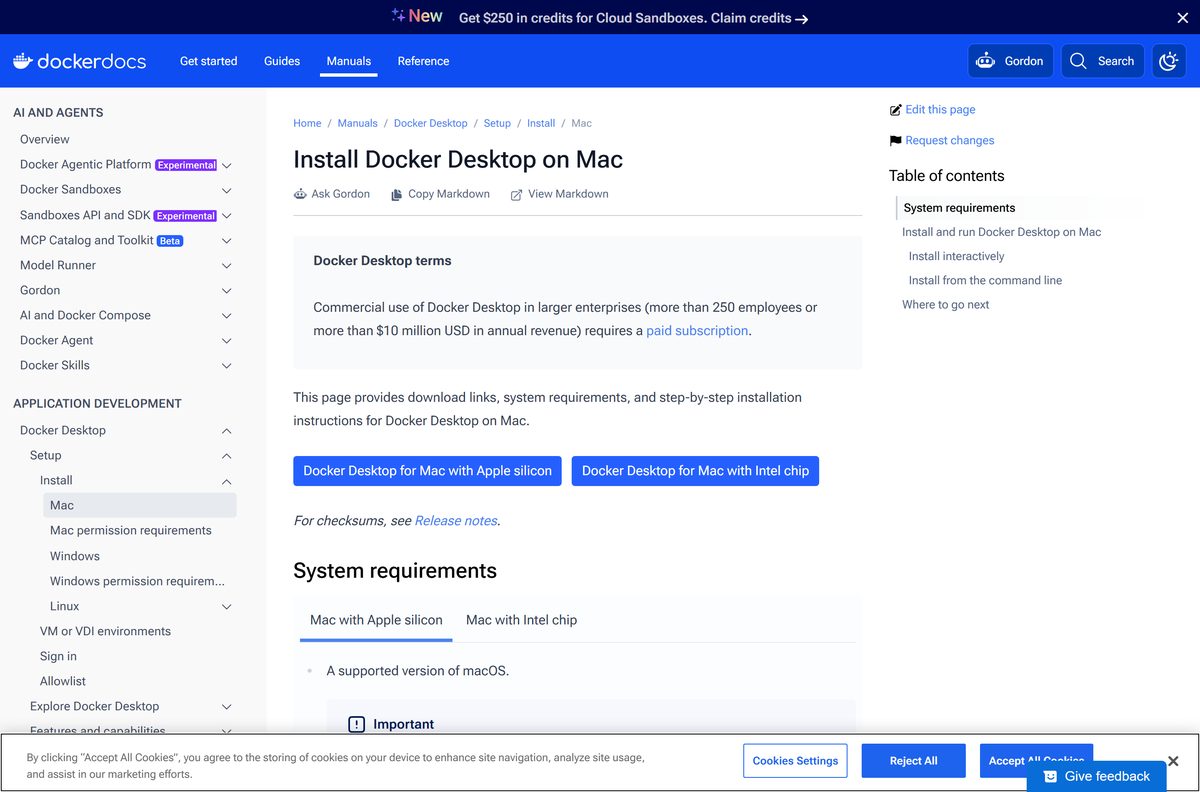
- Docker Desktop for Mac install guide — Apple silicon and Intel disk images
- Compose plugin for Linux — apt-get and yum packages, plus the manual plugin install
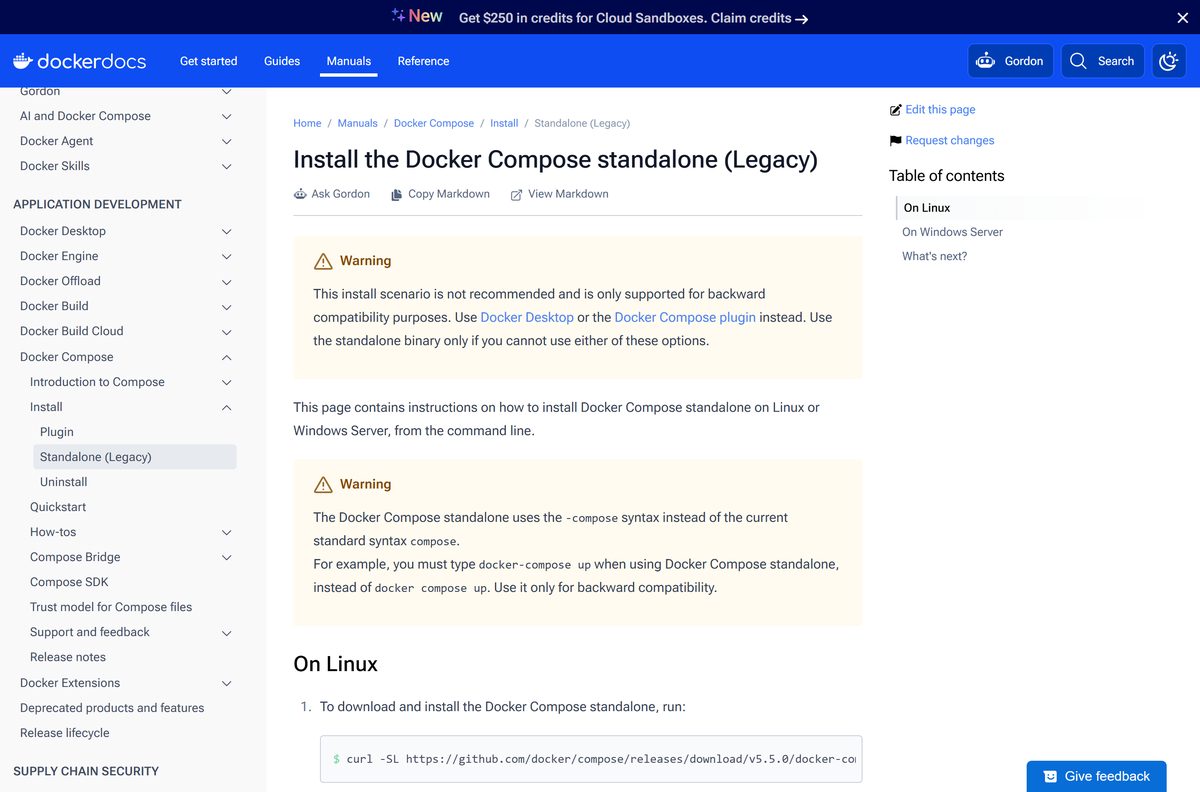
- Standalone install (legacy) — Windows Server and Linux, backward compatibility only
Already on the desktop route? The full walkthrough sits in the Docker Desktop download guide.
How to install Docker Compose on Windows 11 and 10
Docker Desktop carries the plugin, so a single setup puts the docker compose command on your PATH. Check the edition first: Docker supports Enterprise, Pro and Education.
- Open Settings, select System then About, and confirm Windows 11 23H2 build 22631 or higher, or Windows 10 22H2 build 19045.
- Turn on the Windows Subsystem for Linux feature, then update WSL to version 2.1.5 or later.
- Open the Docker Desktop install guide and download Docker Desktop Installer.exe for your processor.
- Double-click the file in your Downloads folder and approve the prompt.
- Choose the per-user install, which writes to %LOCALAPPDATA%\Programs\DockerDesktop and needs no administrator rights.
- Leave the WSL 2 backend selected unless you plan to run Windows containers, which need the all-users install.
- Select Close when setup finishes, launch Docker Desktop from the Start menu and accept the Docker Subscription Service Agreement.
- Open PowerShell and run docker compose version to confirm the plugin loaded.
Hardware virtualization has to be on in the BIOS or UEFI, and the machine needs 8 GB of RAM and a 64-bit processor with SLAT.
Install Docker Compose on Linux from Docker’s package repository
There is no Microsoft Store listing for the plugin on its own. On Linux, the package manager route keeps Compose in step with Docker Engine updates.
- On Ubuntu or Debian, run sudo apt-get update .
- Run sudo apt-get install docker-compose-plugin to add the plugin.
- On CentOS, Fedora or RHEL, run sudo yum update followed by sudo yum install docker-compose-plugin .
- Run docker compose version to confirm the shell picked it up.
- Prefer a manual install? Run DOCKER_CONFIG=${DOCKER_CONFIG:-$HOME/.docker} and then mkdir -p $DOCKER_CONFIG/cli-plugins .
- Fetch the Linux binary with curl -SL and save it as $DOCKER_CONFIG/cli-plugins/docker-compose .
- Run chmod +x $DOCKER_CONFIG/cli-plugins/docker-compose so the CLI can execute it.
- To cover every account on the host, use /usr/local/lib/docker/cli-plugins as the destination instead.
The exact curl line and the per-architecture file names sit on the Linux plugin page.
Install Docker Compose on Windows Server without Docker Desktop
Windows Server hosts and build agents cannot run Docker Desktop. Docker’s answer is the standalone executable, dropped beside the Docker CLI.
Start-BitsTransfer -Source “https://github.com/docker/compose/releases/download/v5.5.1/docker-compose-windows-x86_64.exe” -Destination $Env:ProgramFiles\Docker\docker-compose.exe Run it in an elevated PowerShell window, then check the result with docker-compose.exe version . On older Windows Server builds, run [Net.ServicePointManager]::SecurityProtocol = [Net.SecurityProtocolType]::Tls12 first.
Docker’s standalone page pins an earlier tag in its sample command. Swap the tag for the release you want and the command still works.
How to verify the Docker Compose binary you downloaded
Docker publishes a SHA256 hash beside every release file, plus one checksums.txt covering the whole set. A two-minute check rules out a corrupt or swapped file.
- Open the release page and find the file you took.
- Download the matching .sha256 file, or open checksums.txt for every hash in one list.
- On Windows, run Get-FileHash .\docker-compose-windows-x86_64.exe -Algorithm SHA256 in PowerShell.
- On Mac or Linux, run shasum -a 256 docker-compose-darwin-aarch64 in a terminal.
- Compare the output with the published hash, character for character.
- Delete the file and fetch it again from the releases page if the two differ.
- Check the address bar before you click: release assets come from the docker/compose repository and nowhere else.
Each release also ships provenance and SBOM attestations next to the binaries, which is what a supply-chain audit asks for.
Run Docker Compose without installing Docker Desktop
The release binary is a single self-contained file. Drop it on a USB stick or a locked-down server and it runs with no installer and no registry entries.
- Open the releases page and download the file for your platform.
- On Windows, rename it to docker-compose.exe and put it in a folder you control.
- Add that folder to your Path through Advanced system settings so any shell finds it.
- On Mac or Linux, copy the file to /usr/local/bin/docker-compose .
- Run chmod +x /usr/local/bin/docker-compose to make it executable.
- Run docker-compose version to confirm the binary loads.
- Point it at a Docker Engine, local or remote, because Compose orchestrates containers rather than running them itself.
The standalone file keeps the hyphenated docker-compose spelling. Docker supports that spelling for backward compatibility only.
Which Docker Compose download do you need for your Mac?
Click the Apple menu and select About This Mac to read your chip. Docker Desktop is supported on the current macOS release and the two previous major releases.
| Your Mac | Download | Size |
|---|---|---|
| Apple silicon, M1 through M4 | Docker.dmg for Apple silicon | 559.0 MB |
| Intel processor | Docker.dmg for Intel | 614.6 MB |
| Apple silicon, CLI only, engine elsewhere | docker-compose-darwin-aarch64 | 29.1 MB |
| Intel Mac, CLI only, engine elsewhere | docker-compose-darwin-x86_64 | 31.2 MB |
The disk image installs to /Applications/Docker.app . A scripted setup runs sudo hdiutil attach Docker.dmg , then sudo /Volumes/Docker/Docker.app/Contents/MacOS/install .
Is Docker Compose free?
The tool and the wrapper have separate licences, and that is where the confusion starts.
Yes. Compose is free and open source under the Apache License 2.0, on every platform and for any use. Docker Desktop, the usual way to get it on Windows and Mac, carries the other licence. It stays free under Docker Personal for personal use, education, non-commercial open source projects and small businesses with fewer than 250 employees and under $10 million in annual revenue. Above either threshold, a paid subscription applies: Pro at $11, Team at $16 and Business at $24 per user each month. The plugin and the standalone binary cost nothing either way, so a Linux host with Docker Engine pays nothing at all.
Anything charging for the binary itself is not Docker. Pricing lives on the Docker pricing page, and the licence terms sit in the Docker Desktop licence agreement.

Should you run docker compose or docker-compose?
Both spellings still appear in tutorials, and they are different programs.
Use docker compose , the plugin, unless a script you cannot edit calls the hyphenated command. Compose v1 launched in 2014 as a Python program and used docker-compose . The 2020 rewrite in Go turned it into a Docker CLI plugin invoked as docker compose , and the supported CLI versions today are Compose v2 and Compose v5. The plugin ignores the version element at the top of a compose.yaml file and follows the Compose Specification instead, so old files still load. The hyphenated standalone binary exists for backward compatibility and gets no new features.
How to check your Docker Compose version and update it
Each release lands on the same page, and the upgrade path depends on how the plugin got onto the machine.
- Open PowerShell, Terminal or any shell and run docker compose version .
- Compare the number with the top entry on the releases page.
- On Windows or Mac, open Docker Desktop and go to Settings, then Software updates.
- Select Download update, then Install and restart, because a desktop update carries the current plugin with it.
- On Ubuntu or Debian, run sudo apt-get update and then sudo apt-get install docker-compose-plugin .
- On a manual plugin install, download the new binary over $DOCKER_CONFIG/cli-plugins/docker-compose and run chmod +x again.
- Run docker compose version once more and confirm the number changed.
Docker Desktop 4.92.0, released on 21 September 2026, ships the current plugin build.
Check the Docker Compose system requirements before you download
Compose itself is a small binary. The requirements that matter belong to the engine underneath it.
| Item | Detail |
|---|---|
| Software | Docker Compose |
| Developer | Docker, Inc. |
| Latest version | v5.5.1, published 3 September 2026 |
| License | Apache License 2.0, free. Docker Desktop is free for personal use and small businesses |
| Download size | 31.5 MB standalone Windows binary, or 596.2 MB for Docker Desktop on x86_64 |
| Windows | Windows 11 23H2 build 22631 or higher, or Windows 10 22H2 build 19045, in Enterprise, Pro or Education |
| macOS | The current release and the two previous major releases, with 4 GB of RAM |
| Hardware | 64-bit processor with SLAT, 8 GB system RAM, virtualization enabled in BIOS or UEFI |
| WSL | Version 2.1.5 or later on Windows, and 2.6 or later for Enhanced Container Isolation |
| Architecture | x86_64 and aarch64 on Windows and Mac; seven architectures on Linux |
| Official download source | docs.docker.com |
| Offline installer | Yes, every release binary is self-contained |
| Last verified | 2026-09-22 |
What Docker Compose can do once it is installed
The plugin adds a set of subcommands under docker compose . These are the ones a project uses daily.
| Command | What it does |
|---|---|
| docker compose up | Create and start containers |
| docker compose down | Stop and remove containers and networks |
| docker compose ps | List containers |
| docker compose logs | View output from containers |
| docker compose build | Build or rebuild services |
| docker compose watch | Watch the build context and rebuild containers when files change |
| docker compose config | Parse, resolve and render the compose file in canonical format |
| docker compose ls | List running compose projects |
| docker compose version | Show the version information |
A compose.override.yaml beside your compose.yaml is merged in automatically. Use -f to name other files, and read the merge rules before you split a project.
Fix Docker Compose not installing or running on Windows 11 and 10
Almost every failure traces back to the engine, the WSL layer or the working directory.
docker: ‘compose’ is not a docker command
The CLI cannot see the plugin, usually because only the engine is installed.
- Run docker –version to confirm the CLI itself is present.
- Run docker compose version and note whether the error names the plugin or the CLI.
- On Linux, install the package with sudo apt-get install docker-compose-plugin .
- On a manual install, confirm the file sits at $DOCKER_CONFIG/cli-plugins/docker-compose and is executable.
- Close the shell and open a new one so it reloads the plugin folder.
Docker Desktop will not start after the install
The WSL 2 backend is missing, out of date or blocked by a disabled virtualization setting.
- Open Task Manager, select Performance then CPU, and confirm Virtualization reads Enabled.
- Reboot into the BIOS or UEFI and turn on hardware virtualization if it is off.
- Update WSL to version 2.1.5 or later, then restart Windows.
- Set the Server service, LanmanServer, to start automatically in Services.
- Start Docker Desktop again and wait for the whale icon to stop animating.
no configuration file provided: not found
The shell is not in the folder that holds the Compose file.
- Run dir on Windows or ls on Mac and Linux and look for compose.yaml .
- Change into the project folder with cd and run the command again.
- Name the file explicitly with docker compose -f path\to\compose.yaml up when it lives elsewhere.
- Run docker compose config to print the file Compose actually resolved.
port is already allocated
Another container or a local service already holds the port the service asks for.
- Run docker compose ps to list the containers in the project.
- Run docker compose down to stop and remove the previous run.
- Change the host side of the port mapping in compose.yaml , for example from 8080 to 8081.
- Run docker compose up again and watch the startup output for the new port.
The Windows edition is not supported
Docker lists Enterprise, Pro and Education, and the installer checks the build number.
- Open Settings, select System then About, and read Edition and OS build.
- Run Windows Update until the build reaches 22631 on Windows 11 or 19045 on Windows 10.
- Use the standalone binary against a remote Docker Engine when the edition rules out the desktop app.
- Run docker-compose.exe version to confirm the standalone file works.
How to uninstall Docker Compose
Removing Docker Desktop removes the plugin with it. The leftover folders hold images, volumes and settings, so clear them once you are sure.
- Open Settings, go to Apps then Apps & features, select Docker Desktop and choose Uninstall.
- Or run Start-Process ‘Docker Desktop Installer.exe’ -Wait uninstall from an elevated PowerShell window.
- Delete C:\ProgramData\Docker , C:\ProgramData\DockerDesktop and C:\Program Files\Docker .
- Delete %LOCALAPPDATA%\Docker , %APPDATA%\Docker , %APPDATA%\Docker Desktop and %USERPROFILE%\.docker .
- On a Mac, open Docker Desktop, select the Troubleshoot icon and choose Uninstall.
- Or run /Applications/Docker.app/Contents/MacOS/uninstall in Terminal.
- Clear the Mac leftovers with rm -rf ~/Library/Group\ Containers/group.com.docker and rm -rf ~/.docker .
- To drop only the plugin on Linux, run sudo apt-get remove docker-compose-plugin and leave the engine in place.
An operation not permitted message during the Mac cleanup is expected, and the removal still completes.
Which Docker Compose alternative should you use instead?
Compose is built for one host. These four cover the cases it was never meant to handle.
| Tool | Use it when | Where to get it |
|---|---|---|
| Kubernetes in Docker Desktop | You want the same containers under a cluster scheduler on one machine | Docker documentation |
| Docker Swarm mode | Services have to span several hosts with built-in Docker tooling | Swarm mode overview |
| Compose Bridge | An existing compose file has to become Kubernetes manifests | Compose Bridge reference |
| VS Code Dev Containers | The goal is a coding environment rather than a running stack | Visual Studio Code documentation |
Stay on Compose for local development on a single machine. It is the shortest path from a compose.yaml file to a running stack.
Frequently asked questions
Is Docker Compose free to download?
Yes. Compose is open source under the Apache License 2.0, and every release binary is a free public download. Docker Desktop, which bundles it, is free for personal use, education and small businesses, with paid tiers above 250 employees.
Where is the official Docker Compose download page?
The install hub at docs.docker.com/compose/install links every route. Release binaries and checksums sit in the docker/compose repository on GitHub. Docker publishes nothing through download portals or mirrors.
Does Docker Compose work on Windows 11?
Yes. Docker Desktop supports Windows 11 64-bit 23H2 build 22631 or higher in Enterprise, Pro and Education editions, and installs the Compose plugin with it. Windows 10 needs 22H2, build 19045.
How big is the Docker Compose download?
The standalone Windows binary is 31.5 MB and the macOS build for Apple silicon is 29.1 MB. Docker Desktop for Windows on x86_64 is 596.2 MB, because it carries the engine, the CLI and a Linux virtual machine.
Is there an offline installer for Docker Compose?
Yes. Each release binary is one self-contained executable with no download step during setup, so it copies onto an air-gapped machine. The Docker Desktop installers for Windows and Mac are full offline setups too.
Is there a Docker Compose download for Mac?
Yes. Docker Desktop ships a disk image for Apple silicon and another for Intel, each carrying the plugin. Docker also publishes darwin-aarch64 and darwin-x86_64 binaries for a CLI-only setup.
Is there a 64-bit or Arm64 build of Docker Compose?
Both, on every platform. Windows and macOS each get x86_64 and aarch64 builds. Linux adds armv6, armv7, ppc64le, riscv64 and s390x, which covers Raspberry Pi boards and mainframes.
Is Docker Compose safe to download?
Yes, from Docker’s own pages. Every release file carries a published SHA256 hash plus provenance and SBOM attestations. Compare the hash with Get-FileHash on Windows or shasum on Mac before you run the file.
What is the latest Docker Compose version?
Version v5.5.1, published on 3 September 2026, is the current release. It followed v5.5.0 from 17 August 2026 and added lifecycle hook output plus several watch and events fixes.
Why does docker compose say it is not a docker command?
The CLI cannot find the plugin. On Linux, install the docker-compose-plugin package. On a manual install, check that the file sits in the cli-plugins folder and is executable, then open a fresh shell.
What is the difference between docker compose and docker-compose?
The space is the plugin written in Go and shipped with Docker today. The hyphen is the older standalone program, kept for backward compatibility. Both read the same file, but only the plugin gets new features.
Do you need Docker Desktop to use Docker Compose?
No. Any host with Docker Engine can take the plugin package or the standalone binary. Docker Desktop is simply the easiest route on Windows and Mac, because it installs the engine, the CLI and the plugin together.
Which file does Docker Compose read by default?
A compose.yaml file in the current folder, merged with compose.override.yaml when that exists. Point the command at other files with the -f flag, in the order you want them merged.