Techdows

Your source for Windows, Software and Browser news

  • Home
  • News
  • Windows 11
  • Firefox
  • Chrome
  • Microsoft Edge
  • Android
Home›Tips and Tricks

Tips and Tricks

727 articles

How to

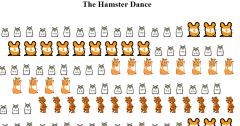
How to Disable Animated GIFs in Chrome, Firefox and Internet Explorer Browsers

February 1, 2013 by Venkat Eswarlu Leave a Comment

Are you annoyed with animated GIFs of some twitter users appearing in your timeline?, or if you don’t want to see GIF animations not anymore in browsers, we’ve got you covered. Those animated GIFs on websites sometimes look good, you

Posted in: How to, Tips and Tricks
How to

How to Disable Self Pings Easily in WordPress

February 1, 2013 by Venkat Eswarlu Leave a Comment

Are you annoyed with trackbacks shown by WordPress in comments waiting for approval which also happens when you interlink to your own posts in blog?, you can get over this easily by disabling self pings feature, which comes enabled by

Posted in: How to, Tips and Tricks
Tips and Tricks

Want to Disable Sleep button on Keyboard? Here is how to do it

February 1, 2013 by Venkat Eswarlu Leave a Comment

At times accidentally pressing Sleep button on keyboard can annoy you as system goes to low power state, if you don’t use Sleep button that much you can easily disable it on Windows. If you want to press one key

Posted in: Tips and Tricks
Tips and Tricks

Clearing Dropbox Cache is dead Easy, here is how

January 1, 2013 by Venkat Eswarlu Leave a Comment

This article tells how easily you can locate Dropbox cache folder and delete the files in it on Windows, Linux and Mac platforms. Dropbox has hidden cache folder which preserves the deleted files, FYI Dropbox clears this cache folder automatically

Posted in: Tips and Tricks
Firefox

How to Set Firefox as Default PDF Reader

January 1, 2013 by Venkat Eswarlu Leave a Comment

Recently Firefox 19 Beta has been released with pdf.js, built-in PDF viewer enabled by default, since its not a plugin like to Chrome PDF Viewer that’s why this JavaScript based PDF Viewer is more secure. In fact you can set

Posted in: Firefox, How to, Tips and Tricks
MS Office

Remove Office 2013 or Office 365 Completely with Fix It Released by Microsoft

January 1, 2013 by Venkat Eswarlu Leave a Comment

If you were not able to uninstall Microsoft Office 2013 from your Computer in regular fashion from Programs and Features then use the Fix It tool released by Microsoft instead to completely remove it from your Computer. We’ve already covered

Posted in: MS Office, Tips and Tricks
Tips and Tricks

Windows 8: Quickly Open Elevated Command Prompt with Win+X, A Shortcut

January 1, 2013 by Venkat Eswarlu Leave a Comment

Do you know we can use keyboard shortcut to open elevated Command prompt in Windows 8? don’t know? check this out. Lets accept this!, opening command prompt in Windows 7 is as easy typing cmd on search box on Start

Posted in: Tips and Tricks
« Previous 1 … 60 61

More from Techdows

Steam Settings Storage tab showing drive list, add-library button, and Move option
How to Add a New Steam Library Folder
How to · 5 hours ago
winget --help terminal output listing install, list and source commands
How to Reinstall Calculator in Windows 10 & 11
How to · 4 hours ago
Red crosshairs centered on the mouse pointer over the Windows 11 desktop
How to Change Cursor Size and Color in Windows 10 & 11
How to · 4 hours ago
Computer Management Disk Management showing 1000 MB of unallocated space
How to Add E Drive in Windows 11
How to · 3 hours ago
Edit User Variable dialog with Variable name Path and its folder value
How to Edit Environment Variables on Windows 10 or 11
How to · 3 hours ago
Folder Options Privacy section with Show recently used files checked
How to Open Folder Options in Windows 11/10
How to · 3 hours ago
Windows 11 network settings with Private network profile selected
How to turn on wifi direct on Windows 11
How to · 2 hours ago
Windows 11 desktop View submenu with Show desktop icons checked
How To Show Desktop Icons On Windows 11 – Full Guide
How to · 2 hours ago
Advertisement

© 2009–2026 Techdows

Copyright © 2026 Techdows.

Techdows WordPress Theme by Techdows