Techdows

Windows how-to guides, fixes and software downloads

  • Home
  • Windows guides

    • Printer settings and problems
    • Windows Update
    • Wi-Fi and network settings
    • Sound and microphone
    • Keyboard shortcuts and symbols

    Popular fixes

    • Get help in Windows 11
    • Connect a wireless printer
    • Re-pair Bluetooth earbuds for stereo sound
    • Cancel a stuck print job
    • Change default programs

    Windows 11 26H2

    • Should you install 26H2?
    • 26H2 not showing in Windows Update
    • 26H2 build numbers explained
    • Where is My Computer (This PC)
    • ncpa.cpl network connections

    All Windows how-to guides →

  • Popular downloads

    • GTA V for PC
    • YouTube app for PC
    • Google Meet for PC
    • Cisco Packet Tracer
    • TikTok for PC

    Office and productivity

    • Microsoft Office
    • Microsoft Word
    • Google Sheets for PC
    • Office product key

    Windows tools

    • PC Health Check app
    • HEVC Video Extension
    • DirectX 12
    • Cinebench R23

    All software downloads →

  • Microsoft Edge

    • Fix WebView2 using too much memory
    • Internet Explorer mode in Edge
    • Manage Edge favorites
    • Set or remove Edge as default

    Chrome and Firefox

    • Make Chrome the default browser
    • Restore closed tabs
    • Change the default web browser
    • Google Chrome news and tips
    • Firefox news and tips

    All Microsoft Edge articles →

  • Office apps

    • Office product key
    • Office Deployment Tool
    • What is OneDrive?
    • Turn off OneDrive in Windows 11

    Outlook and Teams

    • Outlook inbox view changed
    • Schedule an email in Outlook
    • Outlook dark mode
    • Teams breakout rooms
  • PHP security

    • PHP2Shell patch download
    • PHP critical RCE security update
    • CVE-2026-109618 fix
    • CVE-2026-109619 explained
    • Mitigations if you can't update

    Update PHP

    • Update PHP to the latest version
    • Check your PHP version
    • Update PHP on Ubuntu and Debian
    • Restart PHP-FPM

    Hosting and local servers

    • Update PHP in XAMPP
    • Change PHP version in cPanel
    • Update PHP in Laragon and WampServer
    • Update PHP Docker images
    • WordPress PHP version check

    PHP downloads

    • PHP 8.5.12 download
    • PHP 8.4.27 download
    • PHP 8.3.36 and 8.2.35 download
    • Download PHP for Windows

    PHP2Shell by platform

    • PHP 8.3 fix on Ubuntu 24.04
    • PHP 8.1 fix on Ubuntu 22.04
    • PHP 8.2 and 8.4 fix on Debian
    • Update PHP on IIS
    • Cloudflare PHP2Shell WAF rule

    All PHP guides →

  • News
Home›How to

How to

2,136 articles

How to

How to disable Avast’s HTTPS Scanning Feature

August 31, 2015 by Venkat Eswarlu Leave a Comment

Starting from Avast 2015 version, Web Shield component in it started scanning for HTTPS websites for malware, this ‘HTTPS Scanning’ feature is enabled by … [Read more…]

Posted in: How to, Tips and Tricks
How to

How to get Vivaldi App Launcher on taskbar

August 31, 2015 by Venkat Eswarlu Leave a Comment

We all know about Chrome App Launcher, which lets you  access Chrome apps from the desktop, how about getting App Launcher for Vivaldi browser … [Read more…]

Posted in: How to, Tips and Tricks, Vivaldi
How to
Video Autoplay setting Twitter

How to Disable or Stop Videos from Autoplaying on Twitter

August 29, 2015 by Venkat Eswarlu Leave a Comment
Video Autoplay setting Twitter

Prevent Twitter from autoplaying the videos in your timeline. Across Twitter.com website and in your timeline, native videos, GIFs and vines will autoplay (though … [Read more…]

Posted in: How to, Tips and Tricks
How to

How to reinstall All Default Apps in Windows 10 at Once

August 22, 2015 by Venkat Eswarlu 1 Comment

Reinstall all Windows 10 apps by running a PowerShell command. After installing Windows 10, you may want to remove default Apps Microsoft ships with … [Read more…]

Posted in: How to, Tips and Tricks
How to

How to Create a System Repair Disc for Windows 10

August 18, 2015 by Venkat Eswarlu Leave a Comment

Like Windows 8, Windows 10 also lets you create a repair disc. Though Windows 10 offers the advanced options that contains recovery tools to … [Read more…]

Posted in: How to, Tips and Tricks
How to
Windows 10 OneNote

How to Uninstall and Reinstall built-in OneNote App in Windows 10

August 14, 2015 by Venkat Eswarlu 1 Comment
Windows 10 OneNote

OneNote is also one of the default Apps that comes installed with Windows 10, if you ran into issues or got an error while … [Read more…]

Posted in: How to, Tips and Tricks
How to

How to disable Flash in Microsoft Edge Browser on Windows 10

August 11, 2015 by Venkat Eswarlu Leave a Comment

Remove Flash from Microsoft Edge browser. If you’ve not installed Flash Player for Firefox browser which not only slows down the browsing and consumes … [Read more…]

Posted in: How to, Microsoft Edge, Tips and Tricks
How to

How to Change the Default PDF Viewer in Windows 10

August 7, 2015 by Venkat Eswarlu 1 Comment

Easily set Adobe Reader or other as default PDF Reader in Windows 10. In Windows 10, Microsoft Edge is not only the default browser, … [Read more…]

Posted in: How to, Tips and Tricks
How to

How to Stop background apps in Windows 10 from running

August 5, 2015 by Venkat Eswarlu Leave a Comment

Disable or turn off background apps running in Windows 10. Windows 10 is fast and has no performance issues reported by the users so … [Read more…]

Posted in: How to, Tips and Tricks
How to

Microsoft releases Troubleshooter tool to Show ‘Get Windows 10 App’ in the System Tray

July 31, 2015 by Venkat Eswarlu Leave a Comment

Genuine Windows 7 and Windows 8.1 systems with all required updates installed will automatically see ‘Get Windows 10 App’ in the task bar to … [Read more…]
Posted in: How to
How to
Stop Insider builds option in Settings Windows 10 Preview build

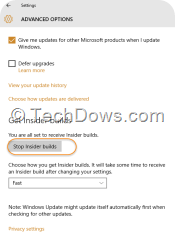
How to leave the Windows Insider Program Now?

July 31, 2015 by Venkat Eswarlu Leave a Comment
Stop Insider builds option in Settings Windows 10 Preview build

Ok, since October 1st –when Windows Technical Preview began –till July 29th, you don’t have Windows 10 available, that’s why you’ve joined the Windows … [Read more…]

Posted in: How to, Tips and Tricks
How to
Create installation media for Windows 10

How to Perform a Clean Install of Windows 10 after the Upgrade

July 30, 2015 by Venkat Eswarlu Leave a Comment
Create installation media for Windows 10

Unless you’ve purchased Windows 10, you can’t install it on your computer (because clean install requires a product key to insert during the installation), … [Read more…]

Posted in: How to, Tips and Tricks
« Previous 1 … 162 163 164 … 178 Next »

More from Techdows

What is Program in Startup tab in Task Manager on Windows? Is it safe?
How to · 5 hours ago
Set up Windows File Recovery to restore deleted files from SSD, USB, and SD cards
How to · 5 hours ago
How to Run Command Prompt as an Administrator in Windows 11
How to run Command Prompt as an administrator in Windows 11
How to · 5 hours ago
How to Add iCloud Calendar to Outlook: A Step-by-Step Guide
How to add iCloud Calendar to Outlook: a step-by-step guide
How to · 4 hours ago
Toggle to turn Bluetooth On or Off is missing in Windows 11
Toggle to turn Bluetooth on or off is missing in Windows 11
How to · 4 hours ago
How to sign into my iCloud email on iPhone, Mac, PC and the web
How to · 3 hours ago
How to disable Apple Pay on iPhone, iPad, Apple Watch and Mac
How to · 3 hours ago
How to create a Desktop Shortcut in Windows 11/10
How to create a desktop shortcut in Windows 11/10
How to · 2 hours ago

© 2009–2026 Techdows · About · Contact · Privacy Policy

Copyright © 2026 Techdows.

Techdows WordPress Theme by Techdows