You can find your Apple ID password without resetting it only if it was saved in a password manager, such as the Passwords app on iPhone, iPad or Mac, because Apple's account screens never display it.
This guide covers where a saved Apple ID password lives on each device, how to find the Apple ID email itself, and how to change the password from a signed-in device without account recovery.
How can I find my Apple ID password on iPhone
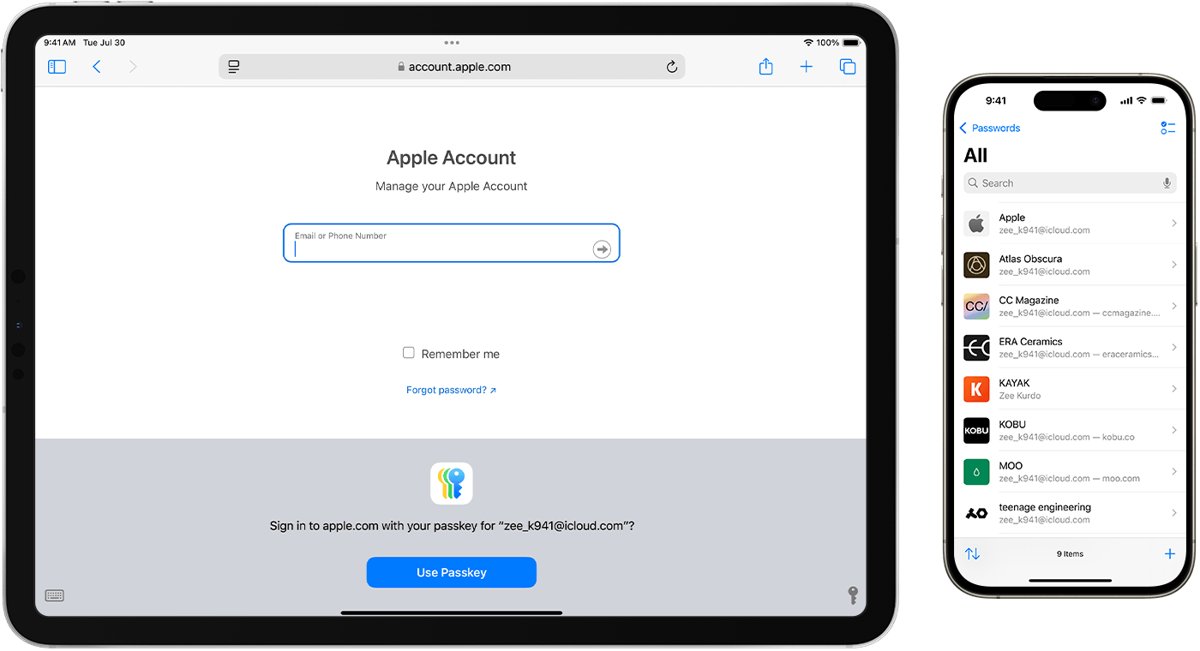
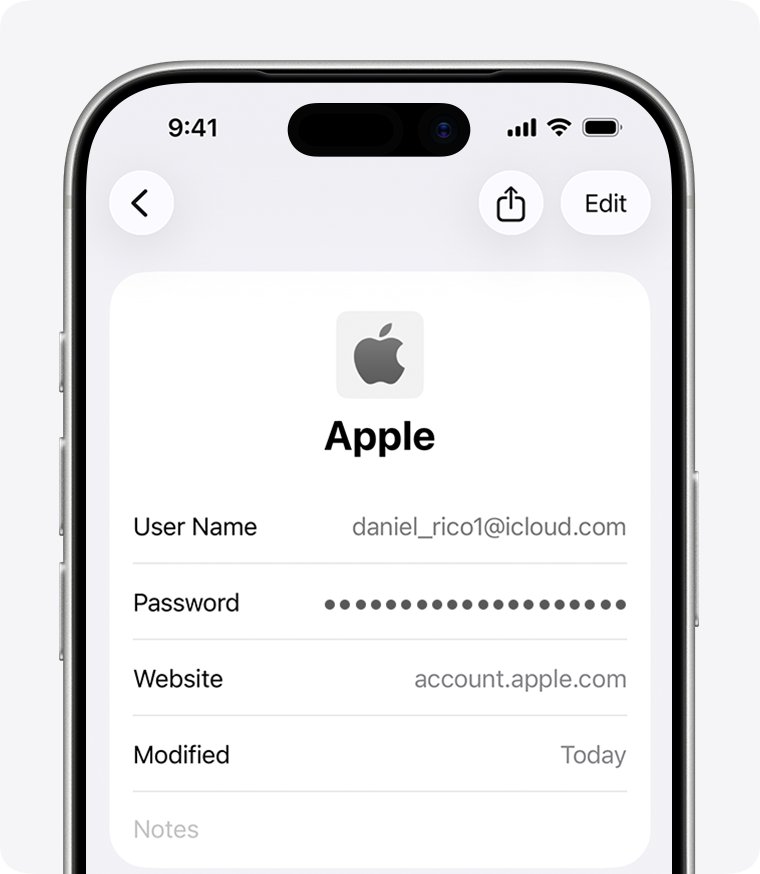
Apple ID is now called Apple Account, but the email address or phone number and password are the same. If you ever let Safari or the iPhone save that password, the Passwords app in iOS 18 and later holds it.
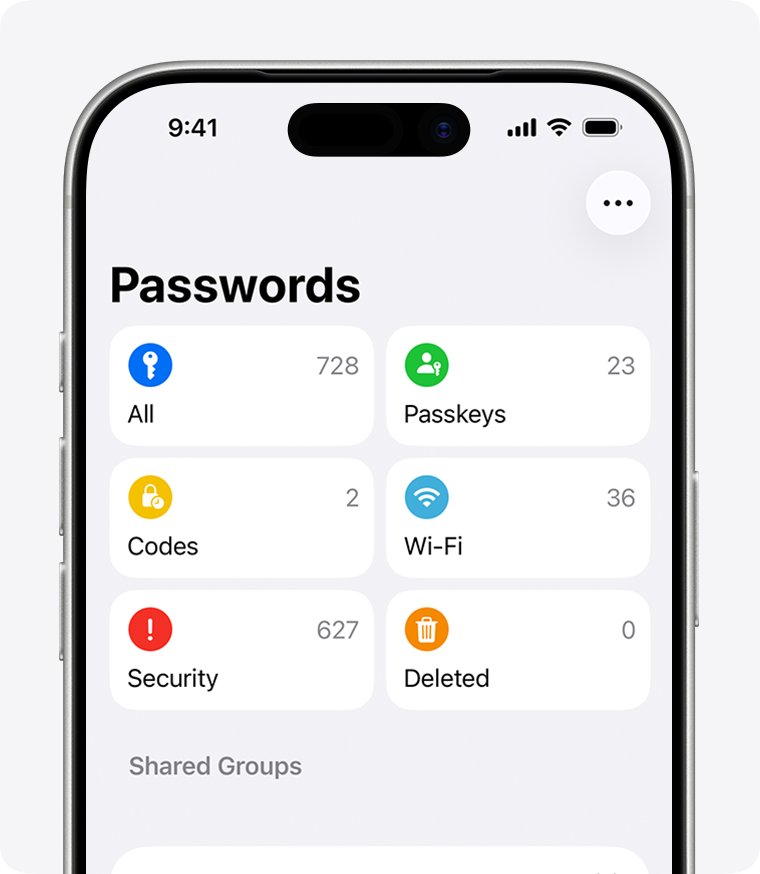
- Open the Passwords app on your iPhone.
- Unlock it with Face ID or Touch ID, or enter your iPhone passcode.
- Tap All so every saved account is listed.
- Type apple or icloud in the search field at the bottom of the screen.
- Tap the matching account, such as an entry for account.apple.com or icloud.com.
- Tap the Password field to show the saved password.
No match means the password was never saved on this device or in iCloud Keychain. Saved entries also include the email address used, which tells you which Apple ID the password belongs to.
Forgot Apple ID password: find it, change it or reset it
Finding the old password and replacing it are different jobs. Match your situation to a row before you start any recovery process, because account recovery can take several days.
| Your situation | What to do | Why |
|---|---|---|
| The password was saved in Safari, iCloud Keychain or another password manager | Look it up in the Passwords app or that manager | You get the current password back without changing anything |
| You are still signed in on an iPhone, iPad, Apple Watch, Apple Vision Pro or Mac | Change the password from that trusted device | No recovery codes or waiting period beyond a possible one-hour security delay |
| You remember the password but not the email or phone number | Find the Apple ID email or number first | Any email or number on the account works to sign in |
| No device is signed in, but you have your trusted phone number | Use Forgot password? and verify with a code | The trusted number proves the account is yours |
| No trusted device and no recovery factors | Request account recovery at iforgot.apple.com or in the Apple Support app | Apple verifies your identity over several days or more |
Where can I find my Apple ID password on iPad
iPad uses the same Passwords app as iPhone from iPadOS 18. On iOS 17, iPadOS 17 or earlier, saved passwords sit in Settings instead.
- On iPadOS 18 or later, open Passwords, unlock it, tap All, then search for apple and tap the account.
- On iOS 17, iPadOS 17 or earlier, open Settings, scroll down and tap Passwords.
- Use Face ID or Touch ID when prompted, or enter your passcode.
- Make sure the screen says Passwords at the top, not a Shared Group name or My Passwords.
- Select the apple.com or icloud.com entry to view the saved password.
You can also ask Siri something like "Show my passwords" to jump straight to the saved list on iPhone or iPad.
Find Apple ID password on Mac in the Passwords app
macOS Sequoia and later include the Passwords app. macOS Sonoma and earlier keep saved passwords in System Settings and in Safari settings.
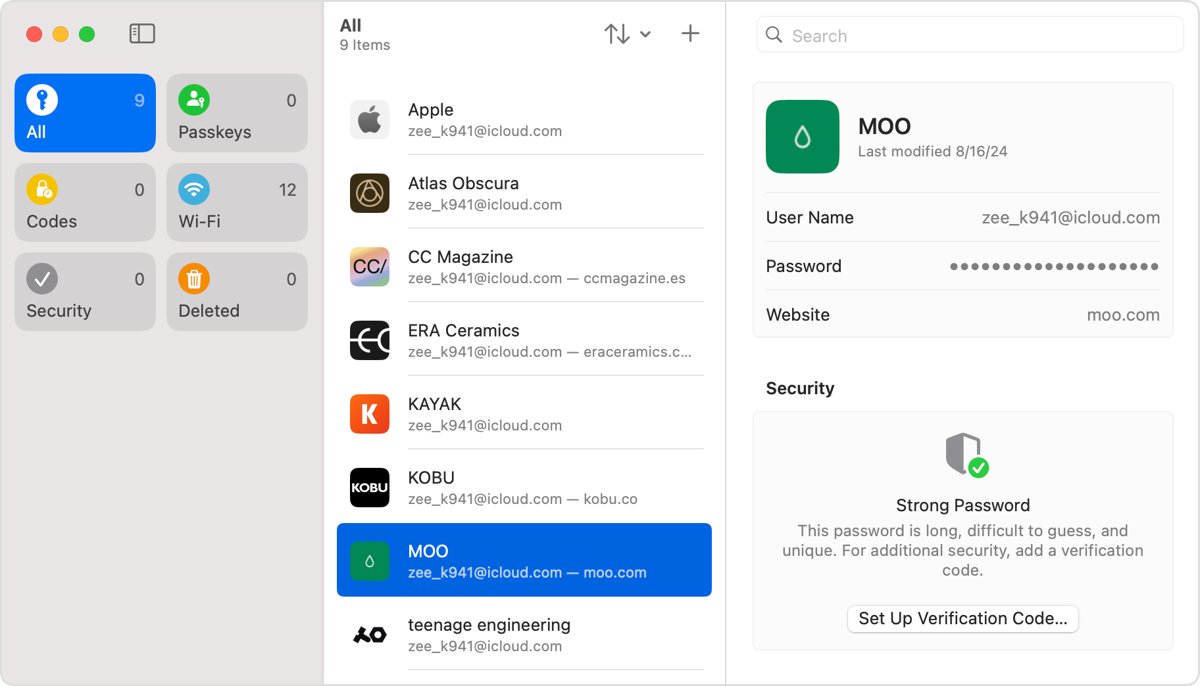
- On macOS Sequoia or later, open the Passwords app.
- Sign in with Touch ID, or enter your Mac user account password.
- Select All, then select the apple.com or icloud.com account to see its password.
- On macOS Sonoma or earlier, choose the Apple menu, select System Settings, then click Passwords.
- Select the account, then click the Show Details button.
- Or open Safari, choose Safari > Settings, click Passwords, select the website and click Show Details.
Passwords saved on a Mac appear on your iPhone and iPad too when iCloud Keychain is on, so checking one device often covers all of them.
Where can I find my Apple ID password
Several Apple screens show your Apple ID details, but only password managers store the password itself. This table shows what each place can and cannot reveal.
| Place | Shows the password? | What you find there |
|---|---|---|
| Passwords app (iOS 18, iPadOS 18, macOS Sequoia and later) | Yes, if it was saved | Saved passwords and passkeys synced by iCloud Keychain |
| Settings > Passwords (iOS 17 and earlier) | Yes, if it was saved | The same saved passwords on older iPhone and iPad software |
| Safari > Settings > Passwords (macOS Sonoma and earlier) | Yes, if it was saved | Website passwords saved by Safari |
| passwords.google.com | Yes, if Chrome saved it to your Google Account | Passwords saved through Google Password Manager |
| Settings > [your name] > Sign-In & Security | No | The email addresses and phone numbers you sign in with, plus Change Password |
| account.apple.com | No | Sign-in and security settings, including a Password option to change it |
| Emails from Apple | No | Your Apple ID email address in receipts and support emails |
On a Windows PC, a password saved in Chrome or Edge lives in that browser, and you can find saved passwords on your computer from its password settings.
Where can I find my Apple ID on my iPhone
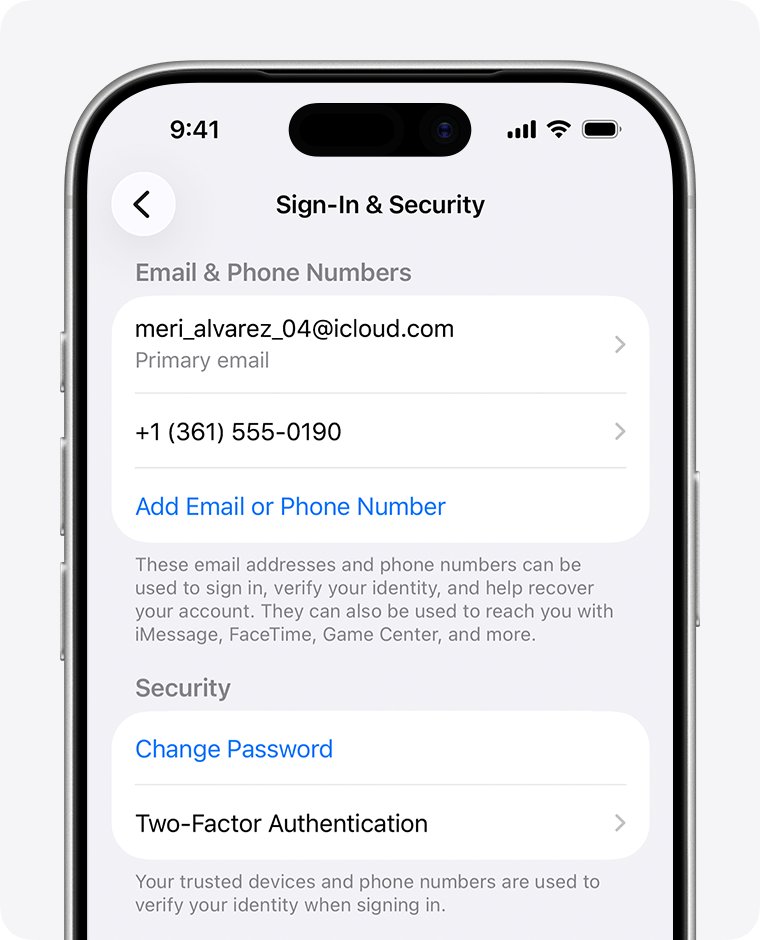
If the password is not the problem but the account name is, your iPhone or iPad lists every email address and phone number you can sign in with.
- Open the Settings app.
- Tap your name at the top.
- Tap Sign-In & Security.
- Read the email addresses and phone numbers listed; any of them works as your Apple ID.
The same steps work on iPad. If your name is missing at the top of Settings, the device is not signed in, and you need another device or the email search below.
Can I find my Apple ID on my Watch
Yes. Apple Watch shows the phone numbers and email addresses on your Apple Account, along with their status.
- Open the Settings app on your Apple Watch.
- Tap your name.
- Tap Sign-In & Security.
- Read the listed email addresses and phone numbers, marked Primary or Verified.
The watch also offers Change Password on this screen, unless Stolen Device Protection is turned on for the paired iPhone.
Where can I find my Apple ID email
Every signed-in Apple device and some Apple services show the account. Use whichever one you can reach.
| Where you look | Path | What it shows |
|---|---|---|
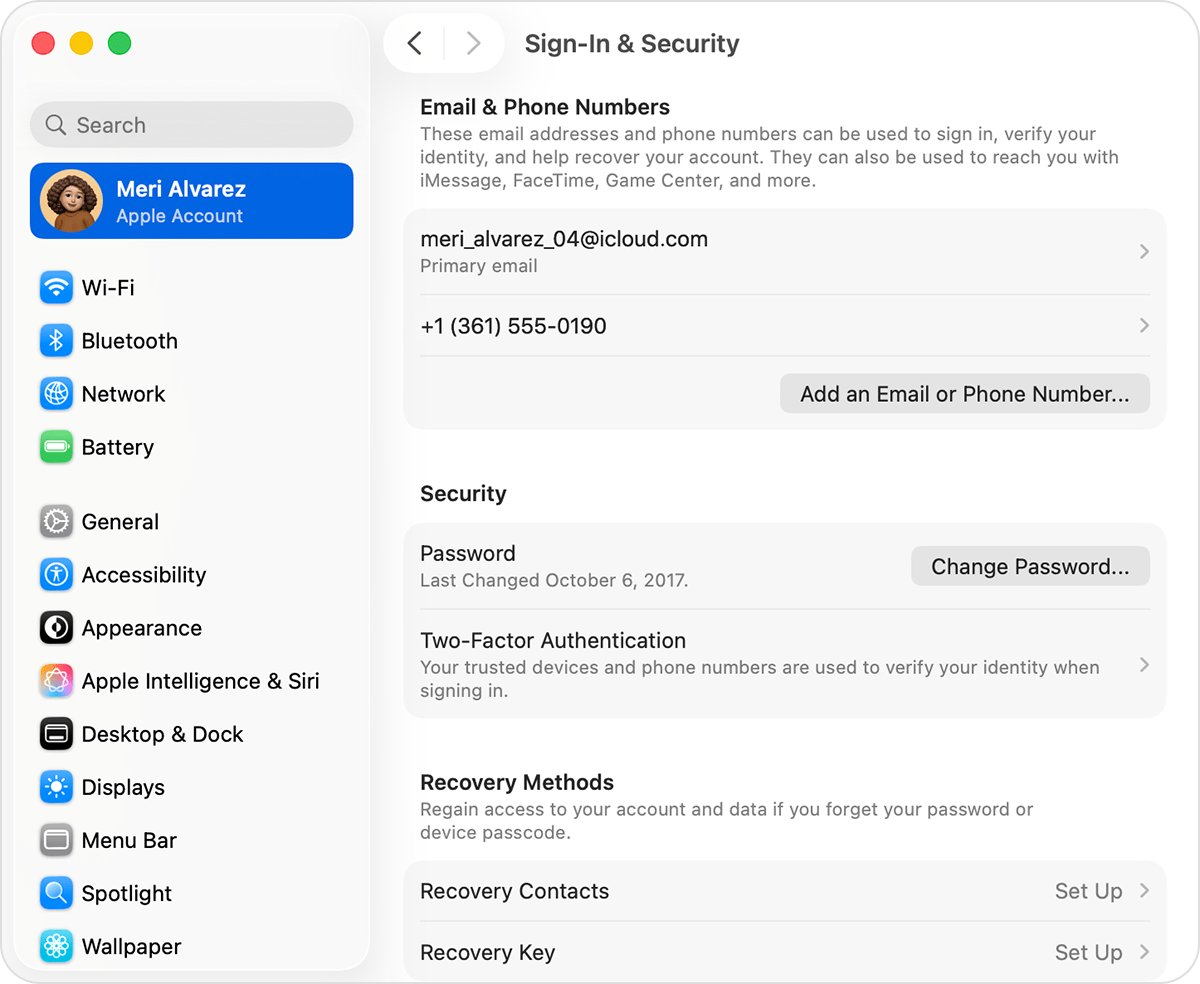
| Mac | Apple menu > System Settings > your name > Sign-In & Security | Email addresses and phone numbers you can sign in with |
| Windows PC | Open iCloud for Windows and look under your name | Your Apple ID primary email address or phone number |
| App Store, FaceTime or Messages | Check the account each app is signed in with | The Apple ID used for that service |
| account.apple.com | Open the sign-in screen | The site may remember your Apple ID email or number |
| Family Sharing | Ask a family member to check their Family Sharing settings | Your Apple ID details as a group member |
| Email inbox | Search for receipts, repair, support or billing emails from Apple | Your primary email address in the message body |
A masked address such as j*@icloud.com may not show the real number of characters. If you know the password but not the email, try each address or phone number you normally use.
How to change Apple ID password on iPhone without the old password
If you cannot find the saved password but a device is still signed in, change the password there. You set a new password without codes or account recovery.
- Open Settings, then tap your name.
- Tap Sign-In & Security.
- Tap Change Password.
- Follow the onscreen instructions to set a new Apple ID password.
- Tap Remove Other Devices to make other devices sign in again, or tap Keep All Devices Signed In.
- On a Mac, choose Apple menu > System Settings, click your name, click Sign-In & Security, click Change Password and enter your Mac login password.
With Stolen Device Protection on, the iPhone may ask you to wait one hour before the change. If no device is signed in, reset your Apple Account password through Forgot password? with your trusted phone number.
Apple ID password reset without trusted device: what Apple asks for
When no saved copy exists and no device is signed in, resetting is the only route. Have these recovery factors ready, because Apple may ask for any of them.
| Recovery factor | What it is |
|---|---|
| Trusted phone number | The number set up to receive two-factor verification codes from Apple |
| Recovery contact code | A 6-digit code from a recovery contact you set up earlier |
| Apple ID email address | Access to the inbox of the email address on the account |
| Credit card on the account | The CVV of the card linked to your Apple Account |
| Recovery key or security key | Optional security features that change how you regain access |
Without any of these, request Apple Account recovery at iforgot.apple.com in Safari, or in the Apple Support app under Support Tools > Reset Password > Help Someone Else. Signing in on a device with your old password cancels the request.
Apple ID password not showing in Passwords app
The Apple ID password is not in the Passwords list
A filtered view, a deleted entry or iCloud Keychain being off hides it.
- In the Passwords app, select All rather than a Shared Group.
- Tap Deleted to check for an entry removed by mistake.
- On each device, open Settings > your name > iCloud > Passwords and Keychain and turn on iCloud Keychain.
- Search again for apple and icloud once syncing finishes.
Where can I find my Apple ID password when nothing was saved
Apple stores no viewable copy, so an unsaved password cannot be looked up anywhere.
- Check any other password manager or browser you used to sign in to account.apple.com or icloud.com.
- If a device is signed in, use Change Password on it.
- Otherwise choose Forgot password? on the sign-in screen and follow the onscreen instructions.
Change Password says you must wait one hour
Stolen Device Protection can require a one-hour security delay before an Apple Account password change.
- Wait for the one-hour delay to finish.
- Return to Settings > your name > Sign-In & Security > Change Password.
- Follow the onscreen instructions to set the new password.
Find Apple ID password FAQ
Can I find my Apple ID password on my iPhone?
Yes, but only if it was saved. Open the Passwords app, unlock it with Face ID, Touch ID or your passcode, search for apple or icloud, and tap the Password field. Settings never displays the password itself.
Can I find my Apple ID password on my iPad?
Yes, if it was saved. On iPadOS 18 or later, open the Passwords app and search for apple. On iPadOS 17 or earlier, open Settings, tap Passwords and select the apple.com or icloud.com entry.
Can I find my Apple ID on my Watch?
Yes. Open Settings on the Apple Watch, tap your name, then tap Sign-In & Security. The watch lists the email addresses and phone numbers on your Apple Account, marked Primary or Verified.
How can I find my Apple ID?
Open Settings on a signed-in iPhone or iPad, tap your name and tap Sign-In & Security. On a Mac, use System Settings the same way, and on Windows, open iCloud for Windows and look under your name.
Where can I find my Apple ID email?
Check Sign-In & Security on any signed-in Apple device, the account.apple.com sign-in screen, or your inbox. Apple receipts and repair, support or billing emails often include your Apple ID email address in the body.
What is my Apple ID and where can I find it?
Your Apple ID, now called Apple Account, is the email address or phone number you use to sign in to Apple services. Find it under Settings > your name > Sign-In & Security on iPhone or iPad.
How to check my Apple ID on iPhone?
Open Settings and tap your name at the top. The name shown is the signed-in account, and Sign-In & Security lists every email address and phone number that works as that Apple ID.
How to know my Apple ID if I am not signed in on any device?
Try the email addresses and phone numbers you use regularly, check the account.apple.com sign-in screen, and search your inbox for Apple receipts. A family member in your Family Sharing group can also check their Family Sharing settings for your account details.