Google Cloud Storage costs about $0.020 per GiB per month for Standard storage in a US region such as Iowa (us-central1), down to about $0.0012 for Archive storage, plus separate charges for operations, retrievals and data transfer.
This guide breaks down every pricing component, compares storage classes and location types, and works through example bills using Google's current list prices, which have been in place since its April 1, 2023 pricing update.
What Google Cloud Storage costs per GiB
Google lists storage at an hourly rate per GiB; the monthly figures below are those rates over a 730-hour month, for the Iowa (us-central1) region.
| Storage class | Storage per GiB-month | Retrieval per GiB | Minimum storage duration |
|---|---|---|---|
| Standard | $0.020 | None | None |
| Nearline | $0.010 | $0.01 | 30 days |
| Coldline | $0.004 | $0.02 | 90 days |
| Archive | $0.0012 | $0.05 | 365 days |
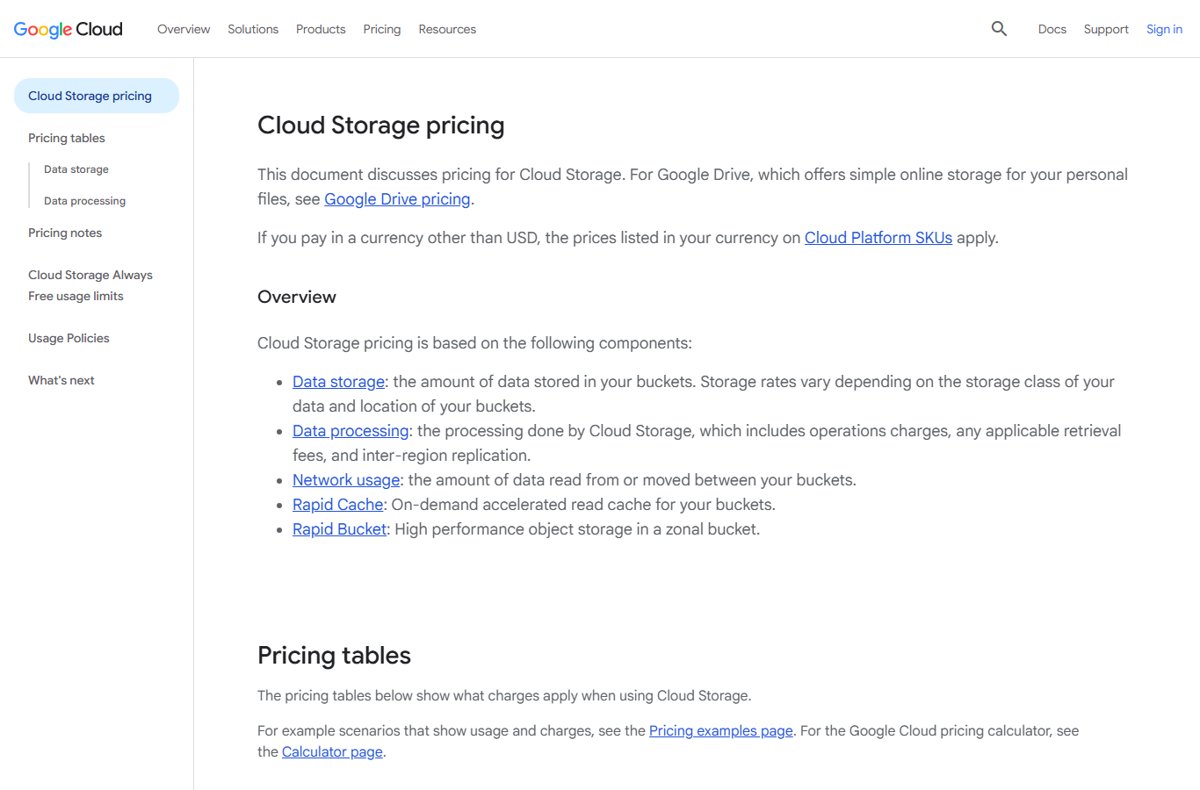
Prices vary by location, and customers paying in another currency are charged the prices listed in that currency on Google Cloud's SKUs.
Google Cloud Storage Pricing Components
A Cloud Storage bill is built from separate meters. Storage is usually the largest line for archives, while data transfer dominates for files served to the internet.
| Component | What you pay for | Depends on |
|---|---|---|
| Data storage | GiB stored per month, prorated to the sub-second per object | Storage class and bucket location |
| Operations | Requests to buckets and objects, priced per 1,000 | Operation class (A or B) and storage class |
| Retrieval fees | Reading, copying, moving or rewriting Nearline, Coldline or Archive data | Storage class |
| Inter-region replication | Data written to dual-region or multi-region buckets | Geographic area |
| Network usage | Data read out of buckets to other locations or the internet | Source and destination |
| Optional features | Autoclass, Storage Intelligence, Rapid Cache, Rapid Bucket, object contexts, bucket tags ($0.005 per tag per month) | Whether you turn them on |
Custom metadata and uploaded parts of unfinished XML API multipart uploads also count toward stored data. Charges accrue daily but are billed at the end of the billing period.
Storage Classes and When to Use Each One
Every class has the same 99.999999999% annual durability and no minimum object size. The trade-off is lower storage price against higher access costs and minimum storage durations.
| Class | Use it for | Typical monthly availability (region) | Typical monthly availability (dual or multi-region) |
|---|---|---|---|
| Standard | Frequently accessed (hot) data and data kept only briefly | 99.99% | >99.99% |
| Nearline | Data read or changed about once a month or less, such as backups | 99.9% | 99.95% |
| Coldline | Data read or changed at most once a quarter | 99.9% | 99.95% |
| Archive | Data accessed less than once a year: long-term archives and disaster recovery copies | 99.9% | 99.95% |
| Rapid (zonal buckets only) | I/O-intensive workloads next to compute in the same zone | >99.95% in zones | Not offered |
A bucket created without a default class uses Standard. Each object is billed at its own class, not the bucket's default.
Location Type Pricing: Regional, Dual-Region, and Multi-Region
Location changes both the storage rate and the replication and transfer charges around it.
| Storage class | Region: Iowa (us-central1) | Dual-region: Iowa | Multi-region: Asia |
|---|---|---|---|
| Standard | $0.020 | $0.022 | $0.026 |
| Nearline | $0.010 | $0.011 | $0.015 |
| Coldline | $0.004 | $0.0044 | $0.00875 |
| Archive | $0.0012 | $0.0014 | $0.0030 |
Prices are per GiB-month. Dual-regions are billed to both underlying regions, so Standard storage in an Iowa and Oregon dual-region costs $0.022 per GiB-month on each region's SKU. Writes to dual-region and multi-region buckets add inter-region replication: $0.02 per GiB in North America and Europe, $0.08 in Asia and Oceania, with turbo replication at $0.04 in North American and European dual-regions.
Operation, Retrieval, and Early Deletion Charges
Class A operations change things (uploads, copies, listing objects); Class B operations read them (getting an object or its metadata). Deletes are free. Prices below are per 1,000 operations in flat-namespace buckets.
| Class | Class A (region) | Class A (dual or multi-region) | Class B (any) | Retrieval per GiB |
|---|---|---|---|---|
| Standard | $0.005 | $0.01 | $0.0004 | $0 |
| Nearline | $0.01 | $0.02 | $0.001 | $0.01 |
| Coldline | $0.02 | $0.04 | $0.01 | $0.02 |
| Archive | $0.05 | $0.10 | $0.05 | $0.05 |
Early deletion: delete, replace or move a Nearline, Coldline or Archive object before 30, 90 or 365 days, and you are charged as if it stayed the full minimum. Rewriting an object to change its class also counts. Lifecycle-driven class changes and Autoclass buckets are exempt. Buckets with hierarchical namespace pay higher operation rates, for example $0.0065 instead of $0.005 for Standard Class A in a region.
Network Egress and Data Transfer Costs
Uploading data (inbound transfer) is free. Reading data out is where costs climb, especially to the internet.
| Transfer | Price per GiB |
|---|---|
| Inbound to Cloud Storage | Free |
| Within the same location (for example US-EAST1 to US-EAST1) | Free |
| Bucket in Northern America to Google Cloud in Northern America (different location) | $0.02 |
| Northern America to Europe within Google Cloud | $0.05 |
| To the internet, worldwide excluding Asia and Australia: first 10 TiB | $0.12 |
| To the internet: 10 to 150 TiB / over 150 TiB | $0.11 / $0.08 |
| To Australia destinations: first 10 TiB | $0.19 |
| To China destinations (excluding Hong Kong): first TiB | $0.23 |
Cloud CDN and Media CDN waive Cloud Storage transfer charges, though Cloud CDN cache fill can apply. You pay for the bytes actually sent: reading 8 MB of a 100 MB Nearline object is billed as 8 MB of transfer and retrieval.
Example Cost Scenarios and Pricing Calculations
These monthly estimates use the list prices above for a us-central1 bucket, before Always Free credits and taxes. Operation counts are rounded.
| Scenario | Calculation | Approximate cost |
|---|---|---|
| Website assets: 500 GiB Standard, 100 GiB served to US visitors | 500 x $0.020 storage + 100 x $0.12 transfer | $22 per month |
| Uploading 1 million files to Standard | 1,000 x $0.005 Class A | $5 one-off |
| 10 million reads of Standard objects | 10,000 x $0.0004 Class B | $4 |
| 1 TiB of backups in Archive | 1,024 x $0.0012 | About $1.23 per month |
| Restoring that 1 TiB Archive backup to an on-premises server | 1,024 x $0.05 retrieval + 1,024 x $0.12 transfer | About $174 one-off |
| 100 GiB in Coldline deleted after 30 of the 90 days | Remaining 60 days of 100 x $0.004 | About $0.80 early deletion |
The Archive rows show the pattern: very cheap to keep, expensive to read back. Run your own numbers in the Google Cloud pricing calculator before choosing a class.
Best Practices to Reduce Google Cloud Storage Costs
| Practice | What it saves |
|---|---|
| Match the class to how often you read data | Archive costs a fraction of Standard to store, but retrieval fees outweigh the saving for data read often |
| Use Object Lifecycle Management to move or delete old objects | Lower storage rates with no early deletion charge for lifecycle class changes |
| Turn on Autoclass when access patterns are unpredictable | No retrieval or early deletion fees; costs $0.0025 per 1,000 objects (128 KiB or larger) per 30 days |
| Keep buckets in the same location as the compute that reads them | Same-location transfer is free |
| Choose a single region unless you need geo-redundancy | Avoids replication fees and higher dual- or multi-region rates |
| Serve public files through Cloud CDN | Cloud Storage transfer charges are waived |
| Limit noncurrent versions with Object Versioning | Each noncurrent version is billed like a live object |
| Abort unfinished multipart uploads | Uploaded parts count as stored data until completed or aborted |
How to check what you are actually paying
- Sign in to the Google Cloud console and open the project that owns the buckets.
- Open the project's billing page to see unbilled usage; charges accrue daily.
- Compare storage, operations and network lines against the estimates above.
- Set API request caps if you want to stay inside the Always Free limits.
Frequently Asked Questions
Is Google Cloud Storage free to use?
Partly. Always Free covers 5 GB-months of Standard storage, 5,000 Class A and 50,000 Class B operations, and 100 GB of data transfer from North America each month, in US-WEST1, US-CENTRAL1 and US-EAST1. Usage above those limits is billed at list prices.
How do I use Google Cloud for free?
Sign up for the Google Cloud Free Trial, which gives new users $300 in Welcome credit to spend over 90 days without being billed. You also get Free Tier usage, including Cloud Storage's Always Free limits, which continue after the trial.
What is Google Cloud Storage used for?
Cloud Storage is Google Cloud's object storage for files of any type: website assets, backups, archives, data for analytics and media. For personal files, Google points people to Google Drive instead, which has its own pricing.
How is Google Cloud Storage billed?
Charges accrue daily and are billed at the end of the billing period. Storage is measured in binary gigabytes (GiB, 2 to the power of 30 bytes) and prorated per object, alongside separate charges for operations, retrievals, replication and data transfer.
Where is my Google Cloud Storage data located?
In the location you chose when creating the bucket: a single region such as us-central1, a dual-region, or a multi-region such as US, EU or Asia. The location sets the storage rate and decides which transfers are free.
How do I access Google Cloud Storage?
Through the Google Cloud console in a browser, the Google Cloud CLI, client libraries, or the JSON and XML APIs. Some tools use two or more operations for one task, which adds to operation charges.
Which Google Cloud Storage class is cheapest?
Archive storage has the lowest storage price, about $0.0012 per GiB-month in Iowa. It also has the highest retrieval fee, $0.05 per GiB, and a 365-day minimum storage duration, so it suits data you rarely read.
Does Google charge to upload data to Cloud Storage?
No. Inbound data transfer is free. Each upload counts as a Class A operation, and writes to dual-region or multi-region buckets add inter-region replication charges.
Bottom Line
Start with Standard storage in a single region, and add lifecycle rules or Autoclass once you know how often each data set is read. Storage rates are low across every class; the bills that surprise people come from internet transfer, retrievals from colder classes and early deletion, so price those three before choosing Nearline, Coldline or Archive.