The only official way to play PS3 games on PS5 is to stream them from the Classics Catalog with a PlayStation Plus Premium membership, because PS5 consoles do not support PS3 discs.
This guide covers what PS5 backward compatibility includes, the streaming steps and requirements, PS3 controls on a DualSense, remasters, and fixes for laggy or missing streams.
How to play PS3 games on PS5 with PlayStation Plus Premium
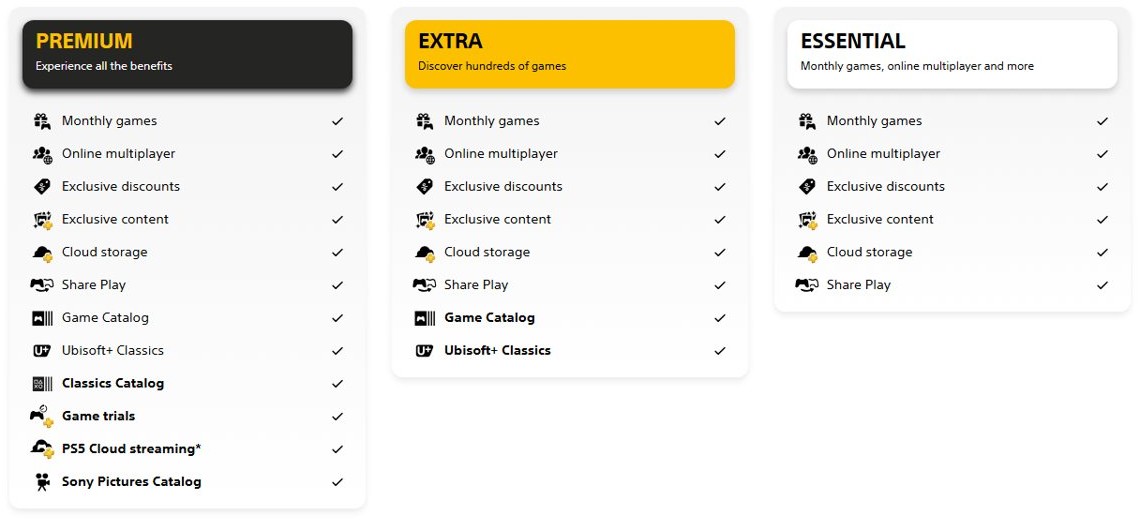
You need a PlayStation Plus Premium membership on an adult account and a broadband connection of at least 5 Mbps. Extra and Essential do not include the Classics Catalog or cloud streaming.
- Join or upgrade to PlayStation Plus Premium on your PlayStation account.
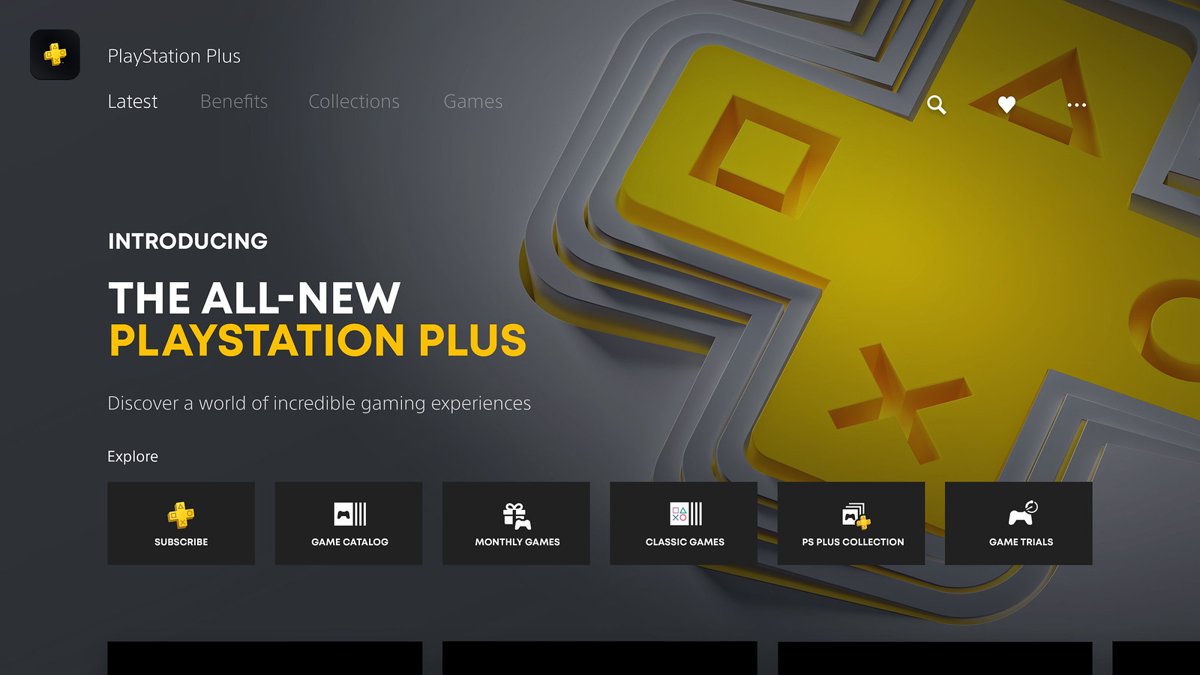
- From the PS5 Games home screen, scroll right and select PlayStation Plus.
- Scroll to the Benefits tab and select Classics Catalog.
- Select the PS3 game you want to play.
- Select Stream to start the game.
- If a queue appears, wait for your turn; the game then opens in a stream.
Official backward compatibility: What does the PS5 support?
Sony says the PS5 plays the overwhelming majority of the 4,000+ PS4 games. PS3 support stops at streaming.
| What you have | Plays on PS5? | How |
|---|---|---|
| PS4 game disc | Yes, on a PS5 with a disc drive | Insert the disc, install any update, keep the disc in to play |
| PS4 digital game | Yes, except titles marked Playable on: PS4 only | Download it from your game library |
| PS3 game disc | No | PS5 consoles do not support PS3 discs |
| PS4 digital copy from the PS3-to-PS4 upgrade program | No | It needs the PS3 disc, which PS5 cannot read |
| PS3 game in the Classics Catalog | Yes, streamed | PlayStation Plus Premium cloud streaming |
| PS2 game in the Classics Catalog | Yes | PlayStation Plus Premium Classics Catalog |
PS4 discs cannot be used on the PS5 Digital Edition unless you add a disc drive.
Methods to play PS3 games on PS5
Only one route runs PS3 games on PS5 itself. The others either need different hardware or play a newer version of the game.
| Method | Works on PS5? | What to know |
|---|---|---|
| PlayStation Plus Premium cloud streaming | Yes | Hundreds of PS3 games, streamed from the Classics Catalog; needs 5 Mbps or more |
| Using a PS3 console | Not on PS5 | Your PS3 discs and PS3 digital purchases still play on PS3 hardware |
| PS4 and PS5 remastered titles | Yes | Remasters released for PS4 or PS5 run natively or through PS4 backward compatibility |
| Emulation (not officially supported) | No | PS5 has no PS3 emulator and no way to run PS3 game files |
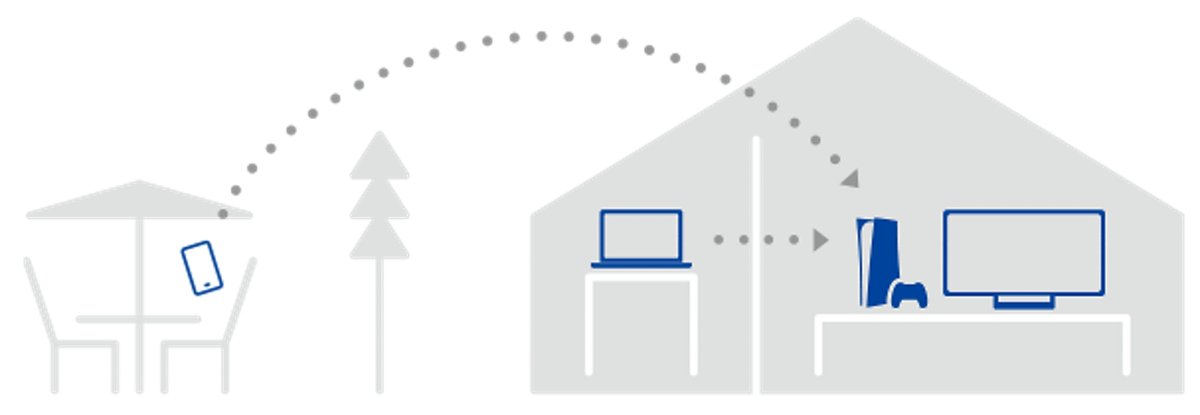
| Remote Play and streaming from a PS3 or PS4 | No | PS Remote Play streams a PS5 or PS4 to another device, and it is unavailable while you stream a PS Plus game |
PS Plus Premium cloud streaming requirements for PS3 games
| Requirement | Detail |
|---|---|
| Membership | PlayStation Plus Premium; Extra and Essential do not include the Classics Catalog |
| Account | An adult PlayStation account; child accounts cannot use cloud streaming |
| Minimum internet speed | 5 Mbps broadband to start a stream |
| 1080p streaming | 15 Mbps or faster, on a game that supports 1080p |
| Console | PS5 or PS4; PlayStation Portal cannot stream PS3 or PS4 games |
| Region | Game availability varies by country, region and over time |
The evolution of backward compatibility in PlayStation consoles
Each PlayStation generation changed how far back it reaches. For PS5, Sony chose native PS4 support and streaming for older generations.
| Generation | PlayStation 5 compatibility | Official route |
|---|---|---|
| PlayStation 2 compatibility | Through the Classics Catalog | PlayStation Plus Premium |
| PlayStation 3 compatibility | Streaming only, no disc support | PlayStation Plus Premium cloud streaming |
| PlayStation 4 compatibility | Native, for the overwhelming majority of PS4 games | Disc, digital download, or data transfer from a PS4 |
| PlayStation 5 compatibility | Native | Disc or digital download |
Microsoft took a different path on Xbox, running older discs directly; its backward compatible games list shows how that works.
Can you play PS3 discs or digital PS3 games on PS5?
No. PS5 consoles do not support PS3 discs, and Sony's PS5 compatibility page lists no way to run PS3 digital purchases. A PS3 game you own plays on PS5 only if it is in the Classics Catalog, where you stream it with Premium.
- Open the PlayStation Plus game list on playstation.com or on your PS5.
- Filter or browse the Classics Catalog.
- Check whether the PS3 game you own appears there.
- If it does, stream it with PlayStation Plus Premium using the steps above.
- If it does not, play it on a PS3 console, or look for a PS4 or PS5 version of the game.
The role of classics and remasters in PS5 gaming
Classics stream the original game. A remaster or remake is a new release built for newer hardware, so it installs and runs locally like any PS4 or PS5 game.
| Option | How it plays on PS5 | Best for |
|---|---|---|
| Classics Catalog PS3 game | Cloud streaming with Premium | Playing the original version without a PS3 |
| PS4 remaster of a PS3 game | Installs through PS4 backward compatibility | Better image quality, no streaming lag |
| PS5 remake, such as The Last of Us Part I, rebuilt for PS5 | Native PS5 game | The best visuals and DualSense features |
| Eligible PS4 game with a PS5 upgrade | Upgrade to the digital PS5 version | Getting PS5 features from a game you already own |
Tips to play PS3 games on PS5 effectively
Streamed PS3 games depend on your connection more than your console. These settings and controls make the biggest difference.
| Tip | How |
|---|---|
| Press SELECT and START | Click the left side of the DualSense touchpad for SELECT and the right side for START; a tap or touch does not work |
| Reduce input lag | Turn on game mode on your TV if it has one |
| Get 1080p | Use a connection of at least 15 Mbps and a game that supports 1080p |
| Use the right controller | Use a DualSense or DUALSHOCK 4; third-party controllers, keyboards and mice are not supported while streaming |
| Keep your progress | Use Transfer saves for game streaming on the Classics Catalog support page if you play the same game on another device |
PS3 games on PS5 not working or lagging
No Stream button, or PS3 games are missing
Your membership is Extra or Essential, which do not include the Classics Catalog.
- Check your plan in your PlayStation account settings.
- Upgrade to PlayStation Plus Premium.
- Return to PlayStation Plus > Benefits > Classics Catalog and select the game again.
The stream is blurry or drops resolution
Your connection fell below the speed the stream needs.
- Pause other downloads and streams on your network.
- Aim for at least 15 Mbps for 1080p.
- Turn on game mode on your TV and restart the stream.
You have to wait in a queue
Sony may queue streaming sessions when demand is high.
- Stay in the queue until the game opens.
- Try again later if the wait is long.
START or SELECT does nothing
The buttons are mapped to touchpad clicks, not taps.
- Press the touchpad down until it clicks.
- Click the left half for SELECT or the right half for START.
Controller, keyboard, camera or PS VR not working in the stream
Streaming does not support third-party controllers, keyboards, mice, cameras, PS VR or PS Move.
- Use an official DualSense or DUALSHOCK 4 controller.
- Disconnect other accessories while you stream.
Future outlook: What to expect from Sony
Plan on streaming through PlayStation Plus Premium, or keep a PS3, rather than waiting for PS3 disc support on PS5. Sony's PS5 compatibility page states that PS5 consoles do not support PS3 discs, and Sony has not announced native PS3 compatibility. Its stated route for PS3 games is the Classics Catalog, and that catalog varies by region and over time, so check that a game is listed before you subscribe for it.
PS3 games on PS5 FAQ
Is PS5 backward compatible with PS3?
Not natively. PS5 consoles do not support PS3 discs. You can stream hundreds of PS3 games from the Classics Catalog with a PlayStation Plus Premium membership, which is the only official way to play PS3 games on a PS5.
Can I put a PS3 disc in my PS5?
No. Sony states that PS5 consoles do not support PlayStation 3 discs. The PS5 disc drive reads PS5 and PS4 game discs only, so a PS3 disc will not install or play.
Which PlayStation Plus tier has PS3 games?
PlayStation Plus Premium. It includes the Classics Catalog and cloud streaming, which is how PS3 games play on PS5. The Extra and Essential tiers do not include either, so they cannot play PS3 games.
Can I download PS3 games on PS5?
PS3 games in the Classics Catalog are listed under cloud streaming, so you play them by selecting Stream rather than installing them. Sony's catalog page offers Download only for eligible games.
What internet speed do I need to stream PS3 games on PS5?
At least 5 Mbps to start a stream. For 1080p you need at least 15 Mbps and a game that supports that resolution. If your speed dips, the stream lowers its resolution.
Where are START and SELECT on a DualSense for PS3 games?
They are on the touchpad. Click the left side for SELECT and the right side for START, as on a DUALSHOCK 3. The touchpad must be pressed until it clicks; a light touch or tap does not work.
Can PlayStation Portal stream PS3 games?
No. Sony says only select PS5 games can be cloud streamed on PlayStation Portal. PS3 and PS4 games are not available to stream on it.
Can I use my PS3 digital purchases on PS5?
Sony lists no way to run PS3 digital purchases on PS5. Games bought through the PS3-to-PS4 digital upgrade program also fail on PS5 because they need the PS3 disc. Play those on a PS3 or stream the game if it is in the Classics Catalog.